

Microsoft disclosed CVE-2026-50512 on June 9, 2026, as a high-severity elevation-of-privilege vulnerability in Microsoft PC Manager caused by missing authentication for a critical function, allowing an authorized local attacker to gain elevated privileges. The bug is not a remote worm, not a browser drive-by, and not the kind of headline-grabbing flaw that usually dominates Patch Tuesday chatter. But it lands in a category Windows administrators have learned to treat with respect: a local privilege escalation in a Microsoft-signed utility that exists to clean, repair, optimize, and touch parts of the system ordinary apps should not casually reach. The lesson is less about one cleanup app than about the growing security cost of helper tools that sit between consumer convenience and administrative power.
Microsoft PC Manager has always occupied a slightly odd place in the Windows ecosystem. It is not Windows Security, not Settings, not Storage Sense, and not exactly a classic enterprise management tool. It is a Microsoft-branded utility for Windows 10 and Windows 11 that offers cleanup, storage management, health checks, pop-up controls, startup management, and other “make my PC better” functions that historically belonged to third-party tune-up suites.
That pedigree matters. The old Windows advice was simple: avoid sketchy cleaners, avoid registry optimizers, avoid “speed up your PC” software that promised more than it could deliver. Microsoft PC Manager inverted that advice by putting a first-party badge on the category. If users were going to run a cleaner anyway, Microsoft seemed to be saying, they might as well run one from Redmond.
CVE-2026-50512 shows the tradeoff. A utility that can delete caches, manage storage, scan for issues, manipulate startup behavior, and advertise “one click” system fixes needs privileged plumbing somewhere behind the glossy interface. If the boundary between the unprivileged user interface and the privileged helper is not strongly authenticated, the helper becomes a ladder.
That is what “missing authentication for critical function” means in practical terms. The vulnerable component exposes or performs an operation that should verify the caller’s right to invoke it, but does not do so sufficiently. In the abstract, that sounds bureaucratic; on a Windows endpoint, it can mean the difference between “a standard user can run a tool” and “a standard user can make a privileged component act on their behalf.”
That makes them easy to underrate. Remote code execution vulnerabilities feel urgent because they can be imagined as a door swinging open from the internet. Elevation-of-privilege bugs feel more conditional because the attacker already needs some level of access. But on real networks, attackers routinely get some access before they get the access they actually want.
The local requirement is not a comfort blanket. A help desk workstation, a shared lab machine, a developer laptop, a kiosk-like device with a signed-in account, or a family PC where one account gets compromised can all provide the foothold needed for a local privilege escalation. Once elevated, an attacker may disable protections, dump credentials, tamper with logs, install persistence, or pivot into more sensitive parts of the environment.
The more important question is not “can this be exploited from the internet?” It is “where is PC Manager installed, what privileges does it broker, and how quickly can we remove or update the vulnerable version?” For many organizations, the first answer may be embarrassingly fuzzy.
But optional software has a way of becoming invisible. Users install it from the Microsoft Store, IT pilots it and forgets it, OEM images pick up utilities during setup, and power users recommend it in internal chats because it has Microsoft’s name on it. Over time, “not part of the base OS” becomes “present on enough endpoints that we need to care.”
The Microsoft branding creates a second problem: trust gravity. Security teams tend to scrutinize third-party cleaners, remote access utilities, and driver updaters because those categories have long histories of abuse and instability. A Microsoft-published utility may glide through allow lists, app control policies, and user suspicion more easily than a comparable third-party tool.
That is not an argument against first-party utilities. It is an argument for treating them like software, not like extensions of the operating system immune from ordinary inventory discipline. If a tool installs privileged services or scheduled tasks, it belongs in the same asset and vulnerability management conversation as any other endpoint component.
Modern Windows applications increasingly use split designs. The visible app runs as the user. A background service, broker, driver, scheduled task, COM server, or other helper performs operations that require higher integrity. That split is sensible; users should not need to run an entire app as administrator just to perform one privileged operation. But it also creates an obligation: the privileged side must know exactly who is asking, what they are asking for, and whether that request is allowed.
When that check is absent or insufficient, the user interface becomes irrelevant. Attackers do not need to click the same buttons a user would click if they can talk directly to the privileged component. They look for named pipes, RPC endpoints, COM interfaces, service control paths, filesystem locations, update mechanisms, and permissive access control lists. The app’s pretty surface is not the attack surface; the broker behind it is.
That is why local privilege escalation bugs in helper utilities repeat across vendors and years. The product team wants a seamless user experience. The security model demands friction. Somewhere in the middle, a privileged operation gets exposed to a caller the developer assumed would always be the friendly front-end process.
This is where enterprise and home threat models briefly converge. On a home PC, malware that lands under a standard user account wants administrator-level control so it can dig in. On an enterprise endpoint, a compromised user account wants local admin or SYSTEM-level control so it can harvest secrets, interfere with EDR, or stage lateral movement. In both cases, a local EoP is the bridge between nuisance and compromise.
The attacker’s required starting position also fits modern intrusion chains. Phishing still works. Malicious downloads still work. Browser and document exploits still happen. Supply-chain incidents can drop payloads under ordinary user contexts. In those scenarios, a high-quality local privilege escalation is not the opening act; it is the escalation scene.
The absence of public proof-of-concept details, if no reliable exploit is circulating, reduces immediate copycat risk. It does not eliminate strategic value. Attackers do not need every administrator to panic; they need enough organizations to miss optional software during patch validation.
Microsoft PC Manager complicates that picture because many deployments are likely Store-managed or app-specific rather than governed purely by the same process used for cumulative Windows updates. A security team that reports “June Windows patches deployed” may still need to answer whether PC Manager itself has updated, whether the vulnerable package remains installed, and whether Store app updates are blocked, deferred, or unmanaged.
This is especially relevant in locked-down environments. Some organizations disable Microsoft Store access for users but still permit built-in app servicing through policy. Others block Store updates entirely and rely on packaging tools. Some allow users to install Store apps but do not inventory them with the same rigor as MSI or Win32 packages. In each case, the remediation path may differ.
The operational question is simple: can you prove the app is either absent or fixed? If the answer requires three teams, two consoles, and a guess, CVE-2026-50512 has already done its job as a governance test.
That same convenience can irritate administrators. Enterprises generally do not want users experimenting with cleanup utilities that alter startup behavior, remove caches, change defaults, suppress pop-ups, or offer one-click repairs outside established support workflows. Even when the utility is legitimate, it can create inconsistent endpoint states and generate support noise.
Security adds another layer. Any tool that promises to “fix issues fast” must define what an issue is, which parts of the system it can alter, and under whose authority. If those choices are embedded in a consumer-friendly interface, the app may be optimized for confidence rather than auditability. That is fine for a personal laptop; it is less fine for regulated fleets.
CVE-2026-50512 is therefore also a policy prompt. If PC Manager is not approved in your environment, block it and remove it. If it is approved, manage it deliberately. The worst position is silent tolerance: present on machines, trusted by users, ignored by administrators, and serviced by a channel no one owns.
That does not mean PC Manager is uniquely dangerous. It means every privileged utility adds to the collection of possible living-off-the-land tools and brokers. If a component exposes privileged functions, stores configuration in writable locations, runs scheduled jobs, or registers services, it becomes interesting.
Microsoft’s own security architecture has been moving toward more granular trust: Smart App Control, Windows Defender Application Control, attack surface reduction rules, protected processes, virtualization-based security, and increasingly strict handling of drivers and kernel code. But the user-space app ecosystem still contains many small brokers of power. Cleanup tools are especially tempting because they need to touch other applications’ leftovers, caches, logs, and settings.
For defenders, the useful response is not to turn every CVE into a panic cycle. It is to maintain a narrower endpoint baseline. The fewer optional tools with privileged helpers, the fewer emergency questions you need to answer when one of them ships with a missing authentication check.
The second sentence matters. Windows 10 and Windows 11 already include Storage Sense, Windows Security, startup app controls, app uninstallers, disk cleanup capabilities, and browser-specific cache controls. PC Manager packages some of that into a simpler experience, but it is not magic. No cleanup utility can compensate for a weak password, a malicious browser extension, an unpatched app, or an account running as administrator all day.
Home users also tend to run with local administrator rights, which changes the exploit calculus. If malware already runs under an administrator account, a local EoP may be less necessary. But many Windows security improvements assume more separation between ordinary work and elevated operations. A vulnerability like this is a reminder that the separation only helps when privileged components enforce it.
The practical advice is boring because the boring advice works: keep Store apps updated, remove utilities you do not need, avoid running as administrator for daily use where practical, and do not treat Microsoft branding as a substitute for least privilege.
The second task is update validation. It is not enough to assume Windows cumulative updates addressed the issue unless Microsoft’s remediation documentation explicitly says so for a given deployment channel. Administrators should verify package versions, update channels, and installation state using their endpoint management stack.
The third task is policy cleanup. If PC Manager is not part of the supported endpoint baseline, remove it and prevent reinstallation. If it is part of the baseline, define ownership: who approves updates, who monitors CVEs, who tests functionality, and who responds when it misbehaves.
The final task is telemetry. Local privilege escalation attempts often leave traces: unusual child processes from service hosts, unexpected invocation of app services, suspicious named-pipe or COM activity, tampering with security tools, creation of new local administrators, or scheduled tasks appearing after a user-level compromise. The details for this CVE may be limited, but the general hunt pattern is familiar.
“Missing authentication for critical function” tells us the weakness category. “Authorized attacker” and “local” tell us the starting point. The CVSS score tells us impact and exploitability at a high level. What many administrators still want to know is more mundane: which versions, which installation channels, which service names, which mitigations, and whether exploitation has been seen in the wild.
That gap is why asset inventory and update verification matter more than advisory prose. If Microsoft says a component is vulnerable and a fixed version exists, the defender’s job is not to reverse-engineer the bug from first principles before acting. The job is to find the component, patch or remove it, and then decide whether further hunting is warranted.
Still, Microsoft could help by making app-channel remediation more explicit across its advisory ecosystem. Windows admins live in a world of cumulative updates, Store packages, winget, Intune, Defender updates, Office Click-to-Run, Edge’s updater, Visual Studio installers, and standalone packages. The more a vulnerability sits outside the classic OS patch lane, the more explicit the servicing instructions need to be.
That chain-based view is how attackers think. They do not sort vulnerabilities by whether they make good press releases. They sort them by whether they solve a problem inside an operation. A local EoP in a signed Microsoft utility solves a very specific problem: how to turn a foothold into control.
Defenders should think the same way. If a user downloads a malicious attachment and it runs as that user, can it reach PC Manager’s privileged functions? If a developer workstation has PC Manager installed outside the approved baseline, can an attacker use it after compromising a build tool? If a kiosk has a restricted shell but an exposed helper service, does the restriction still matter?
The exact answers depend on the patched details. The strategic answer does not. Optional privileged utilities must be treated as part of the endpoint attack surface because attackers certainly will.
The concrete response should be narrow and fast:
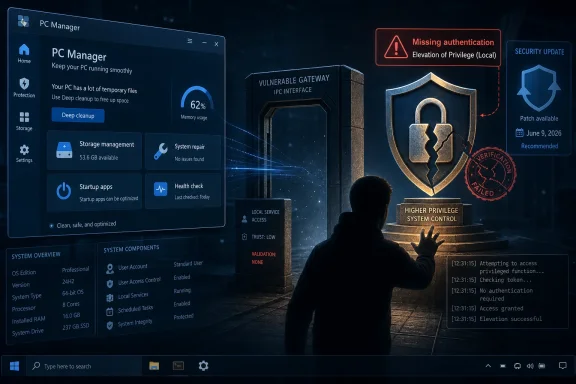 Microsoft’s Cleanup App Has Become Part of the Attack Surface
Microsoft PC Manager has always occupied a slightly odd place in the Windows ecosystem. It is not Windows Security, not Settings, not Storage Sense, and not exactly a classic enterprise management tool. It is a Microsoft-branded utility for Windows 10 and Windows 11 that offers cleanup, storage management, health checks, pop-up controls, startup management, and other “make my PC better” functions that historically belonged to third-party tune-up suites.That pedigree matters. The old Windows advice was simple: avoid sketchy cleaners, avoid registry optimizers, avoid “speed up your PC” software that promised more than it could deliver. Microsoft PC Manager inverted that advice by putting a first-party badge on the category. If users were going to run a cleaner anyway, Microsoft seemed to be saying, they might as well run one from Redmond.
CVE-2026-50512 shows the tradeoff. A utility that can delete caches, manage storage, scan for issues, manipulate startup behavior, and advertise “one click” system fixes needs privileged plumbing somewhere behind the glossy interface. If the boundary between the unprivileged user interface and the privileged helper is not strongly authenticated, the helper becomes a ladder.
That is what “missing authentication for critical function” means in practical terms. The vulnerable component exposes or performs an operation that should verify the caller’s right to invoke it, but does not do so sufficiently. In the abstract, that sounds bureaucratic; on a Windows endpoint, it can mean the difference between “a standard user can run a tool” and “a standard user can make a privileged component act on their behalf.”
The CVSS Score Tells Only Half the Story
The reported CVSS 3.1 score of 7.8 places CVE-2026-50512 in the high-severity range, which is familiar territory for local privilege escalation flaws. These bugs are not usually the first step in an intrusion. They are the second or third step, the move an attacker makes after phishing a user, landing malware in a low-privilege context, escaping a sandbox, or abusing a misconfigured desktop.That makes them easy to underrate. Remote code execution vulnerabilities feel urgent because they can be imagined as a door swinging open from the internet. Elevation-of-privilege bugs feel more conditional because the attacker already needs some level of access. But on real networks, attackers routinely get some access before they get the access they actually want.
The local requirement is not a comfort blanket. A help desk workstation, a shared lab machine, a developer laptop, a kiosk-like device with a signed-in account, or a family PC where one account gets compromised can all provide the foothold needed for a local privilege escalation. Once elevated, an attacker may disable protections, dump credentials, tamper with logs, install persistence, or pivot into more sensitive parts of the environment.
The more important question is not “can this be exploited from the internet?” It is “where is PC Manager installed, what privileges does it broker, and how quickly can we remove or update the vulnerable version?” For many organizations, the first answer may be embarrassingly fuzzy.
PC Manager Is Optional, but Optional Does Not Mean Rare
Microsoft PC Manager is not a core Windows component in the way the kernel, Print Spooler, LSASS, or Defender are core components. That distinction matters for exposure. A Windows 11 fleet is not automatically vulnerable merely because it is a Windows 11 fleet.But optional software has a way of becoming invisible. Users install it from the Microsoft Store, IT pilots it and forgets it, OEM images pick up utilities during setup, and power users recommend it in internal chats because it has Microsoft’s name on it. Over time, “not part of the base OS” becomes “present on enough endpoints that we need to care.”
The Microsoft branding creates a second problem: trust gravity. Security teams tend to scrutinize third-party cleaners, remote access utilities, and driver updaters because those categories have long histories of abuse and instability. A Microsoft-published utility may glide through allow lists, app control policies, and user suspicion more easily than a comparable third-party tool.
That is not an argument against first-party utilities. It is an argument for treating them like software, not like extensions of the operating system immune from ordinary inventory discipline. If a tool installs privileged services or scheduled tasks, it belongs in the same asset and vulnerability management conversation as any other endpoint component.
Missing Authentication Is a Design Smell, Not Just a Coding Mistake
The most interesting phrase in the CVE description is not “elevation of privilege.” It is “missing authentication for critical function.” That wording points to a class of defect that is less about a memory corruption edge case and more about trust architecture.Modern Windows applications increasingly use split designs. The visible app runs as the user. A background service, broker, driver, scheduled task, COM server, or other helper performs operations that require higher integrity. That split is sensible; users should not need to run an entire app as administrator just to perform one privileged operation. But it also creates an obligation: the privileged side must know exactly who is asking, what they are asking for, and whether that request is allowed.
When that check is absent or insufficient, the user interface becomes irrelevant. Attackers do not need to click the same buttons a user would click if they can talk directly to the privileged component. They look for named pipes, RPC endpoints, COM interfaces, service control paths, filesystem locations, update mechanisms, and permissive access control lists. The app’s pretty surface is not the attack surface; the broker behind it is.
That is why local privilege escalation bugs in helper utilities repeat across vendors and years. The product team wants a seamless user experience. The security model demands friction. Somewhere in the middle, a privileged operation gets exposed to a caller the developer assumed would always be the friendly front-end process.
The “Authorized Attacker” Phrase Should Not Reassure Anyone
Microsoft’s language says an authorized attacker can elevate privileges locally. In vulnerability taxonomy, “authorized” often means the attacker already has legitimate access to a low-privilege account or can run code as a normal user. It does not mean the attacker is an administrator, nor does it mean the attack is benign because the user was allowed to sign in.This is where enterprise and home threat models briefly converge. On a home PC, malware that lands under a standard user account wants administrator-level control so it can dig in. On an enterprise endpoint, a compromised user account wants local admin or SYSTEM-level control so it can harvest secrets, interfere with EDR, or stage lateral movement. In both cases, a local EoP is the bridge between nuisance and compromise.
The attacker’s required starting position also fits modern intrusion chains. Phishing still works. Malicious downloads still work. Browser and document exploits still happen. Supply-chain incidents can drop payloads under ordinary user contexts. In those scenarios, a high-quality local privilege escalation is not the opening act; it is the escalation scene.
The absence of public proof-of-concept details, if no reliable exploit is circulating, reduces immediate copycat risk. It does not eliminate strategic value. Attackers do not need every administrator to panic; they need enough organizations to miss optional software during patch validation.
Patch Tuesday Has a Long Tail Beyond Windows Update
The Windows ecosystem has trained administrators to think of Patch Tuesday as a Windows Update event. That mental model is increasingly incomplete. Microsoft’s monthly security release spans Windows, Office, Edge, Exchange, SQL Server, developer tooling, cloud components, and an expanding list of apps that may update through different channels.Microsoft PC Manager complicates that picture because many deployments are likely Store-managed or app-specific rather than governed purely by the same process used for cumulative Windows updates. A security team that reports “June Windows patches deployed” may still need to answer whether PC Manager itself has updated, whether the vulnerable package remains installed, and whether Store app updates are blocked, deferred, or unmanaged.
This is especially relevant in locked-down environments. Some organizations disable Microsoft Store access for users but still permit built-in app servicing through policy. Others block Store updates entirely and rely on packaging tools. Some allow users to install Store apps but do not inventory them with the same rigor as MSI or Win32 packages. In each case, the remediation path may differ.
The operational question is simple: can you prove the app is either absent or fixed? If the answer requires three teams, two consoles, and a guess, CVE-2026-50512 has already done its job as a governance test.
Consumer Convenience Keeps Colliding With Enterprise Control
PC Manager’s appeal is obvious. Windows has accumulated many maintenance surfaces: Settings pages, Storage Sense, Defender scans, startup apps, browser caches, Microsoft Store packages, taskbar widgets, notifications, and performance advice. A single “make this better” utility is easy to market and easy for users to understand.That same convenience can irritate administrators. Enterprises generally do not want users experimenting with cleanup utilities that alter startup behavior, remove caches, change defaults, suppress pop-ups, or offer one-click repairs outside established support workflows. Even when the utility is legitimate, it can create inconsistent endpoint states and generate support noise.
Security adds another layer. Any tool that promises to “fix issues fast” must define what an issue is, which parts of the system it can alter, and under whose authority. If those choices are embedded in a consumer-friendly interface, the app may be optimized for confidence rather than auditability. That is fine for a personal laptop; it is less fine for regulated fleets.
CVE-2026-50512 is therefore also a policy prompt. If PC Manager is not approved in your environment, block it and remove it. If it is approved, manage it deliberately. The worst position is silent tolerance: present on machines, trusted by users, ignored by administrators, and serviced by a channel no one owns.
The App-Control Angle Is Bigger Than This CVE
Windows administrators have spent years learning that application control is not merely about blocking malware. It is about reducing the number of trusted binaries that can be abused. Signed Microsoft code is powerful in defensive policy, but signed Microsoft code is also attractive to attackers because it often lives in trusted paths and passes reputation checks.That does not mean PC Manager is uniquely dangerous. It means every privileged utility adds to the collection of possible living-off-the-land tools and brokers. If a component exposes privileged functions, stores configuration in writable locations, runs scheduled jobs, or registers services, it becomes interesting.
Microsoft’s own security architecture has been moving toward more granular trust: Smart App Control, Windows Defender Application Control, attack surface reduction rules, protected processes, virtualization-based security, and increasingly strict handling of drivers and kernel code. But the user-space app ecosystem still contains many small brokers of power. Cleanup tools are especially tempting because they need to touch other applications’ leftovers, caches, logs, and settings.
For defenders, the useful response is not to turn every CVE into a panic cycle. It is to maintain a narrower endpoint baseline. The fewer optional tools with privileged helpers, the fewer emergency questions you need to answer when one of them ships with a missing authentication check.
Home Users Should Update, but They Should Also Rethink Why the Tool Is Installed
For home users, the guidance is less bureaucratic but no less important. If Microsoft PC Manager is installed, update it through the Microsoft Store or the official PC Manager update mechanism as soon as a fixed version is available. If you do not use it, uninstall it.The second sentence matters. Windows 10 and Windows 11 already include Storage Sense, Windows Security, startup app controls, app uninstallers, disk cleanup capabilities, and browser-specific cache controls. PC Manager packages some of that into a simpler experience, but it is not magic. No cleanup utility can compensate for a weak password, a malicious browser extension, an unpatched app, or an account running as administrator all day.
Home users also tend to run with local administrator rights, which changes the exploit calculus. If malware already runs under an administrator account, a local EoP may be less necessary. But many Windows security improvements assume more separation between ordinary work and elevated operations. A vulnerability like this is a reminder that the separation only helps when privileged components enforce it.
The practical advice is boring because the boring advice works: keep Store apps updated, remove utilities you do not need, avoid running as administrator for daily use where practical, and do not treat Microsoft branding as a substitute for least privilege.
Where Administrators Should Start Looking
The first enterprise task is inventory. Security teams should determine whether Microsoft PC Manager is installed anywhere in the environment, including user-installed Store apps, packaged deployments, golden images, test labs, shared machines, and unmanaged BYOD-adjacent systems that still touch corporate resources. The app’s optional status makes discovery more important, not less.The second task is update validation. It is not enough to assume Windows cumulative updates addressed the issue unless Microsoft’s remediation documentation explicitly says so for a given deployment channel. Administrators should verify package versions, update channels, and installation state using their endpoint management stack.
The third task is policy cleanup. If PC Manager is not part of the supported endpoint baseline, remove it and prevent reinstallation. If it is part of the baseline, define ownership: who approves updates, who monitors CVEs, who tests functionality, and who responds when it misbehaves.
The final task is telemetry. Local privilege escalation attempts often leave traces: unusual child processes from service hosts, unexpected invocation of app services, suspicious named-pipe or COM activity, tampering with security tools, creation of new local administrators, or scheduled tasks appearing after a user-level compromise. The details for this CVE may be limited, but the general hunt pattern is familiar.
Microsoft’s Sparse Advisory Style Cuts Both Ways
Microsoft advisories often disclose enough to let defenders prioritize without giving attackers a cookbook. That restraint is understandable, especially for local privilege escalation bugs where exploit details can be quickly operationalized. But sparse advisories also leave administrators trying to translate short phrases into concrete exposure decisions.“Missing authentication for critical function” tells us the weakness category. “Authorized attacker” and “local” tell us the starting point. The CVSS score tells us impact and exploitability at a high level. What many administrators still want to know is more mundane: which versions, which installation channels, which service names, which mitigations, and whether exploitation has been seen in the wild.
That gap is why asset inventory and update verification matter more than advisory prose. If Microsoft says a component is vulnerable and a fixed version exists, the defender’s job is not to reverse-engineer the bug from first principles before acting. The job is to find the component, patch or remove it, and then decide whether further hunting is warranted.
Still, Microsoft could help by making app-channel remediation more explicit across its advisory ecosystem. Windows admins live in a world of cumulative updates, Store packages, winget, Intune, Defender updates, Office Click-to-Run, Edge’s updater, Visual Studio installers, and standalone packages. The more a vulnerability sits outside the classic OS patch lane, the more explicit the servicing instructions need to be.
The Real Risk Is the Chain, Not the Link
CVE-2026-50512 is best understood as a link in a chain. By itself, it requires local access and a vulnerable installation. In combination with phishing, malware delivery, weak endpoint controls, excessive user rights, unmanaged Store apps, and poor inventory, it becomes more valuable.That chain-based view is how attackers think. They do not sort vulnerabilities by whether they make good press releases. They sort them by whether they solve a problem inside an operation. A local EoP in a signed Microsoft utility solves a very specific problem: how to turn a foothold into control.
Defenders should think the same way. If a user downloads a malicious attachment and it runs as that user, can it reach PC Manager’s privileged functions? If a developer workstation has PC Manager installed outside the approved baseline, can an attacker use it after compromising a build tool? If a kiosk has a restricted shell but an exposed helper service, does the restriction still matter?
The exact answers depend on the patched details. The strategic answer does not. Optional privileged utilities must be treated as part of the endpoint attack surface because attackers certainly will.
The Small Microsoft App That Tests the Big Windows Discipline
CVE-2026-50512 will not be remembered like a wormable SMB flaw or a catastrophic Exchange bug. It is more likely to become one of many high-severity local privilege escalation entries that administrators process in the background while chasing louder fires. That does not make it unimportant. It makes it representative.The concrete response should be narrow and fast:
- Organizations should inventory Microsoft PC Manager across managed and semi-managed Windows endpoints rather than assuming the app is absent.
- Administrators should update PC Manager through its supported servicing channel or remove it where it is not approved.
- Security teams should confirm whether Microsoft Store app updates are actually functioning in locked-down environments.
- Endpoint baselines should treat cleanup and optimization utilities as privileged software, even when they are Microsoft-branded.
- Defenders should watch for post-compromise behavior consistent with local privilege escalation, especially on machines where PC Manager was present before remediation.
- Home users who installed PC Manager casually should either update it promptly or uninstall it if Windows’ built-in maintenance tools are sufficient.
References
- Primary source: MSRC
Published: 2026-06-09T07:00:00-07:00
Security Update Guide - Microsoft Security Response Center
 msrc.microsoft.com
- Related coverage: aha.org
- Official source: microsoft.com
CVE-2026-31431: Copy Fail vulnerability enables Linux root privilege escalation across cloud environments | Microsoft Security Blog
A high-severity Linux vulnerability, “Copy Fail” (CVE-2026-31431), enables root privilege escalation across cloud environments and Kubernetes workloads. With a working exploit already in the wild, organizations should act quickly to detect, mitigate, and reduce risk.www.microsoft.com - Related coverage: threats.kaspersky.com
Kaspersky Threats — KLA80106
threats.kaspersky.com
- Related coverage: stack.watch
- Related coverage: vulnerability.circl.lu
Vulnerability-Lookup
Vulnerability-Lookup - Fast vulnerability lookup correlation from different sources.vulnerability.circl.lu

- Related coverage: securityvulnerability.io
CVE-2025-49738 : Elevation of Privilege Vulnerability in Microsoft PC Manager
Learn about the elevation of privilege vulnerability affecting Microsoft PC Manager, posing risks for users.securityvulnerability.io - Related coverage: heise.de
Microsoft PC Manager: Critical gap allows privilege escalation | heise online
There was a security gap in the PC optimization software Microsoft PC Manager, which allowed attackers from the network to extend rights. www.heise.de
- Related coverage: rapid7.com
Rapid7 Vulnerability Database
Rapid7's VulnDB is curated repository of vetted computer software exploits and exploitable vulnerabilities.www.rapid7.com - Related coverage: bleepingcomputer.com
- Related coverage: absolute.com
- Related coverage: hivepro.com
- Official source: msrc-ppe.microsoft.com
- Official source: learn.microsoft.com
Security Advisories and Bulletins | Microsoft Learn
learn.microsoft.com - Related coverage: sra.io
- Official source: pcmanager.microsoft.com
Cleanup PC, protection for your computer | Microsoft PC Manager
Official Microsoft PC Manage website; thorough analysis, thorough cleaning, toolkit. Releasing occupied resources and cleaning system fragments will make your Windows run like new.pcmanager.microsoft.com
- Related coverage: techradar.com
Microsoft's official PC Cleaner app is now on the Microsoft Store - and makes big promises about speeding up your PC for free | TechRadar
PC Cleaner: Microsoft's answer to Windows performance woeswww.techradar.com - Related coverage: howtogeek.com
Microsoft's New "PC Manager" App Looks a Lot Like CCleaner
An app for doing the things Windows can already do. www.howtogeek.com
- Related coverage: global.techradar.com
Officiële Microsoft PC Manager-app is nu beschikbaar en belooft je pc sneller te maken | TechRadar
De PC Manager moet Windows sneller makenglobal.techradar.com - Related coverage: winhelponline.com
Microsoft PC Manager is Missing from Microsoft Store? » Winhelponline
The Microsoft PC Manager app offers features such as one-click boost, storage clean-up, file management, and protection of your default settings from…www.winhelponline.com - Official source: answers.microsoft.com
Microsoft PC Manager is not available in Windows Store - Microsoft Q&A
I'm using Windows 10 Version 22H2, Build 19045.4046, but Microsoft PC Manager is not available in the Windows Store. Can you tell me if the Microsoft PC Manager will be available for this version?answers.microsoft.com - Related coverage: windowscentral.com
Winhance debloater update brings WinUI 3 to match Windows 11 | Windows Central
Updates to Winhance for Windows PCs migrate the app to the WinUI 3 framework to blend with Windows 11's menu styling, offering batch bloatware removal and more.www.windowscentral.com
