

Google’s CVE-2026-5275 is the kind of browser flaw that instantly jumps to the top of any patching queue: a heap buffer overflow in ANGLE that can be triggered by a crafted HTML page and, on affected Mac builds, could permit remote code execution before Chrome 146.0.7680.178. Microsoft’s Security Update Guide mirrors the upstream Chromium disclosure, confirming the issue’s scope and the downstream importance for enterprises that track browser risk through Microsoft’s vulnerability catalog. The most important practical point is simple: this is not a theoretical lab bug, but a memory-corruption issue in a core graphics path that lives directly on the web attack surface. GLE is one of those Chromium components that most users never notice and defenders think about constantly. It sits in the browser’s graphics translation layer, helping web content talk to the native graphics stack in a portable way, which is exactly why it matters so much when things go wrong. A flaw in ANGLE is not just a niche rendering glitch; it can become a path from a hostile webpage to code execution inside a browser process, which is why Chrome’s security team consistently treats graphics bugs as high-value targets.
The public descript says the vulnerability is a heap buffer overflow on Mac in Chrome versions prior to 146.0.7680.178. Microsoft’s entry also describes the exploit scenario in the familiar browser-security language: a remote attacker could use a crafted HTML page to execute arbitrary code. That combination — remote reachability, user interaction through browsing, and memory corruption — is the classic profile of a serious Chromium issue, especially when the affected component sits in the rendering pipeline.
Chrome’s March 2026 update cadence givesontext. Google shipped Chrome 146 in multiple Stable Channel updates during March, with a first desktop release on March 10, 2026** and later follow-on updates that tightened the patch set. That pattern matters because Chromium security fixes often arrive in waves: initial fixes, emergency corrections, and later stable-point releases as Google finishes rolling out broader mitigations. In other words, version numbers are not decorative here; they tell administrators exactly where the vulnerable window begins and ends.
There is also a broader lesson in the timing. Chromium’s graphics stack has already produced multiple serious 2026 vulnerabilities, including other ANGLE issues earlier in the year. That is not unusual for a code path that bridges web content and the GPU stack, but it does show how aggressively attackers and researchers continue to probe browser internals. When one component family keeps surfacing in advisories, defenders should stop treating each CVE as an isolated event and start seeing it as a recurring exposure class.
The core issue is straightforward: a heap buffer overflow in ANGLE can allow memory corruption when Chrome processes a specially crafted page. Google’s Chromium severity label is High, and Microsoft’s downstream advisory preserves the same basic impatells us the vulnerability is serious enough to matter operationally, even before any public exploitation details are available.
A browser exploit does not need to be flashy to be dangerous. The attacker’s HTML page can be delivered through malicious ads, compromised sites, phishing campaigns, or drive-by redirect chains, and the page only has to reach the vulnerable code path once. That is why a “crafted HTMription is not a minor detail; it means the exploit vector is the ordinary web itself.
Google’s release notes repeatedly show that Chromium bugs are found through sanitizers and fuzzing infrastructure, which is encouraging, but it also shows how much hidden complexity remains in browser internals. The existence of a recurring ANGLE security history suggests the code path is mature yet still fragile, especially across platform-specific back ends and driver interactions. That is the sort of subsystem where one bad bounds check can become a release-blocking security issue. (chromereleases.googleblog.com)
Google’s March 2026 Stable Channel cadence matters because it shows how quickly the browser moves after a vulnerability is discovered. Chrome 146 first landed on the desktop stable channel on March 10, then later updates continued that month as Google refined the release stream. The practical implication is that security teams should not treat the first patch as the only relevant one; they should confirm the whole update lineage is complete.
For enterprises, the safest reading is conservative. If inventory says a Mac endpoint is running anything below the fixed build, it should be treated an otherwise. If the fleet includes mixed OSes and managed browser channels, that validation needs to happen separately for each track rather than by assumption.
That distinction matters when teams are building patch dashboards. A vulnerability can appear in Microsoft’s catalog without meaning Microsoft authored the defect; it often means the issue exists upstream in Chromium and must be evaluated in Edge or other Chromium-based deployments after the relevant code lands. Security operations teams that miss that nuance tend to misread the guidance and either overreact or underreact. Both outcomes are expensive.
The fact that Microsoft publishes these downstream mappings also underlines how interconnected browser ecosystems have become. Chrome, Edge, and Chromium derivatives increasingly share the same vulnerability timeline, which means security teams are not really managing “a browser” so much as managing a shared engine with multiple front ends. That shared engine model improves consistency, but it also means one exploit can have very wide blast radius.
A heap buffer overflow in a graphics translation layer is especially uncomfortable because it sits in code that must be fast, portable, and compatible with many rendering paths. That is the sort of area where one platform’s optimization can become another plahis is why browser graphics bugs remain so persistent*: the engineering constraints are in tension with the security goals.
That is why memory corruption in the rendering pipeline often gets priority over more abstract issues like policy inconsistencies or UI confusion. The latter can be serious, but the former can collapse into code execution faster. In patch triage, that difference usually decides whether the fix is schaintenance window or moved immediately to emergency deployment.
This also affects administrators choosing their default browser strategy. Enterprises that standardize on Chromium-based browsers often do so because of compatibility, not because of security branding, but once a browser family is a shared dependency, patch velocity becomes part of the procurement equation. The faster the patch cadence, the less time an exploit has to mature in the wild.
A second-order effect is that browser vendors will continue pushing for stronger memory-safe components andndaries. The pressure is not just theoretical: every high-severity graphics bug is another argument for migrating critical components away from raw memory-unsafe patterns where feasible. That migration is slow, but the economic incentive is obvious.
Source: NVD / Chromium Security Update Guide - Microsoft Security Response Center
The public descript says the vulnerability is a heap buffer overflow on Mac in Chrome versions prior to 146.0.7680.178. Microsoft’s entry also describes the exploit scenario in the familiar browser-security language: a remote attacker could use a crafted HTML page to execute arbitrary code. That combination — remote reachability, user interaction through browsing, and memory corruption — is the classic profile of a serious Chromium issue, especially when the affected component sits in the rendering pipeline.
Chrome’s March 2026 update cadence givesontext. Google shipped Chrome 146 in multiple Stable Channel updates during March, with a first desktop release on March 10, 2026** and later follow-on updates that tightened the patch set. That pattern matters because Chromium security fixes often arrive in waves: initial fixes, emergency corrections, and later stable-point releases as Google finishes rolling out broader mitigations. In other words, version numbers are not decorative here; they tell administrators exactly where the vulnerable window begins and ends.
There is also a broader lesson in the timing. Chromium’s graphics stack has already produced multiple serious 2026 vulnerabilities, including other ANGLE issues earlier in the year. That is not unusual for a code path that bridges web content and the GPU stack, but it does show how aggressively attackers and researchers continue to probe browser internals. When one component family keeps surfacing in advisories, defenders should stop treating each CVE as an isolated event and start seeing it as a recurring exposure class.
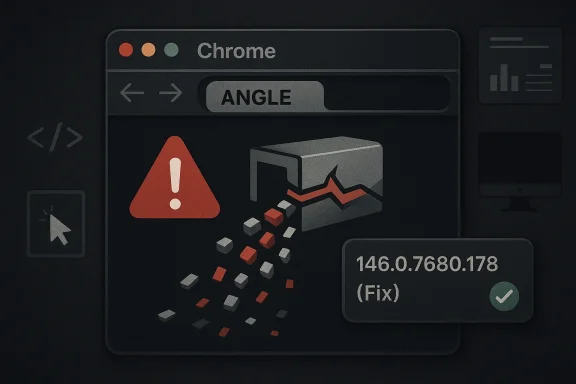 What CVE-2026-5275 Actually Is
The core issue is straightforward: a heap buffer overflow in ANGLE can allow memory corruption when Chrome processes a specially crafted page. Google’s Chromium severity label is High, and Microsoft’s downstream advisory preserves the same basic impatells us the vulnerability is serious enough to matter operationally, even before any public exploitation details are available.Why heap overflows still matter
Heap overflows remain dangerous because they can corrupt allocator metadata or adjacent objects in ways that attackers can sometimes shape into code execution. Modern browser sandboxes and exploit mitigations make that harder than it used to be, but harder is not the same as safe. When the vinside a browser process that handles untrusted content all day, the attack surface is enormous by default.A browser exploit does not need to be flashy to be dangerous. The attacker’s HTML page can be delivered through malicious ads, compromised sites, phishing campaigns, or drive-by redirect chains, and the page only has to reach the vulnerable code path once. That is why a “crafted HTMription is not a minor detail; it means the exploit vector is the ordinary web itself.
Why ANGLE is such a high-value target
ANGLE sits between web APIs and the underlying graphics implementation, so it often processes complex, performance-sensitive inputs. That makes it ideal for portability, but also makes it a magnet for memory-safety bugs. Attackers like these bugs because grap tends to be dense, stateful, and difficult to fuzz exhaustively.Google’s release notes repeatedly show that Chromium bugs are found through sanitizers and fuzzing infrastructure, which is encouraging, but it also shows how much hidden complexity remains in browser internals. The existence of a recurring ANGLE security history suggests the code path is mature yet still fragile, especially across platform-specific back ends and driver interactions. That is the sort of subsystem where one bad bounds check can become a release-blocking security issue. (chromereleases.googleblog.com)
- Attack surface: web content rendered by Chrome.
- Bug class: heap buffer overflow.
- Likely outcome: memoryble code execution.
- Affecting platform: Mac in the published advisory.
- Fix boundary: versions before 146.0.7680.178.
The Patch Window and Why the Version Number Matters
The exact fixed build is the part security teams will key off: Chrome 146.0.7680.178 for Mac. That version boundary is the difference between a browser that may be exploitable by a crafted webpage and one that has the upstream mitigation in place. For adminiscleanest possible triage signal: if the estate is below that version, the browser is still in the vulnerable range.Patch tracking in practice
In large environments, a CVE like this is rarely managed as a one-off desktop update. It has to flow through endpoint management, software inventory, pilot rings, and change-control windows, often alongside multiple browser fixes in the same weekly cycle. The problem is that browser upgrades are easy to postpone because they t memory corruption in a public browser path is exactly the kind of issue that punishes delay.Google’s March 2026 Stable Channel cadence matters because it shows how quickly the browser moves after a vulnerability is discovered. Chrome 146 first landed on the desktop stable channel on March 10, then later updates continued that month as Google refined the release stream. The practical implication is that security teams should not treat the first patch as the only relevant one; they should confirm the whole update lineage is complete.
What “Mac prior to 146.0.7680.178” implies
The wording strongly suggests the vulnerable condition is platform-specific in the public advisory, even though Chromium’s upstream architecture is shared. That does not necessarily mean other platforms are immune in a universal sense; it means this particular CVE entry, as published in Microsofhe risk to Mac builds before the fixed version. That distinction matters, because browser CVEs often have platform-specific manifestations even when they originate in shared code.For enterprises, the safest reading is conservative. If inventory says a Mac endpoint is running anything below the fixed build, it should be treated an otherwise. If the fleet includes mixed OSes and managed browser channels, that validation needs to happen separately for each track rather than by assumption.
- Verify version on all managed Mac endpoints.
- Prioritize browsers used for daily web access and admin tasks.
- Do not assume that a later patch on another platform covers Mac.
- ft** in environments with beta, stable, or extended stable builds.
- Escalate if managed devices lag behind the published fix boundary.
Why This Matters for Edge, Windows, and Enterprise Tracking
Microsoft’s decision to surface the vulnerability in its Security Update Guide is itself a reminder of how Chromium security now travels through the enterprise stack. Even though the specific issue is described for Chrome on Mac, the Microsoft entry helps security teams map upstream Chromium risk into the browser inventory That’s a crucial service in mixed-OS organizations where Chrome, Edge, and other Chromium-based browsers all coexist.Downstream visibility is not the same as ownership
Microsoft did not create this bug, but it does track the CVE because downstream consumers need a single place to correlate exposure. That model has become standard for Chromium-linked advisories in Microsoft’s vulnerability ecosystem: the browser vendor owns the code, while Microsoft helps customers understand when the fix has landed in products they deploy. It is a supply-chain visibility problem as much as a browser bug problem.That distinction matters when teams are building patch dashboards. A vulnerability can appear in Microsoft’s catalog without meaning Microsoft authored the defect; it often means the issue exists upstream in Chromium and must be evaluated in Edge or other Chromium-based deployments after the relevant code lands. Security operations teams that miss that nuance tend to misread the guidance and either overreact or underreact. Both outcomes are expensive.
Enterprise workflow implications
For enterprise defenders, the biggest risk is not just exploittency. Browser updates can be blocked by compatibility checks, extension concerns, or user deferrals, and attackers know that the easiest path is often the unpatched minority rather than the whole fleet. A single Mac laptop left behind by one or two release cycles can become the foothold that defeats a broader hardening strategy.The fact that Microsoft publishes these downstream mappings also underlines how interconnected browser ecosystems have become. Chrome, Edge, and Chromium derivatives increasingly share the same vulnerability timeline, which means security teams are not really managing “a browser” so much as managing a shared engine with multiple front ends. That shared engine model improves consistency, but it also means one exploit can have very wide blast radius.
- Track upstream CVEs even if your primary fleet browser is not Chrome.
- Treat browser update lag as an enterprise risk metric.
- Use the Microsoft guide as a cross-reference, not as the only source of truth.
- Map versions precisely across Mac and Windows device pools.
- Review extensions and policy blocks that may slow rollout.
The Security Model Be Bugs
Browser security is a constant tug-of-war between functionality and containment. Chromium has improved tremendously through site isolation, sandboxing, and memory-safety hardening, but the browser still has to parse arbitrary content at scale, and every new feature expands the attack surface. That is why a graphics-layer issue like CVE-2026-5275 remains significant even in a mature browser stack.Memory safety is still the bottleneck
The browser industry has spent years trying to reduce memory-corruption bugs through fuzzing, sanitizers, and code hardening. Google’s own release notes repeatedly mention tools such as AddressSanitizer, MemorySanitizer, UBSan, CFI, libFuzzer, and AFL as part of its detection pipeline. Those tools help, but they do not eliminate the fundamental challenge of maintaining huge, cross-platform, performance-critical codebases. ([chromereleasess://chromereleases.googleblog.com/2026/03/stable-channel-update-for-desktop_12.html))A heap buffer overflow in a graphics translation layer is especially uncomfortable because it sits in code that must be fast, portable, and compatible with many rendering paths. That is the sort of area where one platform’s optimization can become another plahis is why browser graphics bugs remain so persistent*: the engineering constraints are in tension with the security goals.
Why HTML-only triggers are so alarming
When the trigger is just a webpage, the attacker does not need a preinstalled app, macro-enabled document, or plugin. They need only a user who loads malicious content, which is a much lower bar. The browser then becomnism, the parser, and the execution environment all at once.That is why memory corruption in the rendering pipeline often gets priority over more abstract issues like policy inconsistencies or UI confusion. The latter can be serious, but the former can collapse into code execution faster. In patch triage, that difference usually decides whether the fix is schaintenance window or moved immediately to emergency deployment.
- Fuzzing helps, but does not solve browser memory-safety risk.
- Graphics subsystems remain complex and difficult to harden completely.
- HTML-triggered bugs are among the most operationally dangerous.
- Sandboxing reduces impact but rarely makes exploitability irrelevant.
- Performance-sensitive code is often the hardest to secCompetitive and Market Implications
Chrome vs. Edge messaging
For Chrome users, the message is direct: update to the fixed build. For Edge users, the question is usually one of ingestion timing, because Microsoft must bring Chromium changes into its own release pipeline. That creates a subtle but important reputational issue: whichever browser reaches users faster after an upstream fix can claim a security responsiveness advantage, even if the underlying bug originated elsewhere. ([msrc.microsoft.comoft.com/blog/2024/11/toward-greater-transparency-publishing-machine-readable-csaf-files/)This also affects administrators choosing their default browser strategy. Enterprises that standardize on Chromium-based browsers often do so because of compatibility, not because of security branding, but once a browser family is a shared dependency, patch velocity becomes part of the procurement equation. The faster the patch cadence, the less time an exploit has to mature in the wild.
The recurring ANGLE signal
ANGLE has appeared in a number of Chromium security discussions this year, which is a reminder that some code paths attract repeated attention from both researchers and attackers. The larger market implication is that graphics-stack security is no longer a niche concern reserved for GPU specialists. It is now a maig criterion, just like sandbox strength or enterprise policy support.A second-order effect is that browser vendors will continue pushing for stronger memory-safe components andndaries. The pressure is not just theoretical: every high-severity graphics bug is another argument for migrating critical components away from raw memory-unsafe patterns where feasible. That migration is slow, but the economic incentive is obvious.
- Patch velocity is part of browser competition now.
- Shared engine ecosystems amplify both benefits and risks.
- Security response speed influences enterprise browser choices.
- **Recurring ANGLE ure for architectural change.
- Upstream fixes shape downstream product trust.
Practical Response for Administrators
The immediate response is not mysterious, but it does require discipline. Confirm that Chrome on Mac is at or above 146.0.7680.178, and verify that managed endpoints are not pinned to an older channel or held back by policy. If your organization uses Microsoft’s guidance as the source of record, make sure that record is reconciled with your device inventory rather than treated as automatically remediated.A sensible response sequence
- **Inventory browser versiMacs.
- Identify devices below 146.0.7680.178.
- Push the update through normal management tooling.
- Validate extension and policy compatibility after deployment.
- Recheck lagging endpoints that missed the first rollout.
Consumer guidance
For individual users, the advice is even simpler: update the browser as soon as it is offered. Delaying a browser patch because everythior risk management when the bug can be reached by a web page. In 2026, browser updates are less about features and more about shrinking the window in which a drive-by exploit might work.- Restart browsers after updating to ensure the new binary is active.
- Check managed update policies on corporate Macs.
- Audit pinned versions and exceptions.
- Treat browser patches as urgent, not optional.
- Watch for delayed rollouts in remote or off-network devices.
Strengths and Opportunities
The good news is that Chromium’s security process remains visible, fast, and comparatively transparent, which gives defenders a fighting chance. Google’s release notes, Microsoft’s downstream tracking, and the versioned fix boundary all make it much easier to operationalize response than it was in the old browser era. There is also a real opportunity here for organizations to tighten browser governance and treat browser patching as a formal security control instead of an ad releases.googleblog.com](Stable Channel Update for Desktop))- Clear fixed version simplifies triage.
- Public upstream disclosure aids defenders.
- Downstream MSRC tracking improves enterprise visibility.
- Browser auto-update mechanisms can reduce exposure quickly.
- Security teams can measure patch latency as a concrete control.
- Recurring graphics bugs create momentum for deeper hardening.
- **Shared Chromium plumzed governance more effective.
Risks and Concerns
The biggest concern is that web-exploitable memory corruption can be weaponized quickly once the bug is understood. A second concern is patch fragmentation: the same browser family may be updated on one platform while another remains behind, and that lag is enough for attackers to target the weaker segment. A third concern is that organizations often underestimate browser exposurss critical than server or endpoint OS patching. That is a mistake.- Exploitability may accelerate once technical analysis matures.
- Mac endpoints below the fixed build remain exposed.
- Update deferrals create a long-tail risk window.
- Mixed browser fleets complicate visibility.
- Browser patches can be blocked by policy or compatibility issues.
- Users often ignore update prompts until after the risk window grows.
- One vulnerable tab can still become a serious incident.
Looking Ahead
The most likely next step is continued hardening and more follow-on fixes in the same release family. Chromium’s pattern over March 2026 shows that browsers ship in rapid, security-sensitive increments, and that is unlikely to change as long as memory corruption remains a persistent threat class. The broader strategic trend is obvious: browsers will keep shifting toward safer architectures, but until then, patch speed is the defense that matters most.What to watch next
- Further Chrome stable updates in the same 146 branch.
- Edge ingestion timing for Chromium-derived fixes.
--wild exploitation** tied to ANGLE or related graphics paths. - Additional browser CVEs in the same release cycle.
- Enterprise patch compliance metrics for Mac fleets.
Source: NVD / Chromium Security Update Guide - Microsoft Security Response Center
