

Google’s latest Chromium security cycle has added another high-priority browser flaw to the patch queue, and this time the weak point sits in a place most users treat as routine: PDF rendering. CVE-2026-5287 is a use-after-free issue in Chrome’s PDF handling that Google says allowed a remote attacker to execute code inside the browser sandbox by luring a user to open a crafted PDF file in a vulnerable build before 146.0.7680.178. Microsoft’s Security Update Guide is mirroring the issue for downstream visibility, which is a reminder that Chromium bugs do not stay inside Chrome; they travel quickly into Edge and any other product built on the same engine. mium security advisories have become a recurring lesson in how modern browsers are really a stack of specialized engines, file parsers, media pipelines, and sandbox boundaries rather than a single application. That matters because attackers do not need a dramatic zero-click exploit chain to create damage; a crafted PDF, a malicious HTML page, or a poisoned resource can be enough to reach a memory-safety bug and start escalating from there. In the case of CVE-2026-5287, the attack surface is especially familiar because PDF handling is one of the browser’s most user-trusted workflows.
The vulnerability record describes the flaw as a use-after-free in PDF, which places it in the same broad memory-corruption family that has repeatedly driven browser incident response for years. The difference between a clean render and a bug-triggering render is often a tiny lifetime-management mistake in object ownership, and those mistakes can be devastating when the parser is processing attacker-controlled content. Google’s own severity classification for this issue is High, which tells administrators this is not a cosmetic defect or harmless crash condition.
The version boundarGoogle fixed the issue in Chrome 146.0.7680.178, and the NVD-enriched record ties the vulnerable Chrome range to versions before that build. Microsoft’s advisory echoes the same upstream information, giving enterprise teams a second, downstream confirmation point that is particularly useful when they are tracking which browser branch has already absorbed the patch. That dual-track visibility is now a standard part of browser defense, not an exception.
What makes this CVE interesting from a bective is that it lands at the intersection of trusted document content and memory corruption. Users often think of PDFs as passive files, but in a browser they are really active inputs to a complex rendering and annotation subsystem. The attack path may still require user interaction, but user interaction with PDF files is common enough that the practical risk remains high, especially in environments where people open invoices, shipping notices, resumes, policy documents, and research papers all day long.
There is also a supply-chain angle that should not be missed. Microsoft’s Security Update Guide exists precisely because Chromium CVEs do not end at Google; they become actionable signals for downstream vendors, IT departments, and patch automation systems. The fact that Microsoft surfaced the record so quickly means the vulnerability is already being treated as operationally relevant to Edge, not just as a theoretical Chrome issue.
At its core, CVE-20ry lifetime bug in Chrome’s PDF path. A use-after-free occurs when software continues to access an object after it has been deallocated, and in browser engines that often becomes a route to controlled memory corruption. Because the bug is reachable through a crafted PDF, the attacker’s input is not just text or images; it is a structured document with enough complexity to exercise parser state, rendering logic, and internal object management.
A browser sandbox reduces blast radius, but it does not eliminate the impact. The vulnerability description says an attacker could execute arbitrary code inside a sandbox, which is not the same as full system compromise, but it is still a serious foothold. In practice, a sandboxed code execution bug is often valuable to attackers because it can be chained with other flaws to break out of browser isolation.
Google’s own release notes for March 2026 show how quickly Chrome 146 evolved across the month. Early and mid-March stable updates shipped at 146.0.7680.71/72, then later releases advanced into the 146.0.7680.153/154 range before the final 146.0.7680.177/178 desktop build appeared on March 31. That patch progression underscores a basic truth of browser defense: the number printed on the version dialog matters more than the headline version family. (chromereleases.googleblog.com)
The structure of Google’s release notes also illustrates how browser vendors stage fixes. Google frequently withholds some bug details until a large majority of users have updated, and that policy is meant to reduce exploitation opportunities during the rollout window. In other words, the security ecosystem is managed as a race between patch adoption and attacker discovery. (chromereleases.googleblog.com)
There is a useful operational lesson here for Windows admins. When a browser advisory lands, the question is not simply “Did we install Chrome 146?” It is “Are we at or beyond the specific fixed point release?” That distinction is especially important for managed environments where update rings, staggered rollouts, and maintenance windows can leave a meaningful percentage of endpoints behind the current fix.
This is also why document-centric exploit chains remain valuable even in heavily sandboxed browsers. The attacker’s goal is often not just code execution, but code execution that happens in a context the user considers safe. If the browser itself is the PDF viewer, the line between content and execution narrows dramatically.
The significance of CVE-2026-5287 is that it reminds us how often “document security” really means “browser engine security.” Once a browser becomes the universal document viewer, PDF handling inherits all the complexity, and all the vulnerability risk, of the browser platform itself.
This is useful because enterprise patching is rarely a one-vendor affair. A Chrome fix may arrive first, while Edge picks it up later in Microsoft’s own release cycle. The Microsoft record gives administrators a single place to check whether their environment is still exposed, even if they do not manage Chrome directly.
The practical effect is simple: Edge administrators should not assume safety just because they are not running Google Chrome. If the browser codebase is shared, the vulnerability surface is shared too, and the fix timing becomes a downstream question rather than an upstream one.
The browser sandbox is a defense layer, not a guarantee. It may contain the damage if the exploit is poorly chained, but it does not eliminate the need for urgent remediation. In a managed environment, a successful browser compromise can still become a staging point for data theft, session hijacking, or follow-on exploitation.
The good news is that the patch appears to be straightforward from a deployment perspective: get Chrome to 146.0.7680.178 or newer, then verify whether the downstream Edge channel has ingested the corresponding Chromium fix. The hard part is execution at scale, especially in environments with multiple browser channels and users who resist automatic restarts.
Consumers also face a second problem: update friction. Many browsers update automatically, but not all systems restart promptly, and not every user checks the exact build number. A machine that is “up to date soon” is not the same as one that is already protected.
The broader consumer lesson is unchanged: browser updates are not optional polish. They are frontline defense, especially when the bug touches a file type as common and trusted as PDF.
A second best practice is to keep browser patching separate from OS patching in your mental model. Windows, Linux, and macOS endpoints may all need the same browser remediation even if the operating system itself is fully current. That distinction matters in modern fleets where the browser is effectively the primary application runtime.
Microsoft’s role reinforces the point. By surfacing the Chromium CVE in its own update guidance, Microsoft is showing that the browser market is no longer neatly divided between vendors and features. It is divided between shared engine risk and the ability to distribute fixes quickly enough to stay ahead of abuse.
The other thing to watch is whether similar bugs appear in adjacent document or rendering paths. Chromium’s March 2026 cadence already shows a steady stream of memory-safety issues across subsystems, which suggests the project is still fighting a broad class of lifetime and corruption bugs rather than a single isolated defect family. That does not make the browser less secure; it makes the patch workload continuous, which is the reality of large-scale browser engineering. (chromereleases.googleblog.com)
Source: NVD / Chromium Security Update Guide - Microsoft Security Response Center
The vulnerability record describes the flaw as a use-after-free in PDF, which places it in the same broad memory-corruption family that has repeatedly driven browser incident response for years. The difference between a clean render and a bug-triggering render is often a tiny lifetime-management mistake in object ownership, and those mistakes can be devastating when the parser is processing attacker-controlled content. Google’s own severity classification for this issue is High, which tells administrators this is not a cosmetic defect or harmless crash condition.
The version boundarGoogle fixed the issue in Chrome 146.0.7680.178, and the NVD-enriched record ties the vulnerable Chrome range to versions before that build. Microsoft’s advisory echoes the same upstream information, giving enterprise teams a second, downstream confirmation point that is particularly useful when they are tracking which browser branch has already absorbed the patch. That dual-track visibility is now a standard part of browser defense, not an exception.
What makes this CVE interesting from a bective is that it lands at the intersection of trusted document content and memory corruption. Users often think of PDFs as passive files, but in a browser they are really active inputs to a complex rendering and annotation subsystem. The attack path may still require user interaction, but user interaction with PDF files is common enough that the practical risk remains high, especially in environments where people open invoices, shipping notices, resumes, policy documents, and research papers all day long.
There is also a supply-chain angle that should not be missed. Microsoft’s Security Update Guide exists precisely because Chromium CVEs do not end at Google; they become actionable signals for downstream vendors, IT departments, and patch automation systems. The fact that Microsoft surfaced the record so quickly means the vulnerability is already being treated as operationally relevant to Edge, not just as a theoretical Chrome issue.
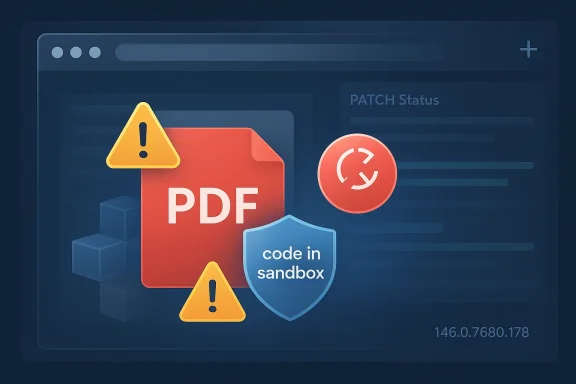 What CVE-2026-5287 Actually Is
At its core, CVE-20ry lifetime bug in Chrome’s PDF path. A use-after-free occurs when software continues to access an object after it has been deallocated, and in browser engines that often becomes a route to controlled memory corruption. Because the bug is reachable through a crafted PDF, the attacker’s input is not just text or images; it is a structured document with enough complexity to exercise parser state, rendering logic, and internal object management.Why use-after-free bugs matter
Use-after-free flaws are dangerous because they can turn ordinary rendering tasks into unpredictable memory reuse. If the attacker can influence what fills the freed memory, the browser may later dereference a pointer that now points somewhere else, opening the door to code execution or sandbox escape attempts. That is why memory-safety bugs remain a top-tier concern in browser security even when they appear in seemingly narrow components like document rendering.A browser sandbox reduces blast radius, but it does not eliminate the impact. The vulnerability description says an attacker could execute arbitrary code inside a sandbox, which is not the same as full system compromise, but it is still a serious foothold. In practice, a sandboxed code execution bug is often valuable to attackers because it can be chained with other flaws to break out of browser isolation.
- Attack surface: PDF rendering and document parsing
- Bug class: Use after free
- Trigger: Crafted PDF file
- Impact: Remote code execution inside the sandbox
- Affected builds: Chrome prior to 146.0.7680.178
How the Chrome Patch Fits Into the March 2026 Release Train
The timing tells its own story. Google’s March 2026 Chrome updates have been dense, with multiple security fixes landing in a relatively short window, and Chrome 146 has already seen several maintenance builds. The vulnerable threshold for CVE-2026-5287 is the later 146.0.7680.178 desktop release, while earlier 146.x builds in March carried other fixes and more limited patch sets. That means many organizations may already be on Chrome 146, but still not on the fixed point release.Why patch cadence matters
A browser can be “current enough” in the everyday sense and still be vulnerable. That is the trap with fast-moving security trains: a fleet that lags by even a single point release can remain exposed to a high-severity memory bug while believing it has already updated. Administrators should therefore compare exact build numbers, not just major version names.Google’s own release notes for March 2026 show how quickly Chrome 146 evolved across the month. Early and mid-March stable updates shipped at 146.0.7680.71/72, then later releases advanced into the 146.0.7680.153/154 range before the final 146.0.7680.177/178 desktop build appeared on March 31. That patch progression underscores a basic truth of browser defense: the number printed on the version dialog matters more than the headline version family. (chromereleases.googleblog.com)
The structure of Google’s release notes also illustrates how browser vendors stage fixes. Google frequently withholds some bug details until a large majority of users have updated, and that policy is meant to reduce exploitation opportunities during the rollout window. In other words, the security ecosystem is managed as a race between patch adoption and attacker discovery. (chromereleases.googleblog.com)
There is a useful operational lesson here for Windows admins. When a browser advisory lands, the question is not simply “Did we install Chrome 146?” It is “Are we at or beyond the specific fixed point release?” That distinction is especially important for managed environments where update rings, staggered rollouts, and maintenance windows can leave a meaningful percentage of endpoints behind the current fix.
Why PDF Bugs Are Still Such a Problem
PDFs are one of the most heavily trusted file types in the enterprise, and that trust is precisely why PDF bugs remain attractive to attackers. The format is ubiquitous in billing, finance, legal work, HR, procurement, and government correspondence. When a browser is used to preview or render these documents, the attack path becomes frictionless: a user opens a file they were already expecting to see.The trust factor
A malicious PDF can masquerade as something mundane, such as a receipt, policy memo, or signed form. Users are far more likely to open a PDF than an unknown executable, and browser-based rendering often removes some of the caution people might apply in a desktop app. That makes the PDF path a quiet but durable exploit vector.This is also why document-centric exploit chains remain valuable even in heavily sandboxed browsers. The attacker’s goal is often not just code execution, but code execution that happens in a context the user considers safe. If the browser itself is the PDF viewer, the line between content and execution narrows dramatically.
- PDFs are high-trust user artifacts
- Browser preview reduces user hesitation
- Document parsers are complex and attackable
- Memory corruption in rendering code can be reliably exploitable
- Enterpnormalize opening external PDFs
What defenders should assume
Defenders should assume that any PDF rendering stack exposed to untrusted files deserves the same scrutiny as any other internet-facing parser. That does not mean banning PDFs; it means treating them as active attack inputs. Endpoint controls, patch velocity, and isolation strategies matter because the file type itself is not the weak point—the parsing engine is.The significance of CVE-2026-5287 is that it reminds us how often “document security” really means “browser engine security.” Once a browser becomes the universal document viewer, PDF handling inherits all the complexity, and all the vulnerability risk, of the browser platform itself.
Microsoft’s Role in Tracking the Vulnerability
Microsoft’s Security Update Guide is not the origin of CVE-2026-5287, but it is the mechanism many Windows administrators use to see how upstream Chromium issues affect Microsoft Edge. That matters because Edge is Chromium-based, and Microsoft uses the SUG to map upstream browser fixes into a downstream product lifecycle. The record therefore serves as botus marker.Why Microsoft lists Chromium CVEs
Microsoft regularly publishes third-party CVEs in the Security Update Guide to help customers identify whether Microsoft products built on external code are vulnerable. The company’s own guidance has long explained that it supports CVEs assigned by industry partners and links them into the security ecosystem so admins can track impact across products. That is exactly the model in play here: the Chrome vulnerability becomes an Edge-relevant tracking item.This is useful because enterprise patching is rarely a one-vendor affair. A Chrome fix may arrive first, while Edge picks it up later in Microsoft’s own release cycle. The Microsoft record gives administrators a single place to check whether their environment is still exposed, even if they do not manage Chrome directly.
What the Microsoft entry tells us
The Microsoft update-guide entry mirrors the Chrome advisory and points to the Chromium issue tracker for the original defect record. Even though the Microsoft page itself is not fully exposed without JavaScript in this capture, the visible record confirms that Microsoft is tracking the same CVE and using the upstream references for attribution and visibility. That is enough to show the downstream significance of the bug for Windows fleets.The practical effect is simple: Edge administrators should not assume safety just because they are not running Google Chrome. If the browser codebase is shared, the vulnerability surface is shared too, and the fix timing becomes a downstream question rather than an upstream one.
Enterprise Impact: Why This Is More Than a Browser Update
For enterprise IT, CVE-2026-5287 is the sort of issue that ripples well beyond the browser team. PDF handling is woven into procurement, HR, finance, legal review, and support operations, which means the exposed surface is likely broader than the average security dashboard suggests. A malicious document can arrive through email, chat, shared drives, vendor portals, or even a legitimate web app that serves uploaded files.Attack path in a corporate setting
A realistic enterprise scenario starts with a crafted PDF attached to a phishing email or embedded in a familiar workflow. The user opens it in a vulnerable browser build, and the attacker gains code execution within the sandbox. From there, the next steps depend on what else is available on the endpoint and whether the browser is adequately isolated from credential stores, tokens, and enterprise session data.The browser sandbox is a defense layer, not a guarantee. It may contain the damage if the exploit is poorly chained, but it does not eliminate the need for urgent remediation. In a managed environment, a successful browser compromise can still become a staging point for data theft, session hijacking, or follow-on exploitation.
- Email and collaboration tools can deliver the malicious PDF
- Shared document libraries can propagate the same file to many users
- Remote work increases reliance on browser preview and cloud file links
- Attackers prefer paths that look lactivity
- Delayed patching increases the number of vulnerable endpoints
Priority setting for IT teams
Security teams should rank this as a high-priority browser patch for all endpoints that render PDFs in Chrome or Edge. The operational question is not whether the exploit is trivial to weaponize; it is whether the organization can tolerate an endpoint class that turns an ordinary document into a code-execution primitive. In most enterprises, the answer should be no.The good news is that the patch appears to be straightforward from a deployment perspective: get Chrome to 146.0.7680.178 or newer, then verify whether the downstream Edge channel has ingested the corresponding Chromium fix. The hard part is execution at scale, especially in environments with multiple browser channels and users who resist automatic restarts.
Consumer Impact: Why Home Users Should Care Too
Consumers sometimes underestimate browser security updates because the browser “still works.” But CVE-2026-5287 is not a stability issue; it is an exploitability issue. If a home user opens a malicious PDF in an outdated Chrome build, they are relying on patch status and sandboxing to stand between them and an attacker.The real-world consumer scenario
The attack could arrive through an unexpected attachment, a deceptive download site, or a link shared in social media, forums, or messaging apps. Because PDFs are widely perceived as safe, users often open them without the same caution they would apply to executable downloads. That trust makes document-based exploitation attractive.Consumers also face a second problem: update friction. Many browsers update automatically, but not all systems restart promptly, and not every user checks the exact build number. A machine that is “up to date soon” is not the same as one that is already protected.
- Check the browser’s exact build number
- Restart the browser after updates
- Be skeptical of unsolicited PDFs
- Keep automatic updates enabled
- A documents with personal logins and saved passwords
Why this still matters on a personal PC
Even personal systems hold valuable credentials, browser sessions, cloud storage access, and payment data. A sandboxed exploit may not immediately hand over the entire machine, but it can still provide a foothold into a user’s most sensitive online accounts. That makes the distinction between “sandboxed” and “safe” a false comfort.The broader consumer lesson is unchanged: browser updates are not optional polish. They are frontline defense, especially when the bug touches a file type as common and trusted as PDF.
Patch Verification and Response Steps
The most important response to CVE-2026-5287 is to verify the exact browser build in production. Because the vulnerable and fixed versions differ by a point release, teams should not rely on major-version labels or OS update summaries alone. Chrome needs to be at 146.0.7680.178 or lfix described in the advisory.A practical verification sequence
- Check the installed browser build on representative endpoints, not just a central dashboard.
- Confirm Chrome is on 146.0.7680.178 or later.
- Verify Edge release status in Microsoft’s management tooling or update catalog.
- Force restart of browsers that have downloaded but not applied the update.
- Prioritize users who routinely open external PDFs, especially in finance, legal, HR, and support roles.
What not to do
Do not assume that a safe-looking PDF source is actually safe. Do not treat sandboxed execution as harmless. And do not postpone updates because the issue seems to require user interaction. In security terms, user interaction required is not a reason to delay; it is a reason to expect the bug to borkflows.A second best practice is to keep browser patching separate from OS patching in your mental model. Windows, Linux, and macOS endpoints may all need the same browser remediation even if the operating system itself is fully current. That distinction matters in modern fleets where the browser is effectively the primary application runtime.
Competitive and Ecosystem Implications
CVE-2026-5287 also highlights the broader competitive reality of browser security in 2026. Chrome, Edge, and other Chromium-based browsers share a common engine, which means a vulnerability discovered upstream immediately becomes a platform-wide concern. That can be a strength—because one fix helps many products—but it also means every Chromium derivative inherits the same bugs and the same urgency.What this means for rivals
For competing browsers with independent engines, Chromium’s security cadence remains both a warning and a benchmark. If their engineering model avoids this exact code path, they gain a narrative advantage around architectural separation. But if their users depend on Chromium compatibility or browser extensions, they still have to manage the same user expectations around update speed and file safety.Microsoft’s role reinforces the point. By surfacing the Chromium CVE in its own update guidance, Microsoft is showing that the browser market is no longer neatly divided between vendors and features. It is divided between shared engine risk and the ability to distribute fixes quickly enough to stay ahead of abuse.
Why shared codebases change the game
A shared codebase means a shared vulnerability footprint. That can compress patch time, but it also compresses the blast radius when things go wrong. For users, the upside is consistency and speed. For defenders, the downside is that one memory-safety bug can become a multi-product incident before organizations finish their change-control meeting.- Shared engine = shared vulnerability inheritance
- Downstream vendors depend on upstream patch timing
- Security advisories become ecosystem signals, not isolated notices
- Rapid release trains reduce exposure windows but increase admin pressure
- Browser security is now a supply-chain discipline, not just endpoint hygiene
Strengths and Opportunities
The upside of this incident is that the ecosystem appears to have reacted quickly and transparently. Google fixed the issue in a specific point release, Microsoft mirrored the vulnerability in its guidance, and the affected version threshold is precise enough for automated compliance checks. That combination gives defenders a workable path to closure, even if the underlying bug class remains ugly.- Precise fixed build: Chrome 146.0.7680.178 provides a clean remediation target.
- Clear bug class: Use after free is a well-understood memory-safety category, which helps defenders assess urgency.
- Visible downstream tracking: Microsoft’s SUG makes the issue easier to map for Edge fleets.
- User workflows are familiar: The patch target aligns with common PDF use cases, so defenders know where to focus.
- Patch automation is feasible: Build-number checking can be scripted or enforced through enterprise tooling.
- Cross-vendor awareness: Shared Chromium code means one fix can cover multiple products quickly.
- Security maturity signal: The release cadence shows vendors are treating browser memory bugs as first-order risk.
Risks and Concerns
The main concern is that this is exactly the kind of vulnerability attackers love: a high-value parser, a trusted file type, and a bug class that often leads to exploitable memory corruption. Even if exploitation is not trivial, the combination of broad reach and user interaction makes it operationally dangerous. The presence of sandboxing helps, but it should not produce complacency.- User interaction required still maps well to real-world phishing and document delivery.
- PDF trust increases the chance users will open the payload.
- Patch lag can leave large endpoint populations exposed for days or weeks.
- Downstream products like Edge may trail the upstream Chrome fix.
- Point-release dependence makes partial updates easy to miss.
- Sandboxed code execution can still support chaining and data theft.
- Document-heavy departments are likely to be the first practical targets.
Looking Ahead
What happens next will likely depend less on disclosure drama and more on deployment discipline. The important question is how quickly organizations move from “the fix exists” to “the fix is everywhere.” Because this CVE is tied to a concrete build threshold, it should be possible to measure exposure with reasonable accuracy, but only if admins actually check build numbers rather than assuming their management tools have already done the work.The other thing to watch is whether similar bugs appear in adjacent document or rendering paths. Chromium’s March 2026 cadence already shows a steady stream of memory-safety issues across subsystems, which suggests the project is still fighting a broad class of lifetime and corruption bugs rather than a single isolated defect family. That does not make the browser less secure; it makes the patch workload continuous, which is the reality of large-scale browser engineering. (chromereleases.googleblog.com)
Key things to monitor
- Whether enterprises reach 146.0.7680.178 quickly or drift behind it.
- Whether Microsoft Edge publishes an aligned downstream fix window.
- Whether new Chromium advisories continue the same memory-safety pattern.
- Whether phishing campaigns start to abuse malicious PDFs more aggressively.
- Whether managed browsers enforce faster restart-and-update behavior.
Source: NVD / Chromium Security Update Guide - Microsoft Security Response Center
Last edited:
