

Google and Microsoft documented CVE-2026-7974 on May 6–7, 2026, as a use-after-free flaw in Chromium’s Blink engine affecting Google Chrome before 148.0.7778.96 and Microsoft Edge’s Chromium-based builds before the corresponding 148.0.7778.xxx security update. The bug is not the loudest item in Chrome 148, and that is precisely why it matters. In modern browser security, the quiet medium-severity renderer flaw is often less a headline than a reminder: the web platform is now an operating-system-sized attack surface delivered through a tab. For Windows admins, this is not just a Chrome note; it is another test of whether browser patching is treated like infrastructure or left to the mercy of user restarts.
CVE-2026-7974 is described as a use-after-free vulnerability in Blink, the rendering engine layer that turns HTML, CSS, scripts, and layout instructions into what users see and interact with. The published description says a remote attacker could execute arbitrary code inside Chrome’s sandbox by convincing a user to open a crafted HTML page. That wording is familiar enough to feel routine, but it should not feel harmless.
The awkward part is the split between labels. Chromium rates the vulnerability as Medium, while the CISA ADP CVSS 3.1 vector assigns it an 8.8 High score: network attack vector, low attack complexity, no privileges required, user interaction required, and high impact to confidentiality, integrity, and availability. That does not mean Google and CISA are contradicting each other so much as measuring different parts of the risk story.
Chromium’s internal severity model accounts for exploitability in the context of Chrome’s layered architecture, especially the sandbox. CVSS, by contrast, has a habit of flattening the browser into a more general-purpose software target. A renderer bug that achieves code execution inside a sandbox may not be immediate system compromise, but it is still a valuable primitive.
That distinction matters because attackers rarely ask one vulnerability to do all the work. A browser exploit chain is often modular: one bug gets execution in the renderer, another escapes the sandbox, a third persists or steals tokens, and the victim only remembers that a page loaded strangely for a second. In that chain, a Medium Blink bug can be the first rung of a very tall ladder.
A use-after-free bug is an especially old kind of memory safety failure. In plain English, software releases a piece of memory and then later tries to use it as if it still owns it. If an attacker can shape what lands in that memory slot afterward, the program may read or execute attacker-influenced data.
Modern browsers contain layers of mitigations meant to make that harder. Sandboxing, site isolation, heap hardening, control-flow defenses, and process separation all raise the cost of exploitation. But they do not erase the underlying value of memory corruption bugs in code paths that parse attacker-controlled web content.
The phrase “crafted HTML page” is doing a lot of work here. It means exploitation does not require local access, stolen credentials, or a malicious extension. The user interaction requirement may be as simple as visiting a page, clicking a link, opening a phishing lure, or landing on a compromised site through an ad chain. That is why browser vulnerabilities sit uncomfortably between ordinary client bugs and perimeter threats.
For home users, the practical answer is simple: update the browser and restart it. For enterprise admins, the issue is subtler. A fleet that reports an updated Chrome or Edge package but has hundreds of long-running browser processes still active is not fully remediated in the way a risk register wants it to be. Browser patch compliance has a runtime component.
This is where browser security differs from many classic Windows updates. Installing the new files is not the same as ensuring the vulnerable process is gone. A patched browser that has not been relaunched can leave users running old code in memory, particularly in environments where workers suspend laptops, keep tab sessions alive for days, or avoid restart prompts until forced.
That gap is not theoretical. It is operational. The more organizations treat browsers as evergreen background utilities, the more they need controls that verify actual running versions, not just installed versions.
That is the wrong reading. Large browser updates are not a pile of isolated trivia; they are snapshots of where the platform is under stress. Blink, V8, Skia, WebGPU, WebRTC, extensions, media, password managers, remote desktop components, and UI frameworks all form the same exposed client surface.
The sheer number of fixes in Chrome 148 reinforces a familiar pattern. Browser vendors are shipping at enormous velocity, and vulnerability discovery is keeping pace. The security model works only if update velocity is matched by deployment velocity on the customer side.
Google’s advisory practice also keeps some bug details restricted until most users are updated. That is sensible defensive hygiene, but it creates a familiar asymmetry for defenders. Admins must make patching decisions with sparse technical details while attackers and researchers reverse-engineer diffs, inspect code changes, and look for exploit paths.
In that context, the absence of public exploit details is not a reason to wait. It is the reason the patch window exists.
For Windows environments, Edge is not an optional browser curiosity anymore. It is integrated into enterprise workflows, identity flows, Microsoft 365 access, management baselines, and sometimes legacy Internet Explorer mode dependencies. A Chromium bug in Edge is therefore not merely “a Google thing” with a Microsoft footnote.
Microsoft’s entry states that the latest version of Microsoft Edge is no longer vulnerable and lists the affected product as Microsoft Edge (Chromium-based), with customer action required. The build number family is shown as 148.0.7778.xxx, which is typical for Edge’s packaging of Chromium security updates across channels and platforms. The practical instruction is not complicated: verify that Edge has moved to the fixed 148 build line or later.
The less obvious lesson is that Windows security teams need to follow both Microsoft and Chromium cadences. Patch Tuesday remains a central ritual, but browser security does not obey that calendar. Edge can receive high-priority fixes outside the monthly Windows cumulative update rhythm, and admins who only watch one update stream will eventually miss something.
That sounds pedestrian, but browser versioning is where many vulnerability programs get squishy. Asset inventories may tell you that Chrome is installed, but not whether every profile, channel, and executable path is current. Software deployment tools may show a package update succeeded while a stale process continues to run. VDI pools, kiosk devices, developer workstations, test labs, and unmanaged BYOD machines all widen the gap.
The practical admin workflow should be boring. Check the installed and running browser versions, confirm update channels, force relaunch where policy allows, and watch for devices that fail to advance. The dullness is the point: browser emergency handling should be muscle memory, not a bespoke incident response every time Chromium ships a security train.
There is also a reporting nuance. Vulnerability scanners may flag Chrome and Edge differently, and NVD enrichment may lag vendor advisories. In the CVE record, NIST had not yet provided its own CVSS assessment at publication time, while CISA ADP had supplied the 8.8 High vector. That lag is normal, but it can produce confusion when dashboards disagree for a day or two.
The right source of truth for remediation is the fixed vendor version, not the emotional temperature of a severity badge. If the browser is older than the fixed build, patch it. If the browser is updated but not restarted, finish the job.
For CVE-2026-7974, the NVD change record shows a Chrome application CPE with versions up to but excluding 148.0.7778.96, combined with operating-system CPEs for Windows, Linux, and macOS. That reflects how Chrome is distributed across desktop platforms. But it can still leave defenders asking whether Edge, Chromium packages, Linux distribution variants, embedded Chromium components, or downstream browsers are represented cleanly.
This is a chronic problem with Chromium vulnerabilities. The vulnerable code may live upstream in Chromium, ship in Google Chrome, arrive in Microsoft Edge, appear in Linux distribution packages, and be reused in other browsers or applications with embedded web views. A single CVE can therefore have a neat vendor advisory and a messy software reality.
CPE was built for an era when product identity was more static. Chromium is a component ecosystem. It is both a browser and a substrate, a project and a supply chain, a dependency and a user-facing application. Treating that as a single clean product string is convenient for databases and inadequate for operations.
That does not mean CPEs are useless. It means admins should treat them as an index, not an oracle. A scanner finding is a prompt to verify software state; a missing CPE is not proof that a system is safe.
Debian’s package tracker, meanwhile, shows chromium 148.0.7778.96 moving into unstable with a long list of Chrome 148 CVEs. That illustrates the broader point: Linux exposure depends on distribution packaging, channel, repository policy, and whether users run Google Chrome, distro Chromium, Flatpak, Snap, or another Chromium-derived browser. “Linux” is not a single patch state.
For WindowsForum readers, this matters because many IT shops are mixed-platform even when Windows is the center of gravity. Admin laptops, developer workstations, CI systems, jump boxes, and browser-based tooling often span Windows, macOS, and Linux. A browser bug does not care which machine has the more prestigious endpoint management story.
The operational answer is to inventory browsers by actual binary and version, not by operating-system assumption. Chrome on Linux needs the fixed Chrome build. Edge on Windows needs the fixed Edge build. Chromium on a distro needs whatever package or snap carries the relevant upstream patch. The family resemblance is useful, but the remediation path is local.
That argument has aged poorly. The web is an interaction machine. Users click links all day, identity providers redirect across domains, SaaS apps embed content, marketing platforms track through scripts, and compromised legitimate websites can become delivery mechanisms without ever looking like a shady attachment. A malicious or compromised page is not an exotic scenario.
The user interaction requirement should still inform risk analysis. It means the bug is not a wormable network service flaw waiting for a scan from the public internet. But for browsers, the distance between “requires interaction” and “practically reachable” is very short.
This is especially true in environments where browsers are the primary application platform. The more business logic moves into tabs, the more every employee becomes a reachable attack surface. Browser hardening, DNS filtering, web isolation, Safe Browsing, and endpoint detection all help, but none of them replaces patching the engine.
A Medium renderer code-execution bug can become urgent if paired with a sandbox escape. A High sandbox escape can become practical if paired with a renderer entry point. A bug with no known exploitation today can become interesting tomorrow after patches are diffed and proof-of-concept work circulates privately.
There is no public indication in the provided records that CVE-2026-7974 is being exploited in the wild. That is good news, but it is not a reason for complacency. The patch is available, the affected version boundary is known, and the attack vector is the open web.
For most organizations, the rational service-level objective is measured in hours or a few days, not weeks. Chrome and Edge are designed for rapid update; the administrative burden is usually less about installation and more about restart enforcement, change-control exceptions, and devices that have drifted out of management.
Windows administrators already know this shift in practice. Edge policies sit next to Windows policies. Browser extensions are governed like applications. Conditional access decisions depend on browser state. Security baselines now include settings for site isolation, extension installation, password manager behavior, and update controls.
CVE-2026-7974 fits that landscape because it forces a simple question: can your organization prove which browser code is running today? Not which installer was approved, not which package was deployed last week, not which baseline says automatic updates should be enabled. Which browser processes, on which devices, are still below the fixed build?
That is an uncomfortable question because it crosses silos. Vulnerability management owns the CVE. Endpoint engineering owns deployment. Help desk teams absorb restart complaints. Security operations watches for exploitation. Procurement and app teams own browser-dependent workflows. The browser sits in the middle, and so the patch either becomes everyone’s job or nobody’s.
But enterprise admins do have to think about it. Edge update policies can be deferred, disabled, misconfigured, or blocked by network controls. Some organizations pin versions for compatibility testing. Others run multiple channels — Stable, Extended Stable, Beta, Dev — with different risk profiles and expectations. That complexity is manageable, but only if it is intentional.
The old Internet Explorer model trained many Windows shops to expect browser fixes through Windows servicing. The Chromium model is different. Edge has its own updater, its own release notes, and its own emergency cadence. If an organization’s control framework still treats the browser as merely another Windows component, it is behind the architecture.
The same applies to Chrome in Windows fleets. Google’s updater is usually efficient, but enterprise policy can shape it heavily. Deferrals, relaunch notification settings, rollback policies, and update suppression all have security consequences. Convenience settings become exposure settings when a renderer flaw lands.
The risk is the patch gap between public disclosure and fleet convergence. On May 6 and May 7, defenders received enough information to act: the vulnerability affects Chrome before 148.0.7778.96, Edge has a corresponding Chromium-based update, and the flaw enables code execution inside the sandbox through crafted web content. Attackers received the same version boundary and can start looking at what changed.
That does not mean every organization needs to panic. It does mean every organization should have a browser update lane that does not require a committee meeting. If the only way to push Chrome or Edge is through a monthly cadence, the cadence is wrong.
The browser has become too exposed, too central, and too frequently patched for slow-cycle thinking. CVE-2026-7974 is not a catastrophe. It is a calibration event.
CVE-2026-7974 will probably disappear into the long ledger of Chromium memory-safety fixes, overshadowed by louder Chrome 148 vulnerabilities and whatever zero-day comes next. But its lesson is durable: the browser is now a first-class enterprise endpoint, and the organizations that patch it like one will spend less time turning routine advisories into emergency projects.
Source: NVD / Chromium Security Update Guide - Microsoft Security Response Center
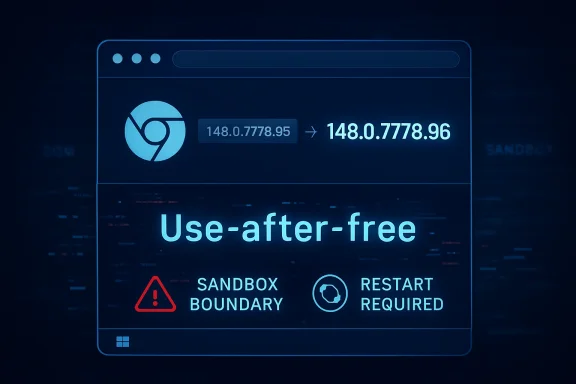 A Medium Chrome Bug With High Enterprise Consequences
CVE-2026-7974 is described as a use-after-free vulnerability in Blink, the rendering engine layer that turns HTML, CSS, scripts, and layout instructions into what users see and interact with. The published description says a remote attacker could execute arbitrary code inside Chrome’s sandbox by convincing a user to open a crafted HTML page. That wording is familiar enough to feel routine, but it should not feel harmless.The awkward part is the split between labels. Chromium rates the vulnerability as Medium, while the CISA ADP CVSS 3.1 vector assigns it an 8.8 High score: network attack vector, low attack complexity, no privileges required, user interaction required, and high impact to confidentiality, integrity, and availability. That does not mean Google and CISA are contradicting each other so much as measuring different parts of the risk story.
Chromium’s internal severity model accounts for exploitability in the context of Chrome’s layered architecture, especially the sandbox. CVSS, by contrast, has a habit of flattening the browser into a more general-purpose software target. A renderer bug that achieves code execution inside a sandbox may not be immediate system compromise, but it is still a valuable primitive.
That distinction matters because attackers rarely ask one vulnerability to do all the work. A browser exploit chain is often modular: one bug gets execution in the renderer, another escapes the sandbox, a third persists or steals tokens, and the victim only remembers that a page loaded strangely for a second. In that chain, a Medium Blink bug can be the first rung of a very tall ladder.
Blink Is Where the Web Becomes Memory Pressure
Blink is a vast, fast-moving engine tasked with interpreting a web platform that never stops expanding. It handles layout, DOM interactions, style calculation, input behavior, parsing, rendering hooks, and glue code for features that web developers increasingly expect to behave like native applications. That complexity is why Blink bugs appear again and again in Chrome security advisories.A use-after-free bug is an especially old kind of memory safety failure. In plain English, software releases a piece of memory and then later tries to use it as if it still owns it. If an attacker can shape what lands in that memory slot afterward, the program may read or execute attacker-influenced data.
Modern browsers contain layers of mitigations meant to make that harder. Sandboxing, site isolation, heap hardening, control-flow defenses, and process separation all raise the cost of exploitation. But they do not erase the underlying value of memory corruption bugs in code paths that parse attacker-controlled web content.
The phrase “crafted HTML page” is doing a lot of work here. It means exploitation does not require local access, stolen credentials, or a malicious extension. The user interaction requirement may be as simple as visiting a page, clicking a link, opening a phishing lure, or landing on a compromised site through an ad chain. That is why browser vulnerabilities sit uncomfortably between ordinary client bugs and perimeter threats.
The Sandbox Is a Boundary, Not a Comfort Blanket
The published description says arbitrary code execution is possible “inside a sandbox,” which sounds reassuring until you remember what sandboxes are for. They assume code execution might happen and attempt to contain it. A sandboxed renderer compromise is not the finish line for an attacker, but it can be a very useful starting position.For home users, the practical answer is simple: update the browser and restart it. For enterprise admins, the issue is subtler. A fleet that reports an updated Chrome or Edge package but has hundreds of long-running browser processes still active is not fully remediated in the way a risk register wants it to be. Browser patch compliance has a runtime component.
This is where browser security differs from many classic Windows updates. Installing the new files is not the same as ensuring the vulnerable process is gone. A patched browser that has not been relaunched can leave users running old code in memory, particularly in environments where workers suspend laptops, keep tab sessions alive for days, or avoid restart prompts until forced.
That gap is not theoretical. It is operational. The more organizations treat browsers as evergreen background utilities, the more they need controls that verify actual running versions, not just installed versions.
Chrome 148 Was a Security Train, Not a Single Patch
CVE-2026-7974 arrived as part of the Chrome 148 stable-channel desktop release, which moved Chrome to 148.0.7778.96 on Linux and 148.0.7778.96 or 148.0.7778.97 on Windows and macOS. Reporting around the release indicates the update fixed more than 100 security issues, including several critical flaws elsewhere in the browser. In that company, a Medium Blink bug can look like background noise.That is the wrong reading. Large browser updates are not a pile of isolated trivia; they are snapshots of where the platform is under stress. Blink, V8, Skia, WebGPU, WebRTC, extensions, media, password managers, remote desktop components, and UI frameworks all form the same exposed client surface.
The sheer number of fixes in Chrome 148 reinforces a familiar pattern. Browser vendors are shipping at enormous velocity, and vulnerability discovery is keeping pace. The security model works only if update velocity is matched by deployment velocity on the customer side.
Google’s advisory practice also keeps some bug details restricted until most users are updated. That is sensible defensive hygiene, but it creates a familiar asymmetry for defenders. Admins must make patching decisions with sparse technical details while attackers and researchers reverse-engineer diffs, inspect code changes, and look for exploit paths.
In that context, the absence of public exploit details is not a reason to wait. It is the reason the patch window exists.
Microsoft Edge Inherits the Risk and the Fix
Microsoft’s Security Update Guide entry is brief because Microsoft did not own the original vulnerability. Chrome assigned the CVE, Chromium carried the fix, and Microsoft Edge, as a Chromium-based browser, ingests the relevant upstream changes. That makes the Edge entry both derivative and important.For Windows environments, Edge is not an optional browser curiosity anymore. It is integrated into enterprise workflows, identity flows, Microsoft 365 access, management baselines, and sometimes legacy Internet Explorer mode dependencies. A Chromium bug in Edge is therefore not merely “a Google thing” with a Microsoft footnote.
Microsoft’s entry states that the latest version of Microsoft Edge is no longer vulnerable and lists the affected product as Microsoft Edge (Chromium-based), with customer action required. The build number family is shown as 148.0.7778.xxx, which is typical for Edge’s packaging of Chromium security updates across channels and platforms. The practical instruction is not complicated: verify that Edge has moved to the fixed 148 build line or later.
The less obvious lesson is that Windows security teams need to follow both Microsoft and Chromium cadences. Patch Tuesday remains a central ritual, but browser security does not obey that calendar. Edge can receive high-priority fixes outside the monthly Windows cumulative update rhythm, and admins who only watch one update stream will eventually miss something.
The Version Number Is the Control Plane
The most concrete remediation boundary for CVE-2026-7974 is Chrome prior to 148.0.7778.96. For Edge, Microsoft points customers to the corresponding Chromium-based Edge update in the 148.0.7778.xxx family. In both cases, version inventory is the difference between knowing and hoping.That sounds pedestrian, but browser versioning is where many vulnerability programs get squishy. Asset inventories may tell you that Chrome is installed, but not whether every profile, channel, and executable path is current. Software deployment tools may show a package update succeeded while a stale process continues to run. VDI pools, kiosk devices, developer workstations, test labs, and unmanaged BYOD machines all widen the gap.
The practical admin workflow should be boring. Check the installed and running browser versions, confirm update channels, force relaunch where policy allows, and watch for devices that fail to advance. The dullness is the point: browser emergency handling should be muscle memory, not a bespoke incident response every time Chromium ships a security train.
There is also a reporting nuance. Vulnerability scanners may flag Chrome and Edge differently, and NVD enrichment may lag vendor advisories. In the CVE record, NIST had not yet provided its own CVSS assessment at publication time, while CISA ADP had supplied the 8.8 High vector. That lag is normal, but it can produce confusion when dashboards disagree for a day or two.
The right source of truth for remediation is the fixed vendor version, not the emotional temperature of a severity badge. If the browser is older than the fixed build, patch it. If the browser is updated but not restarted, finish the job.
The CPE Oddity Is a Symptom of a Messier Software Map
The user-facing question embedded in the NVD text — “Are we missing a CPE here?” — is more than a database housekeeping note. CPEs are how many scanners, dashboards, and compliance tools map a named vulnerability to installed software. When that mapping is incomplete, delayed, or awkward, risk visibility gets blurry.For CVE-2026-7974, the NVD change record shows a Chrome application CPE with versions up to but excluding 148.0.7778.96, combined with operating-system CPEs for Windows, Linux, and macOS. That reflects how Chrome is distributed across desktop platforms. But it can still leave defenders asking whether Edge, Chromium packages, Linux distribution variants, embedded Chromium components, or downstream browsers are represented cleanly.
This is a chronic problem with Chromium vulnerabilities. The vulnerable code may live upstream in Chromium, ship in Google Chrome, arrive in Microsoft Edge, appear in Linux distribution packages, and be reused in other browsers or applications with embedded web views. A single CVE can therefore have a neat vendor advisory and a messy software reality.
CPE was built for an era when product identity was more static. Chromium is a component ecosystem. It is both a browser and a substrate, a project and a supply chain, a dependency and a user-facing application. Treating that as a single clean product string is convenient for databases and inadequate for operations.
That does not mean CPEs are useless. It means admins should treat them as an index, not an oracle. A scanner finding is a prompt to verify software state; a missing CPE is not proof that a system is safe.
Linux Desktops Are Not Automatically in the Clear
The Ubuntu page for CVE-2026-7974 marks its chromium-browser package as not affected across supported Ubuntu releases because Ubuntu’s package is effectively a script that installs the Chromium snap, not a traditional separately maintained Chromium browser package. That is a packaging answer, not a universal Linux answer.Debian’s package tracker, meanwhile, shows chromium 148.0.7778.96 moving into unstable with a long list of Chrome 148 CVEs. That illustrates the broader point: Linux exposure depends on distribution packaging, channel, repository policy, and whether users run Google Chrome, distro Chromium, Flatpak, Snap, or another Chromium-derived browser. “Linux” is not a single patch state.
For WindowsForum readers, this matters because many IT shops are mixed-platform even when Windows is the center of gravity. Admin laptops, developer workstations, CI systems, jump boxes, and browser-based tooling often span Windows, macOS, and Linux. A browser bug does not care which machine has the more prestigious endpoint management story.
The operational answer is to inventory browsers by actual binary and version, not by operating-system assumption. Chrome on Linux needs the fixed Chrome build. Edge on Windows needs the fixed Edge build. Chromium on a distro needs whatever package or snap carries the relevant upstream patch. The family resemblance is useful, but the remediation path is local.
User Interaction Is Not Much of a Barrier Anymore
The CVSS vector includes UI:R, meaning exploitation requires user interaction. In older enterprise risk debates, that often lowered the perceived urgency. If a user must click something, the argument went, training and filtering can absorb some of the risk.That argument has aged poorly. The web is an interaction machine. Users click links all day, identity providers redirect across domains, SaaS apps embed content, marketing platforms track through scripts, and compromised legitimate websites can become delivery mechanisms without ever looking like a shady attachment. A malicious or compromised page is not an exotic scenario.
The user interaction requirement should still inform risk analysis. It means the bug is not a wormable network service flaw waiting for a scan from the public internet. But for browsers, the distance between “requires interaction” and “practically reachable” is very short.
This is especially true in environments where browsers are the primary application platform. The more business logic moves into tabs, the more every employee becomes a reachable attack surface. Browser hardening, DNS filtering, web isolation, Safe Browsing, and endpoint detection all help, but none of them replaces patching the engine.
Medium Severity Still Deserves Fast Movement
One of the more dangerous habits in vulnerability management is treating severity as a queue number instead of a decision aid. Critical gets immediate action, High gets scheduled action, Medium gets buried until the next maintenance window. That model breaks down for browsers because exploit chains do not respect standalone severity bins.A Medium renderer code-execution bug can become urgent if paired with a sandbox escape. A High sandbox escape can become practical if paired with a renderer entry point. A bug with no known exploitation today can become interesting tomorrow after patches are diffed and proof-of-concept work circulates privately.
There is no public indication in the provided records that CVE-2026-7974 is being exploited in the wild. That is good news, but it is not a reason for complacency. The patch is available, the affected version boundary is known, and the attack vector is the open web.
For most organizations, the rational service-level objective is measured in hours or a few days, not weeks. Chrome and Edge are designed for rapid update; the administrative burden is usually less about installation and more about restart enforcement, change-control exceptions, and devices that have drifted out of management.
Browser Patching Has Become Endpoint Hygiene
The larger story around CVE-2026-7974 is not that one Blink bug will define May 2026. It is that browser patching has become one of the most important forms of endpoint hygiene, and many organizations still talk about it as if it were consumer convenience. The browser is now where identity tokens live, enterprise apps run, password managers integrate, files are downloaded, and remote work starts.Windows administrators already know this shift in practice. Edge policies sit next to Windows policies. Browser extensions are governed like applications. Conditional access decisions depend on browser state. Security baselines now include settings for site isolation, extension installation, password manager behavior, and update controls.
CVE-2026-7974 fits that landscape because it forces a simple question: can your organization prove which browser code is running today? Not which installer was approved, not which package was deployed last week, not which baseline says automatic updates should be enabled. Which browser processes, on which devices, are still below the fixed build?
That is an uncomfortable question because it crosses silos. Vulnerability management owns the CVE. Endpoint engineering owns deployment. Help desk teams absorb restart complaints. Security operations watches for exploitation. Procurement and app teams own browser-dependent workflows. The browser sits in the middle, and so the patch either becomes everyone’s job or nobody’s.
The Chrome-Edge Security Loop Is Now a Windows Admin Reality
Microsoft Edge’s Chromium base has brought enormous compatibility benefits. It also means Edge participates in the Chromium security loop. When Chromium lands a fix, Microsoft must ingest, test, package, and ship the corresponding Edge update. In most cases, that process is fast enough that users never think about it.But enterprise admins do have to think about it. Edge update policies can be deferred, disabled, misconfigured, or blocked by network controls. Some organizations pin versions for compatibility testing. Others run multiple channels — Stable, Extended Stable, Beta, Dev — with different risk profiles and expectations. That complexity is manageable, but only if it is intentional.
The old Internet Explorer model trained many Windows shops to expect browser fixes through Windows servicing. The Chromium model is different. Edge has its own updater, its own release notes, and its own emergency cadence. If an organization’s control framework still treats the browser as merely another Windows component, it is behind the architecture.
The same applies to Chrome in Windows fleets. Google’s updater is usually efficient, but enterprise policy can shape it heavily. Deferrals, relaunch notification settings, rollback policies, and update suppression all have security consequences. Convenience settings become exposure settings when a renderer flaw lands.
The Real Risk Is the Patch Gap, Not the CVE Entry
There is a temptation to focus on the CVE record itself: the CVSS vector, the missing NVD score, the CPE configuration, the CWE tag, the change history. Those are useful artifacts. They are not the risk.The risk is the patch gap between public disclosure and fleet convergence. On May 6 and May 7, defenders received enough information to act: the vulnerability affects Chrome before 148.0.7778.96, Edge has a corresponding Chromium-based update, and the flaw enables code execution inside the sandbox through crafted web content. Attackers received the same version boundary and can start looking at what changed.
That does not mean every organization needs to panic. It does mean every organization should have a browser update lane that does not require a committee meeting. If the only way to push Chrome or Edge is through a monthly cadence, the cadence is wrong.
The browser has become too exposed, too central, and too frequently patched for slow-cycle thinking. CVE-2026-7974 is not a catastrophe. It is a calibration event.
The CVE-2026-7974 Lesson Fits in One Maintenance Window
The useful response to this bug is concrete, not dramatic. Treat the advisory as an opportunity to verify that browser patch operations are doing what policy says they do. The details are simple enough to make evasion difficult.- Chrome desktops should be updated to 148.0.7778.96 or later, with Windows and macOS fleets also accounting for the 148.0.7778.97 build where applicable.
- Microsoft Edge should be verified on the fixed 148.0.7778.xxx build line or later, rather than assumed safe because Windows Update is healthy.
- Browser relaunch enforcement matters because installed updates do not fully protect users who continue running old processes.
- Vulnerability scanners may lag or disagree while NVD, CISA ADP, vendor advisories, and CPE mappings settle, so fixed-version verification should drive remediation.
- Linux and mixed-platform environments should validate the actual browser package in use, whether that is Google Chrome, a distro Chromium package, Snap, Flatpak, or another Chromium-derived build.
- Security teams should resist downgrading urgency solely because Chromium labels the bug Medium; renderer code execution is often valuable as part of a larger exploit chain.
CVE-2026-7974 will probably disappear into the long ledger of Chromium memory-safety fixes, overshadowed by louder Chrome 148 vulnerabilities and whatever zero-day comes next. But its lesson is durable: the browser is now a first-class enterprise endpoint, and the organizations that patch it like one will spend less time turning routine advisories into emergency projects.
Source: NVD / Chromium Security Update Guide - Microsoft Security Response Center
