

Microsoft disclosed CVE-2026-58288 on July 3, 2026, as a high-severity remote code execution vulnerability in Chromium-based Microsoft Edge, affecting versions earlier than 150.0.4078.48 and fixed through the July 2 Edge Stable update. The bare facts are ordinary; the implications are not. This is another reminder that the browser is now one of Windows’ most privileged and most frequently exposed enterprise applications, even when the vulnerable component arrives through the Chromium supply chain rather than Windows Update itself. Microsoft’s Security Update Guide and Edge release notes make the operational answer simple: get Edge to 150.0.4078.48 or later, then prove that it happened everywhere.
CVE-2026-58288 sits in the awkward middle ground that security teams know well: Microsoft has confirmed the vulnerability, assigned a CVE, published impact and scoring information, and identified the fixed version, but has not published exploit-level technical detail. That is not unusual for browser memory-safety bugs, especially when disclosure arrives close to the release of a fix.
The public databases that mirror Microsoft’s advisory describe the flaw as a use-after-free condition in Microsoft Edge based on Chromium. SecurityVulnerability.io lists it as a high-severity issue with a CVSS 3.1 score of 8.3, network attack vector, no privileges required, and user interaction required. Vulners likewise records the affected Edge range as versions before 150.0.4078.48.
That combination matters. “Remote code execution” sounds like instant compromise, but the CVSS vector tells a more constrained story: an attacker would need to get a user to interact with malicious content, likely through a web page or web-delivered payload, and exploitation is rated high complexity. The risk is still serious because browsers are designed to ingest hostile content all day long.
The confidence metric in the user-supplied advisory language is the right frame. We do not have a public proof of concept, a root-cause write-up, or a Chromium bug thread spelling out the affected subsystem. We do have vendor acknowledgement, a patched build, a CVE record, a severity rating, and an affected-version boundary. For defenders, that is enough to move from “interesting” to “patch now.”
Microsoft’s own Edge security release notes say the July 2, 2026 Stable release, version 150.0.4078.48, incorporates the latest security updates from the Chromium project. The same page initially carried the familiar note that CVEs would be added as available, which is how these browser releases often feel to administrators: the binary lands first, the vulnerability accounting catches up soon after.
That timing creates friction inside organizations that still treat browsers like desktop utilities rather than critical attack surface. A Windows cumulative update can be staged around Patch Tuesday rituals. Edge does not politely wait for that calendar. It ships when the browser security train requires it.
The better mental model is closer to endpoint detection content or malicious-domain blocking than traditional application maintenance. If the browser is a primary interpreter of untrusted content, then a fixed browser build is not a feature upgrade. It is an exposure reduction event.
That does not mean every device below that build is equally exposed. Some machines may be offline, some may be kiosk-restricted, some may use different default browsers, and some may have security controls that reduce exploitability. But in risk management terms, “below 150.0.4078.48” is the inventory query that starts the conversation.
For home users, the remediation is mundane: restart Edge, check the About Microsoft Edge page, and let the updater complete. For enterprise administrators, the work is less glamorous and more important: verify update channel, confirm policy is not pinning or blocking Edge Update, and make sure reporting systems distinguish Edge Stable, Extended Stable, WebView2 Runtime, and mobile Edge where applicable.
The Microsoft Update Catalog also listed Edge Stable Channel version 150.0.4078.48 for x64 editions with a July 2, 2026 date. That gives managed environments another distribution path, but it does not eliminate the need for telemetry. A package being available is not the same as a fleet being remediated.
An exploit path that requires a user to visit a malicious page, open a crafted link, follow a compromised ad chain, or load attacker-controlled content is not exotic. It is the daily threat model of the web. Attackers do not need to break into a network first if they can bring the vulnerable parser, renderer, or scripting engine to the user.
High attack complexity is more meaningful. It suggests exploitation may require favorable memory layout, chaining with another bug, sandbox escape conditions, or precise triggering. But “hard to exploit” is not “safe to ignore,” particularly once a patch is public and attackers can diff fixed builds against vulnerable ones.
That is the uncomfortable browser-patching truth: disclosure compresses time. Once defenders know what build fixes the bug, attackers know where to look. The more widely deployed the application, the more rewarding that reverse-engineering becomes.
A use-after-free bug occurs when software continues to use memory after it has been released. In the wrong circumstances, an attacker can manipulate what occupies that memory next and steer the program into unintended behavior. In a browser, that can become a path to code execution, especially when paired with other primitives.
Chromium’s multi-process architecture, sandboxing, site isolation, and exploit mitigations have made these bugs harder to weaponize than they once were. But the recurring appearance of memory-safety vulnerabilities in browser advisories shows that mitigation is not elimination. Complexity keeps creating opportunities.
Microsoft’s advisory does not currently provide the component-level granularity that would let defenders map this bug to a particular feature. That is probably intentional. The less public detail available before broad patch adoption, the less free guidance is handed to exploit developers.
But agility at the vendor level does not guarantee agility at the enterprise edge. Many organizations use update controls, network egress restrictions, golden images, VDI pools, application control, or change windows that can delay browser updates. The larger the fleet, the more likely some corner of it is stuck behind a policy nobody has reviewed in a year.
The July 2 Edge 150 release also arrived with nonsecurity changes. Microsoft’s Stable Channel release notes mention macOS support changes, Workspaces migration, sidebar retirement, sign-in with Google accounts, Intune MAM protected downloads changes, and new policies. That is the browser-as-platform problem: the same package that patches a serious vulnerability may also alter behavior administrators care about.
This is where security teams and desktop engineering teams often talk past each other. Security sees a high-severity RCE fixed in a browser update. Desktop engineering sees another feature-bearing browser release that may change user experience, identity behavior, or managed settings. Both are right, and the organization still has to patch.
Microsoft’s Edge 150 release notes include a new enterprise WebView2 downgrade policy intended to help administrators roll back specific applications temporarily when regressions occur. That is useful for compatibility, but it also underscores how deeply Chromium-rendered content has moved into Windows application architecture. The browser engine is no longer just a browser engine.
There is no public evidence from Microsoft’s CVE-2026-58288 advisory, based on currently available summaries, that this specific vulnerability affects WebView2 in the same way or requires separate WebView2 action. Administrators should not invent facts where Microsoft has not stated them. They should, however, inventory WebView2 Runtime versions as part of the broader browser-platform hygiene program.
The practical lesson is not “panic about WebView2.” It is that Edge updating should be viewed as part of a larger web runtime management discipline. If business-critical apps depend on embedded Chromium, then browser security and app compatibility are now the same operational conversation.
This is partly a security tradeoff. Publishing too much detail too early can accelerate exploitation against slow-moving environments. Browser vendors have long balanced transparency with coordinated patch adoption, especially for bugs that may be discoverable through patch diffing.
Still, sparse advisories shift burden downstream. Security teams must translate limited vendor metadata into risk ratings, executive summaries, help desk scripts, compliance exceptions, and deployment deadlines. When the vulnerability is in a browser, the safest default is to prioritize the fixed build rather than wait for a perfect write-up.
The absence of known exploitation language is also important. Microsoft’s Edge release notes have historically called out cases where the Chromium team reported an exploit in the wild. The currently visible July 2 entry for version 150.0.4078.48 does not include that kind of warning for CVE-2026-58288. That is good news, but it is not a reason to defer patching.
Edge’s presence across Windows 10, Windows 11, servers used interactively, VDI images, and managed macOS systems makes that tail wider than many organizations admit. Even if Chrome is the official enterprise browser, Edge often remains installed and available. Attackers do not care which browser procurement blessed.
This is especially relevant for phishing and identity workflows. Edge is deeply integrated into Windows sign-in experiences, Microsoft 365 sessions, PDF handling, and enterprise single sign-on patterns. A browser vulnerability is not merely a “web browsing” risk; it is adjacent to the credentials and sessions that define modern enterprise access.
The inventory question should therefore be broad: where is Edge installed, what channel is it on, what version is actually running, and what controls exist if auto-update fails? Anything less is an assumption wearing a dashboard costume.
But there is no public Microsoft statement in the visible CVE-2026-58288 material saying enhanced security mode specifically mitigates this vulnerability. That distinction matters. General hardening is not the same as a vendor-confirmed mitigation for a named CVE.
The same goes for endpoint detection, web filtering, exploit protection, and email security. These controls can reduce the chance that a user reaches malicious content or that exploitation succeeds. They do not change the vulnerable code path in an unpatched browser.
The strongest position is layered but not confused: update Edge first, keep hardening enabled where it fits, and treat detection as a backstop rather than a substitute. In browser security, patch latency is often the easiest risk factor to measure and the hardest cultural habit to fix.
That mixture is exactly why browser updates generate resistance. A security team wants the fix for CVE-2026-58288. An administrator may also have to explain why a sidebar behavior changed, why a Workspaces feature behaves differently, or why a new sign-in option appears for some users under controlled rollout.
Microsoft is not unique here. Chrome, Edge, Firefox, and Safari all blend security fixes with platform evolution because the browser is the application platform. But Edge’s role in Microsoft 365, Intune, Entra identity, and Windows management means these changes land directly in the enterprise desktop stack.
The answer is not to slow security updates until every product change is perfectly understood. It is to build testing rings that are fast enough to catch regressions without turning urgent browser patches into multi-week negotiations.
Microsoft’s release history shows that Edge Stable and Extended Stable both receive security updates, sometimes on different version lines. The key is not which channel an organization chooses; it is whether that channel is monitored, updated, and verified under pressure.
For CVE-2026-58288, the public affected-version boundary points to Edge versions before 150.0.4078.48. Organizations using Extended Stable should verify Microsoft’s current channel-specific guidance for their deployment rather than assume the Stable build number tells the whole story. In practice, that means checking management consoles, release notes, and installed versions rather than relying on channel labels.
The broader lesson is that slower feature cadence does not remove the browser from the threat economy. Attackers target deployed code, not release philosophies.
The temptation is to wait for more detail. That is backwards. More technical detail may help threat hunters later, but it will not make vulnerable browsers safer today. Once a fixed version is known, delay mostly benefits the side that can reverse-engineer patches faster than enterprises deploy them.
For IT pros, the useful work is concrete: query installed Edge versions, confirm update service health, validate policy, check machines that do not report frequently, and rerun compliance after user restarts. Browser updates can appear installed but not fully effective until processes restart.
This is also a good moment to review whether users can indefinitely postpone browser restarts. A browser that downloads an update but keeps a vulnerable renderer process alive is a familiar operational gap. The patch is not real until the vulnerable code is no longer running.
The concrete lessons are not glamorous, but they are durable:
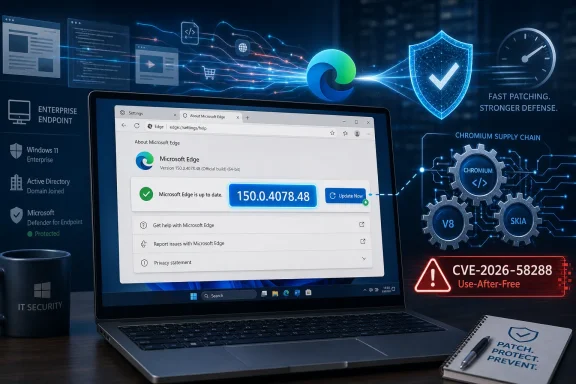 The Vulnerability Is Confirmed, but the Public Detail Is Deliberately Thin
CVE-2026-58288 sits in the awkward middle ground that security teams know well: Microsoft has confirmed the vulnerability, assigned a CVE, published impact and scoring information, and identified the fixed version, but has not published exploit-level technical detail. That is not unusual for browser memory-safety bugs, especially when disclosure arrives close to the release of a fix.The public databases that mirror Microsoft’s advisory describe the flaw as a use-after-free condition in Microsoft Edge based on Chromium. SecurityVulnerability.io lists it as a high-severity issue with a CVSS 3.1 score of 8.3, network attack vector, no privileges required, and user interaction required. Vulners likewise records the affected Edge range as versions before 150.0.4078.48.
That combination matters. “Remote code execution” sounds like instant compromise, but the CVSS vector tells a more constrained story: an attacker would need to get a user to interact with malicious content, likely through a web page or web-delivered payload, and exploitation is rated high complexity. The risk is still serious because browsers are designed to ingest hostile content all day long.
The confidence metric in the user-supplied advisory language is the right frame. We do not have a public proof of concept, a root-cause write-up, or a Chromium bug thread spelling out the affected subsystem. We do have vendor acknowledgement, a patched build, a CVE record, a severity rating, and an affected-version boundary. For defenders, that is enough to move from “interesting” to “patch now.”
Edge Security Has Become a Chromium-Time Problem
Microsoft Edge is a Windows product in user perception, but operationally it is a Chromium product with Microsoft-specific layers on top. That distinction is not pedantry. It changes the patch cadence, the testing model, and the way administrators should think about exposure.Microsoft’s own Edge security release notes say the July 2, 2026 Stable release, version 150.0.4078.48, incorporates the latest security updates from the Chromium project. The same page initially carried the familiar note that CVEs would be added as available, which is how these browser releases often feel to administrators: the binary lands first, the vulnerability accounting catches up soon after.
That timing creates friction inside organizations that still treat browsers like desktop utilities rather than critical attack surface. A Windows cumulative update can be staged around Patch Tuesday rituals. Edge does not politely wait for that calendar. It ships when the browser security train requires it.
The better mental model is closer to endpoint detection content or malicious-domain blocking than traditional application maintenance. If the browser is a primary interpreter of untrusted content, then a fixed browser build is not a feature upgrade. It is an exposure reduction event.
The Number That Matters Is 150.0.4078.48
The practical line in this case is unusually clean. Microsoft Edge versions earlier than 150.0.4078.48 are the concern; version 150.0.4078.48 is the fixed Stable release identified in Microsoft’s July 2 release notes and mirrored in vulnerability databases.That does not mean every device below that build is equally exposed. Some machines may be offline, some may be kiosk-restricted, some may use different default browsers, and some may have security controls that reduce exploitability. But in risk management terms, “below 150.0.4078.48” is the inventory query that starts the conversation.
For home users, the remediation is mundane: restart Edge, check the About Microsoft Edge page, and let the updater complete. For enterprise administrators, the work is less glamorous and more important: verify update channel, confirm policy is not pinning or blocking Edge Update, and make sure reporting systems distinguish Edge Stable, Extended Stable, WebView2 Runtime, and mobile Edge where applicable.
The Microsoft Update Catalog also listed Edge Stable Channel version 150.0.4078.48 for x64 editions with a July 2, 2026 date. That gives managed environments another distribution path, but it does not eliminate the need for telemetry. A package being available is not the same as a fleet being remediated.
User Interaction Is Not Comforting in a Browser Bug
The requirement for user interaction often sounds reassuring in vulnerability summaries. In browser security, it should not. The normal act of using a browser is user interaction.An exploit path that requires a user to visit a malicious page, open a crafted link, follow a compromised ad chain, or load attacker-controlled content is not exotic. It is the daily threat model of the web. Attackers do not need to break into a network first if they can bring the vulnerable parser, renderer, or scripting engine to the user.
High attack complexity is more meaningful. It suggests exploitation may require favorable memory layout, chaining with another bug, sandbox escape conditions, or precise triggering. But “hard to exploit” is not “safe to ignore,” particularly once a patch is public and attackers can diff fixed builds against vulnerable ones.
That is the uncomfortable browser-patching truth: disclosure compresses time. Once defenders know what build fixes the bug, attackers know where to look. The more widely deployed the application, the more rewarding that reverse-engineering becomes.
Use-After-Free Is the Old Bug That Still Pays Rent
If the mirrored advisory description is accurate, CVE-2026-58288 is a use-after-free vulnerability. That phrase has appeared in browser advisories for decades because modern browsers are enormous memory-management machines. They parse documents, execute scripts, decode media, render graphics, isolate processes, and juggle permissions at web speed.A use-after-free bug occurs when software continues to use memory after it has been released. In the wrong circumstances, an attacker can manipulate what occupies that memory next and steer the program into unintended behavior. In a browser, that can become a path to code execution, especially when paired with other primitives.
Chromium’s multi-process architecture, sandboxing, site isolation, and exploit mitigations have made these bugs harder to weaponize than they once were. But the recurring appearance of memory-safety vulnerabilities in browser advisories shows that mitigation is not elimination. Complexity keeps creating opportunities.
Microsoft’s advisory does not currently provide the component-level granularity that would let defenders map this bug to a particular feature. That is probably intentional. The less public detail available before broad patch adoption, the less free guidance is handed to exploit developers.
The Edge Update Story Is Better Than It Used to Be, but Still Uneven
Edge’s modern update system is far more agile than the old Internet Explorer era, when browser security was tightly coupled to Windows servicing. Chromium-based Edge can update out of band, and Microsoft regularly ships Stable Channel security updates several times per month when needed. That is a major improvement.But agility at the vendor level does not guarantee agility at the enterprise edge. Many organizations use update controls, network egress restrictions, golden images, VDI pools, application control, or change windows that can delay browser updates. The larger the fleet, the more likely some corner of it is stuck behind a policy nobody has reviewed in a year.
The July 2 Edge 150 release also arrived with nonsecurity changes. Microsoft’s Stable Channel release notes mention macOS support changes, Workspaces migration, sidebar retirement, sign-in with Google accounts, Intune MAM protected downloads changes, and new policies. That is the browser-as-platform problem: the same package that patches a serious vulnerability may also alter behavior administrators care about.
This is where security teams and desktop engineering teams often talk past each other. Security sees a high-severity RCE fixed in a browser update. Desktop engineering sees another feature-bearing browser release that may change user experience, identity behavior, or managed settings. Both are right, and the organization still has to patch.
The WebView2 Shadow Should Not Be Ignored
Edge security discussions often focus on the visible browser, but Chromium-based Edge also matters because of WebView2. Many Windows applications embed web content through Microsoft’s WebView2 Runtime, which rides the same broad platform strategy even if it is not identical to a user launching Edge.Microsoft’s Edge 150 release notes include a new enterprise WebView2 downgrade policy intended to help administrators roll back specific applications temporarily when regressions occur. That is useful for compatibility, but it also underscores how deeply Chromium-rendered content has moved into Windows application architecture. The browser engine is no longer just a browser engine.
There is no public evidence from Microsoft’s CVE-2026-58288 advisory, based on currently available summaries, that this specific vulnerability affects WebView2 in the same way or requires separate WebView2 action. Administrators should not invent facts where Microsoft has not stated them. They should, however, inventory WebView2 Runtime versions as part of the broader browser-platform hygiene program.
The practical lesson is not “panic about WebView2.” It is that Edge updating should be viewed as part of a larger web runtime management discipline. If business-critical apps depend on embedded Chromium, then browser security and app compatibility are now the same operational conversation.
Microsoft’s Sparse Advisory Style Leaves Admins Filling in the Gaps
The MSRC Security Update Guide is designed for machine-readable triage and patch management, not narrative explanation. That makes it efficient, but it also leaves administrators hungry for context. CVE-2026-58288 is a good example: the public record tells you severity, impact, affected versions, and fixed build, but not much about exploit mechanics.This is partly a security tradeoff. Publishing too much detail too early can accelerate exploitation against slow-moving environments. Browser vendors have long balanced transparency with coordinated patch adoption, especially for bugs that may be discoverable through patch diffing.
Still, sparse advisories shift burden downstream. Security teams must translate limited vendor metadata into risk ratings, executive summaries, help desk scripts, compliance exceptions, and deployment deadlines. When the vulnerability is in a browser, the safest default is to prioritize the fixed build rather than wait for a perfect write-up.
The absence of known exploitation language is also important. Microsoft’s Edge release notes have historically called out cases where the Chromium team reported an exploit in the wild. The currently visible July 2 entry for version 150.0.4078.48 does not include that kind of warning for CVE-2026-58288. That is good news, but it is not a reason to defer patching.
The Real Risk Is the Long Tail of Half-Managed Browsers
Modern Windows environments rarely fail because the main update ring never gets patched. They fail because the long tail is messy. A forgotten lab machine, a rarely used VM, a contractor laptop, a kiosk, a conference-room PC, or a legacy server with a browser installed can remain vulnerable long after dashboards turn green.Edge’s presence across Windows 10, Windows 11, servers used interactively, VDI images, and managed macOS systems makes that tail wider than many organizations admit. Even if Chrome is the official enterprise browser, Edge often remains installed and available. Attackers do not care which browser procurement blessed.
This is especially relevant for phishing and identity workflows. Edge is deeply integrated into Windows sign-in experiences, Microsoft 365 sessions, PDF handling, and enterprise single sign-on patterns. A browser vulnerability is not merely a “web browsing” risk; it is adjacent to the credentials and sessions that define modern enterprise access.
The inventory question should therefore be broad: where is Edge installed, what channel is it on, what version is actually running, and what controls exist if auto-update fails? Anything less is an assumption wearing a dashboard costume.
Security Features Help, but Patching Is Still the Control That Counts
Microsoft has previously highlighted Edge’s enhanced security mode as a mitigation for some actively exploited Chromium vulnerabilities. That feature can reduce risk by disabling or limiting certain just-in-time compilation paths and applying stricter protections on unfamiliar sites. For high-risk users, it is a useful layer.But there is no public Microsoft statement in the visible CVE-2026-58288 material saying enhanced security mode specifically mitigates this vulnerability. That distinction matters. General hardening is not the same as a vendor-confirmed mitigation for a named CVE.
The same goes for endpoint detection, web filtering, exploit protection, and email security. These controls can reduce the chance that a user reaches malicious content or that exploitation succeeds. They do not change the vulnerable code path in an unpatched browser.
The strongest position is layered but not confused: update Edge first, keep hardening enabled where it fits, and treat detection as a backstop rather than a substitute. In browser security, patch latency is often the easiest risk factor to measure and the hardest cultural habit to fix.
The July 2 Release Bundles Security With Product Strategy
Edge 150 is not just a security vehicle. Microsoft’s release notes make clear that the browser is continuing its evolution as a managed enterprise platform. The release includes the last Edge version to support macOS 12 Monterey, a Workspaces architecture migration, the retirement path for sidebar app lists, and policy additions such as strict MIME type checking for worker scripts and sign-in controls for non-Microsoft accounts.That mixture is exactly why browser updates generate resistance. A security team wants the fix for CVE-2026-58288. An administrator may also have to explain why a sidebar behavior changed, why a Workspaces feature behaves differently, or why a new sign-in option appears for some users under controlled rollout.
Microsoft is not unique here. Chrome, Edge, Firefox, and Safari all blend security fixes with platform evolution because the browser is the application platform. But Edge’s role in Microsoft 365, Intune, Entra identity, and Windows management means these changes land directly in the enterprise desktop stack.
The answer is not to slow security updates until every product change is perfectly understood. It is to build testing rings that are fast enough to catch regressions without turning urgent browser patches into multi-week negotiations.
Extended Stable Is a Compromise, Not a Shelter
Some administrators prefer Extended Stable channels because they reduce feature churn. That can be reasonable for locked-down environments where browser behavior changes create operational risk. But Extended Stable should not be mistaken for immunity from urgent browser fixes.Microsoft’s release history shows that Edge Stable and Extended Stable both receive security updates, sometimes on different version lines. The key is not which channel an organization chooses; it is whether that channel is monitored, updated, and verified under pressure.
For CVE-2026-58288, the public affected-version boundary points to Edge versions before 150.0.4078.48. Organizations using Extended Stable should verify Microsoft’s current channel-specific guidance for their deployment rather than assume the Stable build number tells the whole story. In practice, that means checking management consoles, release notes, and installed versions rather than relying on channel labels.
The broader lesson is that slower feature cadence does not remove the browser from the threat economy. Attackers target deployed code, not release philosophies.
The Patch Window Should Be Measured in Days, Not Weeks
A high-severity browser RCE with no privileges required and user interaction required should generally be remediated quickly, even without confirmed exploitation. For most organizations, that means pushing Edge 150.0.4078.48 or later through normal expedited browser-update channels and watching for failures.The temptation is to wait for more detail. That is backwards. More technical detail may help threat hunters later, but it will not make vulnerable browsers safer today. Once a fixed version is known, delay mostly benefits the side that can reverse-engineer patches faster than enterprises deploy them.
For IT pros, the useful work is concrete: query installed Edge versions, confirm update service health, validate policy, check machines that do not report frequently, and rerun compliance after user restarts. Browser updates can appear installed but not fully effective until processes restart.
This is also a good moment to review whether users can indefinitely postpone browser restarts. A browser that downloads an update but keeps a vulnerable renderer process alive is a familiar operational gap. The patch is not real until the vulnerable code is no longer running.
The Fleet Has to Prove It Learned the Lesson
CVE-2026-58288 is not likely to be remembered as a landmark vulnerability unless exploitation emerges or technical details reveal something unusually novel. That is precisely why it is useful. Most security work is not about famous zero-days; it is about consistently closing the ordinary high-severity windows before they become incident reports.The concrete lessons are not glamorous, but they are durable:
- Organizations should treat Microsoft Edge version 150.0.4078.48 as the minimum fixed Stable build for CVE-2026-58288 unless Microsoft publishes channel-specific guidance that changes the remediation target.
- Security teams should not downplay the vulnerability merely because user interaction is required, because browsing itself supplies that interaction in realistic attack paths.
- Administrators should verify actual installed and running versions rather than assuming that Edge auto-update completed successfully across the fleet.
- Enterprises should include Edge, Extended Stable deployments, and relevant WebView2 runtime management in the same browser-platform inventory conversation.
- Change-management teams should separate urgent security acceptance from slower debates over Edge 150’s feature and policy changes.
- The lack of public exploit details should be treated as a reason to patch before attackers learn more, not as evidence that the bug is harmless.
References
- Primary source: MSRC
Published: 2026-07-03T07:00:00-07:00
Security Update Guide - Microsoft Security Response Center
 msrc.microsoft.com
- Related coverage: securityvulnerability.io
CVE-2026-58288 : Use After Free Vulnerability in Microsoft Edge (Chromium-based) by Microsoft
Learn about the use after free vulnerability in Microsoft Edge (Chromium-based) that enables unauthorized code execution. CVE-2026-58288.securityvulnerability.io - Related coverage: www2.gov.bc.ca
- Related coverage: mphasis.com
- Related coverage: hivepro.com
- Official source: learn.microsoft.com
Microsoft Edge release notes for Stable Channel | Microsoft Learn
Microsoft Edge release note for the Stable Channellearn.microsoft.com
- Related coverage: techspot.com
Microsoft Edge Download Free - 150.0.4078.48 | TechSpot
Download Microsoft Edge - Edge browser lets you enjoy extended battery life and get to what you are looking for quickly.www.techspot.com - Official source: catalog.update.microsoft.com
- Related coverage: softexia.com
Microsoft Edge 150.0.4078.48 | Download Free
Discover the browsing experience across all your devices with Microsoft Edge - the advanced AI web browser for Windows, macOS, Android, iOS.www.softexia.com
- Related coverage: windowsforum.com
CVE-2026-57992: Edge Stable 150.0.4078.48 RCE Patch Gap for Windows | Windows Forum
Microsoft has listed CVE-2026-57992 as a Microsoft Edge Chromium-based remote code execution vulnerability in the Security Update Guide, with Edge Stable...windowsforum.com - Related coverage: docs.oracle.com
