

Microsoft published CVE-2026-58291 on July 3, 2026, identifying a medium-severity information disclosure flaw in Chromium-based Microsoft Edge that affects versions earlier than 150.0.4078.48 across supported Edge deployments. The advisory is sparse, but the shape of the bug is familiar: a browser memory-lifetime problem with network reach, required user interaction, and enough confidentiality impact to deserve fast remediation. For Windows users and administrators, the story is not that Edge has another CVE; it is that the browser has become one of the operating system’s most important patching surfaces.
CVE-2026-58291 is not the sort of vulnerability notice that arrives with fireworks. Microsoft’s Security Update Guide classifies it as an information disclosure vulnerability in Microsoft Edge, Chromium-based, and the public record mirrored by vulnerability trackers describes affected versions as anything before Edge 150.0.4078.48. The CVE was published on July 3, 2026, with reservation shortly before that, making this a fresh entry rather than a stale database artifact.
The most important number is not the CVSS score of 6.1, although that puts the bug in the medium band. The more important detail is the combination of attack vector, user interaction, and confidentiality impact. According to the public CVSS breakdown reproduced from Microsoft’s advisory data, exploitation is network-based, requires no privileges, requires user interaction, has high attack complexity, and can produce high confidentiality impact.
That is a very particular kind of browser risk. It does not read like a wormable server flaw, and it does not read like a simple “visit page, get owned” remote-code-execution emergency. It reads like a bug that may require careful setup, timing, or environmental conditions, but that could still leak sensitive information once the right browser state is reached.
The listed weakness, CWE-672, points to operation on a resource after expiration or release. In plainer English, some part of the software may continue to use, reference, expose, or reason about an object after it should no longer be trusted as valid. In browser land, where tabs, frames, renderers, extensions, cached resources, authentication state, and sandboxed processes all churn constantly, that class of bug is not academic.
Chromium-based browsers update continuously because the web itself is a hostile runtime. Every tab is a document parser, media engine, JavaScript VM, GPU client, identity broker, password manager surface, and enterprise policy endpoint. Waiting for the operating system’s monthly cadence would be absurd when browser vulnerabilities can move from disclosure to weaponization quickly.
That is why CVE-2026-58291 matters even without a dramatic exploit note. Microsoft Edge Stable 150.0.4078.48 is the fixed line identified by public vulnerability trackers and Microsoft-linked release data. If a machine is below that version, it is not merely “a little out of date”; it is on the wrong side of a known disclosure boundary.
The WindowsForum audience knows this pain well. Edge is not just an icon pinned to the taskbar. It is tied into Windows sign-in flows, WebView2 applications, enterprise single sign-on, PDF handling, Progressive Web Apps, Microsoft 365 workflows, and countless internal dashboards that quietly assume the Microsoft browser stack is available and current.
That broad deployment is the real attack surface. A browser CVE today is rarely just about someone manually browsing the public internet. It can touch helpdesk tools, line-of-business web apps, embedded browser controls, kiosk deployments, admin portals, and hybrid identity workflows where a leaked token, cached artifact, or cross-context bit of data may matter more than code execution.
CVE-2026-58291 is scored lower than a critical remote-code-execution vulnerability because the public data suggests high attack complexity and required user interaction. Those are meaningful brakes. An attacker likely needs to convince a user to open content, interact with a page, or enter a browser state that triggers the flaw.
But the confidentiality rating is high. That means the theoretical impact is not limited to trivial metadata or harmless rendering artifacts. Microsoft’s classification says the bug can disclose sensitive information, and the resource-lifetime weakness hints that the disclosed material may come from memory or state that should no longer be accessible.
This is why “medium” browser bugs deserve a different mental model from medium bugs in obscure local utilities. A local privilege issue in a seldom-used component may wait a few days while change control catches up. A browser information disclosure flaw, even one with complicated exploitation requirements, sits on the boundary between users and hostile content all day.
For enterprises, the practical question is not whether CVE-2026-58291 is the scariest item of the week. It is whether Edge auto-update is actually working everywhere administrators think it is. The machines that miss browser updates are often the machines with brittle network access, frozen gold images, overzealous application control, or kiosk lockdowns—the same systems where remediation is slow once exposure is discovered.
Modern browsers are orchestras of temporary state. A document loads, scripts run, frames navigate, network requests are canceled, permissions are checked, GPU buffers are recycled, service workers wake and sleep, and old objects should vanish cleanly from security-sensitive paths. If code continues to treat an expired or released resource as valid, the result can be stale data, confused authorization, or memory disclosure.
The danger is not always spectacular. An information disclosure bug may leak a pointer, a process detail, a fragment of previous content, or a value that helps defeat another mitigation. In chained exploitation, leaks often serve as the reconnaissance layer that makes a later memory-corruption attack practical.
That is why defenders should resist the temptation to ask, “What exact data can leak?” and then do nothing until the answer is public. Microsoft’s advisory does not expose proof-of-concept details, and that is normal for a live browser security fix. Lack of public exploit code is not the same thing as lack of attacker interest.
There is also a reason vendors avoid over-explaining these bugs at release time. Too much detail can turn a patch note into a roadmap. A CVE that says “resource after release,” “network,” “user interaction,” and “high confidentiality impact” already gives skilled researchers a direction; publishing the specific subsystem too early may only narrow the hunt.
This is not a criticism of Chromium so much as an acknowledgment of scale. Browsers are among the most aggressively attacked consumer and enterprise applications because they process untrusted input by design. HTML, JavaScript, CSS, images, video, fonts, WebAssembly, WebGPU, WebRTC, PDF handling, password management, and extension APIs are not optional extras; they are the job.
Microsoft’s Edge-specific advisories often sit at the intersection of Chromium code, Microsoft integration layers, and Windows platform behavior. Some fixes map closely to Chromium security updates. Others concern Edge’s own UI, enterprise features, identity plumbing, sync behavior, or policy-controlled surfaces.
CVE-2026-58291 is listed against Microsoft Edge rather than Windows broadly, and the affected version threshold points administrators to the browser update rather than a cumulative OS update. That distinction matters operationally. A fully patched Windows build can still have an out-of-date browser if Edge updates are blocked, delayed, or broken.
The reverse is also true: Edge can often be remediated without waiting for a full Windows servicing cycle. That is the security advantage Microsoft gets from shipping the browser like a modern application. But it only works if enterprises let the updater do its job or have an equally reliable managed deployment pipeline.
This is where browser patching gets less glamorous and more important. The dangerous endpoints are not always the ones with the oldest operating systems. They are the ones stuck one or two browser builds behind because an updater service was disabled during imaging, a firewall rule blocked the update channel, or a VDI template was refreshed before the security build arrived.
Administrators should also remember WebView2. Many Windows applications embed web content through Microsoft’s runtime, and those deployments can have their own update behavior depending on how the runtime was installed and governed. A browser vulnerability notice may trigger obvious Edge checks while leaving embedded browser components less visibly audited.
The mitigation story is therefore simple but not trivial. Verify the installed Edge version. Confirm it is 150.0.4078.48 or newer. Validate that managed update policies are not pinning devices below that build. Then check the systems most likely to be exceptions: kiosks, jump boxes, lab machines, VDI images, offline networks, and servers where Edge is present but not treated as a frontline application.
That last category is especially awkward. Many administrators dislike the presence of a full browser on servers, and with reason. But where Edge exists, it must be maintained. A browser nobody admits using is still a browser that can be launched, embedded, automated, or abused.
That ambiguity is exactly why browser disclosure bugs deserve respect. Sensitive information in a browser can mean session material, cross-origin content, local file hints, authentication state, cached responses, memory-layout details, or enterprise identity context. Any one of those may be useful by itself; several together can become a campaign.
CVE-2026-58291’s public CVSS details say confidentiality impact is high while integrity impact is none. That suggests the vulnerability is not primarily about modifying data or taking control of a system. It is about seeing something the attacker should not see.
That difference matters for detection. An attacker who steals information through a browser flaw may not crash the process, drop malware, or trip the same endpoint alarms as an exploit that executes code. The event may look like ordinary browsing until the stolen data is reused elsewhere.
For defenders, this argues for a layered response. Patch the browser first, but also think about token lifetime, conditional access, phishing-resistant authentication, browser isolation for high-risk users, and logging around unusual sign-in behavior. A fixed binary closes the known bug; identity and telemetry reduce the blast radius if the bug was used before the fix arrived.
That frustration is understandable. IT teams are asked to prioritize hundreds of vulnerabilities, and “information disclosure in Edge” is not much of a story on its own. A security lead deciding whether to interrupt a maintenance freeze wants to know whether the issue affects ordinary browsing, a specific media parser, PDF handling, extensions, sync, or an enterprise-only component.
But the terseness also reflects the economics of disclosure. A browser patch becomes a diff. Researchers, attackers, and defenders can all compare old and new code once updates ship, especially in open-source components. Vendor advisories that spell out too much can accelerate exploit development before managed environments have caught up.
That leaves administrators in an uncomfortable middle. They must act on incomplete information and justify doing so to organizations that prefer certainty. The right answer is to treat the fixed version threshold as the operational fact that matters most.
SecurityVulnerability.io and Vulners both mirrored the key public details: Microsoft Edge Chromium-based versions earlier than 150.0.4078.48 are affected, the CVE carries a 6.1 CVSS v3.1 score, and the vulnerability is categorized as CWE-672. Those mirrors do not replace Microsoft’s advisory, but they help confirm that the public ecosystem is reading the vulnerability in the same basic way.
The simplicity is intentional. Browser vendors learned long ago that asking ordinary users to manually hunt for security updates is a losing strategy. Silent or near-silent updates are one of the reasons the modern web is survivable at all.
Still, Edge’s deep integration into Windows can create a false sense of completion. Some users assume Windows Update covers everything with a Microsoft logo. In practice, Edge has its own update cadence, and the browser may update outside the monthly Windows cumulative update cycle.
The safest consumer advice is to check the version explicitly if there is any doubt. If Edge reports 150.0.4078.48 or newer, the known vulnerable range is behind you. If it does not, update and restart the browser rather than waiting for the next convenient reboot.
The same applies to alternate browsers in principle. Edge’s fix does not patch Chrome, Brave, Vivaldi, Opera, or other Chromium-derived browsers unless their vendors ship corresponding updates for any shared underlying issue. A household or small business with multiple browsers should not treat “Edge is fixed” as a universal Chromium patch.
That shift changes patching expectations. If Edge is the front door to Microsoft 365, Entra ID workflows, helpdesk portals, Azure consoles, and web-based privileged access tools, then leaving it stale is not equivalent to postponing a media player update. It is closer to leaving a VPN client or authentication broker behind.
Managed environments should have an answer to three questions. Which Edge versions are actually deployed? Which policies can delay or block browser updates? Which exception populations routinely fall behind? If the organization cannot answer those quickly, CVE-2026-58291 is less a singular emergency than a useful audit trigger.
The answer does not have to be panic patching. A mature organization can roll Edge updates through rings, validate key workflows, monitor crash rates, and still move quickly. The mistake is treating browser updates as low-priority desktop hygiene when the browser is now one of the most exposed and most trusted applications in the estate.
There is also a compliance angle. Vulnerability scanners will flag affected versions, and the cleanest remediation evidence is the installed version number. Administrators who rely on “auto-update should handle it” may find themselves arguing with dashboards days later if telemetry shows endpoints still below 150.0.4078.48.
For CVE-2026-58291, the operational line is clear: Edge versions earlier than 150.0.4078.48 are in the affected range described by public vulnerability data tied to Microsoft’s advisory. That does not mean every older installation is guaranteed to be exploitable in a useful way. It means defenders do not get credit for nuance until they have crossed the fixed-version boundary.
Version-based remediation is especially important because browser update state is easy to misunderstand. A device may have current Windows cumulative updates and still be running an older Edge build. A device may have downloaded the new browser but not restarted it. A VDI pool may patch the running session but revert to an older image at next refresh.
The same goes for packaged software inventories. Some tools report Edge’s application version, others report updater state, and still others lag until the next inventory cycle. For a live vulnerability, administrators should validate with direct version checks or endpoint management data they trust.
If this sounds mundane, that is because effective security often is. The glamorous part of vulnerability response is reverse engineering. The useful part is making sure thousands of endpoints stop running the vulnerable build.
The web is built on user interaction. Clicking links, opening documents, authenticating to web apps, previewing content, accepting invitations, handling support tickets, and visiting vendor portals are normal work. If an exploit path depends on getting a user to load attacker-controlled content, that is not a rare condition; it is the basic operating model of phishing.
High attack complexity is a more meaningful mitigating factor. It suggests exploitation may require specific timing, browser state, layout conditions, memory behavior, or chained primitives. But complexity is not static. Once researchers understand a bug class, what was difficult on disclosure day may become routine in a kit later.
This is why browser vendors patch aggressively even when a CVE is not known to be exploited in the wild. The cost of waiting is asymmetric. Defenders gain little by delaying a browser update, while attackers gain time to study the patch and search for lagging targets.
For high-risk users—administrators, executives, developers with production secrets, finance staff, and helpdesk operators—an information disclosure bug can be disproportionally valuable. The browser sessions of those users contain access that attackers want. A medium vulnerability on a high-value workstation does not always behave like a medium risk.
Security response fails at lifecycle edges. A Windows-first organization may still have Mac users in design, development, executive, or BYOD roles. If those Macs rely on Edge and are approaching an operating-system support boundary, browser patching becomes entangled with platform migration.
The lesson is broader than macOS. Browser support depends on operating-system support, and operating-system support depends on hardware, policy, and budget. A CVE like CVE-2026-58291 is easy to fix on supported, update-friendly systems. It is harder on devices that live at the edge of vendor support or organizational ownership.
That is where security teams need to be blunt. If a platform can no longer receive current browser builds, it should not be treated as a normal endpoint for sensitive work. No amount of conditional-access paperwork changes the fact that unsupported client software becomes a standing exception.
For Windows admins, this is a familiar story from old Internet Explorer dependencies and legacy Windows builds. The Chromium era did not eliminate lifecycle risk. It merely moved some of it into a faster, browser-shaped channel.
The concrete actions are straightforward:
CVE-2026-58291 will probably disappear into the churn of browser advisories within days, replaced by the next Chromium batch, the next Patch Tuesday, and the next urgent dashboard spike. But that churn is the lesson. The modern Windows endpoint is only as secure as its fastest-moving exposed component, and in 2026 that component is often the browser; organizations that treat Edge updates as background noise will keep discovering that the background is where attackers prefer to work.
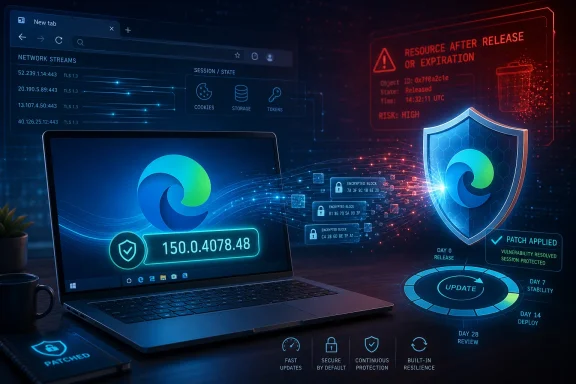 Microsoft’s Quiet Edge Advisory Says More Than It First Appears To
CVE-2026-58291 is not the sort of vulnerability notice that arrives with fireworks. Microsoft’s Security Update Guide classifies it as an information disclosure vulnerability in Microsoft Edge, Chromium-based, and the public record mirrored by vulnerability trackers describes affected versions as anything before Edge 150.0.4078.48. The CVE was published on July 3, 2026, with reservation shortly before that, making this a fresh entry rather than a stale database artifact.The most important number is not the CVSS score of 6.1, although that puts the bug in the medium band. The more important detail is the combination of attack vector, user interaction, and confidentiality impact. According to the public CVSS breakdown reproduced from Microsoft’s advisory data, exploitation is network-based, requires no privileges, requires user interaction, has high attack complexity, and can produce high confidentiality impact.
That is a very particular kind of browser risk. It does not read like a wormable server flaw, and it does not read like a simple “visit page, get owned” remote-code-execution emergency. It reads like a bug that may require careful setup, timing, or environmental conditions, but that could still leak sensitive information once the right browser state is reached.
The listed weakness, CWE-672, points to operation on a resource after expiration or release. In plainer English, some part of the software may continue to use, reference, expose, or reason about an object after it should no longer be trusted as valid. In browser land, where tabs, frames, renderers, extensions, cached resources, authentication state, and sandboxed processes all churn constantly, that class of bug is not academic.
The Browser Is the New Patch Tuesday, Only Faster and Less Ceremonial
For years, Windows security culture revolved around the monthly ritual. Patch Tuesday was the heartbeat: administrators prepared maintenance windows, vendors published advisories, and users learned—sometimes painfully—that reboot prompts were part of life. Edge, like Chrome, lives on a different clock.Chromium-based browsers update continuously because the web itself is a hostile runtime. Every tab is a document parser, media engine, JavaScript VM, GPU client, identity broker, password manager surface, and enterprise policy endpoint. Waiting for the operating system’s monthly cadence would be absurd when browser vulnerabilities can move from disclosure to weaponization quickly.
That is why CVE-2026-58291 matters even without a dramatic exploit note. Microsoft Edge Stable 150.0.4078.48 is the fixed line identified by public vulnerability trackers and Microsoft-linked release data. If a machine is below that version, it is not merely “a little out of date”; it is on the wrong side of a known disclosure boundary.
The WindowsForum audience knows this pain well. Edge is not just an icon pinned to the taskbar. It is tied into Windows sign-in flows, WebView2 applications, enterprise single sign-on, PDF handling, Progressive Web Apps, Microsoft 365 workflows, and countless internal dashboards that quietly assume the Microsoft browser stack is available and current.
That broad deployment is the real attack surface. A browser CVE today is rarely just about someone manually browsing the public internet. It can touch helpdesk tools, line-of-business web apps, embedded browser controls, kiosk deployments, admin portals, and hybrid identity workflows where a leaked token, cached artifact, or cross-context bit of data may matter more than code execution.
“Medium” Does Not Mean “Ignore”
Security teams are trained to triage by severity, and that is unavoidable. If everything is urgent, nothing is urgent. But browser vulnerabilities are where severity labels can mislead, especially when a medium CVSS score masks a high-value data path.CVE-2026-58291 is scored lower than a critical remote-code-execution vulnerability because the public data suggests high attack complexity and required user interaction. Those are meaningful brakes. An attacker likely needs to convince a user to open content, interact with a page, or enter a browser state that triggers the flaw.
But the confidentiality rating is high. That means the theoretical impact is not limited to trivial metadata or harmless rendering artifacts. Microsoft’s classification says the bug can disclose sensitive information, and the resource-lifetime weakness hints that the disclosed material may come from memory or state that should no longer be accessible.
This is why “medium” browser bugs deserve a different mental model from medium bugs in obscure local utilities. A local privilege issue in a seldom-used component may wait a few days while change control catches up. A browser information disclosure flaw, even one with complicated exploitation requirements, sits on the boundary between users and hostile content all day.
For enterprises, the practical question is not whether CVE-2026-58291 is the scariest item of the week. It is whether Edge auto-update is actually working everywhere administrators think it is. The machines that miss browser updates are often the machines with brittle network access, frozen gold images, overzealous application control, or kiosk lockdowns—the same systems where remediation is slow once exposure is discovered.
A Resource-Lifetime Bug Is a Small Phrase With a Long Shadow
CWE-672 sounds dry enough to make eyes glaze over. “Operation on a resource after expiration or release” is the kind of taxonomy phrase that exists so vulnerability databases can normalize wildly different bugs. Yet in a browser, it points to one of the most consequential families of implementation mistakes.Modern browsers are orchestras of temporary state. A document loads, scripts run, frames navigate, network requests are canceled, permissions are checked, GPU buffers are recycled, service workers wake and sleep, and old objects should vanish cleanly from security-sensitive paths. If code continues to treat an expired or released resource as valid, the result can be stale data, confused authorization, or memory disclosure.
The danger is not always spectacular. An information disclosure bug may leak a pointer, a process detail, a fragment of previous content, or a value that helps defeat another mitigation. In chained exploitation, leaks often serve as the reconnaissance layer that makes a later memory-corruption attack practical.
That is why defenders should resist the temptation to ask, “What exact data can leak?” and then do nothing until the answer is public. Microsoft’s advisory does not expose proof-of-concept details, and that is normal for a live browser security fix. Lack of public exploit code is not the same thing as lack of attacker interest.
There is also a reason vendors avoid over-explaining these bugs at release time. Too much detail can turn a patch note into a roadmap. A CVE that says “resource after release,” “network,” “user interaction,” and “high confidentiality impact” already gives skilled researchers a direction; publishing the specific subsystem too early may only narrow the hunt.
Edge’s Chromium Base Cuts Both Ways
Microsoft Edge’s move to Chromium solved one old problem and created a new kind of dependency. On the upside, Edge benefits from the massive investment behind Chromium’s renderer, JavaScript engine, sandbox architecture, and web compatibility work. On the downside, Edge inherits the velocity, complexity, and vulnerability volume of the world’s dominant browser engine.This is not a criticism of Chromium so much as an acknowledgment of scale. Browsers are among the most aggressively attacked consumer and enterprise applications because they process untrusted input by design. HTML, JavaScript, CSS, images, video, fonts, WebAssembly, WebGPU, WebRTC, PDF handling, password management, and extension APIs are not optional extras; they are the job.
Microsoft’s Edge-specific advisories often sit at the intersection of Chromium code, Microsoft integration layers, and Windows platform behavior. Some fixes map closely to Chromium security updates. Others concern Edge’s own UI, enterprise features, identity plumbing, sync behavior, or policy-controlled surfaces.
CVE-2026-58291 is listed against Microsoft Edge rather than Windows broadly, and the affected version threshold points administrators to the browser update rather than a cumulative OS update. That distinction matters operationally. A fully patched Windows build can still have an out-of-date browser if Edge updates are blocked, delayed, or broken.
The reverse is also true: Edge can often be remediated without waiting for a full Windows servicing cycle. That is the security advantage Microsoft gets from shipping the browser like a modern application. But it only works if enterprises let the updater do its job or have an equally reliable managed deployment pipeline.
The Real Risk Is Drift, Not Drama
The average home user is likely to receive the fixed Edge build automatically, assuming Edge is allowed to update normally. The average enterprise endpoint is more complicated. Group Policy, Intune settings, update rings, application control, endpoint protection tools, proxy rules, and change-management workflows can all influence whether Edge actually lands on 150.0.4078.48 quickly.This is where browser patching gets less glamorous and more important. The dangerous endpoints are not always the ones with the oldest operating systems. They are the ones stuck one or two browser builds behind because an updater service was disabled during imaging, a firewall rule blocked the update channel, or a VDI template was refreshed before the security build arrived.
Administrators should also remember WebView2. Many Windows applications embed web content through Microsoft’s runtime, and those deployments can have their own update behavior depending on how the runtime was installed and governed. A browser vulnerability notice may trigger obvious Edge checks while leaving embedded browser components less visibly audited.
The mitigation story is therefore simple but not trivial. Verify the installed Edge version. Confirm it is 150.0.4078.48 or newer. Validate that managed update policies are not pinning devices below that build. Then check the systems most likely to be exceptions: kiosks, jump boxes, lab machines, VDI images, offline networks, and servers where Edge is present but not treated as a frontline application.
That last category is especially awkward. Many administrators dislike the presence of a full browser on servers, and with reason. But where Edge exists, it must be maintained. A browser nobody admits using is still a browser that can be launched, embedded, automated, or abused.
Information Disclosure Is Often the First Domino
The industry tends to reserve panic for remote code execution, authentication bypass, and privilege escalation. Information disclosure sits in a less dramatic bucket, partly because it is harder to visualize. “Data leaked” does not always tell you whether the attacker got a cookie, a token, a memory address, a document fragment, or merely a diagnostic hint.That ambiguity is exactly why browser disclosure bugs deserve respect. Sensitive information in a browser can mean session material, cross-origin content, local file hints, authentication state, cached responses, memory-layout details, or enterprise identity context. Any one of those may be useful by itself; several together can become a campaign.
CVE-2026-58291’s public CVSS details say confidentiality impact is high while integrity impact is none. That suggests the vulnerability is not primarily about modifying data or taking control of a system. It is about seeing something the attacker should not see.
That difference matters for detection. An attacker who steals information through a browser flaw may not crash the process, drop malware, or trip the same endpoint alarms as an exploit that executes code. The event may look like ordinary browsing until the stolen data is reused elsewhere.
For defenders, this argues for a layered response. Patch the browser first, but also think about token lifetime, conditional access, phishing-resistant authentication, browser isolation for high-risk users, and logging around unusual sign-in behavior. A fixed binary closes the known bug; identity and telemetry reduce the blast radius if the bug was used before the fix arrived.
The Advisory’s Sparse Detail Is a Feature and a Frustration
Microsoft’s Security Update Guide has become a terse instrument. It gives administrators the minimum viable facts: affected product, severity, CVSS vector, impact type, affected versions, and remediation path. For people who want root-cause analysis, exploit mechanics, or subsystem detail, the experience can feel unsatisfying.That frustration is understandable. IT teams are asked to prioritize hundreds of vulnerabilities, and “information disclosure in Edge” is not much of a story on its own. A security lead deciding whether to interrupt a maintenance freeze wants to know whether the issue affects ordinary browsing, a specific media parser, PDF handling, extensions, sync, or an enterprise-only component.
But the terseness also reflects the economics of disclosure. A browser patch becomes a diff. Researchers, attackers, and defenders can all compare old and new code once updates ship, especially in open-source components. Vendor advisories that spell out too much can accelerate exploit development before managed environments have caught up.
That leaves administrators in an uncomfortable middle. They must act on incomplete information and justify doing so to organizations that prefer certainty. The right answer is to treat the fixed version threshold as the operational fact that matters most.
SecurityVulnerability.io and Vulners both mirrored the key public details: Microsoft Edge Chromium-based versions earlier than 150.0.4078.48 are affected, the CVE carries a 6.1 CVSS v3.1 score, and the vulnerability is categorized as CWE-672. Those mirrors do not replace Microsoft’s advisory, but they help confirm that the public ecosystem is reading the vulnerability in the same basic way.
For Consumers, the Fix Is Boring—and That Is Good
Home users do not need a threat model workshop for CVE-2026-58291. They need to make sure Edge updates. In the browser, the version page typically triggers an update check, and restarting the browser completes installation if an update has been staged.The simplicity is intentional. Browser vendors learned long ago that asking ordinary users to manually hunt for security updates is a losing strategy. Silent or near-silent updates are one of the reasons the modern web is survivable at all.
Still, Edge’s deep integration into Windows can create a false sense of completion. Some users assume Windows Update covers everything with a Microsoft logo. In practice, Edge has its own update cadence, and the browser may update outside the monthly Windows cumulative update cycle.
The safest consumer advice is to check the version explicitly if there is any doubt. If Edge reports 150.0.4078.48 or newer, the known vulnerable range is behind you. If it does not, update and restart the browser rather than waiting for the next convenient reboot.
The same applies to alternate browsers in principle. Edge’s fix does not patch Chrome, Brave, Vivaldi, Opera, or other Chromium-derived browsers unless their vendors ship corresponding updates for any shared underlying issue. A household or small business with multiple browsers should not treat “Edge is fixed” as a universal Chromium patch.
Enterprise IT Should Treat Edge Like Infrastructure
The hardest shift for some organizations is cultural. Browsers used to be thought of as user applications. Now they are infrastructure endpoints for identity, SaaS access, device posture, admin consoles, collaboration, and internal apps.That shift changes patching expectations. If Edge is the front door to Microsoft 365, Entra ID workflows, helpdesk portals, Azure consoles, and web-based privileged access tools, then leaving it stale is not equivalent to postponing a media player update. It is closer to leaving a VPN client or authentication broker behind.
Managed environments should have an answer to three questions. Which Edge versions are actually deployed? Which policies can delay or block browser updates? Which exception populations routinely fall behind? If the organization cannot answer those quickly, CVE-2026-58291 is less a singular emergency than a useful audit trigger.
The answer does not have to be panic patching. A mature organization can roll Edge updates through rings, validate key workflows, monitor crash rates, and still move quickly. The mistake is treating browser updates as low-priority desktop hygiene when the browser is now one of the most exposed and most trusted applications in the estate.
There is also a compliance angle. Vulnerability scanners will flag affected versions, and the cleanest remediation evidence is the installed version number. Administrators who rely on “auto-update should handle it” may find themselves arguing with dashboards days later if telemetry shows endpoints still below 150.0.4078.48.
The Version Number Is the Only Argument That Counts
Security debates often become abstract. Is the exploit practical? Is user interaction a strong mitigating factor? Is the attack complexity too high for commodity abuse? Those are valid questions, but they can also become excuses.For CVE-2026-58291, the operational line is clear: Edge versions earlier than 150.0.4078.48 are in the affected range described by public vulnerability data tied to Microsoft’s advisory. That does not mean every older installation is guaranteed to be exploitable in a useful way. It means defenders do not get credit for nuance until they have crossed the fixed-version boundary.
Version-based remediation is especially important because browser update state is easy to misunderstand. A device may have current Windows cumulative updates and still be running an older Edge build. A device may have downloaded the new browser but not restarted it. A VDI pool may patch the running session but revert to an older image at next refresh.
The same goes for packaged software inventories. Some tools report Edge’s application version, others report updater state, and still others lag until the next inventory cycle. For a live vulnerability, administrators should validate with direct version checks or endpoint management data they trust.
If this sounds mundane, that is because effective security often is. The glamorous part of vulnerability response is reverse engineering. The useful part is making sure thousands of endpoints stop running the vulnerable build.
User Interaction Is a Speed Bump, Not a Wall
The CVSS vector for CVE-2026-58291 includes required user interaction. In boardroom summaries, that sometimes becomes “the user has to click something,” and then the risk is mentally downgraded. That is too comforting.The web is built on user interaction. Clicking links, opening documents, authenticating to web apps, previewing content, accepting invitations, handling support tickets, and visiting vendor portals are normal work. If an exploit path depends on getting a user to load attacker-controlled content, that is not a rare condition; it is the basic operating model of phishing.
High attack complexity is a more meaningful mitigating factor. It suggests exploitation may require specific timing, browser state, layout conditions, memory behavior, or chained primitives. But complexity is not static. Once researchers understand a bug class, what was difficult on disclosure day may become routine in a kit later.
This is why browser vendors patch aggressively even when a CVE is not known to be exploited in the wild. The cost of waiting is asymmetric. Defenders gain little by delaying a browser update, while attackers gain time to study the patch and search for lagging targets.
For high-risk users—administrators, executives, developers with production secrets, finance staff, and helpdesk operators—an information disclosure bug can be disproportionally valuable. The browser sessions of those users contain access that attackers want. A medium vulnerability on a high-value workstation does not always behave like a medium risk.
The Mac Monterey Detail Is a Reminder About Lifecycle Edges
Microsoft’s Edge release information around version 150 also notes that Edge 150 is planned as the last release supporting macOS 12 Monterey, according to Microsoft’s release notes surfaced through Microsoft Learn and third-party release trackers. That may sound tangential to a WindowsForum audience, but mixed fleets are now normal.Security response fails at lifecycle edges. A Windows-first organization may still have Mac users in design, development, executive, or BYOD roles. If those Macs rely on Edge and are approaching an operating-system support boundary, browser patching becomes entangled with platform migration.
The lesson is broader than macOS. Browser support depends on operating-system support, and operating-system support depends on hardware, policy, and budget. A CVE like CVE-2026-58291 is easy to fix on supported, update-friendly systems. It is harder on devices that live at the edge of vendor support or organizational ownership.
That is where security teams need to be blunt. If a platform can no longer receive current browser builds, it should not be treated as a normal endpoint for sensitive work. No amount of conditional-access paperwork changes the fact that unsupported client software becomes a standing exception.
For Windows admins, this is a familiar story from old Internet Explorer dependencies and legacy Windows builds. The Chromium era did not eliminate lifecycle risk. It merely moved some of it into a faster, browser-shaped channel.
The Patch Is Smaller Than the Process It Tests
CVE-2026-58291 is not currently the kind of advisory that demands emergency war rooms for most organizations. It is, however, a clean test of whether the browser patching process works under ordinary pressure. That makes it more useful than its medium severity suggests.The concrete actions are straightforward:
- Organizations should verify that Microsoft Edge is at version 150.0.4078.48 or newer wherever Edge is installed and allowed to run.
- Administrators should check managed update policies, network controls, and endpoint tooling for anything that could pin Edge below the fixed build.
- Security teams should pay special attention to kiosks, VDI images, servers with browsers installed, offline systems, and tightly controlled endpoints that commonly miss automatic updates.
- Environments that depend on WebView2 should confirm that embedded browser runtimes are updating as expected, not merely that the visible Edge browser is current.
- High-risk users should receive browser updates quickly because information disclosure from privileged browser sessions can be more damaging than the CVSS headline implies.
- Vulnerability management teams should treat Microsoft’s sparse advisory as sufficient reason to remediate, not as a reason to wait for exploit details.
CVE-2026-58291 will probably disappear into the churn of browser advisories within days, replaced by the next Chromium batch, the next Patch Tuesday, and the next urgent dashboard spike. But that churn is the lesson. The modern Windows endpoint is only as secure as its fastest-moving exposed component, and in 2026 that component is often the browser; organizations that treat Edge updates as background noise will keep discovering that the background is where attackers prefer to work.
References
- Primary source: MSRC
Published: 2026-07-03T07:00:00-07:00
Security Update Guide - Microsoft Security Response Center
 msrc.microsoft.com
- Related coverage: securityvulnerability.io
CVE-2026-58291 : Information Disclosure Vulnerability in Microsoft Edge by Microsoft
Discover the information disclosure vulnerability in Microsoft Edge and learn how it can impact your security. Details on CVE-2026-58291.securityvulnerability.io - Related coverage: www2.gov.bc.ca
- Official source: learn.microsoft.com
Microsoft Edge release notes for Stable Channel | Microsoft Learn
Microsoft Edge release note for the Stable Channellearn.microsoft.com - Related coverage: techspot.com
Microsoft Edge Download Free - 150.0.4078.48 | TechSpot
Download Microsoft Edge - Edge browser lets you enjoy extended battery life and get to what you are looking for quickly.www.techspot.com - Official source: developer.microsoft.com

Microsoft Edge WebDriver | Microsoft Edge Developer
developer.microsoft.com
- Related coverage: softexia.com
Microsoft Edge 150.0.4078.48 | Download Free
Discover the browsing experience across all your devices with Microsoft Edge - the advanced AI web browser for Windows, macOS, Android, iOS.www.softexia.com
- Related coverage: windowsforum.com
CVE-2026-58597 Edge Spoofing Fix: Update to Stable 150.0.4078.48 Now | Windows Forum
Microsoft published CVE-2026-58597 on July 3, 2026, describing a medium-severity spoofing vulnerability in Chromium-based Microsoft Edge that is fixed in...windowsforum.com - Related coverage: aha.org
h isac tlp white microsoft edge addresses exploited zero day vulnerability cve 2024 7971 8 23 2024
PDF documentwww.aha.org
