

Microsoft has listed CVE-2026-58299 as a Microsoft Edge for Android remote code execution vulnerability in the Security Update Guide, with the public record emphasizing confidence in the vulnerability’s existence while leaving the underlying technical mechanism largely undisclosed. That combination is familiar but uncomfortable: the vendor is telling administrators enough to prioritize the update, not enough to reconstruct the bug. For WindowsForum readers, the important story is not just another Edge CVE. It is the widening gap between browser security as a desktop discipline and browser security as a mobile fleet problem.
The Microsoft Security Response Center’s entry for CVE-2026-58299, as surfaced through the Security Update Guide, identifies the issue as a remote code execution vulnerability affecting Microsoft Edge for Android. The wording matters because “remote code execution” is the phrase administrators are trained to treat as more than routine hardening. In browser land, RCE often means a malicious page, document, script, media file, or web-exposed component can move from content handling into attacker-controlled execution.
But the advisory, at least publicly, does not read like a full technical postmortem. The user-facing text around the confidence metric explains how Microsoft evaluates the credibility of the vulnerability and the known technical details. In plain English, Microsoft is saying that confidence is about how certain the industry should be that the flaw exists and how much useful detail attackers might already have.
That is a subtle but important distinction. A vulnerability can be real, patched, and urgent even when the public does not yet know the root cause. Conversely, a richly described bug can be less immediately dangerous if exploitation is impractical or blocked by platform mitigations. CVE-2026-58299 sits in the category that forces defenders to act before curiosity is satisfied.
Microsoft’s broader Edge security notes repeatedly describe Edge updates as incorporating security updates from the Chromium project, and Microsoft Learn’s Edge security release documentation has historically called out Android and iOS stable channel updates separately when mobile builds receive security fixes. That background matters here because Edge for Android is not a miniature Windows browser bolted onto a phone. It is part Microsoft product, part Chromium pipeline, part Android application, and part managed-device headache.
That is why an Edge for Android RCE deserves more attention than its platform label might suggest. The vulnerable product is not Windows, but the compromised user may be the same employee who has conditional access to Microsoft 365, SharePoint, Teams, Outlook, admin portals, VPN launchers, and password reset flows. The browser is where identity, web content, and session tokens meet.
Android does provide meaningful containment. App sandboxing, permission prompts, Play Protect, memory safety work in the platform, and Chromium’s own site isolation and renderer sandbox all raise the cost of a practical exploit. Still, “raise the cost” is not the same thing as “remove the risk.” Browser RCEs are valuable precisely because they offer a path into a process that users trust with sensitive web sessions.
For attackers, mobile browsers are attractive for another reason: visibility is poor. A Windows endpoint agent may capture process trees, command lines, PowerShell launches, file writes, and suspicious child processes. A phone often gives defenders far less telemetry, especially in bring-your-own-device environments where privacy rules and platform limits constrain monitoring. A serious exploit chain on mobile can be quieter not because it is simpler, but because defenders see less.
That makes it a trust signal, not a blast-radius estimate. Microsoft’s explanation walks through the spectrum: sometimes only the existence of a vulnerability is public; sometimes research points toward a likely root cause; sometimes the affected vendor or author confirms the issue. The more certain the record, the less room there is for defenders to dismiss the item as rumor, duplicate, or theoretical noise.
This matters in a world where vulnerability feeds are overrun with identifiers, rescored CVEs, third-party enrichments, AI-generated summaries, and scanner findings that do not always map cleanly to real exposure. A confidence metric gives security teams a way to separate “this looks plausible” from “the vendor acknowledges the problem.” It is especially useful when technical details are intentionally sparse.
But confidence also cuts the other way. The more credible the details, the more useful the vulnerability may become to would-be attackers. A confirmed bug with enough public breadcrumbs can become a race: defenders deploy updates while exploit developers infer the patch delta, study upstream commits, or compare vulnerable and fixed builds. That race is particularly sharp for Chromium-derived browsers, where large open-source codebases and rapid releases create both transparency and opportunity.
That absence is not accidental. Vendors routinely withhold exploit-enabling detail until users have had time to update. In the Chromium ecosystem, detailed bug reports may remain restricted for a period after a fix ships, especially when the issue is severe or when the patch has not propagated broadly across downstream browsers and platforms. Microsoft’s Security Update Guide follows the same practical logic: give defenders enough to act, not enough to arm opportunistic exploitation.
For administrators, the lack of root-cause detail should not be treated as a reason to wait. If anything, it increases the need for boring discipline. You do not need to know which subsystem failed to know that a mobile browser capable of remote code execution should be updated promptly.
There is also a communication tradeoff. If Microsoft says too little, defenders complain that the advisory is vague. If Microsoft says too much, the advisory becomes a roadmap. CVE-2026-58299 appears to land on the conservative side of that balance, with the confidence language doing some of the explanatory work that a full technical write-up would otherwise perform.
The update may be delivered through Google Play, managed Play in Android Enterprise, an enterprise mobility management platform, a mobile device management policy, or a user’s own app update behavior. In a fully managed device fleet, administrators can push or enforce updates with reasonable confidence. In BYOD, they may only be able to set conditional access rules, require minimum app versions, or block access from noncompliant devices.
That distinction is not academic. A desktop browser update can often be measured as a percentage of endpoints on a version. A mobile browser update may be measured as a compliance condition across a population that includes personal phones, region-specific app store behavior, user-disabled auto-updates, battery-saving settings, and devices that check in irregularly. The vulnerability may be simple to remediate on paper and irritating to close in practice.
Microsoft’s own Edge release history reinforces that mobile releases do not always line up neatly with desktop releases. The company has published separate Edge stable channel notes for Android and iOS, and those notes typically say the releases include recent Chromium security updates along with Microsoft Edge-specific fixes where applicable. That means a mobile Edge CVE belongs in the browser patch calendar, not in a separate mental drawer labeled “phone apps.”
A browser RCE may allow code execution inside a constrained renderer or app process, but modern exploitation often requires chaining. An attacker may need a sandbox escape, a separate Android privilege escalation, a way to persist, or a method to steal useful data without tripping platform controls. The jump from “code runs in a browser context” to “the phone is fully owned” is not guaranteed.
Still, the first step can be enough. A browser process may have access to cookies, cached content, autofill data, local storage, web sessions, downloaded files, or sensitive pages rendered at the time of exploitation. Even if the Android sandbox holds, attackers may be able to cause meaningful harm inside the boundaries of the app. The browser is not just another app; it is the session broker for modern work.
That is why defenders should avoid binary thinking. CVE-2026-58299 should not be described as confirmed full-device compromise unless Microsoft or later research says so. It should also not be waved away as “only Android” or “only a browser.” The realistic risk is narrower than the scariest interpretation and broader than the casual one.
Microsoft Learn’s Edge security release notes repeatedly use similar phrasing: Edge stable channel releases incorporate the latest security updates of the Chromium project. In past entries, Microsoft has explicitly noted when the Chromium team reported an exploit in the wild for particular CVEs and when an Edge update contained the fix. That pattern is a reminder that browser security is not a monthly ritual anymore. It is an ongoing race measured in days.
For Android, the timing question becomes more complicated. Even after Microsoft ships an updated Edge build, the user or enterprise must receive and install it. App store propagation, regional rollout, device state, and management policy all affect the final mile. Attackers do not need every phone to lag; they need enough vulnerable phones belonging to useful people.
This is where security teams should resist the temptation to optimize only for Windows patch compliance. A company can have admirable desktop browser hygiene and still leave mobile browsers drifting. In a cloud-first environment, that drift may expose the same accounts and data the desktop controls were meant to protect.
In managed Android Enterprise environments, the answer should be policy-driven. Require app updates through managed Google Play, monitor installed app versions, and use compliance policies to flag stale builds. Where Edge is the approved mobile browser for corporate access, a minimum version requirement should be part of the same governance model that already governs Outlook, Teams, Defender, and Company Portal.
BYOD is harder because the organization may not control the whole device. But it can still control access. Conditional access policies can require approved client apps, app protection policies, device compliance, or minimum platform conditions. If an Edge for Android RCE is serious enough to track, it is serious enough to consider temporary access restrictions for noncompliant browser versions.
For consumers and enthusiasts, the advice is less bureaucratic but just as direct. Update Edge from the Play Store, confirm the installed version inside the app, and do not assume Android’s system browser components automatically cover a separately installed browser. Chrome, Edge, WebView, and OEM browser components have overlapping but distinct update paths.
That does not mean defenders should wait for a proof-of-concept before acting. It means they should revisit the CVE after the first patch cycle. A quiet advisory can become more interesting weeks later if exploitation is reported, if the vulnerability is added to a government known-exploited catalog, or if researchers identify a root cause that changes the risk model.
The public state of CVE-2026-58299, based on the material at hand, does not justify claims of active exploitation unless Microsoft or another credible source later says so. That caveat matters. Security writing does readers no favors when every RCE is described as a zero-day campaign. The honest position is narrower: Microsoft has recorded a real Edge for Android RCE, the public technical detail is limited, and the correct response is rapid update and verification.
There is also a lesson for vulnerability management programs. Scores, titles, and tags are useful, but they are not enough. Teams need to understand the product’s role in their environment. Edge for Android on a lab phone is one thing. Edge for Android on executives’ phones, privileged admins’ phones, or frontline workers’ shared devices is another.
That fabric is only as strong as its least-governed access path. If users can reach corporate resources from Edge on Android, then Edge on Android becomes part of the enterprise browser estate. If administrators enforce safe browsing rules on Windows but ignore mobile browser versions, they have created a policy asymmetry attackers can exploit.
Microsoft has spent years pushing Edge as a managed enterprise browser across platforms. That strategy brings benefits: consistent sign-in, sync controls, data loss protections, app protection policies, and integration with Microsoft’s security stack. It also brings responsibility. A cross-platform browser must be patched and governed cross-platform.
The more Microsoft succeeds at making Edge a corporate front door, the less credible it becomes to treat Edge for Android vulnerabilities as peripheral. CVE-2026-58299 is a small advisory with a large architectural implication: the browser perimeter now travels in users’ pockets.
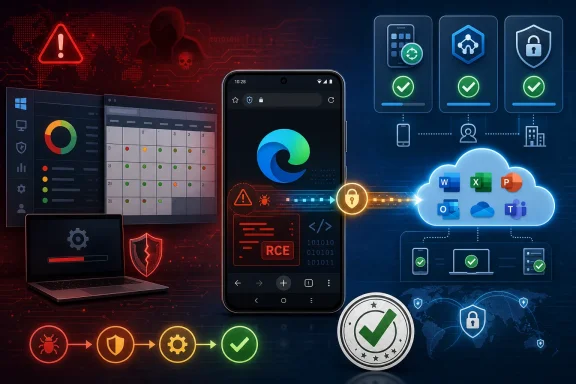 Microsoft’s Small Advisory Carries a Large Operational Message
The Microsoft Security Response Center’s entry for CVE-2026-58299, as surfaced through the Security Update Guide, identifies the issue as a remote code execution vulnerability affecting Microsoft Edge for Android. The wording matters because “remote code execution” is the phrase administrators are trained to treat as more than routine hardening. In browser land, RCE often means a malicious page, document, script, media file, or web-exposed component can move from content handling into attacker-controlled execution.But the advisory, at least publicly, does not read like a full technical postmortem. The user-facing text around the confidence metric explains how Microsoft evaluates the credibility of the vulnerability and the known technical details. In plain English, Microsoft is saying that confidence is about how certain the industry should be that the flaw exists and how much useful detail attackers might already have.
That is a subtle but important distinction. A vulnerability can be real, patched, and urgent even when the public does not yet know the root cause. Conversely, a richly described bug can be less immediately dangerous if exploitation is impractical or blocked by platform mitigations. CVE-2026-58299 sits in the category that forces defenders to act before curiosity is satisfied.
Microsoft’s broader Edge security notes repeatedly describe Edge updates as incorporating security updates from the Chromium project, and Microsoft Learn’s Edge security release documentation has historically called out Android and iOS stable channel updates separately when mobile builds receive security fixes. That background matters here because Edge for Android is not a miniature Windows browser bolted onto a phone. It is part Microsoft product, part Chromium pipeline, part Android application, and part managed-device headache.
The Browser Is the Attack Surface Users Actually Carry
Enterprises still tend to talk about browsers as if they live on desktops. The policy templates, extension allowlists, site compatibility modes, and update rings all reinforce that mental model. Yet the most exposed browser in many organizations is the one on a phone, opened on hotel Wi-Fi, linked to corporate identity, and used to reach SaaS dashboards that once required a domain-joined PC.That is why an Edge for Android RCE deserves more attention than its platform label might suggest. The vulnerable product is not Windows, but the compromised user may be the same employee who has conditional access to Microsoft 365, SharePoint, Teams, Outlook, admin portals, VPN launchers, and password reset flows. The browser is where identity, web content, and session tokens meet.
Android does provide meaningful containment. App sandboxing, permission prompts, Play Protect, memory safety work in the platform, and Chromium’s own site isolation and renderer sandbox all raise the cost of a practical exploit. Still, “raise the cost” is not the same thing as “remove the risk.” Browser RCEs are valuable precisely because they offer a path into a process that users trust with sensitive web sessions.
For attackers, mobile browsers are attractive for another reason: visibility is poor. A Windows endpoint agent may capture process trees, command lines, PowerShell launches, file writes, and suspicious child processes. A phone often gives defenders far less telemetry, especially in bring-your-own-device environments where privacy rules and platform limits constrain monitoring. A serious exploit chain on mobile can be quieter not because it is simpler, but because defenders see less.
Report Confidence Is Not a Severity Score Wearing a Different Hat
The metric text supplied with the CVE is worth dwelling on because it is easy to misread. Report confidence does not measure how damaging the vulnerability is, how widely it is exploited, or how fast patching must happen. It measures confidence in the existence of the vulnerability and in the credibility of the available technical details.That makes it a trust signal, not a blast-radius estimate. Microsoft’s explanation walks through the spectrum: sometimes only the existence of a vulnerability is public; sometimes research points toward a likely root cause; sometimes the affected vendor or author confirms the issue. The more certain the record, the less room there is for defenders to dismiss the item as rumor, duplicate, or theoretical noise.
This matters in a world where vulnerability feeds are overrun with identifiers, rescored CVEs, third-party enrichments, AI-generated summaries, and scanner findings that do not always map cleanly to real exposure. A confidence metric gives security teams a way to separate “this looks plausible” from “the vendor acknowledges the problem.” It is especially useful when technical details are intentionally sparse.
But confidence also cuts the other way. The more credible the details, the more useful the vulnerability may become to would-be attackers. A confirmed bug with enough public breadcrumbs can become a race: defenders deploy updates while exploit developers infer the patch delta, study upstream commits, or compare vulnerable and fixed builds. That race is particularly sharp for Chromium-derived browsers, where large open-source codebases and rapid releases create both transparency and opportunity.
The Silence Around Root Cause Is a Feature, Not a Flaw
Security advisories often frustrate technically minded readers because they do not say enough. “Remote code execution” is not a root cause. It does not tell us whether the bug is a use-after-free, type confusion, integer overflow, logic error, parser bug, JIT compiler issue, media handling flaw, or Android-specific integration problem.That absence is not accidental. Vendors routinely withhold exploit-enabling detail until users have had time to update. In the Chromium ecosystem, detailed bug reports may remain restricted for a period after a fix ships, especially when the issue is severe or when the patch has not propagated broadly across downstream browsers and platforms. Microsoft’s Security Update Guide follows the same practical logic: give defenders enough to act, not enough to arm opportunistic exploitation.
For administrators, the lack of root-cause detail should not be treated as a reason to wait. If anything, it increases the need for boring discipline. You do not need to know which subsystem failed to know that a mobile browser capable of remote code execution should be updated promptly.
There is also a communication tradeoff. If Microsoft says too little, defenders complain that the advisory is vague. If Microsoft says too much, the advisory becomes a roadmap. CVE-2026-58299 appears to land on the conservative side of that balance, with the confidence language doing some of the explanatory work that a full technical write-up would otherwise perform.
Edge for Android Sits in a Patch Pipeline With Too Many Owners
Desktop Edge is already a fast-moving target, but administrators at least have mature tools for managing it. Microsoft Intune, Group Policy, enterprise update controls, WSUS-adjacent processes, and browser management policies all give IT teams a vocabulary for Windows browser patching. Edge for Android lives in a messier chain.The update may be delivered through Google Play, managed Play in Android Enterprise, an enterprise mobility management platform, a mobile device management policy, or a user’s own app update behavior. In a fully managed device fleet, administrators can push or enforce updates with reasonable confidence. In BYOD, they may only be able to set conditional access rules, require minimum app versions, or block access from noncompliant devices.
That distinction is not academic. A desktop browser update can often be measured as a percentage of endpoints on a version. A mobile browser update may be measured as a compliance condition across a population that includes personal phones, region-specific app store behavior, user-disabled auto-updates, battery-saving settings, and devices that check in irregularly. The vulnerability may be simple to remediate on paper and irritating to close in practice.
Microsoft’s own Edge release history reinforces that mobile releases do not always line up neatly with desktop releases. The company has published separate Edge stable channel notes for Android and iOS, and those notes typically say the releases include recent Chromium security updates along with Microsoft Edge-specific fixes where applicable. That means a mobile Edge CVE belongs in the browser patch calendar, not in a separate mental drawer labeled “phone apps.”
Remote Code Execution Does Not Automatically Mean Instant Device Takeover
The phrase RCE tends to produce two bad reactions. One camp treats it as apocalypse. The other, having seen too many overhyped advisories, shrugs unless there is public exploit code. Both instincts are incomplete.A browser RCE may allow code execution inside a constrained renderer or app process, but modern exploitation often requires chaining. An attacker may need a sandbox escape, a separate Android privilege escalation, a way to persist, or a method to steal useful data without tripping platform controls. The jump from “code runs in a browser context” to “the phone is fully owned” is not guaranteed.
Still, the first step can be enough. A browser process may have access to cookies, cached content, autofill data, local storage, web sessions, downloaded files, or sensitive pages rendered at the time of exploitation. Even if the Android sandbox holds, attackers may be able to cause meaningful harm inside the boundaries of the app. The browser is not just another app; it is the session broker for modern work.
That is why defenders should avoid binary thinking. CVE-2026-58299 should not be described as confirmed full-device compromise unless Microsoft or later research says so. It should also not be waved away as “only Android” or “only a browser.” The realistic risk is narrower than the scariest interpretation and broader than the casual one.
The Chromium Connection Makes Patch Timing a Competitive Sport
Edge is Chromium-based, and that architectural fact shapes the vulnerability lifecycle. Microsoft benefits from the security work of the Chromium project, but it also inherits the urgency of Chromium’s release cadence. When upstream browser bugs are fixed, downstream vendors need to ingest, test, package, and ship quickly enough that attackers cannot exploit the lag.Microsoft Learn’s Edge security release notes repeatedly use similar phrasing: Edge stable channel releases incorporate the latest security updates of the Chromium project. In past entries, Microsoft has explicitly noted when the Chromium team reported an exploit in the wild for particular CVEs and when an Edge update contained the fix. That pattern is a reminder that browser security is not a monthly ritual anymore. It is an ongoing race measured in days.
For Android, the timing question becomes more complicated. Even after Microsoft ships an updated Edge build, the user or enterprise must receive and install it. App store propagation, regional rollout, device state, and management policy all affect the final mile. Attackers do not need every phone to lag; they need enough vulnerable phones belonging to useful people.
This is where security teams should resist the temptation to optimize only for Windows patch compliance. A company can have admirable desktop browser hygiene and still leave mobile browsers drifting. In a cloud-first environment, that drift may expose the same accounts and data the desktop controls were meant to protect.
The Practical Enterprise Question Is Version Enforcement
The first operational question is simple: which Edge for Android version contains the fix, and how quickly can the organization require it? The Security Update Guide is the authoritative place to confirm the affected product and remediation, while Microsoft Learn’s Edge release notes are useful for understanding the release channel context. Administrators should treat the MSRC entry as the primary record and the release notes as the deployment trail.In managed Android Enterprise environments, the answer should be policy-driven. Require app updates through managed Google Play, monitor installed app versions, and use compliance policies to flag stale builds. Where Edge is the approved mobile browser for corporate access, a minimum version requirement should be part of the same governance model that already governs Outlook, Teams, Defender, and Company Portal.
BYOD is harder because the organization may not control the whole device. But it can still control access. Conditional access policies can require approved client apps, app protection policies, device compliance, or minimum platform conditions. If an Edge for Android RCE is serious enough to track, it is serious enough to consider temporary access restrictions for noncompliant browser versions.
For consumers and enthusiasts, the advice is less bureaucratic but just as direct. Update Edge from the Play Store, confirm the installed version inside the app, and do not assume Android’s system browser components automatically cover a separately installed browser. Chrome, Edge, WebView, and OEM browser components have overlapping but distinct update paths.
Security Teams Should Watch for the Secondary Story
The first story is the patch. The second story is what happens after patch release. Browser vulnerabilities often become clearer when researchers analyze the fix, when Chromium bugs become public, when exploit writers diff code, or when threat intelligence teams observe attempts in the wild.That does not mean defenders should wait for a proof-of-concept before acting. It means they should revisit the CVE after the first patch cycle. A quiet advisory can become more interesting weeks later if exploitation is reported, if the vulnerability is added to a government known-exploited catalog, or if researchers identify a root cause that changes the risk model.
The public state of CVE-2026-58299, based on the material at hand, does not justify claims of active exploitation unless Microsoft or another credible source later says so. That caveat matters. Security writing does readers no favors when every RCE is described as a zero-day campaign. The honest position is narrower: Microsoft has recorded a real Edge for Android RCE, the public technical detail is limited, and the correct response is rapid update and verification.
There is also a lesson for vulnerability management programs. Scores, titles, and tags are useful, but they are not enough. Teams need to understand the product’s role in their environment. Edge for Android on a lab phone is one thing. Edge for Android on executives’ phones, privileged admins’ phones, or frontline workers’ shared devices is another.
The Mobile Browser Has Become Part of the Windows Security Perimeter
Windows administrators may be tempted to see this as outside their lane. It is Android, after all. But Microsoft’s ecosystem has expanded the Windows security perimeter far beyond the Windows kernel. Identity, device compliance, browser choice, cloud access, and endpoint telemetry now form a single defensive fabric.That fabric is only as strong as its least-governed access path. If users can reach corporate resources from Edge on Android, then Edge on Android becomes part of the enterprise browser estate. If administrators enforce safe browsing rules on Windows but ignore mobile browser versions, they have created a policy asymmetry attackers can exploit.
Microsoft has spent years pushing Edge as a managed enterprise browser across platforms. That strategy brings benefits: consistent sign-in, sync controls, data loss protections, app protection policies, and integration with Microsoft’s security stack. It also brings responsibility. A cross-platform browser must be patched and governed cross-platform.
The more Microsoft succeeds at making Edge a corporate front door, the less credible it becomes to treat Edge for Android vulnerabilities as peripheral. CVE-2026-58299 is a small advisory with a large architectural implication: the browser perimeter now travels in users’ pockets.
The Patch Is the Easy Part; Proving It Landed Is the Work
The concrete response to CVE-2026-58299 should be neither panic nor passivity. It should be verification. The goal is not merely to tell users to update, but to know whether the vulnerable population has actually shrunk.- Organizations should confirm the affected and fixed Edge for Android versions in Microsoft’s Security Update Guide before setting enforcement policy.
- Managed Android fleets should use MDM or enterprise mobility tools to require the updated Edge build rather than relying on user behavior.
- BYOD environments should consider conditional access controls for stale browser versions when corporate resources are reachable through Edge.
- Security teams should monitor Microsoft’s Edge release notes and MSRC updates for any later change in exploitation status or technical detail.
- Users should update Edge through the Play Store and verify the installed version inside the app, especially if they use the browser for work accounts.
- Defenders should avoid claiming active exploitation or full-device compromise unless later reporting substantiates those claims.
References
- Primary source: MSRC
Published: 2026-07-03T07:00:00-07:00
Security Update Guide - Microsoft Security Response Center
 msrc.microsoft.com
- Related coverage: threats.kaspersky.com
Kaspersky Threats — KLA90999
threats.kaspersky.com
- Related coverage: hkcert.org
Microsoft Edge Multiple Vulnerabilities
Multiple vulnerabilities were identified in Microsoft Edge. A remote attacker could exploit some of these vulnerabilities to trigger remote code execution, denial of service condition, security restriction bypass and sensitive information disclosure on thwww.hkcert.org - Official source: microsoft.com
MSRC - Microsoft Security Response Center
The Microsoft Security Response Center is part of the defender community and on the front line of security response evolution. For over twenty years, we have been engaged with security researchers working to protect customers and the broader ecosystem.www.microsoft.com
- Official source: learn.microsoft.com
Release notes for Microsoft Edge Security Updates | Microsoft Learn
Release notes for Microsoft Edge Security Updateslearn.microsoft.com - Related coverage: windowsforum.com
CVE-2026-33119 Edge Android Spoofing: MSRC Confidence & Enterprise Patch Guide | Windows Forum
Microsoft’s Security Update Guide records CVE-2026-33119 as a spoofing vulnerability in Microsoft Edge (Chromium-based) for Android, and the wording...windowsforum.com
- Related coverage: securityvulnerability.io
CVE-2026-33119 : Spoofing Vulnerability in Microsoft Edge by Microsoft
Discover the spoofing vulnerability affecting Microsoft Edge, allowing unauthorized actions. Learn more about CVE-2026-33119 now.securityvulnerability.io - Related coverage: hhs.gov
- Related coverage: cert.gov.vu
Advisory 141 CVE 2026 42897 Microsoft Exchange Server Cross Site Scripting Vulnerability
PDF documentcert.gov.vu
