

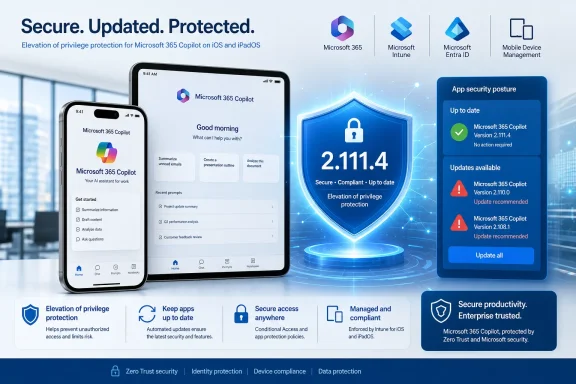
Microsoft’s Security Response Center describes the defect as improper access control that could allow an unauthorized attacker to elevate privileges over a network. The National Vulnerability Database lists the vulnerability at CVSS 8.1, rated High, with high potential impact to confidentiality and integrity but no availability impact. For administrators, the immediate action is straightforward: inventory the M365 Copilot iOS deployment, force or encourage the app update, and identify devices that have not checked in to management recently.
The CVE record does not disclose the vulnerable code path, a proof of concept, or a detailed attack scenario. That limits the ability to determine whether the weakness concerns a particular Copilot action, a handoff between identities, an authorization check against Microsoft 365 content, or another mobile-client boundary. It also means IT teams should avoid filling in the blanks with assumptions: the published record establishes the impact category and affected version range, but not the precise exploitation chain.
Version 2.111.4 Is the Security Boundary
The important number is 2.111.4. According to Microsoft’s CVE submission, every listed version of Microsoft 365 Copilot for iOS before that release is affected. Devices on 2.111.4 or a newer build are outside the published affected range.
That distinction matters in mobile estates, where “automatic updates enabled” is not always the same as “patched.” App Store updates can be deferred by users, disabled through device restrictions, delayed by connectivity, or superseded by MDM deployment policies. A corporate-owned iPhone that has been offline, stored as a spare, or used intermittently may retain an old app long after a fix is available.
For BYOD deployments, the operational challenge is more pronounced. Microsoft Intune can apply app-protection controls without enrolling a personal device, but it does not give administrators the same broad software inventory and update enforcement options available on fully managed hardware. Organizations that permit Microsoft 365 data in the Copilot app on personal iOS devices should review whether their existing Conditional Access and mobile application management rules sufficiently limit access from outdated clients.
Microsoft’s public Microsoft 365 Copilot documentation positions the app as a mobile entry point for Copilot Chat, files, content creation, agents, and connected Microsoft 365 services. That makes an elevation-of-privilege issue more consequential than a narrowly scoped consumer-app bug: the app may act as a front end to work or school identity, tenant data, and services governed by Microsoft Entra ID permissions.
High Severity Does Not Mean Known Active Exploitation
The CVSS vector assigns a network attack vector, low attack complexity, no required attacker privileges, and required user interaction. It also assigns high confidentiality and integrity impact. In practical terms, Microsoft’s score suggests an attacker could potentially leverage the flawed access-control behavior after getting a target to perform some action, without first needing an account in the target tenant.
But the score should not be read as evidence that attacks are occurring in the wild. CISA’s SSVC enrichment for CVE-2026-58617 currently marks exploitation as “none,” automation as “no,” and technical impact as “total.” Those assessments are useful triage signals, not a guarantee: “none” means there is no known exploitation in the published record, while “no” for automation indicates the issue is not presently judged readily scalable through an automated attack path.
There is another nuance in the CVSS data. The record carries a temporal metric of unproven exploit code and a confirmed-report confidence rating. That combination reflects the state of disclosure: Microsoft has acknowledged the vulnerability and supplied an update, but public technical details remain limited. Security teams should treat that as a reason to patch promptly, not as permission to postpone action until a proof of concept appears.
Microsoft has not marked the issue as publicly disclosed or exploited in the available vulnerability metadata. As of July 15, there is no published indication that CVE-2026-58617 has been added to CISA’s Known Exploited Vulnerabilities catalog.
Mobile Management Controls Still Matter After the Update
Updating the app is the remedy for the underlying flaw, but it is not the only defensive measure worth reviewing. Microsoft’s Intune guidance says app protection policies can keep corporate data within managed apps, restrict copy-and-paste or save-as behavior, require application PINs, enforce encryption, and block use on jailbroken devices. Microsoft also recommends combining app protection policies with Conditional Access to ensure those policies are enforced.
Those controls do not “patch around” CVE-2026-58617, and administrators should not present them as a substitute for version 2.111.4. They can, however, reduce exposure if an employee is still on an unpatched build while an update is pending, and they help limit the consequences of other mobile data-handling failures.
A sensible response for Microsoft 365 administrators is to verify four things:
- Confirm that Microsoft 365 Copilot for iOS 2.111.4 or later is available through the organization’s App Store and MDM distribution path.
- Identify managed devices still reporting an earlier app version and prioritize devices used by privileged users, executives, administrators, or staff with broad SharePoint and OneDrive access.
- Review Conditional Access policies that govern Microsoft 365 mobile access, especially policies requiring approved client apps, compliant devices, or app-protection policies.
- Use Intune app protection policies to restrict data transfer, require a PIN or biometric gate where appropriate, block jailbroken devices, and preserve the ability to selectively wipe corporate app data.
This is also a reminder that Microsoft 365 Copilot mobile access needs to sit inside the same identity and endpoint-management discipline as Outlook, OneDrive, Teams, and Office. The app’s AI interface may be new, but the data it can surface is governed by familiar tenant permissions and mobile controls.
Windows Admins Need to Look Beyond Patch Tuesday
CVE-2026-58617 arrived alongside Microsoft’s July 2026 security release activity, but it is not deployed through Windows Update, WSUS, Microsoft Configuration Manager, or a Windows KB package. That creates a potential blind spot for Windows-focused operations teams that use Patch Tuesday reporting as their main security workflow.
The remediation path is Apple’s app-delivery ecosystem and the organization’s mobile-management tooling. Endpoint teams should therefore make this CVE visible in their vulnerability dashboards and change records even if their Windows patch compliance reports show no relevant missing update.
For mixed environments, the practical ownership question is more important than the platform label. If the Windows team owns Microsoft 365 application governance while a mobility team owns Intune and iOS operations, somebody must be responsible for verifying the M365 Copilot iOS version floor. The CVE itself is narrow, but a missed handoff between desktop and mobile operations is a common reason a simple app update becomes a lingering exposure.
Microsoft has supplied the key technical boundary—versions before 2.111.4 are vulnerable—and the public record currently indicates no known exploitation. The next milestone is not a Windows reboot cycle; it is confirming that every work-connected iPhone and iPad using Microsoft 365 Copilot has crossed that app-version boundary.
References
- CVE-2026-58617 M365 Copilot for iOS Elevation of Privilege Vulnerability MSRC · 2026-07-14T07:00:00-07:00