

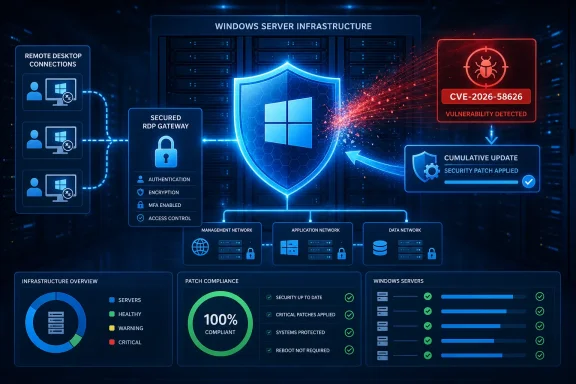
Microsoft rated the issue 8.8 out of 10 using CVSS 3.1, with network reachability, low attack complexity, no user interaction, and complete impact to confidentiality, integrity, and availability. The important limiting condition is privileges: the attacker must already be authorized, rather than being an unauthenticated internet scanner exploiting TCP 3389 from scratch.
The Microsoft Security Response Center published the advisory on July 14. The National Vulnerability Database has reproduced Microsoft’s description and scoring data, while its CISA SSVC entry currently lists exploitation as “none” and automation as “no.” That is not a reason to defer patching; it means there is no public indication, as of July 15, of known in-the-wild exploitation or a straightforward mass-exploitation path.
The update floor matters more than the CVE label
CVE-2026-58626 affects a notably broad current Windows estate: Windows 10 21H2 and 22H2, Windows 11 24H2, 25H2, and 26H1, plus Windows Server 2022 and Windows Server 2025, including Server Core. Microsoft has shipped fixes through the regular July Patch Tuesday cumulative updates.
| Platform | Patched build | July 14 update |
|---|---|---|
| Windows 10 21H2 / 22H2 | 19044.7548 / 19045.7548 | KB5099539 |
| Windows 11 24H2 | 26100.8875 | KB5101650 |
| Windows 11 25H2 | 26200.8875 | KB5101650 |
| Windows 11 26H1 | 28000.2525 | KB5101649 |
| Windows Server 2022 | 20348.5386 | KB5099540 |
| Windows Server 2025, including Server Core | 26100.33158 | KB5099536 |
There is a small but potentially confusing data detail in the initial public CVE record: its affected-version entry for Windows 11 25H2 uses a build comparison that appears inconsistent with the actual 25H2 servicing branch. Microsoft’s KB5101650 release notes settle the operational question: Windows 11 25H2 reaches build 26200.8875, while Windows 11 24H2 reaches 26100.8875. Administrators should use the installed build and cumulative-update KB as the deployment validation point, not attempt to interpret that anomalous version string literally.
For managed devices, this should be an ordinary cumulative-update deployment through Windows Update for Business, Windows Server Update Services, Microsoft Configuration Manager, or another patch-management platform. For manually maintained servers, use the matching Microsoft Update Catalog package and include a reboot window where the environment requires it.
Windows 10 deserves extra attention. Windows 10 version 22H2 left normal support on October 14, 2025, while Windows 10 Enterprise LTSC 2021 remains supported until January 2027. The availability of a July 2026 package does not change the lifecycle status of every Windows 10 edition. Organizations using 22H2 outside the appropriate Extended Security Updates path should treat this CVE as another concrete reason to identify unsupported endpoints rather than assuming every machine will receive the fix through ordinary servicing.
“Authorized attacker” changes the response, not the urgency
Remote Desktop Services is not just the mstsc.exe client on an administrator workstation. On a server, it can include session-host infrastructure and the services that accept and manage remote interactive sessions. A code-execution bug in that area has obvious implications for shared systems where many users may authenticate to a single host.
Microsoft’s wording says an authorized attacker can execute code “over a network,” which makes valid credentials or a legitimate authenticated access path central to the threat model. That may include a compromised employee account, credentials obtained through phishing, an attacker who has already reached a less-privileged RDS account, or an insider account with access to a shared Remote Desktop environment.
It does not mean every Windows PC that has ever used Remote Desktop is equally exposed. The real exposure question is whether the vulnerable Remote Desktop Services components are active and reachable in a way an authenticated attacker can use. Systems that do not offer remote sessions are still best patched normally, but RDS session hosts, RD Gateway-adjacent systems, administrative bastions, virtual desktop hosts, and servers with routine RDP access should move to the front of the queue.
The 8.8 rating reflects the severity of successful exploitation rather than proof of a turnkey exploit. The CVSS vector assigns low attack complexity and no user interaction, but requires low privileges. In a mature enterprise, that should steer response teams toward both patching and credential-path review: a vulnerability requiring authentication can become much more serious when access controls are weak, legacy accounts persist, or RDP is exposed directly to the internet.
Administrators should resist calling this a new BlueKeep-style event. Microsoft’s older RDS emergencies, including CVE-2019-0708 and the 2019 CVE-2019-1181/1182 pair, were notable in part because they raised wormability concerns without requiring authentication. CVE-2026-58626 has a materially different published profile. It is still a high-impact RCE in a high-value Windows service, but the available evidence does not support describing it as wormable, unauthenticated, actively exploited, or mass-automatable.
Patch first, then shrink the RDP trust boundary
The most effective mitigation is the update. Turning off Remote Desktop Services may be viable on systems that do not need it, but it is not a substitute for installing the fix on machines that must continue to accept remote sessions.
For internet-facing or sensitive RDS deployments, the advisory is also a timely prompt to check controls that should already be in place:
- Require Network Level Authentication and multifactor authentication at the RD Gateway, VPN, or identity boundary.
- Do not expose port 3389 directly to the public internet when an RD Gateway, VPN, zero-trust access service, or restricted administrative path is available.
- Restrict inbound RDP with host firewalls, network segmentation, and tightly managed access groups.
- Review accounts entitled to log on through Remote Desktop Services, especially on shared session hosts and privileged jump servers.
- Monitor failed and successful RDP logons, unusual session origins, and unexpected child processes spawned under user sessions.
Microsoft’s July releases also add separate RDP security changes around trusted RDP publishers. Windows 11 and Windows Server updates now support SHA-2 certificate thumbprints for trusted RDP publishers, while retaining SHA-1 only for backward compatibility ahead of its planned removal. That change is principally about reducing .rdp file phishing risk, not a direct mitigation for CVE-2026-58626, but the timing makes it worthwhile for organizations that distribute signed connection files.
The immediate checkpoint is simple: by the end of the July deployment cycle, affected Windows 11 24H2 and 25H2 machines should report KB5101650 and build 26100.8875 or 26200.8875, while Server 2022 and Server 2025 should report KB5099540 and KB5099536 respectively. Until Microsoft or a security researcher publishes more technical detail, those patched-build checks are the most reliable measure of whether this RDS code-execution exposure has been removed.
References
- CVE-2026-58626 Windows Remote Desktop Services Remote Code Execution Vulnerability MSRC · 2026-07-14T07:00:00-07:00