

Google disclosed CVE-2026-7909 on May 6, 2026, as a high-severity Chromium flaw in ServiceWorker handling that affects Chrome before 148.0.7778.96 and could let an attacker who already compromised the renderer bypass site isolation with a crafted HTML page. That phrasing sounds narrow, almost academic, but it points at one of the browser’s most important modern security promises. The bug is not “just another Chrome CVE”; it is a reminder that the web’s safety model now depends on layers of containment that are only as strong as their handoffs. For Windows users and IT shops running Chrome, Edge, or other Chromium-based browsers, the practical message is blunt: patch the browser, then verify that the patch actually landed.
CVE-2026-7909 is easy to underestimate because the attacker is described as having already compromised the renderer process. In the old mental model of browser exploitation, that might sound like the game is already over. In the modern browser, it is not supposed to be.
Chrome’s security architecture assumes that complex code will sometimes fail. The renderer, which chews through HTML, CSS, JavaScript, images, fonts, and a galaxy of web APIs, is treated as a dangerous place precisely because it is exposed to hostile input every time a user opens a page. The browser’s broader defense is to contain that danger with sandboxing, process boundaries, and site isolation.
That is why this CVE matters. It sits not at the flashy moment of initial code execution, but at the next stage: what an attacker can do after breaking into one compartment. If a malicious page can use a ServiceWorker flaw to weaken or bypass site isolation, then the browser’s carefully layered defense begins to look less like a wall and more like a sequence of doors whose hinges deserve as much scrutiny as the locks.
The public description does not say the bug was exploited in the wild. It does not provide a proof of concept. The linked Chromium issue is restricted, which is normal for fresh browser vulnerabilities while users are still being updated. But the combination of ServiceWorker, renderer compromise, and site isolation bypass is enough to make this a serious operational update rather than background security noise.
That power is also why ServiceWorkers are security-sensitive. They are not just scripts that run while a page is open; they can persist beyond the life of a tab and mediate fetches for an origin. They are scoped, registered, and governed by browser rules intended to ensure that one site’s helper machinery cannot become another site’s surveillance mechanism.
When a vulnerability is described as an “inappropriate implementation” in ServiceWorker, the phrase is almost aggressively bland. Browser security advisories often use these umbrella labels because the exact bug class is less important to most users than the affected component and fixed version. But in this case the affected component tells us plenty.
ServiceWorkers live at a junction where origin identity, network requests, cached resources, and execution context meet. Site isolation lives at a different but related junction, where browser processes are separated to prevent one site from peeking into another. A mistake where those two systems intersect can turn a contained renderer compromise into a cross-site boundary problem.
That is the real story here. The vulnerability is not merely that malicious HTML can do something bad. It is that malicious HTML, paired with an already-compromised renderer, could reportedly help cross a boundary Chrome has spent years hardening.
The original browser threat model was too optimistic for the modern web. Tabs looked separate, origins were governed by policy, and the same-origin principle did enormous work. But speculative execution attacks, side channels, and increasingly sophisticated exploit chains forced browser vendors to accept a harsher premise: policy boundaries need process boundaries behind them.
Chrome’s site isolation work was one answer to that problem. By putting different sites into different renderer processes, the browser reduces the chance that a compromised renderer can simply read data from another site loaded elsewhere. It is not free; it consumes memory, complicates process management, and adds engineering burden. But it is now central to how Chromium-based browsers sell the idea that users can safely keep their life open in tabs.
CVE-2026-7909 therefore lands in a sensitive category. A site isolation bypass is not usually the first bug in an attack chain. It is the bug that can make the first bug more valuable. If an attacker has a renderer compromise but remains trapped inside a site boundary, the blast radius is constrained. If another flaw lets that attacker weaken isolation, the exploit chain becomes more useful.
That is why the CVSS score alone is a poor narrator. CISA’s ADP assessment lists a low CVSS 3.1 base score of 3.1, reflecting high attack complexity, required user interaction, and limited confidentiality impact under that scoring model. Chromium, meanwhile, marks the issue high severity. Both can be true, and neither fully captures what IT teams should care about: whether the bug affects a browser boundary that defenders rely on when everything else goes wrong.
That condition lowers the probability of casual exploitation. It also explains why automated vulnerability dashboards may rank the issue less dramatically than Chrome’s own security team does. A bug that requires a preceding compromise is less self-contained than a remote code execution flaw with a clean path from page load to control.
But enterprise defenders should be wary of treating prerequisite bugs as dismissible bugs. Modern browser exploitation is often chained. One flaw gets code running in a restricted context; another escapes a sandbox; another bypasses isolation; another reaches a broker or privileged service. The individual links may look conditional, but attackers do not need a single perfect vulnerability when a chain will do.
This is especially true for targeted attacks. A renderer compromise requirement is a meaningful barrier against opportunistic abuse, but it is less reassuring when dealing with advanced operators, commercial spyware vendors, or criminal groups that buy exploit chains. Those actors think in terms of stages. A site isolation bypass is exactly the kind of stage that becomes valuable when paired with something else.
So the right reading is neither panic nor dismissal. CVE-2026-7909 is not being publicly described as an actively exploited zero-day. It is also not trivial just because it needs a compromised renderer. It is a defense-in-depth failure in a browser component that helps define the security boundary of the modern web.
For consumers, the answer is simple: open the browser’s About page, let it update, and restart. Chrome’s updater is good at eventually doing this work in the background, but “eventually” is not a security strategy when the advisory is already public. The browser that has downloaded an update but not restarted is still the old browser.
For IT departments, the update is less about clicking a menu and more about inventory. Managed Windows fleets often contain a mix of Chrome Stable, Chrome Extended Stable, Edge Stable, Edge Extended Stable, WebView2 Runtime, and embedded Chromium in third-party applications. The visible browser icon is only part of the Chromium footprint.
That is where the operational mess begins. Google can ship Chrome 148, but an organization still has to confirm deployment, browser restart, policy compliance, and whether line-of-business applications pin or bundle Chromium components. Patch management dashboards that report “installed” without confirming active runtime version can give a false sense of completion.
The right baseline after this advisory is not merely “Chrome updated.” It is “all Chromium-based browsing surfaces used by the organization are on fixed builds or have a documented mitigation path.” That distinction is annoying, but it is how browser security actually works in 2026.
As of the immediate disclosure window, Microsoft’s Edge security release notes said the company was aware of recent Chromium security fixes and was actively working on a security fix. That is the uncomfortable middle period for administrators: Google has published a fixed Chrome version, NVD has populated the vulnerability, and Microsoft’s browser channel may not yet have caught up.
This is not unusual. Chromium vendors routinely trail one another by hours or days depending on release cadence, platform, and testing. But for organizations standardized on Edge, the lag matters because the risk is not theoretical simply because the patch is upstream. Once a vulnerability is public enough to have a CVE entry and vendor advisory, defenders should assume attackers are reading the same breadcrumbs.
The practical approach is to track Edge Stable and Extended Stable release notes closely, then verify the actual Edge version on endpoints. If Edge receives a build incorporating the Chromium 148 fixes, that build becomes the minimum acceptable version. If a fleet uses both Chrome and Edge, patching only one does not patch the other.
This is also a reminder that the Chromium monoculture cuts both ways. Shared code means vulnerabilities propagate across browsers. Shared engineering also means fixes can propagate quickly once vendors ingest the upstream patches. The security win depends on the second half happening faster than attackers can exploit the first.
The user-supplied NVD text asks, “Are we missing a CPE here?” In one sense, the obvious answer for the NVD entry is that Google Chrome has been mapped. In another sense, administrators are right to wonder what the CPE does not capture. Chromium-derived risk is broader than the Google Chrome product string.
Edge will be tracked through Microsoft’s own advisory and product mapping. Brave, Vivaldi, Opera, Electron applications, WebView runtimes, and embedded Chromium surfaces may have separate release channels, package identities, or no clean CPE mapping at all. A scanner that keys only on
This is a longstanding weakness in vulnerability management for shared browser engines. CVEs are assigned to components, products, and sometimes ecosystems, but real machines contain messy combinations of all three. The CPE model prefers tidy product identities; the Chromium world produces inherited risk.
That does not mean the NVD entry is wrong. It means CPE coverage should be treated as the beginning of discovery, not the end. For Windows admins, especially, the real audit should include installed browser versions, Edge channel versions, WebView2 Runtime versions, and application inventories for software that embeds Chromium without relying on the system browser.
CVE-2026-7909 has characteristics that push the score down: user interaction is required, attack complexity is high, and the attacker needs a compromised renderer. Under the math of CVSS 3.1, that produces a modest base score. Under the architecture of Chromium, however, a site isolation bypass is a breach of a critical containment assumption.
This is the difference between exploitability in isolation and utility in a chain. A vulnerability that cannot start an attack may still make an attack dramatically more damaging. If the first exploit gets the attacker into a renderer and the second exploit lets that renderer reach across site boundaries, the second bug is not “low importance” to the person building the chain.
Browser vendors tend to grade these issues through that chain-aware lens. They know which boundaries are supposed to hold after memory corruption. They know which subsystems are attractive pivots. They also know that once a bug is patched, diffing and reverse engineering can reveal enough for skilled attackers to understand what changed.
For patch prioritization, that means organizations should resist a purely score-driven response. CVSS helps sort thousands of CVEs, but browser updates deserve their own lane. If a supported browser releases a security update for a high-severity Chromium issue, the default enterprise answer should be rapid deployment unless there is a specific compatibility blocker.
Browser advisories routinely reveal only limited detail at first. The goal is to give defenders enough information to update without handing attackers a roadmap before the majority of users are protected. This is not perfect transparency. It is staged disclosure under mass-market conditions.
That approach has trade-offs. Administrators cannot always assess whether a vulnerability affects a particular feature configuration. Security vendors may overgeneralize. Journalists and forum posters may be left parsing terse phrases like “inappropriate implementation” and “crafted HTML page” as if they were tea leaves.
But the alternative is worse. Full technical detail on day one would compress the time between disclosure and weaponization. In a browser ecosystem where automated updates still depend on restarts, phased rollouts, and vendor-specific release trains, that would punish users who are doing nothing wrong except waiting their turn in the update pipeline.
The healthy compromise is to act on the fixed version rather than wait for exploit details. Curiosity can wait. Patch verification cannot.
Microsoft’s WebView2 Runtime is now common across Windows applications. Electron remains a popular way to ship cross-platform desktop apps. Collaboration tools, password managers, developer utilities, support clients, and niche enterprise applications may all carry Chromium-derived code. Some update aggressively. Some lag. Some are pinned to versions that would make a browser security engineer wince.
CVE-2026-7909 is formally about Google Chrome before 148.0.7778.96, but the lesson for Windows environments is broader. When the vulnerable code lives in Chromium, the organization’s exposure depends on how and where that code appears. A patched Chrome install does not magically update a bundled Electron runtime.
This does not mean every Chromium-based application is automatically exploitable in the same way. Context matters. Some embedded runtimes do not expose arbitrary web browsing. Some disable features. Some run trusted content only. But those are facts to establish, not assumptions to make.
The more realistic policy is to maintain a Chromium inventory. Know which products embed it, how they update, whether they expose untrusted content, and who owns the patch process. In 2026, that is not exotic maturity. It is table stakes for Windows endpoint security.
That is a cultural issue as much as a technical one. Users treat browser sessions as workspaces. Admins treat forced restarts as productivity hazards. Security teams treat unpatched browsers as unacceptable risk. All three positions are understandable; only one survives contact with active exploit development.
For consumer Windows users, the best habit is simple. When Chrome or Edge shows an update indicator, finish what you are doing and relaunch the browser. If the update is tied to a high-severity security advisory, do it sooner.
For managed environments, policy can help. Enterprises can configure relaunch notifications, update deadlines, and forced restarts after a grace period. Those controls should be used thoughtfully, but they should be used. A browser that stays open forever is a patch management failure disguised as user convenience.
The lesson of CVE-2026-7909 is that browser updates are not cosmetic churn. They are repairs to the machinery that keeps hostile websites from becoming host-level incidents or cross-site data leaks. Restart fatigue is real, but so is exploit chaining.
ServiceWorkers deepen that bargain. They allow web apps to behave more like installed software while still being delivered from servers the user visits. They cache, intercept, and coordinate. They make modern web apps faster and more resilient. They also expand the amount of browser machinery that must correctly enforce origin boundaries.
CVE-2026-7909 does not mean ServiceWorkers are unsafe by design. It means powerful web abstractions create powerful implementation obligations. The more native-like the web becomes, the more browser internals must resemble an operating system kernel in their suspicion of everything.
This is where the browser story and the Windows story increasingly overlap. Edge is part of Windows administration. Chrome is often part of enterprise baseline images. WebView2 is a Windows application platform. Browser bugs are not peripheral risks; they are platform risks.
That shift demands a different mental model. Organizations should stop treating browsers as user productivity tools that occasionally need security attention. They should treat them as exposed application runtimes with privileged access to identity, data, and workflow. CVE-2026-7909 is a small window into that larger reality.
The next step is confirming adjacent browsers and runtimes. Edge administrators should monitor Microsoft’s security release notes and MSRC entry until the relevant Chromium fixes are incorporated into Edge builds. Organizations using Extended Stable channels should pay special attention because their version numbers may not align intuitively with Stable.
Security teams should also watch for follow-on advisories from Linux distributions and third-party Chromium vendors. Ubuntu and other distributions often track Chromium CVEs through their own package systems, while non-Google browsers publish their own updates on their own schedules. The upstream fix starts the clock; downstream release engineering determines when users are actually covered.
The public information available today does not establish widespread exploitation of CVE-2026-7909. That is good news, but it is not a reason to wait. Browser vulnerabilities become more dangerous after patches ship because attackers can compare old and new code, infer the bug, and build tests for vulnerable installations.
In other words, the patch is also a disclosure event. The safest window is early. The riskiest posture is assuming that “no exploit in the wild” means “no urgency.”
That reality has already changed enterprise operations, even if some processes have not caught up. Browser patching needs to be continuous, measurable, and decoupled from the old monthly rhythm. Waiting for the next standard endpoint patch cycle can turn a fixed vulnerability into an avoidable incident.
The challenge is that browser updates sit between consumer convenience and enterprise control. Users expect silent updates. Administrators need testing and rollback. Security teams need speed. Application owners worry about compatibility. The best programs reconcile those pressures with rings, telemetry, and enforced deadlines rather than pretending they can make the tension disappear.
CVE-2026-7909 is a good example of why. It is not a headline-grabbing actively exploited zero-day, but it touches a high-value isolation boundary. It is exactly the kind of vulnerability that can be ignored by organizations that only chase emergency labels and exploited-in-the-wild flags. It is also exactly the kind that disciplined browser patching should absorb with minimal drama.
That is the goal: not panic, but muscle memory. When Chrome 148 lands with high-severity security fixes, endpoints move. When Edge posts its corresponding release, managed fleets follow. When scanners report stragglers, admins chase restarts and stale installs before attackers do.
Source: NVD / Chromium Security Update Guide - Microsoft Security Response Center
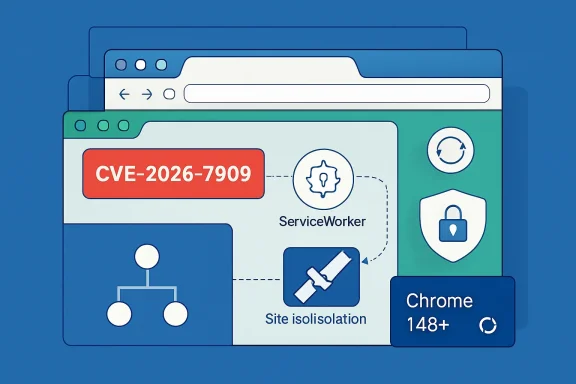 A Small CVE With a Large Architectural Shadow
CVE-2026-7909 is easy to underestimate because the attacker is described as having already compromised the renderer process. In the old mental model of browser exploitation, that might sound like the game is already over. In the modern browser, it is not supposed to be.Chrome’s security architecture assumes that complex code will sometimes fail. The renderer, which chews through HTML, CSS, JavaScript, images, fonts, and a galaxy of web APIs, is treated as a dangerous place precisely because it is exposed to hostile input every time a user opens a page. The browser’s broader defense is to contain that danger with sandboxing, process boundaries, and site isolation.
That is why this CVE matters. It sits not at the flashy moment of initial code execution, but at the next stage: what an attacker can do after breaking into one compartment. If a malicious page can use a ServiceWorker flaw to weaken or bypass site isolation, then the browser’s carefully layered defense begins to look less like a wall and more like a sequence of doors whose hinges deserve as much scrutiny as the locks.
The public description does not say the bug was exploited in the wild. It does not provide a proof of concept. The linked Chromium issue is restricted, which is normal for fresh browser vulnerabilities while users are still being updated. But the combination of ServiceWorker, renderer compromise, and site isolation bypass is enough to make this a serious operational update rather than background security noise.
ServiceWorkers Made the Web Feel Native, and That Raised the Stakes
ServiceWorkers were one of the technologies that helped turn websites into application platforms. They sit between web applications and the network, enabling offline behavior, push notifications, caching strategies, background sync, and the sort of app-like resilience users now expect from mail clients, chat apps, productivity suites, and admin consoles in a tab.That power is also why ServiceWorkers are security-sensitive. They are not just scripts that run while a page is open; they can persist beyond the life of a tab and mediate fetches for an origin. They are scoped, registered, and governed by browser rules intended to ensure that one site’s helper machinery cannot become another site’s surveillance mechanism.
When a vulnerability is described as an “inappropriate implementation” in ServiceWorker, the phrase is almost aggressively bland. Browser security advisories often use these umbrella labels because the exact bug class is less important to most users than the affected component and fixed version. But in this case the affected component tells us plenty.
ServiceWorkers live at a junction where origin identity, network requests, cached resources, and execution context meet. Site isolation lives at a different but related junction, where browser processes are separated to prevent one site from peeking into another. A mistake where those two systems intersect can turn a contained renderer compromise into a cross-site boundary problem.
That is the real story here. The vulnerability is not merely that malicious HTML can do something bad. It is that malicious HTML, paired with an already-compromised renderer, could reportedly help cross a boundary Chrome has spent years hardening.
Site Isolation Is the Browser’s Post-Exploit Seatbelt
Site isolation was never meant to make browser bugs disappear. It was meant to change what happens after one of those bugs succeeds. In a world where web pages routinely process sensitive corporate dashboards, bank sessions, cloud storage, identity portals, and administrator consoles, that distinction is everything.The original browser threat model was too optimistic for the modern web. Tabs looked separate, origins were governed by policy, and the same-origin principle did enormous work. But speculative execution attacks, side channels, and increasingly sophisticated exploit chains forced browser vendors to accept a harsher premise: policy boundaries need process boundaries behind them.
Chrome’s site isolation work was one answer to that problem. By putting different sites into different renderer processes, the browser reduces the chance that a compromised renderer can simply read data from another site loaded elsewhere. It is not free; it consumes memory, complicates process management, and adds engineering burden. But it is now central to how Chromium-based browsers sell the idea that users can safely keep their life open in tabs.
CVE-2026-7909 therefore lands in a sensitive category. A site isolation bypass is not usually the first bug in an attack chain. It is the bug that can make the first bug more valuable. If an attacker has a renderer compromise but remains trapped inside a site boundary, the blast radius is constrained. If another flaw lets that attacker weaken isolation, the exploit chain becomes more useful.
That is why the CVSS score alone is a poor narrator. CISA’s ADP assessment lists a low CVSS 3.1 base score of 3.1, reflecting high attack complexity, required user interaction, and limited confidentiality impact under that scoring model. Chromium, meanwhile, marks the issue high severity. Both can be true, and neither fully captures what IT teams should care about: whether the bug affects a browser boundary that defenders rely on when everything else goes wrong.
The Renderer Compromise Requirement Is a Caveat, Not a Comfort Blanket
The phrase “who had compromised the renderer process” is doing important work. It means CVE-2026-7909 is not described as a one-click universal takeover by itself. An attacker first needs another foothold, such as a memory corruption bug, logic flaw, or exploit path that gains control inside the renderer.That condition lowers the probability of casual exploitation. It also explains why automated vulnerability dashboards may rank the issue less dramatically than Chrome’s own security team does. A bug that requires a preceding compromise is less self-contained than a remote code execution flaw with a clean path from page load to control.
But enterprise defenders should be wary of treating prerequisite bugs as dismissible bugs. Modern browser exploitation is often chained. One flaw gets code running in a restricted context; another escapes a sandbox; another bypasses isolation; another reaches a broker or privileged service. The individual links may look conditional, but attackers do not need a single perfect vulnerability when a chain will do.
This is especially true for targeted attacks. A renderer compromise requirement is a meaningful barrier against opportunistic abuse, but it is less reassuring when dealing with advanced operators, commercial spyware vendors, or criminal groups that buy exploit chains. Those actors think in terms of stages. A site isolation bypass is exactly the kind of stage that becomes valuable when paired with something else.
So the right reading is neither panic nor dismissal. CVE-2026-7909 is not being publicly described as an actively exploited zero-day. It is also not trivial just because it needs a compromised renderer. It is a defense-in-depth failure in a browser component that helps define the security boundary of the modern web.
Chrome 148 Turns a Routine Upgrade Into a Security Baseline
Google’s stable channel update promotes Chrome 148 to Windows, macOS, and Linux, with 148.0.7778.96 for Linux and 148.0.7778.96 or 148.0.7778.97 for Windows and macOS. The release includes a large batch of security fixes, with CVE-2026-7909 sitting among a broader set of Chromium vulnerabilities addressed in the same update.For consumers, the answer is simple: open the browser’s About page, let it update, and restart. Chrome’s updater is good at eventually doing this work in the background, but “eventually” is not a security strategy when the advisory is already public. The browser that has downloaded an update but not restarted is still the old browser.
For IT departments, the update is less about clicking a menu and more about inventory. Managed Windows fleets often contain a mix of Chrome Stable, Chrome Extended Stable, Edge Stable, Edge Extended Stable, WebView2 Runtime, and embedded Chromium in third-party applications. The visible browser icon is only part of the Chromium footprint.
That is where the operational mess begins. Google can ship Chrome 148, but an organization still has to confirm deployment, browser restart, policy compliance, and whether line-of-business applications pin or bundle Chromium components. Patch management dashboards that report “installed” without confirming active runtime version can give a false sense of completion.
The right baseline after this advisory is not merely “Chrome updated.” It is “all Chromium-based browsing surfaces used by the organization are on fixed builds or have a documented mitigation path.” That distinction is annoying, but it is how browser security actually works in 2026.
Edge Users Are Waiting on Microsoft’s Chromium Relay
The Microsoft angle is what makes this particularly relevant for WindowsForum readers. Microsoft tracks Chromium vulnerabilities through the MSRC Security Update Guide, and CVE-2026-7909 appears there because Edge is Chromium-based. But Edge is not Chrome with a different icon; Microsoft must integrate, test, and release its own builds.As of the immediate disclosure window, Microsoft’s Edge security release notes said the company was aware of recent Chromium security fixes and was actively working on a security fix. That is the uncomfortable middle period for administrators: Google has published a fixed Chrome version, NVD has populated the vulnerability, and Microsoft’s browser channel may not yet have caught up.
This is not unusual. Chromium vendors routinely trail one another by hours or days depending on release cadence, platform, and testing. But for organizations standardized on Edge, the lag matters because the risk is not theoretical simply because the patch is upstream. Once a vulnerability is public enough to have a CVE entry and vendor advisory, defenders should assume attackers are reading the same breadcrumbs.
The practical approach is to track Edge Stable and Extended Stable release notes closely, then verify the actual Edge version on endpoints. If Edge receives a build incorporating the Chromium 148 fixes, that build becomes the minimum acceptable version. If a fleet uses both Chrome and Edge, patching only one does not patch the other.
This is also a reminder that the Chromium monoculture cuts both ways. Shared code means vulnerabilities propagate across browsers. Shared engineering also means fixes can propagate quickly once vendors ingest the upstream patches. The security win depends on the second half happening faster than attackers can exploit the first.
NVD’s CPE Entry Tells Administrators How Scanners Will Think
The NVD change history for CVE-2026-7909 adds a CPE configuration for Google Chrome versions before 148.0.7778.96 across Windows, Linux, and macOS. That sounds bureaucratic, but it matters because CPEs are how many vulnerability scanners map a CVE to installed software.The user-supplied NVD text asks, “Are we missing a CPE here?” In one sense, the obvious answer for the NVD entry is that Google Chrome has been mapped. In another sense, administrators are right to wonder what the CPE does not capture. Chromium-derived risk is broader than the Google Chrome product string.
Edge will be tracked through Microsoft’s own advisory and product mapping. Brave, Vivaldi, Opera, Electron applications, WebView runtimes, and embedded Chromium surfaces may have separate release channels, package identities, or no clean CPE mapping at all. A scanner that keys only on
google:chrome may accurately report Chrome exposure while missing the same vulnerable code elsewhere.This is a longstanding weakness in vulnerability management for shared browser engines. CVEs are assigned to components, products, and sometimes ecosystems, but real machines contain messy combinations of all three. The CPE model prefers tidy product identities; the Chromium world produces inherited risk.
That does not mean the NVD entry is wrong. It means CPE coverage should be treated as the beginning of discovery, not the end. For Windows admins, especially, the real audit should include installed browser versions, Edge channel versions, WebView2 Runtime versions, and application inventories for software that embeds Chromium without relying on the system browser.
The CVSS Score Undersells the Kind of Risk Browser Teams Fear
A low CVSS score attached to a Chromium high-severity advisory will confuse people. Security teams live with this mismatch constantly. CVSS is useful for consistency, but it is not a substitute for understanding the role of the vulnerable component.CVE-2026-7909 has characteristics that push the score down: user interaction is required, attack complexity is high, and the attacker needs a compromised renderer. Under the math of CVSS 3.1, that produces a modest base score. Under the architecture of Chromium, however, a site isolation bypass is a breach of a critical containment assumption.
This is the difference between exploitability in isolation and utility in a chain. A vulnerability that cannot start an attack may still make an attack dramatically more damaging. If the first exploit gets the attacker into a renderer and the second exploit lets that renderer reach across site boundaries, the second bug is not “low importance” to the person building the chain.
Browser vendors tend to grade these issues through that chain-aware lens. They know which boundaries are supposed to hold after memory corruption. They know which subsystems are attractive pivots. They also know that once a bug is patched, diffing and reverse engineering can reveal enough for skilled attackers to understand what changed.
For patch prioritization, that means organizations should resist a purely score-driven response. CVSS helps sort thousands of CVEs, but browser updates deserve their own lane. If a supported browser releases a security update for a high-severity Chromium issue, the default enterprise answer should be rapid deployment unless there is a specific compatibility blocker.
The Restricted Bug Is Not a Conspiracy; It Is the Patch Window
The Chromium issue linked from the advisory is restricted. This often irritates researchers, administrators, and curious users who want to know exactly what broke. It is also one of the few responsible choices available when a browser vulnerability affects hundreds of millions of users and patches are still rolling out.Browser advisories routinely reveal only limited detail at first. The goal is to give defenders enough information to update without handing attackers a roadmap before the majority of users are protected. This is not perfect transparency. It is staged disclosure under mass-market conditions.
That approach has trade-offs. Administrators cannot always assess whether a vulnerability affects a particular feature configuration. Security vendors may overgeneralize. Journalists and forum posters may be left parsing terse phrases like “inappropriate implementation” and “crafted HTML page” as if they were tea leaves.
But the alternative is worse. Full technical detail on day one would compress the time between disclosure and weaponization. In a browser ecosystem where automated updates still depend on restarts, phased rollouts, and vendor-specific release trains, that would punish users who are doing nothing wrong except waiting their turn in the update pipeline.
The healthy compromise is to act on the fixed version rather than wait for exploit details. Curiosity can wait. Patch verification cannot.
Windows Fleets Have More Chromium Than Their Browser Policy Admits
Windows administrators often think they know their browser estate because they manage Chrome or Edge policies. That view is increasingly incomplete. Chromium is not just a browser; it is a platform embedded throughout the desktop software economy.Microsoft’s WebView2 Runtime is now common across Windows applications. Electron remains a popular way to ship cross-platform desktop apps. Collaboration tools, password managers, developer utilities, support clients, and niche enterprise applications may all carry Chromium-derived code. Some update aggressively. Some lag. Some are pinned to versions that would make a browser security engineer wince.
CVE-2026-7909 is formally about Google Chrome before 148.0.7778.96, but the lesson for Windows environments is broader. When the vulnerable code lives in Chromium, the organization’s exposure depends on how and where that code appears. A patched Chrome install does not magically update a bundled Electron runtime.
This does not mean every Chromium-based application is automatically exploitable in the same way. Context matters. Some embedded runtimes do not expose arbitrary web browsing. Some disable features. Some run trusted content only. But those are facts to establish, not assumptions to make.
The more realistic policy is to maintain a Chromium inventory. Know which products embed it, how they update, whether they expose untrusted content, and who owns the patch process. In 2026, that is not exotic maturity. It is table stakes for Windows endpoint security.
Browser Restarts Remain the Weakest Human Link
Automatic updates have made browser patching much better than it used to be. They have not removed the oldest problem in software maintenance: the update does not fully protect the user until the vulnerable process is gone. A browser can download a fix, stage it, and politely wait while the user keeps 73 tabs alive for another week.That is a cultural issue as much as a technical one. Users treat browser sessions as workspaces. Admins treat forced restarts as productivity hazards. Security teams treat unpatched browsers as unacceptable risk. All three positions are understandable; only one survives contact with active exploit development.
For consumer Windows users, the best habit is simple. When Chrome or Edge shows an update indicator, finish what you are doing and relaunch the browser. If the update is tied to a high-severity security advisory, do it sooner.
For managed environments, policy can help. Enterprises can configure relaunch notifications, update deadlines, and forced restarts after a grace period. Those controls should be used thoughtfully, but they should be used. A browser that stays open forever is a patch management failure disguised as user convenience.
The lesson of CVE-2026-7909 is that browser updates are not cosmetic churn. They are repairs to the machinery that keeps hostile websites from becoming host-level incidents or cross-site data leaks. Restart fatigue is real, but so is exploit chaining.
The ServiceWorker Bug Is a Warning About Web App Trust
The web won because it made software deployment frictionless. Click a link and the application appears. No installer, no admin rights, no procurement ticket, no rollback plan. That convenience is also why browser security has become a first-order enterprise concern.ServiceWorkers deepen that bargain. They allow web apps to behave more like installed software while still being delivered from servers the user visits. They cache, intercept, and coordinate. They make modern web apps faster and more resilient. They also expand the amount of browser machinery that must correctly enforce origin boundaries.
CVE-2026-7909 does not mean ServiceWorkers are unsafe by design. It means powerful web abstractions create powerful implementation obligations. The more native-like the web becomes, the more browser internals must resemble an operating system kernel in their suspicion of everything.
This is where the browser story and the Windows story increasingly overlap. Edge is part of Windows administration. Chrome is often part of enterprise baseline images. WebView2 is a Windows application platform. Browser bugs are not peripheral risks; they are platform risks.
That shift demands a different mental model. Organizations should stop treating browsers as user productivity tools that occasionally need security attention. They should treat them as exposed application runtimes with privileged access to identity, data, and workflow. CVE-2026-7909 is a small window into that larger reality.
The Chrome 148 Patch Is the Floor, Not the Finish Line
The immediate fix for Chrome users is to run 148.0.7778.96 or later, with Windows and macOS systems potentially seeing 148.0.7778.96 or 148.0.7778.97 depending on channel and rollout. That is the floor. It is not the finish line.The next step is confirming adjacent browsers and runtimes. Edge administrators should monitor Microsoft’s security release notes and MSRC entry until the relevant Chromium fixes are incorporated into Edge builds. Organizations using Extended Stable channels should pay special attention because their version numbers may not align intuitively with Stable.
Security teams should also watch for follow-on advisories from Linux distributions and third-party Chromium vendors. Ubuntu and other distributions often track Chromium CVEs through their own package systems, while non-Google browsers publish their own updates on their own schedules. The upstream fix starts the clock; downstream release engineering determines when users are actually covered.
The public information available today does not establish widespread exploitation of CVE-2026-7909. That is good news, but it is not a reason to wait. Browser vulnerabilities become more dangerous after patches ship because attackers can compare old and new code, infer the bug, and build tests for vulnerable installations.
In other words, the patch is also a disclosure event. The safest window is early. The riskiest posture is assuming that “no exploit in the wild” means “no urgency.”
The Real Patch Tuesday Is Now Every Browser Release
Windows administrators grew up around Patch Tuesday, monthly maintenance windows, and predictable cycles of risk. Chromium does not respect that calendar. It ships on its own cadence, and high-value browser fixes often arrive whenever they are ready.That reality has already changed enterprise operations, even if some processes have not caught up. Browser patching needs to be continuous, measurable, and decoupled from the old monthly rhythm. Waiting for the next standard endpoint patch cycle can turn a fixed vulnerability into an avoidable incident.
The challenge is that browser updates sit between consumer convenience and enterprise control. Users expect silent updates. Administrators need testing and rollback. Security teams need speed. Application owners worry about compatibility. The best programs reconcile those pressures with rings, telemetry, and enforced deadlines rather than pretending they can make the tension disappear.
CVE-2026-7909 is a good example of why. It is not a headline-grabbing actively exploited zero-day, but it touches a high-value isolation boundary. It is exactly the kind of vulnerability that can be ignored by organizations that only chase emergency labels and exploited-in-the-wild flags. It is also exactly the kind that disciplined browser patching should absorb with minimal drama.
That is the goal: not panic, but muscle memory. When Chrome 148 lands with high-severity security fixes, endpoints move. When Edge posts its corresponding release, managed fleets follow. When scanners report stragglers, admins chase restarts and stale installs before attackers do.
The Patch Notes Say Less Than the Risk Model Does
Here is the compact operational read for WindowsForum readers: CVE-2026-7909 is not a reason to speculate wildly about ServiceWorkers, but it is a reason to tighten browser update discipline now.- Chrome installations should be updated to 148.0.7778.96 or later, and users should restart the browser to make the fix active.
- Edge administrators should track Microsoft’s Chromium security update release notes and deploy the fixed Edge build as soon as it becomes available.
- Vulnerability teams should not rely only on the low CVSS score, because the affected area involves a browser isolation boundary.
- Asset inventories should include Chromium-based browsers, WebView2, Electron applications, and other software that may carry embedded Chromium code.
- Patch validation should check active runtime versions, not merely whether an installer or update package has been delivered.
- ServiceWorker-related browser bugs deserve attention because they sit near origin, caching, network, and application-lifecycle boundaries.
Source: NVD / Chromium Security Update Guide - Microsoft Security Response Center
