

Google and Microsoft disclosed CVE-2026-7922 on May 6, 2026, as a high-severity use-after-free flaw in Chrome’s ServiceWorker implementation affecting Google Chrome before 148.0.7778.96, where a remote attacker could potentially escape the browser sandbox through a crafted HTML page. That is the plain answer, but it understates the real story. This is not just another Chrome CVE in a long, numbing feed of browser bugs. It is a reminder that the modern browser is now an operating-system-grade attack surface, and Windows administrators have to treat it like one.
For years, enterprise patching was built around the operating system. Patch Tuesday set the rhythm, WSUS and later Intune carried the policy machinery, and browsers were often treated as applications sitting somewhere beneath the serious work of endpoint security. That mental model is no longer defensible.
Chrome’s May 2026 stable update promoted version 148 to the desktop stable channel for Windows, macOS, and Linux, with 148.0.7778.96 or 148.0.7778.97 depending on platform. The release addressed a large batch of security fixes, and CVE-2026-7922 sits inside that broader release train rather than as a standalone emergency patch. But the fact that it is bundled does not make it routine.
The vulnerability description is short, almost clinically so: a use after free in ServiceWorker could allow a remote attacker to potentially perform a sandbox escape using a crafted HTML page. In security language, that is a lot packed into a small sentence. It means memory safety failed in a web-exposed component, the attack vector is network-reachable, user interaction may be limited to visiting or being lured to a page, and the possible outcome crosses one of the browser’s most important trust boundaries.
For WindowsForum readers, the Microsoft angle matters because Edge is built on Chromium, and Microsoft tracks Chromium-originated CVEs through MSRC when they are relevant to its browser stack. The modern Windows desktop is therefore downstream of Chromium security work whether the user launches Chrome, Edge, Brave, Vivaldi, or another Chromium-derived browser. The rendering engine and its surrounding machinery have become shared infrastructure.
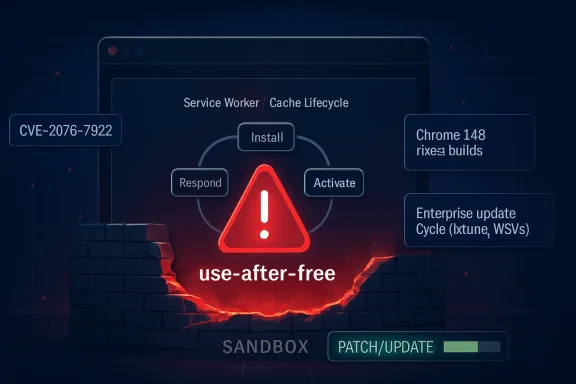
That power is precisely why a bug in ServiceWorker code deserves attention. A service worker is not just another script running in a tab; it is a programmable intermediary with a lifecycle distinct from the page that registered it. It can wake up, handle fetch events, serve cached responses, and maintain state in ways that complicate both browser engineering and security review.
A use-after-free flaw means software continues to use memory after it has been released. In browser exploitation, such bugs have a long and ugly history because attackers can sometimes shape freed memory, replace it with controlled data, and trick the program into treating attacker-controlled bytes as a legitimate object. Modern browsers deploy layers of mitigations against this, but the category remains dangerous enough that security teams still treat it as a serious class of memory corruption.
The ServiceWorker context adds another wrinkle: this is infrastructure designed to keep web applications responsive and persistent. That makes its internal state machine complicated, especially around registration, activation, event dispatch, shutdown, process isolation, and cache interaction. Complexity is not guilt, but in browser security it is often where the bodies are buried.
A typical web attack chain often starts with code execution inside the browser’s content-processing environment. That alone can be bad, but the sandbox is supposed to contain the blast radius. If an attacker can escape that sandbox, the conversation shifts from “a tab was compromised” to “the endpoint may be compromised.”
CVE-2026-7922 is described as potentially allowing a sandbox escape, not necessarily full system compromise by itself. That distinction matters. Vulnerability descriptions are deliberately conservative, and public details are usually limited until users have had time to update. Still, defenders should not treat the word “potentially” as a sedative.
The CISA-ADP CVSS 3.1 vector associated with the vulnerability assigns a high score and frames the attack as network-based, requiring no privileges, requiring user interaction, and having high confidentiality, integrity, and availability impact under a changed scope. In less bureaucratic English: if exploited successfully, the security boundary being crossed is significant.
CPEs are useful for scanners, asset inventories, compliance systems, and vulnerability management dashboards. They are also blunt instruments. A Chrome vulnerability that affects the browser across desktop operating systems can end up represented as an application CPE constrained by OS CPEs, which looks strange if you expect the affected product to be the only thing listed.
The important operational question is not whether Windows itself is vulnerable in the kernel sense. It is whether vulnerable Chrome builds exist on Windows endpoints, whether Chromium-based derivatives have inherited and shipped the fix, and whether enterprise update controls are delaying deployment. The NVD representation can help machines sort records, but it does not replace asset knowledge.
This is where many organizations get caught. A scanner may flag Chrome, Edge, or Chromium differently depending on installed channel, architecture, user profile, packaging method, and whether the browser is installed system-wide or per-user. A vulnerability team can spend hours arguing with the CPE while the real fix is still the same: get affected browsers to a fixed build.
Reporting around the release indicates Chrome 148 fixed more than 100 security vulnerabilities, including several critical issues elsewhere in the browser. CVE-2026-7922 is not listed as critical; it is rated high. But severity labels can be misleading when the vulnerable component is exposed to arbitrary web content and the possible consequence includes escaping a sandbox.
Security teams have learned this lesson repeatedly. A “high” browser bug can become the first stage in a chain. A “medium” logic issue can become decisive when paired with memory corruption. A vulnerability with no known public exploit can become one after researchers and attackers diff the patch.
That does not mean every Chrome update should trigger panic. It means browser updates deserve mature, pre-planned handling rather than ad hoc urgency. The organizations that do well here are not the ones that shout loudest after a CVE drops; they are the ones that already know how quickly browsers move through test rings, pilot groups, and production fleets.
In the old world, “Chrome bug” and “Microsoft advisory” lived in mostly separate mental buckets. In the current world, Chromium vulnerabilities flow through multiple vendors, multiple release channels, and multiple management planes. Edge, Chrome, and other Chromium browsers may not patch at the same minute, but they are often responding to the same underlying codebase.
This is why MSRC tracking for CVE-2026-7922 is meaningful even if the supplied description names Google Chrome. Microsoft is not merely relaying trivia from a rival browser. It is acknowledging that Chromium-originated vulnerabilities are part of the Windows security picture because Edge is part of the Windows desktop and enterprise baseline.
There is a practical consequence here: organizations that standardize on Edge should still monitor Chrome security releases, and organizations that standardize on Chrome should still watch MSRC. The browser monoculture is not total, but Chromium’s dominance means signals from one vendor often matter across the ecosystem.
A crafted HTML page is not an exotic delivery mechanism. It is the native language of the web. Attackers do not need to ship a suspicious executable when the target environment is designed to fetch and render attacker-controlled content all day long.
That does not mean CVE-2026-7922 is known to be exploited in the wild. Public sources available at the time of writing do not establish active exploitation for this specific CVE. But defenders should separate “not known to be exploited” from “not exploitable,” because the former is a state of public knowledge and the latter is a technical conclusion we do not have enough information to make.
Google and Chromium commonly restrict access to bug details until enough users have updated. That is sensible disclosure practice, not secrecy for its own sake. But it also means defenders must act without the satisfying details that would make a risk meeting feel complete.
Managed Windows environments often control browser updates through policy. Some defer major versions, some pin channels, some rely on software distribution tools, and some run a mixture of system-installed and user-installed browsers. Add VDI, kiosk devices, shared workstations, offline networks, and remote workers, and “Chrome updates automatically” becomes less of an answer than a hope.
The most important metric is not whether the patch exists. It is how long vulnerable browsers remain active after disclosure. A short lag is acceptable in environments that test critical workflows. A long lag becomes technical debt attackers can inventory from the outside.
There is also a reboot problem, or more accurately a relaunch problem. Browsers often download updates before they fully apply them. Users can keep sessions open for days, and the endpoint may technically have the update staged while the vulnerable process remains alive. For high-impact browser CVEs, update compliance should mean the browser is restarted into the fixed version, not merely that the updater has done its first half of the job.
For unmanaged users, the path is usually the browser’s About page, where Chrome checks for updates and prompts for a relaunch. For managed Windows fleets, the answer depends on whether Chrome is governed by Google Update policies, enterprise browser management, Intune, Configuration Manager, third-party patching, or some combination of all of these. The tool matters less than the result: fixed build, verified inventory, restarted browser.
Security teams should also avoid overfitting their response to the ServiceWorker label. It may be tempting to ask whether disabling service workers is possible or whether particular sites are exposed. In ordinary enterprise environments, that line of thinking is mostly a distraction. Service workers are deeply embedded in modern web app behavior, and bluntly disabling them would create compatibility problems while still leaving the broader browser patching issue unsolved.
The better move is to reduce patch latency and harden the browser environment around the assumption that serious web-exposed bugs will keep arriving. Site isolation, exploit mitigations, least-privilege endpoints, EDR visibility, web filtering, and account hygiene all matter. But none of them is a substitute for shipping the fixed browser quickly.
Chrome complicates that mapping because it is everywhere. It can be installed per-machine or per-user. It can exist alongside Edge. It can be mirrored in portable builds, embedded webviews, testing channels, and developer machines. Chromium itself may appear in Linux distributions under packaging rules that do not neatly match Google’s binary release.
That is why the NVD CPE view should be treated as one input, not the definitive inventory. If an organization’s scanner only sees the OS-level CPE relationship and misses a per-user Chrome install, the database was not the real failure. The inventory model was.
The same problem affects risk scoring. CVSS can tell you the abstract severity of a vulnerability. It cannot tell you whether the vulnerable browser is installed on a domain admin’s workstation, a student Chromebook, a kiosk in a lobby, or a disposable test VM. Asset context is where generic severity becomes operational priority.
This is the uncomfortable part of the browser security story. Chrome is not insecure because its engineers are careless. Chrome is heavily attacked because it is valuable, ubiquitous, and constantly processing untrusted content. The engineering bar is high, and the adversarial pressure is higher.
There is a broader industry push toward memory-safe languages and safer components, including in operating systems and browser-adjacent code. That work matters, but it will not retire the problem overnight. Chromium is huge, legacy interfaces remain, and performance-sensitive browser components are not easily rewritten just because the security argument is persuasive.
So we live in the transition period: better sandboxing, better exploit mitigations, better fuzzing, more incremental memory-safety work, and a continuing stream of CVEs. In that world, the patch pipeline is not a cleanup crew. It is a core security control.
The immediate action is simple, but the durable lesson is broader. Treat this as a chance to measure the time between disclosure and confirmed remediation, not merely as a ticket to close. If that number is vague, the organization has learned something uncomfortable and useful.
Source: NVD / Chromium Security Update Guide - Microsoft Security Response Center
 The Browser Patch Is Now Part of the Windows Patch Cycle
For years, enterprise patching was built around the operating system. Patch Tuesday set the rhythm, WSUS and later Intune carried the policy machinery, and browsers were often treated as applications sitting somewhere beneath the serious work of endpoint security. That mental model is no longer defensible.Chrome’s May 2026 stable update promoted version 148 to the desktop stable channel for Windows, macOS, and Linux, with 148.0.7778.96 or 148.0.7778.97 depending on platform. The release addressed a large batch of security fixes, and CVE-2026-7922 sits inside that broader release train rather than as a standalone emergency patch. But the fact that it is bundled does not make it routine.
The vulnerability description is short, almost clinically so: a use after free in ServiceWorker could allow a remote attacker to potentially perform a sandbox escape using a crafted HTML page. In security language, that is a lot packed into a small sentence. It means memory safety failed in a web-exposed component, the attack vector is network-reachable, user interaction may be limited to visiting or being lured to a page, and the possible outcome crosses one of the browser’s most important trust boundaries.
For WindowsForum readers, the Microsoft angle matters because Edge is built on Chromium, and Microsoft tracks Chromium-originated CVEs through MSRC when they are relevant to its browser stack. The modern Windows desktop is therefore downstream of Chromium security work whether the user launches Chrome, Edge, Brave, Vivaldi, or another Chromium-derived browser. The rendering engine and its surrounding machinery have become shared infrastructure.
Service Workers Were Built for Convenience, Which Is Why They Matter to Attackers
Service workers are one of those web platform technologies that ordinary users never see and modern websites quietly depend on. They sit between the page, the network, and the browser cache, enabling offline behavior, background synchronization, push notifications, and faster repeat visits. In practical terms, they help make web apps feel less like documents and more like installed software.That power is precisely why a bug in ServiceWorker code deserves attention. A service worker is not just another script running in a tab; it is a programmable intermediary with a lifecycle distinct from the page that registered it. It can wake up, handle fetch events, serve cached responses, and maintain state in ways that complicate both browser engineering and security review.
A use-after-free flaw means software continues to use memory after it has been released. In browser exploitation, such bugs have a long and ugly history because attackers can sometimes shape freed memory, replace it with controlled data, and trick the program into treating attacker-controlled bytes as a legitimate object. Modern browsers deploy layers of mitigations against this, but the category remains dangerous enough that security teams still treat it as a serious class of memory corruption.
The ServiceWorker context adds another wrinkle: this is infrastructure designed to keep web applications responsive and persistent. That makes its internal state machine complicated, especially around registration, activation, event dispatch, shutdown, process isolation, and cache interaction. Complexity is not guilt, but in browser security it is often where the bodies are buried.
A Sandbox Escape Is the Phrase That Should Stop the Skim
The phrase “sandbox escape” is easy to glide past because it appears so often in advisories. It should not. The browser sandbox is the wall that separates a compromised renderer or web-facing process from the rest of the machine.A typical web attack chain often starts with code execution inside the browser’s content-processing environment. That alone can be bad, but the sandbox is supposed to contain the blast radius. If an attacker can escape that sandbox, the conversation shifts from “a tab was compromised” to “the endpoint may be compromised.”
CVE-2026-7922 is described as potentially allowing a sandbox escape, not necessarily full system compromise by itself. That distinction matters. Vulnerability descriptions are deliberately conservative, and public details are usually limited until users have had time to update. Still, defenders should not treat the word “potentially” as a sedative.
The CISA-ADP CVSS 3.1 vector associated with the vulnerability assigns a high score and frames the attack as network-based, requiring no privileges, requiring user interaction, and having high confidentiality, integrity, and availability impact under a changed scope. In less bureaucratic English: if exploited successfully, the security boundary being crossed is significant.
The CPE Oddity Is Annoying, but Not the Operational Mystery
The user-facing question here is whether a CPE is missing. Based on the NVD change record provided, the vulnerability was associated with Google Chrome versions before 148.0.7778.96 and paired with operating-system CPEs for Windows, Linux, and macOS. That looks less like a missing product and more like the usual awkwardness of modeling a cross-platform application vulnerability in a database schema that wants neat product-and-platform combinations.CPEs are useful for scanners, asset inventories, compliance systems, and vulnerability management dashboards. They are also blunt instruments. A Chrome vulnerability that affects the browser across desktop operating systems can end up represented as an application CPE constrained by OS CPEs, which looks strange if you expect the affected product to be the only thing listed.
The important operational question is not whether Windows itself is vulnerable in the kernel sense. It is whether vulnerable Chrome builds exist on Windows endpoints, whether Chromium-based derivatives have inherited and shipped the fix, and whether enterprise update controls are delaying deployment. The NVD representation can help machines sort records, but it does not replace asset knowledge.
This is where many organizations get caught. A scanner may flag Chrome, Edge, or Chromium differently depending on installed channel, architecture, user profile, packaging method, and whether the browser is installed system-wide or per-user. A vulnerability team can spend hours arguing with the CPE while the real fix is still the same: get affected browsers to a fixed build.
Chrome 148 Is a Security Release Wearing a Feature Release Jacket
Chrome 148 arrived as a stable-channel milestone, not merely a one-CVE hotfix. That makes it easier for casual users to ignore and harder for enterprises to fast-track. The release notes talk about fixes and improvements, while the security ecosystem immediately focuses on the number and severity of patched flaws.Reporting around the release indicates Chrome 148 fixed more than 100 security vulnerabilities, including several critical issues elsewhere in the browser. CVE-2026-7922 is not listed as critical; it is rated high. But severity labels can be misleading when the vulnerable component is exposed to arbitrary web content and the possible consequence includes escaping a sandbox.
Security teams have learned this lesson repeatedly. A “high” browser bug can become the first stage in a chain. A “medium” logic issue can become decisive when paired with memory corruption. A vulnerability with no known public exploit can become one after researchers and attackers diff the patch.
That does not mean every Chrome update should trigger panic. It means browser updates deserve mature, pre-planned handling rather than ad hoc urgency. The organizations that do well here are not the ones that shout loudest after a CVE drops; they are the ones that already know how quickly browsers move through test rings, pilot groups, and production fleets.
Microsoft’s Chromium Bet Changed the Shape of Browser Risk
Microsoft’s decision to rebuild Edge on Chromium simplified compatibility and improved the browser’s standing with users who had long treated Edge as something to download Chrome with. It also tied part of Microsoft’s browser security posture to Chromium’s release cadence. That tradeoff has generally worked, but it changes how Windows admins should think about browser vulnerabilities.In the old world, “Chrome bug” and “Microsoft advisory” lived in mostly separate mental buckets. In the current world, Chromium vulnerabilities flow through multiple vendors, multiple release channels, and multiple management planes. Edge, Chrome, and other Chromium browsers may not patch at the same minute, but they are often responding to the same underlying codebase.
This is why MSRC tracking for CVE-2026-7922 is meaningful even if the supplied description names Google Chrome. Microsoft is not merely relaying trivia from a rival browser. It is acknowledging that Chromium-originated vulnerabilities are part of the Windows security picture because Edge is part of the Windows desktop and enterprise baseline.
There is a practical consequence here: organizations that standardize on Edge should still monitor Chrome security releases, and organizations that standardize on Chrome should still watch MSRC. The browser monoculture is not total, but Chromium’s dominance means signals from one vendor often matter across the ecosystem.
“User Interaction Required” Is Not Much Comfort on the Web
The CVSS vector includes user interaction, and that can lull non-security audiences into thinking the attack is somehow unlikely. But web exploitation has always lived in the gray space between active user choice and ambient exposure. Clicking a link, opening a tab, following a redirect, viewing a compromised site, or interacting with a malicious ad can all satisfy that condition in real-world scenarios.A crafted HTML page is not an exotic delivery mechanism. It is the native language of the web. Attackers do not need to ship a suspicious executable when the target environment is designed to fetch and render attacker-controlled content all day long.
That does not mean CVE-2026-7922 is known to be exploited in the wild. Public sources available at the time of writing do not establish active exploitation for this specific CVE. But defenders should separate “not known to be exploited” from “not exploitable,” because the former is a state of public knowledge and the latter is a technical conclusion we do not have enough information to make.
Google and Chromium commonly restrict access to bug details until enough users have updated. That is sensible disclosure practice, not secrecy for its own sake. But it also means defenders must act without the satisfying details that would make a risk meeting feel complete.
The Patch Window Is Where Policy Meets Reality
Chrome’s updater is one of the better consumer software update systems in the industry. It checks frequently, installs quietly, and generally does not ask users to understand CVE metadata. Yet enterprises are not consumers, and enterprise update reality is messier.Managed Windows environments often control browser updates through policy. Some defer major versions, some pin channels, some rely on software distribution tools, and some run a mixture of system-installed and user-installed browsers. Add VDI, kiosk devices, shared workstations, offline networks, and remote workers, and “Chrome updates automatically” becomes less of an answer than a hope.
The most important metric is not whether the patch exists. It is how long vulnerable browsers remain active after disclosure. A short lag is acceptable in environments that test critical workflows. A long lag becomes technical debt attackers can inventory from the outside.
There is also a reboot problem, or more accurately a relaunch problem. Browsers often download updates before they fully apply them. Users can keep sessions open for days, and the endpoint may technically have the update staged while the vulnerable process remains alive. For high-impact browser CVEs, update compliance should mean the browser is restarted into the fixed version, not merely that the updater has done its first half of the job.
The Right Response Is Boring, Which Is Why It Works
The recommended action for CVE-2026-7922 is straightforward: update Chrome to 148.0.7778.96 or later, and make sure any Chromium-based browser in the environment has received the vendor’s corresponding fix. That is not glamorous incident response. It is maintenance discipline.For unmanaged users, the path is usually the browser’s About page, where Chrome checks for updates and prompts for a relaunch. For managed Windows fleets, the answer depends on whether Chrome is governed by Google Update policies, enterprise browser management, Intune, Configuration Manager, third-party patching, or some combination of all of these. The tool matters less than the result: fixed build, verified inventory, restarted browser.
Security teams should also avoid overfitting their response to the ServiceWorker label. It may be tempting to ask whether disabling service workers is possible or whether particular sites are exposed. In ordinary enterprise environments, that line of thinking is mostly a distraction. Service workers are deeply embedded in modern web app behavior, and bluntly disabling them would create compatibility problems while still leaving the broader browser patching issue unsolved.
The better move is to reduce patch latency and harden the browser environment around the assumption that serious web-exposed bugs will keep arriving. Site isolation, exploit mitigations, least-privilege endpoints, EDR visibility, web filtering, and account hygiene all matter. But none of them is a substitute for shipping the fixed browser quickly.
The CPE Record Is a Symptom of a Bigger Inventory Problem
The “Are we missing a CPE?” note in the NVD presentation is easy to dismiss as database housekeeping. It is more revealing than that. Vulnerability management depends on mapping a messy real world of software versions, channels, architectures, and vendor forks into structured identifiers.Chrome complicates that mapping because it is everywhere. It can be installed per-machine or per-user. It can exist alongside Edge. It can be mirrored in portable builds, embedded webviews, testing channels, and developer machines. Chromium itself may appear in Linux distributions under packaging rules that do not neatly match Google’s binary release.
That is why the NVD CPE view should be treated as one input, not the definitive inventory. If an organization’s scanner only sees the OS-level CPE relationship and misses a per-user Chrome install, the database was not the real failure. The inventory model was.
The same problem affects risk scoring. CVSS can tell you the abstract severity of a vulnerability. It cannot tell you whether the vulnerable browser is installed on a domain admin’s workstation, a student Chromebook, a kiosk in a lobby, or a disposable test VM. Asset context is where generic severity becomes operational priority.
The Memory-Safety Bill Keeps Coming Due
CVE-2026-7922 belongs to CWE-416, use after free, one of the canonical memory-safety weakness classes. The industry has spent years deploying mitigations, fuzzers, safer allocators, process isolation, and code review practices to reduce the exploitability of these bugs. Yet they persist because browsers remain among the most complex C++ codebases humans have ever asked to safely parse hostile input at scale.This is the uncomfortable part of the browser security story. Chrome is not insecure because its engineers are careless. Chrome is heavily attacked because it is valuable, ubiquitous, and constantly processing untrusted content. The engineering bar is high, and the adversarial pressure is higher.
There is a broader industry push toward memory-safe languages and safer components, including in operating systems and browser-adjacent code. That work matters, but it will not retire the problem overnight. Chromium is huge, legacy interfaces remain, and performance-sensitive browser components are not easily rewritten just because the security argument is persuasive.
So we live in the transition period: better sandboxing, better exploit mitigations, better fuzzing, more incremental memory-safety work, and a continuing stream of CVEs. In that world, the patch pipeline is not a cleanup crew. It is a core security control.
What Windows Admins Should Do Before This CVE Becomes Yesterday’s Problem
CVE-2026-7922 will soon be replaced in the news cycle by the next browser flaw, the next Windows cumulative update, the next VPN appliance bug, or the next identity-provider incident. That does not make it unimportant. It makes it a useful test of whether the browser update process is fast enough for the world we actually inhabit.The immediate action is simple, but the durable lesson is broader. Treat this as a chance to measure the time between disclosure and confirmed remediation, not merely as a ticket to close. If that number is vague, the organization has learned something uncomfortable and useful.
- Confirm that Google Chrome is updated to 148.0.7778.96 or later on Windows, Linux, and macOS systems where Chrome is present.
- Verify that Microsoft Edge and other Chromium-based browsers in the environment have received their corresponding vendor fixes rather than assuming Chrome’s update covers them.
- Check whether browsers have actually relaunched into the fixed build, because a staged update is not the same as a protected running process.
- Review scanner results for per-user and unmanaged browser installations, since CPE-based detection can miss messy endpoint realities.
- Treat the absence of public exploitation as a reason for orderly urgency, not as a reason to defer patching.
Source: NVD / Chromium Security Update Guide - Microsoft Security Response Center
