

Google and Microsoft disclosed CVE-2026-7937 on May 6, 2026, a medium-severity Chromium flaw in Chrome’s DevTools policy enforcement that, before Chrome 148.0.7778.96, let a malicious extension bypass navigation restrictions after persuading a user to install it on Windows, macOS, or Linux desktops. The score is low, the exploit chain is awkward, and the bug is not described as being used in the wild. That is exactly why it is easy to file this one under “routine browser noise.” It should not be.
CVE-2026-7937 is a reminder that the modern browser’s most sensitive boundary is no longer just the line between a webpage and the operating system. It is the line between a user-approved extension, the browser’s internal tooling, and the corporate policy model that assumes those extensions will stay inside their lane.
The public description is terse: insufficient policy enforcement in DevTools allowed a crafted Chrome extension to bypass navigation restrictions. CISA’s ADP scoring puts the CVSS 3.1 base score at 3.1, with high attack complexity, required user interaction, no privileges required, and a limited confidentiality impact. Chromium’s own severity label is Medium.
That combination tells defenders something useful but incomplete. This is not a drive-by remote-code-execution emergency, and it is not in the same class as a V8 type confusion bug being chained from a compromised website. The attacker must convince the victim to install a malicious extension, and the disclosed impact is not integrity loss or system takeover.
But browser security is full of bugs whose importance is hidden by the preconditions. “The user installed an extension” sounds like a meaningful barrier until you remember that extension installation is normal behavior, sanctioned behavior, and in many organizations delegated behavior. A malicious extension does not have to look like malware; it can look like a PDF helper, meeting assistant, coupon tool, developer utility, AI sidebar, grammar checker, or internal productivity add-on.
The revealing phrase is not “malicious extension.” It is policy enforcement. If a security control exists to restrict where something may navigate, and a browser-internal feature can be used to route around it, then the browser has not merely shipped a bug. It has exposed the fragility of a governance model.
That power is not inherently dangerous. Debuggers are supposed to be powerful. The problem is that browsers now serve many audiences at once: consumers, developers, enterprise administrators, identity providers, security vendors, and extension authors. Each group sees a different browser.
To the user, Chrome or Edge is an app. To the web developer, it is a runtime. To the enterprise, it is a managed endpoint. To an attacker, it is a permission broker with a gigantic install base and a supply chain that updates silently.
A bug in DevTools policy enforcement therefore lands in a sensitive place. It is not simply a defect in a debugging panel most people never open. It sits near the mechanisms that decide what a privileged browser component is allowed to do when another privileged component asks it to do something unusual.
For enterprise defenders, that is not comforting. Extensions are one of the few pieces of endpoint software that users still routinely install in the name of convenience. They also tend to sit close to the data that matters most: browser sessions, cookies, identity workflows, SaaS dashboards, CRM systems, email, source repositories, admin consoles, and internal web apps.
The industry has spent years telling users not to run unknown executables. It has spent less effort making extension installation feel equally consequential, even though many extensions request access to read and modify data on visited websites. The result is a strange inversion: a user may hesitate before launching a downloaded EXE, yet casually approve an extension that can observe business-critical web sessions.
CVE-2026-7937 does not need to be catastrophic to matter. Its attack model aligns with a real operational weakness: organizations allow browser extensions because employees need them, but many organizations still lack a mature process for reviewing, constraining, and continuously revalidating them.
That context matters because CVE-2026-7937 is unlikely to be the vulnerability that dominates patch dashboards. Memory-corruption flaws in Blink, runtime engines, mobile components, or remote desktop plumbing usually get the attention. They are easier to explain to executives: update now, or a hostile page may lead to code execution.
By contrast, a DevTools policy bypass via extension sounds narrow and almost academic. That is exactly how these bugs end up as quiet signals rather than sirens. They show where browser vendors are still hardening the seams between subsystems.
Chromium’s scale guarantees that most monthly updates will contain a mix of spectacular and subtle fixes. The spectacular bugs drive emergency patching. The subtle ones reveal architectural pressure. CVE-2026-7937 belongs in the second category.
This is both a strength and a complication. Chromium gives Edge the benefit of a massive security research ecosystem and rapid upstream patch flow. It also means Windows administrators must follow vulnerabilities whose original disclosure language may be written around Chrome, Chrome extensions, and Google’s release cadence.
For Windows shops, the question is not “Do we use Chrome?” It is “Where do we run Chromium?” The answer may include Chrome, Edge, embedded WebView2-based applications, kiosk setups, developer workstations, VDI images, and unmanaged personal browsers accessing corporate SaaS. A Chromium CVE can be relevant even when Chrome is not the official corporate browser.
That is why the Microsoft listing is more than a courtesy mirror. It is a signal to the Windows ecosystem that this vulnerability belongs on browser patch radar, especially in environments where extensions and DevTools access are not tightly governed.
Still, the class of bug is clear enough to reason about. Navigation restrictions exist because not every privileged context should be able to send the browser everywhere, load everything, or cross every internal boundary. If DevTools policy enforcement failed in a way that a crafted extension could exploit, then a path existed where the browser’s intended “no” became a practical “yes.”
That is the essence of a protection-mechanism failure. Nothing in the description suggests the attacker gains arbitrary code execution, writes files, or changes browser settings. The impact listed publicly is confidentiality, and limited confidentiality at that.
Yet navigation is not a trivial property in browsers. Where a privileged component can cause the browser to go, what it can load, and which restrictions apply along the way can shape access to internal pages, sensitive resources, debugging targets, or enterprise-protected workflows. In a browser, navigation is often the first move in a longer game.
That shift changes the threat model. Attackers do not always need to own Windows if they can own the browser context where identity, data, and workflow live. A malicious extension that can observe, redirect, inject, or bypass restrictions may be enough to steal information or prepare a more damaging compromise.
This is why extension governance should be treated less like cosmetic browser customization and more like application control. The extension store is a software distribution channel. Extension updates are code updates. Extension permissions are access grants.
CVE-2026-7937 fits neatly into that reality. It is not about a random website punching through the sandbox. It is about a user-approved add-on interacting with browser internals in a way the policy layer failed to contain.
The trap is assuming that an allowlist solves the problem permanently. Extensions change owners. Extensions add features. Extensions request new permissions. Extension supply chains are compromised. A tool that was benign during procurement can become risky after a silent update.
The better model is continuous governance. An extension should have a business owner, a permission review, a source of installation, a deployment scope, and a revalidation cycle. High-risk permissions should be rare, and extensions should be blocked from sensitive internal domains unless there is a clear reason to allow access.
That is not bureaucracy for its own sake. It is the browser-era equivalent of least privilege. If CVE-2026-7937 required a malicious extension, the obvious mitigation is not merely “patch Chrome.” It is “make malicious or overpowered extensions less likely to exist in the fleet in the first place.”
That creates an uncomfortable tension. The users who most need browser flexibility are often the users whose browser compromise would hurt most. Locking them down too aggressively can break legitimate workflows; leaving them unmanaged can create a privileged blind spot.
A good enterprise policy does not pretend every user is the same. Developer workstations may need a separate extension catalog, stricter review for DevTools-adjacent permissions, and clearer rules for extensions that can inspect pages or interact with debugging protocols. Security teams should not simply copy consumer-browser assumptions into engineering environments.
CVE-2026-7937 is a small bug with a big hint: when DevTools is in the exploit description, look carefully at who in your organization has the tools, permissions, and habits that make the path plausible.
Normal does not mean optional. Browser updates are among the highest-return patches an IT team can deploy because browsers sit at the internet-facing edge of everyday work. Delaying them because a particular CVE looks mild misunderstands how browser releases work; the same update may carry fixes for far more severe vulnerabilities.
Chrome and Edge both update rapidly, but enterprise controls, packaging systems, VDI images, offline networks, and change freezes can slow the last mile. That is where exposure accumulates. A browser that says it auto-updates is not the same as a fleet that has actually updated.
For this issue, the practical threshold is simple: Chrome should be at 148.0.7778.96 or later on Linux, and at the corresponding 148.0.7778.96/97 level or later on Windows and macOS. Edge administrators should verify the Edge stable or extended stable versions applicable to their channels and confirm that the Chromium security update has landed.
A CPE can tell a scanner that Google Chrome before a fixed version is vulnerable on major desktop platforms. It may not tell the whole story of Chromium-derived exposure. Edge, Brave, Vivaldi, Electron apps, WebView2 runtimes, and embedded Chromium frameworks all complicate the picture, though not every Chromium CVE applies equally to every downstream product.
That complexity matters for vulnerability management teams. If the scanner only flags “google:chrome,” a Windows estate that standardizes on Edge may underreact. If it flags every Chromium-based product indiscriminately, teams may drown in false urgency.
The right answer is product-specific validation. Track the vendor advisory, check the downstream browser’s release notes, and verify installed versions. Inventory should be the beginning of the investigation, not the final authority.
Policy-enforcement bugs are different. They are about logic, assumptions, and the consistency of rules across browser components. They ask whether a restriction applied in one path also applies in another, whether a privileged API checks the same conditions as the normal UI, and whether enterprise policy actually governs the edge cases.
These bugs can be less severe individually while still being strategically important. Modern browsers are enormous state machines with overlapping security domains: web content, extensions, native messaging, sync, profiles, DevTools, enterprise policy, internal pages, sign-in, password managers, and operating-system integration. The seams between those domains are where policy mistakes breed.
CVE-2026-7937 appears to be one of those seam bugs. Its lesson is not that DevTools is broken or extensions are inherently unsafe. The lesson is that every additional privileged browser surface increases the burden on policy enforcement to be consistent, boring, and unforgiving.
For IT teams, the response should be more structured. Patch the browser fleet, then use the vulnerability as an excuse to inspect extension policy. If the organization cannot answer which extensions are installed, who approved them, what permissions they use, and which sensitive sites they can access, then CVE-2026-7937 has already done its job as a warning.
The most useful controls are not exotic. Block extension installation by default where possible. Allow only approved extensions. Use permission-based restrictions. Prevent extensions from running on critical internal domains. Separate developer exceptions from the general workforce. Review extension updates and ownership changes as part of routine risk management.
The boring controls are the durable ones. Browser security failures often look like clever exploitation on the attacker’s side and ordinary neglect on the defender’s side.
Source: NVD / Chromium Security Update Guide - Microsoft Security Response Center
CVE-2026-7937 is a reminder that the modern browser’s most sensitive boundary is no longer just the line between a webpage and the operating system. It is the line between a user-approved extension, the browser’s internal tooling, and the corporate policy model that assumes those extensions will stay inside their lane.
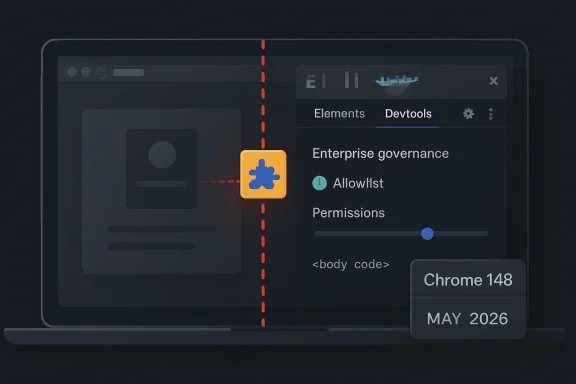 A Low Score Can Still Point at a High-Value Boundary
The public description is terse: insufficient policy enforcement in DevTools allowed a crafted Chrome extension to bypass navigation restrictions. CISA’s ADP scoring puts the CVSS 3.1 base score at 3.1, with high attack complexity, required user interaction, no privileges required, and a limited confidentiality impact. Chromium’s own severity label is Medium.That combination tells defenders something useful but incomplete. This is not a drive-by remote-code-execution emergency, and it is not in the same class as a V8 type confusion bug being chained from a compromised website. The attacker must convince the victim to install a malicious extension, and the disclosed impact is not integrity loss or system takeover.
But browser security is full of bugs whose importance is hidden by the preconditions. “The user installed an extension” sounds like a meaningful barrier until you remember that extension installation is normal behavior, sanctioned behavior, and in many organizations delegated behavior. A malicious extension does not have to look like malware; it can look like a PDF helper, meeting assistant, coupon tool, developer utility, AI sidebar, grammar checker, or internal productivity add-on.
The revealing phrase is not “malicious extension.” It is policy enforcement. If a security control exists to restrict where something may navigate, and a browser-internal feature can be used to route around it, then the browser has not merely shipped a bug. It has exposed the fragility of a governance model.
DevTools Is Not Just a Developer Convenience Anymore
DevTools began as a workbench for web developers: inspect the DOM, watch requests, debug scripts, profile performance, and understand what a page is doing. In Chromium, however, the DevTools ecosystem is also a channel into powerful browser instrumentation. The Chrome DevTools Protocol can observe, steer, and modify browser behavior in ways that ordinary web content cannot.That power is not inherently dangerous. Debuggers are supposed to be powerful. The problem is that browsers now serve many audiences at once: consumers, developers, enterprise administrators, identity providers, security vendors, and extension authors. Each group sees a different browser.
To the user, Chrome or Edge is an app. To the web developer, it is a runtime. To the enterprise, it is a managed endpoint. To an attacker, it is a permission broker with a gigantic install base and a supply chain that updates silently.
A bug in DevTools policy enforcement therefore lands in a sensitive place. It is not simply a defect in a debugging panel most people never open. It sits near the mechanisms that decide what a privileged browser component is allowed to do when another privileged component asks it to do something unusual.
The Extension Prerequisite Is the Point, Not the Escape Hatch
Security advisories often treat “must install a malicious extension” as a mitigating factor, and technically it is. It reduces the number of plausible victims and adds a social-engineering step. It also moves the exploit away from the web page and into the browser’s add-on economy.For enterprise defenders, that is not comforting. Extensions are one of the few pieces of endpoint software that users still routinely install in the name of convenience. They also tend to sit close to the data that matters most: browser sessions, cookies, identity workflows, SaaS dashboards, CRM systems, email, source repositories, admin consoles, and internal web apps.
The industry has spent years telling users not to run unknown executables. It has spent less effort making extension installation feel equally consequential, even though many extensions request access to read and modify data on visited websites. The result is a strange inversion: a user may hesitate before launching a downloaded EXE, yet casually approve an extension that can observe business-critical web sessions.
CVE-2026-7937 does not need to be catastrophic to matter. Its attack model aligns with a real operational weakness: organizations allow browser extensions because employees need them, but many organizations still lack a mature process for reviewing, constraining, and continuously revalidating them.
Chrome 148 Was a Big Patch Train, and This Was One Car in It
The fix arrived in the Chrome 148 stable-channel desktop update, with Google listing Chrome 148.0.7778.96 for Linux and 148.0.7778.96/97 for Windows and macOS. Reporting on the release indicates that Chrome 148 contained well over 100 security fixes, including several critical vulnerabilities elsewhere in the browser.That context matters because CVE-2026-7937 is unlikely to be the vulnerability that dominates patch dashboards. Memory-corruption flaws in Blink, runtime engines, mobile components, or remote desktop plumbing usually get the attention. They are easier to explain to executives: update now, or a hostile page may lead to code execution.
By contrast, a DevTools policy bypass via extension sounds narrow and almost academic. That is exactly how these bugs end up as quiet signals rather than sirens. They show where browser vendors are still hardening the seams between subsystems.
Chromium’s scale guarantees that most monthly updates will contain a mix of spectacular and subtle fixes. The spectacular bugs drive emergency patching. The subtle ones reveal architectural pressure. CVE-2026-7937 belongs in the second category.
Microsoft Edge Inherits the Browser War’s Shared Plumbing
The MSRC entry matters because Microsoft Edge is Chromium-based, and Microsoft’s browser security story is now inseparable from Google’s upstream project. When Chromium fixes a browser-engine defect, Edge administrators need to understand whether the relevant Edge channel has incorporated the upstream security update and whether their managed fleet is actually receiving it.This is both a strength and a complication. Chromium gives Edge the benefit of a massive security research ecosystem and rapid upstream patch flow. It also means Windows administrators must follow vulnerabilities whose original disclosure language may be written around Chrome, Chrome extensions, and Google’s release cadence.
For Windows shops, the question is not “Do we use Chrome?” It is “Where do we run Chromium?” The answer may include Chrome, Edge, embedded WebView2-based applications, kiosk setups, developer workstations, VDI images, and unmanaged personal browsers accessing corporate SaaS. A Chromium CVE can be relevant even when Chrome is not the official corporate browser.
That is why the Microsoft listing is more than a courtesy mirror. It is a signal to the Windows ecosystem that this vulnerability belongs on browser patch radar, especially in environments where extensions and DevTools access are not tightly governed.
Navigation Restrictions Are Only as Strong as Their Weirdest Exception
The advisory says the malicious extension could bypass navigation restrictions. Without public bug details, we should be careful not to invent the exploit. Google commonly restricts issue tracker details until a majority of users are updated, and that restraint is sensible for browser vulnerabilities.Still, the class of bug is clear enough to reason about. Navigation restrictions exist because not every privileged context should be able to send the browser everywhere, load everything, or cross every internal boundary. If DevTools policy enforcement failed in a way that a crafted extension could exploit, then a path existed where the browser’s intended “no” became a practical “yes.”
That is the essence of a protection-mechanism failure. Nothing in the description suggests the attacker gains arbitrary code execution, writes files, or changes browser settings. The impact listed publicly is confidentiality, and limited confidentiality at that.
Yet navigation is not a trivial property in browsers. Where a privileged component can cause the browser to go, what it can load, and which restrictions apply along the way can shape access to internal pages, sensitive resources, debugging targets, or enterprise-protected workflows. In a browser, navigation is often the first move in a longer game.
The Browser Has Become the New Admin Surface
A decade ago, endpoint security was dominated by operating-system patching, local admin rights, antivirus coverage, and application control. Those concerns have not disappeared, but the browser has absorbed much of the user’s working life. The most valuable applications in many companies are now web applications, and the most sensitive sessions are browser sessions.That shift changes the threat model. Attackers do not always need to own Windows if they can own the browser context where identity, data, and workflow live. A malicious extension that can observe, redirect, inject, or bypass restrictions may be enough to steal information or prepare a more damaging compromise.
This is why extension governance should be treated less like cosmetic browser customization and more like application control. The extension store is a software distribution channel. Extension updates are code updates. Extension permissions are access grants.
CVE-2026-7937 fits neatly into that reality. It is not about a random website punching through the sandbox. It is about a user-approved add-on interacting with browser internals in a way the policy layer failed to contain.
Enterprise Policy Is Powerful, But It Is Not Magic
Microsoft Edge and Chrome both provide extensive enterprise controls for extension management. Administrators can block all extensions, allow specific ones, force-install required extensions, block by permission, restrict runtime hosts, and use policy to prevent extensions from touching sensitive sites. Mature shops already use some combination of these features.The trap is assuming that an allowlist solves the problem permanently. Extensions change owners. Extensions add features. Extensions request new permissions. Extension supply chains are compromised. A tool that was benign during procurement can become risky after a silent update.
The better model is continuous governance. An extension should have a business owner, a permission review, a source of installation, a deployment scope, and a revalidation cycle. High-risk permissions should be rare, and extensions should be blocked from sensitive internal domains unless there is a clear reason to allow access.
That is not bureaucracy for its own sake. It is the browser-era equivalent of least privilege. If CVE-2026-7937 required a malicious extension, the obvious mitigation is not merely “patch Chrome.” It is “make malicious or overpowered extensions less likely to exist in the fleet in the first place.”
Developers Are the Hardest Users to Lock Down
The DevTools angle also points toward a particular audience: developers, testers, support engineers, and power users. These are the people most likely to install debugging extensions, API helpers, proxy tools, JSON viewers, React or Angular inspectors, and experimental productivity add-ons. They are also the users most likely to have access to code, credentials, staging systems, logs, and administrative panels.That creates an uncomfortable tension. The users who most need browser flexibility are often the users whose browser compromise would hurt most. Locking them down too aggressively can break legitimate workflows; leaving them unmanaged can create a privileged blind spot.
A good enterprise policy does not pretend every user is the same. Developer workstations may need a separate extension catalog, stricter review for DevTools-adjacent permissions, and clearer rules for extensions that can inspect pages or interact with debugging protocols. Security teams should not simply copy consumer-browser assumptions into engineering environments.
CVE-2026-7937 is a small bug with a big hint: when DevTools is in the exploit description, look carefully at who in your organization has the tools, permissions, and habits that make the path plausible.
Patch Speed Still Matters, Even When Exploitation Looks Unlikely
There is no public indication that CVE-2026-7937 is being exploited in the wild. The attacker must clear the extension-installation hurdle, and the public impact is limited. That makes this a normal patch-management item rather than an all-hands incident.Normal does not mean optional. Browser updates are among the highest-return patches an IT team can deploy because browsers sit at the internet-facing edge of everyday work. Delaying them because a particular CVE looks mild misunderstands how browser releases work; the same update may carry fixes for far more severe vulnerabilities.
Chrome and Edge both update rapidly, but enterprise controls, packaging systems, VDI images, offline networks, and change freezes can slow the last mile. That is where exposure accumulates. A browser that says it auto-updates is not the same as a fleet that has actually updated.
For this issue, the practical threshold is simple: Chrome should be at 148.0.7778.96 or later on Linux, and at the corresponding 148.0.7778.96/97 level or later on Windows and macOS. Edge administrators should verify the Edge stable or extended stable versions applicable to their channels and confirm that the Chromium security update has landed.
The CPE Confusion Is a Symptom of a Messier Software Map
The NVD change history references Chrome as affected across Windows, Linux, and macOS CPE configurations. The page also includes the familiar “are we missing a CPE?” prompt, which is both mundane and revealing. Browser vulnerabilities do not map neatly onto old software-inventory models.A CPE can tell a scanner that Google Chrome before a fixed version is vulnerable on major desktop platforms. It may not tell the whole story of Chromium-derived exposure. Edge, Brave, Vivaldi, Electron apps, WebView2 runtimes, and embedded Chromium frameworks all complicate the picture, though not every Chromium CVE applies equally to every downstream product.
That complexity matters for vulnerability management teams. If the scanner only flags “google:chrome,” a Windows estate that standardizes on Edge may underreact. If it flags every Chromium-based product indiscriminately, teams may drown in false urgency.
The right answer is product-specific validation. Track the vendor advisory, check the downstream browser’s release notes, and verify installed versions. Inventory should be the beginning of the investigation, not the final authority.
The Quiet Bugs Are Where Browser Vendors Learn
The most dramatic browser vulnerabilities tend to be memory-safety stories: use-after-free, type confusion, integer overflow, out-of-bounds read or write. They are dangerous because they can turn hostile content into code execution, and they have shaped years of sandboxing and exploit-mitigation work.Policy-enforcement bugs are different. They are about logic, assumptions, and the consistency of rules across browser components. They ask whether a restriction applied in one path also applies in another, whether a privileged API checks the same conditions as the normal UI, and whether enterprise policy actually governs the edge cases.
These bugs can be less severe individually while still being strategically important. Modern browsers are enormous state machines with overlapping security domains: web content, extensions, native messaging, sync, profiles, DevTools, enterprise policy, internal pages, sign-in, password managers, and operating-system integration. The seams between those domains are where policy mistakes breed.
CVE-2026-7937 appears to be one of those seam bugs. Its lesson is not that DevTools is broken or extensions are inherently unsafe. The lesson is that every additional privileged browser surface increases the burden on policy enforcement to be consistent, boring, and unforgiving.
The Practical Answer Is Less Drama and More Discipline
For home users, the advice is pleasantly dull. Update Chrome. Remove extensions you do not use. Be skeptical of extensions that promise broad productivity benefits while asking for access to all sites. Prefer established publishers, but do not treat popularity as immunity.For IT teams, the response should be more structured. Patch the browser fleet, then use the vulnerability as an excuse to inspect extension policy. If the organization cannot answer which extensions are installed, who approved them, what permissions they use, and which sensitive sites they can access, then CVE-2026-7937 has already done its job as a warning.
The most useful controls are not exotic. Block extension installation by default where possible. Allow only approved extensions. Use permission-based restrictions. Prevent extensions from running on critical internal domains. Separate developer exceptions from the general workforce. Review extension updates and ownership changes as part of routine risk management.
The boring controls are the durable ones. Browser security failures often look like clever exploitation on the attacker’s side and ordinary neglect on the defender’s side.
The Small DevTools Bug With the Big Browser Lesson
This is not a panic bulletin; it is a hygiene test. CVE-2026-7937 should push administrators to verify both patch levels and the extension-governance assumptions that made the exploit path plausible.- Chrome versions before 148.0.7778.96 are the affected baseline described in the public advisory.
- The disclosed exploit path requires convincing a user to install a malicious crafted Chrome extension.
- The public scoring is low, but the bug sits near sensitive browser-policy and DevTools boundaries.
- Windows environments should treat this as relevant to Chromium-based browser management, not merely as a Google Chrome footnote.
- Extension allowlists, permission controls, runtime host restrictions, and recurring reviews are the real long-term mitigations.
- The absence of known exploitation should lower the incident temperature, not the patch priority.
Source: NVD / Chromium Security Update Guide - Microsoft Security Response Center
