

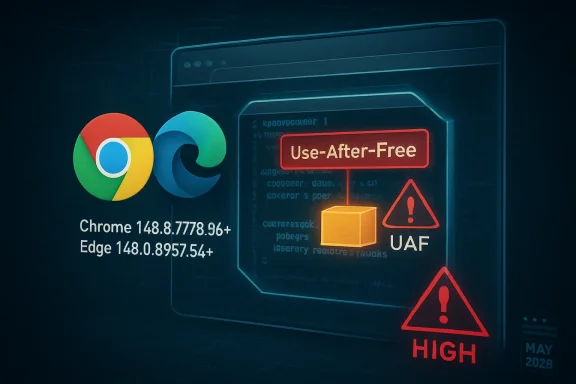
CVE-2026-7938 is a use-after-free flaw in Chromium’s CSS handling, disclosed on May 6, 2026, fixed in Google Chrome 148.0.7778.96 or later, and inherited by Chromium-based browsers including Microsoft Edge as part of the May desktop security update cycle. The bug is rated only “Medium” by Chromium, but the operational risk looks higher than the label suggests. A malicious HTML page, user interaction, and a memory-safety mistake in the browser’s rendering stack are enough to make this the kind of vulnerability administrators should treat as a patch-now issue, not a wait-for-Patch-Tuesday footnote.
The awkward thing about CVE-2026-7938 is that its public description sounds both routine and alarming. “Use after free in CSS” is the sort of phrase browser security teams see constantly; “execute arbitrary code inside a sandbox via a crafted HTML page” is the sort of phrase defenders cannot responsibly ignore.
That tension is not a contradiction. Chromium’s own severity scoring often reflects exploitability within Chrome’s layered security architecture, not the full business impact of running vulnerable browsers across thousands of endpoints. The sandbox matters, and it limits the blast radius, but it does not make code execution inside the renderer harmless.
The CISA-ADP CVSS 3.1 score of 8.8 tells the more practical story for enterprise risk registers. Network attack vector, low attack complexity, no privileges required, and only user interaction required is the classic browser-drive-by profile. The attacker still needs a victim to load a malicious page, but on the modern web that is a depressingly low bar.
The result is a familiar browser-security paradox: the vulnerability is not necessarily a confirmed zero-day, and it is not advertised as a full system compromise, yet it sits in one of the most exposed software components on any Windows desktop. That makes the patch decision simple even when the exploit details remain sparse.
A use-after-free bug means software continues using memory after it has already been released. In browser terms, that can happen when the rendering engine destroys or reallocates an object but some path still treats the old pointer as valid. If an attacker can shape what occupies that memory next, the bug can move from crash to controlled behavior.
That does not mean every use-after-free bug is easily weaponized. Modern Chrome and Edge builds benefit from sandboxing, memory allocators, compiler hardening, site isolation, and other mitigations. But the entire history of browser exploitation is a history of attackers chaining “not quite enough” primitives until they become enough.
The CSS angle also matters because CSS is processed automatically. A user does not need to download a file, enable a macro, or run an installer. A crafted page can deliver complex style rules, animations, layout triggers, and DOM mutations as part of normal browsing.
In a browser exploit chain, renderer code execution is often the first stage. From there, an attacker may attempt to steal data available to the renderer, abuse browser-exposed APIs, pivot through same-process content, or chain a second vulnerability to escape the sandbox. Even without escape, the attacker may gain meaningful access depending on what the victim is doing in the browser at the time.
For enterprises, the browser is no longer merely a viewer for public websites. It is the front end for identity providers, admin consoles, SaaS applications, device management portals, source repositories, HR systems, financial dashboards, and AI tooling. A foothold in that context can be valuable even if the operating system remains technically contained.
This is why “inside the sandbox” should be read as a statement about mitigation, not comfort. Sandboxes reduce impact. They do not justify running known-vulnerable browser builds after fixes are available.
For unmanaged users, the usual advice still applies: open the browser’s About page, let the update apply, and restart. For managed environments, the more important question is whether your fleet actually converges on patched builds quickly or merely has a policy that says it should.
Browser updates are deceptively easy to overestimate. Chrome and Edge both have mature auto-update mechanisms, but endpoints can miss updates because of sleeping laptops, stale VDI images, blocked updater services, pinned application packages, third-party software distribution lag, or maintenance windows that treat browsers as less urgent than operating system patches.
The version boundary should therefore be treated as an inventory query, not a press release. If an asset is below Chrome 148.0.7778.96, it is exposed. If Edge has not reached the May 7 stable update incorporating the latest Chromium security updates, it deserves the same scrutiny.
This is the reality of the modern browser monoculture. Microsoft Edge, Google Chrome, Brave, Opera, Vivaldi, and many embedded application frameworks share large parts of the same Chromium codebase. A Chromium rendering bug is not automatically exploitable in every downstream product in the same way, but defenders should assume shared exposure until a vendor says otherwise.
For Windows administrators, this creates a subtle operational problem. Microsoft’s vulnerability entry may appear in MSRC, Chrome’s advisory may live on Google’s release blog, and scanners may report the issue under either the browser name or the Chromium CVE. The endpoint does not care which advisory you read. It only cares which engine build is running.
The practical move is to collapse the distinction. Track Chromium-based browsers as a family, verify the installed version of each, and make sure update channels are not drifting out of phase. A patched Chrome alongside an unpatched Edge is not a win; it is just a split-brain browser policy.
NVD enrichment often trails vendor disclosure, and browser vendors frequently restrict bug tracker details until a majority of users have updated. That is normal. It is also exactly why security teams should not wait for perfect metadata before patching high-exposure client software.
The change history is still useful. It shows the affected product configuration, the fixed Chrome version, the CWE classification, and the vendor references. In other words, the information required for remediation is present even if the scoring furniture is still being moved around.
If your vulnerability process cannot act until every database has harmonized severity, the process is too brittle for browser security. Attackers do not wait for NVD enrichment. Neither should patch operations.
The vulnerability’s description does not say it is being exploited in the wild. That distinction matters, and it should be preserved. But absence of public exploitation is not the same as absence of exploitability, especially when bug details are restricted and adversaries can diff patches to understand what changed.
The exposure model is also broader than employees clicking obviously suspicious links. Administrators browse vendor portals. Developers browse documentation and package registries. Finance teams open payment pages. Executives click calendar links from mobile devices. A browser rendering bug rides along with ordinary work.
That is why memory-safety bugs in browsers deserve a different operational tempo than many server-side vulnerabilities. A server flaw may be mitigated by network segmentation, authentication, or limited exposure. A browser flaw walks out of the building on every laptop and meets the public Internet all day.
The problem is partly cultural. Operating systems feel like infrastructure; browsers feel like applications. But in 2026, the browser is the most important application runtime most users touch. It is also a security boundary, identity surface, document viewer, password manager front end, and policy enforcement point.
Enterprises also complicate their own lives with channel choices. Stable, Extended Stable, Beta, Dev, and vendor-specific release rhythms all have legitimate use cases, but they create different security windows. Extended Stable can be valuable for change control, yet teams must still understand how urgent security fixes land and how quickly they deploy.
The weakest posture is passive trust. “Auto-update is enabled” is not the same as “the fleet is patched.” Administrators need reporting that proves version state, restart completion, and update service health across the browser estate.
This is where security scanners can produce either false reassurance or noisy overload. Some tools identify Chrome cleanly but miss Edge. Others flag Chromium libraries inside applications without distinguishing practical exploit paths. Still others depend on registry keys or package metadata that do not reflect the code actually launched by users.
The answer is not to obsess over a single CPE line. The answer is to maintain software inventory that understands browsers as living, frequently updated runtimes. That includes installed version, channel, architecture, update source, profile policy, and whether a restart is pending.
For WindowsForum readers, the lesson is especially pointed: Windows security is now inseparable from Chromium security. Even a beautifully patched Windows image can carry meaningful exposure if the browser layer is stale.
The more useful question is not “What word did the vendor attach?” but “How reachable is the vulnerable code, how common is the software, and how costly is delayed remediation?” On those measures, CVE-2026-7938 looks like a high-priority patch for most organizations.
The attack surface is reachable through a crafted HTML page. The vulnerable component lives in the rendering engine. The affected software is ubiquitous. The fix is already available. The user-interaction requirement is minimal. The remaining uncertainty cuts in favor of patching, not against it.
This does not mean panic is warranted. There is no public indication from the advisory text that CVE-2026-7938 is under active exploitation. But calm urgency is different from complacency. Browser updates are exactly the kind of work IT should be able to execute quickly without drama.
Admins should also verify managed update policies. Some organizations delay browser updates to avoid user disruption or compatibility surprises. That may be defensible for feature rollouts, but security fixes need a faster lane. If your policy treats every browser update as a change-control event requiring manual approval, the browser has already become a liability.
Restart behavior is another perennial trap. Chrome and Edge can download updates quietly, but the vulnerable process may remain alive until the browser restarts. Users who keep dozens of tabs open for weeks can remain exposed after an update is technically staged.
The answer is not necessarily to force-close browsers during business hours. It is to communicate clearly, set restart deadlines, and use management tooling to enforce them when needed. Browser patching is now part of endpoint hygiene, and endpoint hygiene requires both technology and behavioral nudges.
A good response does not require a war room. It requires version targeting, inventory validation, update enforcement, and follow-up measurement. If that sounds mundane, that is because mature security operations are mostly mundane until they fail.
The May Chrome and Edge updates also illustrate the value of separating emergency browser patching from monthly OS patch rituals. Browsers ship on their own cadence because browser risk moves on its own cadence. Waiting for the next comfortable maintenance window may be administratively tidy, but it is not how web exploitation works.
There is also a messaging lesson here. Users do not need a lecture on heap memory or CSS internals. They need to know that the browser must restart to complete a security update and that delaying that restart keeps a known vulnerability alive.
Source: NVD / Chromium Security Update Guide - Microsoft Security Response Center
 A Medium Bug With High-Impact Shape
The awkward thing about CVE-2026-7938 is that its public description sounds both routine and alarming. “Use after free in CSS” is the sort of phrase browser security teams see constantly; “execute arbitrary code inside a sandbox via a crafted HTML page” is the sort of phrase defenders cannot responsibly ignore.That tension is not a contradiction. Chromium’s own severity scoring often reflects exploitability within Chrome’s layered security architecture, not the full business impact of running vulnerable browsers across thousands of endpoints. The sandbox matters, and it limits the blast radius, but it does not make code execution inside the renderer harmless.
The CISA-ADP CVSS 3.1 score of 8.8 tells the more practical story for enterprise risk registers. Network attack vector, low attack complexity, no privileges required, and only user interaction required is the classic browser-drive-by profile. The attacker still needs a victim to load a malicious page, but on the modern web that is a depressingly low bar.
The result is a familiar browser-security paradox: the vulnerability is not necessarily a confirmed zero-day, and it is not advertised as a full system compromise, yet it sits in one of the most exposed software components on any Windows desktop. That makes the patch decision simple even when the exploit details remain sparse.
CSS Is No Longer Just Presentation
For old-school web developers, CSS was the harmless part of the page: fonts, colors, margins, and layout. In a modern browser engine, CSS is a sprawling, performance-critical subsystem tied into layout calculation, animation, compositing, DOM state, style invalidation, and GPU-adjacent rendering paths. That complexity is why a bug in CSS can become a memory-corruption vulnerability rather than a cosmetic glitch.A use-after-free bug means software continues using memory after it has already been released. In browser terms, that can happen when the rendering engine destroys or reallocates an object but some path still treats the old pointer as valid. If an attacker can shape what occupies that memory next, the bug can move from crash to controlled behavior.
That does not mean every use-after-free bug is easily weaponized. Modern Chrome and Edge builds benefit from sandboxing, memory allocators, compiler hardening, site isolation, and other mitigations. But the entire history of browser exploitation is a history of attackers chaining “not quite enough” primitives until they become enough.
The CSS angle also matters because CSS is processed automatically. A user does not need to download a file, enable a macro, or run an installer. A crafted page can deliver complex style rules, animations, layout triggers, and DOM mutations as part of normal browsing.
The Sandbox Is a Containment Line, Not a Force Field
The public wording says code execution occurs “inside a sandbox,” and that clause will tempt some organizations to downgrade urgency. That would be a mistake. A renderer sandbox is a major defense, but it is not the end of the threat model.In a browser exploit chain, renderer code execution is often the first stage. From there, an attacker may attempt to steal data available to the renderer, abuse browser-exposed APIs, pivot through same-process content, or chain a second vulnerability to escape the sandbox. Even without escape, the attacker may gain meaningful access depending on what the victim is doing in the browser at the time.
For enterprises, the browser is no longer merely a viewer for public websites. It is the front end for identity providers, admin consoles, SaaS applications, device management portals, source repositories, HR systems, financial dashboards, and AI tooling. A foothold in that context can be valuable even if the operating system remains technically contained.
This is why “inside the sandbox” should be read as a statement about mitigation, not comfort. Sandboxes reduce impact. They do not justify running known-vulnerable browser builds after fixes are available.
Chrome 148 Turns a Version Number Into a Security Boundary
Google’s stable desktop update promoted Chrome 148 to Windows, macOS, and Linux, with version 148.0.7778.96 for Linux and 148.0.7778.96/97 for Windows and Mac. CVE-2026-7938 is listed as affecting Google Chrome prior to 148.0.7778.96. That makes the version check brutally straightforward.For unmanaged users, the usual advice still applies: open the browser’s About page, let the update apply, and restart. For managed environments, the more important question is whether your fleet actually converges on patched builds quickly or merely has a policy that says it should.
Browser updates are deceptively easy to overestimate. Chrome and Edge both have mature auto-update mechanisms, but endpoints can miss updates because of sleeping laptops, stale VDI images, blocked updater services, pinned application packages, third-party software distribution lag, or maintenance windows that treat browsers as less urgent than operating system patches.
The version boundary should therefore be treated as an inventory query, not a press release. If an asset is below Chrome 148.0.7778.96, it is exposed. If Edge has not reached the May 7 stable update incorporating the latest Chromium security updates, it deserves the same scrutiny.
Edge Inherits the Chromium Clock
The Microsoft angle is important because many Windows shops no longer deploy Chrome as the default browser but still depend on Chromium through Edge. Microsoft’s May 7 Edge Stable release, version 148.0.3967.54, incorporates the latest Chromium security updates and also includes several Edge-specific security fixes. That is the release administrators should be looking for in Windows environments where Edge is the standard.This is the reality of the modern browser monoculture. Microsoft Edge, Google Chrome, Brave, Opera, Vivaldi, and many embedded application frameworks share large parts of the same Chromium codebase. A Chromium rendering bug is not automatically exploitable in every downstream product in the same way, but defenders should assume shared exposure until a vendor says otherwise.
For Windows administrators, this creates a subtle operational problem. Microsoft’s vulnerability entry may appear in MSRC, Chrome’s advisory may live on Google’s release blog, and scanners may report the issue under either the browser name or the Chromium CVE. The endpoint does not care which advisory you read. It only cares which engine build is running.
The practical move is to collapse the distinction. Track Chromium-based browsers as a family, verify the installed version of each, and make sure update channels are not drifting out of phase. A patched Chrome alongside an unpatched Edge is not a win; it is just a split-brain browser policy.
The NVD Lag Is Noise, Not a Reason to Wait
The NVD entry initially lacked a NIST CVSS score, while CISA-ADP provided a high CVSS 3.1 vector. That kind of mismatch can confuse dashboards, especially those that key workflows off one database field. It should not confuse humans.NVD enrichment often trails vendor disclosure, and browser vendors frequently restrict bug tracker details until a majority of users have updated. That is normal. It is also exactly why security teams should not wait for perfect metadata before patching high-exposure client software.
The change history is still useful. It shows the affected product configuration, the fixed Chrome version, the CWE classification, and the vendor references. In other words, the information required for remediation is present even if the scoring furniture is still being moved around.
If your vulnerability process cannot act until every database has harmonized severity, the process is too brittle for browser security. Attackers do not wait for NVD enrichment. Neither should patch operations.
The Real Exposure Is the Everyday Web
CVE-2026-7938 requires user interaction, but in browser land that usually means “a person visits a page.” That is not a meaningful barrier. Phishing links, compromised legitimate sites, malicious ads, poisoned search results, fake software portals, and messaging-platform lures all exist to solve that problem for attackers.The vulnerability’s description does not say it is being exploited in the wild. That distinction matters, and it should be preserved. But absence of public exploitation is not the same as absence of exploitability, especially when bug details are restricted and adversaries can diff patches to understand what changed.
The exposure model is also broader than employees clicking obviously suspicious links. Administrators browse vendor portals. Developers browse documentation and package registries. Finance teams open payment pages. Executives click calendar links from mobile devices. A browser rendering bug rides along with ordinary work.
That is why memory-safety bugs in browsers deserve a different operational tempo than many server-side vulnerabilities. A server flaw may be mitigated by network segmentation, authentication, or limited exposure. A browser flaw walks out of the building on every laptop and meets the public Internet all day.
Patch Management Still Has a Browser Blind Spot
Most mature IT teams can recite their Windows patch cadence in their sleep. Fewer can say, with the same confidence, how quickly every browser channel reaches fixed Chromium builds across desktops, VDI, kiosks, lab machines, privileged admin workstations, and dormant laptops. That gap is where browser vulnerabilities linger.The problem is partly cultural. Operating systems feel like infrastructure; browsers feel like applications. But in 2026, the browser is the most important application runtime most users touch. It is also a security boundary, identity surface, document viewer, password manager front end, and policy enforcement point.
Enterprises also complicate their own lives with channel choices. Stable, Extended Stable, Beta, Dev, and vendor-specific release rhythms all have legitimate use cases, but they create different security windows. Extended Stable can be valuable for change control, yet teams must still understand how urgent security fixes land and how quickly they deploy.
The weakest posture is passive trust. “Auto-update is enabled” is not the same as “the fleet is patched.” Administrators need reporting that proves version state, restart completion, and update service health across the browser estate.
The CPE Question Is a Symptom of a Bigger Inventory Problem
The NVD record’s CPE configuration is a useful start: Google Chrome versions before 148.0.7778.96 across Windows, Linux, and macOS. But CPEs are a blunt instrument for a software ecosystem that now includes multiple Chromium-derived browsers, enterprise repackaging, embedded runtimes, and application bundles.This is where security scanners can produce either false reassurance or noisy overload. Some tools identify Chrome cleanly but miss Edge. Others flag Chromium libraries inside applications without distinguishing practical exploit paths. Still others depend on registry keys or package metadata that do not reflect the code actually launched by users.
The answer is not to obsess over a single CPE line. The answer is to maintain software inventory that understands browsers as living, frequently updated runtimes. That includes installed version, channel, architecture, update source, profile policy, and whether a restart is pending.
For WindowsForum readers, the lesson is especially pointed: Windows security is now inseparable from Chromium security. Even a beautifully patched Windows image can carry meaningful exposure if the browser layer is stale.
Medium Severity Should Not Mean Middle Priority
Chromium’s “Medium” severity label is easy to misread because enterprise patch prioritization often collapses severity into scheduling. Critical means emergency. High means fast. Medium means next cycle. That shortcut breaks down for browser memory-corruption bugs.The more useful question is not “What word did the vendor attach?” but “How reachable is the vulnerable code, how common is the software, and how costly is delayed remediation?” On those measures, CVE-2026-7938 looks like a high-priority patch for most organizations.
The attack surface is reachable through a crafted HTML page. The vulnerable component lives in the rendering engine. The affected software is ubiquitous. The fix is already available. The user-interaction requirement is minimal. The remaining uncertainty cuts in favor of patching, not against it.
This does not mean panic is warranted. There is no public indication from the advisory text that CVE-2026-7938 is under active exploitation. But calm urgency is different from complacency. Browser updates are exactly the kind of work IT should be able to execute quickly without drama.
Windows Admins Need to Check More Than Chrome
The obvious remediation is to update Chrome to 148.0.7778.96 or later. The less obvious remediation is to make sure every Chromium-based browser and browser-like runtime in the environment is covered by a vendor update path. Edge deserves particular attention because it is present by default on Windows and often remains installed even in Chrome-first organizations.Admins should also verify managed update policies. Some organizations delay browser updates to avoid user disruption or compatibility surprises. That may be defensible for feature rollouts, but security fixes need a faster lane. If your policy treats every browser update as a change-control event requiring manual approval, the browser has already become a liability.
Restart behavior is another perennial trap. Chrome and Edge can download updates quietly, but the vulnerable process may remain alive until the browser restarts. Users who keep dozens of tabs open for weeks can remain exposed after an update is technically staged.
The answer is not necessarily to force-close browsers during business hours. It is to communicate clearly, set restart deadlines, and use management tooling to enforce them when needed. Browser patching is now part of endpoint hygiene, and endpoint hygiene requires both technology and behavioral nudges.
The Patch Is Available; The Discipline Is the Test
CVE-2026-7938 is not the biggest Chromium story of the year, and that is precisely why it is revealing. The spectacular zero-days get executive attention. The medium-severity memory bugs test whether an organization has built durable patch discipline.A good response does not require a war room. It requires version targeting, inventory validation, update enforcement, and follow-up measurement. If that sounds mundane, that is because mature security operations are mostly mundane until they fail.
The May Chrome and Edge updates also illustrate the value of separating emergency browser patching from monthly OS patch rituals. Browsers ship on their own cadence because browser risk moves on its own cadence. Waiting for the next comfortable maintenance window may be administratively tidy, but it is not how web exploitation works.
There is also a messaging lesson here. Users do not need a lecture on heap memory or CSS internals. They need to know that the browser must restart to complete a security update and that delaying that restart keeps a known vulnerability alive.
The May 2026 Browser Patch Drill Leaves Little Room for Ambiguity
The concrete actions are not complicated, which is why delays will be hard to defend. CVE-2026-7938 is a reminder that browser security is won or lost in routine execution, not in advisory parsing.- Confirm that Google Chrome is updated to 148.0.7778.96 or later on Windows, macOS, and Linux systems.
- Confirm that Microsoft Edge Stable has reached version 148.0.3967.54 or later in Windows environments that rely on Edge.
- Treat the missing initial NVD score as metadata lag, not as evidence that the vulnerability can be ignored.
- Require browser restarts after updates are staged, because downloaded patches do not protect long-running vulnerable processes.
- Inventory Chromium-based browsers as a family, including secondary browsers that may remain installed outside the standard build.
- Review update deferral policies so security fixes are not trapped behind feature-update change controls.
Source: NVD / Chromium Security Update Guide - Microsoft Security Response Center
