

Google and Microsoft disclosed CVE-2026-7940 on May 6, 2026, a medium-severity Chromium vulnerability in V8 that affects Google Chrome before 148.0.7778.96 and can let a malicious Chrome extension execute arbitrary code inside the browser sandbox. The short version is reassuring only if your organization already treats extensions as software, not decoration. This is not the clean, cinematic browser zero-day where a victim merely visits the wrong page. It is the more modern, messier kind of browser risk: code execution gated by user trust, enterprise extension policy, and the uncomfortable fact that browsers have become operating systems with a store attached.
CVE-2026-7940 is easy to under-read. Chromium labels it Medium, while CISA’s ADP enrichment assigns a CVSS 3.1 score of 8.8, a High rating, with network attack vector, low complexity, no privileges required, and user interaction required. That mismatch is not necessarily a contradiction; it is a reminder that vulnerability scoring systems often measure different things than defenders actually experience.
Chromium’s severity taxonomy tends to consider the exploitation boundary and the damage achievable from inside Chrome’s sandbox. In this case, the attacker must convince the user to install a malicious extension, and the resulting code execution is described as happening inside the sandbox. That makes it meaningfully different from a renderer bug chained with a sandbox escape, or a drive-by exploit delivered through a compromised website.
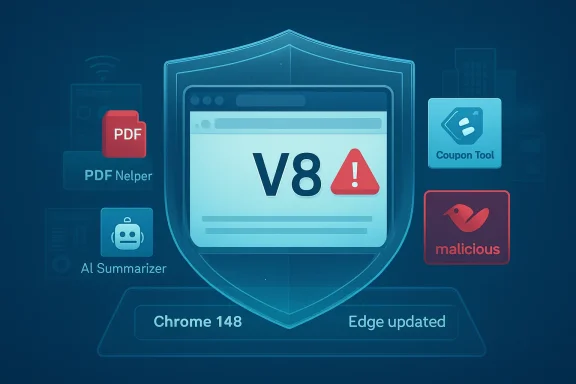
But defenders do not live inside clean taxonomies. They live in fleets where employees install coupon tools, PDF helpers, AI summarizers, screen recorders, developer utilities, and “productivity” extensions with sweeping permissions. If an attacker can reach arbitrary code execution from an extension foothold, the practical question is not whether the bug is Medium in Chromium’s internal rubric. The practical question is whether your extension governance is mature enough to make the prerequisite difficult.
For many organizations, the honest answer is no.
A use-after-free flaw is a memory safety bug in which software continues to use memory after it has been released. In browser exploitation, that class of bug has a long and unhappy history because it can sometimes be shaped into memory corruption and, under the right conditions, code execution. The phrase sounds clinical, but the implication is blunt: the program’s internal view of what object exists and what memory contains has become unreliable.
CVE-2026-7940’s disclosed attack path narrows that concern to a crafted Chrome extension. That is important. It means the published description is not “visit a malicious website and get popped.” It is “install a malicious extension and the extension can trigger the bug.” That dependency reduces broad drive-by exposure, but it also moves the battleground into an area many IT departments have historically treated as user preference rather than application control.
The browser extension ecosystem has always been a strange bargain. Users want convenience, vendors want reach, and browser makers want an extensibility model that does not turn the browser into a malware delivery platform. CVE-2026-7940 is a reminder that even when extension permissions and store review are working as designed, a memory bug in the engine underneath can change the risk calculation.
For home users, the operational advice is familiar: open Chrome’s About page and let the update complete, then relaunch. For managed environments, the story is more complicated because Chrome is only one of several Chromium-derived browsers that may be present. Microsoft Edge, Brave, Opera, Vivaldi, and embedded Chromium runtimes often follow the Chromium security train, but they do not all arrive at the station at exactly the same time.
That delay matters less for CVE-2026-7940 than it would for a confirmed drive-by zero-day, but it does not make the delay irrelevant. An attacker who has already solved the social engineering problem of getting an extension installed has a longer runway in environments where browser updates are staged slowly, pinned aggressively, or left to user behavior. The browser auto-updater is a powerful defense, but it is not a substitute for inventory.
The more useful enterprise question is not “Did Chrome patch this?” It is “Where do we have Chromium engines below the fixed baseline, and where can users install extensions without approval?” If those two sets overlap, the vulnerability deserves attention even if the advisory does not scream emergency.
An extension can observe pages, inject scripts, interact with browser APIs, and request permissions that most users do not understand. Even benign extensions can become risky if sold to a new operator, compromised through a developer account takeover, or updated into something more aggressive after building trust. The extension marketplace is not a static list of known-good utilities; it is a software supply chain with human incentives.
That is why CVE-2026-7940 lands in an awkward place. The bug itself is a memory safety issue in V8. The attack vehicle is an extension. The defensive response must therefore span both patch management and extension management. Treating it only as a Chrome version problem misses the delivery mechanism. Treating it only as an extension hygiene problem misses the fact that a real engine bug was fixed.
The organizations best positioned here are the ones that already maintain allowlists, block extension sideloading, restrict developer mode, and review requested permissions. Everyone else is relying on users to make security decisions in a marketplace designed to reduce friction.
That matters for Windows administrators. Edge may be present even in organizations where Chrome is the primary user browser. It may be used for specific Microsoft 365 workflows, legacy compatibility, kiosk scenarios, or administrative portals. It may also be updated through different controls than Chrome, including Microsoft’s own update channels and enterprise policies.
The broader lesson is that Chromium has become shared infrastructure. A bug in V8 is not confined to one vendor’s icon on the taskbar. It ripples through a browser ecosystem, each participant packaging the fix on its own cadence and documenting exposure in its own security language.
For WindowsForum readers, this is the key operational distinction: do not stop at the Chrome advisory. Check Edge release state, check any Chromium-based browsers in software inventory, and check applications that embed Chromium components where relevant. The vulnerability name may say Chrome, but the architecture says ecosystem.
That is why CVE-2026-7940 should not be inflated into a guaranteed full-device compromise. Based on the disclosed description, the attacker needs a malicious extension install and gets code execution constrained by Chrome’s sandbox model. That is a serious outcome, but it is not the same as immediate kernel-level control or unrestricted host compromise.
Still, sandboxes are not magic. Code execution inside the browser can be valuable if the attacker’s goals involve session data, browser-mediated access, extension capabilities, or staging for further exploitation. The browser is where modern work happens, and “inside the browser” is no longer a low-value location.
Security teams should therefore avoid both extremes. Panic is not warranted from the public facts. Dismissal is not warranted either. The right reaction is targeted urgency: patch quickly, audit extension exposure, and look for signs that users have installed unapproved or suspicious extensions.
The phrase that should slow everyone down is user interaction. In classic vulnerability management, user interaction is often treated as a mitigating factor. In modern enterprise security, user interaction is frequently the business model of compromise. Phishing, OAuth consent attacks, malicious browser extensions, fake meeting tools, and poisoned developer packages all rely on someone clicking through a plausible workflow.
That does not mean every user-interaction bug should be ranked as an emergency. It means defenders should evaluate the interaction required. “Open a website” is different from “install an extension.” But “install an extension” is also different in a locked-down enterprise than it is in a bring-your-own-browser environment where users have full control.
This is where vulnerability management has to become context-aware. A school district with thousands of student-managed Chrome profiles has a different risk profile than a bank with strict extension allowlists. A developer shop that permits browser debugging tools and unpacked extensions has a different exposure than a call center running a hardened browser image.
Administrators should view this CVE as a useful forcing function. If your browser extension policy is undocumented, permissive, or unenforced, the question is not whether CVE-2026-7940 will be the bug that hurts you. The question is which extension-delivered weakness will eventually find the gap. Browser extensions deserve the same basic governance as desktop software: inventory, approval, review, revocation, and logging.
Chrome and Edge both provide enterprise controls for extension installation. Those controls are not glamorous, and they can annoy users who want a quick add-on to solve a workflow problem. But the alternative is allowing arbitrary third-party code to run in the most identity-rich application on the endpoint.
The sensible model is not to ban every extension. That approach tends to fail in organizations where browser-based work is real and varied. The better model is to make extension installation deliberate. Users can request tools, IT can evaluate permissions and vendor reputation, and high-risk categories can be blocked by default.
Chrome’s desktop fix line is clear. Edge administrators should watch Microsoft’s security release notes and ensure their stable channel incorporates the relevant Chromium fixes. Organizations using multiple Chromium browsers should avoid assuming that updating the one in the standard image updates the one a user installed locally six months ago.
The browser has become too central to tolerate partial visibility. Software inventory should identify Chrome, Edge, and other Chromium-based browsers by version. Endpoint management should verify that updates completed, not merely that an update policy exists. Security tooling should flag unsupported browser builds and unmanaged extension installs.
The harder work is cultural. Users have been trained for years to customize browsers as though extensions were themes or bookmarks. IT needs to retrain that instinct. An extension is executable software with privileges in a sensitive environment. Once that sentence becomes normal inside an organization, CVEs like this become easier to handle.
CVE-2026-7940 sits at the intersection of memory safety and extension supply chain. That intersection is where a lot of future browser risk will live. Attackers do not need to choose between exploiting code and exploiting trust; they can do both. A malicious extension can be the delivery mechanism, and an engine bug can be the privilege amplifier.
This is also why the “no known exploitation” posture, where applicable, should be treated as a status update rather than a comfort blanket. Public exploitation evidence often lags. Restricted bug trackers hide details until users update. Attackers can reverse-engineer patches. The window between disclosure and broad patch uptake remains valuable.
The good news is that defenders have strong tools. Browser auto-update is mature. Enterprise policies exist. Extension controls are better than they were years ago. The bad news is that those tools only work when organizations decide the browser is part of the managed endpoint, not a personal workspace bolted onto it.
The concrete response is refreshingly direct:
Source: NVD / Chromium Security Update Guide - Microsoft Security Response Center
 The Dangerous Part Is Not the Word “Medium”
CVE-2026-7940 is easy to under-read. Chromium labels it Medium, while CISA’s ADP enrichment assigns a CVSS 3.1 score of 8.8, a High rating, with network attack vector, low complexity, no privileges required, and user interaction required. That mismatch is not necessarily a contradiction; it is a reminder that vulnerability scoring systems often measure different things than defenders actually experience.Chromium’s severity taxonomy tends to consider the exploitation boundary and the damage achievable from inside Chrome’s sandbox. In this case, the attacker must convince the user to install a malicious extension, and the resulting code execution is described as happening inside the sandbox. That makes it meaningfully different from a renderer bug chained with a sandbox escape, or a drive-by exploit delivered through a compromised website.
But defenders do not live inside clean taxonomies. They live in fleets where employees install coupon tools, PDF helpers, AI summarizers, screen recorders, developer utilities, and “productivity” extensions with sweeping permissions. If an attacker can reach arbitrary code execution from an extension foothold, the practical question is not whether the bug is Medium in Chromium’s internal rubric. The practical question is whether your extension governance is mature enough to make the prerequisite difficult.
For many organizations, the honest answer is no.
V8 Remains the Browser’s Most Valuable Attack Surface
The vulnerable component, V8, is Chrome’s JavaScript and WebAssembly engine. That matters because V8 is not an obscure peripheral library; it is one of the most intensely exercised parts of the modern web stack. Every rich web app, SaaS dashboard, collaboration tool, and browser extension leans on the machinery that V8 provides.A use-after-free flaw is a memory safety bug in which software continues to use memory after it has been released. In browser exploitation, that class of bug has a long and unhappy history because it can sometimes be shaped into memory corruption and, under the right conditions, code execution. The phrase sounds clinical, but the implication is blunt: the program’s internal view of what object exists and what memory contains has become unreliable.
CVE-2026-7940’s disclosed attack path narrows that concern to a crafted Chrome extension. That is important. It means the published description is not “visit a malicious website and get popped.” It is “install a malicious extension and the extension can trigger the bug.” That dependency reduces broad drive-by exposure, but it also moves the battleground into an area many IT departments have historically treated as user preference rather than application control.
The browser extension ecosystem has always been a strange bargain. Users want convenience, vendors want reach, and browser makers want an extensibility model that does not turn the browser into a malware delivery platform. CVE-2026-7940 is a reminder that even when extension permissions and store review are working as designed, a memory bug in the engine underneath can change the risk calculation.
The Patch Is Simple; the Exposure Story Is Not
Google’s fixed desktop versions are Chrome 148.0.7778.96 for Linux and 148.0.7778.96 or 148.0.7778.97 for Windows and macOS. The stable-channel update was published in early May 2026 and included a large batch of security fixes, with reporting around the release noting more than 100 addressed vulnerabilities in Chrome 148.For home users, the operational advice is familiar: open Chrome’s About page and let the update complete, then relaunch. For managed environments, the story is more complicated because Chrome is only one of several Chromium-derived browsers that may be present. Microsoft Edge, Brave, Opera, Vivaldi, and embedded Chromium runtimes often follow the Chromium security train, but they do not all arrive at the station at exactly the same time.
That delay matters less for CVE-2026-7940 than it would for a confirmed drive-by zero-day, but it does not make the delay irrelevant. An attacker who has already solved the social engineering problem of getting an extension installed has a longer runway in environments where browser updates are staged slowly, pinned aggressively, or left to user behavior. The browser auto-updater is a powerful defense, but it is not a substitute for inventory.
The more useful enterprise question is not “Did Chrome patch this?” It is “Where do we have Chromium engines below the fixed baseline, and where can users install extensions without approval?” If those two sets overlap, the vulnerability deserves attention even if the advisory does not scream emergency.
Extensions Are No Longer Harmless User Customization
The disclosed exploitation condition — convincing a user to install a malicious extension — might sound like an old-fashioned social engineering problem. In 2026, it is more than that. Extensions increasingly sit close to identity, productivity, AI tooling, browser sessions, cloud consoles, and internal web apps.An extension can observe pages, inject scripts, interact with browser APIs, and request permissions that most users do not understand. Even benign extensions can become risky if sold to a new operator, compromised through a developer account takeover, or updated into something more aggressive after building trust. The extension marketplace is not a static list of known-good utilities; it is a software supply chain with human incentives.
That is why CVE-2026-7940 lands in an awkward place. The bug itself is a memory safety issue in V8. The attack vehicle is an extension. The defensive response must therefore span both patch management and extension management. Treating it only as a Chrome version problem misses the delivery mechanism. Treating it only as an extension hygiene problem misses the fact that a real engine bug was fixed.
The organizations best positioned here are the ones that already maintain allowlists, block extension sideloading, restrict developer mode, and review requested permissions. Everyone else is relying on users to make security decisions in a marketplace designed to reduce friction.
Microsoft’s Role Is a Signal, Not a Sideshow
The user-facing source here is Microsoft’s Security Update Guide entry for CVE-2026-7940, which reflects the reality that Chromium vulnerabilities are no longer just “Google Chrome problems.” Microsoft Edge is Chromium-based, and Microsoft tracks Chromium CVEs through MSRC because the same underlying project feeds a browser deeply integrated into Windows environments.That matters for Windows administrators. Edge may be present even in organizations where Chrome is the primary user browser. It may be used for specific Microsoft 365 workflows, legacy compatibility, kiosk scenarios, or administrative portals. It may also be updated through different controls than Chrome, including Microsoft’s own update channels and enterprise policies.
The broader lesson is that Chromium has become shared infrastructure. A bug in V8 is not confined to one vendor’s icon on the taskbar. It ripples through a browser ecosystem, each participant packaging the fix on its own cadence and documenting exposure in its own security language.
For WindowsForum readers, this is the key operational distinction: do not stop at the Chrome advisory. Check Edge release state, check any Chromium-based browsers in software inventory, and check applications that embed Chromium components where relevant. The vulnerability name may say Chrome, but the architecture says ecosystem.
The Sandbox Makes This Less Catastrophic, Not Unimportant
The CVE description says arbitrary code execution occurs inside a sandbox. That clause is doing real work. Browser sandboxes are designed to limit what exploited renderer or extension-adjacent code can do to the underlying system. In a mature exploit chain, attackers often need a second vulnerability to escape the sandbox or abuse exposed browser capabilities to reach useful data.That is why CVE-2026-7940 should not be inflated into a guaranteed full-device compromise. Based on the disclosed description, the attacker needs a malicious extension install and gets code execution constrained by Chrome’s sandbox model. That is a serious outcome, but it is not the same as immediate kernel-level control or unrestricted host compromise.
Still, sandboxes are not magic. Code execution inside the browser can be valuable if the attacker’s goals involve session data, browser-mediated access, extension capabilities, or staging for further exploitation. The browser is where modern work happens, and “inside the browser” is no longer a low-value location.
Security teams should therefore avoid both extremes. Panic is not warranted from the public facts. Dismissal is not warranted either. The right reaction is targeted urgency: patch quickly, audit extension exposure, and look for signs that users have installed unapproved or suspicious extensions.
The CVSS Number Tells Only Half the Story
The CISA-ADP vector listed for CVE-2026-7940 is severe on paper: AV:N/AC:L/PR:N/UI:R/S:U/C:H/I:H/A:H. That says the attack can be launched over a network, requires low attack complexity, does not require privileges, does require user interaction, and can have high confidentiality, integrity, and availability impact.The phrase that should slow everyone down is user interaction. In classic vulnerability management, user interaction is often treated as a mitigating factor. In modern enterprise security, user interaction is frequently the business model of compromise. Phishing, OAuth consent attacks, malicious browser extensions, fake meeting tools, and poisoned developer packages all rely on someone clicking through a plausible workflow.
That does not mean every user-interaction bug should be ranked as an emergency. It means defenders should evaluate the interaction required. “Open a website” is different from “install an extension.” But “install an extension” is also different in a locked-down enterprise than it is in a bring-your-own-browser environment where users have full control.
This is where vulnerability management has to become context-aware. A school district with thousands of student-managed Chrome profiles has a different risk profile than a bank with strict extension allowlists. A developer shop that permits browser debugging tools and unpacked extensions has a different exposure than a call center running a hardened browser image.
The Real Fix Is Policy, Not Just Version 148
Updating to Chrome 148.0.7778.96 or later closes the known bug. It does not close the organizational habit that makes malicious extensions viable. That habit is the larger story.Administrators should view this CVE as a useful forcing function. If your browser extension policy is undocumented, permissive, or unenforced, the question is not whether CVE-2026-7940 will be the bug that hurts you. The question is which extension-delivered weakness will eventually find the gap. Browser extensions deserve the same basic governance as desktop software: inventory, approval, review, revocation, and logging.
Chrome and Edge both provide enterprise controls for extension installation. Those controls are not glamorous, and they can annoy users who want a quick add-on to solve a workflow problem. But the alternative is allowing arbitrary third-party code to run in the most identity-rich application on the endpoint.
The sensible model is not to ban every extension. That approach tends to fail in organizations where browser-based work is real and varied. The better model is to make extension installation deliberate. Users can request tools, IT can evaluate permissions and vendor reputation, and high-risk categories can be blocked by default.
The Practical Windows Admin Response Is Narrow but Urgent
For Windows admins, this is a patch-and-policy event. It does not require theatrical incident response unless telemetry suggests suspicious extension activity. It does require a clean view of browser versions and extension state across the fleet.Chrome’s desktop fix line is clear. Edge administrators should watch Microsoft’s security release notes and ensure their stable channel incorporates the relevant Chromium fixes. Organizations using multiple Chromium browsers should avoid assuming that updating the one in the standard image updates the one a user installed locally six months ago.
The browser has become too central to tolerate partial visibility. Software inventory should identify Chrome, Edge, and other Chromium-based browsers by version. Endpoint management should verify that updates completed, not merely that an update policy exists. Security tooling should flag unsupported browser builds and unmanaged extension installs.
The harder work is cultural. Users have been trained for years to customize browsers as though extensions were themes or bookmarks. IT needs to retrain that instinct. An extension is executable software with privileges in a sensitive environment. Once that sentence becomes normal inside an organization, CVEs like this become easier to handle.
Chrome 148 Is a Reminder That Browser Security Is Now Supply-Chain Security
Chrome 148’s broader security haul matters because it shows the scale of the moving target. A single stable-channel release can carry dozens or even more than a hundred security fixes across rendering, media, WebRTC, extensions, JavaScript, and browser services. That cadence is a triumph of modern browser engineering, but it is also a confession: the browser is too large and too exposed to be treated like a static app.CVE-2026-7940 sits at the intersection of memory safety and extension supply chain. That intersection is where a lot of future browser risk will live. Attackers do not need to choose between exploiting code and exploiting trust; they can do both. A malicious extension can be the delivery mechanism, and an engine bug can be the privilege amplifier.
This is also why the “no known exploitation” posture, where applicable, should be treated as a status update rather than a comfort blanket. Public exploitation evidence often lags. Restricted bug trackers hide details until users update. Attackers can reverse-engineer patches. The window between disclosure and broad patch uptake remains valuable.
The good news is that defenders have strong tools. Browser auto-update is mature. Enterprise policies exist. Extension controls are better than they were years ago. The bad news is that those tools only work when organizations decide the browser is part of the managed endpoint, not a personal workspace bolted onto it.
The Useful Lesson Hidden Inside CVE-2026-7940
CVE-2026-7940 is not the scariest Chromium advisory of the year, and that is exactly why it is useful. It is ordinary enough to expose whether an organization’s ordinary defenses work. If patching depends on users, if extension installs are invisible, and if Edge is assumed safe because “we mostly use Chrome,” this medium-labeled bug has already done its diagnostic work.The concrete response is refreshingly direct:
- Update Google Chrome on desktop systems to 148.0.7778.96 or later, with Windows and macOS systems also seeing the 148.0.7778.97 build in the stable release line.
- Verify Microsoft Edge and other Chromium-based browsers separately rather than assuming one vendor’s update covers the whole endpoint.
- Audit installed extensions and remove anything unapproved, abandoned, unnecessary, or requesting permissions that exceed its business purpose.
- Use enterprise browser policy to restrict extension installation to an approved list wherever possible.
- Treat suspicious extension installs as security events, especially when they appear shortly before browser crashes, authentication anomalies, or unusual web-session behavior.
- Revisit user training so employees understand that browser extensions are software, not cosmetic browser preferences.
Source: NVD / Chromium Security Update Guide - Microsoft Security Response Center
