

CVE-2026-7947 is a medium-severity Chromium Network flaw disclosed on May 6, 2026, affecting Google Chrome before 148.0.7778.96 and allowing renderer-compromising attackers to spoof browser UI through a crafted HTML page on Windows, macOS, and Linux. That phrasing is dry, but the story is not: this is the kind of bug that reminds us the browser’s security model is only as strong as the handoff between its supposedly separate compartments. The vulnerability does not look like a drive-by “own the machine” headline, yet it lives in the uncomfortable space where a partial compromise can be turned into user deception. For Windows administrators, the right reaction is neither panic nor indifference; it is to treat Chromium updates as infrastructure updates, not app updates.
Chrome 148 landed in the stable channel this week with a security payload large enough to make any patch manager sit up straighter. Google’s desktop release moved Chrome to 148.0.7778.96 on Linux and 148.0.7778.96/97 on Windows and macOS, with the usual staged rollout over days and weeks. Independent vulnerability feeds and security vendors counted more than 100 fixes in the release, including several critical issues elsewhere in the browser stack.
CVE-2026-7947 is not the loudest bug in that batch. It is not labeled critical, and the available scoring places it in medium territory, with attack complexity rated high and user interaction required. But in browser security, “medium” often means “not the first stage of the exploit chain,” not “unimportant.”
That distinction matters. Modern browser attacks rarely arrive as a single cinematic exploit that leaps from webpage to kernel in one move. They are assembled from parts: a renderer compromise here, a sandbox escape there, a spoofing trick to keep the user in the funnel, a persistence mechanism after that. CVE-2026-7947 sits in that middle terrain, where an attacker who has already compromised the renderer can make the browser lie more convincingly to the person using it.
The Network component name also matters more than it appears to. Browser users think in tabs, pages, extensions, and profiles; attackers think in boundaries. Network handling is one of the places where untrusted web input meets privileged browser machinery, and insufficient validation at that seam has a long history of turning “just a webpage” into “why did the browser show me that?”
But the front door is not the only part of a burglary that matters. If an exploit chain gets code running inside the renderer, Chrome’s sandboxing and multi-process architecture are supposed to contain the blast radius. The browser’s UI, origin indicators, permission prompts, file download surfaces, and authentication flows are supposed to remain trustworthy precisely when the page is hostile.
UI spoofing attacks corrode that trust. They aim not necessarily to steal memory or execute arbitrary code directly, but to make the user believe they are interacting with one thing while they are interacting with another. In a consumer setting, that may mean fake sign-in surfaces or permission prompts. In an enterprise setting, it can mean credential harvesting, OAuth consent abuse, SSO confusion, or tricking a user into approving an action that looks native or trusted.
The CVSS vector now associated through CISA’s ADP enrichment tells the same story in compressed form: network reachable, no privileges required, user interaction required, high attack complexity, limited confidentiality and availability impact. That is not the profile of a worm. It is the profile of an exploit-chain accessory that becomes valuable when paired with a renderer bug, a malicious page, and a target worth deceiving.
For defenders, that makes the patch decision easier, not harder. Bugs like this do not need to be independently catastrophic to justify urgency. They need only make another bug more useful.
The renderer is where untrusted web content is parsed, executed, animated, decoded, and laid out. It is a dangerous place by design, because the modern web is a dangerous input format disguised as a document platform. Chrome assumes renderers may be attacked, and the rest of the browser is supposed to limit what a compromised renderer can do.
That is why CVE-2026-7947’s wording is so interesting. The attacker has already compromised the renderer, but the vulnerability lets that attacker perform UI spoofing through crafted HTML. In other words, the isolation line may have held in one sense while failing in another: the hostile content did not necessarily need to escape into full browser control to undermine what the user saw.
This is the uncomfortable reality of browser hardening in 2026. We have made arbitrary code execution harder, and that is good. But the browser is also a persuasion engine, an identity broker, a password manager front end, a file handler, a notification hub, a payment surface, a remote-work portal, and an enterprise application shell. If the user interface can be convincingly faked at the wrong moment, the attacker may not need to win every technical battle.
Administrators often patch based on the highest CVSS number in a release. That habit misses the way browser vulnerabilities compose. A medium bug that improves deception can be more operationally useful than a high-severity crash in an unreachable edge case.
That is the lag Windows administrators live with in the Chromium ecosystem. Google ships Chrome. Microsoft consumes Chromium, integrates it into Edge, adds its own services and policies, and releases through its own channels. Most of the time the lag is short; sometimes it is awkwardly visible.
This does not make Edge uniquely unsafe. It means Edge is part of the same fast-moving upstream dependency graph as Chrome, Brave, Vivaldi, Opera, Electron-based apps, embedded WebViews, and any product that carries Chromium components. The security boundary has shifted from “which browser do we use?” to “how quickly do all Chromium consumers in the estate absorb upstream fixes?”
For managed Windows environments, that is a different operating model. It is no longer enough to wait for Patch Tuesday and assume the browser is covered. Edge Stable, Edge Extended Stable, Chrome Stable, Chrome Extended Stable, WebView2 Runtime, and third-party Chromium applications can all move on timelines that only partially overlap with Windows cumulative updates.
That fragmentation is a gift to attackers and a headache for inventory systems. A vulnerability like CVE-2026-7947 may arrive in dashboards as a Chrome CVE, an Edge CVE, a Chromium CVE, or a scanner plugin finding against a version string. The underlying question is simpler: does the endpoint still run a vulnerable Chromium build?
CPEs are useful because scanners and compliance systems need standardized names. They are also brittle because software supply chains are no longer neat product boxes. Chromium is a project, Chrome is a product, Edge is another product, WebView2 is a runtime, Electron is an application framework, and countless desktop apps ship embedded browser code that users never consciously identify as a browser.
So yes, depending on the feed, the CPE picture may feel incomplete if you are thinking beyond Google Chrome itself. A Chrome CPE captures the vendor product explicitly named in the CVE description. It does not automatically inventory every downstream Chromium consumer that might incorporate the affected code. That is not necessarily an error in the CVE record; it is a limitation of the way vulnerability metadata tries to describe software reuse.
This is where enterprise teams need to stop treating CPE matching as the final answer. It is a starting point. If a scanner flags Chrome before 148.0.7778.96, fix Chrome. If MSRC lists the CVE for Edge or says Chromium fixes are pending, track Edge separately. If you have Electron apps in privileged workflows, ask vendors what Chromium branch they ship and when they absorb upstream security fixes.
The unpleasant truth is that many organizations have better visibility into their printer firmware than into embedded browser runtimes sitting inside chat clients, password managers, device consoles, remote support tools, and line-of-business applications. Chromium’s success created a monoculture of convenience. Security teams are now paying the inventory bill.
This is why spoofing bugs deserve more respect than they often get. A memory corruption flaw is obviously technical. A spoofing flaw sounds like a social engineering footnote. But the modern authentication stack depends heavily on visual truth: SSO redirects, passkey prompts, device authorization flows, browser-mediated password filling, and OAuth consent screens all rely on users being able to tell which surface is real.
A crafted HTML page that can misrepresent browser UI does not need to fool everyone. It needs to fool the right person at the right time, perhaps after an initial renderer compromise has already placed the attacker in a better position. The more seamless browser sign-in becomes, the more valuable a believable fake becomes.
This is particularly acute in enterprise environments where identity providers have trained users to expect constant redirects, pop-ups, MFA prompts, embedded login panes, and branded authentication pages. The difference between a legitimate SSO interruption and a malicious imitation can be subtle even for careful users. For busy staff, it can be invisible.
Security awareness training often collapses under this complexity. It tells users to inspect signals that attackers are increasingly capable of mimicking, hiding, or making irrelevant. The durable fix is not “train harder.” It is to reduce the number of times users must make high-stakes security decisions based only on browser chrome and page presentation.
That sounds simple until you account for staged rollouts. Chrome may say it is up to date before every machine in an organization has received the same build. Managed policies may defer updates. VDI images may reset browser state. Offline endpoints may miss the window. Extended Stable may follow a different cadence from Stable.
The consumer advice is still the old advice: open the browser’s About page and let it check. The enterprise advice is more precise: query installed versions centrally, compare them against the fixed build, and do not close the ticket until telemetry shows the vulnerable population has actually moved. Browser patching is not complete when the vendor publishes a blog post. It is complete when your endpoints stop reporting the vulnerable version.
The same principle applies to Edge, except the fixed version must be tracked through Microsoft’s release notes and MSRC entries rather than inferred from Chrome’s build number alone. Chromium heritage does not mean identical versioning, identical release timing, or identical patch packaging. Administrators who flatten all of this into “Chrome fixed it, therefore Edge is fine” are making an assumption they do not need to make.
The browser update process is good enough now that many users barely notice it. That invisibility is one of the great achievements of modern client security. It is also dangerous, because invisible infrastructure is easy to forget until a scanner, breach report, or helpdesk ticket reminds everyone that the browser is one of the most exposed applications in the fleet.
Attackers do not work that way. They combine primitives. A renderer exploit provides foothold. A spoofing bug improves deception. A permissions bypass expands capability. A sandbox escape changes the privilege boundary. A local privilege escalation turns user compromise into system compromise. A token theft technique turns endpoint access into cloud access.
CVE-2026-7947’s requirement that the renderer already be compromised should therefore be read as a condition, not a comfort. The Chrome 148 security update also addressed numerous other vulnerabilities across components such as Blink, V8, WebRTC, Chromoting, and others. In a release that large, defenders should assume the value lies in the bundle as much as in any single CVE.
There is another reason not to over-index on the public detail: Chromium bug reports are often restricted until a large share of users has updated. That is a sensible defensive practice. It also means defenders frequently make patch decisions with incomplete technical information. Waiting for a proof-of-concept or exploit write-up is not prudence; it is volunteering to be late.
The right mental model is borrowed from aviation maintenance, not consumer software. You do not ask whether one medium defect alone can crash the aircraft. You ask whether the system has moved outside its safety assumptions. A browser with known, patched input-validation and UI-integrity flaws has done exactly that.
Browsers are not accessories to Windows endpoints. They are where identity, SaaS, admin portals, code repositories, ticketing systems, remote consoles, and privileged workflows converge. A compromised browser session can be more damaging than a compromised local app because the browser is already holding the user’s authenticated life.
A good browser patch SLA does not need to be theatrical. It should define how quickly stable-channel security updates are approved, how exceptions are handled, how version compliance is measured, and who owns downstream Chromium runtimes. It should distinguish ordinary feature updates from security updates, and it should have a faster lane for exploited-in-the-wild bugs without waiting for emergency committee meetings.
CVE-2026-7947 is a useful test case because it is medium severity. If an organization only moves quickly for critical CVEs, this one may languish. But if the organization understands exploit chains, it will patch promptly because it closes one more path from compromised content to compromised trust.
There is a cultural change here, too. Desktop administrators historically feared browser updates because they could break intranet apps, extensions, kiosk workflows, or brittle legacy systems. Those risks still exist. But the web platform now changes constantly whether enterprises like it or not, and delaying security updates to preserve compatibility is increasingly a bet against the threat model.
Source: NVD / Chromium Security Update Guide - Microsoft Security Response Center
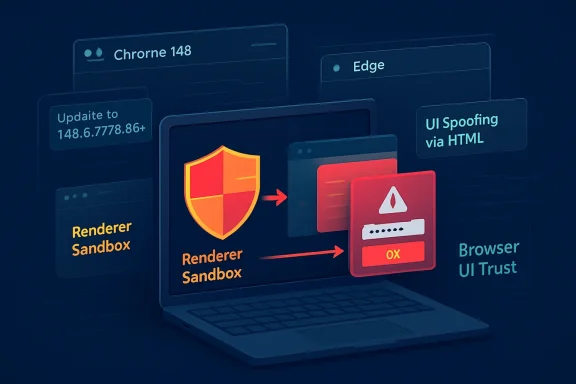 The Browser Patch Is Now a Platform Event
Chrome 148 landed in the stable channel this week with a security payload large enough to make any patch manager sit up straighter. Google’s desktop release moved Chrome to 148.0.7778.96 on Linux and 148.0.7778.96/97 on Windows and macOS, with the usual staged rollout over days and weeks. Independent vulnerability feeds and security vendors counted more than 100 fixes in the release, including several critical issues elsewhere in the browser stack.CVE-2026-7947 is not the loudest bug in that batch. It is not labeled critical, and the available scoring places it in medium territory, with attack complexity rated high and user interaction required. But in browser security, “medium” often means “not the first stage of the exploit chain,” not “unimportant.”
That distinction matters. Modern browser attacks rarely arrive as a single cinematic exploit that leaps from webpage to kernel in one move. They are assembled from parts: a renderer compromise here, a sandbox escape there, a spoofing trick to keep the user in the funnel, a persistence mechanism after that. CVE-2026-7947 sits in that middle terrain, where an attacker who has already compromised the renderer can make the browser lie more convincingly to the person using it.
The Network component name also matters more than it appears to. Browser users think in tabs, pages, extensions, and profiles; attackers think in boundaries. Network handling is one of the places where untrusted web input meets privileged browser machinery, and insufficient validation at that seam has a long history of turning “just a webpage” into “why did the browser show me that?”
Medium Severity Does Not Mean Marginal Risk
The published description says the bug allowed a remote attacker who had compromised the renderer process to perform UI spoofing through a crafted HTML page. That sentence contains the reason this CVE will be easy to underestimate. A renderer compromise is already required, which means CVE-2026-7947 is not, by itself, the front door.But the front door is not the only part of a burglary that matters. If an exploit chain gets code running inside the renderer, Chrome’s sandboxing and multi-process architecture are supposed to contain the blast radius. The browser’s UI, origin indicators, permission prompts, file download surfaces, and authentication flows are supposed to remain trustworthy precisely when the page is hostile.
UI spoofing attacks corrode that trust. They aim not necessarily to steal memory or execute arbitrary code directly, but to make the user believe they are interacting with one thing while they are interacting with another. In a consumer setting, that may mean fake sign-in surfaces or permission prompts. In an enterprise setting, it can mean credential harvesting, OAuth consent abuse, SSO confusion, or tricking a user into approving an action that looks native or trusted.
The CVSS vector now associated through CISA’s ADP enrichment tells the same story in compressed form: network reachable, no privileges required, user interaction required, high attack complexity, limited confidentiality and availability impact. That is not the profile of a worm. It is the profile of an exploit-chain accessory that becomes valuable when paired with a renderer bug, a malicious page, and a target worth deceiving.
For defenders, that makes the patch decision easier, not harder. Bugs like this do not need to be independently catastrophic to justify urgency. They need only make another bug more useful.
Chromium’s Security Model Is Built on Containment, Not Magic
Chrome’s architecture has long been sold, accurately, as a layered defense: renderer sandboxing, site isolation, process separation, permissions boundaries, exploit mitigations, and rapid auto-update. This has made browser exploitation harder than it used to be. It has not made it disappear.The renderer is where untrusted web content is parsed, executed, animated, decoded, and laid out. It is a dangerous place by design, because the modern web is a dangerous input format disguised as a document platform. Chrome assumes renderers may be attacked, and the rest of the browser is supposed to limit what a compromised renderer can do.
That is why CVE-2026-7947’s wording is so interesting. The attacker has already compromised the renderer, but the vulnerability lets that attacker perform UI spoofing through crafted HTML. In other words, the isolation line may have held in one sense while failing in another: the hostile content did not necessarily need to escape into full browser control to undermine what the user saw.
This is the uncomfortable reality of browser hardening in 2026. We have made arbitrary code execution harder, and that is good. But the browser is also a persuasion engine, an identity broker, a password manager front end, a file handler, a notification hub, a payment surface, a remote-work portal, and an enterprise application shell. If the user interface can be convincingly faked at the wrong moment, the attacker may not need to win every technical battle.
Administrators often patch based on the highest CVSS number in a release. That habit misses the way browser vulnerabilities compose. A medium bug that improves deception can be more operationally useful than a high-severity crash in an unreachable edge case.
The Edge Angle Is Where Windows Shops Should Pay Attention
The WindowsForum audience will naturally ask the Microsoft question: what about Edge? Microsoft tracks Chromium CVEs through MSRC because Edge inherits much of Chromium’s browser engine and security surface. As of the May 6 Edge security notes, Microsoft said it was aware of recent Chromium security fixes and was actively working on a security fix.That is the lag Windows administrators live with in the Chromium ecosystem. Google ships Chrome. Microsoft consumes Chromium, integrates it into Edge, adds its own services and policies, and releases through its own channels. Most of the time the lag is short; sometimes it is awkwardly visible.
This does not make Edge uniquely unsafe. It means Edge is part of the same fast-moving upstream dependency graph as Chrome, Brave, Vivaldi, Opera, Electron-based apps, embedded WebViews, and any product that carries Chromium components. The security boundary has shifted from “which browser do we use?” to “how quickly do all Chromium consumers in the estate absorb upstream fixes?”
For managed Windows environments, that is a different operating model. It is no longer enough to wait for Patch Tuesday and assume the browser is covered. Edge Stable, Edge Extended Stable, Chrome Stable, Chrome Extended Stable, WebView2 Runtime, and third-party Chromium applications can all move on timelines that only partially overlap with Windows cumulative updates.
That fragmentation is a gift to attackers and a headache for inventory systems. A vulnerability like CVE-2026-7947 may arrive in dashboards as a Chrome CVE, an Edge CVE, a Chromium CVE, or a scanner plugin finding against a version string. The underlying question is simpler: does the endpoint still run a vulnerable Chromium build?
The CPE Confusion Is a Symptom of a Bigger Inventory Problem
The NVD change history for CVE-2026-7947 added a CPE configuration for Google Chrome versions before 148.0.7778.96, with operating-system context for Windows, Linux, and macOS. It also contains the familiar prompt asking whether a CPE is missing. For vulnerability managers, that question is not clerical trivia; it is where patch reality meets database abstraction.CPEs are useful because scanners and compliance systems need standardized names. They are also brittle because software supply chains are no longer neat product boxes. Chromium is a project, Chrome is a product, Edge is another product, WebView2 is a runtime, Electron is an application framework, and countless desktop apps ship embedded browser code that users never consciously identify as a browser.
So yes, depending on the feed, the CPE picture may feel incomplete if you are thinking beyond Google Chrome itself. A Chrome CPE captures the vendor product explicitly named in the CVE description. It does not automatically inventory every downstream Chromium consumer that might incorporate the affected code. That is not necessarily an error in the CVE record; it is a limitation of the way vulnerability metadata tries to describe software reuse.
This is where enterprise teams need to stop treating CPE matching as the final answer. It is a starting point. If a scanner flags Chrome before 148.0.7778.96, fix Chrome. If MSRC lists the CVE for Edge or says Chromium fixes are pending, track Edge separately. If you have Electron apps in privileged workflows, ask vendors what Chromium branch they ship and when they absorb upstream security fixes.
The unpleasant truth is that many organizations have better visibility into their printer firmware than into embedded browser runtimes sitting inside chat clients, password managers, device consoles, remote support tools, and line-of-business applications. Chromium’s success created a monoculture of convenience. Security teams are now paying the inventory bill.
UI Spoofing Is the Attack Class Everyone Thinks They Can Spot
Users are constantly told to look for signs of authenticity: the lock icon, the address bar, the domain, the browser permission prompt, the native dialog, the warning page. UI spoofing attacks target that training. They exploit the gap between what the user has been taught to trust and what the browser can be tricked into displaying.This is why spoofing bugs deserve more respect than they often get. A memory corruption flaw is obviously technical. A spoofing flaw sounds like a social engineering footnote. But the modern authentication stack depends heavily on visual truth: SSO redirects, passkey prompts, device authorization flows, browser-mediated password filling, and OAuth consent screens all rely on users being able to tell which surface is real.
A crafted HTML page that can misrepresent browser UI does not need to fool everyone. It needs to fool the right person at the right time, perhaps after an initial renderer compromise has already placed the attacker in a better position. The more seamless browser sign-in becomes, the more valuable a believable fake becomes.
This is particularly acute in enterprise environments where identity providers have trained users to expect constant redirects, pop-ups, MFA prompts, embedded login panes, and branded authentication pages. The difference between a legitimate SSO interruption and a malicious imitation can be subtle even for careful users. For busy staff, it can be invisible.
Security awareness training often collapses under this complexity. It tells users to inspect signals that attackers are increasingly capable of mimicking, hiding, or making irrelevant. The durable fix is not “train harder.” It is to reduce the number of times users must make high-stakes security decisions based only on browser chrome and page presentation.
The Version Number Is the Only Fact That Counts on Patch Day
For Chrome desktop, the operational threshold is straightforward: versions before 148.0.7778.96 are in scope for CVE-2026-7947 as described. Windows and macOS users may see 148.0.7778.96 or 148.0.7778.97 depending on channel and platform details. Linux users should be looking for 148.0.7778.96 or later.That sounds simple until you account for staged rollouts. Chrome may say it is up to date before every machine in an organization has received the same build. Managed policies may defer updates. VDI images may reset browser state. Offline endpoints may miss the window. Extended Stable may follow a different cadence from Stable.
The consumer advice is still the old advice: open the browser’s About page and let it check. The enterprise advice is more precise: query installed versions centrally, compare them against the fixed build, and do not close the ticket until telemetry shows the vulnerable population has actually moved. Browser patching is not complete when the vendor publishes a blog post. It is complete when your endpoints stop reporting the vulnerable version.
The same principle applies to Edge, except the fixed version must be tracked through Microsoft’s release notes and MSRC entries rather than inferred from Chrome’s build number alone. Chromium heritage does not mean identical versioning, identical release timing, or identical patch packaging. Administrators who flatten all of this into “Chrome fixed it, therefore Edge is fine” are making an assumption they do not need to make.
The browser update process is good enough now that many users barely notice it. That invisibility is one of the great achievements of modern client security. It is also dangerous, because invisible infrastructure is easy to forget until a scanner, breach report, or helpdesk ticket reminds everyone that the browser is one of the most exposed applications in the fleet.
The Real Risk Is the Chain, Not the CVE in Isolation
CVE write-ups encourage a kind of artificial solitude. Each vulnerability gets an ID, a score, a description, a weakness category, and a set of affected versions. That is necessary for tracking, but it can distort risk perception by making each bug look like an isolated island.Attackers do not work that way. They combine primitives. A renderer exploit provides foothold. A spoofing bug improves deception. A permissions bypass expands capability. A sandbox escape changes the privilege boundary. A local privilege escalation turns user compromise into system compromise. A token theft technique turns endpoint access into cloud access.
CVE-2026-7947’s requirement that the renderer already be compromised should therefore be read as a condition, not a comfort. The Chrome 148 security update also addressed numerous other vulnerabilities across components such as Blink, V8, WebRTC, Chromoting, and others. In a release that large, defenders should assume the value lies in the bundle as much as in any single CVE.
There is another reason not to over-index on the public detail: Chromium bug reports are often restricted until a large share of users has updated. That is a sensible defensive practice. It also means defenders frequently make patch decisions with incomplete technical information. Waiting for a proof-of-concept or exploit write-up is not prudence; it is volunteering to be late.
The right mental model is borrowed from aviation maintenance, not consumer software. You do not ask whether one medium defect alone can crash the aircraft. You ask whether the system has moved outside its safety assumptions. A browser with known, patched input-validation and UI-integrity flaws has done exactly that.
Windows Admins Need Browser Patch SLAs, Not Browser Patch Vibes
Many organizations have mature Windows patch processes and surprisingly casual browser patch processes. They can tell you exactly which cumulative update is deployed to which ring, but not how long Chrome or Edge remains vulnerable after a stable-channel security release. That gap is no longer defensible.Browsers are not accessories to Windows endpoints. They are where identity, SaaS, admin portals, code repositories, ticketing systems, remote consoles, and privileged workflows converge. A compromised browser session can be more damaging than a compromised local app because the browser is already holding the user’s authenticated life.
A good browser patch SLA does not need to be theatrical. It should define how quickly stable-channel security updates are approved, how exceptions are handled, how version compliance is measured, and who owns downstream Chromium runtimes. It should distinguish ordinary feature updates from security updates, and it should have a faster lane for exploited-in-the-wild bugs without waiting for emergency committee meetings.
CVE-2026-7947 is a useful test case because it is medium severity. If an organization only moves quickly for critical CVEs, this one may languish. But if the organization understands exploit chains, it will patch promptly because it closes one more path from compromised content to compromised trust.
There is a cultural change here, too. Desktop administrators historically feared browser updates because they could break intranet apps, extensions, kiosk workflows, or brittle legacy systems. Those risks still exist. But the web platform now changes constantly whether enterprises like it or not, and delaying security updates to preserve compatibility is increasingly a bet against the threat model.
Chrome 148 Turns a Medium CVE Into a Fleet-Management Exam
The practical response to CVE-2026-7947 is not complicated, but it does expose whether an organization has browser hygiene or merely browser hope. The patch is available for Chrome, the vulnerable threshold is known, and Microsoft’s Edge channel must be watched separately until its Chromium security fixes land and are verified in the field.- Chrome desktop installations should be updated to 148.0.7778.96 or later, with Windows and macOS fleets accepting 148.0.7778.96/97 where applicable.
- Edge administrators should track Microsoft’s security release notes and MSRC guidance rather than assuming Chrome’s release automatically means Edge endpoints are remediated.
- Vulnerability teams should treat CPE data as a useful signal, not a complete map of every Chromium-based exposure in the environment.
- Security teams should remember that UI spoofing can amplify other browser exploits by making users trust malicious surfaces at exactly the wrong moment.
- Enterprises should inventory embedded Chromium and WebView2 dependencies in high-value applications instead of limiting the search to standalone browsers.
- Patch SLAs should account for exploit-chain components, not just CVEs with critical labels or confirmed in-the-wild exploitation.
Source: NVD / Chromium Security Update Guide - Microsoft Security Response Center
