

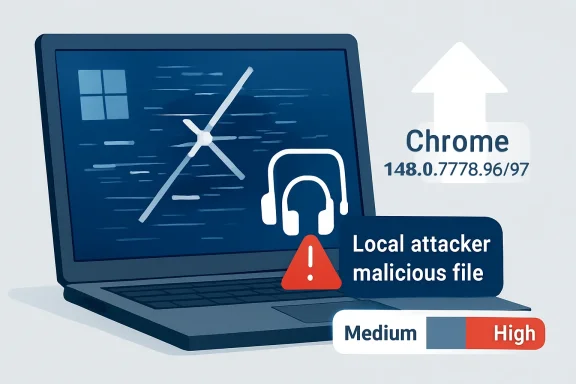
Google and the Chromium project disclosed CVE-2026-7948 on May 6, 2026, describing a Windows-only race condition in Chrome’s Chromoting component before version 148.0.7778.96 that could let a local attacker escalate privileges through a malicious file. The vulnerability is rated Medium by Chromium, while CISA’s ADP enrichment assigns it a CVSS 3.1 score of 7.5, placing it in the High range. That mismatch is the story: this is not a drive-by web catastrophe, but it is exactly the kind of “small” local bug that matters once an attacker already has a foothold.
CVE-2026-7948 is awkward to classify because it lives in the gray zone between browser security and Windows endpoint security. The affected component, Chromoting, is better known to most users as the technology behind Chrome Remote Desktop. That immediately changes the threat model: this is not just another renderer bug where a poisoned web page tries to break out of a tab.
The description says the attacker is local and uses a malicious file. In practical terms, that points to a post-compromise or social-engineering scenario rather than the classic “visit this page and get owned” browser exploit. Someone has to persuade a user to run, open, or otherwise handle something on the machine, or the attacker must already have enough access to place and trigger the file.
That distinction matters, but it should not be comforting. Local privilege escalation bugs are the plumbing of real intrusions. They are rarely the glamorous opening move, but they are often how an attacker turns a beachhead into control.
The word race also deserves attention. Race conditions exploit timing: two operations collide because software assumes an order of events that the system does not actually guarantee. These bugs are notoriously hard to reason about, hard to test exhaustively, and sometimes hard to reproduce reliably — which is one reason their severity can look lower on paper than their usefulness in a chained attack.
The affected platform is specifically Windows. NVD’s configuration data ties the vulnerable application to Google Chrome versions before 148.0.7778.96 on Microsoft Windows, which is why this CVE is showing up in Microsoft-facing security channels even though the source is Chrome. That cross-vendor visibility is a feature of the Chromium era, but it also creates confusion for admins who see “MSRC” and “Chrome” in the same advisory trail.
Microsoft did not write Chrome, but Windows fleets run Chromium-based browsers at enormous scale. Edge inherits many Chromium security fixes through its own release pipeline, while Chrome itself is everywhere in enterprise environments. The result is a patch-management world where a Google browser flaw can become a Microsoft operations problem by lunchtime.
That is especially true when the bug class is privilege escalation. Enterprises tend to triage browser issues by asking whether they are remotely exploitable from the web. That is still a useful question, but it is not sufficient. An attacker who lands through phishing, malicious documents, exposed credentials, or a separate browser bug may care far more about the next step than the first one.
CISA’s ADP score, however, lands at 7.5 High under CVSS 3.1. The vector listed is unusual for what the prose describes, because it includes network attack vector, high attack complexity, no privileges required, user interaction required, unchanged scope, and high impact to confidentiality, integrity, and availability. That tension is not new; CVSS often struggles to express browser-adjacent and chain-dependent bugs cleanly.
For defenders, the safer interpretation is simple: do not overreact as though this is an emergency zero-day, but do not bury it behind routine desktop maintenance either. A local privilege escalation in a widely deployed browser component is precisely the sort of flaw that becomes more dangerous when paired with another vulnerability. Attackers rarely demand elegance when a chain will do.
The patch target is also clear. Chrome for Windows should be at 148.0.7778.96 or 148.0.7778.97, depending on channel and rollout, or later. Linux received 148.0.7778.96, while Windows and macOS builds are listed as 148.0.7778.96/97 in the stable release.
Among the higher-profile issues in the same release were critical flaws in Blink, Mobile, and Chromoting. One of those, CVE-2026-7898, is also a Chromoting issue, but it is a use-after-free vulnerability rather than the race condition described in CVE-2026-7948. The proximity is notable: two separate Chromoting fixes in the same Chrome 148 security cycle suggest this component deserves extra attention from admins who normally treat Chrome Remote Desktop as a niche feature.
The real operational mistake would be to isolate CVE-2026-7948 from the release that contains it. Browser patching works as a bundle. You do not get to surgically deploy the one fix whose CVSS score makes the weekly meeting agenda; you move the channel, validate the build, and reduce exposure across the set.
That is why “Medium” can be a misleading headline. Chrome 148 is not a medium-sized update. It is a major security maintenance event for desktop browsers, and CVE-2026-7948 is one tile in a much larger mosaic.
That makes endpoint controls relevant. Attachment filtering, download reputation, application control, least privilege, and user education all matter more here than they would for a pure browser-rendering flaw. If an attacker must get a malicious file onto the box and induce interaction, the controls around file ingress become part of the mitigation story.
But endpoint teams should resist the urge to declare victory because the user must be involved. User interaction is not a rare precondition; it is the business model of phishing. Modern intrusions routinely depend on getting a user to open a file, approve a prompt, install a tool, or authenticate into the wrong workflow.
The more interesting question is what happens after that interaction. If a malicious file can help a low-privilege process gain more power on the machine, the bug becomes useful for persistence, credential access, defense evasion, or lateral movement. That is why privilege escalation flaws deserve attention even when they are not the initial infection vector.
The CPE entry combines the Chrome application with the Windows operating system, which is a common way to represent platform-specific exposure. Ubuntu’s own tracker marks its chromium-browser package as not affected, reinforcing the point that the bug is not being treated as a general Linux Chromium issue. For WindowsForum readers, that is the actionable line: this is a Windows Chrome problem first.
In managed environments, the question becomes how quickly Chrome updates are permitted to land. Many enterprises slow browser updates through rings, staged deployment, or change-control windows. That discipline is defensible, but it cuts both ways when the browser is one of the most attacked applications on the endpoint.
Chrome’s own updater will handle many consumer and small-business systems automatically. Larger organizations need to verify policy, not assume it. A stale browser on a privileged workstation is not a theoretical risk; it is an avoidable one.
MSRC tracking a Chromium CVE does not automatically mean Windows itself is vulnerable in the way a kernel or SMB bug would be. It means Microsoft has a stake in the disclosure ecosystem because Chromium-based components and Edge releases affect Microsoft customers. The vulnerability’s affected software configuration names Chrome on Windows, not Windows alone.
That nuance matters for communication. Telling users “Windows has a Chrome privilege escalation bug” is sloppy. Telling admins “Chrome on Windows needs to be updated because a Chromoting race can enable local privilege escalation” is accurate and actionable.
The broader lesson is that vendor boundaries are less useful than they used to be. A Windows endpoint may contain Microsoft code, Google code, open-source libraries, OEM utilities, remote support agents, security tools, and browser engines that update on separate schedules. Attackers do not care which procurement category a vulnerable component belongs to.
CWE-362 captures that class: concurrent execution using a shared resource with improper synchronization. In plain English, two parts of a system touch the same thing at the wrong time, and the program fails to enforce the order or ownership it depends on. In security-sensitive components, that can become a privilege boundary problem.
Remote desktop technology is full of state transitions. Sessions start and stop, permissions are checked, files may be brokered, input and output streams move across contexts, and helper processes coordinate work. That is fertile ground for bugs where a resource changes after it has been checked but before it is used.
For defenders, the important thing is not to reverse-engineer the flaw from sparse public details. Google restricts bug details until enough users are patched, and that is sensible. The important thing is to understand that race bugs often become more exploitable once researchers and attackers have time to study the patch.
If Chrome Remote Desktop is not required, enterprises should consider disabling or restricting it through policy. That is not because this specific CVE proves Chromoting is uniquely unsafe. It is because unused remote access capability expands the attack surface without delivering business value.
Where the feature is required, it should be treated like any other remote administration tool. Access should be tied to managed identities, monitored for unusual use, and constrained by device posture where possible. The casual mental model — “it’s just part of Chrome” — is the wrong one.
Consumer users have a simpler version of the same decision. If you do not use Chrome Remote Desktop, there is no reason to leave related workflows casually enabled or ignored. If you do use it, updating promptly is the minimum bar.
CVE-2026-7948 illustrates why. There is no need to panic, no public exploit claim in the supplied data, and no reason to rip up the change calendar for one Medium Chromium issue. But if your fleet is still below 148.0.7778.96 a week or two after release, the problem is no longer this CVE. The problem is your browser lifecycle.
Security teams should measure browser currency as an operational metric. How many systems are on the current stable major version? How many are more than one security release behind? Which business units routinely lag because of application compatibility exceptions? Those numbers are more useful than a generic statement that “Chrome auto-updates.”
The same logic applies to unmanaged endpoints that touch corporate data. Bring-your-own-device policies that allow browser access to SaaS apps should account for browser version and update posture. In 2026, the browser is not a viewer; it is an application runtime, an identity surface, and a remote-work gateway.
For CVE-2026-7948, the first task is inventory. Find Windows systems running Google Chrome earlier than 148.0.7778.96. Pay particular attention to shared workstations, jump boxes, developer machines, help desk systems, and any endpoint where local privilege escalation would have outsized consequences.
The second task is update validation. Chrome 148.0.7778.96/97 is the target for Windows and macOS stable builds, with 148.0.7778.96 for Linux. Enterprises using extended stable, managed update policies, or third-party patch tools should confirm the exact build delivered rather than assuming the channel name is enough.
The third task is policy review. If Chromoting or Chrome Remote Desktop is not approved, enforce that position technically. If it is approved, make sure it is documented, monitored, and limited to the users and machines that actually need it.
Finally, security teams should resist overfitting to this one CVE. The same release fixed many other vulnerabilities, including critical ones. The correct response is not a bespoke emergency process for CVE-2026-7948; it is a reliable Chromium patch pipeline that makes this kind of issue routine.
Source: NVD / Chromium Security Update Guide - Microsoft Security Response Center
 The Browser Bug That Starts After the Browser Is Already Compromised
CVE-2026-7948 is awkward to classify because it lives in the gray zone between browser security and Windows endpoint security. The affected component, Chromoting, is better known to most users as the technology behind Chrome Remote Desktop. That immediately changes the threat model: this is not just another renderer bug where a poisoned web page tries to break out of a tab.The description says the attacker is local and uses a malicious file. In practical terms, that points to a post-compromise or social-engineering scenario rather than the classic “visit this page and get owned” browser exploit. Someone has to persuade a user to run, open, or otherwise handle something on the machine, or the attacker must already have enough access to place and trigger the file.
That distinction matters, but it should not be comforting. Local privilege escalation bugs are the plumbing of real intrusions. They are rarely the glamorous opening move, but they are often how an attacker turns a beachhead into control.
The word race also deserves attention. Race conditions exploit timing: two operations collide because software assumes an order of events that the system does not actually guarantee. These bugs are notoriously hard to reason about, hard to test exhaustively, and sometimes hard to reproduce reliably — which is one reason their severity can look lower on paper than their usefulness in a chained attack.
Chromoting Makes This More Than a Chrome Patch
Chromoting is not the most famous part of Chrome, but it is one of the parts with the most interesting trust implications. Remote desktop software sits close to identity, input, session state, device access, and the user’s working environment. Even when a bug is “only” local, a flaw in this territory deserves more scrutiny than a comparable defect in a low-privilege cosmetic feature.The affected platform is specifically Windows. NVD’s configuration data ties the vulnerable application to Google Chrome versions before 148.0.7778.96 on Microsoft Windows, which is why this CVE is showing up in Microsoft-facing security channels even though the source is Chrome. That cross-vendor visibility is a feature of the Chromium era, but it also creates confusion for admins who see “MSRC” and “Chrome” in the same advisory trail.
Microsoft did not write Chrome, but Windows fleets run Chromium-based browsers at enormous scale. Edge inherits many Chromium security fixes through its own release pipeline, while Chrome itself is everywhere in enterprise environments. The result is a patch-management world where a Google browser flaw can become a Microsoft operations problem by lunchtime.
That is especially true when the bug class is privilege escalation. Enterprises tend to triage browser issues by asking whether they are remotely exploitable from the web. That is still a useful question, but it is not sufficient. An attacker who lands through phishing, malicious documents, exposed credentials, or a separate browser bug may care far more about the next step than the first one.
Medium Severity Is Not the Same as Medium Priority
Chromium’s Medium severity label should be read as a product-security judgment, not as a universal patching instruction. It reflects the constraints around exploitation: local attacker, malicious file, Windows-only scope, and no public indication in the provided advisory that this is being exploited in the wild. Those are meaningful limits.CISA’s ADP score, however, lands at 7.5 High under CVSS 3.1. The vector listed is unusual for what the prose describes, because it includes network attack vector, high attack complexity, no privileges required, user interaction required, unchanged scope, and high impact to confidentiality, integrity, and availability. That tension is not new; CVSS often struggles to express browser-adjacent and chain-dependent bugs cleanly.
For defenders, the safer interpretation is simple: do not overreact as though this is an emergency zero-day, but do not bury it behind routine desktop maintenance either. A local privilege escalation in a widely deployed browser component is precisely the sort of flaw that becomes more dangerous when paired with another vulnerability. Attackers rarely demand elegance when a chain will do.
The patch target is also clear. Chrome for Windows should be at 148.0.7778.96 or 148.0.7778.97, depending on channel and rollout, or later. Linux received 148.0.7778.96, while Windows and macOS builds are listed as 148.0.7778.96/97 in the stable release.
The May Chrome Drop Was a Security Event, Not a Routine Update
CVE-2026-7948 arrived as part of Chrome 148, a large stable-channel update that fixed more than 100 security issues. That matters because enterprise teams are not deciding whether to patch one Medium bug in isolation. They are deciding whether to move a browser release that also carries fixes for critical vulnerabilities elsewhere in the Chromium stack.Among the higher-profile issues in the same release were critical flaws in Blink, Mobile, and Chromoting. One of those, CVE-2026-7898, is also a Chromoting issue, but it is a use-after-free vulnerability rather than the race condition described in CVE-2026-7948. The proximity is notable: two separate Chromoting fixes in the same Chrome 148 security cycle suggest this component deserves extra attention from admins who normally treat Chrome Remote Desktop as a niche feature.
The real operational mistake would be to isolate CVE-2026-7948 from the release that contains it. Browser patching works as a bundle. You do not get to surgically deploy the one fix whose CVSS score makes the weekly meeting agenda; you move the channel, validate the build, and reduce exposure across the set.
That is why “Medium” can be a misleading headline. Chrome 148 is not a medium-sized update. It is a major security maintenance event for desktop browsers, and CVE-2026-7948 is one tile in a much larger mosaic.
The Malicious File Requirement Points to the Endpoint, Not the Web Page
The phrase “via a malicious file” narrows the likely exploitation story. This is not described as a simple remote code execution bug triggered by a website. It sounds more like a flaw where local handling of a crafted object can manipulate a race in Chromoting and cross a privilege boundary.That makes endpoint controls relevant. Attachment filtering, download reputation, application control, least privilege, and user education all matter more here than they would for a pure browser-rendering flaw. If an attacker must get a malicious file onto the box and induce interaction, the controls around file ingress become part of the mitigation story.
But endpoint teams should resist the urge to declare victory because the user must be involved. User interaction is not a rare precondition; it is the business model of phishing. Modern intrusions routinely depend on getting a user to open a file, approve a prompt, install a tool, or authenticate into the wrong workflow.
The more interesting question is what happens after that interaction. If a malicious file can help a low-privilege process gain more power on the machine, the bug becomes useful for persistence, credential access, defense evasion, or lateral movement. That is why privilege escalation flaws deserve attention even when they are not the initial infection vector.
Windows Is the Named Platform, So Windows Admins Own the Clock
The advisory language is explicit: Google Chrome on Windows before 148.0.7778.96 is the affected configuration. That does not mean every Windows machine is equally exposed. It does mean Windows administrators should not wait for a generic “all-platforms” browser bulletin to decide whether this matters.The CPE entry combines the Chrome application with the Windows operating system, which is a common way to represent platform-specific exposure. Ubuntu’s own tracker marks its chromium-browser package as not affected, reinforcing the point that the bug is not being treated as a general Linux Chromium issue. For WindowsForum readers, that is the actionable line: this is a Windows Chrome problem first.
In managed environments, the question becomes how quickly Chrome updates are permitted to land. Many enterprises slow browser updates through rings, staged deployment, or change-control windows. That discipline is defensible, but it cuts both ways when the browser is one of the most attacked applications on the endpoint.
Chrome’s own updater will handle many consumer and small-business systems automatically. Larger organizations need to verify policy, not assume it. A stale browser on a privileged workstation is not a theoretical risk; it is an avoidable one.
The MSRC Angle Is a Symptom of Chromium’s Shared Security Burden
The user-facing source here is Microsoft’s Security Response Center update guide, but the CVE source is Chrome. That can feel contradictory until you remember how modern browser security is syndicated. Chromium is an upstream project, Google Chrome is one downstream product, Microsoft Edge is another, and Windows is the platform on which much of this code runs.MSRC tracking a Chromium CVE does not automatically mean Windows itself is vulnerable in the way a kernel or SMB bug would be. It means Microsoft has a stake in the disclosure ecosystem because Chromium-based components and Edge releases affect Microsoft customers. The vulnerability’s affected software configuration names Chrome on Windows, not Windows alone.
That nuance matters for communication. Telling users “Windows has a Chrome privilege escalation bug” is sloppy. Telling admins “Chrome on Windows needs to be updated because a Chromoting race can enable local privilege escalation” is accurate and actionable.
The broader lesson is that vendor boundaries are less useful than they used to be. A Windows endpoint may contain Microsoft code, Google code, open-source libraries, OEM utilities, remote support agents, security tools, and browser engines that update on separate schedules. Attackers do not care which procurement category a vulnerable component belongs to.
Race Conditions Are Where Clean Designs Meet Messy Reality
Race conditions are among the least satisfying vulnerabilities to explain because they often lack a cinematic payload. There is no single poisoned string, no obvious buffer overflow, no neat screenshot of a calculator popping. Instead, the exploit lives in the gap between what software thinks is true and what concurrent execution makes possible.CWE-362 captures that class: concurrent execution using a shared resource with improper synchronization. In plain English, two parts of a system touch the same thing at the wrong time, and the program fails to enforce the order or ownership it depends on. In security-sensitive components, that can become a privilege boundary problem.
Remote desktop technology is full of state transitions. Sessions start and stop, permissions are checked, files may be brokered, input and output streams move across contexts, and helper processes coordinate work. That is fertile ground for bugs where a resource changes after it has been checked but before it is used.
For defenders, the important thing is not to reverse-engineer the flaw from sparse public details. Google restricts bug details until enough users are patched, and that is sensible. The important thing is to understand that race bugs often become more exploitable once researchers and attackers have time to study the patch.
The Chrome Remote Desktop Question Cannot Be Dodged
Many organizations do not have a crisp answer to whether Chrome Remote Desktop is allowed. Some ban it. Some tolerate it. Some never inventoried it. CVE-2026-7948 is a useful forcing function because it reminds us that remote access features carry security weight even when they are bundled inside familiar software.If Chrome Remote Desktop is not required, enterprises should consider disabling or restricting it through policy. That is not because this specific CVE proves Chromoting is uniquely unsafe. It is because unused remote access capability expands the attack surface without delivering business value.
Where the feature is required, it should be treated like any other remote administration tool. Access should be tied to managed identities, monitored for unusual use, and constrained by device posture where possible. The casual mental model — “it’s just part of Chrome” — is the wrong one.
Consumer users have a simpler version of the same decision. If you do not use Chrome Remote Desktop, there is no reason to leave related workflows casually enabled or ignored. If you do use it, updating promptly is the minimum bar.
Patch Cadence Is Now a Security Control
The old model of browser patching as a monthly chore has been dead for years, but many organizations still behave as though it is alive. Chrome, Edge, Brave, Vivaldi, and other Chromium-based browsers move quickly because the threat environment moves quickly. A browser update that waits for a quarterly desktop image is not an update strategy; it is a liability.CVE-2026-7948 illustrates why. There is no need to panic, no public exploit claim in the supplied data, and no reason to rip up the change calendar for one Medium Chromium issue. But if your fleet is still below 148.0.7778.96 a week or two after release, the problem is no longer this CVE. The problem is your browser lifecycle.
Security teams should measure browser currency as an operational metric. How many systems are on the current stable major version? How many are more than one security release behind? Which business units routinely lag because of application compatibility exceptions? Those numbers are more useful than a generic statement that “Chrome auto-updates.”
The same logic applies to unmanaged endpoints that touch corporate data. Bring-your-own-device policies that allow browser access to SaaS apps should account for browser version and update posture. In 2026, the browser is not a viewer; it is an application runtime, an identity surface, and a remote-work gateway.
The Practical Playbook Is Boring, Which Is Why It Works
There is a temptation to treat every CVE as a mystery novel. Who found it? What is the exploit? Can it be weaponized? Is there a proof of concept? Those are interesting questions, but most defenders have a more prosaic job: reduce the number of vulnerable machines before the details become widely useful.For CVE-2026-7948, the first task is inventory. Find Windows systems running Google Chrome earlier than 148.0.7778.96. Pay particular attention to shared workstations, jump boxes, developer machines, help desk systems, and any endpoint where local privilege escalation would have outsized consequences.
The second task is update validation. Chrome 148.0.7778.96/97 is the target for Windows and macOS stable builds, with 148.0.7778.96 for Linux. Enterprises using extended stable, managed update policies, or third-party patch tools should confirm the exact build delivered rather than assuming the channel name is enough.
The third task is policy review. If Chromoting or Chrome Remote Desktop is not approved, enforce that position technically. If it is approved, make sure it is documented, monitored, and limited to the users and machines that actually need it.
Finally, security teams should resist overfitting to this one CVE. The same release fixed many other vulnerabilities, including critical ones. The correct response is not a bespoke emergency process for CVE-2026-7948; it is a reliable Chromium patch pipeline that makes this kind of issue routine.
The Details Windows Admins Should Carry Into the Weekend
This is one of those vulnerabilities where the headline can mislead in both directions. It is not a browser apocalypse, and the public description does not support claims of active exploitation or remote drive-by compromise. It is also not noise, because local privilege escalation in a remote-access-adjacent browser component is exactly the kind of defect that improves an attacker’s position after the first mistake has already happened.- CVE-2026-7948 affects Google Chrome on Windows before version 148.0.7778.96.
- The flaw is a race condition in Chromoting, the Chromium technology associated with Chrome Remote Desktop.
- Chromium rates the vulnerability Medium, while CISA’s ADP enrichment gives it a CVSS 3.1 score of 7.5 High.
- The described attack requires a local attacker and a malicious file, making it more relevant to chained compromise than to standalone drive-by web exploitation.
- Chrome 148.0.7778.96/97 for Windows and macOS, and 148.0.7778.96 for Linux, are the relevant stable-channel update targets from the May 2026 release.
- Organizations should verify browser versions, review Chrome Remote Desktop policy, and treat browser patch freshness as an endpoint security metric.
Source: NVD / Chromium Security Update Guide - Microsoft Security Response Center
