

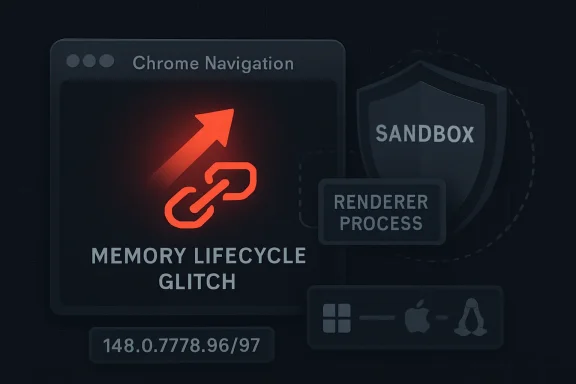
Google disclosed CVE-2026-7956 on May 6, 2026, as a medium-severity use-after-free flaw in Chrome’s Navigation component, fixed in Chrome 148.0.7778.96 for Linux and 148.0.7778.96/97 for Windows and macOS, with potential sandbox escape after renderer compromise. That one-line description sounds almost routine in the modern Chromium security treadmill. It is not routine for defenders who have learned that browser bugs become enterprise bugs the moment a user clicks the wrong page. The real story is less about one medium-rated CVE than about how “medium” can still mean “the second half of a serious exploit chain.”
CVE-2026-7956 is not described as a stand-alone remote code execution flaw. The advisory language matters: the attacker must already have compromised the renderer process, then use a crafted HTML page to potentially escape the sandbox. That condition is why Chromium rates the issue as Medium rather than Critical.
But that condition is also why IT teams should not shrug. Browser exploitation in 2026 is rarely a single magic trick. It is more often a chain: first corrupt memory or logic inside a renderer, then break a boundary, then land somewhere more useful than a tab crash.
Chrome’s sandbox is supposed to make renderer compromise survivable. A malicious page may win code execution inside a constrained process, but the system still gets a vote. Sandbox escape bugs are dangerous because they attack that second vote.
That is what makes a Navigation use-after-free interesting. Navigation is not a decorative subsystem. It sits near the machinery that decides which document is loaded, which process owns it, which origin rules apply, and what privileges the browser believes are in play.
That is the wrong way to read it. Large browser updates are not just feature trains with a security caboose. They are the operating-system patch cycle for the web runtime most users actually expose to hostile input every day.
CVE-2026-7956 appears in the middle of a long list of Chrome 148 fixes, surrounded by other memory-safety and policy-enforcement issues. There are critical bugs in Blink, Mobile, and Chromoting; high-severity issues in V8, ANGLE, WebRTC, GPU, ServiceWorker, and other components; and dozens of medium-severity flaws that would be easy to miss if administrators sort only by severity.
For home users, the version number is usually invisible until Chrome asks for a relaunch. For managed Windows fleets, the version number is an operational fact. If the installed browser is older than 148.0.7778.96, this specific vulnerability is still present.
In a simpler world, that would be a major limiting factor. In the world of modern browser exploitation, it is closer to a staging requirement. Renderers are enormous, fast-moving, and constantly parsing untrusted JavaScript, HTML, CSS, media, fonts, images, GPU commands, and protocol glue.
Chrome’s architecture assumes renderer bugs will happen. That is why the sandbox exists. The browser’s security model is built around containment, not perfection.
A sandbox escape turns that model against itself. It takes a design that says “we can survive a renderer bug” and asks whether the next layer is equally robust. CVE-2026-7956 belongs to that second category of failure.
This is why the CISA-ADP CVSS vector scoring it as 8.3 High is not crazy, even though Chromium’s own severity label is Medium. The two systems are measuring slightly different things. Chromium is grading within its security architecture; CVSS is modeling potential confidentiality, integrity, and availability impact once the conditions are met.
A use-after-free in this area is especially uncomfortable because navigation is transition-heavy code. Objects are created, invalidated, replaced, detached, canceled, and resumed as pages move through redirects, frame swaps, process changes, and security checks. That is exactly the sort of environment where lifetime bugs flourish.
Use-after-free vulnerabilities occur when software continues to use memory after it has been released. In a browser, that can mean stale pointers into objects whose meaning has changed or whose memory has been reoccupied. Attackers prize those conditions because they can sometimes turn confusion about object lifetime into controlled behavior.
The public Chromium issue for CVE-2026-7956 remains restricted, which is standard practice until enough users have received the fix. That restriction is not evidence of active exploitation. It is evidence that browser vendors understand the disclosure race: publish too much too soon, and patch notes become exploit documentation.
That breadth is the cost of building a universal application runtime disguised as a browser. Chrome is not merely loading pages. It is rendering complex UI, running WebAssembly, handling video and audio, talking to devices, syncing credentials, enforcing origin boundaries, running extensions, brokering permissions, parsing files, and increasingly interacting with local and cloud services.
Every one of those jobs is a potential attack surface. Every one of those jobs is also expected to be fast. Security engineering lives in that tension.
The Chrome security team’s note that many bugs are detected using sanitizers and fuzzers is a reminder that automation is now central to browser defense. AddressSanitizer, MemorySanitizer, UndefinedBehaviorSanitizer, Control Flow Integrity, libFuzzer, and AFL are not marketing names. They are industrial machinery for finding the bugs humans will miss.
But the same list also tells us something less comforting. Even with that machinery, Chrome still ships monthly piles of security fixes. Browser security has improved dramatically, yet the attack surface has grown fast enough to keep the treadmill running.
This is where browser security becomes fleet hygiene. A consumer sees Chrome and Edge as apps. An enterprise sees them as privileged, internet-facing execution environments installed on nearly every endpoint.
The awkward part is that browser updates do not always fit neatly into the old Windows patch calendar. Chrome’s stable-channel update landed on May 5, 2026. NVD published CVE-2026-7956 on May 6. Microsoft’s MSRC entry surfaced the Chromium CVE for Edge consumers. That sequence is normal, but it means defenders cannot wait for one monthly ritual to catch every browser risk.
Edge, Chrome, Brave, Opera, Vivaldi, and embedded Chromium runtimes do not all move at the same speed. Some inherit fixes rapidly. Others lag. Some are user-managed. Others are pinned by application packaging, VDI images, kiosk configurations, or vendor dependencies.
That is why “update Chrome” is necessary but incomplete advice. The better question is: which Chromium-based surfaces exist in your environment, who owns them, and how do you verify that they are no longer running vulnerable code?
The user-facing question — “Are we missing a CPE here?” — is exactly the right instinct. The Chrome CPE captures Google Chrome. It does not magically enumerate every downstream Chromium-based product that may share the vulnerable code, nor every embedded browser runtime that vendors package into desktop applications.
That does not mean every Chromium-adjacent product is automatically affected in the same way. Vulnerability reach depends on whether the relevant code is present, whether it is compiled in, whether the vulnerable path is reachable, and whether the product has applied the upstream patch. But it does mean CPE coverage can lag behind architectural reality.
This is one of the chronic weaknesses of vulnerability management. CPEs are useful for inventory matching, but they are not a complete model of software supply chains. Chromium is a platform, not merely a product, and platform vulnerabilities leak outward through forks, wrappers, embedded components, and vendor-specific release channels.
A scanner that says “Chrome vulnerable” is doing its job. A scanner that says nothing about a Chromium-based app may simply not know enough. The absence of a matching CPE should not be treated as proof of absence.
Administrators do not patch CVE-2026-7956 in isolation. They patch the browser build. If the remediation is the same update that also closes higher-severity bugs, the practical priority becomes clear: get to the fixed channel.
Severity is still useful. It helps triage emergencies, communicate risk, and decide when to break change windows. But browser severity is a poor substitute for exposure analysis. A medium flaw reachable through crafted HTML on an internet-facing browser can be more operationally urgent than a high-severity server bug trapped behind compensating controls.
The CVSS vector also complicates the comforting label. CISA-ADP’s 8.3 score reflects network attack vector, no privileges required, user interaction required, high attack complexity, changed scope, and high impacts to confidentiality, integrity, and availability. In plain English: hard to exploit, but very bad if used successfully in the right chain.
That is the browser-risk paradox. The most serious attacks are often hard. But the targets are everywhere, the input is hostile by design, and exploit developers get to keep trying.
Managed environments are less simple. Group Policy, update rings, frozen images, offline networks, application control, and change windows all introduce delay. Security teams may believe they are protected because auto-update is enabled, while telemetry shows a long tail of users who have not restarted the browser in days.
The relaunch problem is real. Browser updates can download quietly and still remain pending until the process exits. In organizations where users keep dozens of tabs open for weeks, the update mechanism may be technically healthy while the vulnerable process continues running.
This is where defenders should be more aggressive than the average consumer prompt. Inventory needs to distinguish installed version from running version. Endpoint management should detect browsers awaiting relaunch. Help desk scripts should stop treating “Chrome says it is up to date” as sufficient without checking the actual version string.
For Chrome, the target is 148.0.7778.96 or later on Linux and 148.0.7778.96/97 or later on Windows and macOS. For Edge and other Chromium-based browsers, administrators should track the vendor’s corresponding security release rather than assuming Google’s exact number applies.
The frustration is understandable. Security teams want to know whether a vulnerability is reachable in their configuration, whether mitigations matter, whether exploitability is realistic, and whether detection is possible. A sentence-long CVE description rarely answers those questions.
But restricted details are part of the browser security bargain. Once a fix is public, attackers can diff builds, inspect patches when available, and infer vulnerable paths. Publishing a fully detailed write-up while hundreds of millions of users remain unpatched would compress the exploit-development timeline.
That leaves defenders operating with partial information. The correct response is not to invent certainty. It is to treat browser memory-safety fixes as time-sensitive when the attack vector is web content and the remediation is a vendor-supported stable update.
The irony is that the least dramatic advisory language may be doing important work. “Potentially perform a sandbox escape” is cautious. It does not claim confirmed exploitation, reliable weaponization, or broad impact across all configurations. But cautious language is not the same as low consequence.
That makes sandbox escapes more strategically important. If an attacker can move from a malicious page to a less constrained process, the browser becomes a bridge from web content toward host compromise. The details vary by exploit chain, operating system, hardening level, and endpoint controls, but the defensive concept is consistent: contain the tab, or risk the machine.
Chrome and Edge have both gained layers of isolation over the years, including site isolation, stricter process models, and platform-specific mitigations. Those layers make exploitation harder. They do not eliminate the value of a bug that helps cross a process boundary.
Enterprises should also remember that browser hardening is not just about patch level. Extension policy, download restrictions, site isolation settings, exploit protection, EDR visibility, credential controls, and least privilege all affect the blast radius. A patched browser is the baseline, not the whole defensive architecture.
The uncomfortable truth is that most organizations have better dashboards for server CVEs than for browser runtime risk. That imbalance is increasingly hard to defend.
Chromium has invested heavily in mitigations and safer patterns, and the broader industry has pushed toward memory-safe languages where practical. Yet the browser is too large, too performance-sensitive, and too historically deep to transform overnight. Memory safety is not a switch. It is a migration.
The result is a long transitional era in which mitigations, fuzzing, code review, partition allocators, sandboxing, and gradual language adoption all coexist. Each reduces risk. None removes it.
A Navigation use-after-free is a reminder that even mature components can harbor lifetime mistakes. A code path can be old, heavily tested, and still vulnerable when a rare ordering of events produces the wrong object lifetime. Browsers are state machines under adversarial load.
For security teams, the lesson is not that Chromium is uniquely careless. It is that the web platform’s complexity has exceeded what any single layer can make safe. The response has to be layered too.
This is not an argument for panic-scanning every executable on every endpoint after every Chrome release. It is an argument for knowing which products in your estate embed web engines and how those products receive security updates. That knowledge should exist before the emergency.
Microsoft Edge is the obvious Windows example, because it is everywhere and administratively important. WebView2 is another important surface, because many Windows applications rely on it to render web content. Electron-based applications add yet another layer, though their exposure depends on the embedded Chromium version and the application’s update cadence.
The practical inventory question is not “Do we have Chrome?” It is “Where do we execute untrusted web content through Chromium-derived code?” That question produces a very different asset list.
It also produces different owners. The browser team may own Chrome and Edge. The desktop engineering team may own WebView2 runtime deployment. Application owners may own Electron apps. Security may own the scanner but not the fix path. CVE-2026-7956 is small enough to expose those seams without waiting for a live-fire zero-day.
A good browser update program does not blindly push every build to every endpoint within minutes. It stages intelligently. But the stages are measured in hours and days, not weeks, because the browser is the front door to hostile content.
The bigger risk in most fleets is not that Chrome 148 breaks a line-of-business site. It is that exception handling becomes permanent. A handful of pinned machines becomes a forgotten island. A kiosk image misses three browser cycles. A VDI pool resets to an old snapshot. A remote user never relaunches.
Security teams should look for those islands after this update. They are where medium CVEs become durable exposure. They are also where the next critical browser bug will land.
The best patch metric is not average compliance. It is tail latency. How long does it take the slowest 5 percent of browser installations to reach a safe build? CVE-2026-7956 is a good excuse to measure that honestly.
The concrete work is straightforward, and it is work administrators can verify.
CVE-2026-7956 will probably disappear into the archive of fixed Chromium bugs, remembered only by scanners, patch reports, and the engineers who touched the Navigation code. The lesson should last longer than the CVE entry. In 2026, the browser is not an application at the edge of the endpoint; it is one of the endpoint’s main security boundaries, and every quiet stable-channel update is a test of whether organizations actually believe that.
Source: NVD / Chromium Security Update Guide - Microsoft Security Response Center
 A Medium Chrome Bug Can Still Be the Door Out of the Sandbox
CVE-2026-7956 is not described as a stand-alone remote code execution flaw. The advisory language matters: the attacker must already have compromised the renderer process, then use a crafted HTML page to potentially escape the sandbox. That condition is why Chromium rates the issue as Medium rather than Critical.But that condition is also why IT teams should not shrug. Browser exploitation in 2026 is rarely a single magic trick. It is more often a chain: first corrupt memory or logic inside a renderer, then break a boundary, then land somewhere more useful than a tab crash.
Chrome’s sandbox is supposed to make renderer compromise survivable. A malicious page may win code execution inside a constrained process, but the system still gets a vote. Sandbox escape bugs are dangerous because they attack that second vote.
That is what makes a Navigation use-after-free interesting. Navigation is not a decorative subsystem. It sits near the machinery that decides which document is loaded, which process owns it, which origin rules apply, and what privileges the browser believes are in play.
The Version Number Is the Security Boundary Users Actually See
Google’s stable-channel post says Chrome 148 moved to stable on Tuesday, May 5, 2026, for Windows, Mac, and Linux. The patched builds are 148.0.7778.96 on Linux and 148.0.7778.96/97 on Windows and macOS. The update contains 127 security fixes, a number large enough to make any single CVE look like a pebble in an avalanche.That is the wrong way to read it. Large browser updates are not just feature trains with a security caboose. They are the operating-system patch cycle for the web runtime most users actually expose to hostile input every day.
CVE-2026-7956 appears in the middle of a long list of Chrome 148 fixes, surrounded by other memory-safety and policy-enforcement issues. There are critical bugs in Blink, Mobile, and Chromoting; high-severity issues in V8, ANGLE, WebRTC, GPU, ServiceWorker, and other components; and dozens of medium-severity flaws that would be easy to miss if administrators sort only by severity.
For home users, the version number is usually invisible until Chrome asks for a relaunch. For managed Windows fleets, the version number is an operational fact. If the installed browser is older than 148.0.7778.96, this specific vulnerability is still present.
“Renderer Compromise Required” Is Not the Comfort It Used to Be
Security advisories often sound reassuring when they say an attacker needs a prerequisite. In this case, the prerequisite is renderer compromise. That means the attacker must already have found a way to execute code inside the browser process responsible for rendering web content.In a simpler world, that would be a major limiting factor. In the world of modern browser exploitation, it is closer to a staging requirement. Renderers are enormous, fast-moving, and constantly parsing untrusted JavaScript, HTML, CSS, media, fonts, images, GPU commands, and protocol glue.
Chrome’s architecture assumes renderer bugs will happen. That is why the sandbox exists. The browser’s security model is built around containment, not perfection.
A sandbox escape turns that model against itself. It takes a design that says “we can survive a renderer bug” and asks whether the next layer is equally robust. CVE-2026-7956 belongs to that second category of failure.
This is why the CISA-ADP CVSS vector scoring it as 8.3 High is not crazy, even though Chromium’s own severity label is Medium. The two systems are measuring slightly different things. Chromium is grading within its security architecture; CVSS is modeling potential confidentiality, integrity, and availability impact once the conditions are met.
Navigation Is Where Browser State Gets Political
The word Navigation sounds bland, which is a gift to attackers. Users think of navigation as the back button, the address bar, and page loads. Browser engineers know it as a dense state machine where origins, frames, processes, histories, documents, redirects, permissions, and isolation rules collide.A use-after-free in this area is especially uncomfortable because navigation is transition-heavy code. Objects are created, invalidated, replaced, detached, canceled, and resumed as pages move through redirects, frame swaps, process changes, and security checks. That is exactly the sort of environment where lifetime bugs flourish.
Use-after-free vulnerabilities occur when software continues to use memory after it has been released. In a browser, that can mean stale pointers into objects whose meaning has changed or whose memory has been reoccupied. Attackers prize those conditions because they can sometimes turn confusion about object lifetime into controlled behavior.
The public Chromium issue for CVE-2026-7956 remains restricted, which is standard practice until enough users have received the fix. That restriction is not evidence of active exploitation. It is evidence that browser vendors understand the disclosure race: publish too much too soon, and patch notes become exploit documentation.
The 127-Fix Update Tells a Bigger Story Than One CVE
Chrome 148’s security list is not subtle. It includes three critical vulnerabilities, dozens of high-severity flaws, and a long tail of medium bugs across components that touch almost every part of the browsing experience. The pattern is familiar: memory corruption, insufficient validation, inappropriate implementation, policy gaps, race conditions, and type confusion.That breadth is the cost of building a universal application runtime disguised as a browser. Chrome is not merely loading pages. It is rendering complex UI, running WebAssembly, handling video and audio, talking to devices, syncing credentials, enforcing origin boundaries, running extensions, brokering permissions, parsing files, and increasingly interacting with local and cloud services.
Every one of those jobs is a potential attack surface. Every one of those jobs is also expected to be fast. Security engineering lives in that tension.
The Chrome security team’s note that many bugs are detected using sanitizers and fuzzers is a reminder that automation is now central to browser defense. AddressSanitizer, MemorySanitizer, UndefinedBehaviorSanitizer, Control Flow Integrity, libFuzzer, and AFL are not marketing names. They are industrial machinery for finding the bugs humans will miss.
But the same list also tells us something less comforting. Even with that machinery, Chrome still ships monthly piles of security fixes. Browser security has improved dramatically, yet the attack surface has grown fast enough to keep the treadmill running.
Windows Administrators Inherit Chromium’s Release Tempo
For WindowsForum readers, the Microsoft angle is unavoidable. Microsoft Edge is Chromium-based, and Microsoft’s Security Update Guide tracks Chromium CVEs that affect Edge. When Google ships a Chrome fix for a Chromium vulnerability, Edge administrators have to ask the same question they ask after Patch Tuesday: where is the corresponding build, and how quickly can we prove deployment?This is where browser security becomes fleet hygiene. A consumer sees Chrome and Edge as apps. An enterprise sees them as privileged, internet-facing execution environments installed on nearly every endpoint.
The awkward part is that browser updates do not always fit neatly into the old Windows patch calendar. Chrome’s stable-channel update landed on May 5, 2026. NVD published CVE-2026-7956 on May 6. Microsoft’s MSRC entry surfaced the Chromium CVE for Edge consumers. That sequence is normal, but it means defenders cannot wait for one monthly ritual to catch every browser risk.
Edge, Chrome, Brave, Opera, Vivaldi, and embedded Chromium runtimes do not all move at the same speed. Some inherit fixes rapidly. Others lag. Some are user-managed. Others are pinned by application packaging, VDI images, kiosk configurations, or vendor dependencies.
That is why “update Chrome” is necessary but incomplete advice. The better question is: which Chromium-based surfaces exist in your environment, who owns them, and how do you verify that they are no longer running vulnerable code?
NVD’s CPE Entry Is Messy Because Browsers Are Messy
The NVD entry for CVE-2026-7956 lists a CPE configuration for Google Chrome versions before 148.0.7778.96, paired with operating-system CPEs for Windows, Linux, and macOS. That is the kind of machine-readable metadata vulnerability scanners need, and it is also the kind of metadata that often makes practitioners squint.The user-facing question — “Are we missing a CPE here?” — is exactly the right instinct. The Chrome CPE captures Google Chrome. It does not magically enumerate every downstream Chromium-based product that may share the vulnerable code, nor every embedded browser runtime that vendors package into desktop applications.
That does not mean every Chromium-adjacent product is automatically affected in the same way. Vulnerability reach depends on whether the relevant code is present, whether it is compiled in, whether the vulnerable path is reachable, and whether the product has applied the upstream patch. But it does mean CPE coverage can lag behind architectural reality.
This is one of the chronic weaknesses of vulnerability management. CPEs are useful for inventory matching, but they are not a complete model of software supply chains. Chromium is a platform, not merely a product, and platform vulnerabilities leak outward through forks, wrappers, embedded components, and vendor-specific release channels.
A scanner that says “Chrome vulnerable” is doing its job. A scanner that says nothing about a Chromium-based app may simply not know enough. The absence of a matching CPE should not be treated as proof of absence.
The Severity Debate Is a Trap for Patch Triage
There is a tempting argument that CVE-2026-7956 can wait because Chromium rated it Medium. That argument gets weaker the moment you place the bug in the patch that fixed it. Chrome 148 did not ship one tidy medium issue; it shipped a large security release containing critical and high-severity fixes as well.Administrators do not patch CVE-2026-7956 in isolation. They patch the browser build. If the remediation is the same update that also closes higher-severity bugs, the practical priority becomes clear: get to the fixed channel.
Severity is still useful. It helps triage emergencies, communicate risk, and decide when to break change windows. But browser severity is a poor substitute for exposure analysis. A medium flaw reachable through crafted HTML on an internet-facing browser can be more operationally urgent than a high-severity server bug trapped behind compensating controls.
The CVSS vector also complicates the comforting label. CISA-ADP’s 8.3 score reflects network attack vector, no privileges required, user interaction required, high attack complexity, changed scope, and high impacts to confidentiality, integrity, and availability. In plain English: hard to exploit, but very bad if used successfully in the right chain.
That is the browser-risk paradox. The most serious attacks are often hard. But the targets are everywhere, the input is hostile by design, and exploit developers get to keep trying.
The Patch Is Simple; The Proof Is Not
On unmanaged systems, Chrome should update itself and apply the fix after relaunch. The same is generally true for mainstream Chromium-based browsers that have shipped the corresponding patched build. That simplicity is one reason browser vendors can move faster than traditional enterprise software.Managed environments are less simple. Group Policy, update rings, frozen images, offline networks, application control, and change windows all introduce delay. Security teams may believe they are protected because auto-update is enabled, while telemetry shows a long tail of users who have not restarted the browser in days.
The relaunch problem is real. Browser updates can download quietly and still remain pending until the process exits. In organizations where users keep dozens of tabs open for weeks, the update mechanism may be technically healthy while the vulnerable process continues running.
This is where defenders should be more aggressive than the average consumer prompt. Inventory needs to distinguish installed version from running version. Endpoint management should detect browsers awaiting relaunch. Help desk scripts should stop treating “Chrome says it is up to date” as sufficient without checking the actual version string.
For Chrome, the target is 148.0.7778.96 or later on Linux and 148.0.7778.96/97 or later on Windows and macOS. For Edge and other Chromium-based browsers, administrators should track the vendor’s corresponding security release rather than assuming Google’s exact number applies.
Restricted Bug Details Are a Feature, Not a Cover-Up
The Chromium release note says access to bug details and links may remain restricted until a majority of users are updated, and restrictions may persist for third-party library issues affecting other projects. This is often frustrating for defenders who want technical clarity.The frustration is understandable. Security teams want to know whether a vulnerability is reachable in their configuration, whether mitigations matter, whether exploitability is realistic, and whether detection is possible. A sentence-long CVE description rarely answers those questions.
But restricted details are part of the browser security bargain. Once a fix is public, attackers can diff builds, inspect patches when available, and infer vulnerable paths. Publishing a fully detailed write-up while hundreds of millions of users remain unpatched would compress the exploit-development timeline.
That leaves defenders operating with partial information. The correct response is not to invent certainty. It is to treat browser memory-safety fixes as time-sensitive when the attack vector is web content and the remediation is a vendor-supported stable update.
The irony is that the least dramatic advisory language may be doing important work. “Potentially perform a sandbox escape” is cautious. It does not claim confirmed exploitation, reliable weaponization, or broad impact across all configurations. But cautious language is not the same as low consequence.
The Enterprise Browser Has Become a Control Plane
The browser used to be the thing employees opened to visit websites. Now it is the front end for identity, SaaS, internal admin panels, password managers, device enrollment, developer tooling, remote desktops, and AI assistants. It is where conditional access policy meets daily work.That makes sandbox escapes more strategically important. If an attacker can move from a malicious page to a less constrained process, the browser becomes a bridge from web content toward host compromise. The details vary by exploit chain, operating system, hardening level, and endpoint controls, but the defensive concept is consistent: contain the tab, or risk the machine.
Chrome and Edge have both gained layers of isolation over the years, including site isolation, stricter process models, and platform-specific mitigations. Those layers make exploitation harder. They do not eliminate the value of a bug that helps cross a process boundary.
Enterprises should also remember that browser hardening is not just about patch level. Extension policy, download restrictions, site isolation settings, exploit protection, EDR visibility, credential controls, and least privilege all affect the blast radius. A patched browser is the baseline, not the whole defensive architecture.
The uncomfortable truth is that most organizations have better dashboards for server CVEs than for browser runtime risk. That imbalance is increasingly hard to defend.
Memory Safety Remains Chromium’s Oldest Modern Problem
CVE-2026-7956 is categorized as CWE-416, use after free. That classification is familiar enough to feel boring, and that is precisely the problem. Use-after-free bugs remain one of the most persistent sources of serious vulnerabilities in large C and C++ codebases.Chromium has invested heavily in mitigations and safer patterns, and the broader industry has pushed toward memory-safe languages where practical. Yet the browser is too large, too performance-sensitive, and too historically deep to transform overnight. Memory safety is not a switch. It is a migration.
The result is a long transitional era in which mitigations, fuzzing, code review, partition allocators, sandboxing, and gradual language adoption all coexist. Each reduces risk. None removes it.
A Navigation use-after-free is a reminder that even mature components can harbor lifetime mistakes. A code path can be old, heavily tested, and still vulnerable when a rare ordering of events produces the wrong object lifetime. Browsers are state machines under adversarial load.
For security teams, the lesson is not that Chromium is uniquely careless. It is that the web platform’s complexity has exceeded what any single layer can make safe. The response has to be layered too.
The CPE Gap Should Change How We Ask the Inventory Question
If your vulnerability program begins and ends with CPE matching, Chromium will keep surprising you. The ecosystem is too broad for a single product name. Google Chrome is the visible flagship, but Chromium code is scattered across browsers, desktop shells, application frameworks, and vendor-specific runtimes.This is not an argument for panic-scanning every executable on every endpoint after every Chrome release. It is an argument for knowing which products in your estate embed web engines and how those products receive security updates. That knowledge should exist before the emergency.
Microsoft Edge is the obvious Windows example, because it is everywhere and administratively important. WebView2 is another important surface, because many Windows applications rely on it to render web content. Electron-based applications add yet another layer, though their exposure depends on the embedded Chromium version and the application’s update cadence.
The practical inventory question is not “Do we have Chrome?” It is “Where do we execute untrusted web content through Chromium-derived code?” That question produces a very different asset list.
It also produces different owners. The browser team may own Chrome and Edge. The desktop engineering team may own WebView2 runtime deployment. Application owners may own Electron apps. Security may own the scanner but not the fix path. CVE-2026-7956 is small enough to expose those seams without waiting for a live-fire zero-day.
Chrome 148 Makes the Quiet Case for Faster Browser Rings
The most mature organizations already treat browser updates differently from traditional desktop software. They use fast rings, small pilot groups, rollback plans, and telemetry to move stable-channel security updates quickly without pretending every update is risk-free. Chrome 148 is the kind of release that rewards that discipline.A good browser update program does not blindly push every build to every endpoint within minutes. It stages intelligently. But the stages are measured in hours and days, not weeks, because the browser is the front door to hostile content.
The bigger risk in most fleets is not that Chrome 148 breaks a line-of-business site. It is that exception handling becomes permanent. A handful of pinned machines becomes a forgotten island. A kiosk image misses three browser cycles. A VDI pool resets to an old snapshot. A remote user never relaunches.
Security teams should look for those islands after this update. They are where medium CVEs become durable exposure. They are also where the next critical browser bug will land.
The best patch metric is not average compliance. It is tail latency. How long does it take the slowest 5 percent of browser installations to reach a safe build? CVE-2026-7956 is a good excuse to measure that honestly.
The Useful Answer Is Not “Panic,” It Is “Prove the Build”
CVE-2026-7956 does not currently read like a mass-exploitation emergency. The public information describes a medium-severity Chrome Navigation use-after-free requiring renderer compromise, fixed in the Chrome 148 stable release. That puts it in the large and important category of browser bugs that deserve prompt patching without theatrical incident-response language.The concrete work is straightforward, and it is work administrators can verify.
- Chrome installations should be updated to 148.0.7778.96 or later on Linux and 148.0.7778.96/97 or later on Windows and macOS.
- Microsoft Edge and other Chromium-based browsers should be checked against their vendors’ corresponding security releases rather than assumed safe because Chrome has updated.
- Vulnerability scanners should be treated as inventory aids, not final arbiters, because CPE coverage may not capture every Chromium-derived runtime in an environment.
- Administrators should verify running browser versions, not merely installed versions, because downloaded updates may remain pending until users relaunch.
- Browser update compliance should be measured by the slowest endpoints in the fleet, since long-tail lag is where recurring exposure lives.
CVE-2026-7956 will probably disappear into the archive of fixed Chromium bugs, remembered only by scanners, patch reports, and the engineers who touched the Navigation code. The lesson should last longer than the CVE entry. In 2026, the browser is not an application at the edge of the endpoint; it is one of the endpoint’s main security boundaries, and every quiet stable-channel update is a test of whether organizations actually believe that.
Source: NVD / Chromium Security Update Guide - Microsoft Security Response Center
