

Google and Microsoft disclosed CVE-2026-7975 on May 6, 2026, a Chromium use-after-free flaw in DevTools fixed in Google Chrome before version 148.0.7778.96 and tracked by MSRC for Chromium-based Edge because the shared browser engine carries the same security debt. The bug is rated “Medium” by Chromium, while CISA’s ADP scoring gives it an 8.3 High CVSS 3.1 score because it could help an attacker escape Chrome’s sandbox after renderer compromise. That gap is the story: the modern browser is secure not because any single bug is harmless, but because attackers must chain bugs together—and defenders must patch before the chain is assembled.
CVE-2026-7975 is not the kind of browser vulnerability that normally gets breathless headlines. It is not, at least from the available advisories, a confirmed zero-day. It is not described as a one-click remote code execution flaw that lets a malicious site immediately seize a machine. Chromium itself labels it Medium.
But the description contains the phrase that should make every security team slow down: sandbox escape. In browser security, that is the difference between “the attacker got code running inside the browser’s cage” and “the attacker may have found a path out of the cage.” The former is bad. The latter is where browser bugs start turning into endpoint compromise.
The prerequisite matters. The attacker would first need to compromise the renderer process, which is the part of the browser responsible for handling web content. That means CVE-2026-7975 is not the whole exploit; it is a second act. But in 2026, exploit chains are the norm rather than the exception, and a bug that looks conditional on paper can become decisive when paired with a renderer flaw from the same release cycle, a still-unpatched engine bug, or an n-day exploit already circulating in private toolkits.
That is why the score disagreement is not a clerical oddity. Chromium’s severity system is tuned to component context and exploitability inside the project’s own model. CVSS, especially when enriched by outside bodies, tries to express environmental impact. Both can be true: this can be a Medium Chromium bug and still be a High operational risk for organizations that manage browsers as perimeter-facing applications.
That power is precisely why a memory safety bug in DevTools is interesting. Developer tooling is not a decorative sidecar; it is privileged machinery bolted onto a security-sensitive runtime. It can see page state, inspect execution, connect to debugging protocols, and bridge worlds that normal web pages are not supposed to bridge.
For ordinary home users, DevTools may feel irrelevant because they never intentionally open it. For enterprise environments, however, DevTools is everywhere indirectly. It is used in QA workflows, automation, support diagnostics, browser-based application troubleshooting, web testing, extension debugging, and managed development environments. The browser has become the corporate operating shell, and DevTools is one of its administrative consoles.
The CVE description says exploitation involves a crafted HTML page after renderer compromise. That does not mean the victim must be debugging a website with a visible console open. It means the bug is in a code surface associated with DevTools, and the exact trigger details remain restricted. Google routinely withholds bug details until a majority of users have updated, which is sensible, but it also leaves defenders reading between the lines.
There is an uncomfortable lesson here for IT departments that treat DevTools policy as a developer-experience setting rather than a security control. Disabling or restricting DevTools where it is not needed will not replace patching, and it may not mitigate this specific flaw without more technical detail. But the mere appearance of a sandbox-escape-relevant DevTools memory bug should push DevTools governance out of the “nice to have” column.
CVE-2026-7975 assumes the attacker has already compromised the renderer. That sounds reassuring until one remembers how many browser patches each stable release contains. Chrome 148 shipped with 127 security fixes, including multiple Critical and High vulnerabilities across Blink, V8, ANGLE, GPU, WebRTC, Chromoting, DOM, SVG, and other subsystems. A browser release with more than a hundred security fixes is not an edge case; it is the maintenance reality of the most complex consumer runtime on the planet.
The renderer is where hostile web content lives. JavaScript, WebAssembly, HTML parsing, CSS, media codecs, graphics pipelines, fonts, and GPU-adjacent paths all feed into it. Attackers have spent years learning how to turn memory corruption and logic bugs in those areas into code execution inside the sandbox. Once there, the sandbox becomes the next wall.
That is what makes sandbox escapes so valuable. They turn a contained exploit into something closer to a full browser compromise. Depending on the chain, the attacker may gain access to files, credentials, tokens, local network resources, or a route toward persistence. The exact impact depends on platform, browser configuration, OS protections, endpoint controls, and the rest of the chain, but the direction of travel is clear.
The industry sometimes talks about sandboxing as if it were a guarantee. It is better understood as a tax on attackers. It raises the cost of exploitation, forces multi-bug chains, and buys defenders time. CVE-2026-7975 is a reminder that the tax is not infinite.
That number matters less as a scoreboard than as a signal. Browser security releases are now bundles of interdependent risk reduction. The headline CVEs are only part of the story, because the bugs Google highlights are usually those reported by external researchers; internally found issues, fuzzing discoveries, hardening changes, and restricted bugs may carry just as much practical importance.
The Chrome 148 advisory includes three Critical vulnerabilities before the long list of High, Medium, and Low issues begins. CVE-2026-7975 sits in the Medium band, but it appears in a release crowded with memory safety failures and policy enforcement problems. That context weakens any temptation to triage it in isolation.
Patch management systems often flatten this reality into a binary: vulnerable before 148.0.7778.96, fixed at or after it. That binary is operationally useful, but it hides the exploit-chain logic underneath. An attacker does not need every bug in a release. They need the right pair or trio.
For WindowsForum readers, the practical meaning is simple: if your managed fleet is still below Chrome 148.0.7778.96, you are not merely missing a DevTools fix. You are missing a large browser security rollup that closes many possible links in future chains.
That shared-engine model is one of the great bargains of modern browser development. Microsoft no longer has to maintain a fully independent browser engine for Edge, web developers get more consistent behavior, and security fixes from Chromium can propagate across multiple browsers. But the bargain cuts both ways. A bug in Chromium is not just a Chrome problem.
For Windows administrators, Edge deserves the same urgency as Chrome even when the CVE description says “Google Chrome prior to” a particular version. The vulnerable code may sit in the Chromium layer, while the branded product names and version numbers diverge. Edge’s versioning does not always map visually to Chrome’s version string, and Microsoft’s release notes often lag the Chrome blog in public detail.
That creates a familiar enterprise problem: the security team sees a Chromium CVE, the vulnerability scanner flags Chrome, Edge, or both, and the patching team wants a clean vendor-specific answer. The clean answer is rarely available in the first hours. The safer answer is to ensure every Chromium-based browser on the endpoint is updating through its own supported channel and to verify the installed version after the update.
This is especially important on Windows, where Edge may be present even in environments that standardize on Chrome or another browser. Users may not consider Edge their daily driver, but applications, identity flows, help links, WebView-adjacent workflows, and default associations can still touch Microsoft’s browser stack. Unused browsers are still attack surface if they can be launched.
CPEs are useful, but they are blunt instruments. They describe affected products in a way scanners and asset systems can understand, yet modern software distribution does not always fit neat product-platform boxes. Chrome has stable, extended stable, beta, dev, and canary channels. Edge has stable and extended stable behavior of its own. Linux distributions may ship Chromium as a native package, a snap, a flatpak, or not at all. Enterprise repackaging adds another layer.
Ubuntu’s handling of Chromium illustrates the problem. On modern Ubuntu releases, the
That is why the CPE question should not be treated as paperwork. If your vulnerability program depends entirely on CPE matching, browser risk will periodically fall through the cracks. The better control is installed-version telemetry collected from the endpoint, compared against vendor-fixed versions, with channel awareness.
A browser inventory should answer three questions quickly: which Chromium-based browsers are installed, which channel each one follows, and which version is actually running after restart. Anything less invites false confidence.
The persistence of use-after-free flaws in Chromium is not evidence that browser engineers are careless. It is evidence that browsers are extraordinarily complex C++ systems sitting at the intersection of untrusted input, asynchronous events, graphics acceleration, media handling, extensions, permissions, storage, and cross-process communication. Object lifetime is hard in such a machine.
Google has invested heavily in fuzzing, sanitizers, control-flow integrity, sandboxing, MiraclePtr-style mitigations, and broader memory safety work. Those efforts matter. They reduce bug density, make exploitation harder, and catch classes of defects before release. Yet Chrome 148 still includes a long list of use-after-free fixes across multiple components.
The uncomfortable conclusion is that memory safety work is not a project with an end date. It is an arms race between codebase complexity and mitigation depth. Every new browser capability adds state, and every bit of state needs lifetime rules. DevTools, with its introspection and control pathways, is exactly the kind of component where lifetime assumptions can become subtle.
This is also why security teams should resist the urge to overfit their response to CVSS labels. A Medium use-after-free in a sensitive component can matter more than a High issue in a less reachable or less chainable surface. Browser risk is compositional.
But “user interaction required” means something different for browsers than it does for many other applications. Browsers exist to process attacker-supplied content all day. Clicking a link, opening a tab, following a search result, loading an ad, previewing a document, or visiting a compromised legitimate site can all satisfy the human part of the equation. The user does not need to download a suspicious executable or approve a macro.
High attack complexity is also a moving target. Before a chain is weaponized, complexity belongs to the exploit developer. After the chain is packaged, complexity shifts away from the attacker running the campaign. Organizations that wait for proof of exploitation before patching browsers are betting that their update cadence will beat someone else’s exploit development cycle.
There is no public indication from the disclosed text that CVE-2026-7975 is being exploited in the wild. That matters, and it should temper panic. But absence of known exploitation is not a reason to defer a mainstream browser update, especially when the fix arrives inside a broad stable release.
The browser is too exposed and too frequently targeted for leisurely patch windows. In most environments, Chrome and Edge should be treated closer to endpoint security agents than to productivity apps. If the browser is vulnerable, the front door is open to the internet.
Chrome’s own release cadence already points in that direction. Stable updates roll out over days or weeks, but enterprises often choose staged deployment rings to catch regressions. That is reasonable. The mistake is letting “staged” become “stalled.” A DevTools sandbox-escape helper does not need a 30-day change window unless the organization has accepted the risk explicitly.
Managed environments should separate browser update policy from general OS patch policy. Windows Update, Intune, ConfigMgr, Group Policy, Chrome Browser Cloud Management, Edge management templates, and third-party patch tools can all be part of the answer. What matters is not the tool brand but the feedback loop: push, restart, confirm, report exceptions.
Restarts remain the petty tyrant of browser security. Chrome can download an update silently, but the patched code does not fully protect a session until the browser restarts. Users with hundreds of tabs and weeks-long sessions can sit on a vulnerable binary long after the update is available. Enterprises need policies and user messaging that make browser restarts routine rather than exceptional.
There is also a case for DevTools policy review. In many corporate fleets, only developers, QA staff, and support engineers need DevTools enabled. Restricting it for general users may reduce exposure to certain classes of abuse and data leakage, even if it is not a guaranteed mitigation for CVE-2026-7975. The key is to make that decision deliberately rather than inheriting the default.
The answer should not be “because the scanner says so.” The answer is that this bug affects a web-facing application, can contribute to a sandbox escape, and was fixed in a release containing a large number of other browser security repairs. In other words, the update closes not one theoretical weakness but an entire neighborhood of exploitable terrain.
Security teams should also be careful with the opposite mistake: overselling the bug as a confirmed catastrophe. There is no need to claim active exploitation if none is publicly disclosed. There is no need to imply that any visit to any malicious page automatically compromises the operating system. Exaggeration may win one patch cycle and lose trust for the next ten.
The mature message is sharper and calmer. This is a chainable browser vulnerability in a privileged component. It is fixed. The affected software updates quickly. The remediation cost is low compared with the downside of waiting.
That is the kind of vulnerability where speed is rational even without panic.
That timeline is now normal. Public CVE metadata appears quickly. Scanners ingest it quickly. Attackers read the same advisories defenders do. Bug details may remain restricted, but patch diffs, component names, and surrounding fixes can still provide clues. The gap between disclosure and widespread patching is where risk accumulates.
For home users, the advice is still to let Chrome update automatically and restart the browser when prompted. For power users, checking
Administrators should verify Chrome at 148.0.7778.96 or later on Linux, and 148.0.7778.96 or 148.0.7778.97 or later on Windows and macOS, depending on channel and platform. For Edge, they should track Microsoft’s security release notes and confirm that deployed Edge builds include the relevant Chromium security fixes rather than assuming Chrome’s exact version number applies.
The broader point is that browser patching cannot be treated as background hygiene. It is frontline defense. If endpoint detection and response is the smoke alarm, browser updating is keeping oily rags away from the furnace.
The most important takeaways are practical:
Source: NVD / Chromium Security Update Guide - Microsoft Security Response Center
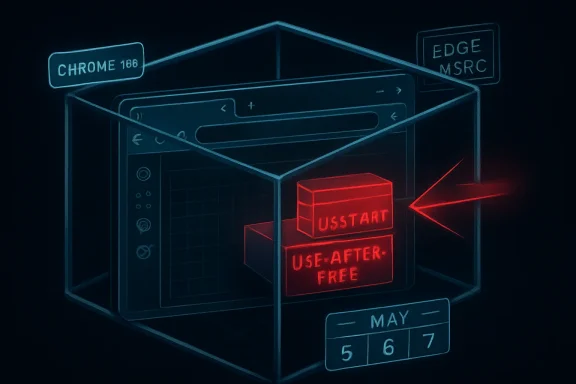 A Medium Bug With High Consequences
CVE-2026-7975 is not the kind of browser vulnerability that normally gets breathless headlines. It is not, at least from the available advisories, a confirmed zero-day. It is not described as a one-click remote code execution flaw that lets a malicious site immediately seize a machine. Chromium itself labels it Medium.But the description contains the phrase that should make every security team slow down: sandbox escape. In browser security, that is the difference between “the attacker got code running inside the browser’s cage” and “the attacker may have found a path out of the cage.” The former is bad. The latter is where browser bugs start turning into endpoint compromise.
The prerequisite matters. The attacker would first need to compromise the renderer process, which is the part of the browser responsible for handling web content. That means CVE-2026-7975 is not the whole exploit; it is a second act. But in 2026, exploit chains are the norm rather than the exception, and a bug that looks conditional on paper can become decisive when paired with a renderer flaw from the same release cycle, a still-unpatched engine bug, or an n-day exploit already circulating in private toolkits.
That is why the score disagreement is not a clerical oddity. Chromium’s severity system is tuned to component context and exploitability inside the project’s own model. CVSS, especially when enriched by outside bodies, tries to express environmental impact. Both can be true: this can be a Medium Chromium bug and still be a High operational risk for organizations that manage browsers as perimeter-facing applications.
DevTools Is Not Just for Developers Anymore
The vulnerable component here is DevTools, which many users still think of as the thing a web developer opens with F12. That mental model is too narrow. DevTools is a powerful inspection, debugging, protocol, and page-control environment inside the browser, deeply wired into how Chrome observes and manipulates web content.That power is precisely why a memory safety bug in DevTools is interesting. Developer tooling is not a decorative sidecar; it is privileged machinery bolted onto a security-sensitive runtime. It can see page state, inspect execution, connect to debugging protocols, and bridge worlds that normal web pages are not supposed to bridge.
For ordinary home users, DevTools may feel irrelevant because they never intentionally open it. For enterprise environments, however, DevTools is everywhere indirectly. It is used in QA workflows, automation, support diagnostics, browser-based application troubleshooting, web testing, extension debugging, and managed development environments. The browser has become the corporate operating shell, and DevTools is one of its administrative consoles.
The CVE description says exploitation involves a crafted HTML page after renderer compromise. That does not mean the victim must be debugging a website with a visible console open. It means the bug is in a code surface associated with DevTools, and the exact trigger details remain restricted. Google routinely withholds bug details until a majority of users have updated, which is sensible, but it also leaves defenders reading between the lines.
There is an uncomfortable lesson here for IT departments that treat DevTools policy as a developer-experience setting rather than a security control. Disabling or restricting DevTools where it is not needed will not replace patching, and it may not mitigate this specific flaw without more technical detail. But the mere appearance of a sandbox-escape-relevant DevTools memory bug should push DevTools governance out of the “nice to have” column.
The Renderer Compromise Is the First Domino
Modern Chromium security is built around compartmentalization. Web content runs in renderer processes with limited privileges, while the browser process and other services hold more sensitive capabilities. Site isolation, sandboxing, process boundaries, exploit mitigations, and memory safety hardening all exist to make a single bug less catastrophic.CVE-2026-7975 assumes the attacker has already compromised the renderer. That sounds reassuring until one remembers how many browser patches each stable release contains. Chrome 148 shipped with 127 security fixes, including multiple Critical and High vulnerabilities across Blink, V8, ANGLE, GPU, WebRTC, Chromoting, DOM, SVG, and other subsystems. A browser release with more than a hundred security fixes is not an edge case; it is the maintenance reality of the most complex consumer runtime on the planet.
The renderer is where hostile web content lives. JavaScript, WebAssembly, HTML parsing, CSS, media codecs, graphics pipelines, fonts, and GPU-adjacent paths all feed into it. Attackers have spent years learning how to turn memory corruption and logic bugs in those areas into code execution inside the sandbox. Once there, the sandbox becomes the next wall.
That is what makes sandbox escapes so valuable. They turn a contained exploit into something closer to a full browser compromise. Depending on the chain, the attacker may gain access to files, credentials, tokens, local network resources, or a route toward persistence. The exact impact depends on platform, browser configuration, OS protections, endpoint controls, and the rest of the chain, but the direction of travel is clear.
The industry sometimes talks about sandboxing as if it were a guarantee. It is better understood as a tax on attackers. It raises the cost of exploitation, forces multi-bug chains, and buys defenders time. CVE-2026-7975 is a reminder that the tax is not infinite.
The Chrome 148 Patch Was a Security Release Wearing a Feature Release’s Clothes
Google promoted Chrome 148 to stable for Windows, macOS, and Linux on May 5, 2026, with version 148.0.7778.96 for Linux and 148.0.7778.96 or 148.0.7778.97 for Windows and Mac. The initial post noted fixes and improvements, then the security section filled in with the real weight of the release: 127 security fixes.That number matters less as a scoreboard than as a signal. Browser security releases are now bundles of interdependent risk reduction. The headline CVEs are only part of the story, because the bugs Google highlights are usually those reported by external researchers; internally found issues, fuzzing discoveries, hardening changes, and restricted bugs may carry just as much practical importance.
The Chrome 148 advisory includes three Critical vulnerabilities before the long list of High, Medium, and Low issues begins. CVE-2026-7975 sits in the Medium band, but it appears in a release crowded with memory safety failures and policy enforcement problems. That context weakens any temptation to triage it in isolation.
Patch management systems often flatten this reality into a binary: vulnerable before 148.0.7778.96, fixed at or after it. That binary is operationally useful, but it hides the exploit-chain logic underneath. An attacker does not need every bug in a release. They need the right pair or trio.
For WindowsForum readers, the practical meaning is simple: if your managed fleet is still below Chrome 148.0.7778.96, you are not merely missing a DevTools fix. You are missing a large browser security rollup that closes many possible links in future chains.
Microsoft’s Role Is Smaller Than Windows Users Think, and Bigger Than They Want
The user-supplied source is MSRC, which may lead some readers to assume this is a Microsoft-origin vulnerability. It is not. The source is Chrome, the component is Chromium, and the primary advisory comes from the Chrome release process. Microsoft appears because Edge is Chromium-based, and MSRC tracks Chromium CVEs that affect Microsoft’s browser ecosystem.That shared-engine model is one of the great bargains of modern browser development. Microsoft no longer has to maintain a fully independent browser engine for Edge, web developers get more consistent behavior, and security fixes from Chromium can propagate across multiple browsers. But the bargain cuts both ways. A bug in Chromium is not just a Chrome problem.
For Windows administrators, Edge deserves the same urgency as Chrome even when the CVE description says “Google Chrome prior to” a particular version. The vulnerable code may sit in the Chromium layer, while the branded product names and version numbers diverge. Edge’s versioning does not always map visually to Chrome’s version string, and Microsoft’s release notes often lag the Chrome blog in public detail.
That creates a familiar enterprise problem: the security team sees a Chromium CVE, the vulnerability scanner flags Chrome, Edge, or both, and the patching team wants a clean vendor-specific answer. The clean answer is rarely available in the first hours. The safer answer is to ensure every Chromium-based browser on the endpoint is updating through its own supported channel and to verify the installed version after the update.
This is especially important on Windows, where Edge may be present even in environments that standardize on Chrome or another browser. Users may not consider Edge their daily driver, but applications, identity flows, help links, WebView-adjacent workflows, and default associations can still touch Microsoft’s browser stack. Unused browsers are still attack surface if they can be launched.
The CPE Question Is a Symptom of a Larger Inventory Problem
The NVD record’s configuration language points to Chrome versions before 148.0.7778.96 across Windows, Linux, and macOS. The user’s pasted text includes the familiar “Are we missing a CPE here?” prompt, which looks like a minor metadata issue. In practice, CPE coverage is one of the reasons browser vulnerability management remains messier than it should be.CPEs are useful, but they are blunt instruments. They describe affected products in a way scanners and asset systems can understand, yet modern software distribution does not always fit neat product-platform boxes. Chrome has stable, extended stable, beta, dev, and canary channels. Edge has stable and extended stable behavior of its own. Linux distributions may ship Chromium as a native package, a snap, a flatpak, or not at all. Enterprise repackaging adds another layer.
Ubuntu’s handling of Chromium illustrates the problem. On modern Ubuntu releases, the
chromium-browser package may be a transitional route to a snap rather than a traditional Debian package. A CPE or package name alone may not tell an administrator whether a machine is actually exposed, already remediated, or relying on a different update mechanism.That is why the CPE question should not be treated as paperwork. If your vulnerability program depends entirely on CPE matching, browser risk will periodically fall through the cracks. The better control is installed-version telemetry collected from the endpoint, compared against vendor-fixed versions, with channel awareness.
A browser inventory should answer three questions quickly: which Chromium-based browsers are installed, which channel each one follows, and which version is actually running after restart. Anything less invites false confidence.
Use-After-Free Remains the Browser Bug That Refuses to Retire
CVE-2026-7975 is a use-after-free, a class of memory safety vulnerability that occurs when software continues to use memory after it has been released. In the browser world, that can become exploitable when an attacker influences what occupies the freed memory next. The details vary, but the theme is old: lifecycle mistakes become control primitives.The persistence of use-after-free flaws in Chromium is not evidence that browser engineers are careless. It is evidence that browsers are extraordinarily complex C++ systems sitting at the intersection of untrusted input, asynchronous events, graphics acceleration, media handling, extensions, permissions, storage, and cross-process communication. Object lifetime is hard in such a machine.
Google has invested heavily in fuzzing, sanitizers, control-flow integrity, sandboxing, MiraclePtr-style mitigations, and broader memory safety work. Those efforts matter. They reduce bug density, make exploitation harder, and catch classes of defects before release. Yet Chrome 148 still includes a long list of use-after-free fixes across multiple components.
The uncomfortable conclusion is that memory safety work is not a project with an end date. It is an arms race between codebase complexity and mitigation depth. Every new browser capability adds state, and every bit of state needs lifetime rules. DevTools, with its introspection and control pathways, is exactly the kind of component where lifetime assumptions can become subtle.
This is also why security teams should resist the urge to overfit their response to CVSS labels. A Medium use-after-free in a sensitive component can matter more than a High issue in a less reachable or less chainable surface. Browser risk is compositional.
Exploit Chains Turn “User Interaction Required” Into a Weak Comfort
CISA’s ADP vector for CVE-2026-7975 includes user interaction required and high attack complexity. Those fields are accurate as far as the public description goes. A victim would need to encounter a crafted HTML page, and the attacker would need renderer compromise first. That is not trivial.But “user interaction required” means something different for browsers than it does for many other applications. Browsers exist to process attacker-supplied content all day. Clicking a link, opening a tab, following a search result, loading an ad, previewing a document, or visiting a compromised legitimate site can all satisfy the human part of the equation. The user does not need to download a suspicious executable or approve a macro.
High attack complexity is also a moving target. Before a chain is weaponized, complexity belongs to the exploit developer. After the chain is packaged, complexity shifts away from the attacker running the campaign. Organizations that wait for proof of exploitation before patching browsers are betting that their update cadence will beat someone else’s exploit development cycle.
There is no public indication from the disclosed text that CVE-2026-7975 is being exploited in the wild. That matters, and it should temper panic. But absence of known exploitation is not a reason to defer a mainstream browser update, especially when the fix arrives inside a broad stable release.
The browser is too exposed and too frequently targeted for leisurely patch windows. In most environments, Chrome and Edge should be treated closer to endpoint security agents than to productivity apps. If the browser is vulnerable, the front door is open to the internet.
Enterprise Controls Should Assume the Browser Is the New Runtime
For sysadmins, the immediate action is mundane: update Chrome and verify Edge’s Chromium security updates through Microsoft’s channel. The more interesting action is architectural. Browser patching should be continuous, observable, and enforced, not a once-a-month cleanup task.Chrome’s own release cadence already points in that direction. Stable updates roll out over days or weeks, but enterprises often choose staged deployment rings to catch regressions. That is reasonable. The mistake is letting “staged” become “stalled.” A DevTools sandbox-escape helper does not need a 30-day change window unless the organization has accepted the risk explicitly.
Managed environments should separate browser update policy from general OS patch policy. Windows Update, Intune, ConfigMgr, Group Policy, Chrome Browser Cloud Management, Edge management templates, and third-party patch tools can all be part of the answer. What matters is not the tool brand but the feedback loop: push, restart, confirm, report exceptions.
Restarts remain the petty tyrant of browser security. Chrome can download an update silently, but the patched code does not fully protect a session until the browser restarts. Users with hundreds of tabs and weeks-long sessions can sit on a vulnerable binary long after the update is available. Enterprises need policies and user messaging that make browser restarts routine rather than exceptional.
There is also a case for DevTools policy review. In many corporate fleets, only developers, QA staff, and support engineers need DevTools enabled. Restricting it for general users may reduce exposure to certain classes of abuse and data leakage, even if it is not a guaranteed mitigation for CVE-2026-7975. The key is to make that decision deliberately rather than inheriting the default.
The Scanner Will Find the CVE Before the Business Understands the Risk
Vulnerability scanners will likely present CVE-2026-7975 in a way that looks deceptively precise: Chrome before 148.0.7778.96 is vulnerable. That is useful for remediation. It is less useful for explaining priority to a business owner who sees “Medium” and asks why the security team is interrupting users.The answer should not be “because the scanner says so.” The answer is that this bug affects a web-facing application, can contribute to a sandbox escape, and was fixed in a release containing a large number of other browser security repairs. In other words, the update closes not one theoretical weakness but an entire neighborhood of exploitable terrain.
Security teams should also be careful with the opposite mistake: overselling the bug as a confirmed catastrophe. There is no need to claim active exploitation if none is publicly disclosed. There is no need to imply that any visit to any malicious page automatically compromises the operating system. Exaggeration may win one patch cycle and lose trust for the next ten.
The mature message is sharper and calmer. This is a chainable browser vulnerability in a privileged component. It is fixed. The affected software updates quickly. The remediation cost is low compared with the downside of waiting.
That is the kind of vulnerability where speed is rational even without panic.
The Patch Window Is the Real Attack Surface
The most concrete lesson from CVE-2026-7975 is not hidden in the DevTools code. It is in the calendar. Google’s stable update landed on May 5, the CVE record and MSRC tracking followed on May 6, and by May 7 public vulnerability databases, security vendors, and IT teams were already turning the advisory into operational work.That timeline is now normal. Public CVE metadata appears quickly. Scanners ingest it quickly. Attackers read the same advisories defenders do. Bug details may remain restricted, but patch diffs, component names, and surrounding fixes can still provide clues. The gap between disclosure and widespread patching is where risk accumulates.
For home users, the advice is still to let Chrome update automatically and restart the browser when prompted. For power users, checking
chrome://settings/help is a reasonable shortcut. For organizations, relying on users to notice an update icon is not a control.Administrators should verify Chrome at 148.0.7778.96 or later on Linux, and 148.0.7778.96 or 148.0.7778.97 or later on Windows and macOS, depending on channel and platform. For Edge, they should track Microsoft’s security release notes and confirm that deployed Edge builds include the relevant Chromium security fixes rather than assuming Chrome’s exact version number applies.
The broader point is that browser patching cannot be treated as background hygiene. It is frontline defense. If endpoint detection and response is the smoke alarm, browser updating is keeping oily rags away from the furnace.
Chrome 148 Turns a DevTools Bug Into a Fleet Discipline Test
CVE-2026-7975 is easy to summarize but harder to operationalize cleanly. It is a Medium Chromium DevTools use-after-free with High scored impact under CISA’s enrichment, fixed in Chrome 148 and relevant to Chromium-derived browser fleets. That makes it a useful test of whether an organization can handle nuance without slowing down.The most important takeaways are practical:
- CVE-2026-7975 affects Google Chrome before 148.0.7778.96 and involves a use-after-free vulnerability in DevTools that could contribute to a sandbox escape after renderer compromise.
- The bug is not publicly described as actively exploited, but it is chainable by design because the attacker must already have renderer control.
- Chrome 148 includes 127 security fixes, so delaying the update leaves systems exposed to much more than this one CVE.
- Microsoft tracks the issue through MSRC because Edge is Chromium-based, but Edge administrators must verify Microsoft’s own browser builds and release notes rather than mapping Chrome version numbers blindly.
- DevTools should be treated as a powerful browser subsystem and governed accordingly, especially on non-developer endpoints.
- Asset inventory based only on CPE matching is not enough; browser version telemetry and restart compliance are the controls that matter.
Source: NVD / Chromium Security Update Guide - Microsoft Security Response Center
