

The Low-Severity Bug That Reads Like a High-Severity Incident
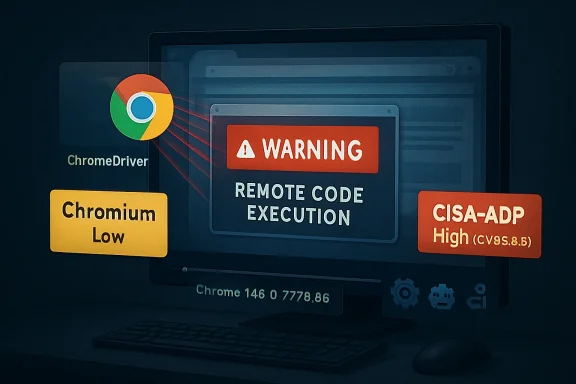
At first glance, CVE-2026-8000 looks like a contradiction in the vulnerability database. Google’s Chromium severity is listed as Low, yet the CVSS 3.1 vector supplied by CISA-ADP lands at 8.8, with network attack vector, low attack complexity, no privileges required, user interaction required, and high impact across confidentiality, integrity, and availability.
That is not a clerical curiosity. It is the kind of disagreement security teams now have to translate into operational policy every week: a vendor severity that reflects exploitability inside a particular product context, and a scoring model that evaluates what the worst-case impact could look like once the vulnerable condition is reachable.
The phrase “remote attacker” is doing a lot of work here. So is “crafted HTML page.” Those words make CVE-2026-8000 sound like a traditional browser drive-by problem, even though the vulnerable component is ChromeDriver, a tool most ordinary users never knowingly launch. For WindowsForum readers, that distinction matters: this is not just about whether Mom’s laptop is at risk, but whether test rigs, CI jobs, admin workstations, browser automation farms, and development endpoints have quietly inherited a browser-class exposure through tooling.
Chrome 148’s desktop update, promoted to stable on May 5, 2026, shipped as 148.0.7778.96 on Linux and 148.0.7778.96/97 on Windows and macOS. Google said the release included 127 security fixes. CVE-2026-8000 is one line in that flood, but it is a revealing one because it sits at the intersection of three security worlds that rarely line up neatly: browser patching, developer tooling, and enterprise vulnerability management.
ChromeDriver Was Never Just a Testing Helper
ChromeDriver exists to let automation frameworks control Chrome. In the usual mental model, it belongs to developers, QA engineers, CI/CD systems, Selenium scripts, and synthetic monitoring platforms. It is not the shiny browser window the user sees; it is the machinery that lets other software drive that browser.
That machinery is powerful by design. Browser automation can open pages, interact with DOM elements, inspect state, trigger downloads, pass command-line flags, manipulate profiles, and glue web behavior into larger workflows. When something with that level of authority mishandles untrusted input, the security consequences can look much larger than the component’s humble job title suggests.
The CVE description says the flaw involved insufficient validation of untrusted input in ChromeDriver in Google Chrome on Windows before 148.0.7778.96. It allowed a remote attacker to execute arbitrary code via a crafted HTML page. The public bug entry remains restricted, which is normal for Chromium issues until a broad enough portion of the user base has received the fix.
That restriction leaves defenders with an uncomfortable gap. We know the affected component, the platform called out in the description, the fixed version boundary, and the rough exploit shape. We do not yet know the precise preconditions: whether a ChromeDriver instance must be running, whether a special automation mode is involved, whether the page abuses a browser-to-driver boundary, or whether certain default configurations reduce exposure.
But the absence of detail should not become a reason for inaction. ChromeDriver’s whole purpose is to bridge browser content and automation control. If a crafted page can turn that bridge into code execution under some Windows conditions, then the right enterprise response is not to debate whether “Low” sounds comforting. It is to find where ChromeDriver is installed, where it is running, and where Chrome itself remains below the fixed build.
The Severity Split Is a Feature, Not a Bug
The most interesting part of CVE-2026-8000 may be the severity argument hiding in plain sight. Chromium labels the issue Low. CISA-ADP’s CVSS vector produces a High score. NVD had not yet supplied its own CVSS assessment at the time of the entry’s early enrichment.
This is exactly where vulnerability management gets messy. Vendor severities often incorporate product-specific exploit assumptions, the maturity of the bug, sandbox boundaries, mitigations, and how likely a typical user is to encounter the vulnerable path. CVSS, by contrast, is a structured abstraction. It asks what an attacker needs and what impact follows if the attack succeeds, not whether the vendor thinks the vulnerable path is common.
Neither model is “the truth” by itself. Chromium may be signaling that the bug is hard to reach in normal browsing or limited to a narrow ChromeDriver scenario. CISA-ADP may be signaling that once the scenario exists, the result is full compromise of the affected security context.
For IT teams, the practical answer is to treat the split as a prioritization clue, not a contradiction to be resolved before patching. A ChromeDriver RCE in a locked-down QA lab is one thing. A ChromeDriver RCE on Windows developer laptops that browse the open web, reuse persistent Chrome profiles, and run privileged automation scripts is another. The severity is not just in the CVE; it is in the environment.
There is a broader lesson here for patch dashboards. A vulnerability can be “Low” in the average consumer configuration and still be urgent in a specialized enterprise workflow. Browser automation is exactly the kind of specialized workflow that hides in places asset inventories often miss.
The CPE Trail Tells a Different Story Than the Description
The CPE configuration in NVD’s initial analysis is odd enough to deserve attention. The CVE description specifically says Google Chrome on Windows prior to 148.0.7778.96. Yet the listed configuration includes Google Chrome versions up to, but excluding, 148.0.7778.96, combined with operating-system CPEs for Microsoft Windows, Linux kernel, and Apple macOS.
That does not necessarily mean Linux and macOS are vulnerable to this exact ChromeDriver Windows flaw. CPE entries are often broad, machine-readable approximations assembled during enrichment, and early NVD analysis can be revised. The stronger source-specific text here is the description’s Windows qualifier.
Still, the broader release context muddies the water. Chrome 148 shipped across Windows, macOS, and Linux, and the stable-channel post bundled 127 security fixes. Scanners that ingest the release as “Chrome before 148.0.7778.96” may flag multiple platforms because the fixed Chrome train spans multiple operating systems, even if a particular CVE’s exploitability is platform-specific.
This is how vulnerability management becomes noisy. Security teams do not merely patch software; they interpret metadata generated by multiple organizations on different timelines. One feed says Windows. Another feed’s CPE logic appears cross-platform. A vendor advisory lists the entire desktop release. A scanner plugin may collapse all of that into “Chrome less than 148.0.7778.96 is vulnerable.”
The safest operational stance is simple: patch Chrome everywhere, then triage ChromeDriver exposure especially on Windows. If your Linux CI workers or macOS build machines are flagged, the remediation is still likely the same Chrome update. The nuanced question is not whether to update them; it is whether to report CVE-2026-8000 as a confirmed platform-specific exposure or as part of a broader Chrome 148 security baseline.
Automation Infrastructure Is the Browser Estate Nobody Inventoried
Consumer Chrome updates are comparatively easy to reason about. A user opens Chrome, Chrome updates itself, and the browser restarts when the user finally allows it. Enterprise Chrome is more complicated, but it is at least visible: managed browsers, version reporting, update policies, and endpoint tools give administrators a fighting chance.
ChromeDriver often lives elsewhere. It may be copied into a repo, bundled into a test harness, pinned inside a container image, downloaded dynamically by a build job, stored on a shared QA VM, or managed by a language-specific driver manager. That makes it harder to answer the question that matters most after CVE-2026-8000: where is the vulnerable code actually present and reachable?
The worst pattern is a long-lived Windows automation host that runs browser tests against untrusted or semi-trusted URLs. Security teams should pay particular attention to systems that crawl external sites, perform ad verification, conduct phishing analysis, test customer-submitted links, run synthetic monitoring, or execute automated browser sessions against environments outside tight internal control.
Those systems can look like “developer infrastructure” rather than “internet-facing infrastructure,” which is precisely why they get under-modeled. They may have credentials, access to staging systems, cloud tokens, artifact repositories, test databases, or internal dashboards. They may also be allowed to make outbound connections that ordinary servers cannot.
CVE-2026-8000 therefore belongs in the same conversation as headless browser security, not just Chrome patch compliance. If an automation endpoint opens attacker-influenced HTML, the browser is not merely displaying content. It is executing a workflow in an environment that may have privileged network access and a trusted identity.
Microsoft’s Role Is Watchtower, Not Patch Author
The user-facing source for many Windows administrators will be Microsoft’s Security Update Guide because MSRC tracks Chromium CVEs that may matter to Microsoft products and Windows ecosystems. That does not make this a Windows patch in the classic Patch Tuesday sense. The CVE source is Chrome, and the immediate fixed boundary is Google Chrome before 148.0.7778.96.
The Microsoft angle still matters. Edge is Chromium-based, Windows fleets often carry both Edge and Chrome, and enterprise patch teams frequently consume MSRC data as a central intake pipe. A Chromium CVE showing up in Microsoft’s guide can trigger the right instincts even when the vulnerable component is upstream of Microsoft’s own code.
But there is a trap here. Administrators should not assume that applying monthly Windows cumulative updates remediates Chrome or ChromeDriver. Browser patching has its own cadence, its own channels, and its own restart behavior. Chrome, Edge, WebView2 runtimes, and driver binaries may each follow different update paths.
For WindowsForum’s IT pro audience, the practical distinction is crucial. Treat the MSRC entry as a signal to investigate, not as proof that Windows Update has handled the job. Check actual Chrome versions, confirm whether ChromeDriver exists separately, and verify whether automation tooling pins older driver builds.
This is also where Edge shops should be careful without overclaiming. A ChromeDriver vulnerability in Google Chrome is not automatically an EdgeDriver vulnerability. The shared Chromium foundation justifies monitoring Microsoft Edge security release notes and updating Edge promptly, but defenders should resist inventing exposure where the public CVE text has not established it.
The Crafted Page Is the Oldest Trick in the Browser Book
“Crafted HTML page” sounds almost quaint in 2026, like a phrase from the early Web. It is not. The browser remains the most heavily attacked userland application because it is a programmable document viewer, media runtime, graphics stack, scripting engine, network client, credential broker, PDF handler, and increasingly AI-adjacent application shell all at once.
Chrome 148’s security list underscores the sprawl. The release included critical bugs in Blink, Mobile, and Chromoting; high-severity issues across V8, ANGLE, SVG, DOM, GPU, ServiceWorker, Skia, WebRTC, and more; and a long tail of medium and low findings. CVE-2026-8000 sits near the lower end of Google’s severity ladder, but it is surrounded by evidence that the modern browser is less a program than a small operating system.
That is why “user interaction required” should not lull anyone to sleep. In web security, the required interaction is often visiting a page. Users do that all day. Automation systems do it even more obediently, and they do it at scale.
The old advice was to avoid suspicious sites. The modern enterprise reality is that business workflows constantly ingest untrusted content. Help desks open links from tickets. Marketing teams review landing pages. Security teams detonate phishing URLs. Test systems crawl customer properties. Browser automation makes all of that faster, and sometimes more dangerous.
The threat model for ChromeDriver should therefore include not only a developer running Selenium against localhost, but any automated browser that processes content an attacker might influence. The vulnerability description does not give us enough detail to prove which of those scenarios are exploitable. It gives enough to justify looking.
Patch Speed Still Beats Perfect Understanding
There will be a temptation to wait for the Chromium issue tracker to open, for a proof of concept to appear, or for scanner vendors to harmonize their plugin language. That temptation is understandable and usually wrong. Browser vulnerabilities age badly.
Google’s stable-channel note says Chrome 148 is rolling out over the coming days and weeks. That is how Chrome updates normally propagate, but enterprise risk is not evenly distributed across those days and weeks. A handful of machines with ChromeDriver in privileged automation roles may be more important than ten thousand ordinary desktops that will auto-update by Friday.
The fix threshold is clear enough: Chrome on Windows should be at least 148.0.7778.96, with 148.0.7778.97 also appearing in the Windows and macOS stable release line. Linux should be at least 148.0.7778.96. Administrators should treat anything below that Chrome 148 fixed line as outdated for this security release.
The harder part is driver alignment. Many environments keep Chrome and ChromeDriver versions matched because automation breaks when they drift. Others rely on tooling that silently downloads the appropriate driver at runtime. Still others pin a known-good driver because a brittle test suite depends on it.
That brittleness is now a security liability. If the answer to “why are we on this driver version?” is “because the tests pass,” then the organization has allowed test stability to override patchability. CVE-2026-8000 is the kind of bug that makes that trade-off visible.
Where Windows Shops Should Look First
The highest-value search begins with Windows systems that run ChromeDriver and process remote or attacker-influenced content. That includes developer workstations, build agents, QA hosts, RPA platforms, scraping tools, and security-analysis sandboxes. The goal is not to panic over every copy of chromedriver.exe; it is to separate dormant binaries from actively exposed automation.
Administrators should also inspect container images and golden VM templates. A vulnerable ChromeDriver binary inside a template can reappear long after the central patch campaign appears complete. The same is true of old build artifacts and tool caches that language ecosystems maintain under user profiles or CI service accounts.
Endpoint detection and software inventory tools may miss this because ChromeDriver is often just an executable dropped into a workspace. It may not have an installer, a product code, or a neat entry under installed applications. Searching file systems for chromedriver.exe and checking its version may be more reliable than trusting add/remove-programs inventory.
The next layer is policy. If Chrome auto-updates but ChromeDriver is pinned by a project, the browser may be fixed while the automation component remains old. If the driver is supplied by Chrome for Testing downloads, ensure the consuming pipeline retrieves the fixed build rather than a cached prior release.
Finally, review permissions. Browser automation rarely needs local administrator rights. It often has them anyway because “the test was flaky” and someone widened permissions years ago. A remote-code-execution path through automation becomes less catastrophic when the process runs under a constrained service account, with minimal network reach and disposable state.
The Scanner Finding Is Only the Start of the Conversation
A scanner will likely present CVE-2026-8000 as a Chrome version problem. That is useful, but incomplete. The better remediation record should say whether Chrome was updated, whether ChromeDriver was present, whether the vulnerable path was active, and whether any automation hosts were exposed to untrusted web content.
This distinction matters for auditors and incident responders. If the vulnerability is found only on standard user desktops, the remediation story is routine browser patching. If it is found on a Windows QA server that crawls customer-submitted URLs with domain credentials loaded into the session, the same CVE becomes a much more serious finding.
The CPE ambiguity adds another reporting wrinkle. If your vulnerability platform flags macOS or Linux hosts for CVE-2026-8000 because they run Chrome below 148.0.7778.96, patch them, but annotate the platform-specific uncertainty if your risk register demands precision. The goal is not to argue scanners into silence; it is to keep the risk narrative accurate.
Do not ignore the rest of Chrome 148 while obsessing over this one CVE. The same update fixed more than a hundred security issues, including multiple critical and high-severity bugs. If your organization is below the fixed version, CVE-2026-8000 is only one reason to move.
That is the browser-patching reality in 2026. Individual CVEs provide urgency and color, but the stable-channel update is the security unit that matters. You do not get to install the one fix you like. You take the train.
The Chrome 148 Lesson for Patch Owners
The operational lesson from CVE-2026-8000 is narrow enough to act on and broad enough to reuse. Browser security is no longer confined to the browser window. It includes drivers, runtimes, webviews, automation frameworks, and the hidden glue that makes modern web operations scalable.
Here is the concrete readout for WindowsForum readers managing fleets, labs, or developer estates:
- Update Google Chrome on Windows to 148.0.7778.96 or later, and verify the installed build rather than assuming the rollout has completed.
- Inventory ChromeDriver separately from Chrome because automation tooling may pin, cache, or bundle driver binaries outside normal browser update channels.
- Prioritize Windows automation hosts that open untrusted or semi-trusted web pages, especially CI agents, QA systems, RPA boxes, crawlers, and security-analysis sandboxes.
- Treat the Chromium “Low” label and CISA-ADP “High” score as context-dependent signals rather than mutually exclusive truths.
- Patch Chrome on macOS and Linux as part of the Chrome 148 security baseline, while recognizing that the public CVE description specifically calls out Google Chrome on Windows.
- Review service-account permissions and network reach for browser automation so that the next tooling flaw has a smaller blast radius.
Browser Automation Has Become Part of the Attack Surface
CVE-2026-8000 will probably not be remembered as the defining Chrome vulnerability of 2026. It arrived inside a large Chrome 148 security release with flashier critical bugs and a longer list of high-severity memory-safety issues. But it may be more instructive than many of them because it exposes how much trust enterprises place in browser-adjacent tools they barely inventory.
ChromeDriver is useful precisely because it gives software a steering wheel for the browser. That steering wheel should be treated as privileged equipment. If a crafted page can exploit insufficient validation in the component that connects web content to automation control, then the line between “testing tool” and “attack surface” has disappeared.
The answer is not to abandon browser automation. It is to govern it like production infrastructure: current versions, constrained permissions, disposable environments, explicit ownership, and monitoring that understands where the driver lives. Developer convenience and test reliability still matter, but they cannot be the only values in the system.
The next Chromium security release will bring another list of CVEs, another round of severity debates, and another set of components most users have never heard of. The organizations that handle CVE-2026-8000 well will not be the ones that memorize its score; they will be the ones that use it to find the hidden browsers, drivers, and automation paths that have quietly become part of their real security perimeter.