

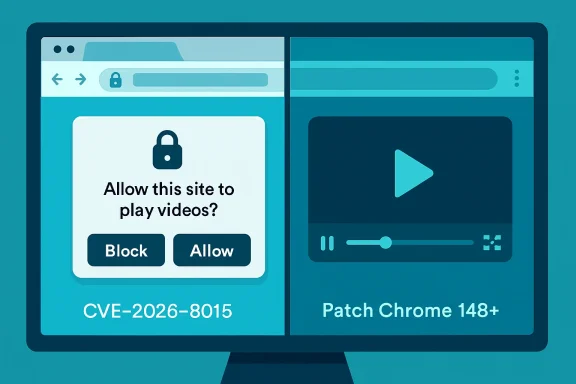
Google and Microsoft disclosed CVE-2026-8015 on May 6, 2026, after fixing a low-severity Chromium Media flaw in Chrome versions before 148.0.7778.96 that could let a remote attacker spoof browser UI through a crafted HTML page. The bug is not the sort of memory-corruption monster that dominates emergency patch alerts, and that is precisely why it deserves attention. UI spoofing is the quieter edge of browser security: less spectacular than code execution, but closer to the daily habits attackers actually exploit. For Windows users and administrators, this CVE is a reminder that the browser is now both application runtime and trust boundary, and that “low” severity does not always mean low operational importance.
CVE-2026-8015 sits in Chromium’s Media component, which sounds mundane until one remembers how much of the modern web is media-adjacent. Video players, permission prompts, autoplay restrictions, tab indicators, device controls, and embedded content all live in a part of the browser where user perception matters as much as parser correctness. The reported impact is UI spoofing, not remote code execution, and Chromium labels the issue low severity.
That label is defensible in the narrow scoring sense. The CISA-ADP vector attached to the vulnerability requires user interaction and gives the bug a 5.4 medium score under CVSS 3.1, with limited confidentiality and availability impact. NVD had not yet supplied its own full assessment at the time of the May 7 modification record, but the weakness mapping to CWE-451 — user interface misrepresentation of critical information — tells us the shape of the problem.
The significance is not that a single crafted page can magically own a machine. It is that a browser UI spoofing bug chips away at the user’s ability to distinguish a browser-controlled surface from attacker-controlled content. Security models often assume that people can tell where the web page ends and the browser begins. CVE-2026-8015 belongs to the class of bugs that makes that assumption more fragile.
For WindowsForum readers, the Microsoft Security Response Center listing matters because Edge inherits the Chromium security conveyor belt. Microsoft’s own Edge release notes as of May 6 said the company was aware of recent Chromium security fixes and was actively working on a security fix. That phrasing is familiar to anyone who has watched Chromium disclosures ripple from Google’s release blog into Edge, Brave, Vivaldi, Opera, Electron apps, embedded browser components, and managed desktop baselines.
Attackers do not always need arbitrary code execution. Often, they need the user to believe the wrong thing for three seconds. A fake permission prompt, a misleading full-screen transition, an imitation download shelf, or a deceptive media overlay can be enough to steer a user into approving something, entering credentials, installing a helper, or trusting a site that deserves none of it.
CVE-2026-8015’s public description is brief, as Chrome vulnerability descriptions usually are before bug details are broadly unlocked. It says a remote attacker could perform UI spoofing via a crafted HTML page. That is sparse, but not meaningless: it indicates a web-deliverable attack path, no local foothold requirement, and a failure in how Chromium’s Media implementation represented or constrained something visible to the user.
That is why the “Media” label is more interesting than it first appears. Media surfaces are among the few parts of the web that users expect to behave like applications rather than documents. Full-screen video, picture-in-picture, autoplay prompts, device selectors, captions, controls, and overlays all carry implicit trust signals. When those signals are implemented incorrectly, the exploit may be social rather than mechanical — and social exploits scale very well.
Reporting around the release counted 127 security fixes, including three critical vulnerabilities elsewhere in Chromium. Those higher-severity flaws naturally grab the headline oxygen: an integer overflow in Blink and use-after-free bugs in components such as Mobile and Chromoting are the kinds of entries that security teams triage first. Against that backdrop, CVE-2026-8015 can look like background noise.
That would be a mistake. Large Chrome releases are not just piles of unrelated CVEs; they are snapshots of the browser’s expanding attack surface. Blink, Media, WebRTC, Cast, Service Workers, extensions, graphics, remote desktop, and password-management surfaces all coexist inside a product users leave open all day. The practical lesson of Chrome 148 is not simply “patch this one CVE.” It is that the browser’s release train is now one of the primary security update mechanisms in enterprise computing.
The version threshold is the clean operational fact: Chrome prior to 148.0.7778.96 is vulnerable to CVE-2026-8015. On Windows and macOS, the fixed stable build is listed as 148.0.7778.96 or 148.0.7778.97, while Linux is listed at 148.0.7778.96. Extended Stable for Windows and macOS reportedly received 148.0.7778.97. Administrators do not need the exploit details to act on that.
That is not a criticism so much as a description of modern software supply chains. Edge is not a wrapper in the trivial sense, but it is still tied to Chromium’s security cadence. When Google publishes a stable-channel update with security fixes, Microsoft must ingest, test, package, and ship the corresponding Edge fixes through its own channels. Most of the time that happens quickly; occasionally there is a short daylight gap where Chrome has published a fixed build and Edge is still telling customers a fix is in progress.
For home users, that gap is largely invisible unless they check version numbers obsessively. For enterprises, it intersects with update rings, validation windows, browser management policies, kiosk deployments, VDI images, and application compatibility testing. A low-severity UI spoofing bug might not justify emergency weekend patching by itself, but it rarely travels alone. In Chrome 148, it rode alongside a much larger security payload.
This is where MSRC’s CVE entry earns its keep. Even if the vulnerability originates in Chrome, Windows administrators often track it through Microsoft’s Security Update Guide because Edge is part of their managed environment. The entry becomes the bridge between Chromium’s release blog and the Windows patching workflow. It turns a browser bug into an item on the same dashboard as Windows kernel flaws, Office vulnerabilities, and Exchange advisories.
This is not theoretical hand-wringing. Browser vendors have spent years tightening boundaries around full-screen mode, permission prompts, file downloads, notification prompts, password managers, and origin display because attackers repeatedly abuse confusion. A fake login page is old news; a fake browser surface is more dangerous because it borrows legitimacy from the application itself. The moment a page can make attacker-controlled pixels look sufficiently like browser-controlled pixels, the defensive burden shifts back onto the user.
CWE-451 captures this neatly: misrepresentation of critical information in the user interface. The phrase sounds bureaucratic, but the concept is visceral. A user thinks they are seeing a browser state, a device permission, a security indicator, or a media control; in reality, they are seeing something crafted by the attacker. Nothing has to crash. Nothing has to execute native code. The exploit is the lie.
The Media component angle also matters because media workflows often trigger exceptions to normal user skepticism. People expect video pages to request full-screen mode. They expect playback overlays to appear and disappear. They expect captions, pop-outs, controls, and site-specific UI. In that environment, spoofed interface elements have more room to hide.
What CVSS struggles to express is campaign utility. A UI spoofing primitive can be valuable when chained with social engineering, malvertising, fraudulent support pages, fake meeting invites, bogus media players, or credential-harvesting flows. Attackers do not need each step in the chain to be critical. They need enough believable steps to move a user from curiosity to compliance.
This is why severity labels should influence prioritization, not replace judgment. A low Chromium bug in a rarely used subsystem might safely wait for the normal browser update cycle. A low UI spoofing bug in the world’s dominant browser family, disclosed inside a release containing many other fixes, should be treated as part of the routine rapid-patching muscle memory that modern endpoints require.
There is also a visibility problem. Memory-corruption exploits often leave forensic crumbs: crashes, exploit kits, unusual renderer behavior, or endpoint alerts. UI spoofing attacks may leave little beyond a user report that “the browser asked me to do something.” By the time the help desk hears about it, the relevant tab is closed and the evidence is gone.
The fact that Chrome updates automatically is helpful, but not sufficient in managed environments. Auto-update can be delayed by policy, broken by stale services, blocked by network controls, or undermined by golden images that are not refreshed. Kiosk machines and shared workstations are especially prone to drifting behind because users rarely restart the browser voluntarily.
Edge requires the same discipline, with one added wrinkle: Microsoft’s release timing can lag the Chromium disclosure by some interval. That is normal, but it means administrators should not assume Chrome’s fixed version automatically maps to Edge’s fixed version on the same day. The right check is the Edge stable or extended stable release note and the installed browser version across the fleet.
The larger blind spot is not desktop Chrome or Edge. It is Chromium embedded where nobody thinks to look. Electron applications, automation containers, browser-based PDF renderers, testing pipelines, packaged web runtimes, and third-party software with bundled Chromium can all carry older engine builds. A UI spoofing flaw may matter less in headless use cases, but the broader Chrome 148 security payload makes embedded Chromium inventory worth revisiting.
In CVE-2026-8015’s case, the Chromium issue tracker reference existed, but access required permissions at the time it appeared in public vulnerability databases. That is standard for many Chromium security bugs. The public description gives the affected component, the vulnerable version range, the attack precondition, and the general impact. It does not give a proof of concept, a visual description of the spoof, or a reliable indicator of compromise.
That leaves defenders in a familiar position: patch first, analyze later. For a low-severity UI spoofing bug, that may feel unsatisfying. But the browser update ecosystem is built around velocity because waiting for perfect public detail is a losing strategy. By the time an issue is fully documented, opportunistic attackers and exploit brokers have often had time to study the patch diff.
This is particularly true for Chromium, where source code changes can become the practical disclosure. Even when bug trackers stay restricted, motivated researchers can compare versions, identify security-relevant patches, and infer the vulnerability. The window between stable release and broad fleet adoption is therefore not just administrative delay; it is an exploitable interval.
CVE-2026-8015 illustrates that shift because the operating system CPEs listed alongside Chrome include Windows, Linux, and macOS as affected platforms for the vulnerable application configuration. The vulnerability is not a Windows kernel flaw, but it is absolutely a Windows endpoint risk when Chrome or Edge is present. The line between application security and endpoint security has thinned.
For Microsoft shops, this should push browser updates into the same operational conversation as Defender signatures, monthly cumulative updates, Office Click-to-Run, and third-party app patching. The update cadence is different, but the governance problem is the same: know what is installed, know what version is safe, know which policies might delay remediation, and know where exceptions live.
The temptation with a low-severity CVE is to let it vanish into the next scheduled cycle. That may be acceptable for a mature environment with verified auto-update compliance. It is less acceptable for organizations that cannot answer how many Chrome or Edge instances are below the fixed baseline. Asset uncertainty turns low severity into avoidable exposure.
Source: NVD / Chromium Security Update Guide - Microsoft Security Response Center
 A Low-Severity Chrome Bug Still Lands in the Windows Risk Register
CVE-2026-8015 sits in Chromium’s Media component, which sounds mundane until one remembers how much of the modern web is media-adjacent. Video players, permission prompts, autoplay restrictions, tab indicators, device controls, and embedded content all live in a part of the browser where user perception matters as much as parser correctness. The reported impact is UI spoofing, not remote code execution, and Chromium labels the issue low severity.That label is defensible in the narrow scoring sense. The CISA-ADP vector attached to the vulnerability requires user interaction and gives the bug a 5.4 medium score under CVSS 3.1, with limited confidentiality and availability impact. NVD had not yet supplied its own full assessment at the time of the May 7 modification record, but the weakness mapping to CWE-451 — user interface misrepresentation of critical information — tells us the shape of the problem.
The significance is not that a single crafted page can magically own a machine. It is that a browser UI spoofing bug chips away at the user’s ability to distinguish a browser-controlled surface from attacker-controlled content. Security models often assume that people can tell where the web page ends and the browser begins. CVE-2026-8015 belongs to the class of bugs that makes that assumption more fragile.
For WindowsForum readers, the Microsoft Security Response Center listing matters because Edge inherits the Chromium security conveyor belt. Microsoft’s own Edge release notes as of May 6 said the company was aware of recent Chromium security fixes and was actively working on a security fix. That phrasing is familiar to anyone who has watched Chromium disclosures ripple from Google’s release blog into Edge, Brave, Vivaldi, Opera, Electron apps, embedded browser components, and managed desktop baselines.
The Browser Chrome Is Now Part of the Security Perimeter
The old mental model of browser security separated “web content” from “browser chrome.” The page could lie, but the address bar, permission prompts, tab indicators, and navigation affordances were supposed to be the trustworthy layer. UI spoofing vulnerabilities blur that line, which is why a low-severity Media implementation flaw can still matter in a phishing-heavy threat environment.Attackers do not always need arbitrary code execution. Often, they need the user to believe the wrong thing for three seconds. A fake permission prompt, a misleading full-screen transition, an imitation download shelf, or a deceptive media overlay can be enough to steer a user into approving something, entering credentials, installing a helper, or trusting a site that deserves none of it.
CVE-2026-8015’s public description is brief, as Chrome vulnerability descriptions usually are before bug details are broadly unlocked. It says a remote attacker could perform UI spoofing via a crafted HTML page. That is sparse, but not meaningless: it indicates a web-deliverable attack path, no local foothold requirement, and a failure in how Chromium’s Media implementation represented or constrained something visible to the user.
That is why the “Media” label is more interesting than it first appears. Media surfaces are among the few parts of the web that users expect to behave like applications rather than documents. Full-screen video, picture-in-picture, autoplay prompts, device selectors, captions, controls, and overlays all carry implicit trust signals. When those signals are implemented incorrectly, the exploit may be social rather than mechanical — and social exploits scale very well.
Chrome 148 Is Not a One-Bug Story
CVE-2026-8015 arrived inside Chrome 148, a large stable-channel update for Windows, macOS, and Linux. Google promoted Chrome 148 to stable on May 5, 2026, with 148.0.7778.96 for Linux and 148.0.7778.96/.97 for Windows and Mac. The release was described as containing numerous fixes and improvements, with security details following the usual staged disclosure pattern.Reporting around the release counted 127 security fixes, including three critical vulnerabilities elsewhere in Chromium. Those higher-severity flaws naturally grab the headline oxygen: an integer overflow in Blink and use-after-free bugs in components such as Mobile and Chromoting are the kinds of entries that security teams triage first. Against that backdrop, CVE-2026-8015 can look like background noise.
That would be a mistake. Large Chrome releases are not just piles of unrelated CVEs; they are snapshots of the browser’s expanding attack surface. Blink, Media, WebRTC, Cast, Service Workers, extensions, graphics, remote desktop, and password-management surfaces all coexist inside a product users leave open all day. The practical lesson of Chrome 148 is not simply “patch this one CVE.” It is that the browser’s release train is now one of the primary security update mechanisms in enterprise computing.
The version threshold is the clean operational fact: Chrome prior to 148.0.7778.96 is vulnerable to CVE-2026-8015. On Windows and macOS, the fixed stable build is listed as 148.0.7778.96 or 148.0.7778.97, while Linux is listed at 148.0.7778.96. Extended Stable for Windows and macOS reportedly received 148.0.7778.97. Administrators do not need the exploit details to act on that.
Microsoft’s Chromium Dependency Is a Feature and a Liability
Microsoft Edge’s Chromium foundation has paid enormous dividends. It gave Windows users a modern browser engine, simplified compatibility headaches, and aligned Edge with the dominant web platform. It also means that when Chromium has a security release, Microsoft is downstream of a project it helps shape but does not fully control.That is not a criticism so much as a description of modern software supply chains. Edge is not a wrapper in the trivial sense, but it is still tied to Chromium’s security cadence. When Google publishes a stable-channel update with security fixes, Microsoft must ingest, test, package, and ship the corresponding Edge fixes through its own channels. Most of the time that happens quickly; occasionally there is a short daylight gap where Chrome has published a fixed build and Edge is still telling customers a fix is in progress.
For home users, that gap is largely invisible unless they check version numbers obsessively. For enterprises, it intersects with update rings, validation windows, browser management policies, kiosk deployments, VDI images, and application compatibility testing. A low-severity UI spoofing bug might not justify emergency weekend patching by itself, but it rarely travels alone. In Chrome 148, it rode alongside a much larger security payload.
This is where MSRC’s CVE entry earns its keep. Even if the vulnerability originates in Chrome, Windows administrators often track it through Microsoft’s Security Update Guide because Edge is part of their managed environment. The entry becomes the bridge between Chromium’s release blog and the Windows patching workflow. It turns a browser bug into an item on the same dashboard as Windows kernel flaws, Office vulnerabilities, and Exchange advisories.
UI Spoofing Is the Attack Class That Security Training Cannot Patch
Security awareness programs tell users to look at the address bar, scrutinize prompts, and distrust suspicious pages. That advice depends on browsers keeping their own visual contract. UI spoofing bugs undermine the very cues users are trained to trust.This is not theoretical hand-wringing. Browser vendors have spent years tightening boundaries around full-screen mode, permission prompts, file downloads, notification prompts, password managers, and origin display because attackers repeatedly abuse confusion. A fake login page is old news; a fake browser surface is more dangerous because it borrows legitimacy from the application itself. The moment a page can make attacker-controlled pixels look sufficiently like browser-controlled pixels, the defensive burden shifts back onto the user.
CWE-451 captures this neatly: misrepresentation of critical information in the user interface. The phrase sounds bureaucratic, but the concept is visceral. A user thinks they are seeing a browser state, a device permission, a security indicator, or a media control; in reality, they are seeing something crafted by the attacker. Nothing has to crash. Nothing has to execute native code. The exploit is the lie.
The Media component angle also matters because media workflows often trigger exceptions to normal user skepticism. People expect video pages to request full-screen mode. They expect playback overlays to appear and disappear. They expect captions, pop-outs, controls, and site-specific UI. In that environment, spoofed interface elements have more room to hide.
The CVSS Score Does Not Capture the Phishing Multiplier
CVSS is useful, but it is not a business-impact oracle. CVE-2026-8015’s 5.4 CISA-ADP score reflects a vulnerability that is network-accessible, low complexity, requires no privileges, and needs user interaction. It records limited confidentiality and availability impact, no integrity impact, and unchanged scope. That is a reasonable mechanical assessment.What CVSS struggles to express is campaign utility. A UI spoofing primitive can be valuable when chained with social engineering, malvertising, fraudulent support pages, fake meeting invites, bogus media players, or credential-harvesting flows. Attackers do not need each step in the chain to be critical. They need enough believable steps to move a user from curiosity to compliance.
This is why severity labels should influence prioritization, not replace judgment. A low Chromium bug in a rarely used subsystem might safely wait for the normal browser update cycle. A low UI spoofing bug in the world’s dominant browser family, disclosed inside a release containing many other fixes, should be treated as part of the routine rapid-patching muscle memory that modern endpoints require.
There is also a visibility problem. Memory-corruption exploits often leave forensic crumbs: crashes, exploit kits, unusual renderer behavior, or endpoint alerts. UI spoofing attacks may leave little beyond a user report that “the browser asked me to do something.” By the time the help desk hears about it, the relevant tab is closed and the evidence is gone.
Version Numbers Are the Only Reliable Comfort
For administrators, the cleanest response is version verification. Chrome must be at least 148.0.7778.96 to clear the known affected range for CVE-2026-8015. Windows and Mac users may see 148.0.7778.97 depending on channel and rollout. Linux users should see 148.0.7778.96 for the stable fix line.The fact that Chrome updates automatically is helpful, but not sufficient in managed environments. Auto-update can be delayed by policy, broken by stale services, blocked by network controls, or undermined by golden images that are not refreshed. Kiosk machines and shared workstations are especially prone to drifting behind because users rarely restart the browser voluntarily.
Edge requires the same discipline, with one added wrinkle: Microsoft’s release timing can lag the Chromium disclosure by some interval. That is normal, but it means administrators should not assume Chrome’s fixed version automatically maps to Edge’s fixed version on the same day. The right check is the Edge stable or extended stable release note and the installed browser version across the fleet.
The larger blind spot is not desktop Chrome or Edge. It is Chromium embedded where nobody thinks to look. Electron applications, automation containers, browser-based PDF renderers, testing pipelines, packaged web runtimes, and third-party software with bundled Chromium can all carry older engine builds. A UI spoofing flaw may matter less in headless use cases, but the broader Chrome 148 security payload makes embedded Chromium inventory worth revisiting.
Disclosure Tells Us Almost Enough, and No More
Chrome’s public advisory style is deliberately restrained. Bug details and links are often restricted until most users have received a fix. That policy frustrates defenders who want technical depth immediately, but it reduces the risk of giving attackers a ready-made roadmap during the rollout window.In CVE-2026-8015’s case, the Chromium issue tracker reference existed, but access required permissions at the time it appeared in public vulnerability databases. That is standard for many Chromium security bugs. The public description gives the affected component, the vulnerable version range, the attack precondition, and the general impact. It does not give a proof of concept, a visual description of the spoof, or a reliable indicator of compromise.
That leaves defenders in a familiar position: patch first, analyze later. For a low-severity UI spoofing bug, that may feel unsatisfying. But the browser update ecosystem is built around velocity because waiting for perfect public detail is a losing strategy. By the time an issue is fully documented, opportunistic attackers and exploit brokers have often had time to study the patch diff.
This is particularly true for Chromium, where source code changes can become the practical disclosure. Even when bug trackers stay restricted, motivated researchers can compare versions, identify security-relevant patches, and infer the vulnerability. The window between stable release and broad fleet adoption is therefore not just administrative delay; it is an exploitable interval.
Windows Admins Should Treat Browser Patching as Endpoint Patching
The Windows desktop has changed. Once, the browser was an application that sat above the operating system. Now it is a workstation runtime, identity surface, document viewer, meeting client, password broker, sync engine, and policy-controlled enterprise platform. Treating it as “just Chrome” or “just Edge” is a category error.CVE-2026-8015 illustrates that shift because the operating system CPEs listed alongside Chrome include Windows, Linux, and macOS as affected platforms for the vulnerable application configuration. The vulnerability is not a Windows kernel flaw, but it is absolutely a Windows endpoint risk when Chrome or Edge is present. The line between application security and endpoint security has thinned.
For Microsoft shops, this should push browser updates into the same operational conversation as Defender signatures, monthly cumulative updates, Office Click-to-Run, and third-party app patching. The update cadence is different, but the governance problem is the same: know what is installed, know what version is safe, know which policies might delay remediation, and know where exceptions live.
The temptation with a low-severity CVE is to let it vanish into the next scheduled cycle. That may be acceptable for a mature environment with verified auto-update compliance. It is less acceptable for organizations that cannot answer how many Chrome or Edge instances are below the fixed baseline. Asset uncertainty turns low severity into avoidable exposure.
The Real Patch Is Trust Hygiene, Not Panic
CVE-2026-8015 does not justify alarmist claims about mass compromise, but it does justify a sharper view of browser trust. The immediate fix is version-based; the strategic fix is operational. UI spoofing bugs are reminders that user training, browser design, and patch velocity are all part of the same defense.- Chrome installations should be updated to 148.0.7778.96 or later, with Windows and macOS systems possibly receiving 148.0.7778.97 depending on channel.
- Microsoft Edge administrators should track Microsoft’s security release notes and MSRC entries rather than assuming Chrome’s fixed build means Edge has already shipped the corresponding fix.
- Vulnerability scanners should be checked for Chromium-based browser coverage across desktops, servers, VDI images, kiosks, and developer workstations.
- Embedded Chromium runtimes deserve inventory attention, especially in Electron applications, PDF-generation services, automation containers, and bundled third-party tools.
- Help desks should treat user reports of strange browser prompts, media overlays, full-screen behavior, or fake-looking controls as potentially useful security signals rather than mere user confusion.
- Security teams should avoid reading “low” as “irrelevant” when the impact class is UI spoofing and the delivery mechanism is a crafted web page.
Source: NVD / Chromium Security Update Guide - Microsoft Security Response Center
