

CVE-2026-8017 is a low-severity Chromium media vulnerability disclosed on May 6, 2026, affecting Google Chrome before version 148.0.7778.96 and potentially downstream Chromium browsers, where a crafted HTML page could leak cross-origin data through a side-channel. That plain description undersells why Windows admins should care. The issue is not a fire drill in the style of a browser zero-day, but it is a reminder that modern browser risk increasingly lives in the gray zone between “sandboxed” and “observable.” For Edge shops, the practical question is less whether this one CVE is catastrophic and more whether Chromium’s shared plumbing is being patched, tracked, and verified quickly enough.
The most tempting thing to do with CVE-2026-8017 is dismiss it. The Chromium project rated it low. CISA’s ADP scoring gives it a 3.1 under CVSS 3.1, with high attack complexity, required user interaction, and limited confidentiality impact. In the daily triage queue, that does not outrank an actively exploited privilege escalation, a wormable network bug, or a critical memory corruption flaw.
But browser security does not map cleanly to old enterprise severity instincts. A remote web page is already the most reachable attack surface on almost every managed Windows endpoint. If a user can be convinced to visit a page, the browser becomes the perimeter, the application runtime, the document viewer, the identity broker, and often the front door to corporate SaaS.
That is why even “low” Chromium vulnerabilities deserve more than a shrug. CVE-2026-8017 sits in the Media component and concerns side-channel leakage of cross-origin data. Cross-origin boundaries are foundational to the web’s security model; side channels are the awkward proof that a boundary can remain logically intact while still leaking hints through timing, state, resource contention, or observable behavior.
The result is not necessarily direct account takeover. It is not described as arbitrary code execution. It is not being reported as exploited in the wild. Yet the class of bug matters because attackers do not always need one spectacular exploit. They often assemble small leaks, browser quirks, fingerprinting signals, and user-specific state into a more useful chain.
That complexity is not accidental. Users expect a browser to stream encrypted video, run WebRTC meetings, render rich advertising, play embedded social clips, and negotiate hardware capabilities across Windows, macOS, Linux, Android, and ChromeOS. Each feature pulls the browser closer to the operating system and the GPU, and each abstraction layer creates places where state can be inferred rather than explicitly read.
Side-channel bugs thrive in exactly that territory. They are usually less cinematic than memory corruption vulnerabilities because they do not simply smash a guardrail. They ask a subtler question: what can a hostile page learn by watching how the browser behaves?
The answer varies by implementation, timing, cache behavior, process isolation, and the specific data being probed. That is why these flaws often receive lower CVSS scores. They can be hard to exploit reliably, hard to generalize, and hard to explain in a sentence. Yet they also undermine the tidy mental model that says web security is only about whether JavaScript is directly allowed to read something.
That model is constantly under pressure. Users stay logged into mail, cloud storage, identity portals, admin consoles, intranet apps, social networks, banking sites, and ticketing systems at the same time. The browser’s job is to make that coexistence seamless without allowing every tab to become a spy on every other tab.
A crafted page that can leak cross-origin information does not necessarily get the crown jewels. It may only infer whether a resource exists, whether a user is logged in, whether a media state changed, or whether a response produced a measurable difference. But attackers prize these small distinctions because they can turn a blind phishing page into a targeted one.
In enterprise environments, that matters. Knowing whether a user can access a particular internal app, belongs to a certain tenant, has a session with a cloud provider, or can see a protected resource can sharpen an attack. Low confidentiality impact is still confidentiality impact.
But CVSS is less useful as a measure of operational attention. Browser vulnerabilities have a distribution problem. They can move from vendor disclosure to mass scanning to exploit-kit experimentation quickly, even when the individual CVE looks unimpressive. A low score does not mean a low deployment priority when the patch is easy, broadly available, and tied to a major browser update.
This is especially true for Windows admins managing Chrome and Edge side by side. The operational cost of updating a browser is usually lower than the cost of proving that a specific browser-side side channel cannot be abused in your environment. Unless a regression blocks a critical workflow, the rational move is to update and verify.
That does not mean every low-severity Chromium CVE deserves an emergency change window. It means browser patching should be treated as a living channel, not a monthly ceremony. Chromium does not wait for Patch Tuesday’s rhythm, and attackers do not either.
That shared foundation is both a blessing and a liability. Google’s Chromium work gives Edge a fast-moving security base, but it also means Edge administrators must pay attention to vulnerabilities that may first appear under Chrome branding. If the vulnerable code path exists in Chromium and is compiled into Edge, the question becomes when Microsoft consumes the fix and ships it through Edge channels.
This is where many enterprise inventories get messy. Security teams may see “Google Chrome prior to 148.0.7778.96” and assume the issue is not theirs because they standardized on Edge. Endpoint teams may see Edge updating automatically and assume no manual validation is needed. Compliance teams may wait for a CPE mapping before deciding whether the vulnerability applies.
That last instinct is dangerous. CPE data is useful for scanners and dashboards, but it is not the source of truth for whether code exists on a machine. When a browser is built on Chromium, the more useful operational question is: which Chromium build is my deployed browser based on, and does the vendor say the fix is included?
CPEs were built for naming products in a vulnerability database. Modern software supply chains are built from shared engines, embedded libraries, vendored components, feature flags, platform-specific builds, and update channels. The browser world exposes the mismatch brutally. Chrome, Edge, Brave, Vivaldi, Opera, Electron apps, WebView runtimes, and Chromium-derived embedded clients can share pieces of risk without sharing a neat product name.
For Windows administrators, the CPE question should not end with Chrome. It should trigger a broader inventory pass. Which endpoints have Chrome? Which have Edge Stable, Extended Stable, Beta, Dev, or WebView2 runtimes? Which line-of-business apps bundle a Chromium runtime that does not follow the browser’s normal update cadence?
This is not an argument that CVE-2026-8017 automatically affects every Chromium-adjacent product. It is an argument that vulnerability management cannot stop at the first CPE row. Shared browser components require vendor-specific confirmation, version inspection, and sometimes uncomfortable conversations with application owners.
That context matters because CVE-2026-8017 is not the main event in Chrome 148. It is one tile in a very crowded mosaic. The headline vulnerabilities in the release are more likely to get attention because critical memory-safety bugs are easier to rank, explain, and prioritize. A low-severity media side channel can disappear under the blast radius of the bigger patch bundle.
Yet from an admin’s perspective, that is exactly why bundling matters. You do not patch Chrome 148 only for CVE-2026-8017. You patch it because the browser release is a moving train of security, stability, compatibility, and platform changes. The small CVEs ride alongside the large ones, and the cost of separating them is usually greater than the cost of deploying the update.
The same logic applies to Edge once Microsoft ships the corresponding Chromium fixes. Browser updates are not like optional feature packs. They are security baselines with a user interface attached.
A crafted HTML page does not need to arrive as an executable attachment. It can be a link in email, a compromised site, a malicious ad, a poisoned search result, a fake invoice portal, a helpdesk lure, or a page embedded in a workflow users already trust. The gap between “requires a user to click” and “practically reachable” is narrower in the browser than in many other software categories.
High attack complexity is more meaningful. Side-channel exploitation often depends on conditions that are hard to reproduce at scale. Noise, browser mitigations, process boundaries, timing variance, and platform differences all raise the bar. That is why this is not a five-alarm warning.
Still, defenders should avoid translating “high complexity” into “not exploitable.” It means not every attacker can use it well. It does not mean no attacker can.
That does not make the issue mystical. It makes prevention more important than detection. If a patched browser removes the observable behavior, the defender has closed a path that would have been hard to monitor after the fact.
The broader history of browser side channels should make us cautious. Spectre-class research taught the industry that speculative execution, timing, and isolation boundaries can interact in surprising ways. Web platform designers responded with site isolation, reduced timer precision, cross-origin resource policies, and other mitigations. But the web keeps expanding, and media remains one of the places where high-performance features meet strict isolation promises.
CVE-2026-8017 is not Spectre. It should not be inflated into that. But it belongs to the same philosophical family: a reminder that information can leak through behavior, not just through permissions.
That policy surface can reduce risk, but it can also create drift. Some organizations delay browser updates to protect internal apps. Some pin versions during testing. Some maintain Extended Stable channels. Some allow users to install secondary browsers outside the managed baseline. Each exception is understandable; together, they form the real attack surface.
CVE-2026-8017 is the kind of vulnerability that punishes vague ownership. If the security team assumes browsers auto-update, the desktop team assumes policy is someone else’s job, and app owners demand indefinite deferrals, the organization ends up with a browser estate it cannot accurately describe.
The fix is not dramatic. It is disciplined version verification. Know what is installed, know which channel it is on, know when it last updated, and know how quickly you can move when the browser vendors ship a security release.
For enterprises, the patch story has more moving parts. Admins need to check update policies, confirm that endpoint management tools see the current browser version, and account for machines that sleep, roam, or rarely reboot. Browser updates can download promptly while remaining unapplied until users close every browser process.
Edge environments should watch Microsoft’s Edge release notes and Security Update Guide rather than assuming Chrome’s version number maps one-to-one to Edge’s version number. The underlying Chromium fix is what matters, but Microsoft packages and ships it through its own browser channels. A Chrome CVE in Microsoft’s guide is a signal to validate Edge, not an invitation to guess.
The same goes for WebView2. Many Windows desktop applications rely on the Edge WebView2 runtime for embedded web content. In most managed environments it updates through Microsoft’s Evergreen mechanism, but fixed-version deployments exist. Those fixed deployments are convenient for compatibility and risky for security if nobody owns the update lifecycle.
But proportionate urgency is still urgency. Browser updates should move on a faster track than traditional desktop software because the browser faces hostile content by design. If an organization’s change process treats a low-severity browser CVE as something to revisit next quarter, the process is tuned for a different era.
A sensible posture is to absorb routine Chromium security releases quickly, test for obvious regressions in a narrow pilot, and then push broadly. Extended Stable can make sense for some enterprises, but it should be a conscious tradeoff rather than a parking lot for forgotten endpoints.
The hard part is cultural. Security teams often want speed, desktop teams want stability, and business units want their internal apps left alone. Browser vendors have largely decided that speed wins because the web is too hostile for leisurely patch cycles. Enterprises need to align their processes with that reality.
The more durable lesson is that browser security now depends on many layers that users never see. Site isolation, media pipelines, GPU processes, sandboxing, origin checks, timers, caches, and update channels all have to cooperate. A small flaw in any one layer may not break the browser, but it can reveal something the browser promised to hide.
That is why vulnerability management has to become more component-aware. An advisory branded as Chrome can matter to Edge. A Chromium fix can matter to an embedded runtime. A low-severity leakage bug can matter more in a highly authenticated enterprise web environment than it does on a lightly used consumer machine.
Admins do not need to dramatize CVE-2026-8017. They need to use it as another audit point for the browser supply chain they already depend on.
Source: NVD / Chromium Security Update Guide - Microsoft Security Response Center
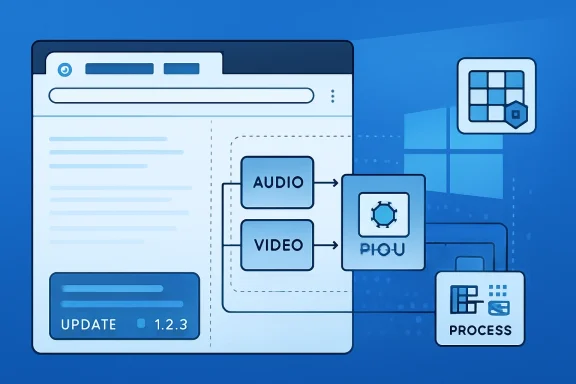 A Low-Severity Bug Still Cuts Across the Browser Supply Chain
The most tempting thing to do with CVE-2026-8017 is dismiss it. The Chromium project rated it low. CISA’s ADP scoring gives it a 3.1 under CVSS 3.1, with high attack complexity, required user interaction, and limited confidentiality impact. In the daily triage queue, that does not outrank an actively exploited privilege escalation, a wormable network bug, or a critical memory corruption flaw.But browser security does not map cleanly to old enterprise severity instincts. A remote web page is already the most reachable attack surface on almost every managed Windows endpoint. If a user can be convinced to visit a page, the browser becomes the perimeter, the application runtime, the document viewer, the identity broker, and often the front door to corporate SaaS.
That is why even “low” Chromium vulnerabilities deserve more than a shrug. CVE-2026-8017 sits in the Media component and concerns side-channel leakage of cross-origin data. Cross-origin boundaries are foundational to the web’s security model; side channels are the awkward proof that a boundary can remain logically intact while still leaking hints through timing, state, resource contention, or observable behavior.
The result is not necessarily direct account takeover. It is not described as arbitrary code execution. It is not being reported as exploited in the wild. Yet the class of bug matters because attackers do not always need one spectacular exploit. They often assemble small leaks, browser quirks, fingerprinting signals, and user-specific state into a more useful chain.
The Browser’s Media Stack Is No Longer Just a Playback Engine
The word “Media” sounds reassuringly mundane. It suggests video playback, audio decoding, camera permissions, and the boring machinery behind a conference call or a training module. In a modern Chromium browser, however, media is a dense junction of codecs, hardware acceleration, device APIs, buffering logic, site isolation assumptions, and cross-process coordination.That complexity is not accidental. Users expect a browser to stream encrypted video, run WebRTC meetings, render rich advertising, play embedded social clips, and negotiate hardware capabilities across Windows, macOS, Linux, Android, and ChromeOS. Each feature pulls the browser closer to the operating system and the GPU, and each abstraction layer creates places where state can be inferred rather than explicitly read.
Side-channel bugs thrive in exactly that territory. They are usually less cinematic than memory corruption vulnerabilities because they do not simply smash a guardrail. They ask a subtler question: what can a hostile page learn by watching how the browser behaves?
The answer varies by implementation, timing, cache behavior, process isolation, and the specific data being probed. That is why these flaws often receive lower CVSS scores. They can be hard to exploit reliably, hard to generalize, and hard to explain in a sentence. Yet they also undermine the tidy mental model that says web security is only about whether JavaScript is directly allowed to read something.
Cross-Origin Leakage Is the Web’s Oldest New Problem
The phrase cross-origin data is doing a lot of work in this advisory. The same-origin policy is one of the basic rules that keeps the web from collapsing into chaos. A page from one origin should not be able to casually read sensitive data from another origin just because both are open in the same browser.That model is constantly under pressure. Users stay logged into mail, cloud storage, identity portals, admin consoles, intranet apps, social networks, banking sites, and ticketing systems at the same time. The browser’s job is to make that coexistence seamless without allowing every tab to become a spy on every other tab.
A crafted page that can leak cross-origin information does not necessarily get the crown jewels. It may only infer whether a resource exists, whether a user is logged in, whether a media state changed, or whether a response produced a measurable difference. But attackers prize these small distinctions because they can turn a blind phishing page into a targeted one.
In enterprise environments, that matters. Knowing whether a user can access a particular internal app, belongs to a certain tenant, has a session with a cloud provider, or can see a protected resource can sharpen an attack. Low confidentiality impact is still confidentiality impact.
CVSS Gets the Math Right and the Mood Wrong
The CVSS vector attached by CISA’s ADP analysis is almost a miniature story: network attack vector, high complexity, no privileges required, user interaction required, unchanged scope, low confidentiality impact, and no integrity or availability impact. That is a fair technical framing. It tells defenders not to panic.But CVSS is less useful as a measure of operational attention. Browser vulnerabilities have a distribution problem. They can move from vendor disclosure to mass scanning to exploit-kit experimentation quickly, even when the individual CVE looks unimpressive. A low score does not mean a low deployment priority when the patch is easy, broadly available, and tied to a major browser update.
This is especially true for Windows admins managing Chrome and Edge side by side. The operational cost of updating a browser is usually lower than the cost of proving that a specific browser-side side channel cannot be abused in your environment. Unless a regression blocks a critical workflow, the rational move is to update and verify.
That does not mean every low-severity Chromium CVE deserves an emergency change window. It means browser patching should be treated as a living channel, not a monthly ceremony. Chromium does not wait for Patch Tuesday’s rhythm, and attackers do not either.
Microsoft Edge Inherits the Question Even When Chrome Owns the Advisory
The user-facing advisory trail here begins with Chrome, but WindowsForum readers naturally look at Microsoft Edge. Edge is Chromium-based, and Microsoft’s Security Update Guide tracks Chromium CVEs because the underlying engine is shared even when the browser product, update channel, policy surface, and release timing differ.That shared foundation is both a blessing and a liability. Google’s Chromium work gives Edge a fast-moving security base, but it also means Edge administrators must pay attention to vulnerabilities that may first appear under Chrome branding. If the vulnerable code path exists in Chromium and is compiled into Edge, the question becomes when Microsoft consumes the fix and ships it through Edge channels.
This is where many enterprise inventories get messy. Security teams may see “Google Chrome prior to 148.0.7778.96” and assume the issue is not theirs because they standardized on Edge. Endpoint teams may see Edge updating automatically and assume no manual validation is needed. Compliance teams may wait for a CPE mapping before deciding whether the vulnerability applies.
That last instinct is dangerous. CPE data is useful for scanners and dashboards, but it is not the source of truth for whether code exists on a machine. When a browser is built on Chromium, the more useful operational question is: which Chromium build is my deployed browser based on, and does the vendor say the fix is included?
The CPE Confusion Is a Symptom of a Bigger Inventory Problem
The NVD change history for CVE-2026-8017 shows a configuration for Google Chrome versions before 148.0.7778.96 across Windows, Linux, and macOS. That is the expected shape for a Chrome advisory. But the “are we missing a CPE?” prompt is more revealing than it looks.CPEs were built for naming products in a vulnerability database. Modern software supply chains are built from shared engines, embedded libraries, vendored components, feature flags, platform-specific builds, and update channels. The browser world exposes the mismatch brutally. Chrome, Edge, Brave, Vivaldi, Opera, Electron apps, WebView runtimes, and Chromium-derived embedded clients can share pieces of risk without sharing a neat product name.
For Windows administrators, the CPE question should not end with Chrome. It should trigger a broader inventory pass. Which endpoints have Chrome? Which have Edge Stable, Extended Stable, Beta, Dev, or WebView2 runtimes? Which line-of-business apps bundle a Chromium runtime that does not follow the browser’s normal update cadence?
This is not an argument that CVE-2026-8017 automatically affects every Chromium-adjacent product. It is an argument that vulnerability management cannot stop at the first CPE row. Shared browser components require vendor-specific confirmation, version inspection, and sometimes uncomfortable conversations with application owners.
Chrome 148 Was a Security Release Hiding Inside a Feature Release
Chrome 148 reached stable on May 5, 2026, for Windows, macOS, and Linux, with desktop versions 148.0.7778.96 and 148.0.7778.97 depending on platform and channel packaging. Reports around the release describe a large security payload, including more than 100 fixes and several critical vulnerabilities elsewhere in the browser.That context matters because CVE-2026-8017 is not the main event in Chrome 148. It is one tile in a very crowded mosaic. The headline vulnerabilities in the release are more likely to get attention because critical memory-safety bugs are easier to rank, explain, and prioritize. A low-severity media side channel can disappear under the blast radius of the bigger patch bundle.
Yet from an admin’s perspective, that is exactly why bundling matters. You do not patch Chrome 148 only for CVE-2026-8017. You patch it because the browser release is a moving train of security, stability, compatibility, and platform changes. The small CVEs ride alongside the large ones, and the cost of separating them is usually greater than the cost of deploying the update.
The same logic applies to Edge once Microsoft ships the corresponding Chromium fixes. Browser updates are not like optional feature packs. They are security baselines with a user interface attached.
User Interaction Is Not Much Comfort on the Open Web
The CVSS vector says user interaction is required. That is true, but in browser threat modeling it can be a thin comfort. The browser is an interaction machine; visiting web pages is not an unusual act but the core business process.A crafted HTML page does not need to arrive as an executable attachment. It can be a link in email, a compromised site, a malicious ad, a poisoned search result, a fake invoice portal, a helpdesk lure, or a page embedded in a workflow users already trust. The gap between “requires a user to click” and “practically reachable” is narrower in the browser than in many other software categories.
High attack complexity is more meaningful. Side-channel exploitation often depends on conditions that are hard to reproduce at scale. Noise, browser mitigations, process boundaries, timing variance, and platform differences all raise the bar. That is why this is not a five-alarm warning.
Still, defenders should avoid translating “high complexity” into “not exploitable.” It means not every attacker can use it well. It does not mean no attacker can.
The Side-Channel Era Rewards Patient Attackers
Side-channel vulnerabilities are awkward for defenders because they rarely produce the clean indicators that traditional intrusion detection loves. There may be no dropped binary, no crash, no obvious exploit payload, and no clear log entry that says cross-origin information leaked. The attack may look like a user browsing a page that runs unusual JavaScript and media operations.That does not make the issue mystical. It makes prevention more important than detection. If a patched browser removes the observable behavior, the defender has closed a path that would have been hard to monitor after the fact.
The broader history of browser side channels should make us cautious. Spectre-class research taught the industry that speculative execution, timing, and isolation boundaries can interact in surprising ways. Web platform designers responded with site isolation, reduced timer precision, cross-origin resource policies, and other mitigations. But the web keeps expanding, and media remains one of the places where high-performance features meet strict isolation promises.
CVE-2026-8017 is not Spectre. It should not be inflated into that. But it belongs to the same philosophical family: a reminder that information can leak through behavior, not just through permissions.
Enterprise Browsers Are Now Policy Platforms
For managed Windows environments, the browser is not merely an app to update. It is a policy platform. Chrome and Edge both expose enterprise controls for update cadence, extension management, download restrictions, site isolation behavior, safe browsing features, certificate handling, and legacy compatibility.That policy surface can reduce risk, but it can also create drift. Some organizations delay browser updates to protect internal apps. Some pin versions during testing. Some maintain Extended Stable channels. Some allow users to install secondary browsers outside the managed baseline. Each exception is understandable; together, they form the real attack surface.
CVE-2026-8017 is the kind of vulnerability that punishes vague ownership. If the security team assumes browsers auto-update, the desktop team assumes policy is someone else’s job, and app owners demand indefinite deferrals, the organization ends up with a browser estate it cannot accurately describe.
The fix is not dramatic. It is disciplined version verification. Know what is installed, know which channel it is on, know when it last updated, and know how quickly you can move when the browser vendors ship a security release.
The Patch Is Simple; Proving Coverage Is the Hard Part
For individual users, the advice is straightforward: update Chrome to 148.0.7778.96 or later, with Windows and macOS builds also appearing as 148.0.7778.97 in some release paths. Chrome normally updates automatically, but the browser still needs to relaunch to complete the process. That last step is where many “auto-updated” endpoints quietly remain exposed.For enterprises, the patch story has more moving parts. Admins need to check update policies, confirm that endpoint management tools see the current browser version, and account for machines that sleep, roam, or rarely reboot. Browser updates can download promptly while remaining unapplied until users close every browser process.
Edge environments should watch Microsoft’s Edge release notes and Security Update Guide rather than assuming Chrome’s version number maps one-to-one to Edge’s version number. The underlying Chromium fix is what matters, but Microsoft packages and ships it through its own browser channels. A Chrome CVE in Microsoft’s guide is a signal to validate Edge, not an invitation to guess.
The same goes for WebView2. Many Windows desktop applications rely on the Edge WebView2 runtime for embedded web content. In most managed environments it updates through Microsoft’s Evergreen mechanism, but fixed-version deployments exist. Those fixed deployments are convenient for compatibility and risky for security if nobody owns the update lifecycle.
“Low” Should Mean Scheduled Fast, Not Ignored Slowly
The right response to CVE-2026-8017 is proportionate urgency. This is not a reason to pull machines off the network. It is not, based on public information, an active exploitation emergency. It does not appear to grant code execution, persistence, or privilege escalation by itself.But proportionate urgency is still urgency. Browser updates should move on a faster track than traditional desktop software because the browser faces hostile content by design. If an organization’s change process treats a low-severity browser CVE as something to revisit next quarter, the process is tuned for a different era.
A sensible posture is to absorb routine Chromium security releases quickly, test for obvious regressions in a narrow pilot, and then push broadly. Extended Stable can make sense for some enterprises, but it should be a conscious tradeoff rather than a parking lot for forgotten endpoints.
The hard part is cultural. Security teams often want speed, desktop teams want stability, and business units want their internal apps left alone. Browser vendors have largely decided that speed wins because the web is too hostile for leisurely patch cycles. Enterprises need to align their processes with that reality.
The Real Lesson Is Not This CVE, But the Shape of the Next One
CVE-2026-8017 is easy to summarize and hard to fully internalize. A crafted HTML page could leak cross-origin data through a side channel in Chrome’s Media component before 148.0.7778.96. The severity is low. The exploit conditions are constrained. The patch is available.The more durable lesson is that browser security now depends on many layers that users never see. Site isolation, media pipelines, GPU processes, sandboxing, origin checks, timers, caches, and update channels all have to cooperate. A small flaw in any one layer may not break the browser, but it can reveal something the browser promised to hide.
That is why vulnerability management has to become more component-aware. An advisory branded as Chrome can matter to Edge. A Chromium fix can matter to an embedded runtime. A low-severity leakage bug can matter more in a highly authenticated enterprise web environment than it does on a lightly used consumer machine.
Admins do not need to dramatize CVE-2026-8017. They need to use it as another audit point for the browser supply chain they already depend on.
The Practical Read on CVE-2026-8017 for Windows Shops
This is a small vulnerability with a large operational shadow. Treat it as a prompt to verify browser currency, not as a standalone crisis.- Chrome installations should be updated to 148.0.7778.96 or later, with affected Windows and macOS deployments also seeing 148.0.7778.97 depending on release path.
- Edge administrators should track Microsoft’s Chromium-based Edge updates and confirm that the relevant Chromium fix has landed in their deployed channel.
- Vulnerability scanners that rely heavily on CPE mappings should be checked against real installed browser versions and vendor release notes.
- WebView2 and Chromium-embedded applications should be included in the inventory discussion, especially where fixed runtimes are used.
- The low CVSS score should shape the rollout tempo, not justify indefinite deferral.
- Users may need a browser relaunch before an automatic update actually becomes the running, protected version.
Source: NVD / Chromium Security Update Guide - Microsoft Security Response Center
