

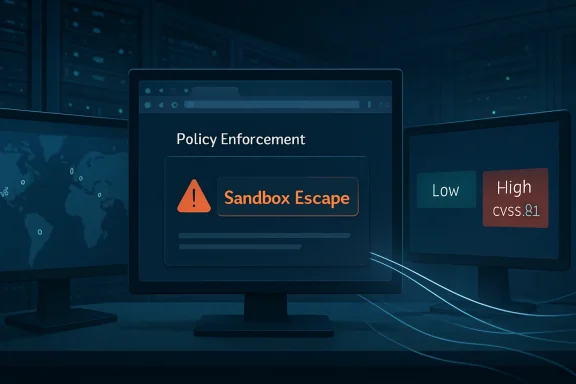
Google Chrome prior to 148.0.7778.96 on Windows, macOS, and Linux is affected by CVE-2026-8018, a DevTools policy-enforcement flaw disclosed on May 6, 2026, and now reflected in NVD and Microsoft’s Security Update Guide. The oddity is not the patch; it is the mismatch between Chromium’s “Low” severity label and CISA-ADP’s 8.1 “High” CVSS score. That gap is exactly where enterprise patching gets uncomfortable. A browser bug that sounds like a developer-tool corner case can become a fleet-management problem the moment “sandbox escape” appears in the description.
CVE-2026-8018 is described as “insufficient policy enforcement in DevTools,” allowing a remote attacker to potentially perform a sandbox escape via malicious network traffic. Google fixed it in Chrome 148.0.7778.96 for Linux and 148.0.7778.96/97 for Windows and Mac as part of the Chrome 148 Stable Channel update released on May 5, 2026.
On paper, Chromium classifies the issue as Low. In the NVD record, however, the CISA-ADP CVSS 3.1 score lands at 8.1 High, with network attack vector, high attack complexity, no privileges required, no user interaction, and high impact across confidentiality, integrity, and availability. NVD itself has not yet supplied its own CVSS score, which leaves administrators staring at two different risk languages for the same defect.
That is not merely bureaucratic noise. Browser security teams often grade vulnerabilities with exploitability context that is not fully public at disclosure time, while CVSS tries to model worst-case technical impact from the available description. When the bug details remain restricted until most users are patched, the public record can look contradictory because the public is missing the engineering story behind the label.
The result is a familiar 2026 patch-management problem: the vendor’s severity says “don’t panic,” the scoring system says “treat this seriously,” and the phrase “sandbox escape” says “do not leave this sitting in your environment.”
The Chrome DevTools Protocol also sits behind a growing ecosystem of automation. Headless Chrome, browser testing frameworks, scraping tools, PDF renderers, CI pipelines, and debugging integrations all depend on browser internals that were never designed to be casually exposed to hostile traffic. The modern browser is not just a client application; it is a programmable runtime.
That is why “insufficient policy enforcement” matters. The browser sandbox assumes that code running inside one compartment cannot casually step into more privileged territory. DevTools-related policy checks are part of the boundary between observation, control, and execution. If those checks are weaker than intended, a feature designed to help developers examine the web can become a place where attacker-controlled input meets browser authority.
The public CVE text does not prove a practical exploit chain in the wild. It does, however, tell us enough to reject complacency. A remote attacker, malicious network traffic, DevTools, and sandbox escape are four terms that do not belong together in any risk register labeled “ignore until next month.”
That is why sandbox-escape language carries more weight than raw severity labels. Many Chrome exploits require a chain: one bug gets code running in a renderer, another escapes the sandbox, and sometimes a third moves toward persistence or privilege escalation. A sandbox escape can be the second half of a more dangerous story even when the individual CVE is hard to exploit alone.
CVE-2026-8018’s CISA-ADP vector includes high attack complexity. That matters. It suggests exploitation may require unusual conditions, precise timing, environmental assumptions, or a chain with other behavior. But high complexity is not the same thing as theoretical. In browser security, the difference between “difficult” and “weaponized” can collapse quickly when exploit developers have a patch to diff.
The enterprise lesson is simple: do not rank a browser sandbox escape only by the vendor adjective attached to it. Rank it by what it could enable if paired with another Chrome bug, a compromised network path, a malicious captive portal, a hostile ad chain, or an internal tool that drives Chrome automatically against untrusted content.
The more interesting question is whether that CPE tells the whole operational story. It does not. CPE records are product identifiers, not fleet exposure maps. They will not automatically capture every Chromium-derived browser, every embedded browser runtime, every application bundling Chromium components, or every headless Chrome container forgotten in a build pipeline.
This matters for WindowsForum readers because Microsoft’s presence in the advisory trail can be misleading. Microsoft’s Security Update Guide tracks Chromium CVEs because Edge is Chromium-based and because Windows administrators increasingly consume browser security through Microsoft channels. But a Chrome CPE does not necessarily mean Edge is vulnerable at that exact version number, nor does an MSRC page automatically mean Windows itself is the vulnerable component.
For asset teams, the right interpretation is narrower and more useful: Chrome before 148.0.7778.96 is in scope, the operating-system CPEs identify supported desktop platforms, and Chromium-based derivatives should be checked through their own vendor advisories rather than assumed safe or affected solely from the Chrome record.
That distinction is not pedantic. Chromium vulnerabilities propagate through an ecosystem at uneven speeds. Google Chrome may receive a fix first, Edge may follow through its own channel, Brave, Vivaldi, Opera, Electron apps, and embedded Chromium runtimes may each have their own lag, and some enterprise appliances may quietly bundle older browser engines for years.
Windows administrators often ask, “Did Patch Tuesday fix this?” For Chromium bugs, the answer is often, “Not exactly.” Browser auto-update, EdgeUpdate, Chrome Enterprise policies, WSUS or ConfigMgr packaging, Intune rings, and application-control rules all decide whether the fix actually lands. The CVE record may appear in Microsoft’s world, but the remediation path may live outside the monthly Windows cumulative update habit.
That is one reason browser vulnerabilities keep irritating mature patch programs. They cross organizational boundaries. Endpoint teams own the browser, developer platforms own headless Chrome images, SaaS teams own browser automation, and security owns the scanner findings. CVE-2026-8018 is small enough to be overlooked but broad enough to expose that division.
That context cuts both ways. On one hand, a single Low-severity DevTools bug may not justify the drama usually reserved for an actively exploited zero-day. On the other hand, a 127-fix Chrome release is exactly the kind of update attackers mine for clues. Once patches ship, researchers and adversaries alike can compare code changes, look for security-sensitive diffs, and infer bug classes that were intentionally described vaguely.
Google’s release notes also remind users that bug details may remain restricted until a majority of users are updated. That policy is sensible, but it creates an information asymmetry. Defenders are told enough to patch but not enough to fully model exploitation. Attackers with diffing skills may learn more than administrators reading the advisory.
That asymmetry is why the safest enterprise posture is boring: update quickly, verify the version, and move on. Waiting for a perfect public exploit narrative before patching Chrome is how organizations turn routine browser maintenance into incident response.
Those systems are often treated as utilities rather than browsers. They may not have visible windows, user profiles, normal auto-update behavior, or endpoint-management agents. They may process untrusted HTML, PDFs, URLs, or customer-supplied content by design. If a vulnerability involves malicious network traffic and a potential sandbox escape, automated browser workloads deserve a second look.
The dangerous pattern is not simply “Chrome installed on a laptop.” It is “Chrome installed where nobody thinks of it as Chrome.” A CI runner with an old Chromium build, a PDF microservice with broad internal network access, or an admin automation box with DevTools protocol exposure can be more interesting to an attacker than a patched user workstation.
That does not mean CVE-2026-8018 is known to target those scenarios. It means the class of vulnerability intersects with places where DevTools-adjacent capabilities and network-driven browser behavior already exist. Good security programs patch the named CVE and then use it as an excuse to find the forgotten runtime.
CVSS, however, is less interested in vendor intuition and more interested in modeled impact. If a remote unauthenticated attacker can potentially produce a sandbox escape with high confidentiality, integrity, and availability impact, the score climbs even with high complexity. That is how a Low vendor severity and a High CVSS can coexist without either being fraudulent.
The trouble is that many dashboards flatten those nuances into red, yellow, and green. A scanner may scream High while Chrome’s advisory whispers Low. A compliance team may demand emergency remediation while the browser team points to staged rollout. Neither side is wrong; both are seeing a partial truth.
The better approach is to separate exploitability from impact. CVE-2026-8018 may be hard to exploit, but the impact category is serious enough that administrators should not let the Low label become a sleep aid. Patch it with the urgency of a browser sandbox boundary issue, not with the urgency of a cosmetic UI bug.
For Windows shops, Chrome version verification should be treated as evidence, not assumption. Inventory should show Chrome at 148.0.7778.96 or later, while Windows and macOS endpoints may show 148.0.7778.96 or 148.0.7778.97 depending on rollout. Linux packages should be checked through the distribution or Google package repository path in use.
Enterprise policy can help, but it can also hurt. Update deferrals, pinned browser versions, change-freeze windows, extension compatibility testing, and blocked updater services all create gaps between advisory publication and remediation. A browser that updates itself is only as automatic as the policies wrapped around it.
The most defensible posture is a short validation cycle rather than a long exception process. Test core apps, deploy the browser update, confirm restart compliance, and scan for stragglers. If a business-critical web app cannot survive a Chrome point release in 2026, the app is part of the vulnerability management problem.
In practice, Edge often incorporates Chromium security fixes quickly, and Microsoft’s Security Update Guide exists partly to make that lineage visible. But administrators should avoid the common shortcut of mapping Chrome’s fixed version directly onto Edge’s version number. Edge has its own Stable and Extended Stable channels, its own updater, and its own enterprise controls.
The operational move is to check Edge’s current security release notes and endpoint inventory alongside Chrome. If Edge has received the relevant Chromium security update, verify deployment. If release notes lag, treat the MSRC entry as a signal to monitor closely, not as proof that every Edge installation has already consumed the fix.
This is where WindowsForum’s audience has an advantage. Windows administrators already know that “available” and “installed” are different states. The same discipline that applies to cumulative updates now applies to browsers that ship outside the old Patch Tuesday rhythm.
Security teams should also resist overfitting to this one CVE. The larger signal is that DevTools and browser automation remain privileged surfaces in a world where the browser is the operating environment for work. Attackers do not need every bug to be critical; they need one overlooked boundary in one useful chain.
For desktop fleets, this is a routine browser update with a security reason attached. For server-side browser automation, it is a prompt to review isolation, network egress, container freshness, and whether DevTools protocol endpoints are exposed beyond localhost. For compliance teams, it is a reminder that CPE matching is necessary but not sufficient.
The uncomfortable truth is that browser patching is now infrastructure patching. Chrome is not “just an app” when it renders invoices, authenticates administrators, drives cloud consoles, or converts untrusted documents inside production workflows.
Source: NVD / Chromium Security Update Guide - Microsoft Security Response Center
 A Low-Severity Chrome Bug Walks Into a High-Severity Database
CVE-2026-8018 is described as “insufficient policy enforcement in DevTools,” allowing a remote attacker to potentially perform a sandbox escape via malicious network traffic. Google fixed it in Chrome 148.0.7778.96 for Linux and 148.0.7778.96/97 for Windows and Mac as part of the Chrome 148 Stable Channel update released on May 5, 2026.On paper, Chromium classifies the issue as Low. In the NVD record, however, the CISA-ADP CVSS 3.1 score lands at 8.1 High, with network attack vector, high attack complexity, no privileges required, no user interaction, and high impact across confidentiality, integrity, and availability. NVD itself has not yet supplied its own CVSS score, which leaves administrators staring at two different risk languages for the same defect.
That is not merely bureaucratic noise. Browser security teams often grade vulnerabilities with exploitability context that is not fully public at disclosure time, while CVSS tries to model worst-case technical impact from the available description. When the bug details remain restricted until most users are patched, the public record can look contradictory because the public is missing the engineering story behind the label.
The result is a familiar 2026 patch-management problem: the vendor’s severity says “don’t panic,” the scoring system says “treat this seriously,” and the phrase “sandbox escape” says “do not leave this sitting in your environment.”
DevTools Is Not Just a Developer Toy Anymore
The phrase “DevTools” still makes many administrators think of a feature used by web developers with too many tabs and not enough sleep. That is true, but incomplete. Chrome DevTools is a privileged inspection and debugging surface attached to a browser that now serves as the front end for email, identity, SaaS administration, remote desktops, cloud consoles, password managers, and line-of-business applications.The Chrome DevTools Protocol also sits behind a growing ecosystem of automation. Headless Chrome, browser testing frameworks, scraping tools, PDF renderers, CI pipelines, and debugging integrations all depend on browser internals that were never designed to be casually exposed to hostile traffic. The modern browser is not just a client application; it is a programmable runtime.
That is why “insufficient policy enforcement” matters. The browser sandbox assumes that code running inside one compartment cannot casually step into more privileged territory. DevTools-related policy checks are part of the boundary between observation, control, and execution. If those checks are weaker than intended, a feature designed to help developers examine the web can become a place where attacker-controlled input meets browser authority.
The public CVE text does not prove a practical exploit chain in the wild. It does, however, tell us enough to reject complacency. A remote attacker, malicious network traffic, DevTools, and sandbox escape are four terms that do not belong together in any risk register labeled “ignore until next month.”
The Sandbox Is the Browser’s Last Honest Promise
Chrome’s security model has always depended on layers. A renderer compromise should not automatically become a system compromise. A malicious page should not casually read local files, tamper with other sites, or escape into the operating system. The sandbox is the line that turns a bad browser bug into a contained incident rather than a workstation takeover.That is why sandbox-escape language carries more weight than raw severity labels. Many Chrome exploits require a chain: one bug gets code running in a renderer, another escapes the sandbox, and sometimes a third moves toward persistence or privilege escalation. A sandbox escape can be the second half of a more dangerous story even when the individual CVE is hard to exploit alone.
CVE-2026-8018’s CISA-ADP vector includes high attack complexity. That matters. It suggests exploitation may require unusual conditions, precise timing, environmental assumptions, or a chain with other behavior. But high complexity is not the same thing as theoretical. In browser security, the difference between “difficult” and “weaponized” can collapse quickly when exploit developers have a patch to diff.
The enterprise lesson is simple: do not rank a browser sandbox escape only by the vendor adjective attached to it. Rank it by what it could enable if paired with another Chrome bug, a compromised network path, a malicious captive portal, a hostile ad chain, or an internal tool that drives Chrome automatically against untrusted content.
The CPE Record Is Mostly Right, but It Tells Only the Narrow Story
The NVD configuration for CVE-2026-8018 lists Google Chrome versions before 148.0.7778.96 and combines that with platform CPEs for Windows, Linux, and macOS. That is the expected shape for a Chrome desktop vulnerability. If the question is whether the basic Google Chrome CPE is missing, the answer appears to be no: the vulnerable application entry is present.The more interesting question is whether that CPE tells the whole operational story. It does not. CPE records are product identifiers, not fleet exposure maps. They will not automatically capture every Chromium-derived browser, every embedded browser runtime, every application bundling Chromium components, or every headless Chrome container forgotten in a build pipeline.
This matters for WindowsForum readers because Microsoft’s presence in the advisory trail can be misleading. Microsoft’s Security Update Guide tracks Chromium CVEs because Edge is Chromium-based and because Windows administrators increasingly consume browser security through Microsoft channels. But a Chrome CPE does not necessarily mean Edge is vulnerable at that exact version number, nor does an MSRC page automatically mean Windows itself is the vulnerable component.
For asset teams, the right interpretation is narrower and more useful: Chrome before 148.0.7778.96 is in scope, the operating-system CPEs identify supported desktop platforms, and Chromium-based derivatives should be checked through their own vendor advisories rather than assumed safe or affected solely from the Chrome record.
Microsoft’s Role Is a Translation Layer, Not the Original Source of Truth
Microsoft’s Security Update Guide entry is valuable because many Windows shops live inside Microsoft’s patching ecosystem. It gives administrators a familiar place to track CVEs that may matter to Edge, Windows endpoints, Intune-managed devices, and compliance workflows. But CVE-2026-8018 originated from Chrome, and Google’s Stable Channel post is the vendor advisory for Chrome itself.That distinction is not pedantic. Chromium vulnerabilities propagate through an ecosystem at uneven speeds. Google Chrome may receive a fix first, Edge may follow through its own channel, Brave, Vivaldi, Opera, Electron apps, and embedded Chromium runtimes may each have their own lag, and some enterprise appliances may quietly bundle older browser engines for years.
Windows administrators often ask, “Did Patch Tuesday fix this?” For Chromium bugs, the answer is often, “Not exactly.” Browser auto-update, EdgeUpdate, Chrome Enterprise policies, WSUS or ConfigMgr packaging, Intune rings, and application-control rules all decide whether the fix actually lands. The CVE record may appear in Microsoft’s world, but the remediation path may live outside the monthly Windows cumulative update habit.
That is one reason browser vulnerabilities keep irritating mature patch programs. They cross organizational boundaries. Endpoint teams own the browser, developer platforms own headless Chrome images, SaaS teams own browser automation, and security owns the scanner findings. CVE-2026-8018 is small enough to be overlooked but broad enough to expose that division.
The Chrome 148 Patch Is Bigger Than One DevTools CVE
Chrome 148’s security update includes 127 fixes, including three critical vulnerabilities and a long tail of high-, medium-, and low-severity issues across Blink, V8, ANGLE, WebRTC, GPU, ServiceWorker, Skia, Chromoting, DevTools, and other components. CVE-2026-8018 is therefore not arriving as a lonely emergency patch. It is one entry in a large browser hardening release.That context cuts both ways. On one hand, a single Low-severity DevTools bug may not justify the drama usually reserved for an actively exploited zero-day. On the other hand, a 127-fix Chrome release is exactly the kind of update attackers mine for clues. Once patches ship, researchers and adversaries alike can compare code changes, look for security-sensitive diffs, and infer bug classes that were intentionally described vaguely.
Google’s release notes also remind users that bug details may remain restricted until a majority of users are updated. That policy is sensible, but it creates an information asymmetry. Defenders are told enough to patch but not enough to fully model exploitation. Attackers with diffing skills may learn more than administrators reading the advisory.
That asymmetry is why the safest enterprise posture is boring: update quickly, verify the version, and move on. Waiting for a perfect public exploit narrative before patching Chrome is how organizations turn routine browser maintenance into incident response.
DevTools Policy Bugs Hit Hardest Where Browsers Are Automated
For a typical home user, the fix path is straightforward: let Chrome update, restart the browser, and confirm the version. For enterprise environments, the more exposed systems may not be the interactive desktops at all. They may be servers and containers running headless Chrome for screenshots, document conversion, web testing, monitoring, scraping, or report generation.Those systems are often treated as utilities rather than browsers. They may not have visible windows, user profiles, normal auto-update behavior, or endpoint-management agents. They may process untrusted HTML, PDFs, URLs, or customer-supplied content by design. If a vulnerability involves malicious network traffic and a potential sandbox escape, automated browser workloads deserve a second look.
The dangerous pattern is not simply “Chrome installed on a laptop.” It is “Chrome installed where nobody thinks of it as Chrome.” A CI runner with an old Chromium build, a PDF microservice with broad internal network access, or an admin automation box with DevTools protocol exposure can be more interesting to an attacker than a patched user workstation.
That does not mean CVE-2026-8018 is known to target those scenarios. It means the class of vulnerability intersects with places where DevTools-adjacent capabilities and network-driven browser behavior already exist. Good security programs patch the named CVE and then use it as an excuse to find the forgotten runtime.
Severity Labels Are a Negotiation Between Engineering and Operations
The Chromium “Low” label is probably not arbitrary. Vendors consider exploit reliability, required preconditions, reachable attack surface, mitigations, and whether a bug is useful by itself. A DevTools flaw may require an unusual state, a debugging path, or a policy configuration that ordinary browsing rarely exposes. From that vantage point, Low can be defensible.CVSS, however, is less interested in vendor intuition and more interested in modeled impact. If a remote unauthenticated attacker can potentially produce a sandbox escape with high confidentiality, integrity, and availability impact, the score climbs even with high complexity. That is how a Low vendor severity and a High CVSS can coexist without either being fraudulent.
The trouble is that many dashboards flatten those nuances into red, yellow, and green. A scanner may scream High while Chrome’s advisory whispers Low. A compliance team may demand emergency remediation while the browser team points to staged rollout. Neither side is wrong; both are seeing a partial truth.
The better approach is to separate exploitability from impact. CVE-2026-8018 may be hard to exploit, but the impact category is serious enough that administrators should not let the Low label become a sleep aid. Patch it with the urgency of a browser sandbox boundary issue, not with the urgency of a cosmetic UI bug.
The Patch Window Is the Real Exposure Window
Google says Chrome 148 will roll out over days or weeks. That phrasing is normal for Chrome Stable releases, but it is also a reminder that “patched” at the vendor level does not mean “patched” on your endpoints. Users must restart. Managed devices must be allowed to update. Frozen VDI images must be rebuilt. Offline systems must come back online. Kiosks must not be stranded on old channels.For Windows shops, Chrome version verification should be treated as evidence, not assumption. Inventory should show Chrome at 148.0.7778.96 or later, while Windows and macOS endpoints may show 148.0.7778.96 or 148.0.7778.97 depending on rollout. Linux packages should be checked through the distribution or Google package repository path in use.
Enterprise policy can help, but it can also hurt. Update deferrals, pinned browser versions, change-freeze windows, extension compatibility testing, and blocked updater services all create gaps between advisory publication and remediation. A browser that updates itself is only as automatic as the policies wrapped around it.
The most defensible posture is a short validation cycle rather than a long exception process. Test core apps, deploy the browser update, confirm restart compliance, and scan for stragglers. If a business-critical web app cannot survive a Chrome point release in 2026, the app is part of the vulnerability management problem.
The Edge Question Needs Its Own Evidence
Because Microsoft lists CVE-2026-8018, many readers will naturally ask whether Microsoft Edge is affected. The honest answer is that Edge must be evaluated through Microsoft’s Edge release notes and versioning, not inferred solely from the Chrome version string. Chromium-based does not mean identical build numbers, identical release timing, or identical exposure for every component.In practice, Edge often incorporates Chromium security fixes quickly, and Microsoft’s Security Update Guide exists partly to make that lineage visible. But administrators should avoid the common shortcut of mapping Chrome’s fixed version directly onto Edge’s version number. Edge has its own Stable and Extended Stable channels, its own updater, and its own enterprise controls.
The operational move is to check Edge’s current security release notes and endpoint inventory alongside Chrome. If Edge has received the relevant Chromium security update, verify deployment. If release notes lag, treat the MSRC entry as a signal to monitor closely, not as proof that every Edge installation has already consumed the fix.
This is where WindowsForum’s audience has an advantage. Windows administrators already know that “available” and “installed” are different states. The same discipline that applies to cumulative updates now applies to browsers that ship outside the old Patch Tuesday rhythm.
The Right Response Is Smaller Than Panic and Larger Than Indifference
CVE-2026-8018 is not a reason to unplug the network or ban DevTools across the enterprise. It is also not a reason to shrug because Chromium called it Low. The practical response is to reduce the patch lag, verify the fixed version, and look for places where Chrome or Chromium runs unattended against untrusted input.Security teams should also resist overfitting to this one CVE. The larger signal is that DevTools and browser automation remain privileged surfaces in a world where the browser is the operating environment for work. Attackers do not need every bug to be critical; they need one overlooked boundary in one useful chain.
For desktop fleets, this is a routine browser update with a security reason attached. For server-side browser automation, it is a prompt to review isolation, network egress, container freshness, and whether DevTools protocol endpoints are exposed beyond localhost. For compliance teams, it is a reminder that CPE matching is necessary but not sufficient.
The uncomfortable truth is that browser patching is now infrastructure patching. Chrome is not “just an app” when it renders invoices, authenticates administrators, drives cloud consoles, or converts untrusted documents inside production workflows.
The Practical Reading of CVE-2026-8018 Is Narrow, but the Lesson Is Broad
Here is the short version administrators should carry into their next patch meeting: the Chrome CPE is present, the fixed version is clear, the severity language is mixed, and the remediation should not wait for exploit chatter.- Chrome installations earlier than 148.0.7778.96 should be treated as vulnerable and updated promptly across Windows, macOS, and Linux fleets.
- The NVD configuration appears to include the expected Google Chrome application CPE, while the Windows, Linux, and macOS entries describe the affected desktop platforms rather than separate browser products.
- Microsoft’s advisory trail does not automatically mean Windows itself is vulnerable; it reflects Chromium CVE tracking relevant to Microsoft’s browser ecosystem.
- Edge exposure should be confirmed through Microsoft Edge release notes and endpoint inventory rather than by directly applying Chrome’s version number to Edge.
- Headless Chrome, CI runners, PDF-generation services, test automation, and embedded Chromium runtimes deserve special attention because they are often missed by desktop browser inventories.
- The gap between Chromium’s Low severity and CISA-ADP’s High CVSS score should be resolved operationally by patching, not by arguing over which label feels more correct.
Source: NVD / Chromium Security Update Guide - Microsoft Security Response Center
