

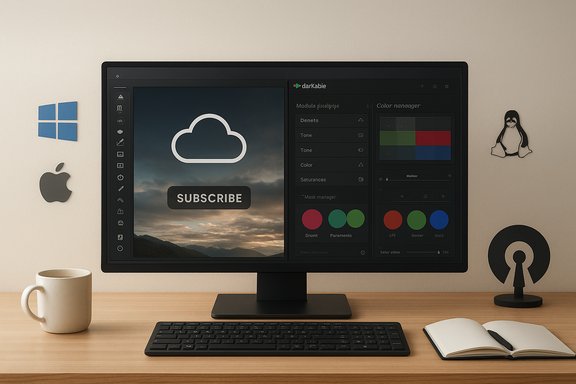
For years, I paid the Adobe tax because Lightroom was the easiest path to consistent, fast photo edits — until a free, open‑source RAW developer changed how I think about image quality and workflow.
Background / Overview
Lightroom has long been the default choice for photographers who need tight cataloging, fast batch edits, and cross‑device cloud sync. Adobe’s product page describes Lightroom as a mobile‑to‑desktop ecosystem with AI‑assisted tools, cloud storage tiers, and plan pricing starting around the current advertised plan levels. The company now markets Lightroom with multiple tiers and an emphasis on generative and AI features across desktop, mobile, and web. That convenience comes at a cost: subscription fees, cloud lock‑in for some users, and an ecosystem that biases speed and preset‑driven workflows. Adobe’s ongoing price changes and plan reshuffles in 2024–2025 have only amplified the conversation about total cost of ownership for hobbyists and part‑time shooters. Independent reporting and pricing trackers document recent plan changes and the resulting sticker shock for monthly‑paying customers. Enter the open‑source alternatives: a thriving ecosystem of RAW processors and image editors now offers viable, no‑subscription workflows. Among these, darktable stands out as a mature, photographer‑centric RAW developer that explicitly positions itself as not a Lightroom clone — but instead as a different design philosophy: control, depth, and transparency. The darktable project website calls the app “a virtual lighttable and darkroom for photographers,” highlights non‑destructive editing, and confirms the project is released under the GNU GPL v3.What darktable actually is (and what it isn’t)
A photographer’s tool, not a consumer app
Darktable is a full featured photography workflow application: it manages RAW files, provides a configurable lighttable for culling and metadata, and exposes a deep pixelpipe of processing modules for development work. Unlike products built around mobile sync and one‑click presets, darktable’s ethos is surgical control — you can chain modules, apply multiple instances of the same module, and use advanced masks to isolate corrections. The project page and official manual describe the program as community‑driven and built by photographers for photographers.Cross‑platform and open source
- License: Released under GPLv3 — free to use, modify, and distribute.
- Platform support: Official builds exist for Linux, Windows, and macOS, and the project maintains active source repositories and release notes.
- No subscription: There’s no paywall, cloud‑only features, or vendor lock‑in. Your catalog and edits remain local unless you choose otherwise.
Deep editing power: why darktable wins technically
One of the most consistent points in user reactions is that darktable’s masking and local adjustments are unusually powerful for an open‑source tool. That’s not marketing copy — it’s the structure of the app.Precision masks, parametric selections, and stacking
Darktable exposes multiple mask types:- Drawn masks: brush, circle, ellipse, path and gradient shapes — editable and combinable.
- Parametric masks: selections based on pixel properties (luminance, hue, saturation, color coordinates) rather than geometry.
- Mask manager: a global tool to edit, rename, group, and re‑use mask shapes across modules.
Modular pixelpipe with multiple instances
Darktable’s editing pipeline is modular by design: many modules can be instantiated multiple times and reordered in the pixelpipe. That means you can, for example, apply noise reduction at one stage, make targeted tonal adjustments, then re‑apply a different denoise profile later if your workflow requires it. This composability is more flexible than the single‑instance approach in many editors and is key to achieving pixel‑accurate results on difficult images.Advanced denoising, color work, and tone tools
- Denoise modules expose separate controls for luminance and chroma noise, thresholds, and wavelet‑based decomposition — like having a dimmer switch instead of a single on/off slider.
- Color balance and grading tools work across multiple color spaces and include options that are comparable to dedicated color‑grading software.
- Tone equalizer and shadow/highlight recovery can resurrect clipped areas and provide a very high degree of tonal control.
GPU acceleration via OpenCL
To address the common critique that open‑source equals slow, darktable includes optional OpenCL support to offload heavy computations to the GPU. The official documentation explains how OpenCL initialization works, how to enable/disable it, and which modules benefit most from GPU acceleration. The codebase and release notes also show ongoing refinements to OpenCL handling, background initialization, and scheduling for multi‑GPU systems. In practice, OpenCL can make interactive adjustments and exports noticeably faster on supported hardware — though OpenCL behavior depends heavily on drivers and vendor implementations.Where darktable is not Lightroom
No software is perfect for every job. Darktable deliberately does not chase Lightroom’s product goals, and that creates concrete trade‑offs.The learning curve and interface polish
Darktable’s UI prioritizes function and configurability over consumer polish. That means a steeper learning curve: names, controls, and workflows differ from Lightroom, and many powerful features require understanding module order, mask math, and parametric ranges. For photographers who depend on speed and familiarity — for example, processing hundreds of wedding photos within hours — Lightroom’s polished, predictable pipeline will usually be faster. Multiple independent reviewers and community write‑ups emphasize that you get more control at the cost of more time and initial friction.Not every feature maps 1:1
- Cloud syncing and mobile apps: Lightroom’s ecosystem includes mobile apps that sync edits across devices and cloud storage tiers. Darktable has no official mobile client and no integrated cloud sync; that’s an intentional separation of concerns.
- Plugin and ecosystem reach: Lightroom has a massive ecosystem of third‑party plugins, presets, and commercial profiles. Darktable supports styles and community scripts — and has Lua scripting — but its third‑party market is smaller.
- Tethering and studio workflows: Lightroom Classic remains the industry standard for tethered studio workflows and certain camera manufacturer integrations; darktable offers tethered capture but some studio features (and vendor support) are less polished.
Platform and driver caveats
Darktable is Linux‑native and is well‑supported there; Windows and macOS builds are first‑class but sometimes feel like ports of a Linux‑first project. OpenCL brings remarkable speed but can be brittle depending on GPU drivers or the OpenCL backend, and the project’s issue tracker contains reports of OpenCL inconsistencies on particular hardware configurations. That doesn’t make GPU acceleration useless — it means users should validate their specific hardware and driver stack.Practical comparison: when to pick which tool
Below are concise decision points to help match the tool to the job.- Choose Lightroom if you need:
- A polished, fast, predictable workflow for large batches (weddings, events).
- Integrated mobile editing and cloud sync without extra configuration.
- Convenience of established plugins, presets, and vendor color profiles.
- Choose darktable if you want:
- Maximum local control, non‑destructive editing, and deep masking tools for single‑image perfection.
- A no‑subscription model, full access to source code, and the freedom to audit or modify tools.
- Advanced raw processing options and the ability to chain and re‑use modules for creative workflows.
Quick practical checklist before you switch
- Back up a representative sample of your Lightroom catalog (including originals and XMP sidecars).
- Install darktable and point it at a test folder — don’t overwrite your primary archive.
- Confirm camera compatibility and compare exported results on a few key RAW files.
- Test OpenCL: enable it in preferences and run an export benchmark; revert if you see instability.
Migration realities and workflows
Switching from Lightroom to darktable is realistic for many photographers, but not instantaneous.Cataloging and metadata
Darktable uses a database and supports XMP sidecar files to keep metadata alongside RAW files, but the mapping from Lightroom’s catalog to darktable is not a one‑click operation. Exported sidecars and CSV tools can transfer metadata in many cases, but large legacy catalogs and very specific Lightroom collection structures may require scripting or staged migration. Community guides show common migration sequences and caution that ratings, flags, and complex collection structures need verification after transfer.Presets, styles, and film‑look emulation
Darktable supports styles (equivalent to presets) and community‑maintained film profiles and camera profiles. However, you should expect visual differences when porting a Lightroom preset to darktable; the color engines and internal demosaicing differ. Best practice is to re‑create signature presets inside darktable and use comparative exports to dial in the look.Batch processing and throughput
Darktable can batch‑apply styles and export large sets, but its UI and export pipeline are less geared for high‑volume, time‑sensitive jobs out of the box. That said, scripting (Lua) and headless export utilities can close the gap for power users willing to invest in automation. If your professional workflow depends upon near‑instant throughput with predictable presets, Lightroom still holds an edge.Community, development cadence, and trust
A major non‑technical advantage of darktable is transparency: the code is public, the development tracker is visible, and the project publishes release notes. The community maintains documentation, a dedicated manual, and a forum ecosystem where issues and feature requests are discussed. For many technical users this is a trust advantage: if a feature behaves poorly, you can inspect the code or raise an issue and watch it progress publicly. At the same time, community governance means there’s no single vendor SLA — updates, support responsiveness, and roadmap priorities vary with contributor bandwidth. For mission‑critical corporate environments, that trade‑off matters.Risks, caveats, and things to test carefully
- Driver and GPU problems: OpenCL may accelerate your workflow, but it has historically caused instability on some systems. Test on your exact hardware and be prepared to disable OpenCL if necessary. The project docs and issue tracker both recommend starting with CPU and then enabling OpenCL after validating driver compatibility.
- Learning curve: The depth of control is only useful if you understand it. Time invested in learning modules, mask math, and export profiles is required to extract the best results. Independent reviews repeatedly emphasize this trade‑off.
- Ecosystem gaps: No official mobile client, fewer commercial plugin options, and some studio features are less mature than Lightroom’s. If you rely on mobile sync or third‑party preset ecosystems, note the friction.
- Unverifiable claims and subjective experiences: Personal reports that darktable “saved” a workflow or “replaced Lightroom” are valid as individual anecdotes, but they are not universal guarantees. The MakeUseOf writer’s account that darktable “changed how I approach retouching” is a valuable user story — and it’s an opinion attributable to that writer rather than a measured metric. Treat subjective claims as directional evidence rather than universal prescriptions.
How to test darktable in your own workflow — a step‑by‑step
- Pick 10–20 representative RAW files that include high‑ISO shots, clipped highlights, skin tones, and a problematic file that previously required advanced retouching.
- Export those files from Lightroom with 100% quality JPG or TIFF as a baseline.
- Install darktable and import the RAW originals (not the Lightroom exports).
- Recreate one or two critical presets/styles, then apply them and compare side‑by‑side exports.
- Enable OpenCL (Preferences → Processing) and run an export benchmark; watch for visual anomalies and check crash logs. If you hit instability, disable OpenCL and re‑test.
Final analysis: strength, risk, and the verdict
Darktable’s greatest strength is control. If your priority is pulling every last stop out of a tricky RAW file, performing advanced targeted corrections, or avoiding subscription economics, darktable offers a compelling, verifiable path: a robust, GPL‑licensed toolset with a depth of masks, modules, and raw processing options that can match — and sometimes exceed — what more expensive editors provide. The project documentation and community reviews confirm these technical capabilities, and OpenCL support has narrowed the performance gap with commercial options. The risk is the time cost: learning, scripting, and occasionally troubleshooting GPU drivers. For fast, repeatable, batch‑oriented commercial work — weddings, large event shoots, or studios that trade speed for perfection — Lightroom’s polished workflow, mobile sync, and broad third‑party ecosystem remain strong reasons to stay. Adobe’s product investments in AI and cloud tooling also deliver workflow shortcuts that are hard to replicate locally. In short: darktable is not a lighter‑weight Lightroom knock‑off. It’s a different tool with different priorities. For photographers willing to invest time, test hardware, and embrace open‑source tooling, darktable can be the end of the subscription argument — and it can genuinely change how you approach retouching and raw development. For photographers who process heavy volumes on tight deadlines or rely on integrated cloud/mobile ecosystems, Lightroom still justifies its cost in time saved.If your goal is to take control of color, masks, and raw conversion — or to escape recurring software fees — darktable deserves a serious, measured trial. Start with a test folder, validate OpenCL on your machine, and compare exports on your most demanding images before migrating an entire archive. The payoff can be exceptional image quality and complete ownership of your workflow — but it comes with responsibility: learning, testing, and ongoing maintenance.
Source: MakeUseOf This photo-editing app is so good, I finally stopped using Lightroom
