

Paul Thurrott has quietly begun publishing chapter previews of a compact, pragmatic new guide called De‑Enshittify Windows 11, and says the full book is available now on Leanpub (PDF/EPUB) for a minimum price of $4.99 with Thurrott Premium members receiving a free copy when the work is completed.
Paul Thurrott’s new short guide picks up a theme that’s become central to many Windows conversations over the last few years: the steady accumulation of defaults, in‑box apps, telemetry, and AI surfaces that some users feel have made Windows more intrusive and less predictable. Thurrott frames this as the “enshittification” problem — a blunt term for a suite of design choices that trade user control for vendor metrics and ecosystem lock‑in. He has published early chapters as standalone articles on Thurrott.com, covering installation, privacy, Edge, OneDrive, and Copilot, among other areas.
That framing — practical, a little angry, and unapologetically prescriptive — is exactly the book’s selling point. Thurrott positions the guide as a short, hands‑on field manual rather than a deep academic study, designed to help everyday users reclaim control quickly and safely without becoming full‑time system administrators. The initial public material is organized as discrete, actionable chapters and is deliberately compact: Thurrott estimates the final book will be under 150 pages.
Community reaction was immediate. On the Thurrott forums and other community hubs, readers praised the practical tone and called for a concise companion guide that gathers high‑value tweaks and reliable tooling into one place — while others cautioned that the aggressive techniques suggested in some previews (notably Tiny11 Builder and other image‑modifying tools) carry trade‑offs that deserve careful explanation.
Two wider trends amplify the book’s appeal:
However, a careful check of the Leanpub author page shows the book listed under “Unpublished Books,” which indicates Leanpub’s listing may still be in a publish‑in‑progress state at the time Thurrott wrote the post. That creates a small timing ambiguity: the Thurrott post is the authoritative announcement of his intent and early availability, but Leanpub catalog entries may take a short window to reflect the live product. Readers should confirm the book’s Leanpub product page and purchase options directly on Leanpub if the timing of purchase matters.
In short: Thurrott’s announcement is the primary source here; Leanpub’s internal author catalog confirms the book exists on his author account but may not yet show the fully published storefront listing. Treat the price and availability claim as Thurrott’s stated plan while recognizing small timing differences can occur between an author announcement and the storefront status.
At the same time, the book’s combative framing (“enshittification”) may alienate readers who prefer neutral, step‑by‑step documentation without value language. For those audiences — corporate IT, compliance teams, and cautious home users — the book will need to be explicit about trade‑offs, especially around update behavior, security telemetry, and warranty/support implications.
The most important editorial challenge for Thurrott will be to convert attention‑grabbing tone into durable technical guidance: that means extensive “what can go wrong” sections, reproducible test case steps for every destructive recommendation. Early previews show Thurrott is aware of this balance, but the final draft should lean heavily into the “how to recover” material so novice readers aren’t left with broken systemscklist.
For IT pros, the broader takeaway is this: Microsoft’s roadmap will continue to include more agentic features and tighter cloud integration, so institutional responses fall into three buckets:
De‑Enshittify Windows 11 is a timely, well‑targeted short manual that captures a broad community mood: users want faster, quieter, and more private Windows systems without the constant friction of vendor defaults. Paul Thurrott’s choice to publish chapter previews and to package the work as a lightweight Leanpub book is appropriate for the subject and audience. The practical value will depend on the final text’s emphasis on safe defaults, tested rollbacks, and a clear delineation of which techniques are reversible and which are not. For readers who value control over convenience, the book is likely to be a useful toolkit — but it shouldn’t be used as a replacement for testing, backups, and careful update planning.
Source: Thurrott.com Now Available: De-Enshittify Windows 11
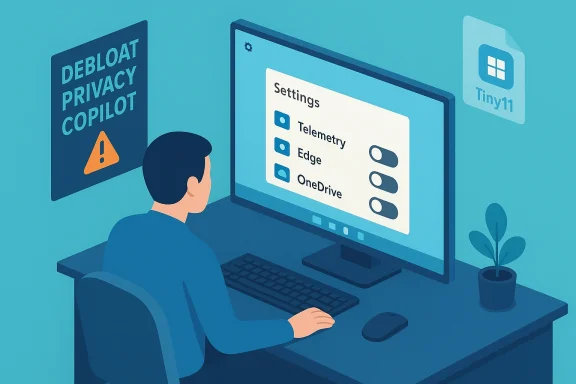 Background / Overview
Paul Thurrott’s new short guide picks up a theme that’s become central to many Windows conversations over the last few years: the steady accumulation of defaults, in‑box apps, telemetry, and AI surfaces that some users feel have made Windows more intrusive and less predictable. Thurrott frames this as the “enshittification” problem — a blunt term for a suite of design choices that trade user control for vendor metrics and ecosystem lock‑in. He has published early chapters as standalone articles on Thurrott.com, covering installation, privacy, Edge, OneDrive, and Copilot, among other areas.That framing — practical, a little angry, and unapologetically prescriptive — is exactly the book’s selling point. Thurrott positions the guide as a short, hands‑on field manual rather than a deep academic study, designed to help everyday users reclaim control quickly and safely without becoming full‑time system administrators. The initial public material is organized as discrete, actionable chapters and is deliberately compact: Thurrott estimates the final book will be under 150 pages.
Community reaction was immediate. On the Thurrott forums and other community hubs, readers praised the practical tone and called for a concise companion guide that gathers high‑value tweaks and reliable tooling into one place — while others cautioned that the aggressive techniques suggested in some previews (notably Tiny11 Builder and other image‑modifying tools) carry trade‑offs that deserve careful explanation.
What’s included: chapter-by-chapter at a glance
Thurrott has published or previewed multiple chapters that together describe the book’s scope and intent. The core chapters (as currently previewed) include:- Introduction and the thesis: The Enshittification of Windows — a diagnosis of how defaults and business incentives have shifted the platform.
- Start Fresh with a New Install of Windows 11 — step‑by‑step guidance on an OOBE (Out‑Of‑Box Experience) workflow that avoids Microsoft’s pushy defaults and removes unwanted inbox apps during setup.
- De‑Enshittify an Existing Install of Windows 11 — tactics for reclaiming control on a machine you already use.
- Make Windows 11 Respect Your Privacy — an action plan for privacy surface hardening, registry checks, and Settings restructures.
- De‑Enshittify Microsoft Copilot and AI — how to limit or reconfigure the AI/agent features Microsoft surfaces across the OS.
- De‑Enshittify Microsoft Edge — practical steps to prevent Edge from hijacking defaults, background startup, and data sync settings.
- De‑Enshittify OneDrive — options for unlinking or limiting OneDrive’s file‑provisioning behavior and startup footprint. (Preview material for this chapter has been indicated.)
- Several “coming soon” chapters, including Make Windows 11 More Secure and Fix Annoyances with Other In‑Box Apps and Experiences.
Why this matters now: the context for a small manual
Windows has matured into an ecosystem where default choices matter more than ever. Microsoft’s long push to embed cloud services, advertising signals, and AI features into the operating system means the initial configuration of a PC can steer users toward Microsoft’s services almost invisibly. For many users the issues are practical: background processes that persist, default handlers that redirect behavior, and setup flows that favor Microsoft accounts and Edge. For enterprises and privacy‑conscious users the problems are governance and data control. Thurrott’s book is pitched at the intersection of those concerns: a short, usable playbook for immediate remediation.Two wider trends amplify the book’s appeal:
- The proliferation of third‑party “debloat” and configuration tools that automate the manual steps many users perform. These tools are useful but raise questions about safety, update compatibility, andurrott.com]
- The public’s growing sensitivity to AI surfaces that run persistently and collect contextual signals. Disabling or controlling system‑level agents is no longer niche; it’s now a mainstream preference for some user segments.
Strengths: what Thurrott does well here
- Practical focus and brevity. The book’s format — short chapters publishable as standalone posts — makes it easy to find and apply a single fix without reading the entire book front to back. Thurrott’s previews show an emphasis on quick wins and common scenarios, which suits the target readers.
- Tool‑aware recommendations. Thurrott doesn’t shy from recommending specific, battle‑tested community tools (Tiny11 Builder, Win11Debloat, MSEdgeDirect) where appropriate, and he explains wheto be too aggressive for casual users. That makes the guide pragmatic rather than purely theoretical.
- Clear privacy and default‑handler guidance. The Edge and Privacy chapters walk readers through Settings surfaces that are notoriously scattered across Windows 11, and they flag exact switches and behaviors to watch. For readers who feel overwhelmed by Settings’ fragmentation, that clarity is valuable.
- Community feedbackpters on the site allows iterative improvement and gives early readers a chance to correct, test, and challenge advice before the final Kindle/Leanpub release. That’s a useful pattern for technical how‑to content.
Risks and limitations — what the book must handle carefully
Thurrott is explicit that some suggestions are aggressive and carry trade‑offs. Readers and IT pros should note the following risks before following every recommendation wholesale.- Update and compatibility risk. Tools that remove in‑box components or heavily modify an installation (Tiny11 Builder, trimmed ISOs) can interfere with Windows Update, driver signing expectations, and future feature updates. Those trade‑offs can leave systems in states where Microsoft’s servicing logic behaves unpredictably. Thurrott flags Tiny11 as aggressive and warns it removes many components by design. Any guidance that involves rebuilding an ISO or stripping system components should explicitly explain the update and support consequences.
- Security surface trade‑offs. Removing bundled apps sounds appealing for privacy and performance, but indiscriminate removals can also eliminate security features or telemetry that enterprise tools use for threat detection. Debloating must be balanced with the organization’s endpoint detection and response posture. Community discussion highlights that some debloat choices are not neutral.
- Tool trustworthiness. Recommendations to use third‑party utilities come with supply chain and integrity concerns. Users should prefer tools with an established reputation, source transparency (open source), and an active maintenance track record. Thurrott references GitHub projects (like Win11Debloat) and notes the value of community vetting.
- Reproducibility and support. Aggressively customized installs can be difficult to reproduce for support teams, complicating troubleshooting and warranty claims. Organizations should codify any de‑enshittification changes as supported provisioning steps and test them under update scenarios. Community threads show this is a common pain point.
Verifying availability and price (a note on timing)
Thurrott states the book is “now available for purchase from Leanpub for $4.99 and up,” and that it ships in PDF and EPUB formats with a Kindle edition to follow when complete.However, a careful check of the Leanpub author page shows the book listed under “Unpublished Books,” which indicates Leanpub’s listing may still be in a publish‑in‑progress state at the time Thurrott wrote the post. That creates a small timing ambiguity: the Thurrott post is the authoritative announcement of his intent and early availability, but Leanpub catalog entries may take a short window to reflect the live product. Readers should confirm the book’s Leanpub product page and purchase options directly on Leanpub if the timing of purchase matters.
In short: Thurrott’s announcement is the primary source here; Leanpub’s internal author catalog confirms the book exists on his author account but may not yet show the fully published storefront listing. Treat the price and availability claim as Thurrott’s stated plan while recognizing small timing differences can occur between an author announcement and the storefront status.
Practical, safe steps to “de‑enshittify” (high‑level playbook)
For readers who want a quick checklist that aligns with Thurrott’s recommendations — without leaping immediately to image‑modifying tools — here is a conservative playbook you can follow. These steps prioritize safety and reversibility.- Backup first. Create a full disk image or a system backup before changing defaults, uninstalling inbox apps, or altering an installation image. This avoids irreversible states.
- Start with in‑OS Settings cleanup:
- Review Accounts > Sign‑in options and consider using a local account where feasible during setup (note Microsoft’s policies around feature availability).
- In Privacy & Security, disable telemetry items you don’t want and inspect individual app permissions. Thurrott’s privacy chapter walks these surfaces systematically.
- Tame Microsoft Edge without removing it:
- Set your preferred browser as the default for HTTP/HTTPS/HTML and for .pdf files.
- Disable Edge background apps under Apps > Startup.
- Use a lightweight utility (e.g., MSEdgeDirect) if you face persistent Edge defaulting behaviors — but vet the tool before running it. Thurrott’s Edge chapter details these exact steps.
- Remove or limit OneDrive’s behavior by unlinking the account and turning off sync for specific folders. Thurrott’s OneDrive guidance explains the right balance for users who want local control.
- Consider selective debloat using vetted open‑source scripts (Win11Debloat) rather than image rewrites. These scripts typically allow you to remove specific inbox apps and restore them if needed. Always test in a VM before applying to a primary device.
- If you opt for a trimmed ISO (Tiny11 or equivalent), accept the maintenance consequences: you may need to rebuild or reimage after feature updates, and you should maintain a clean official ISO for recovery. Thurrott explicitly characterizes Tiny11 as aggressive and warns readers about the removed functionality. ([thurrott.rott.com/windows/windows-11/332685/de-enshittify-windows-11-start-fresh-with-a-new-install-of-windows-11)
- Harden agentic features (Copilot/Recall/AI Actions) by disabling or restricting them under Settings, Group Policy, or feature toggles if you use Windows Pro/Enterprise. Check Thurrott’s Copilot chapter for specifics and caveats.
Critical analysis: audience, tone, and editorial choices
Thurrott’s voice has always been opinionated; the De‑Enshittify project is no exception. That directness is a strength: it makes the book readable and prescriptive rather than neutral to the point of being useless. The decision to publish chapters publicly while the book is still being completed is an editorial win for iterative improvement and community verification.At the same time, the book’s combative framing (“enshittification”) may alienate readers who prefer neutral, step‑by‑step documentation without value language. For those audiences — corporate IT, compliance teams, and cautious home users — the book will need to be explicit about trade‑offs, especially around update behavior, security telemetry, and warranty/support implications.
The most important editorial challenge for Thurrott will be to convert attention‑grabbing tone into durable technical guidance: that means extensive “what can go wrong” sections, reproducible test case steps for every destructive recommendation. Early previews show Thurrott is aware of this balance, but the final draft should lean heavily into the “how to recover” material so novice readers aren’t left with broken systemscklist.
How this fits in the broader tooling ecosystem
Paul Thurrott references community projects like Tiny11 Builder and Win11Debloat as examples of how users are taking back control. Those projects, backed by GitHub repos and active maintainers, form the practical backbone of the de‑enshittification movement: they automate a lot of the manual work and make repeatable images possible. But they also underscore the heavy trade‑offs; community threads repeatedly highlight compatibility and maintenance questions.For IT pros, the broader takeaway is this: Microsoft’s roadmap will continue to include more agentic features and tighter cloud integration, so institutional responses fall into three buckets:
- Policy and configuration: Group Policy, MDM, and enterprise‑grade controls to manage defaults at scale.
- Provisioning discipline: Standardized images and documented provisioning steps that encode whatever “de‑enshittification” choices the organization requires, and which include testing with Windows Update.
- Monitoring and recovery: Backups, recovery media, and an explicit cadence for reimaging if feature updates break customized images. Community tooling can accelerate all three, but it cannot eliminate the need for careful engineering and governance.
Final verdict — who should read this book, and why
De‑Enshittify Windows 11 is well‑positioned to be a popular, practical field guide for three main audiences:- Power users and privacy‑minded consumers who want a short, actionable manual to reclaim a predictable, less intrusive Windows experience.
- IT generalists and small organizations who lack bespoke provisioning pipelines and want a checklist for initial provisioning and privacy hardening.
- Community tool authors and maintainers who need a single reference that collects vetted tools, pitfalls, and test cases to help avoid common mistakes.
What to watch for next
- Final publication details on Leanpub and Kindle — confirm the public product page and the pricing tiers, and whether Thurrott’s claim about Thurrott Premium members receiving the book is live. At the time of his announcement the Leanpub author catalog lists the title but shows an “Unpublished” status; that suggests a short delay between announcement and store availability. Readers should check the Leanpub product page to confirm purchase and download options.
- A robust “recovery and rollback” appendix in the final book. Given the aggressive tools discussed, the final edition should include reproducible recovery steps, official ISO fallback guidance, and clear notes on update maintenance. Community feedback has emphasized this as a necessary inclusion.
- An enterprise‑focused companion or appendix. Large organizations face different constraints — the final book could extend value by outlining MDM/Group Policy equivalents and discussing compatibility with EDR solutions.
De‑Enshittify Windows 11 is a timely, well‑targeted short manual that captures a broad community mood: users want faster, quieter, and more private Windows systems without the constant friction of vendor defaults. Paul Thurrott’s choice to publish chapter previews and to package the work as a lightweight Leanpub book is appropriate for the subject and audience. The practical value will depend on the final text’s emphasis on safe defaults, tested rollbacks, and a clear delineation of which techniques are reversible and which are not. For readers who value control over convenience, the book is likely to be a useful toolkit — but it shouldn’t be used as a replacement for testing, backups, and careful update planning.
Source: Thurrott.com Now Available: De-Enshittify Windows 11
