

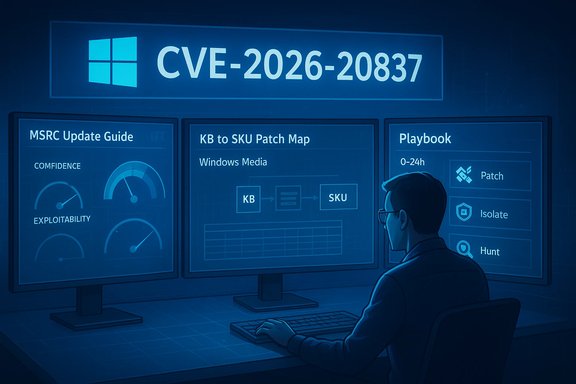
Microsoft’s brief advisory for CVE-2026-20837 has a deceptively simple public surface: a Windows Media component vulnerability is listed in the MSRC Update Guide, but the most consequential detail for defenders is not the CVE string itself — it’s the vendor’s confidence and exploitability metrics attached to the entry, which define how urgent and how certain the threat really is. Those metrics — and how to act on them — are the focus here: what the MSRC “confidence/exploitability” labeling means, how CVE-2026-20837 maps to real-world risk, which technical claims are verifiable today, and an operational playbook for administrators and Windows enthusiasts to reduce exposure quickly and intelligently.
Windows has a long history of media-parsing vulnerabilities that allow remote code execution or local privilege escalation when media files are malformed. Over the last decade, Microsoft and independent trackers have repeatedly cataloged RCEs and memory-safety bugs in components that handle codecs, rendering, and streaming; many of these were fixed via the usual monthly security updates or out-of-band patches. These prior incidents establish the technical plausibility that a Windows Media flaw can be exploited to run attacker code or to elevate privileges on a host. At the same time, Microsoft’s Security Update Guide now publishes an explicit set of metadata for each CVE: a severity rating, an exploitability assessment (sometimes called the Exploitability Index), and a report/confidence metric that indicates how certain Microsoft is that the vulnerability exists and how credible public technical details are. That third item — the confidence metric — is often overlooked by operators but is critical to triage: it directly influences whether you should treat a CVE as “confirmed and urgent” or as “reported but still being validated.”
The MSRC confidence metric exists precisely to help administrators answer this type of question: how urgent is the CVE, and how much of the technical story can you trust? For CVE‑2026‑20837, that metric — combined with direct confirmation of KB mappings from MSRC or the Microsoft Update Catalog — is the right trigger for action. Until vendor confirmation is visible and KBs are validated, treat the CVE as actionable but partially verified: harden and hunt now; patch and validate as soon as Microsoft’s Update Guide maps specific builds to the corresponding KB packages.
Source: MSRC Security Update Guide - Microsoft Security Response Center
 Background
Windows has a long history of media-parsing vulnerabilities that allow remote code execution or local privilege escalation when media files are malformed. Over the last decade, Microsoft and independent trackers have repeatedly cataloged RCEs and memory-safety bugs in components that handle codecs, rendering, and streaming; many of these were fixed via the usual monthly security updates or out-of-band patches. These prior incidents establish the technical plausibility that a Windows Media flaw can be exploited to run attacker code or to elevate privileges on a host. At the same time, Microsoft’s Security Update Guide now publishes an explicit set of metadata for each CVE: a severity rating, an exploitability assessment (sometimes called the Exploitability Index), and a report/confidence metric that indicates how certain Microsoft is that the vulnerability exists and how credible public technical details are. That third item — the confidence metric — is often overlooked by operators but is critical to triage: it directly influences whether you should treat a CVE as “confirmed and urgent” or as “reported but still being validated.” Overview: MSRC “Confidence” and “Exploitability” — what they mean
The confidence (report) metric: a practical primer
- What it measures: the vendor’s degree of confidence in the existence of the vulnerability and the credibility of the public technical details about it. Put another way: does Microsoft believe the bug exists, and how much of the technical story can defenders rely on today?
- Why it matters: when confidence is high, the vendor’s advisory is often coupled with specific KB numbers and patch artifacts you can apply immediately. When confidence is low or “reasonable,” the advisory may be a placeholder while investigation continues — meaning immediate hardening and telemetry work is the right response rather than heavy operational churn.
- Typical values: vendor glossaries use categories like Not Defined / Unknown / Reasonable / Confirmed; interpret them as a continuum from unproven to corroborated. A “Confirmed” entry typically means vendor validation and an available patch or KB mapping is present; “Reasonable” means credible third-party reports exist but full proof or vendor confirmation may be incomplete.
The MSRC Exploitability assessment (Exploitability Index)
- What it measures: likelihood that functioning exploit code will appear or that the vulnerability will be exploited in the wild, usually within a short window (commonly the first 30 days after disclosure). Microsoft uses this to help customers prioritize deployments.
- How to use it: treat the exploitability value as a triage signal layered on top of severity (Critical / Important / Moderate / Low). A Critical issue with “Exploitation More Likely” is top priority; a Moderate issue with “Exploitation Unlikely” can be scheduled into normal maintenance windows.
CVE‑2026‑20837: what the public record shows (and what it doesn’t)
What Microsoft’s MSRC entry communicates
Microsoft lists CVE‑2026‑20837 in the Security Update Guide, but the MSRC entry is rendered via a dynamic page and the concise, machine-readable details (KB mappings, exploitability text, and any confidence metric) are sometimes delivered via the portal UI rather than a static text blob. That means automated scrapes often fail to capture the full advisory; the canonical, authoritative information remains the MSRC Update Guide entry and the Microsoft Update Catalog — open those resources interactively to confirm KB numbers and the vendor’s declared confidence/exploitability for your exact OS build.What independent trackers show (verification status)
- A search of major public trackers and vulnerability databases (NVD, widely used CVE aggregators, and vendor trackers) did not produce broadly distributed, corroborated technical write-ups for CVE‑2026‑20837 at the time of writing. When MSRC entries are terse or UI-driven, it’s common for third-party feeds to lag behind or require additional vendor confirmation. Treat the absence of NVD/CVE Details/National CERT write‑ups as a signal to verify rather than assume the entry is fully fleshed out.
- Historically similar Windows Media RCEs (CVE examples from 2024–2025 catalogues) were characterized as heap or stack buffer overflows, out‑of‑bounds reads, or unsafe parsing logic in media runtimes — and the remediation pattern was an out‑of‑band or Patch Tuesday security update with a KB mapping. Use those prior incidents as operational analogues, not as proof that the current CVE has the same root cause.
Conclusion on verifiability
Because MSRC’s portal sometimes requires interactive rendering and because public trackers have not (yet) converged on a detailed technical narrative for CVE‑2026‑20837, the concrete exploit mechanics and a full KB→SKU mapping must be confirmed directly from the MSRC Update Guide or the Microsoft Update Catalog before you act beyond standard hardening and patch‑planning. This lack of immediate third‑party corroboration is the exact scenario the MSRC confidence metric is designed to communicate — treat it with caution.Technical analysis: plausible attack vectors and realistic impact
Likely attack surfaces for a Windows Media component
Given the class name (Windows Media) and historical precedents, realistic exploitation models include:- Remote Code Execution via crafted media files: an attacker crafts an MP4, WMV, ASF, or streaming payload that triggers a buffer‑overflow or heap corruption in the media parser when a user opens the file or a web app renders it. This is the most common historic pattern for Windows Media RCEs.
- Local elevation via media-processing services: some media components run elevated or interact with privileged service contexts (particularly on multi-user systems or where media services integrate with system cameras/audio). A local exploit can escalate privileges to SYSTEM.
- Server-side processing pipelines: webmail gateways, CMS preview engines, or any server that ingests user-supplied media can convert a local parsing bug into a remotely exploitable vector if the server automatically processes untrusted uploads. Harden these services immediately if the MSRC entry indicates media-parsing code is affected.
Typical technical primitives (based on prior Windows Media CVEs)
- Heap/stack buffer overflow (CWE‑121/CWE‑122): attacker-controlled input overwrites control structures or function pointers. Many prior Windows media CVEs used overflow primitives.
- Use‑after‑free / race conditions (CWE‑416/CWE‑366): memory lifecycle errors in asynchronous media pipelines. These are frequent in components that manage streaming buffers and renderer objects.
- Malformed container parsing (CWE‑20 / CWE‑200): errors parsing file headers or metadata that lead to misallocation or incorrect length checks. This is a recurring pattern across media formats.
Real-world impact if exploited
- On endpoints: remote RCE can lead to full system compromise if the vulnerable process runs at user or higher privileges and the attack is chained to privilege escalation. Historical RCEs in media code have resulted in arbitrary code execution with privileges equal to the targeted process.
- On servers: systems that ingest media automatically can be fully compromised, and if they are publishing or distributing binaries (e.g., update servers), the blast radius grows. Treat servers that process untrusted media as high-risk assets.
Operational guidance — triage and remediation playbook
The advice below is intentionally practical and prioritized: what to do now, within 0–72 hours, and longer-term hardening.0–24 hours: immediate verification & containment
- Open the MSRC Update Guide entry interactively and confirm the MSRC confidence/exploitability labels and the KB→SKU mapping for your build. If the MSRC page displays "Confirmed" and lists KBs, obtain those KB numbers and plan deployment immediately. If the MSRC entry is terse or “Reasonable/Unknown,” continue with hardening and telemetry until vendor confirmation.
- Inventory hosts that expose media services or auto‑process media. Search your estate for endpoints and servers with media-related roles, email gateways, CMSs that generate previews, and virtual desktop infrastructure (VDI) hosts used for media work. Prioritize servers that accept uploads or that run media services as SYSTEM.
- If you cannot immediately confirm patch availability, apply compensating controls: block access to services that ingest untrusted media, disable automatic processing pipelines temporarily, and block common media file upload paths on edge proxy or WAF rules.
24–72 hours: patching and validation
- If vendor KBs exist, stage the update in a representative test ring and verify application compatibility. Microsoft often releases combined SSU+LCU packages; confirm both SSU and LCU are applied. Reboots may be required.
- Deploy in phased windows: pilot → broad rollout. Use telemetry and EDR to monitor for regressions or for post‑patch anomalies. Validate that the update applied successfully on managed endpoints via WSUS / SCCM / Intune reporting.
- Hunt for indicators of pre‑patch exploitation: look for anomalous process launches from media-processing processes, unexpected child processes spawned by media hosts, unusual file writes in webmail/CMS directories, and suspicious network connections following media ingestion. Preserve memory snapshots for forensic analysis if you find indicators.
Longer term: hardening and detection
- Apply least-privilege: ensure media-processing capabilities do not run as SYSTEM unless strictly necessary; where possible, move to sandboxed processing models.
- Isolate ingestion pipelines: place upload-processing services behind dedicated VLANs and limit their egress access; use job queues and sanitization services that use hardened, minimal execution environments for untrusted content.
- Instrument EDR and SIEM hunts: create queries for process tree anomalies from media parser binaries, exploit‑style memory crashes or repeated restarts, and abnormal local privilege escalation events.
Detection and hunting recipes (concise)
- Search EDR for crashes in media-related binaries (e.g., mediafoundation, wmplayer, mfplat, or your organisation’s content-processing binaries) followed by process creation events for cmd.exe or powershell.exe.
- Monitor for incoming HTTP POSTs to upload endpoints with unusually large payloads or malformed headers and for sudden server‑side process restarts.
- Hunt for file hashes or signatures of known exploit PoCs (if public PoCs appear) but prioritize behaviour-based telemetry — vendor guidance often omits exploit specifics to avoid accelerating weaponization.
Strengths and weaknesses of the public record for CVE‑2026‑20837
Notable strengths
- Vendor transparency about confidence helps triage. Microsoft’s explicit confidence/exploitability metadata is a mature, operationally useful signal — it reduces knee-jerk reactions and guides resource allocation. Use it.
- Historic remediation patterns are well understood. When media parsing flaws have been fixed previously, vendor KBs and cumulative updates were the canonical fixes; this gives defenders an established path for remediation: identify KB, test, deploy.
Risks and limitations
- MSRC UI limitations can obscure details. The Update Guide is authoritative but sometimes delivered via dynamic UI elements; automated pipelines or quick lookups may miss the KB→SKU mapping. Always confirm KB numbers in the Microsoft Update Catalog, not only a scraped advisory.
- Public tracking lags can be substantial. Until NVD/third‑party trackers publish enriched entries, defenders must rely on vendor-supplied metadata and best-practice analogues. Treat uncorroborated technical claims with caution.
- Patch deployment friction remains real. Large fleets with mixed builds may find the KB mapping complex; the wrong KB can be applied to the wrong SKU, leaving hosts unpatched. Map CVE→KB→build carefully.
Final assessment and practical checklist
- CVE‑2026‑20837 is listed in the MSRC Security Update Guide, but the granular technical narrative and third‑party corroboration are not yet widely available in static public feeds. Confirm the MSRC entry’s confidence and exploitability labels and the KB→SKU mapping directly in the MSRC portal and Microsoft Update Catalog before assuming the advisory is exhaustive. Treat the absence of broad third‑party corroboration as a verification step, not as a reason to delay standard mitigations.
- If MSRC marks the CVE as Confirmed and maps KBs, schedule immediate patching: stage, pilot, and deploy with reboots as required. If MSRC marks the CVE as Reasonable or Unknown, prioritize hardening, isolation of ingestion pipelines, and EDR hunts until vendor confirmation arrives.
- Use historic Windows Media RCE cases as operational analogues for detection and containment: look for ingestion-service crashes, suspicious child processes, and unexpected file writes following media uploads. Actionable detection patterns from past incidents remain high‑value until concrete PoCs emerge.
- Confirm MSRC confidence/exploitability and KB mapping in the Update Guide and Microsoft Update Catalog.
- Inventory media-processing services and servers that ingest untrusted content; prioritize patching those hosts.
- If patching cannot be immediate, disable automatic media ingestion or block upload paths/ports at the perimeter.
- Deploy EDR hunts for media-binary crashes followed by suspicious process creation; preserve forensic artifacts on suspected hosts.
- After patching, validate update presence via your patch management system and monitor for unexplained post-patch behaviour.
The MSRC confidence metric exists precisely to help administrators answer this type of question: how urgent is the CVE, and how much of the technical story can you trust? For CVE‑2026‑20837, that metric — combined with direct confirmation of KB mappings from MSRC or the Microsoft Update Catalog — is the right trigger for action. Until vendor confirmation is visible and KBs are validated, treat the CVE as actionable but partially verified: harden and hunt now; patch and validate as soon as Microsoft’s Update Guide maps specific builds to the corresponding KB packages.
Source: MSRC Security Update Guide - Microsoft Security Response Center
