Hi
qim,
No problem at all — and this is
good progress.
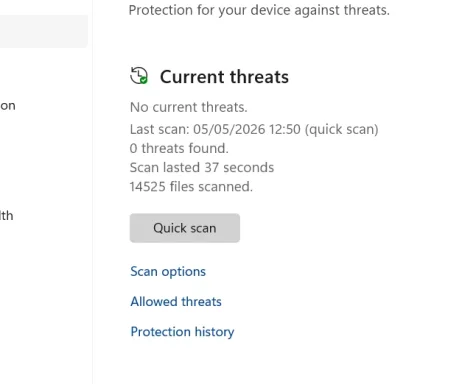
Your latest screenshot shows:
- No current threats
- Quick Scan found 0 threats
- You already compacted all folders
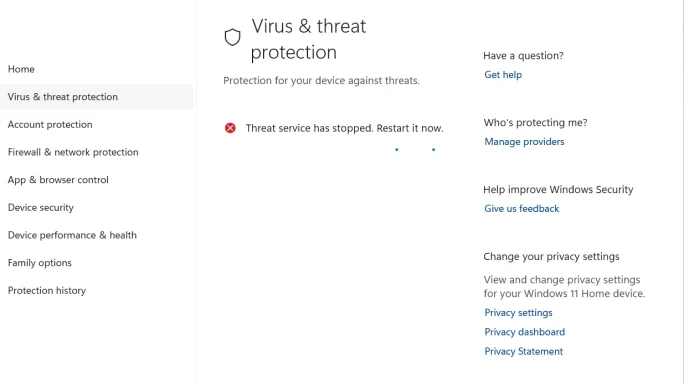
So the immediate danger appears to be gone.
About the strange user pintotours.doc path
If:
- you cannot find it in the folder
- Windows search no longer finds it
then it was most likely a
stale search result or it has already been removed.
I would
not chase that any further unless Defender detects it again.
Safest Yahoo cleanup without checking thousands of emails
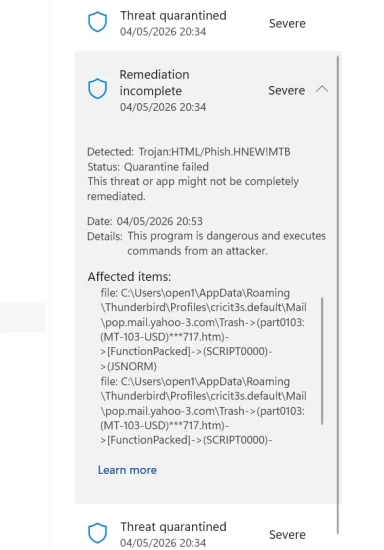
Because the Yahoo detections were inside Thunderbird’s local mail store, the
safest approach now is:
Option A: Since Defender is now clean, do the minimum safe cleanup
- Open Thunderbird.
- Go to the Yahoo account.
- Empty Trash and Junk.
- If you have a folder for old attachments, spam, or archived suspicious mail, empty that too.
- Run File > Compact Folders again.
- Run another Quick Scan.
If Quick Scan stays clean, I would consider that
good enough for now.
Option B: Safer targeted Yahoo check without searching everything
You do
not need to read thousands of emails.
In Thunderbird:
- Click the Yahoo Inbox only.
- Press
Ctrl + Shift + F for Search Messages.
- Search in that folder only.
- Try these searches one at a time:
Document2.zipKRT2018564006.js22102015160213-0001.doc
- If Thunderbird finds a matching message, delete it.
- Empty Trash.
- Compact folders again.
That is much better than manually checking all messages.
Option C: Most aggressive cleanup, but only if you are comfortable
If you use
Yahoo webmail and do
not care about old local POP mail in Thunderbird, you can remove the
local Yahoo Inbox cache and let Thunderbird rebuild.
Only do this if you understand it may remove old locally stored messages.
- Close Thunderbird.
- Back up this folder first:
%APPDATA%\Thunderbird\Profiles\cricit3s.default
- Then go to:
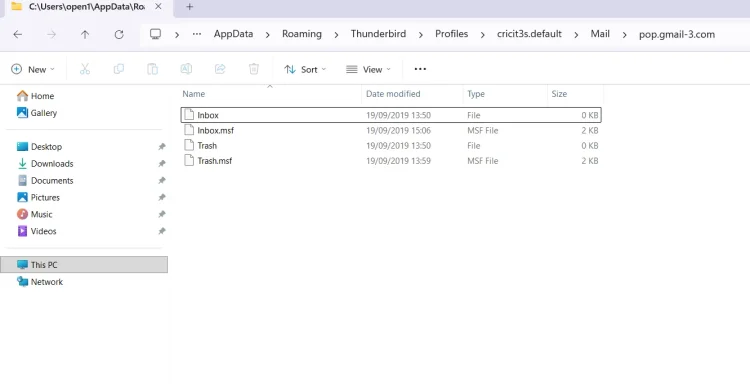
%APPDATA%\Thunderbird\Profiles\cricit3s.default\Mail\pop.mail.yahoo.com
- Rename these files if they exist:
to something like:
- Reopen Thunderbird.
But again:
I would not do Option C yet, because your system is now showing
0 current threats.
What I recommend now
Since Defender is clean, the best next step is:
- Use Thunderbird Search Messages in Yahoo Inbox only
- Search for:
Document2.zipKRT2018564006.js
- Delete anything found
- Empty Trash/Junk
- Compact folders
- Run one more Quick Scan
My honest view
At this point, if:
- Quick Scan stays clean
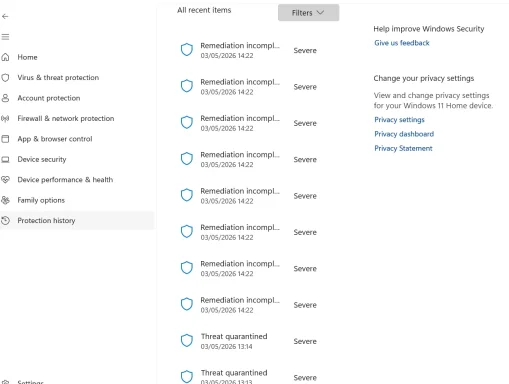
- and Protection History shows the 7 items handled
then the problem is likely
resolved.
If you want, the next thing you can post is a screenshot of
Protection History showing those 7 entries, and I’ll confirm whether everything looks fully cleaned up.