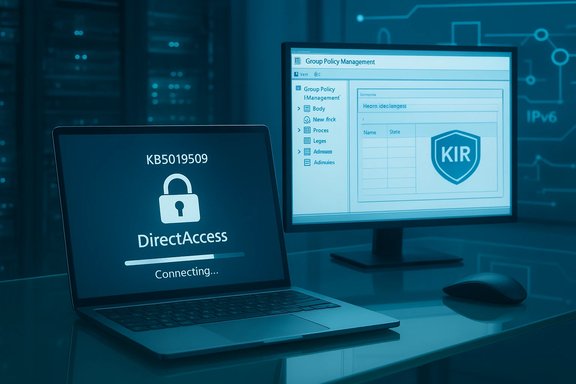
Microsoft has confirmed that installing the October 18, 2022 out‑of‑band update KB5019509 — and certain cumulative updates that followed — can leave enterprise endpoints unable to reconnect to DirectAccess after a temporary network interruption or when switching Wi‑Fi networks, and the company has responded with a Known Issue Rollback (KIR), Group Policy remediation guidance, and later cumulative updates to permanently resolve the problem.
DirectAccess is a legacy, enterprise‑grade remote access technology that provides seamless, always‑on connectivity for domain‑joined Windows clients to reach corporate resources without the user manually initiating a VPN. It relies on complex network transition technologies (IPv6 transition, IP‑HTTPS, IPsec) and certificate‑based authentication, so small changes in the networking stack or authentication flows can have outsized effects on reconnection logic.
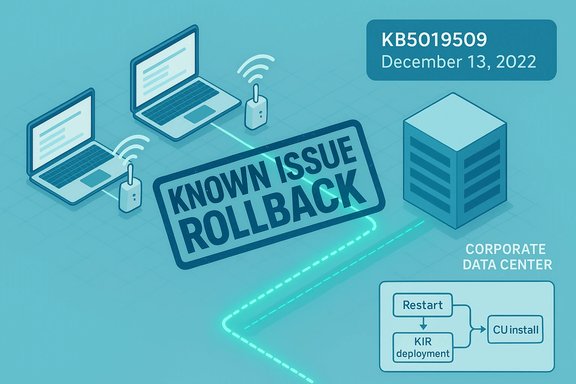
In mid‑October and November 2022 Microsoft shipped a series of updates (notably KB5019509 and related October/November cumulative updates) that later surfaced a regression: after a brief network outage or when clients roam between wireless access points, some DirectAccess clients remained in a perpetual “Connecting” state and failed to reestablish the tunnel. Microsoft acknowledged the behavior, offered a simple restart workaround for affected endpoints, and published a Known Issue Rollback (KIR) for enterprise-managed systems while issuing December 13, 2022 cumulative updates that contained a permanent fix.
This article reviews what happened, who was affected, what administrators should do now, and the operational and security trade‑offs of the mitigation strategies Microsoft provided.
For administrators, the practical response is straightforward: inventory and detect impacted devices, deploy the KIR if needed to stop the bleeding, then validate and install the December 13, 2022 cumulative update that contains the fix. Longer term, the incident should be used as momentum to reduce reliance on aging DirectAccess architectures and to strengthen update testing and rollout processes so that future regressions produce fewer disruptions to remote workers and critical IT services.
Source: BetaNews Microsoft warns of Direct Access connectivity issues after installing KB5019509 update
 Background
DirectAccess is a legacy, enterprise‑grade remote access technology that provides seamless, always‑on connectivity for domain‑joined Windows clients to reach corporate resources without the user manually initiating a VPN. It relies on complex network transition technologies (IPv6 transition, IP‑HTTPS, IPsec) and certificate‑based authentication, so small changes in the networking stack or authentication flows can have outsized effects on reconnection logic.In mid‑October and November 2022 Microsoft shipped a series of updates (notably KB5019509 and related October/November cumulative updates) that later surfaced a regression: after a brief network outage or when clients roam between wireless access points, some DirectAccess clients remained in a perpetual “Connecting” state and failed to reestablish the tunnel. Microsoft acknowledged the behavior, offered a simple restart workaround for affected endpoints, and published a Known Issue Rollback (KIR) for enterprise-managed systems while issuing December 13, 2022 cumulative updates that contained a permanent fix.
This article reviews what happened, who was affected, what administrators should do now, and the operational and security trade‑offs of the mitigation strategies Microsoft provided.
What Microsoft said and how the issue manifested
- The problem: After installing KB5019509 or later updates, some Windows devices could not reconnect to DirectAccess after temporarily losing network connectivity or when transitioning between Wi‑Fi networks or access points.
- Scope: The issue primarily impacted domain‑joined devices using DirectAccess to access corporate network resources. Consumer devices or devices not configured to use DirectAccess were not affected. Other remote access modalities — conventional VPN (RAS) and Always On VPN (AOVPN) — were reported as unaffected by this regression.
- Immediate mitigation: Microsoft advised affected users that a full reboot of the endpoint would usually restore DirectAccess connectivity temporarily. For enterprise environments, Microsoft released KIR policy definition packages that administrators could deploy via Group Policy or Intune to disable the code path that caused the regression until a proper fix was available.
- Permanent fix: Microsoft released December 13, 2022 cumulative updates for the affected OS families which included a resolution for the DirectAccess reconnection issue; once those updates were installed, the KIR is no longer needed.
Who was affected — operating systems and updates
The regression was tied to a family of October/November 2022 updates and surfaced across:- Windows 11 (22H2 and earlier servicing branches) — examples include KB5018427 and KB5019509.
- Windows 10 (various 20H2/21H1/21H2/22H2 builds) — affected by KB5018482, KB5019959 and earlier November releases.
- Windows Server 2022 — corresponding server updates were included in the set of affected KBs.
Why this was serious for admins
DirectAccess is designed to be invisible to users: once configured, domain‑joined devices should have continuous access to intranet resources. A persistent “Connecting” state breaks not only ad hoc remote access to file shares and management services, but it can also:- Block remote management and patching workflows that depend on the tunnel.
- Prevent certificate auto‑enrollment or other PKI operations that assume network reachability.
- Interfere with corporate telemetry collection and endpoint monitoring.
- Create support‑heavy interruptions for users who must reboot devices or call IT every time the tunnel fails to reconnect.
Known Issue Rollback (KIR): what it is and how it works
Microsoft’s Known Issue Rollback is a targeted mechanism to disable a specific code change introduced by a Windows update without uninstalling the update itself. Key operational characteristics:- KIRs are intended for non‑security regressions. Microsoft restricts KIR use to nonsecurity fixes, because rolling back a security fix could open a vulnerability.
- For consumer and unmanaged devices, Microsoft can deliver KIR activations automatically via Windows Update infrastructure; end users typically need only reboot for the rollback to apply.
- For enterprise‑managed devices, Microsoft supplies a KIR policy definition (.msi that installs ADMX/ADML templates) which administrators can deploy via Group Policy (GPO) or ingest into Intune via ADMX ingestion. The GPO effectively disables the problematic feature/fix until Microsoft ships a corrected update.
- KIR policy definitions are temporary; once Microsoft certifies a proper hotfix or cumulative update that addresses the root cause, administrators should remove the KIR policy and install the corrected update.
Workarounds and fixes: step‑by‑step options for admins
The remediation choices fall into three practical paths. Each organization should choose based on scale, urgency, and management tooling.- Immediate, low‑effort option — restart affected endpoints
- Most users reported that a simple reboot restored DirectAccess connectivity.
- This is useful for small numbers of machines or temporary relief while rolling a broader action.
- Enterprise mitigation — deploy the KIR via Group Policy or Intune
- Download the KIR policy definition MSI for the specific OS build Microsoft published.
- Install the MSI on the machine used to author Group Policy (or extract ADMX and copy to the central store).
- Create a GPO and follow the steps to enable the KIR activation:
- Create a GPO targeted at the affected OS build (use a WMI filter that matches the specific build/version if necessary).
- In the GPO editor navigate to Computer Configuration → Administrative Templates → KB <KBID> Issue <XXX> Rollback → Windows <version> and set the policy to Disabled (the exact naming is provided by the ADMX you installed).
- Link the GPO, force a gpupdate on test machines, and restart clients to apply the rollback.
- For Intune, extract the ADMX from the MSI and use ADMX ingestion with the OMA‑URI method to deploy the KIR activation to managed devices.
- Permanent fix — apply Microsoft’s December 13, 2022 cumulative updates
- Microsoft released cumulative updates on December 13, 2022 that included a fix for the DirectAccess reconnection bug; installing the appropriate CU for your OS family (for example, the December CU for Windows 11 and corresponding Windows 10 CUs) resolves the issue permanently.
- Once the CU is installed and validated, remove the KIR policy and reboot devices to return them to normal update posture.
Detection and troubleshooting: how to tell which clients are impacted
Identifying symptoms and confirming the problem quickly cuts helpdesk load. Recommended diagnostics:- Observe client UI: DirectAccess client in the system tray or the Network Connectivity Assistant remaining in a persistent Connecting state after network disruptions.
- Run command‑line checks on suspect clients:
- netsh interface httpstunnel show interface — look for failures to connect to the IP‑HTTPS server and Last Error Code : 0x57 or similar error text.
- Get-NetIPHttpsState (PowerShell) — returns IP‑HTTPS state and can show failed interface status.
- Get-DAClientExperienceConfiguration (PowerShell) — verifies whether DirectAccess client settings were applied.
- Check Event Viewer:
- Application and System logs for RasClient or IPHTTPS related error events and timestamps coinciding with network blips.
- Network Connectivity Assistant and DirectAccess client logs often show useful diagnostic details for reconnection failures.
- Use Remote Monitoring/Management tools to query endpoints for installed KBs (e.g., inventory queries for specific KB IDs) and correlate those with support‑ticket spikes to identify the impacted population.
Security and operational trade‑offs
There are four principal considerations administrators must weigh:- Security posture vs. availability: KIRs are limited to nonsecurity fixes, which means deploying a KIR typically does not reintroduce a security vulnerability. Nonetheless, disabling a nonsecurity improvement can remove a benign fix or performance improvement; teams should consider the functional impact and remove KIRs once a validated hotfix is available.
- Support overhead: For organizations without centralized GPO or Intune coverage, repeatedly asking users to reboot is an unsustainable support burden. The KIR GPO approach centralizes the remediation and reduces tickets.
- Update cadence: Patching to the December cumulative fix is the recommended long‑term action, but some environments require lengthy testing windows. In that scenario, keep the KIR temporarily and expeditiously schedule CU deployment.
- Migration planning: For organizations still using DirectAccess, this incident underscores the fragility of aging remote access architectures. Evaluating migration paths to modern alternatives (Always On VPN, Entra Private Access, or vendor SASE solutions) reduces exposure to future Windows client networking regressions and simplifies roaming device management.
Operational checklist for Windows admins
- Inventory: Query your fleet for the presence of the October/November 2022 KBs and for devices configured for DirectAccess.
- Detect: Use the diagnostic commands above on symptomatic machines to confirm the “Connecting”‑state and error codes.
- Short term:
- For isolated cases, advise users to reboot.
- For widespread impact, download and deploy the KIR MSI for the matching OS, configure GPOs or Intune ADMX ingestion, and enforce a restart.
- Long term: Schedule and deploy the December 13, 2022 cumulative updates (appropriate KBs for each Windows version). Once validated, remove KIR policies and confirm clients update and reboot.
- Monitor: After remediation, monitor for reoccurrence, and validate recovery on roaming devices and Wi‑Fi handoffs.
- Review: Consider moving away from DirectAccess if practical and budget allows, as the ecosystem and Microsoft guidance increasingly favor modern VPN and zero‑trust access solutions.
What we still do not know — flagged uncertainties
- Root cause details: Microsoft’s public communications and update notes documented the symptom and the fix availability but did not provide a detailed root‑cause analysis of the underlying change that regressed the DirectAccess reconnection logic. The exact code path or network stack interaction that caused the failure was not described in Microsoft’s high‑level guidance. Organizations that require forensic detail will need to work with Microsoft support or consult logs and packet captures in an open SR.
- Scope of field impact: Administrator reports indicate the issue affected a significant number of managed devices in some enterprises, but there is no authoritative public count of affected endpoints. Field reports and community threads are consistent with at‑scale operational impact in larger estates but are anecdotal and should be interpreted accordingly.
- Regressions after fixes: Some administrators reported intermittent reappearance of DirectAccess reconnection problems after later monthly CUs in early 2023 during pilot rollouts. These reports were community‑sourced and situational; they underscore the need for staged testing and telemetry collection when removing temporary mitigations like KIR.
Lessons for Windows update strategy and remote access architecture
- Test updates in representative pilot rings before broad deployment, especially in environments with specialized networking like DirectAccess.
- Maintain a documented KIR and rapid rollback plan: KIR is a sanctioned Microsoft mitigation — learn to use the MSI/ADMX process and maintain a small playbook for activation and deactivation.
- Monitor user experience for roaming and connectivity issues with synthetic checks that simulate access point transitions and temporary network blackouts.
- Reevaluate long‑term remote access strategy: DirectAccess was a powerful solution but is now legacy; modern enterprises should plan migration paths to Always On VPN, conditional access with device posture enforcement, or cloud‑native zero‑trust access platforms to reduce dependency on older IPv6‑over‑IPv4 tunneling mechanisms.
- Keep security and availability balanced: a temporary KIR is acceptable when an urgent regression affects availability, but it must be a short‑lived, controlled measure rather than a permanent workaround.
Conclusion
The KB5019509‑era regression that left some DirectAccess clients unable to reconnect after transient network interruptions was an unwelcome reminder of how delicate legacy remote access mechanics can be when the underlying OS networking stack is updated. Microsoft’s triage model — public acknowledgment, Known Issue Rollback for enterprise control, and a December cumulative update to permanently fix the issue — followed a reasonable path: immediate relief, controlled enterprise mitigation, and a definitive patch.For administrators, the practical response is straightforward: inventory and detect impacted devices, deploy the KIR if needed to stop the bleeding, then validate and install the December 13, 2022 cumulative update that contains the fix. Longer term, the incident should be used as momentum to reduce reliance on aging DirectAccess architectures and to strengthen update testing and rollout processes so that future regressions produce fewer disruptions to remote workers and critical IT services.
Source: BetaNews Microsoft warns of Direct Access connectivity issues after installing KB5019509 update