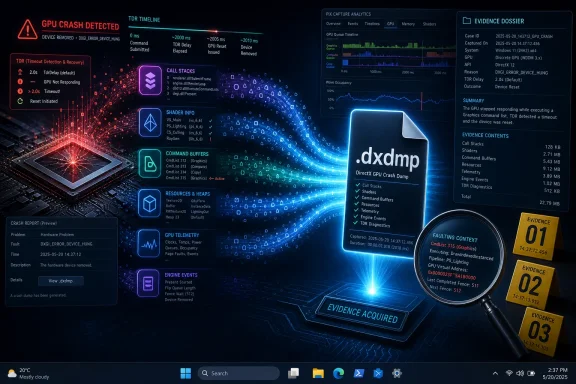
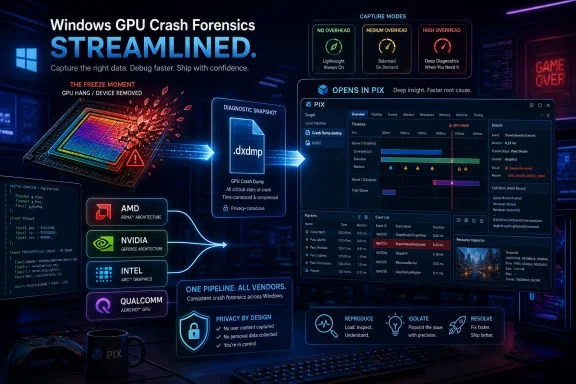
Microsoft is preparing DirectX Dump Files for Windows, a new DirectX 12 crash-diagnostics system expected to reach retail availability around September 2026, giving developers richer GPU hang data across AMD, Intel, Nvidia, and Qualcomm hardware. The pitch is simple: when Windows loses the plot in the graphics stack, developers should get a useful forensic record instead of a vague device-removed error and a frustrated support ticket. That will not magically stop every game crash or driver timeout. But it could finally make one of PC gaming’s most maddening failure modes less opaque.
The modern Windows graphics stack is built around an uneasy compromise. The operating system has to let games, creative apps, browsers, AI runtimes, capture tools, overlays, and drivers push the GPU hard, while also preventing one bad workload from freezing the entire machine indefinitely. Timeout Detection and Recovery, or TDR, is the mechanism that tries to keep that bargain intact.
When the GPU appears stuck, Windows attempts to reset the graphics driver rather than immediately blue-screening the system. In the best case, the screen flickers, the driver recovers, and the user sees a notification that the display driver stopped responding and recovered. In the worse and more familiar case, a game exits with a DXGI device removed or device hung error, Reliability Monitor records a LiveKernelEvent, and the user is left to choose among driver rollback, BIOS update, undervolt, reinstall, prayer, and forum archaeology.
That ambiguity is the core problem. A TDR is not one bug. It is a symptom that can be produced by a bad shader, an engine synchronization mistake, a driver regression, a hardware fault, a VRAM residency problem, an overlay conflict, a power transient, or a Windows graphics scheduler edge case. To the user, all of these can look like the same crash.
Microsoft’s DirectX Dump Files are an admission that the current diagnostic story is not good enough. The company is not merely adding another log. It is trying to create a PC equivalent of the richer GPU crash-dump infrastructure that console developers have long enjoyed, where one hardware target and a tighter platform stack make failures easier to reproduce and analyze.
That matters because GPU crashes are often distributed failures. The application knows what it was trying to render. The runtime knows the Direct3D objects and pipeline state involved. The driver knows how that work was translated for the hardware. The GPU itself may hold clues in registers, page-fault addresses, shader program counters, command buffers, and memory state. Today, those clues often live in different places, when they are captured at all.
The most promising part of Microsoft’s approach is not that a dump file exists. Windows already has dump files, event logs, crash buckets, and telemetry machinery. The important change is that DDF is meant to make the graphics stack speak in one file at the moment of failure, rather than forcing developers to reconstruct a crash from partial evidence gathered after the fact.
For game studios, that could shift the support dynamic. A user reporting “my game crashes after 20 minutes” is often not enough to identify a specific engine or driver path. A dump that includes relevant GPU state, D3D objects, device error data, adapter details, CPU call stacks, and application-provided context is much closer to something an engineer can action.
Microsoft is also giving developers up to 2 MB of custom application data through new D3D12 APIs. That is small in storage terms but potentially large in diagnostic value. A game can attach engine-specific information such as scene state, rendering feature flags, level identifiers, graphics options, or internal frame markers, turning a generic crash into a much more specific report.
DirectX 12 made developers more responsible for explicit GPU management. That is one reason the API can offer lower overhead and more control, but it also means synchronization errors, residency mistakes, invalid assumptions, and shader issues can surface in ways that are hard to diagnose outside a lab. The PC ecosystem then adds the great multiplier: different GPUs, different driver branches, different Windows builds, different firmware, different power profiles, and different overlays.
The classic PC answer to this complexity has been scale. Collect enough telemetry, bucket enough crashes, and eventually patterns emerge. But GPU hangs are difficult to bucket cleanly because the actual fault may happen before the visible crash, and the failure path may collapse into the same generic error code. DDF is Microsoft’s attempt to add depth to that breadth.
This is why the retail device-removal scenario is so important. Microsoft is not limiting DDF to developer workstations where engineers can attach PIX, run a debug layer, and reproduce a crash under controlled conditions. The point is to collect meaningful crash information from end-user machines in the field, where the ugly bugs live.
There is a privacy and boundary problem here, and Microsoft appears aware of it. GPU memory can contain sensitive information, and kernel-level hardware state is not something developers should receive casually. The company says the system is designed to maintain Windows process boundaries and protect user privacy. That promise will deserve scrutiny as the feature moves from preview into broad deployment, because crash diagnostics are only useful if users and platform owners trust the collection model.
This changes the incentives. Developers often avoid always-on diagnostic features because they can slow down games, perturb timing, or create unacceptable memory and CPU overhead. If the act of observing a GPU bug changes the workload too much, the bug may disappear or mutate. Microsoft’s “no runtime performance impact” mode is therefore not a convenience; it is the difference between a feature that can be broadly deployed and one that remains a lab tool.
The three collection modes reflect the same trade-off. The no-overhead tier is for broad deployment. Medium overhead collects additional diagnostic data with a moderate performance cost. High overhead captures the deepest vendor-specific state, but at a price developers would normally reserve for internal QA, targeted reproduction, or opt-in troubleshooting.
That tiered model is pragmatic. PC gaming needs diagnostics that can operate at retail scale without turning every player into a beta tester running a debug build. But it also needs deeper tools when the cheap evidence is not enough. DDF gives developers a ladder rather than a switch.
It also gives hardware vendors a better route into the loop. AMD, Intel, Nvidia, and Qualcomm were all involved in Microsoft’s GDC 2026 DirectX tooling push, with AMD currently identified in the Neowin report as having a compatible Agility SDK developer preview driver. That matters because many GPU crashes sit in the borderlands between application, runtime, driver, and hardware. Better crash artifacts can help studios and IHVs stop bouncing blame around and start converging on a root cause.
A bug that appears only on one GPU family is not necessarily that vendor’s fault. It may be an application bug that only one compiler exposes, an undefined behavior pattern that one driver tolerates and another does not, or a timing issue that surfaces only on certain scheduling hardware. Conversely, what looks like an engine problem may turn out to be a driver regression visible only under a particular workload.
A common dump-file format does not eliminate those differences. It gives everyone a shared artifact around which to argue productively. If a studio can send a
Intel, in particular, benefits from this kind of ecosystem maturation. Arc and integrated Arc-class GPUs have pushed Intel into a more visible role in PC gaming graphics, where driver quality is judged not by synthetic support matrices but by whether games launch, stream, suspend, resume, alt-tab, and survive shader-heavy scenes. Better crash diagnostics help newer entrants close gaps faster.
Nvidia and AMD also stand to gain. Their driver teams operate at enormous scale, and the hardest bugs are often those that are statistically significant but individually unreproducible. If DDF can attach concrete GPU execution state to those failures, it becomes easier to separate superstition from signal.
But some of the most important platform improvements are invisible until they are missing. Better crash dumps do not make for a flashy Settings page, yet they can reshape how quickly games and drivers improve after launch. The first week of a major PC game release often exposes hardware combinations and driver interactions that no QA lab fully covered. Richer field diagnostics could shorten the distance between launch-day pain and a targeted patch.
This fits a broader pattern in Microsoft’s DirectX strategy. The company has increasingly used the DirectX 12 Agility SDK to deliver graphics features outside the old model of waiting for a full Windows release. That makes the platform more flexible, but it also means developers, drivers, SDK versions, and OS capabilities must line up correctly. DDF is both a tool for that more agile world and a reminder that agility adds diagnostic complexity.
The reported timing also makes sense. Preview availability through DirectX tooling and the Agility SDK gives developers and driver vendors time to integrate the plumbing. Broader retail availability around September 2026 would land near the expected Windows 11 26H2 window, when Microsoft traditionally pushes its annual feature update cadence.
The caveat is that Windows version labels can obscure dependency reality. A user may be on a supported Windows build but lack a compatible driver, compatible hardware tier, game integration, or collection path. The existence of DDF in the platform does not mean every crash in every DirectX 12 title immediately becomes diagnosable.
That distinction matters for users. If a graphics driver is unstable because of a regression, it still needs a driver update. If a game engine is mishandling synchronization, it still needs a game patch. If a power supply is marginal or an overclock is unstable, a dump file will not make electrons behave. If a GPU is physically failing, Windows cannot paper over silicon.
What DDF can do is reduce the time spent in the swamp. Today, support threads for GPU hangs often devolve into ritual: reinstall the driver with a cleanup tool, disable overlays, clear shader cache, reset BIOS settings, update chipset drivers, roll back Windows updates, lower VRAM clocks, increase TDR timeout, reinstall the game, reinstall Windows. Some of these steps are rational. Many are attempts to compensate for missing evidence.
A richer dump does not absolve users from troubleshooting, but it can make developer-side triage less dependent on vibes. If a studio receives hundreds of dumps pointing to the same shader path, command queue pattern, or driver interaction, it can prioritize a fix with more confidence. If the dumps show wildly different failure modes, that also matters.
The benefit will be uneven at first. Large studios with crash pipelines, telemetry consent flows, and engine teams will exploit DDF faster than small teams shipping on tight budgets. Games already built around modern DirectX 12 diagnostics will move sooner than legacy codebases. Competitive titles with active live-ops teams may benefit more quickly than abandoned games that still crash on modern drivers.
For IT administrators, GPU instability is uniquely annoying because it often looks intermittent and user-specific. A machine may pass CPU and memory tests, run office workloads fine, and then fail during Teams screen sharing, browser-heavy dashboards, GPU-accelerated rendering, or AI-enabled creative tools. Event Viewer may record a LiveKernelEvent, the vendor driver name may appear, and the help desk is left deciding whether to replace hardware, roll back a driver fleet-wide, or blame an application update.
DirectX Dump Files are not an enterprise management feature in the traditional sense. They are developer infrastructure. But better developer infrastructure eventually changes enterprise outcomes, because the fixes that arrive in drivers and applications are downstream of the evidence developers can collect.
There is also a policy angle. Organizations that allow crash collection from managed devices will need to understand what DDF captures, where it is stored, how it is uploaded, and whether application developers or Microsoft receive it through Watson-style reporting. The more detailed the dump, the more administrators will want assurances about data minimization and process isolation.
The feature’s usefulness in business environments may therefore depend as much on governance as on engineering. If Microsoft provides clear controls and documentation, DDF could improve reliability without creating new compliance anxiety. If the controls are vague, cautious organizations may disable or restrict collection, limiting the value of field diagnostics where they are needed most.
DirectX Dump Files are part of Microsoft’s attempt to bring some console discipline to Windows without turning Windows into a console. That is a worthy goal. The PC should not have to remain the platform where graphics bugs are diagnosed by scattered forum posts and mystical driver advice.
But the console comparison also exposes the limit. Windows cannot standardize the installed base the way an Xbox or PlayStation can. It cannot control every motherboard BIOS, riser cable, memory profile, overlay, capture hook, mod, injected DLL, or vendor utility. It cannot force every game developer to wire crash collection responsibly. It cannot guarantee that every IHV will expose the same depth of state at the same time.
So DDF is best understood as infrastructure for narrowing uncertainty, not abolishing it. It gives the ecosystem a better black box after the crash. It does not make the aircraft simpler.
That is still progress. In mature platforms, reliability gains often come not from one heroic fix but from better instrumentation. You fix what you can see. You prioritize what you can measure. You stop relitigating bugs once the evidence becomes repeatable.
For DDF to matter, Microsoft needs a clean developer path, IHVs need stable driver support, and game engines need to make the feature easy to integrate. Unreal, Unity, proprietary engines, benchmarking tools, and creative applications all sit between the DirectX API and the user’s actual experience. If the big engines normalize DDF capture, the feature becomes part of the ecosystem. If every studio has to do bespoke plumbing, adoption will be slower.
Crash-reporting services will also need to understand
There is a user-experience challenge too. Nobody wants another background process uploading mysterious files after a crash. The collection model must be transparent enough to satisfy privacy expectations but quiet enough not to bury ordinary players in diagnostic prompts. That balance is hard, especially across consumer games and enterprise apps.
The best outcome is boring: crashes still happen, but the next patch notes quietly mention fixes for GPU device hangs on specific hardware, and those fixes arrive faster because engineers had better evidence. Users may never hear the term DirectX Dump File. That would be a sign the feature worked.
The
The concrete story here is narrower than the headline and more important than the hype. Microsoft is not promising that Windows 11 26H2 will end GPU crashes. It is building a mechanism that could make those crashes less mysterious, more attributable, and more fixable.
 Windows Has Always Been Too Polite About GPU Failure
The modern Windows graphics stack is built around an uneasy compromise. The operating system has to let games, creative apps, browsers, AI runtimes, capture tools, overlays, and drivers push the GPU hard, while also preventing one bad workload from freezing the entire machine indefinitely. Timeout Detection and Recovery, or TDR, is the mechanism that tries to keep that bargain intact.When the GPU appears stuck, Windows attempts to reset the graphics driver rather than immediately blue-screening the system. In the best case, the screen flickers, the driver recovers, and the user sees a notification that the display driver stopped responding and recovered. In the worse and more familiar case, a game exits with a DXGI device removed or device hung error, Reliability Monitor records a LiveKernelEvent, and the user is left to choose among driver rollback, BIOS update, undervolt, reinstall, prayer, and forum archaeology.
That ambiguity is the core problem. A TDR is not one bug. It is a symptom that can be produced by a bad shader, an engine synchronization mistake, a driver regression, a hardware fault, a VRAM residency problem, an overlay conflict, a power transient, or a Windows graphics scheduler edge case. To the user, all of these can look like the same crash.
Microsoft’s DirectX Dump Files are an admission that the current diagnostic story is not good enough. The company is not merely adding another log. It is trying to create a PC equivalent of the richer GPU crash-dump infrastructure that console developers have long enjoyed, where one hardware target and a tighter platform stack make failures easier to reproduce and analyze.
The New Dump File Turns a Hang Into Evidence
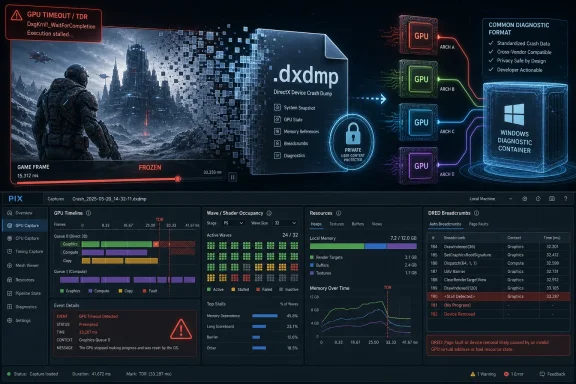
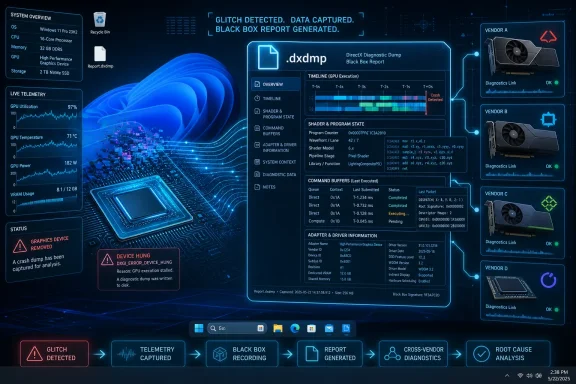
DirectX Dump Files, or DDF, are designed to capture a snapshot of GPU execution at the moment a graphics-related failure occurs. The resulting file uses a.dxdmp extension and is intended to gather information from the hardware, driver, DirectX runtime, Windows kernel graphics components, and the affected application into one package.That matters because GPU crashes are often distributed failures. The application knows what it was trying to render. The runtime knows the Direct3D objects and pipeline state involved. The driver knows how that work was translated for the hardware. The GPU itself may hold clues in registers, page-fault addresses, shader program counters, command buffers, and memory state. Today, those clues often live in different places, when they are captured at all.
The most promising part of Microsoft’s approach is not that a dump file exists. Windows already has dump files, event logs, crash buckets, and telemetry machinery. The important change is that DDF is meant to make the graphics stack speak in one file at the moment of failure, rather than forcing developers to reconstruct a crash from partial evidence gathered after the fact.
For game studios, that could shift the support dynamic. A user reporting “my game crashes after 20 minutes” is often not enough to identify a specific engine or driver path. A dump that includes relevant GPU state, D3D objects, device error data, adapter details, CPU call stacks, and application-provided context is much closer to something an engineer can action.
Microsoft is also giving developers up to 2 MB of custom application data through new D3D12 APIs. That is small in storage terms but potentially large in diagnostic value. A game can attach engine-specific information such as scene state, rendering feature flags, level identifiers, graphics options, or internal frame markers, turning a generic crash into a much more specific report.
The Real Target Is the Device-Removed Dead End
Anyone who has debugged DirectX 12 failures knows the dreaded family of errors: device removed, device hung, device reset. These are technically meaningful, but often practically unsatisfying. They tell the developer that the GPU device is no longer usable for the workload, not necessarily why it became unusable.DirectX 12 made developers more responsible for explicit GPU management. That is one reason the API can offer lower overhead and more control, but it also means synchronization errors, residency mistakes, invalid assumptions, and shader issues can surface in ways that are hard to diagnose outside a lab. The PC ecosystem then adds the great multiplier: different GPUs, different driver branches, different Windows builds, different firmware, different power profiles, and different overlays.
The classic PC answer to this complexity has been scale. Collect enough telemetry, bucket enough crashes, and eventually patterns emerge. But GPU hangs are difficult to bucket cleanly because the actual fault may happen before the visible crash, and the failure path may collapse into the same generic error code. DDF is Microsoft’s attempt to add depth to that breadth.
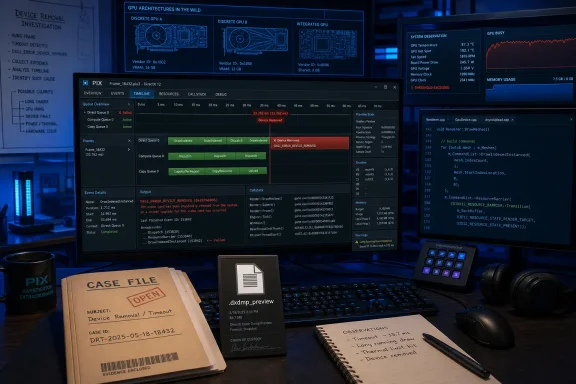
This is why the retail device-removal scenario is so important. Microsoft is not limiting DDF to developer workstations where engineers can attach PIX, run a debug layer, and reproduce a crash under controlled conditions. The point is to collect meaningful crash information from end-user machines in the field, where the ugly bugs live.
There is a privacy and boundary problem here, and Microsoft appears aware of it. GPU memory can contain sensitive information, and kernel-level hardware state is not something developers should receive casually. The company says the system is designed to maintain Windows process boundaries and protect user privacy. That promise will deserve scrutiny as the feature moves from preview into broad deployment, because crash diagnostics are only useful if users and platform owners trust the collection model.
Zero-Overhead Capture Is the Feature That Changes the Incentives
The most commercially important detail may be the least dramatic one: on compatible Tier 2 hardware, zero-overhead DirectX Dump Files are enabled by default. That means developers may start receiving useful dump files without asking users to reproduce a crash with special flags, debug builds, or performance-sapping diagnostics enabled.This changes the incentives. Developers often avoid always-on diagnostic features because they can slow down games, perturb timing, or create unacceptable memory and CPU overhead. If the act of observing a GPU bug changes the workload too much, the bug may disappear or mutate. Microsoft’s “no runtime performance impact” mode is therefore not a convenience; it is the difference between a feature that can be broadly deployed and one that remains a lab tool.
The three collection modes reflect the same trade-off. The no-overhead tier is for broad deployment. Medium overhead collects additional diagnostic data with a moderate performance cost. High overhead captures the deepest vendor-specific state, but at a price developers would normally reserve for internal QA, targeted reproduction, or opt-in troubleshooting.
That tiered model is pragmatic. PC gaming needs diagnostics that can operate at retail scale without turning every player into a beta tester running a debug build. But it also needs deeper tools when the cheap evidence is not enough. DDF gives developers a ladder rather than a switch.
It also gives hardware vendors a better route into the loop. AMD, Intel, Nvidia, and Qualcomm were all involved in Microsoft’s GDC 2026 DirectX tooling push, with AMD currently identified in the Neowin report as having a compatible Agility SDK developer preview driver. That matters because many GPU crashes sit in the borderlands between application, runtime, driver, and hardware. Better crash artifacts can help studios and IHVs stop bouncing blame around and start converging on a root cause.
The AMD-Intel-Nvidia Angle Is Bigger Than Brand Parity
The headline promise is that this could help across AMD, Nvidia, and Intel GPUs. That framing is useful, but it undersells the real importance of vendor cooperation. The problem is not simply that users own different brands of graphics cards. It is that each vendor has different architectures, compiler behavior, driver heuristics, memory-management paths, and debugging hooks.A bug that appears only on one GPU family is not necessarily that vendor’s fault. It may be an application bug that only one compiler exposes, an undefined behavior pattern that one driver tolerates and another does not, or a timing issue that surfaces only on certain scheduling hardware. Conversely, what looks like an engine problem may turn out to be a driver regression visible only under a particular workload.
A common dump-file format does not eliminate those differences. It gives everyone a shared artifact around which to argue productively. If a studio can send a
.dxdmp to a vendor with relevant state intact, the conversation starts further down the road than “we have reports from users with driver version X.”Intel, in particular, benefits from this kind of ecosystem maturation. Arc and integrated Arc-class GPUs have pushed Intel into a more visible role in PC gaming graphics, where driver quality is judged not by synthetic support matrices but by whether games launch, stream, suspend, resume, alt-tab, and survive shader-heavy scenes. Better crash diagnostics help newer entrants close gaps faster.
Nvidia and AMD also stand to gain. Their driver teams operate at enormous scale, and the hardest bugs are often those that are statistically significant but individually unreproducible. If DDF can attach concrete GPU execution state to those failures, it becomes easier to separate superstition from signal.
Windows 11 26H2 Is Becoming a Graphics Reliability Release by Stealth
Microsoft has not positioned Windows 11 version 26H2 solely as a graphics reliability milestone, and it would be a mistake to treat DirectX Dump Files as a normal consumer-facing feature like a Start menu change. Most users will never open a.dxdmp file. Many will never know one was generated.But some of the most important platform improvements are invisible until they are missing. Better crash dumps do not make for a flashy Settings page, yet they can reshape how quickly games and drivers improve after launch. The first week of a major PC game release often exposes hardware combinations and driver interactions that no QA lab fully covered. Richer field diagnostics could shorten the distance between launch-day pain and a targeted patch.
This fits a broader pattern in Microsoft’s DirectX strategy. The company has increasingly used the DirectX 12 Agility SDK to deliver graphics features outside the old model of waiting for a full Windows release. That makes the platform more flexible, but it also means developers, drivers, SDK versions, and OS capabilities must line up correctly. DDF is both a tool for that more agile world and a reminder that agility adds diagnostic complexity.
The reported timing also makes sense. Preview availability through DirectX tooling and the Agility SDK gives developers and driver vendors time to integrate the plumbing. Broader retail availability around September 2026 would land near the expected Windows 11 26H2 window, when Microsoft traditionally pushes its annual feature update cadence.
The caveat is that Windows version labels can obscure dependency reality. A user may be on a supported Windows build but lack a compatible driver, compatible hardware tier, game integration, or collection path. The existence of DDF in the platform does not mean every crash in every DirectX 12 title immediately becomes diagnosable.
This Will Not Fix Your Crashing Game Tomorrow
The temptation is to describe DirectX Dump Files as a fix for GPU crashes. That is too generous. DDF is a diagnostic feature, not a stability patch. It improves the odds that the right engineer can see the right evidence after a failure.That distinction matters for users. If a graphics driver is unstable because of a regression, it still needs a driver update. If a game engine is mishandling synchronization, it still needs a game patch. If a power supply is marginal or an overclock is unstable, a dump file will not make electrons behave. If a GPU is physically failing, Windows cannot paper over silicon.
What DDF can do is reduce the time spent in the swamp. Today, support threads for GPU hangs often devolve into ritual: reinstall the driver with a cleanup tool, disable overlays, clear shader cache, reset BIOS settings, update chipset drivers, roll back Windows updates, lower VRAM clocks, increase TDR timeout, reinstall the game, reinstall Windows. Some of these steps are rational. Many are attempts to compensate for missing evidence.
A richer dump does not absolve users from troubleshooting, but it can make developer-side triage less dependent on vibes. If a studio receives hundreds of dumps pointing to the same shader path, command queue pattern, or driver interaction, it can prioritize a fix with more confidence. If the dumps show wildly different failure modes, that also matters.
The benefit will be uneven at first. Large studios with crash pipelines, telemetry consent flows, and engine teams will exploit DDF faster than small teams shipping on tight budgets. Games already built around modern DirectX 12 diagnostics will move sooner than legacy codebases. Competitive titles with active live-ops teams may benefit more quickly than abandoned games that still crash on modern drivers.
Admins Should Care Because GPUs Are No Longer Just for Games
It would be easy to file this under PC gaming and move on. That would miss where Windows is heading. GPUs now sit in the path of video conferencing, browser acceleration, media encode and decode, CAD, simulation, local AI inference, creative workloads, Windows composition, and increasingly security-sensitive enterprise software.For IT administrators, GPU instability is uniquely annoying because it often looks intermittent and user-specific. A machine may pass CPU and memory tests, run office workloads fine, and then fail during Teams screen sharing, browser-heavy dashboards, GPU-accelerated rendering, or AI-enabled creative tools. Event Viewer may record a LiveKernelEvent, the vendor driver name may appear, and the help desk is left deciding whether to replace hardware, roll back a driver fleet-wide, or blame an application update.
DirectX Dump Files are not an enterprise management feature in the traditional sense. They are developer infrastructure. But better developer infrastructure eventually changes enterprise outcomes, because the fixes that arrive in drivers and applications are downstream of the evidence developers can collect.
There is also a policy angle. Organizations that allow crash collection from managed devices will need to understand what DDF captures, where it is stored, how it is uploaded, and whether application developers or Microsoft receive it through Watson-style reporting. The more detailed the dump, the more administrators will want assurances about data minimization and process isolation.
The feature’s usefulness in business environments may therefore depend as much on governance as on engineering. If Microsoft provides clear controls and documentation, DDF could improve reliability without creating new compliance anxiety. If the controls are vague, cautious organizations may disable or restrict collection, limiting the value of field diagnostics where they are needed most.
The Console Comparison Cuts Both Ways
Microsoft’s phrase “console-level developer tools” is doing a lot of work. Console developers have long benefited from controlled hardware, consistent OS images, deep platform diagnostics, and privileged debugging workflows. PC developers have enjoyed reach, openness, and performance diversity, but paid for it in unpredictability.DirectX Dump Files are part of Microsoft’s attempt to bring some console discipline to Windows without turning Windows into a console. That is a worthy goal. The PC should not have to remain the platform where graphics bugs are diagnosed by scattered forum posts and mystical driver advice.
But the console comparison also exposes the limit. Windows cannot standardize the installed base the way an Xbox or PlayStation can. It cannot control every motherboard BIOS, riser cable, memory profile, overlay, capture hook, mod, injected DLL, or vendor utility. It cannot force every game developer to wire crash collection responsibly. It cannot guarantee that every IHV will expose the same depth of state at the same time.
So DDF is best understood as infrastructure for narrowing uncertainty, not abolishing it. It gives the ecosystem a better black box after the crash. It does not make the aircraft simpler.
That is still progress. In mature platforms, reliability gains often come not from one heroic fix but from better instrumentation. You fix what you can see. You prioritize what you can measure. You stop relitigating bugs once the evidence becomes repeatable.
The Useful Part Arrives Only If Developers Build Around It
The risk for DirectX Dump Files is not that the idea is weak. It is that the PC ecosystem is littered with powerful diagnostics that ordinary users never benefit from because adoption is partial, crash reporting is fragmented, or support teams do not know what to ask for.For DDF to matter, Microsoft needs a clean developer path, IHVs need stable driver support, and game engines need to make the feature easy to integrate. Unreal, Unity, proprietary engines, benchmarking tools, and creative applications all sit between the DirectX API and the user’s actual experience. If the big engines normalize DDF capture, the feature becomes part of the ecosystem. If every studio has to do bespoke plumbing, adoption will be slower.
Crash-reporting services will also need to understand
.dxdmp files. A dump file sitting on a user’s disk is less useful than one tied to a symbolicated crash report, hardware profile, driver version, graphics settings, and repro metadata. Microsoft’s Watson integration can help, but many developers use their own telemetry pipelines and will want control over retention, privacy prompts, and upload timing.There is a user-experience challenge too. Nobody wants another background process uploading mysterious files after a crash. The collection model must be transparent enough to satisfy privacy expectations but quiet enough not to bury ordinary players in diagnostic prompts. That balance is hard, especially across consumer games and enterprise apps.
The best outcome is boring: crashes still happen, but the next patch notes quietly mention fixes for GPU device hangs on specific hardware, and those fixes arrive faster because engineers had better evidence. Users may never hear the term DirectX Dump File. That would be a sign the feature worked.
The .dxdmp Era Gives PC Graphics a Better Paper Trail
The concrete story here is narrower than the headline and more important than the hype. Microsoft is not promising that Windows 11 26H2 will end GPU crashes. It is building a mechanism that could make those crashes less mysterious, more attributable, and more fixable.- DirectX Dump Files are expected to reach broad retail availability around September 2026, after preview availability through Microsoft’s DirectX tooling and Agility SDK path.
- The new
.dxdmpfiles are designed to capture GPU hardware state, driver state, DirectX runtime information, Windows graphics data, CPU call stacks, and limited application-provided context. - The feature targets both crashes from end-user systems and local failures on developer or QA machines, which makes it useful beyond controlled lab reproduction.
- The no-overhead mode is the most important deployment detail because it could allow useful crash capture on compatible hardware without imposing a runtime performance cost.
- AMD, Intel, Nvidia, and Qualcomm’s involvement matters because GPU hangs often cross the boundary between application code, DirectX, drivers, and hardware behavior.
- Users should treat this as a path to faster fixes, not as an immediate cure for unstable games, bad drivers, marginal hardware, or aggressive overclocks.
References
- Primary source: Neowin
Published: Fri, 19 Jun 2026 09:54:00 GMT
Microsoft: Windows 11 could finally solve a major issue across AMD, Nvidia, and Intel GPUs - Neowin
Microsoft suggests Windows 11 may finally get closer to resolving a major graphics issue affecting AMD, Nvidia, and Intel GPUs systems. www.neowin.net
- Official source: developer.microsoft.com
GDC 2026: DirectX is Bringing Console-Level Developer Tools to Windows
The DirectX team is currently working to bring console-level GPU developer tools to Windows, beginning with a wave of new DirectX tooling features.developer.microsoft.com - Related coverage: developer.nvidia.com
DirectX | NVIDIA Developer
Through the Agility SDK, developers can access the latest APIs for ray tracing, AI in graphics, shader compilation, and more.developer.nvidia.com - Official source: learn.microsoft.com
D3D12 Enhanced Barriers - Windows drivers | Microsoft Learn
Learn about D3D12 enhanced barrierslearn.microsoft.com - Official source: microsoft.github.io
D3D12: DirectX Dump Files | DirectX-Specs
Engineering specs for DirectX features.microsoft.github.io - Official source: devblogs.microsoft.com
DirectX Developer Blog
The latest news on Microsoft's Graphics and Display technologydevblogs.microsoft.com
- Related coverage: byteiota.com
- Related coverage: downloadmirror.intel.com
- Related coverage: retro.kab00m.ru