

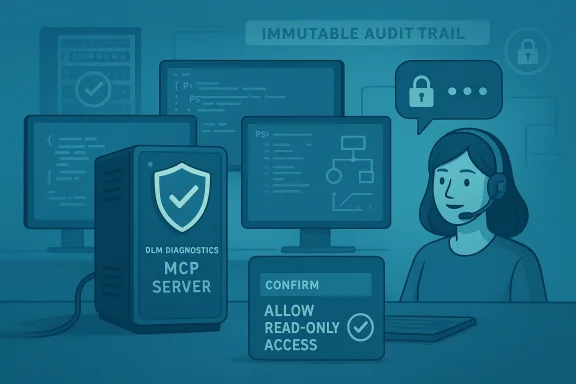
Microsoft’s release of an open‑source DLM Diagnostics Model Context Protocol (MCP) Server marks a practical—and potentially transformative—step for administrators wrestling with Microsoft Purview Data Lifecycle Management (DLM) problems, because it lets AI assistants safely inspect DLM state via read‑only PowerShell diagnostics rather than guessing from partial telemetry or stale UI screens. The announcement (posted to Microsoft’s community channels) frames the server as a safety‑first bridge: expose only curated, read‑only diagnostic commands to an AI assistant through the MCP standard, collect structured results, and use those results to accelerate root‑cause analysis for common DLM pain points such as retention rules not applying, archive mailboxes not growing, and stale inactive mailbox purges. ns what the DLM Diagnostics MCP Server is, why it matters for compliance and daily admin work, how it fits into the growing MCP ecosystem, what administrators must verify before deploying it, and concrete, risk‑aware steps to adopt it safely. I cross‑checked Microsoft’s diagnostic tooling guidance and the broader MCP landscape, and I flag where claims are well supported and where they still require caution or additional validation in your environment.
Microsoft Purview’s Data Lifecycle Management is the policy layer organizations use to retain, archive, and delete Microsoft 365 content according to legal, regulatory, and corporate rules. DLM policies are not optional for regulated organizations; they are the mechanism that ensures retention obligations are enforced and that unnecessary data is removed at scale. When these policies misbehave, the impact is immediate and visible: eDiscovery searches miss content, storage/archiving costs spike, and regulated records may be at risk. Microsoft’s diagnostic guidance already recommends collecting tenant‑level diagnostic artifacts using PowerShell tools and the ComplianceDiagnostics module for support cases—these tools collect policy definitions, applied rules, and operational state to support analysis.
Yet practical troubleshooting is often slow. Admins routinely pivot between the Purview web portal, the Microsoft 365 admin center, PowerShell output, and ticket notes while trying to reconstruct the state that caused a policy to fail. That’s the exact gap an MCP server can close: instead of copy‑pasting readouts or feeding screenshots to a human colleague, an AI assistant connected to a carefully scoped MCP server can run preapproved diagnostics, parse the structured output, and suggest focused next actions—or produce a support bundle for Microsoft Support—without ever running a command that changes tenant data.
The new DLM Diagnostics MCP Server takes advantage of that model: expose a small surface of read‑only PowerShell diagnostic tools, accept AI assistant queries, and return structured, auditable results that support rapid triage. In essence, it’s a controlled automation layer that lets agents ask “Show me the retention policies targeting job run status,” and get a machine‑readable answer rather than an imprecise natural‑language guess.
Key verifications:
Mitigation:
Mitigation:
However, standardization and governance remain work in progress: the MCP ecosystem is healthy but diverse, and enterprise adopters should treat each third‑party MCP server as a component to secure rather than a turnkey solution. Expect an active phase of vendor and community evolution as best practices for agent governance, role separation, and supply‑chain assurance mature.
If your team manages compliance or records in Microsoft 365, consider a conservative rollout: start in a lab tenant, exhaustively test read‑only behaviors, instrument audit logging, and require human consent for any diagnostic session that crosses sensitive boundaries. With those controls in place, agentic troubleshooting via MCP can be a safe, time‑saving addition to your incident response and compliance workflows—turning hours of manual drudgery into a couple of focused, repeatable assistant‑driven steps.
The combination of Microsoft’s diagnostic best practices, the read‑only ComplianceDiagnostics tooling, and the new DLM Diagnostics MCP Server gives administrators a realistically safer way to harness AI for troubleshooting—if and only if teams pair that capability with rigorous access controls, approval workflows, and supply‑chain hygiene. For compliance teams and Exchange administrators who spend too much time chasing DLM mysteries, the MCP approach is worth a careful pilot; for security teams, it’s a reminder that agentic productivity must be paired with hardened governance from day one.
Source: Microsoft Exchange Team Blog AI‑Powered Troubleshooting for Microsoft Purview Data Lifecycle Management now available | Microsoft Community Hub
 Background / Overview
Microsoft Purview’s Data Lifecycle Management is the policy layer organizations use to retain, archive, and delete Microsoft 365 content according to legal, regulatory, and corporate rules. DLM policies are not optional for regulated organizations; they are the mechanism that ensures retention obligations are enforced and that unnecessary data is removed at scale. When these policies misbehave, the impact is immediate and visible: eDiscovery searches miss content, storage/archiving costs spike, and regulated records may be at risk. Microsoft’s diagnostic guidance already recommends collecting tenant‑level diagnostic artifacts using PowerShell tools and the ComplianceDiagnostics module for support cases—these tools collect policy definitions, applied rules, and operational state to support analysis.Yet practical troubleshooting is often slow. Admins routinely pivot between the Purview web portal, the Microsoft 365 admin center, PowerShell output, and ticket notes while trying to reconstruct the state that caused a policy to fail. That’s the exact gap an MCP server can close: instead of copy‑pasting readouts or feeding screenshots to a human colleague, an AI assistant connected to a carefully scoped MCP server can run preapproved diagnostics, parse the structured output, and suggest focused next actions—or produce a support bundle for Microsoft Support—without ever running a command that changes tenant data.
The new DLM Diagnostics MCP Server takes advantage of that model: expose a small surface of read‑only PowerShell diagnostic tools, accept AI assistant queries, and return structured, auditable results that support rapid triage. In essence, it’s a controlled automation layer that lets agents ask “Show me the retention policies targeting job run status,” and get a machine‑readable answer rather than an imprecise natural‑language guess.
What is the Model Context Protocol (MCP) and why it matters here
MCP in one paragraph
The Model Context Protocol (MCP) is an emerging open standard and tooling pattern that lets LLM‑based assistants interact with external services and tools through a well‑defined client/server protocol. Instead of giving an LLM direct credentials or full API keys, MCP servers present a set of tools (small, documented functions) the model can call. Those tools encapsulate access controls, input validation, and carefully constrained behavior. MCP’s goal is to make tool use safe, auditable, and interoperable across agents and services. The protocol has rapid adoption acrors, and community MCP servers for common enterprise systems.Why MCP is a good fit for diagnostics
Diagnostics and troubleshooting are, by nature, read‑heavy tasks: you collect logs, list configs, check statuses, and correlate outcomes. Those operations are excellent candidates for a tool‑based interface because:- They are queryable (list/get operations).
- They are low risk when strictly read‑only.
- They benefit from automation: structured outputs are far easier to correlate than free‑form screenshots.
- They can be audited: MCP servers can log every tool call and response for compliance and post‑incident review.
The DLM Diagnostics MCP Server — what it does and how it’s scoped
Core functions
From the description in Microsoft’s announcement and the accompanying repository examples, the DLM Diagnostics MCP Server is designed to:- Expose a curated set of read‑only diagnostic tools that run PowerShell commands (for Exchange Online / Purview DLM) and return structured JSON results rather than raw console text.
- Collect the same diagnostic artifacts Microsoft Support typically requests (policy definitions, retention rule state, report job status) so that an assistant can analyze them or attach them to a support case.
- Enforce authentication via tenant credentials or a service principal, and rely on Purview/Exchange RBAC so that the server only returns data permitted to the running identity.
- Log every tool call for auditability and post‑mortem review.
Typical diagnostic capabilities (examples)
- List all DLM/retention policies and their target scopes.
- Show retention rule match counts and last enforcement job run timestamps.
- Report on mailbox archive size and archive status (e.g., archive enabled/disabled).
- Enumerate inactive mailboxes and last logon/last activity timesped diagnostic bundle (JSON manifests + logs) for handoff to support.
How the server integrates with existing Microsoft diagnostic tooling
Microsoft’s recommended approach for Purview diagnostics remains the same: collect the standard diagnostic artifacts using the ComplianceDiagnostics PowerShell module or documented PowerShell queries, and provide those artifacts to support engineers when requested. The DLM Diagnostics MCP Server does not replace this practice; it wraps it in an agent‑friendly protocol so that AI assistants can orchestrate the collection and analysis without manual, copy‑paste steps.Key verifications:
- The ComplianceDiagnostics module is read‑only and intended for diagnostic collection; it creates a local .zip containing the gathered artifacts that admins can review beforeThat read‑only behavior is a critical underpinning of the MCP approach because it reduces risk of accidental modification.
- Any MCP server exposing diagnostic tools must preserve that read‑only guarantee at the server layer. The open‑source releases typically include a security design and disclaimers urging production hardening, explicit consent, and RBAC configuration prior to widespread use.
Practical deployment: prerequisites and a high‑level checklist
Before you consider deploying a DLM Diagnostics MCP Server, validate the following items in your tenant and operational practice:- Administrative scope: ensure the account or service principal the MCP server uses has only the minimal read roles needed (e.g., Purview Compliance Data Reader or Data Curator where appropriate). Avoid assigning broad contributor rights.
- PowerShell environment: the server will rely on ExchangeOnlineManagement and compliance/diagnostic cmdlets, so confirm PowerShell version compatibility and install the ComplianceDiagnostics module as part of staging.
- Network isolation: run the MCP seretwork segment (VPN or private VNet) and use reverse‑proxy/whitelisting to restrict which external AI endpoints can reach it.
- Logging and retention: configure centralized logging (SIEM), enable immutable audit trails for every MCP call, and define retention periods for logs to support compliance reviews.
- Consent and policy: establish an internal acceptance policy that documents when and how agents may use the MCP server and require a human approver for any session thcopes. Many community MCP servers document developer‑only or no‑production warnings for alpha releases; treat those as mandatory constraints until you perform a full security review.
- Create a dedicated Azure AD service principal with read‑only roles or designate a specific admin account for diagnostics.
- Install and test the ComplianceDiagnostics and ExchangeOnlineManagement PowerShell modules in an isolated staging environment.
- Download and build the MCP server code, read the security guidance in the repo, and configure environment variables for endpoint and auth.
- Run the server in dev mode and run each tool manually to validate outputs and ensure nothing mutates state.
- Add an explicit consent UI or process that a human operator must confirm before enabling an AI session to query tenant data.
- Integrate audit logging with your SIEM and perform a tabletop exercise to validate the incident response path if a diagnostic bundle is misused.
What administrators stand to gain
- Faster mean time to repair (MTTR): structured diagnostics let assistants find anom most likely root causes in minutes rather than hours.
- Better support cases: auto‑generated diagnostic bundles follow Microsoft’s format, reducing back‑and‑forth with Support engineers.
- Consistency: answers to the same diagnostic question are deterministic and auditable when the MCP server enforces fixed tool behavior.
- Reduced human error: typed PowerShell commands are encapsulated in server tools, reducing the risk of a mistyped command that accidentally changes tenant state.
Real risks and mitigation strategies
The DLM Diagnostics MCP Server’s promise relies entirely on safe boundaries. Below are the principal risks and concrete mitigations.1) Risk: accidental write actions or privilege escalation
Even a well‑intentioned MCP server can be misconfigured and run cmdlets that change tenant state—especially if community code evolves or a tool is added later that performs wigation:- Perform code reviews with security engineers before any deployment.
- Enforce a server‑side policy that rejects non‑read operations; employ static analysis and runtime enforcement.
- Run the server under a service principal with no write privileges.
- Apply policy hardening to PowerShell session configurations.
2) Risk: data exfiltration via diagnostic outputs
Diagnostic outputs may contain sensitive metadata and incident artifacts. If an AI agent or a malicious actor obtains those outputs, data could leak.Mitigation:
- Redact sensitive fields before returning results to the requesting assistant.
- Require human consent and a documented justification for any session that collects large diagnostic bundles.
- Ship sensitive artifacts only to approved, audited endpoints (e.g., a corporate support portal), and never to uncontrolled external AI services.
3) Risk: prompt injection or assistant misuse
LLM agents interacting with tools are vulnerable to crafted inputs that attempt to trick them into calling disallow:- Treat the MCP server as a filter: validate all incoming tool requests, normalize inputs, and refuse or sanitize suspicious prompts.
- Implement multi‑factor approval for sessions that request expanded scopes.
- Log all user prompts and tool calls for retrospective review.
4) Risk: open‑source supply chain and repo trust
The DLM Diagnostics server is open‑source; organizations must vet contributions and third‑party dependencies.Mitigation:
- Vet the repo, lock dependencies, and maintain an internal fork for production use.
- Use reproducible builds and scan third‑party dependencies for known vulnerabilities.
A practical, risk‑aware adoption roadmap (recommended)
- Proof‑of‑concept (2–3 weeks)
- Deploy the server in an isolated lab tenant.
- Use a non‑privileged test account and run every tool manually to validate read‑only behavior.
- Simulate support case creation and measure the time and quality difference vs. manual troubleshooting.
- Security review & hardening (2–4 weeks)
- Full code audit, dependency scanning, and threat modeling.
- Add mandatory audit logging and SIEM ingest.
- Implement input validation and field redaction for outputs.
- Pilot (4–8 weeks)
- Permit a tightly scoped group of compliance administrators to use the server for real incidents with human approval gates.
- Track MTTR, false positives, and any unexpected outputs.
- Retain all logs for at least 90 days and review weekly.
- Production rollout (ongoing)
- Expand scope only after pilot success and formal risk acceptance.
- Maintain an internal forked repo, patch promptly, and repeat security reviews on significant updates.
Troubleshooting scenarios where the MCP server helps most
- Retention policies not applying: the server canve policies for a target mailbox or site, show policy precedence, and return the last enforcement job result—helping distinguish policy design issues from enforcement failures.
- Archive mailboxes not expanding: the server can report archive quotas, last archive activity, and whether the mailbox is set to auto‑expand—delivering a clear, actionable readout for storage problems.
- Inactive mailboxes not purged: the server can list soft‑deleted mailboxes, retention hold flags, and retention tag application history, which often reveals an unexpected hold or misapplied tag.
Community, interoperability, and the future
MCP servers are rapidly proliferating across cloud vendors and independent projects, and major platform players are adopting MCP support in their agent tooling. Microsoft has been active in this ecosystem, and community MCP server projects for Microsoft 365 and Purview already exist as examples for developers to study and adapt. The open‑source nature of the DLM Diagnostics MCP Server fits into that pattern: practical reference code, explicit security guidance, and community feedback loops that help make agentic tooling safer over time.However, standardization and governance remain work in progress: the MCP ecosystem is healthy but diverse, and enterprise adopters should treat each third‑party MCP server as a component to secure rather than a turnkey solution. Expect an active phase of vendor and community evolution as best practices for agent governance, role separation, and supply‑chain assurance mature.
Bottom line: a powerful tool if used with discipline
The DLM Diis an important practical step forward: it translates manual PowerShell diagnostic practice into an agent‑friendly, audit materially reduce troubleshooting time for Purview DLM issues. The server’s read‑only design and the underlying ComplianceDiagnostics gtigations, but organizations must still undertake deliberate security reviews, least‑privilege role assignments, redaction, logging, and offline inspection of any diagnostic bundles before they leave the tenant.If your team manages compliance or records in Microsoft 365, consider a conservative rollout: start in a lab tenant, exhaustively test read‑only behaviors, instrument audit logging, and require human consent for any diagnostic session that crosses sensitive boundaries. With those controls in place, agentic troubleshooting via MCP can be a safe, time‑saving addition to your incident response and compliance workflows—turning hours of manual drudgery into a couple of focused, repeatable assistant‑driven steps.
Quick checklist for IT teams (two‑minute version)
- Verify the server runs only read‑only PowerShell tools.
- Use a dedicated service principal with the minimal re explicit human consent prior to any diagnostic session.
- Redact sensitive fields in diagnostic output and centralize logs to your SIEM.
- Fork and harden the open‑source repo; treat public releases as starting points, not production code.
The combination of Microsoft’s diagnostic best practices, the read‑only ComplianceDiagnostics tooling, and the new DLM Diagnostics MCP Server gives administrators a realistically safer way to harness AI for troubleshooting—if and only if teams pair that capability with rigorous access controls, approval workflows, and supply‑chain hygiene. For compliance teams and Exchange administrators who spend too much time chasing DLM mysteries, the MCP approach is worth a careful pilot; for security teams, it’s a reminder that agentic productivity must be paired with hardened governance from day one.
Source: Microsoft Exchange Team Blog AI‑Powered Troubleshooting for Microsoft Purview Data Lifecycle Management now available | Microsoft Community Hub
