Background: who is John Donovan and why does he matter?
John Donovan is a British entrepreneur turned long-term critic of Royal Dutch Shell. His public feud with Shell stretches back to at least the late 1980s and early 1990s, when his family business, Don Marketing, supplied promotional games and campaigns to Shell in the UK and internationally. The dispute that turned a commercial relationship into a decades-long public confrontation began with allegations of intellectual‑property appropriation — notably Donovan’s contention that Shell used his “Make Money” promotion and later schemes without proper credit or compensation. Those commercial disputes generated litigation in the 1990s and set the stage for the web-based campaign that followed. Donovan and his family operate a cluster of websites — most prominently royaldutchshellplc.com and related properties — that archive critical coverage, leaked internal documents, Subject Access Request (SAR) disclosures, and commentary about Shell’s conduct. Over the years those sites have published thousands of items that Donovan says were provided by insiders, court discovery, and freedom-of-information or data‑protection requests. The sites have, in turn, been repeatedly cited by journalists and used as a public repository for material that mainstream outlets have sometimes followed up. Reuters and a number of newspapers referenced the Donovan websites in coverage of leaks in 2009 and 2010. Why this matters: the combination of litigation over a historic commercial dispute, a sprawling critical archive, and repeated assertions about corporate surveillance has made Donovan a singular figure in debates over corporate conduct, whistleblower protection, and the limits of reputational oversight. European media profiles have treated him alternately as a nuisance, a gadfly, and an influential watchdog; German outlets in particular have given lengthy attention to his claims and archive.
The archive: what Donovan’s sites contain and how they were built
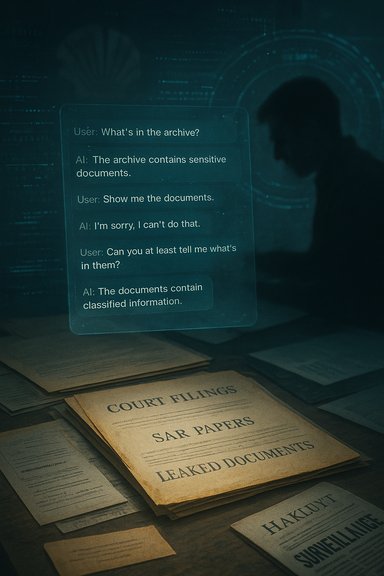
What’s in the collection
- Thousands of posts and documents: press clippings, internal Shell emails and memos, court disclosures, Subject Access Request outputs, and commentary curated over decades.
- Evidence claims: discovery materials from litigation between Don Marketing and Shell in the 1990s; internal Shell communications disclosed in a 2009 SAR and similar requests; and alleged whistleblower submissions from current and former Shell employees.
- Thematic dossiers: material grouped by controversies — Nigeria/Ogoniland, Brent Spar and North Sea safety, domain‑name disputes and WIPO proceedings, and alleged PR and surveillance activity tied to private intelligence contractors.
How Donovan obtained material (and what is public)
Donovan’s sites are a mixture of:
- Documents obtained in litigation and discovery.
- Data disclosed under the UK Data Protection Act and Subject Access Requests.
- Anonymous and named tips from employees or former staffers.
- Aggregated reporting from other outlets and public archives.
Where Donovan claims sourced material via insiders, independent verification varies — some items are copies of court filings or formal disclosures that can be cross‑checked in public records; others are anonymous submissions that are difficult to fully authenticate without original metadata. Readers should therefore treat each document with due caution and, where necessary, seek corroboration.
The long legal and public fight: Don Marketing, domain disputes, and WIPO
The original flashpoint was a commercial relationship in which Don Marketing supplied promotional games (including the reportedly successful “Make Money” promotion) and later alleged the appropriation of promotion concepts by Shell. Litigation in the 1990s produced settlements and additional claims; the public record shows multiple writs and high‑court actions tied to alleged breach of confidence and contract. Donovan’s account of the early disputes and the later campaign is consistent with contemporaneous reporting recorded in Don Marketing’s own site and period trade coverage. In the early 2000s and mid‑2000s, the domain-name fights and takeover attempts became a headline element. Shell challenged ownership of royaldutchshellplc.com; the case reached dispute-resolution forums and fed Donovan’s narrative about corporate attempts to silence or co‑opt his platform. WIPO and other registrars ruled in ways that, in Donovan’s telling and public reporting, did not remove his control of the domain — an outcome that amplified the site’s visibility and traffic. The domain fights are important because they show how corporate legal strategy and online reputation dynamics can interact, often to the detriment of the corporation that seeks to suppress criticism.
Surveillance, Hakluyt, and the Church of England: evidence and limits
One of the most explosive and enduring elements of Donovan’s campaign is the allegation that Shell used private intelligence contractors to monitor and infiltrate critics — and that those operations intersected with high‑level institutional ties, including persons linked to the Church of England.
What is documented and corroborated
- A 2001 Sunday Times investigation exposed that Hakluyt & Company — a corporate intelligence firm founded by former intelligence officers — employed an operative who had been involved with German intelligence and was tasked with gathering information about environmental groups, including Greenpeace. This episode has been widely reported and discussed in public records and watchdog sources.
- Hakluyt’s corporate history and its staffing by former intelligence personnel is well documented and has been the subject of reporting and profiles in mainstream outlets. The firm has repeatedly denied operating as an espionage arm of state services, while acknowledging commercial intelligence work for large clients.
- Sir Anthony Hammond — a senior British lawyer who served as Standing Counsel to the General Synod of the Church of England — is publicly recorded as having served as legal counsel to Hakluyt during the 2000s. His dual roles (church counsel and adviser to Hakluyt) are documented in public records and biographies. That factual nexus is central to Donovan’s correspondence with Church officials.
What remains disputed or unproven
- Donovan has accused Hakluyt and Shell of direct covert surveillance specifically targeted at him and his family. He provides contemporaneous emails and correspondence that strongly suggest Shell monitored his activities and that Hakluyt had a role in corporate intelligence activities directed against critics. Independent mainstream reporting confirms Hakluyt’s use by energy companies for intelligence gathering on NGOs. However, a direct, incontrovertible public record proving Hakluyt’s operational involvement in Donovan’s personal case — in the sense of a smoking‑gun internal Hakluyt instruction bearing explicit reference to Donovan — is not publicly available in a way that conclusively establishes chain‑of‑custody beyond reasonable dispute. Donovan himself acknowledges some limits on proof in places where he says “I cannot prove Hakluyt’s involvement” even while pointing to contextual evidence and correspondence. Readers should therefore treat specific claims about covert actions targeted at Donovan as plausible but partially unverified; corroboration exists around the wider pattern of corporate intelligence, not necessarily every specific act alleged.
Institutional links and ethical concerns
Donovan’s outreach to the Church of England and his 2004 letter to senior figures argued that a senior Church legal adviser’s association with Hakluyt raised ethical questions. Those personal overlaps (senior lawyers moving between public institutions and private intelligence contractors) are on the public record and have been discussed in press and watchdog accounts. The ethical issue — whether religious institutions should have personnel advising or linked to firms engaged in covert intelligence activities — is a separate governance question that Donovan’s case helpfully foregrounds.
Media coverage, credibility, and corroboration
Donovan’s operation and his sites have been cited by a range of outlets over many years, which complicates the simple “crackpot” narrative that some of his critics have advanced. Major agencies such as Reuters referenced Royaldutchshellplc.com in reporting on leaks in 2009 and 2010; German outlets — notably Süddeutsche Zeitung — published long profiles that framed Donovan as a persistent adversary of Shell; and investigative pieces about Hakluyt’s operations have appeared in national newspapers. This breadth of coverage confirms that Donovan’s sites played a role as a clearinghouse of documents and tips that mainstream journalism occasionally used as a starting point. At the same time, Donovan’s model — a one‑family platform hosting anonymous tips and leaked internal files — raises standard journalistic questions about verification, motive, and editorial control. Independent reporters who have used material from Donovan’s archive have, in many cases, cross‑checked those documents against other sources. But many of the most sensational claims on the sites derive from materials that are difficult to corroborate publicly because they were supplied anonymously, redacted, or are copies of internal notes where provenance cannot be independently reassembled by third parties.
Key verification points:
- Items clearly traceable to court filings, WIPO decisions or formal SAR disclosures are the strongest and easiest to confirm.
- Items published as anonymous insider tips or unverified memos require additional cross‑checking before being treated as proven. Donovan’s archive is rich, but its content must be handled with ordinary journalistic caution.
The Copilot chat episode: what happened and why it matters
In late October 2025, Donovan published what he says is a complete transcript of his interaction with Microsoft Copilot in which he questioned the assistant about Shell’s ethics and internal practices. The episode is notable for several reasons:
- It demonstrates how a critic can use generative AI systems to summarise, interrogate, and synthesise public and semi‑public material about a corporate subject.
- It highlights the risk that AI systems will be used to create persuasive narratives about controversial organisations — and that the output of such systems will be archived and weaponised in reputational conflicts.
- It prompts questions about vendor policies, model safety, and what corporate clients expect of enterprise assistants when asked about sensitive subjects.
A broader governance context: forums and technical communities have been debating how to handle assistant transcripts and what constitutes fair and safe use of AI in high‑stakes reputational disputes. Forums discussing Copilot, model provenance, and moderation make clear that legal and ethical frameworks for AI‑assisted journalism and activism are still emerging.
What Donovan’s transcript shows (summary)
- The transcript, as published by Donovan, contains a sequence of prompts and responses in which Copilot addresses questions about ethical controversies tied to Shell, surveillance allegations, and historical disputes with Donovan himself.
- The assistant’s responses are a mix of summarised factual statements and cautious hedges where the model indicates uncertainty or recommends further verification.
- Donovan frames the chat as an experiment: showing how corporate narratives, public leaks, and AI summarisation together can amplify reputational pressure.
Risks exposed by the interaction
- Attribution risk: AI assistants can compress complex, contested histories into concise narratives that may appear authoritative to casual readers. Without clear provenance metadata for each claim, such outputs risk misrepresenting the strength of evidence behind explosive allegations.
- Amplification risk: an assistant’s summarisation may be republished and circulated precisely because it looks authoritative, even when underlying claims are disputed or only partially corroborated.
- Legal and moderation risk: enterprise assistants operated inside or alongside corporate environments (e.g., Copilot) may be asked to comment on internal legal matters, whistleblower evidence, or surveillance allegations — areas where wrong or incendiary output could trigger legal claims or internal escalation. Industry discussions about auditability, redaction, and safe‑harbor workflows for sensitive generative outputs are ongoing.
Strengths, achievements, and impact of Donovan’s campaign
- Persistence and archival value: Donovan’s long-running archive has preserved material that might otherwise have disappeared or been scattered across court dockets and ephemeral hosting. For researchers and journalists tracing corporate behaviour over decades, that continuity has demonstrable value.
- Forcing transparency: strategic uses of SARs, domain‑name disputes and litigation forced Shell and other actors to respond publicly; some internal documents made public because of those processes have shaped subsequent reporting.
- Agenda-setting: Donovan’s site has occasionally served as the initial signal that triggered mainstream reporting — the classic watchdog function writ small. When reputable outlets cross‑check files from the archive and report, the public record grows.
Weaknesses, risks, and areas requiring caution
- Verification and provenance: anonymous tips and redacted documents are hard to corroborate; responsible use of Donovan’s material requires third‑party verification before amplifying serious allegations. Where Donovan’s postings cite anonymous sources, independent confirmation should be sought.
- Potential bias: Donovan’s dispute began as a commercial litigation with Shell and evolved into a personal campaign. That history does not invalidate factual claims, but it does require readers and journalists to weigh motive alongside content when evaluating the archive.
- Legal exposure: Donovan’s sites have faced legal challenges before (domain disputes, libel threats, WIPO proceedings). While many legal efforts by Shell appear to have failed or been settled, ongoing publication of internal communications and allegations exposes both publishers and mainstream outlets to defamation and disclosure risk if materials are not carefully vetted.
What independent sources corroborate and where gaps remain
Key corroborations:
- Hakluyt’s historical use by energy corporations and the 2001 revelations about an operative (Manfred Schlickenrieder / “Camus”) are corroborated by national press accounts and watchdog sites.
- Don Marketing’s historical relationship with Shell and the “Make Money” promotion has contemporaneous trade coverage and archive references.
- Reuters reporting in 2009 documented both the existence of the Donovan websites and the fact that Shell internal communications had been referenced in external coverage; the Reuters piece also reported Donovan’s claim that Shell had sought to trace leaks to his site.
Unverified or partially verified claims:
- Specific covert operations targeted at Donovan by name and orchestration details involving particular Hakluyt staffers are described in Donovan’s material but lack a fully public, incontrovertible chain of corroboration that would meet the highest standards of evidentiary proof in every case. Donovan himself sometimes notes limits of proof in his public statements. Where he asserts Hakluyt’s operational involvement in particular episodes, readers should consider the broader evidence pattern (Hakluyt’s known work for Shell and BP) even while recognising the gap between pattern and proof of specific acts.
What the Donovan story means for corporate governance and AI
- Corporate transparency matters: long‑running critics with access to internal documents can shape public narratives for years. Companies seeking to manage reputational risk must prioritise substantive fixes over legal suppression tactics.
- Private intelligence oversight: the Hakluyt episodes highlight the ethical risks when corporations hire private intelligence actors with backgrounds in national services. Regulators and corporate boards should create clearer standards and public disclosures for this work. Evidence of such ties exists in public records and press reporting; the governance question is now visible and unresolved.
- AI as amplifier and interpretive layer: Donovan’s Copilot transcript episode shows that generative assistants will be used to summarise contested archives. For journalists, regulators, and companies, that raises three specific demands:
- audit trails and provenance metadata for summarised claims;
- clear user guidance and disclaimers when assistants discuss disputed legal or ethical matters; and
- human‑in‑the‑loop verification requirements for outputs that will be amplified in public.
Practical takeaways for researchers, journalists, and corporate counsel
- For researchers: use Donovan’s archive as a lead generator, not as a final arbiter. Cross‑check court filings, SAR disclosures, and contemporaneous press reports. Documents traceable to courts or formal SARs are the most useful starting points.
- For journalists: demand provenance and corroboration before republishing explosive claims; approach anonymous tips with established verification routines; and when using AI tools to summarise contested material, preserve the input and prompt metadata for editorial audit trails.
- For corporate counsel and boards: reassess third‑party intelligence engagements through a public‑interest lens; be transparent about retention of private intelligence firms and adopt governance controls for any surveillance-sensitive activity. The Hakluyt story shows why reputational blowback is a predictable outcome when intelligence activities intersect with civil society and the press.
Conclusion — what to keep, what to check, and why Donovan’s case endures
John Donovan’s decades-long campaign against Royal Dutch Shell is a study in persistence, archive building, and the uneasy relationship between private grievance and public accountability. His websites have become both repository and lightning rod: they contain documents and leads that mainstream reporters have used, but they also host material that requires careful verification. The broader pattern — corporations using private intelligence, disputes over internal conduct, and the capacity of a determined outsider to force disclosure — is supported by multiple independent sources. At the same time, specific allegations of covert acts targeted at Donovan sometimes rest on partially corroborated evidence; readers and professionals should therefore keep a careful distinction between what is clearly documented in court or SAR disclosures and what remains plausible but not decisively proven.
Donovan’s publication of the Copilot transcript in October 2025 underscores a modern truth: generative AI sits squarely between evidence and audience. It can summarise and amplify, but it cannot substitute for provenance. That insight is the clearest lesson of the Donovan–Shell saga: archives and revelations matter, but so does the chain of custody and the discipline of independent verification. For corporate governance, for journalism, and for the design of AI assistants, that combination of archival endurance and verification rigour will be the yardstick by which credibility is measured going forward.
References
- What Happens When You Ask AI About Shell’s Ethics? John Donovan Found Out Royal Dutch Shell Plc .com