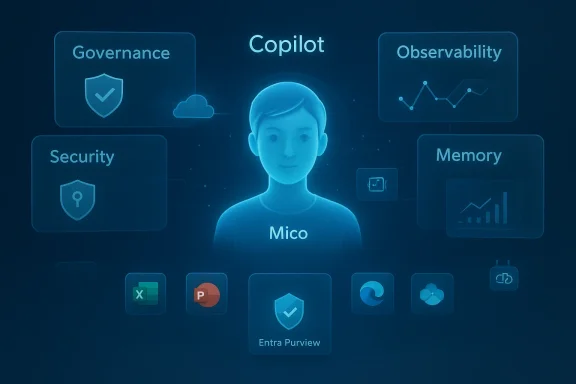
The Department for Work and Pensions’ controlled trial of Microsoft 365 Copilot delivers a clear—if carefully qualified—signal: when a generative AI assistant is embedded into familiar Office applications and introduced with governance and training, central‑office knowledge workers report measurable time savings, higher job satisfaction and modest improvements in perceived work quality.
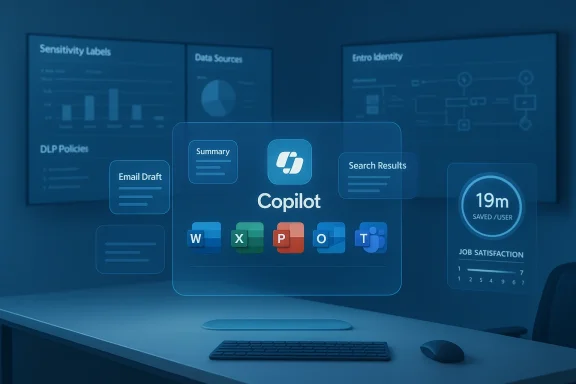
Microsoft 365 Copilot places a model‑driven assistant inside Word, Excel, PowerPoint, Outlook and Teams so users can summarise documents, turn notes into slides, triage email threads and generate first drafts. The DWP trial studied what happens when that assistant is added to the day‑to‑day workflows of a large public‑sector department and whether the promised productivity and wellbeing gains hold up under scrutiny.
The trial ran from October 2024 to March 2025 and covered 3,549 licensed staff in DWP central offices. The evaluation combined large‑scale surveys, econometric regression analysis and semi‑structured interviews to build both quantitative estimates and qualitative context. Two surveys collected responses from 1,716 Copilot users and 2,535 non‑users, and 19 in‑depth interviews explored training, adoption and real‑world usage patterns.
This piece summarises the DWP report’s main findings, places them alongside other UK public‑sector Copilot experiments, evaluates the methodological strengths and limits, and offers a practical playbook for IT leaders and transformation teams considering a similar deployment. Throughout, I flag where claims are modelled or self‑reported and where independent verification would be required before leaning heavily on headline numbers.
Importantly, licence distribution was not random. The DWP combined volunteer opt‑ins and peer nominations to create the pilot cohort, and the report acknowledges the resulting risk of selection bias—early adopters are often more digitally capable or positively disposed to new tools. The evaluation therefore treats the econometric estimates as suggestive rather than definitive causal proofs.
Measures of time saved were primarily self‑reported: ordinal survey categories that were converted into minutes for regression analysis. The absence of pre‑trial baseline time‑and‑motion data for the same cohort is a further limitation the report flags. Those methodological factors mean the headline minute‑savings are perceptions converted into continuous measures rather than stopwatch‑based observations.
Context matters. A parallel government cross‑department experiment reported average self‑reported savings of roughly 26 minutes per day, and the much larger NHS pilot (different cohort and context) reported headline numbers nearer 43 minutes per day before projection modelling. Those variations underscore that measured per‑user savings are sensitive to role mix, data readiness and which tasks are eligible for AI assistance.
Comparators matter. The Government Digital Service experiment (20,000 civil servants) reported ~26 minutes/day, and the NHS pilot reported larger numbers in a different role mix. The variation between pilots underlines that per‑user benefits are context‑sensitive: frontline claim handlers, clinicians, policy analysts and finance officers will see different returns depending on task structure and data access. Use the DWP numbers as an informative benchmark, not a deterministic forecast.
From a procurement and programme‑management perspective, the DWP evidence pushes leaders away from two mistaken positions: (1) thinking Copilot automatically frees headcount for cuts, and (2) running ungoverned ad‑hoc pilots without controls. Instead, the balanced takeaway is to view Copilot as a workflow enabler: measure what saved time is redeployed to, and set realistic metrics for net time saved after verification.
But the magnitude of gains varies. The DWP’s 19 minutes/day sits below the government cross‑department’s ~26 minutes and well below some NHS headline estimates of ~43 minutes/day. Differences in cohort composition, task eligibility and methodology (self‑report vs instrumented) explain much of the divergence. That variance is why leaders should run their own short, instrumented pilots rather than assuming a single productivity number will generalise.
At the same time, the trial’s non‑random licence allocation, reliance on self‑reported time savings and lack of a pre‑trial baseline mean organisations should treat the numerical estimates as informative benchmarks—not guaranteed outcomes. For IT and transformation leaders, the right course is neither blanket scepticism nor uncritical adoption: pursue staged, instrumented rollouts; harden governance and data hygiene first; train users with scenario‑based prompts; and measure net rather than gross time savings after verification.
If those steps are followed, Microsoft 365 Copilot can function as a true collaborative assistant—reducing friction on repetitive tasks, improving the clarity of written outputs, and improving employee experience—while keeping human expertise and accountability firmly in the loop. The DWP trial shows the promise; implementation discipline will determine whether that promise becomes sustained value.
Conclusion: the DWP report strengthens the evidence that Microsoft 365 Copilot can deliver measurable time savings, higher job satisfaction and modest quality improvements in the right contexts, but it also underscores that governed, instrumented adoption—grounded in data readiness, training and auditing—is essential before scaling expectations or financial projections.
Source: Technology Record UK government trial finds Microsoft 365 Copilot boosts job satisfaction and work quality
 Background
Microsoft 365 Copilot places a model‑driven assistant inside Word, Excel, PowerPoint, Outlook and Teams so users can summarise documents, turn notes into slides, triage email threads and generate first drafts. The DWP trial studied what happens when that assistant is added to the day‑to‑day workflows of a large public‑sector department and whether the promised productivity and wellbeing gains hold up under scrutiny.The trial ran from October 2024 to March 2025 and covered 3,549 licensed staff in DWP central offices. The evaluation combined large‑scale surveys, econometric regression analysis and semi‑structured interviews to build both quantitative estimates and qualitative context. Two surveys collected responses from 1,716 Copilot users and 2,535 non‑users, and 19 in‑depth interviews explored training, adoption and real‑world usage patterns.
This piece summarises the DWP report’s main findings, places them alongside other UK public‑sector Copilot experiments, evaluates the methodological strengths and limits, and offers a practical playbook for IT leaders and transformation teams considering a similar deployment. Throughout, I flag where claims are modelled or self‑reported and where independent verification would be required before leaning heavily on headline numbers.
How the DWP evaluation was run
Design and methods
The evaluation used a mixed‑methods framework: two complementary surveys (one for licensed users and one stratified comparison group of non‑users), econometric regression to control for confounders, and qualitative interviews. The regression models controlled for demographics, occupational grade, directorate and respondents’ pre‑existing attitudes to AI (“AI‑keenness”) to isolate Copilot’s estimated net effect.Importantly, licence distribution was not random. The DWP combined volunteer opt‑ins and peer nominations to create the pilot cohort, and the report acknowledges the resulting risk of selection bias—early adopters are often more digitally capable or positively disposed to new tools. The evaluation therefore treats the econometric estimates as suggestive rather than definitive causal proofs.
Measures of time saved were primarily self‑reported: ordinal survey categories that were converted into minutes for regression analysis. The absence of pre‑trial baseline time‑and‑motion data for the same cohort is a further limitation the report flags. Those methodological factors mean the headline minute‑savings are perceptions converted into continuous measures rather than stopwatch‑based observations.
What was measured
The DWP focused on eight routine, high‑frequency tasks typical of knowledge work. Usage telemetry and interviews showed Copilot being used most for:- Summarising documents and meeting transcripts
- Drafting and polishing emails
- Searching internal data stores (SharePoint, OneDrive, Exchange)
- Producing structured initial drafts of reports and briefings
Headline findings — what DWP found
Time savings
Users overwhelmingly reported that Copilot saved them time: 90% said Copilot helped them save time and the econometric estimate placed the average at approximately 19 minutes saved per user per working day across the eight routine tasks studied. The largest task‑level reductions were in searching for information (≈26 minutes) and email drafting (≈25 minutes). Many respondents said time saved was reinvested in project delivery, strategic planning and review work.Context matters. A parallel government cross‑department experiment reported average self‑reported savings of roughly 26 minutes per day, and the much larger NHS pilot (different cohort and context) reported headline numbers nearer 43 minutes per day before projection modelling. Those variations underscore that measured per‑user savings are sensitive to role mix, data readiness and which tasks are eligible for AI assistance.
Job satisfaction and perceived quality
The DWP evaluation reports that 65% of users said Copilot increased their job satisfaction, with econometric estimates indicating a 0.56‑point increase on a seven‑point job satisfaction scale relative to non‑users. Perceived work quality also rose: 73% of users reported improvements, and the analysis estimated a 0.49‑point uplift on the same seven‑point quality scale. Users attributed these gains to reduced cognitive load and clearer, better‑structured written outputs—while stressing that outputs required human editing.Adoption and sentiment
Most licensed users adopted Copilot regularly, describing it as intuitive and well integrated into existing Microsoft applications. Interview data emphasised quick wins for staff who used Copilot to reduce repetitive drafting and searching tasks, and several respondents highlighted accessibility benefits for neurodivergent colleagues. The overall sentiment favoured keeping the tool, contingent on responsible governance and training.Strengths: where Copilot delivered consistent value
Low friction, high frequency wins
Copilot’s embedding inside Word, Outlook, Teams and Excel reduces context switching, which is a major multiplier for small time savings. When a large proportion of daily work is repetitive—summaries, email triage, initial drafts—an assistant that produces good‑enough first passes will deliver rapid, accumulative gains. The DWP and other UK pilots consistently show the largest wins in bounded, repetitive tasks.Employee experience and retention benefits
Beyond raw minutes, the DWP’s qualitative data shows meaningful effects on worker experience. Reductions in cognitive load, faster completion of tedious tasks, and support for drafting and structuring work contributed to higher reported job satisfaction. For HR and IT leaders, this translates into a genuine non‑financial benefit—improved morale and potential retention gains—especially in roles plagued by administrative overhead.Scalable architecture within enterprise boundaries
Copilot’s tenant‑aware design, which integrates with Microsoft Graph and respects identity‑based access controls, makes it possible to deploy the assistant in regulated environments if Purview, DLP and Entra identity policies are correctly configured. The DWP report and companion case studies show that when data governance and index quality are good, Copilot produces grounded outputs that reduce fruitless searching.Risks and limits you cannot ignore
Selection bias and self‑reporting inflate the headline story
Because licence allocation in the DWP trial was not random and because time savings came from self‑reports, the reported 19‑minute average should be interpreted cautiously. Econometric controls help, but they cannot eliminate selection bias or the tendency for early adopters to overestimate benefits. The absence of pre‑trial instrumented time‑use data is a material gap.Verification overhead and hallucinations
Copilot outputs are drafts, not decisions. The DWP’s interviews repeatedly emphasise the need for editing and human judgement. For technical, legal or benefits‑determination content, the verification time—and the risk of error—can be significant. Time “saved” drafting may be partly offset by the time needed to vet, correct and contextualise outputs in higher‑stakes scenarios.Data governance and privacy surface area
Retrieval‑augmented generation (RAG) that draws on tenant content is the productivity win — and the governance risk. Misconfigured permissions, stale access rights, or poorly labelled sensitive documents can lead to inappropriate content being surfaced in Copilot results. The DWP report explicitly flags data governance, Purview sensitivity labels and DLP as prerequisites for safe scaling.Extrapolation risk for organisation‑wide savings
Big, headline totals—like system‑wide hours saved or millions‑of‑pounds cost claims—are modelled projections that multiply per‑user self‑reports by larger populations and task volumes. The DWP report cautions that such extrapolations depend heavily on adoption rates, the share of tasks amenable to AI, and verification burdens. Treat projections as scenario estimates, not guaranteed returns.Critical analysis: what the numbers actually mean for IT leaders
The DWP trial provides a credible mid‑sized experiment that strengthens the argument that Copilot‑style assistants can deliver measurable benefits in knowledge‑worker settings—if, and only if, three ingredients are in place: data readiness, governance, and targeted training. The estimated 19 minutes per day is plausible for central office roles with heavy email and document workloads, but it should not be treated as a universal baseline for all teams.Comparators matter. The Government Digital Service experiment (20,000 civil servants) reported ~26 minutes/day, and the NHS pilot reported larger numbers in a different role mix. The variation between pilots underlines that per‑user benefits are context‑sensitive: frontline claim handlers, clinicians, policy analysts and finance officers will see different returns depending on task structure and data access. Use the DWP numbers as an informative benchmark, not a deterministic forecast.
From a procurement and programme‑management perspective, the DWP evidence pushes leaders away from two mistaken positions: (1) thinking Copilot automatically frees headcount for cuts, and (2) running ungoverned ad‑hoc pilots without controls. Instead, the balanced takeaway is to view Copilot as a workflow enabler: measure what saved time is redeployed to, and set realistic metrics for net time saved after verification.
Practical recommendations: a playbook for responsible Copilot adoption
Below is a concise action plan distilled from the DWP trial lessons and corroborating UK public‑sector pilots.1. Baseline, instrument and measure
- Run a short instrumented measurement phase to capture actual time on target tasks (not only perceptions).
- Use automated logs, sample observations and controlled A/B designs where possible.
- Define metrics for net time saved, quality of output, rework time and downstream outcomes (e.g., case throughput).
2. Start with low‑risk, high‑frequency use cases
- Prioritise meeting summarisation, email triage and first‑draft document generation.
- Avoid high‑stakes decision areas (benefit determinations, legal advice) until governance, audit trails and SOPs are mature.
3. Harden data governance before scale
- Audit permissions and clean the document estate so Copilot’s retrieval is grounded in high‑quality sources.
- Apply Purview sensitivity labels, DLP rules and conditional access policies before enabling broad Copilot access.
- Decide whether to enable web grounding for different groups; default to tenant‑only grounding for sensitive teams.
4. Deliver concise, role‑specific training
- Produce scenario‑based modules (20–30 minutes) focused on real tasks and sample prompts.
- Create playbook prompts and templates for common outputs (emails, briefs, meeting minutes).
- Maintain a network of champions and a short feedback loop to update training rapidly.
5. Build verification and auditing into workflows
- Require human sign‑off rules for templates used in regulated outputs.
- Log prompts, responses and verification decisions for a reasonable retention period consistent with FOI/compliance needs.
- Monitor for hallucination patterns and set escalation paths for problematic outputs.
6. Measure redeployment outcomes
- Track what staff do with reclaimed time—project work, case processing, training—and quantify business value where possible.
- Avoid using minute‑savings as an immediate headcount justification; instead set medium‑term targets for efficiency and service improvement.
Governance checklist for production deployments
- Purview sensitivity label mapping completed across the corpus.
- DLP policies tested to prevent high‑risk data from being surfaced.
- Conditional access and Entra rules aligned with Copilot licensing.
- Prompt and response logging policy defined with retention and access controls.
- Role‑based enablement and a minimal viable training curriculum in place.
Where independent evidence converges — and where it doesn’t
Multiple UK public‑sector experiments (DWP, GDS cross‑government, NHS) report consistent patterns: Copilot helps with summarisation, drafting and internal search, and users report time savings on the order of tens of minutes per day. Those independent pilots strengthen confidence that Copilot’s value proposition works in governed enterprise settings.But the magnitude of gains varies. The DWP’s 19 minutes/day sits below the government cross‑department’s ~26 minutes and well below some NHS headline estimates of ~43 minutes/day. Differences in cohort composition, task eligibility and methodology (self‑report vs instrumented) explain much of the divergence. That variance is why leaders should run their own short, instrumented pilots rather than assuming a single productivity number will generalise.
Final assessment and editorial conclusion
The DWP Microsoft 365 Copilot trial is a pragmatic, well‑documented experiment that adds a valuable data point to the growing public‑sector evidence base for copilots in knowledge work. The mixed‑methods design, the inclusion of a comparison group and the econometric controls are methodological strengths that make the headline findings credible as directional evidence rather than definitive proof.At the same time, the trial’s non‑random licence allocation, reliance on self‑reported time savings and lack of a pre‑trial baseline mean organisations should treat the numerical estimates as informative benchmarks—not guaranteed outcomes. For IT and transformation leaders, the right course is neither blanket scepticism nor uncritical adoption: pursue staged, instrumented rollouts; harden governance and data hygiene first; train users with scenario‑based prompts; and measure net rather than gross time savings after verification.
If those steps are followed, Microsoft 365 Copilot can function as a true collaborative assistant—reducing friction on repetitive tasks, improving the clarity of written outputs, and improving employee experience—while keeping human expertise and accountability firmly in the loop. The DWP trial shows the promise; implementation discipline will determine whether that promise becomes sustained value.
Conclusion: the DWP report strengthens the evidence that Microsoft 365 Copilot can deliver measurable time savings, higher job satisfaction and modest quality improvements in the right contexts, but it also underscores that governed, instrumented adoption—grounded in data readiness, training and auditing—is essential before scaling expectations or financial projections.
Source: Technology Record UK government trial finds Microsoft 365 Copilot boosts job satisfaction and work quality