

Microsoft Edge’s latest stable updates include two surprisingly useful AI actions — Summarize and Explain inside the built‑in PDF reader — and they arrive as part of a much broader Edge 145 refresh that blends productivity wins, enterprise controls, and a reminder that new features bring new policy tradeoffs for admins. ([learn.microsoft.coosoft.com/en-us/deployedge/microsoft-edge-relnote-beta-channel)
Edge’s 145 release stream is rolling out across channels and brings a mix of user-facing improvements and enterprise features. The update family labeled 145.0.3800.x is the vehicle for these changes; build 145.0.3800.58 is the most recent stable build noted by third‑party package trackers and security catalogs.
Microsoft is not only adding small conveniences — like a refreshed profile flyout and smarter Autofill prompts — it’s also expanding Copilot integration already present in Edge into more places where users actually need help understanding and acting on content. That includes new Copilot actions in the PDF workflow where long reports, contracts, or technical manuals often live.
These changes are situated inside a larger strategy: Edge is increasingly positioning Copilot capabilities as more than a novelty, embedding summarization, explanation, and automation into everyday browsing and document reading. Community observers and independent threads have tracked Copilot’s steady creep into the reading surface and PDF tools since the Copilot Mode announcements.
Third‑party release trackers list build 145.0.3800.58 as an important, security‑patched update issued in mid‑February 2026 and tied to multiple CVE entries that were addressed as part of the rollout. If you manage fleets, treat this as a normal cumulative security update: test and deploy per your change management process.
Community channels have also captured rough edges: some users reported extension breakages and packaging issues on Linux after an early 145 build, reminding us that major builds occasionally introduce regressions that require follow‑up fixes. Admins and power users should test key extensions and PWAs before broad deployment.
Key enterprise features in the 145 release that tie into governance and security:
For power users who batch‑process long documents, initial latency on features like Read Aloud can be the difference between using a tool daily or never. Microsoft’s incremental improvement here is a classic example of shipping small latency wins that improve perceived quality. Community commentary from early previews has recognized the change as meaningful.
Other browsers are exploring similar vertical integrations (extension‑level summarizers, third‑party plugins), but Edge’s advantage is the tighter enterprise control plane and the ability to enforce DLP and Intune policies across Copilot experiences — a decisive factor for corporate adoption. That said, those advantages only deliver in practice if policy controls are correctly configured and users are trained.
That said, the update is not a turnkey answer to document automation: admins must carefully test and configure policies, and users must treat AI‑generated summaries as helpful starting points rather than authoritative replacements. With staged rollouts, sensible governance, and clear user education, these new PDF Copilot actions can be a net positive for productivity — and a practical example of AI that actually saves time.
Source: Windows Central https://www.windowscentral.com/soft...o-new-ai-features-and-theyre-actually-useful/
 Background / Overview
Edge’s 145 release stream is rolling out across channels and brings a mix of user-facing improvements and enterprise features. The update family labeled 145.0.3800.x is the vehicle for these changes; build 145.0.3800.58 is the most recent stable build noted by third‑party package trackers and security catalogs.Microsoft is not only adding small conveniences — like a refreshed profile flyout and smarter Autofill prompts — it’s also expanding Copilot integration already present in Edge into more places where users actually need help understanding and acting on content. That includes new Copilot actions in the PDF workflow where long reports, contracts, or technical manuals often live.
These changes are situated inside a larger strategy: Edge is increasingly positioning Copilot capabilities as more than a novelty, embedding summarization, explanation, and automation into everyday browsing and document reading. Community observers and independent threads have tracked Copilot’s steady creep into the reading surface and PDF tools since the Copilot Mode announcements.
What’s new: Summarize and Explain in the PDF reader
The core functionality
- Summarize: Generates a concise overview of the entire PDF or a selected portion, extracting the key points, findings, or conclusions so you can quickly grasp the document’s intent without reading every page.
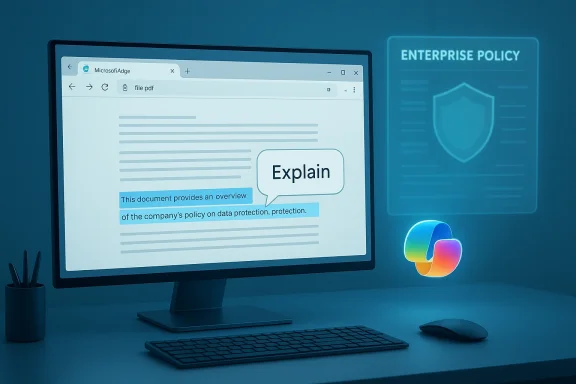
- Explain: Takes dense, technical, or jargon‑heavy passages and returns a simplified, plain‑language version aimed at making the content easier to understand for non‑specialists. This is intended for paragraphs, tables, or specific selections rather than automatic editorial rewrites of whole documents.
Why this matters in practice
- Save time: Long PDF reports frequently contain a few actionable items buried in dense prose. Summarize extracts those for quick triage.
- Speed onboarding: Explain helps people who inherit technical docs or legal clauses understand intent without jumping to subject‑matter experts.
- Research workflows: Students, journalists, and analysts can use summarization to build rapid notes or to identify which sections merit deeper reading.
The release context: version, timing, and security notes
Microsoft’s Edge 145 family has been shipping incremental updates through February 2026, with Beta and Stable channels receiving staggered changes; Microsoft’s own release notes enumerate Read Aloud improvements and the addition of the Copilot PDF actions among other enterprise features.Third‑party release trackers list build 145.0.3800.58 as an important, security‑patched update issued in mid‑February 2026 and tied to multiple CVE entries that were addressed as part of the rollout. If you manage fleets, treat this as a normal cumulative security update: test and deploy per your change management process.
Community channels have also captured rough edges: some users reported extension breakages and packaging issues on Linux after an early 145 build, reminding us that major builds occasionally introduce regressions that require follow‑up fixes. Admins and power users should test key extensions and PWAs before broad deployment.
Enterprise controls and governance: the built‑in limits
Microsoft designed the new PDF Copilot actions to integrate with the same enterprise controls that govern other Copilot experiences. That means organisations can apply existing policies and DLP (data loss prevention) boundaries to Copilot requests originating from Edge. In short: these AI actions are not an unmanaged data exfiltration channel by design; they obey the browser and tenant policies you’ve already got in place.Key enterprise features in the 145 release that tie into governance and security:
- Workspaces migration: Microsoft announced migration of saved Workspaces storage from OneDrive/SharePoint to the Edge Sync service and removed the earlier collaboration/share function to improve reliability; admins should plan for the migration impact to saved workspace data.
- Cross‑tenant Intune MAM support: Edge for Business can now respect Intune App Protection Policies in cross‑tenant conditions (contractors, merger scenarios), redirect downloads to OneDrive for Business when policy requires, and enforce leak controls like screenshot prevention inside the work profile. This is in public preview and is aimed squarely at reducing shadow copy risks.
- Password affiliation service: Edge now groups related domains (affiliations) so credentials saved for one property can be suggested across affiliated properties (for example, account.microsoft.com and office.microsoft.com). The client queries an affiliations backend using hashed data to pull affiliated groups — admins can disable lookups via policy if they prefer the older top‑level domain matching behavior.
Read Aloud and PDF performance: small improvements with big UX impact
The PDF Read Aloud engine in Edge has been adjusted to start faster and behave more reliably in the new PDF viewer. That’s a pragmatic win: less waiting for the narrator to begin is a better accessibility and multitasking experience for anyone relying on audio consumption. The Read Aloud improvements are specifically scoped to the new PDF viewer rather than browser‑wide voice synthesis changes.For power users who batch‑process long documents, initial latency on features like Read Aloud can be the difference between using a tool daily or never. Microsoft’s incremental improvement here is a classic example of shipping small latency wins that improve perceived quality. Community commentary from early previews has recognized the change as meaningful.
Use cases that benefit most — and why
- Legal teams reviewing long contracts: Summarize can pull obligations, renewal dates, and liability clauses from multi‑page contracts for faster triage.
- Engineers and researchers: Explain untangles dense method sections or algorithm descriptions so reviewers can quickly judge relevance.
- Students and educators: Summaries can be used as study notes while Explain helps make primary literature accessible to novices.
- Customer support and operations: Agents can scan long technical KB PDFs and extract the troubleshooting steps or error patterns.
- Cross‑tenant contractors: When Intune MAM protections and watermarking are in place, the combined capability helps contractors work while keeping corporate data boundaries enforced.
Risks and caveats — what IT teams and privacy‑minded users should know
The new features are valuable, but not risk‑free. Below are the principal concerns and practical mitigations.- Model hallucinations and accuracy limits
AI summarizers and explainers can omit nuance, misattribute causation, or paraphrase facts incorrectly. Treat automated summaries or explanations as starting points, not final legal or technical judgments. Implement workflows where critical excerpts are validated against source text. This is standard Copilot advice across Microsoft’s documentation and echoed in community testing. - Data boundary and cloud processing questions
Copilot integrations sometimes send content to backend services for processing. Microsoft’s release notes stress enterprise controls — but organizations with zero‑trust or strict on‑prem requirements should verify where requests are routed and use policy to disable cloud lookups if necessary. For password affiliations, the Edge client sends hashed URLs to the affiliation service; administrators can fully disable those queries with the right policy configuration. - Policy configuration complexity
New capabilities require matching policies: PasswordManagerEnabled, PrimaryPasswordSetting, AutoplayAllowed, WebAppInstallByUserEnabled, EditProfileEnabled and other settings give admins granular control but also increase configuration surface area. Blindly enabling everything pushes more functionality to users but may weaken governance. Document changes and test policy interactions before broadly enabling them. - Regression risk in large updates
The 145 rollout has already shown rough edges in the wild: extension breakages and packaging misconfigurations were reported by users on multiple platforms shortly after early builds. That suggests a conservative rollout and staggered testing stage for enterprises. - Watermarking and user friction
Watermarking protection in Edge for Business is intended to deter unauthorive compliance, but it also visibly announces that content is governed. Some users could find persistent watermarks disruptive; communicate and educate to reduce help‑desk calls when watermarking is adopted.
Practical guidance: how to try, test, and govern the new features
- Validate build and policies in a test ring first. Use the Enterprise Preview and targeted release options to put Edge 145 builds into a controlled pilot population. This lets admins test integrations like Intune MAM cross‑tenant behaviors and affiliation lookups before organization‑wide rollout.
- Audit extension compatibility. Edge 145 changed internals that affected some extensions in early reports; run a compatibility testplan for critical extensions and corporate PWAs.
- Confirm DLP boundaries. If your environment relies on Purview or Intune App Protection, test Copilot PDF actions against those DLP rules and the Protected Clipboard behavior in preview to ensure data governance goals are met.
- Decide affiliation policy. If your org doesn’t want Edge querying affiliation endpoints for cross‑domain credential matching, configure PasswordManagerEnabled and PrimaryPasswordSetting together to prevent lookups. Document the decision and communicate to help desk teams.
- Train power users on limitations. Give tips: always verify AI summaries for legal/financial documents, and use the Explain action as an initial pass for complex sections, not a substitute for domain experts.
The competitive angle — why this matters in the browser wars
Edge’s incremental strategy — fold Copilot into document and browser UI rather than making a separate app — is a play to capture more productive minutes inside the browser. Summarize and Explain are not flashy consumer toys; they are workflow accelerators that, when executed well, reduce cognitive and time costs for professionals. This aligns with Microsoft’s broader Copilot positioning across Office and Windows, where the emphasis has shifted from novelty to utility.Other browsers are exploring similar vertical integrations (extension‑level summarizers, third‑party plugins), but Edge’s advantage is the tighter enterprise control plane and the ability to enforce DLP and Intune policies across Copilot experiences — a decisive factor for corporate adoption. That said, those advantages only deliver in practice if policy controls are correctly configured and users are trained.
Stre final assessment
Strengths
- Real productivity value: Summarize and Explain are practical, repeatedly useful features that reduce friction when working with PDFs. They’re the kind of addition where people say “I wish this existed” after using them.
- Enterprise alignment: The features are built to respect existing Copilot/Edge enterprise policies and integrate with Intune and Purview controls in preview modes. That makes corporate adoption plausible without throwing governance out the window.
- Small, focused UX wins: Faster Read Aloud start times and improved Autofill prompt behavior are simple but meaningful improvements to daily use.
Tradeoffs and risks
- Accuracy and hallucination risk: AI summarization is not infallible and must be validated for critical decisions.
- Policy complexity: New controls and capabilities increase the admin configuration surface and introduce the possibility of misconfiguration.
- Regression windows: As with any significant browser release, early builds can break third‑party extensions or packaging on niche platforms; rigorous staging is essential.
Practical checklist for admins and power users
- Enable pilot ring for select users and test Edge 145 builds in a controlled environment.
- Verify critical extensions and PWAs for compatibility before wide deployment.
- Configure password and affiliation policies if you want to restrict cross‑domain credential suggestions.
- Test Copilot PDF actions against Purview DLP and Intune App Protection policies to validate data boundary enforcement.
- Document known AI limits for end users: instruct them to validate any legal, financial, or safety‑critical information extracted or simplified by Copilot.
Conclusion
Microsoft Edge’s addition of Summarize and Explain to the PDF reader marks a pragmatic step in the browser’s AI journey: these are useful, well‑placed features that can materially speed up reading and comprehension workflows. They arrive in a release that balances usability refinements with stronger enterprise controls — a necessary posture if Copilot features are to gain traction in corporate environments.That said, the update is not a turnkey answer to document automation: admins must carefully test and configure policies, and users must treat AI‑generated summaries as helpful starting points rather than authoritative replacements. With staged rollouts, sensible governance, and clear user education, these new PDF Copilot actions can be a net positive for productivity — and a practical example of AI that actually saves time.
Source: Windows Central https://www.windowscentral.com/soft...o-new-ai-features-and-theyre-actually-useful/
