

Microsoft Edge’s latest Stable Channel update is a good example of how the browser has evolved into something much broader than a simple window to the web. Version 147.0.3912.60 lands on Microsoft’s four-week release cycle, and while the headline is “just another browser patch,” the payload is much more ambitious: Copilot is moving deeper into Immersive Reader, admins are getting sharper controls, and Microsoft is tightening the security and servicing story around both the browser and WebView2. For consumers, it is another small step toward an AI-first browsing experience; for enterprises, it is a reminder that Edge is now part browser, part policy surface, and part compliance platform. Microsoft’s rollout is also staged, which means the experience will be uneven for a while, as usual with Edge’s controlled feature releases.
The timing matters. Microsoft has been pushing Edge through a steady cadence of feature additions, policy refinements, and security updates, and version 147 continues that pattern. The Stable and Extended Stable channels are explicitly designed to support different operating rhythms, with the Stable channel now on a 4-week major release cycle and Extended Stable staying on an 8-week cadence for managed environments. That structure gives Microsoft room to ship quickly while still offering enterprises a slower lane when they need it. (learn.microsoft.com)
Edge 147 is also arriving in a browser market that has become increasingly defined by platform integration. Microsoft has not been shy about turning Edge into a delivery vehicle for Copilot, enterprise data protection, and browser management services. The April 10 Stable release notes show that Microsoft is still adding features rather than merely patching defects, and the browser’s release notes now read more like a product roadmap for productivity and governance than a traditional changelog. (learn.microsoft.com)
For IT departments, the significance is less about the AI headline and more about the breadth of the management surface. Microsoft now treats Edge as a controlled endpoint with its own policy stack, extension inventory, privacy settings, and document-protection features. That means a browser update can alter workflows, compliance posture, and user experience at the same time. It also means organizations that ignore Edge updates are not merely skipping cosmetic improvements; they are bypassing a growing layer of security and administrative control. (learn.microsoft.com)
The update also fits into a longer arc of Microsoft trying to make Edge indispensable on Windows. The company has steadily expanded Copilot touchpoints, introduced more browser-side governance tooling, and reinforced the idea that Edge is the preferred secure gateway for Microsoft 365 content. That is the strategic throughline behind a lot of the release’s seemingly unrelated changes. Taken together, they suggest Microsoft is still building toward a browser that is not only intelligent, but policy-aware and tenant-aware by design.
That matters because Immersive Reader has always been one of Edge’s more genuinely useful features. It strips visual clutter, improves readability, and makes dense content easier to process. Bringing Copilot into that workflow gives the feature a second life: it no longer just simplifies pages, it also interprets them. That is a subtle but important shift from accessibility tooling to contextual assistance.
It also reinforces Microsoft’s broader bet that Copilot is most valuable when it is embedded in a specific context. A generic chatbot is useful; a chatbot that already knows what you are reading is much more powerful. That advantage becomes especially important in productivity software, where context is the difference between novelty and genuine utility. In that sense, this update is less about “AI in the browser” and more about “AI at the point of attention.”
Still, there is a trade-off. The more users lean on AI to compress or explain pages, the less likely they are to read original material in full. That is not necessarily bad, but it does change the relationship between reader and source. If Copilot becomes the default interpreter, users may absorb answers faster while missing nuance, context, or editorial intent. Convenient and complete are not always the same thing.
This is the sort of change that gets overlooked because it does not sound glamorous. Yet cookie settings remain one of the most important user-facing privacy controls in modern browsers, and the value of a setting is closely tied to whether people understand it. Microsoft’s choice to rework descriptions rather than invent entirely new controls suggests a pragmatic approach: make the existing privacy model more legible before making it more complex.
For enterprise environments, this kind of UI refinement can reduce support overhead as well. Users who understand what third-party cookies do are less likely to open tickets asking why a site behaves differently after a privacy change. That sounds small, but at scale, small usability improvements can save meaningful time for help desks and desktop support teams.
That matters because browser profiles are no longer just a convenience for power users. They are part of identity separation, data segregation, and even organizational compliance. In many environments, the difference between a work profile and a personal one is the difference between a managed, monitored browsing context and a free-form consumer one. Better shortcuts make that separation easier to live with.
The feature also hints at Microsoft’s understanding of how modern employees actually work. Most knowledge workers do not have one identity; they have several, often across multiple tenants, devices, and service boundaries. Edge is trying to reflect that reality rather than force users into a one-size-fits-all browser state.
Cross-tenant support matters in multi-entity organizations, holding companies, service providers, and global firms that operate across different identity boundaries. Edge’s management service, meanwhile, is becoming a richer source of administrative insight, especially when extensions and content protection policies need to be enforced consistently. Microsoft appears to be building the browser as a first-class enterprise control plane, not just a managed app.
This is significant because extension governance has historically been reactive. Admins often learn about risky extensions only after users have installed them. Monitoring changes that by creating visibility first, then policy action. That is a more mature model for browser security, especially in regulated or high-trust environments.
That is a serious compliance play. Microsoft is saying that labeled content should retain its protections regardless of where it is accessed, and that Edge is the browser that can preserve those protections best. For organizations dealing with sensitive documents, that helps close a loophole where users might otherwise sidestep controls by switching browsers or workflows.
The underlying issue is not surprising. Microsoft Edge and WebView2 use the same update mechanism, and enterprise environments often rely on policy layers, package managers, and update suppression settings that can make rollout behavior more complicated than it looks from the outside. Microsoft’s own troubleshooting documentation makes clear that Edge and WebView2 can fail in ways that produce install rollbacks, missing runtimes, or MSI errors such as 0x80070643 and 1618. (learn.microsoft.com)
The WebView2 angle is important too. Many Windows applications depend on WebView2 to render web content, which means a browser servicing issue can spill into unrelated apps. That is another reminder that Edge is no longer isolated from the broader Windows app ecosystem. It is a platform component, and platform components need boring reliability more than dramatic features.
The release notes for Microsoft Edge Security Updates confirm that the Stable channel release on April 10, 2026 incorporates the latest Chromium fixes, and Microsoft distinguishes between browser-specific issues and Chromium-originated security updates. This is important because users often underestimate how much of browser security is inherited from the underlying engine rather than the browser shell itself. (learn.microsoft.com)
This is also where Microsoft’s staged rollout model can create tension. Progressive deployment reduces risk, but it also means not every machine receives the new build at the same time. For organizations that want immediate coverage, the existence of an update is not the same thing as full fleet protection. That gap is manageable, but only if administrators are actively tracking version spread.
The release notes also repeatedly emphasize progressive rollouts, meaning some features appear later than others depending on device, region, and tenant state. That is why users often see browser news before they see the feature itself. In a practical sense, Edge updates are becoming more like cloud feature rollouts than classic desktop patches. (learn.microsoft.com)
For enterprises, the model is even more strategic. Staged rollout gives IT teams room to test, but it also requires them to maintain vigilance. If a feature changes how users access Copilot, cookies, or profiles, administrators need to know whether the change is in the code, the policy, or just the rollout phase.
The enterprise impact is much bigger. Cross-tenant MAM support, extension monitoring, and Purview integration are the kinds of features that affect procurement decisions, security posture, and policy alignment. In other words, consumers get a nicer browser; enterprises get a more governable one. That distinction is increasingly central to Edge’s identity.
The tension is that Microsoft must satisfy both audiences in a single product line. If it leans too hard into consumer AI features, admins worry about control. If it leans too hard into policy and governance, users may find the browser heavy or confusing. Edge 147 is interesting because it tries to advance both stories at once.
On the enterprise side, the direction is even clearer. Microsoft is building a browser that can be monitored, protected, and policy-managed with increasing precision. That will appeal to security and compliance teams, especially those already invested in Microsoft 365 and Intune, but it will also intensify the debate over how much control a browser should exert over the user.
Source: Windows Report https://windowsreport.com/microsoft-edge-update-brings-copilot-to-reader-and-60-security-fixes/
 Overview
The timing matters. Microsoft has been pushing Edge through a steady cadence of feature additions, policy refinements, and security updates, and version 147 continues that pattern. The Stable and Extended Stable channels are explicitly designed to support different operating rhythms, with the Stable channel now on a 4-week major release cycle and Extended Stable staying on an 8-week cadence for managed environments. That structure gives Microsoft room to ship quickly while still offering enterprises a slower lane when they need it. (learn.microsoft.com)Edge 147 is also arriving in a browser market that has become increasingly defined by platform integration. Microsoft has not been shy about turning Edge into a delivery vehicle for Copilot, enterprise data protection, and browser management services. The April 10 Stable release notes show that Microsoft is still adding features rather than merely patching defects, and the browser’s release notes now read more like a product roadmap for productivity and governance than a traditional changelog. (learn.microsoft.com)
For IT departments, the significance is less about the AI headline and more about the breadth of the management surface. Microsoft now treats Edge as a controlled endpoint with its own policy stack, extension inventory, privacy settings, and document-protection features. That means a browser update can alter workflows, compliance posture, and user experience at the same time. It also means organizations that ignore Edge updates are not merely skipping cosmetic improvements; they are bypassing a growing layer of security and administrative control. (learn.microsoft.com)
The update also fits into a longer arc of Microsoft trying to make Edge indispensable on Windows. The company has steadily expanded Copilot touchpoints, introduced more browser-side governance tooling, and reinforced the idea that Edge is the preferred secure gateway for Microsoft 365 content. That is the strategic throughline behind a lot of the release’s seemingly unrelated changes. Taken together, they suggest Microsoft is still building toward a browser that is not only intelligent, but policy-aware and tenant-aware by design.
The Copilot Push Inside Immersive Reader
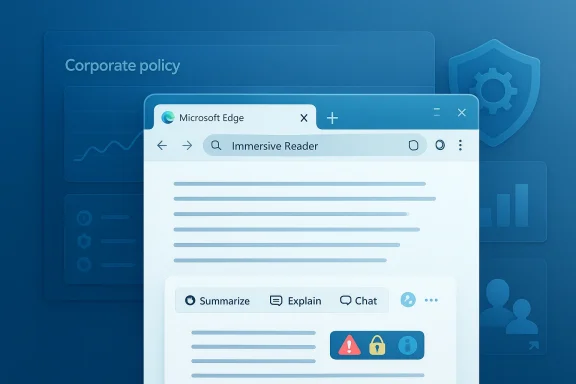
The most visible feature in this release is Copilot integration in Immersive Reader. Microsoft says users can now Summarize, Explain, and Chat with Copilot directly from the Immersive Reader toolbar, which transforms a reading-assistance feature into an AI-assisted comprehension environment. The initial rollout is limited to Windows devices, and Microsoft says the change is being deployed gradually.That matters because Immersive Reader has always been one of Edge’s more genuinely useful features. It strips visual clutter, improves readability, and makes dense content easier to process. Bringing Copilot into that workflow gives the feature a second life: it no longer just simplifies pages, it also interprets them. That is a subtle but important shift from accessibility tooling to contextual assistance.
Why This Is More Than a Convenience Feature
On the surface, this looks like a quality-of-life improvement for students, researchers, and casual readers. In practice, it pushes Microsoft deeper into a model where the browser becomes an active participant in reading rather than a passive display layer. Users can ask questions about the page they are viewing, which means Microsoft is effectively turning content comprehension into an on-page conversational workflow. That is a big behavioral nudge, even if it arrives dressed as a toolbar enhancement.It also reinforces Microsoft’s broader bet that Copilot is most valuable when it is embedded in a specific context. A generic chatbot is useful; a chatbot that already knows what you are reading is much more powerful. That advantage becomes especially important in productivity software, where context is the difference between novelty and genuine utility. In that sense, this update is less about “AI in the browser” and more about “AI at the point of attention.”
The Consumer Angle
For consumers, the benefit is obvious. Reading long articles, technical explanations, or unfamiliar topics becomes easier when Copilot can summarize or clarify the text in place. That could reduce tab switching and lower the cognitive overhead of online reading, especially on content-heavy pages. It may also make Edge more attractive to users who already rely on AI for quick understanding rather than deep analysis.Still, there is a trade-off. The more users lean on AI to compress or explain pages, the less likely they are to read original material in full. That is not necessarily bad, but it does change the relationship between reader and source. If Copilot becomes the default interpreter, users may absorb answers faster while missing nuance, context, or editorial intent. Convenient and complete are not always the same thing.
- Copilot turns Immersive Reader into an AI comprehension tool.
- The feature favors users who want faster understanding over line-by-line reading.
- Windows-only availability keeps the rollout tightly controlled.
- Gradual deployment means not everyone will see it immediately.
Privacy Settings and the Cookie Problem
Another notable change in Edge 147 is the effort to make privacy and cookie controls easier to understand. Microsoft has updated the Settings interface with clearer descriptions under Privacy and Cookies, with an emphasis on helping users grasp third-party tracking without needing advanced technical knowledge. It is a modest-sounding change, but it addresses one of the most persistent problems in browser privacy: the UI often explains the right thing in the wrong language.This is the sort of change that gets overlooked because it does not sound glamorous. Yet cookie settings remain one of the most important user-facing privacy controls in modern browsers, and the value of a setting is closely tied to whether people understand it. Microsoft’s choice to rework descriptions rather than invent entirely new controls suggests a pragmatic approach: make the existing privacy model more legible before making it more complex.
Simpler Language, Better Decisions
The likely goal here is not to eliminate tracking but to help users make informed decisions about it. That is a meaningful distinction. Browsers can only empower privacy-conscious behavior if the settings are understandable enough to be acted on, and a better explanation can be as useful as a new feature.For enterprise environments, this kind of UI refinement can reduce support overhead as well. Users who understand what third-party cookies do are less likely to open tickets asking why a site behaves differently after a privacy change. That sounds small, but at scale, small usability improvements can save meaningful time for help desks and desktop support teams.
- Clearer cookie descriptions reduce confusion around tracking controls.
- Better wording can improve privacy literacy without changing policy logic.
- Enterprises may see fewer help-desk questions about privacy-related site behavior.
- The rollout is staged, so interfaces may not match across devices immediately.
Profiles, Shortcuts, and Multi-Identity Workflows
Edge 147 also adds more flexibility around browser profiles, allowing users to create or remove desktop shortcuts tied to specific profiles. This is especially useful in a world where one person may juggle a work account, a personal account, and perhaps a shared or test profile on the same machine. Microsoft is clearly trying to make profile switching more visible and less error-prone.That matters because browser profiles are no longer just a convenience for power users. They are part of identity separation, data segregation, and even organizational compliance. In many environments, the difference between a work profile and a personal one is the difference between a managed, monitored browsing context and a free-form consumer one. Better shortcuts make that separation easier to live with.
Why Profile Shortcuts Matter
Desktop shortcuts tied to profiles may sound trivial, but they address a real friction point. If users can launch the correct profile with one click, they are less likely to accidentally browse in the wrong identity context. That can help reduce account confusion, sync mistakes, and inadvertent data exposure.The feature also hints at Microsoft’s understanding of how modern employees actually work. Most knowledge workers do not have one identity; they have several, often across multiple tenants, devices, and service boundaries. Edge is trying to reflect that reality rather than force users into a one-size-fits-all browser state.
- Profile-specific shortcuts make identity switching faster.
- They can help reduce accidental use of the wrong account.
- They support hybrid workflows that mix work and personal browsing.
- The change is being delivered as a controlled rollout.
Enterprise Controls: Intune, Extensions, and Purview
The enterprise story in this release is arguably more important than the consumer one. Microsoft is adding cross-tenant support for organizations using Intune Mobile Application Management (MAM), introducing extension monitoring in the Edge management service, and expanding Microsoft Purview Information Protection support for Microsoft 365 Online environments. These are not random additions; they are pieces of a single strategy centered on secure browser governance.Cross-tenant support matters in multi-entity organizations, holding companies, service providers, and global firms that operate across different identity boundaries. Edge’s management service, meanwhile, is becoming a richer source of administrative insight, especially when extensions and content protection policies need to be enforced consistently. Microsoft appears to be building the browser as a first-class enterprise control plane, not just a managed app.
Extension Monitoring Raises the Visibility Bar
Microsoft’s extensions monitoring feature is a useful response to a longstanding browser security pain point: extensions can be incredibly powerful, but they are also one of the easiest ways to introduce risk. The new monitoring dashboard provides centralized insight into extension use across managed browsers, and Microsoft says the feature is currently in public preview and available via targeted release. The data is currently limited to Windows devices. (learn.microsoft.com)This is significant because extension governance has historically been reactive. Admins often learn about risky extensions only after users have installed them. Monitoring changes that by creating visibility first, then policy action. That is a more mature model for browser security, especially in regulated or high-trust environments.
Purview Integration Tightens the Compliance Story
The Purview expansion is equally important. Microsoft says the Edge management service can enforce Microsoft Purview Information Protection for Office documents in Microsoft 365 Online, and Outlook on the web support starts with Microsoft Edge version 147. The goal is to keep sensitivity labels and rights-management restrictions intact even when content moves from desktop apps into the browser. (learn.microsoft.com)That is a serious compliance play. Microsoft is saying that labeled content should retain its protections regardless of where it is accessed, and that Edge is the browser that can preserve those protections best. For organizations dealing with sensitive documents, that helps close a loophole where users might otherwise sidestep controls by switching browsers or workflows.
- Cross-tenant support helps multi-identity organizations manage Edge more flexibly.
- Extension monitoring gives admins visibility into browser add-ons at scale.
- Purview Information Protection extends document controls into online Office and Outlook.
- Outlook on the web support starts with Edge 147, making this release especially relevant to compliance teams.
Fixes for Deployment and Servicing
Edge 147 also addresses a practical problem that enterprise admins care deeply about: deployment reliability. Microsoft says it has fixed an issue affecting Edge and WebView2 deployments, particularly where installations failed through WSUS or MSI in environments where auto-update policies were disabled. That kind of problem can be invisible to end users but painful for IT teams trying to manage fleet-wide consistency.The underlying issue is not surprising. Microsoft Edge and WebView2 use the same update mechanism, and enterprise environments often rely on policy layers, package managers, and update suppression settings that can make rollout behavior more complicated than it looks from the outside. Microsoft’s own troubleshooting documentation makes clear that Edge and WebView2 can fail in ways that produce install rollbacks, missing runtimes, or MSI errors such as 0x80070643 and 1618. (learn.microsoft.com)
Why This Fix Matters Operationally
The practical value here is that IT departments want predictable browser servicing. If a browser update fails silently, it can leave users on older builds longer than expected, which in turn increases support load and security risk. A fix that reduces installation friction is not flashy, but it may be one of the most consequential parts of the release for managed environments.The WebView2 angle is important too. Many Windows applications depend on WebView2 to render web content, which means a browser servicing issue can spill into unrelated apps. That is another reminder that Edge is no longer isolated from the broader Windows app ecosystem. It is a platform component, and platform components need boring reliability more than dramatic features.
- The fix targets Edge and WebView2 deployment failures.
- WSUS and MSI scenarios are especially relevant for enterprise IT.
- Auto-update policy interactions can complicate rollouts.
- Stability in WebView2 matters because many apps depend on it.
Security: Two Edge Fixes and Roughly 60 Chromium Patches
The security side of the release is exactly what you would expect from a modern browser update, but it remains essential. Microsoft says Edge 147 includes two Edge-specific vulnerabilities and around 60 fixes from the Chromium project. That combination is typical of a browser that is constantly absorbing upstream security work while also addressing its own code paths.The release notes for Microsoft Edge Security Updates confirm that the Stable channel release on April 10, 2026 incorporates the latest Chromium fixes, and Microsoft distinguishes between browser-specific issues and Chromium-originated security updates. This is important because users often underestimate how much of browser security is inherited from the underlying engine rather than the browser shell itself. (learn.microsoft.com)
Security as a Release Driver
In practice, the sheer volume of Chromium fixes means this release is about more than features. It is also about keeping pace with a fast-moving security baseline in the browser ecosystem. Once you add browser-specific fixes on top, the argument for prompt updating becomes even stronger.This is also where Microsoft’s staged rollout model can create tension. Progressive deployment reduces risk, but it also means not every machine receives the new build at the same time. For organizations that want immediate coverage, the existence of an update is not the same thing as full fleet protection. That gap is manageable, but only if administrators are actively tracking version spread.
- Two Edge-specific vulnerabilities are fixed in this release.
- About 60 Chromium security fixes are incorporated.
- The Stable release date is April 10, 2026.
- Progressive rollout means protection reaches users in waves, not all at once.
Release Cadence, Rollout, and the Staged Experience
Microsoft’s release schedule helps explain why Edge 147 shows up the way it does. The company has been on a four-week major release cycle for Stable since version 94, while Extended Stable remains on an eight-week cycle for managed environments. That split gives Microsoft flexibility to ship quickly without abandoning slower-moving enterprises. (learn.microsoft.com)The release notes also repeatedly emphasize progressive rollouts, meaning some features appear later than others depending on device, region, and tenant state. That is why users often see browser news before they see the feature itself. In a practical sense, Edge updates are becoming more like cloud feature rollouts than classic desktop patches. (learn.microsoft.com)
What Staged Rollouts Mean for Users
For consumers, staged deployment can feel inconsistent. One person sees Copilot in Immersive Reader; another does not. One device shows the new profile shortcut behavior; another remains on the old interface. That inconsistency is the trade-off Microsoft accepts in exchange for limiting exposure to bugs.For enterprises, the model is even more strategic. Staged rollout gives IT teams room to test, but it also requires them to maintain vigilance. If a feature changes how users access Copilot, cookies, or profiles, administrators need to know whether the change is in the code, the policy, or just the rollout phase.
- Stable Channel uses a four-week release rhythm.
- Extended Stable gives managed environments an eight-week window.
- Rollouts are progressive, so features arrive unevenly.
- Admins need to distinguish between policy changes and feature rollout timing.
Consumer Impact vs. Enterprise Impact
The consumer impact of Edge 147 is mostly about usability and AI convenience. Copilot in Immersive Reader, clearer privacy language, and better profile shortcuts all reduce friction. The browser is becoming easier to understand and more helpful in the moment, which is exactly where Microsoft wants it to compete.The enterprise impact is much bigger. Cross-tenant MAM support, extension monitoring, and Purview integration are the kinds of features that affect procurement decisions, security posture, and policy alignment. In other words, consumers get a nicer browser; enterprises get a more governable one. That distinction is increasingly central to Edge’s identity.
Two Different Product Stories
For the home user, Edge is trying to be smarter, more helpful, and less intimidating. For the enterprise user, it is trying to be more observable, more enforceable, and more compliant. Those goals are compatible, but they are not identical.The tension is that Microsoft must satisfy both audiences in a single product line. If it leans too hard into consumer AI features, admins worry about control. If it leans too hard into policy and governance, users may find the browser heavy or confusing. Edge 147 is interesting because it tries to advance both stories at once.
- Consumers benefit from AI assistance and simpler UI language.
- Enterprises benefit from policy control and compliance enforcement.
- The browser is being shaped for both productivity and governance.
- Microsoft is clearly treating Edge as a core Windows ecosystem component.
Strengths and Opportunities
The biggest strength of this release is that it is cohesive. Microsoft is not scattering features randomly; it is reinforcing a clear theme: Edge as an AI-assisted, enterprise-manageable, security-updated browser. That coherence makes the product easier to position and easier to evolve. It also creates room for Microsoft to keep deepening the connection between Edge, Copilot, Purview, Intune, and Microsoft 365.- Copilot in Immersive Reader gives the browser a more practical AI hook.
- Clearer privacy descriptions may improve real-world usability.
- Profile shortcuts reduce identity friction for multi-account users.
- Extension monitoring gives admins better visibility into browser risk.
- Purview support strengthens the compliance story for Microsoft 365 Online.
- Deployment fixes should help reduce support noise in managed environments.
- The security patch set keeps Edge aligned with Chromium’s fast-moving baseline.
Risks and Concerns
The main concern is feature sprawl. Edge is adding AI, privacy, enterprise governance, and deployment tooling at the same time, and that can make the browser feel increasingly complex. A second concern is user trust: the more Microsoft embeds Copilot into reading and navigation flows, the more some users will wonder how much of their browsing activity is feeding a larger AI ecosystem.- Staged rollouts can create a fragmented user experience.
- Copilot integration may raise privacy and trust questions for some users.
- Heavy enterprise integration can make the browser feel more controlled than open.
- Extension monitoring depends on telemetry and tenant alignment.
- WebView2 servicing issues can still ripple into unrelated apps.
- Users may not understand why some settings or features change before others.
- More AI assistance can sometimes mean less direct engagement with source material.
Looking Ahead
The next phase for Edge will likely be less about whether Microsoft adds AI and more about how deeply that AI is woven into existing browsing tasks. Immersive Reader is a smart place to start because it already centers on comprehension, and Copilot fits naturally there. If the rollout goes well, expect Microsoft to keep pushing contextual AI into more parts of the browser experience.On the enterprise side, the direction is even clearer. Microsoft is building a browser that can be monitored, protected, and policy-managed with increasing precision. That will appeal to security and compliance teams, especially those already invested in Microsoft 365 and Intune, but it will also intensify the debate over how much control a browser should exert over the user.
What to Watch Next
- Wider availability of Copilot in Immersive Reader beyond the initial Windows rollout.
- Whether the new AI settings page becomes the main hub for Copilot controls.
- Expansion of extension monitoring beyond Windows or out of preview.
- Additional Purview and Microsoft 365 web protection features in Edge.
- How Microsoft balances feature richness with the risk of browser complexity.
Source: Windows Report https://windowsreport.com/microsoft-edge-update-brings-copilot-to-reader-and-60-security-fixes/
Last edited:
