• Thread Author
Microsoft is pushing Microsoft Edge a step closer to becoming a permanent part of the Windows 11 sign-in experience, and the timing is telling. In the latest Edge Beta builds, a new banner is reportedly prompting users to let the browser open automatically every time they log into Windows, with the setting described as something they can change later in Edge’s settings. It is an opt-out behavior, not an opt-in one, which means Microsoft is once again testing how far it can go in making Edge feel like part of the operating system rather than just another app.
The move matters because it lands at the intersection of performance, user choice, and platform strategy. Microsoft has long treated Edge as more than a browser, and this latest experiment suggests the company still believes the best way to grow Edge usage is to keep it visible, fast, and ready at the exact moment users start their PCs. But it also risks reigniting a familiar complaint: that Windows increasingly nudges people toward Microsoft services by default, whether they asked for them or not.
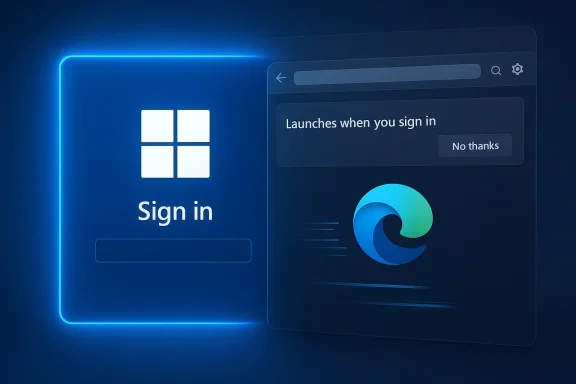
A digital visualization related to the article topic.Background​

Microsoft Edge has spent years evolving from a humble browser replacement into a strategic pillar of the Windows ecosystem. What began as a successor to Internet Explorer eventually became a Chromium-based browser tightly integrated with Windows 10 and Windows 11, Microsoft account services, security features, and startup acceleration mechanisms. That long transition matters because the current test does not appear out of nowhere; it is the latest move in a slow campaign to make Edge feel native to the desktop experience rather than merely installed on it.
The browser already benefits from multiple background optimizations. Microsoft has promoted Startup Boost for years, a feature that preloads core Edge components in the background so the browser opens faster when a user launches it. Microsoft’s own documentation describes this as allowing Edge processes to start at OS sign-in and continue in the background after the last browser window closes, which underlines how closely the browser is already tied to Windows startup behavior. In other words, this new test is not a radical departure so much as a visible extension of an existing philosophy.
That history also explains why the current feature is likely to draw attention far beyond its immediate technical footprint. Microsoft has repeatedly tried to make Edge more convenient by default, but convenience and coercion can look very similar when a browser starts appearing on every boot. The difference between a background preload and a foreground auto-launch is more than cosmetic; one is a silent performance optimization, while the other is an overt user-facing behavior that can feel like a software decision made on the user’s behalf.
Windows users have seen this playbook before. Over the past several years, Microsoft has invested in prompts, defaults, and system integration that keep Edge front and center. It is a strategy that works when the browser is useful and invisible, but it becomes controversial the moment the user perceives it as a default they did not choose. This latest experiment lives right on that fault line.

What Microsoft Is Testing​

The new behavior appears in Edge Beta, where a banner at the top of the interface reportedly tells users that Edge “now launches when you sign into Windows, so it’s ready when you want to browse,” along with a “No thanks” option. That wording is important because it frames the change as a helpful convenience, but the practical effect is the opposite of neutral: unless the user declines, Edge will open on login. Windows Central reports that the browser then appears every time the PC starts, making the behavior opt-out rather than opt-in.

Why the distinction matters​

An opt-in startup browser is a deliberate user preference. An opt-out startup browser is a default choice that requires active refusal. That difference sounds small in product design terms, but in platform politics it is enormous, especially when the product in question comes from the operating system vendor. When Microsoft makes Edge more persistent by default, it moves the browser closer to the core Windows experience and further away from a mere app choice.
The feature is also being trialed quietly. According to Windows Central, the behavior does not appear in the changelogs for the latest preview releases, which suggests Microsoft may be testing it with a limited audience before deciding whether to expand it. That kind of silent experimentation is common in modern software, but it tends to produce the strongest backlash when users discover the change before Microsoft officially frames it.

How it compares to existing Edge startup behavior​

Edge already has a long-standing ability to launch faster by running background processes after login. Microsoft’s support documentation and policy guidance both confirm that Startup Boost can start Edge processes at OS sign-in, helping the browser feel instant when the user opens it later. What is different now is the visible, full-window launch at login, which turns a hidden performance trick into an obvious presence on the desktop.
  • Startup Boost prepares the browser in the background.
  • The new test appears to launch the full Edge UI at login.
  • The change is being presented as a convenience feature.
  • The default state is reportedly enabled unless declined.
  • The rollout appears to be limited to preview builds for now.
This is the kind of detail that determines whether the feature is seen as helpful or hostile. Users are far more tolerant of invisible performance tuning than they are of an app making itself impossible to ignore. Microsoft knows that distinction well, which is why the company’s wording in the banner is likely to be scrutinized closely.

Why Microsoft May Be Doing This​

The simplest explanation is also the most likely: Microsoft wants Edge to be the first browser users see, because first exposure shapes habit. If a browser opens the moment the user signs into Windows, it becomes part of the morning ritual. That visibility matters, especially for casual users who may not manually open a browser every session but still spend most of their computing time inside one.

The habit-forming logic​

Browsers are sticky products. Users often default to the tool they see first, the one that opens fastest, or the one that is already associated with the task they are about to do. Microsoft’s broader Edge strategy has repeatedly leaned into this reality by making the browser feel preloaded, pre-tuned, and pre-integrated. This new startup behavior fits that pattern neatly.
There is also a practical argument Microsoft can make. Many people do open a browser immediately after login, and for those users a ready-to-go Edge window could genuinely save time. The company can point to the fact that Windows already preloads Edge in the background, so auto-opening the browser is an incremental step rather than an entirely new concept. That argument will resonate with some users, especially in consumer environments where convenience often outweighs customization.

The strategic argument​

The more interesting explanation is strategic rather than technical. Microsoft has been steadily tightening the relationship between Edge and Copilot, with new UI work making Edge resemble Microsoft’s AI-first design language more closely. Windows Central has reported on a redesigned Edge interface that looks more like Copilot, and on a broader trend toward merging the two experiences. In that context, making Edge open automatically at sign-in is not just about browser adoption; it is about making Copilot-adjacent Microsoft web experiences feel ambient and unavoidable.
  • It increases the odds that users stay inside Microsoft’s ecosystem.
  • It makes Edge the default launchpad for web activity.
  • It reinforces Microsoft account and Copilot surface area.
  • It can boost perceived speed if the browser was going to be used anyway.
  • It creates more opportunities for Microsoft services to appear first.
That does not necessarily make the change sinister, but it does make it predictable. Microsoft is optimizing for engagement, and startup behavior is one of the oldest engagement levers in software.

What Users Will Notice​

For many people, the immediate reaction will be annoyance, not astonishment. A browser that appears by itself on every boot changes the feel of logging into a PC, especially for users who deliberately prefer Chrome, Firefox, Brave, or another default browser. The moment Edge starts occupying the foreground without a direct user action, it stops feeling like a background convenience feature and starts feeling like a persistent advertising surface.

The consumer experience​

Consumer users are likely to experience the feature in one of two ways. If they already use Edge heavily, they may treat it as a harmless shortcut and never think about it again. If they do not use Edge, they are likely to see it as wasted time, extra visual clutter, and another settings decision they must undo. That divide is why this kind of feature is always politically sensitive: it helps one group while irritating another.
The annoyance is amplified by the fact that the change is not framed as a universally requested enhancement. Microsoft already offers ways to manage startup behavior in Edge, and the company also documents how to stop Edge from starting automatically. When a vendor adds a new default that users then have to reverse, the burden of configuration shifts from the product team to the customer.

The enterprise experience​

For enterprise environments, the story is more complex. Some IT departments may actually welcome a browser that opens on sign-in in managed kiosks, help-desk stations, or browser-first workflows. In those settings, the auto-launch model can reduce friction and ensure users land in a known, controlled environment. But most organizations prefer explicit policy control rather than surprise defaults, which is why this kind of feature will need to be governed carefully.
  • Consumer users may see it as an intrusive default.
  • Enterprise admins may see it as manageable only if policy control is clear.
  • Kiosk and shared-device scenarios may benefit from faster browser availability.
  • Power users will likely disable it quickly.
  • Default-browser rivals gain a marketing talking point from the backlash.
The bigger issue is trust. If users already feel that Microsoft services are aggressively woven into Windows, a default browser auto-launch can reinforce that suspicion even if the technical impact is modest.

How It Fits Microsoft’s Edge Strategy​

Microsoft’s Edge strategy has always combined product performance with ecosystem gravity. The browser is faster, better optimized, and more capable than many users realize, but Microsoft has never relied on quality alone to grow usage. Instead, it has layered in startup optimization, default prompts, search integration, Windows tie-ins, and now increasingly Copilot-flavored UI and behavior.

From browser to platform surface​

Edge is no longer just a rendering engine with a UI. It is becoming a platform surface for Microsoft services, from shopping and security features to AI suggestions and contextual assistance. That matters because once a browser is treated as a platform surface, Microsoft has more reasons to keep it visible and active at the moments when user intent is highest. Login is one of those moments.
This is also where Copilot enters the picture. Recent reporting has shown Microsoft aligning Edge more closely with Copilot in both interface and behavior, and the company has been willing to push AI experiences into places that users might not have expected them. If Edge becomes a persistent launch point at Windows sign-in, Microsoft gets a more reliable place from which to surface AI-driven suggestions, contextual helpers, and account-linked services.

The Windows 11 angle​

Windows 11 is particularly important because Microsoft has been pushing it as a more curated, more integrated operating system than its predecessors. Auto-launching Edge is consistent with that design philosophy, even if it will frustrate users who prefer a more hands-off approach. The company is clearly comfortable with system-level nudges as long as they can be justified as convenience or performance.
  • It deepens the tie between Windows 11 and Edge.
  • It keeps Microsoft services visible at the top of the user journey.
  • It supports AI-driven surfaces such as Copilot.
  • It can be positioned as a productivity shortcut.
  • It risks reinforcing the sense that Windows is increasingly opinionated.
The key question is whether Microsoft sees this as a temporary experiment or the beginning of a broader default shift. If the company gets positive telemetry from the test, the feature could move from preview to wider release surprisingly quickly.

The Competitive Implications​

Any time Microsoft changes Edge defaults, rival browsers benefit from the backlash. That is not because competitors need to be technically better in order to win the argument, but because user frustration itself becomes a marketing asset. If users feel pushed, many respond by doubling down on the browser they already trust, or by switching to one that feels more independent from Windows.

Chrome, Firefox, and the trust premium​

Google Chrome will likely remain the default alternative for many users, but Microsoft’s behavior gives Chrome a simple contrast point: it is the browser you choose, not the one that appears uninvited. Firefox and other privacy-focused browsers can push an even sharper message, because they can position themselves as tools that respect user control by design. In that sense, Microsoft’s move may have the opposite of its intended effect among more informed users.
This kind of competition is not only about feature parity. It is about emotional tone. Browsers that make users feel in charge often earn a loyalty advantage even when they lack the ecosystem integration of Edge. Conversely, browsers that feel embedded into the operating system can look efficient to some and overbearing to others.

Ecosystem lock-in versus user preference​

Microsoft’s bet is that most users will tolerate, or even appreciate, the convenience. But that assumption tends to break down among enthusiasts, developers, and enterprise admins, who are also the people most likely to influence broader opinion. If the feature expands, it may become one more example critics use to argue that Windows pushes Microsoft software in ways that are not always transparent.
  • Rival browsers can use the move as a trust differentiator.
  • Power users may disable the behavior immediately.
  • Enterprise admins may block or standardize it through policy.
  • Microsoft may gain habitual usage from casual users.
  • The optics could matter more than the raw adoption numbers.
That last point is crucial. A small behavior change can have a large reputation cost when it fits a long-running pattern people already recognize.

Performance, Background Activity, and the User-Control Problem​

One reason Microsoft can plausibly argue in favor of the change is that Edge already uses background techniques to improve responsiveness. Startup Boost exists specifically to make the browser feel faster after Windows sign-in, and Microsoft documents ways to control or disable such behavior. That means the company can frame the new feature as an extension of established performance tuning rather than a fresh policy reversal.

The fine line between ready and resident​

The problem is that users do not experience performance architecture in the abstract. They experience it as a browser taking up screen space, CPU cycles, and attention. A silent background preload is easy to ignore; a foreground auto-launch is not. That is why the same engineering logic can produce very different emotional reactions depending on how visibly it manifests.
There is also the broader concern that users already have limited patience for software that appears to run itself. Edge has long been scrutinized for background activity, and Microsoft even maintains official guidance for stopping the browser from starting automatically. When a company introduces a new default that resembles behavior many users already try to disable, it is effectively signaling that persistence is a feature, not a bug.

What this means for control​

Control is the real issue here, not speed. If Microsoft wants users to appreciate the convenience, it needs to make the settings clear, accessible, and genuinely reversible. Anything less will reinforce the idea that defaults are being used as a persuasion tool. That perception is especially dangerous in a platform like Windows, where users expect the operating system to behave as infrastructure, not as a salesman. That trust gap is hard to repair once it opens.
  • Visible defaults can feel more intrusive than background optimizations.
  • Clear toggles matter more than persuasive banners.
  • Reversibility is essential for trust.
  • Policy controls matter in managed environments.
  • Performance gains must be obvious to justify the intrusion.
If Microsoft wants this feature to survive criticism, it will need to prove that it saves time for enough people to outweigh the irritation it creates.

The Copilot Connection​

The timing of this test is not accidental. Microsoft is simultaneously reworking Edge’s look and feel to align more closely with Copilot, and it has been exploring more aggressive ways to integrate AI into browser flows. That convergence suggests Microsoft sees Edge as the vehicle through which it can make AI feel natural on Windows, rather than a separate app users must intentionally open.

Edge as an AI gateway​

If Edge opens automatically at sign-in, Microsoft gains a reliable gateway for surfacing AI-oriented experiences immediately after the user logs into the PC. That might mean a Copilot panel, contextual insights, or future features that depend on a browser shell to display them. In practical terms, auto-launching the browser gives Microsoft a place to begin the day’s workflow with its own ecosystem already in view.
The company has already shown a willingness to blur the line between native apps and web-wrapped experiences. That pattern makes the current Edge test feel less like an isolated browser tweak and more like part of a broader architectural shift. Edge is becoming a front end for Microsoft’s services stack, not just a means of reaching websites.

Why users may resist the combination​

The risk is that AI integration and auto-launch behavior compound each other. Users who are already skeptical of Copilot-style prompts may react more strongly if those experiences are delivered through a browser that appears by default at login. What Microsoft sees as a coherent product vision, users may see as a cascade of unsolicited surfaces. That perception problem is every bit as important as the code itself.
  • Copilot integration makes Edge strategically more valuable.
  • Auto-launch increases the chance users encounter AI features.
  • The combination can feel seamless or invasive depending on the audience.
  • Microsoft is betting on normalization through repeated exposure.
  • Skeptical users may see a single ecosystem moving too aggressively.
That tension will only intensify if Microsoft continues merging browser and AI experiences in ways that are difficult to ignore.

Enterprise vs Consumer Impact​

In consumer settings, the story is mostly about convenience versus annoyance. A home user who already wants a browser immediately after login may appreciate the shortcut. But a user who treats the desktop as a clean starting point will likely view the feature as unnecessary clutter, especially if they use another browser by choice.

Consumer expectations​

Consumers expect defaults to be helpful, not pushy. When the default behavior is to open a browser they did not explicitly request, the emotional response can shift from mild curiosity to distrust in a single login. That reaction is made stronger by the fact that browsers are personal, highly visible software choices that people often use to signal preference and control.
Enterprise environments, meanwhile, are governed by different priorities. IT departments may value predictability, fast access to web apps, and consistency across shared or managed devices. If Microsoft exposes the behavior cleanly through policy and settings, it could be harmless or even useful in certain workflows. But if it is difficult to suppress or standardize, it becomes another admin headache.

Administration and policy​

This is where Microsoft’s documentation becomes important. The company already provides policy controls related to startup behavior, which suggests enterprise administrators should be able to shape how Edge behaves. Yet the existence of a control does not guarantee a good admin experience, and IT teams tend to distrust features that arrive first as product experiments and only later as manageable policy options.
  • Consumers judge the feature by how intrusive it feels.
  • Enterprises judge it by how easily it can be managed.
  • Kiosk deployments may appreciate an always-ready browser.
  • Power users will seek a way to disable it immediately.
  • Admins will want confirmation that the default is not sticky.
A good enterprise feature is usually invisible until needed. A consumer feature can be visible if it is charming. This one risks being visible without being charming.

Strengths and Opportunities​

Microsoft still has a credible case for the feature if it wants to make Edge feel faster, more integrated, and more practical for mainstream users. The browser already has the background plumbing to justify a quicker startup experience, and the company can point to the reality that many people launch a browser immediately after logging into Windows. The opportunity is to turn a startup task into a seamless daily habit, provided Microsoft does not overplay its hand.
  • Edge can feel instant for users who open it right away.
  • Microsoft can reinforce Windows 11 integration.
  • The feature may improve perceived productivity for casual users.
  • It aligns with existing Startup Boost behavior.
  • It creates more entry points for Copilot and Microsoft services.
  • It may simplify the experience on shared or managed devices.
  • It can be positioned as a convenience rather than a mandate.

Risks and Concerns​

The biggest risk is not technical failure but user backlash. A browser that appears automatically at sign-in can feel like an overreach, particularly when the behavior is opt-out and not clearly disclosed in release notes. Microsoft also risks feeding a long-standing narrative that Windows prefers Microsoft software in ways that are too aggressive for many users.
  • Users may see the change as coercive rather than helpful.
  • The feature could trigger more privacy and control complaints.
  • Competitors gain a clear trust-based comparison point.
  • Enterprise admins may object to another default to manage.
  • The rollout may deepen skepticism about Edge and Copilot bundling.
  • Silent testing can create communication and trust problems.
  • The change may obscure the line between performance tuning and product promotion.

Looking Ahead​

The most important thing to watch is whether Microsoft treats this as a narrow experiment or a broader behavioral shift. If telemetry is positive, Edge auto-launch could become one more default that quietly graduates from Beta into mainstream Windows 11 behavior. If backlash is sharp enough, Microsoft may soften the rollout, clarify the prompt, or confine the option to users who explicitly request it.
The other question is how far Microsoft intends to push the Edge-Copilot fusion. If the browser is increasingly becoming the shell for Microsoft’s AI ambitions, then startup behavior is only the beginning. A browser that opens by itself is one thing; a browser that opens by itself and then immediately surfaces AI prompts, contextual cards, or account-linked suggestions is another matter entirely.
  • Watch whether the feature expands beyond Beta.
  • Watch for clearer mention in release notes.
  • Watch whether the default depends on Edge being the system browser.
  • Watch for new policy controls in enterprise management.
  • Watch how Microsoft balances AI integration against user consent.
Microsoft’s challenge is simple to describe and difficult to execute: make Edge feel useful enough that users welcome it, not persistent enough that they feel forced to tolerate it. If the company gets that balance wrong, it will once again hand critics a perfect example of why defaults matter more than features. If it gets the balance right, Edge may become one of the few browser experiences that truly feels ready the moment Windows does.

Source: Windows Central Microsoft Edge's new feature will force it to appear every time you turn on your Windows 11 PC
 

Microsoft is once again testing how far it can push Edge into the Windows 11 user experience, and this time the tactic is more aggressive than a simple “make default” prompt. In the latest Edge Beta release, users have reported a banner that tells them Edge will launch when they sign into Windows so it is “ready when you want to browse,” with an opt-out tucked into settings instead of an opt-in choice up front. That matters because it shifts the conversation from browser preference to browser presence at logon, which is a much subtler form of persuasion. It also lands in the middle of a broader history of Microsoft nudging, preloading, and default-setting behavior that has repeatedly put it at odds with Chrome and Firefox.

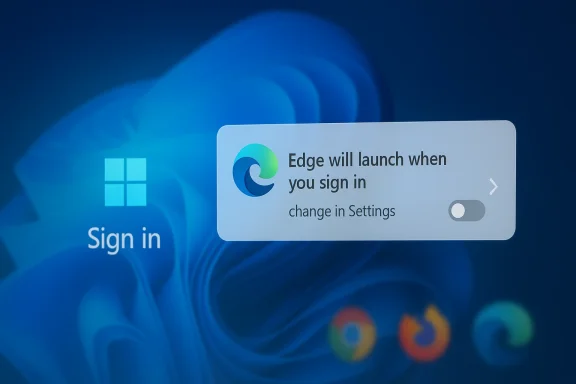
Windows sign-in screen prompt: “Edge will launch when you sign in” on a blue desktop background.Background​

Microsoft’s browser strategy on Windows has been a long-running story of platform control, product integration, and user backlash. Since the Windows 11 era began, Microsoft has pushed Edge as the natural companion to the operating system, not just as another app. The company has promoted the browser across setup flows, taskbar surfaces, Windows search, and app associations, while also tightening the rules around how users change defaults. Microsoft’s own support pages now frame default app selection as a straightforward Windows setting, but the reality has often been more complicated for users who want Chrome, Firefox, or another browser to own every web link and protocol association.
That pressure has not been subtle. Microsoft has repeatedly emphasized that Edge is already the default browser on Windows 11, and it has used features such as Startup Boost to make Edge feel instant the moment a PC wakes up or a session begins. Microsoft’s current startup boost documentation says the feature keeps core Edge processes in the background so the browser opens more quickly after device startup or after the last browser window closes. It is a performance feature on paper, but it also serves a strategic purpose: if a browser is always pre-warmed, it is easier for users to keep using it.
The latest beta prompt appears to extend that logic one step further. Instead of merely keeping Edge ready, the browser may now be configured to appear ready every time the user signs in to Windows. That is a meaningful distinction because a startup optimization becomes a behavioral nudge when it is presented as an everyday convenience. Microsoft’s support material already describes settings that allow Edge to start automatically at sign-in, and the company also documents system-level sign-in options that can restore apps after reboot. What is new here is the apparent effort to normalize Edge’s presence as part of the default Windows session.
The reaction from rival-browser advocates has been predictable for years: Microsoft is seen as using its operating system advantage to extend its browser footprint. That tension peaked during the early Windows 11 rollout, when critics argued that Microsoft made default-browser switching more cumbersome and less transparent than it should be. Microsoft has since improved some parts of default app management, including clearer instructions for changing browser associations, but the basic strategic goal has not changed. Edge remains central to Microsoft’s vision of Windows as a vertically integrated platform rather than a neutral software launcher.

What Microsoft Is Testing​

The reported change in Edge Beta 147.0.3912.37 is notable not because it guarantees a forced takeover of the browser market, but because of the way it frames user choice. According to the report, the browser displays a banner explaining that Edge now launches when the user signs into Windows and that the behavior can be changed in Settings. The opt-out design is the key story: users are not being asked in a neutral first-run prompt whether they want this, but are instead informed after the feature is effectively on. That is a classic default bias move, and default bias is one of the most reliable ways to change user behavior.

Why the prompt matters​

The banner is more than a cosmetic tweak. It turns browser startup into a system-level habit, which can make Edge feel like a foundational Windows component rather than a user-chosen application. Once software becomes visible at every sign-in, it gains repeated opportunities to reclaim attention, load Microsoft services, and prompt the user into activities that might otherwise go to another browser. In practical terms, that means more chances for Edge to win the next click.
The experience also fits Microsoft’s broader pattern of surfacing Edge in places where browsers are not always expected. For example, Microsoft has long tied Edge to links embedded in Windows apps and to system search pathways, and its own startup boost pages emphasize that the browser launches faster when the PC has just booted. Taken together, these choices show a preference for shaping the user’s first seconds on the desktop. That is a small time window, but in platform design, small windows matter.

Rollout style suggests experimentation​

The report says the prompt did not appear for every tester, which implies a phased rollout. That is consistent with how large software companies test UX changes: they expose the feature to a subset of users, observe reactions, and then decide whether to expand it. A staged release also lets Microsoft measure whether the prompt creates meaningful increases in Edge usage or simply annoyance. In other words, it is as much a behavioral test as a product test.
  • The change appears in an Edge Beta build, not stable release.
  • The prompt is reportedly tied to Windows sign-in, not just browser launch.
  • The feature is designed as an opt-out rather than an opt-in.
  • The rollout appears phased, meaning not every tester will see it immediately.
  • The banner’s wording emphasizes readiness and convenience, not control.

The Startup Boost Connection​

Microsoft already had a mechanism for making Edge feel instantly available: Startup Boost. The company says the feature starts core Edge processes in the background so the browser can open more quickly after a reboot or after being closed. Microsoft also says startup boost is available on many Windows devices and may be enabled by default under certain conditions based on usage and hardware. That means the company has already normalized the idea that Edge can live partly in memory before the user even opens it.
The new sign-in behavior appears to build on that foundation. Startup Boost is about reducing delay, while the new prompt appears to reduce friction around whether Edge is even present at login. Those are related goals, but they are not identical. One is a performance optimization; the other is a presence strategy. If Microsoft combines them effectively, Edge can seem less like a browser and more like part of Windows itself.

Convenience or coercion?​

This is where the perception problem begins. Microsoft can reasonably argue that many users prefer a browser that opens quickly and is ready when needed. But critics will say that the line between convenience and coercion is thin when the browser is associated with sign-in behavior and system defaults. The more a browser behaves like a resident service, the harder it is for rivals to compete on a level playing field. That is especially true when users may not fully understand what has been enabled.
There is also an enterprise dimension. In managed environments, IT teams want predictable session behavior, minimal boot overhead, and policy control. Microsoft documents StartupBoostEnabled as a policy that can be managed through Group Policy or registry settings, which gives administrators a lever to standardize the feature. But consumer systems are different: many users will never inspect the relevant settings, which makes the default choice decisive. That makes the default itself the product.

What Microsoft can say in its defense​

Microsoft has a credible technical argument here. Startup boost and sign-in launch behavior can improve responsiveness, especially on systems that frequently open browser links from other apps immediately after boot. Microsoft’s own guidance says startup boost helps Edge start more quickly when launched from the taskbar, desktop, or hyperlinks in other applications. That benefit is real, and on lower-end systems, a prewarmed browser can reduce perceived lag. The challenge is that users may not want that benefit if they do not use Edge regularly.
  • Faster launch times can improve perceived performance.
  • Background readiness can reduce the wait after sign-in.
  • Administrators can manage behavior through policy.
  • Consumers often experience the feature as a surprise, not a setting.
  • The user experience is shaped by defaults more than by explanations.

A Familiar Microsoft Pattern​

This move fits a pattern that Windows users have seen for years: Microsoft introduces a convenience feature, then pairs it with strong product steering. The company has spent years refining the way Windows points people toward its own services, whether through search, web integration, file associations, or first-run flows. The result is an ecosystem where Microsoft can argue that it is improving continuity, while users and competitors see an attempt to consolidate attention inside Microsoft’s own stack.
The browser case is especially sensitive because browsers are gateways to everything else. Whoever owns the browser often shapes search traffic, identity sign-ins, extension ecosystems, and cloud service preferences. That is why Chrome, Firefox, and Edge are not just competing apps; they are competing distribution channels. When Microsoft changes defaults at the OS layer, it is not merely adjusting a convenience setting. It is influencing how users enter the web.

Historical friction around defaults​

Windows 11 has been criticized for making default browser changes more complicated than many users expect. Microsoft has since published clearer instructions explaining how to change default apps and browser associations, including a direct route to set Edge as default. But the presence of those instructions does not erase the broader criticism that Microsoft has repeatedly nudged users toward Edge by design. The company may call that integration; rivals call it obstruction. Both descriptions capture part of the truth.
There is another important historical layer: Microsoft’s relationship with browser trust and standards. The company has spent years rehabilitating Edge from the old Internet Explorer reputation and rebranding it around Chromium compatibility, security, and performance. That evolution made Edge more credible technically, but it also made Microsoft’s market ambitions easier to execute. A browser that works like Chrome but ships with Windows is a formidable strategic asset.

The branding problem​

Microsoft can say Edge is better integrated, more efficient, and more secure. However, the more aggressively the company pushes it, the more it risks reviving the old “bundled browser” narrative. That matters because browser choice is one of the few areas where advanced users still care deeply about autonomy. When Microsoft makes users feel managed rather than served, it invites resistance that can linger longer than any individual feature. Trust is not just a security property; it is a UX property too.
  • Windows users tend to notice browser nudges more than other app prompts.
  • Browser choice is tied to identity, bookmarks, passwords, and workflow.
  • Stronger integration can improve usability, but it can also trigger suspicion.
  • The more visible the prompt, the more likely it is to become a story.
  • Every new default-setting debate reinforces the rivalry with Chrome and Firefox.

Enterprise Versus Consumer Impact​

For enterprises, a feature like this is not just about one browser launching early. It affects logon time, background processes, policy compliance, and desktop standardization. Many organizations already control startup behavior through Group Policy, endpoint management, and deployment baselines, so they may simply disable or override whatever Microsoft is testing. In that sense, the enterprise market is less vulnerable to surprise and more focused on manageability.
Consumers are a different matter. Home users typically tolerate defaults that they would never intentionally choose, especially when those defaults are presented as harmless optimization. A banner that says Edge is “ready when you want to browse” sounds friendly, even helpful. But over time, small defaults add up, and a browser that is always present at startup can become the browser that wins by momentum rather than preference. That is how platform power often works in the real world.

IT administrators may have the final say​

Microsoft’s policy documentation gives administrators control over startup boost and related Edge behavior, which is critical. In managed fleets, IT can define whether a browser should prelaunch at sign-in, remain in the background, or be constrained by performance policy. The fact that Microsoft exposes these levers is a sign that it understands enterprise concerns. Yet the existence of policy controls does not eliminate the broader strategic signal: Microsoft wants Edge to feel like a standard Windows companion.
There is also an operational nuance. Every extra process that starts at logon competes for memory, disk activity, and CPU cycles with the user’s own workflow. On modern systems, the impact may be small, but small is not the same as zero. On older hardware, startup optimization can feel like bloat if it is not clearly requested. That distinction matters because Windows is still installed on a huge range of device classes, from lightweight laptops to performance desktops.

Consumer perception could decide the feature’s fate​

If Microsoft sees a lot of opt-outs, it may conclude the prompt is too aggressive. If it sees meaningful engagement gains, it may expand the rollout. Either way, the company will be watching not just raw usage, but how users talk about the feature. Consumer sentiment is important because browser choice is often emotional as much as practical. People do not like feeling that the system is trying to make decisions for them.
  • Enterprises can usually enforce or block startup behaviors.
  • Consumers are more exposed to defaults and banner-based nudges.
  • Background processes can improve performance or feel intrusive, depending on the device.
  • Home users often interpret “convenience” through the lens of control.
  • Adoption metrics may look different from public sentiment metrics.

Competitive Implications for Chrome and Firefox​

For Google Chrome, the move is another reminder that the browser war is no longer just about rendering engines or extension stores. It is about distribution. Chrome’s advantage has historically been strong user demand and cross-platform familiarity, but Edge’s advantage is that it is already embedded in Windows. If Microsoft can systematically increase the number of moments when Edge is visible and ready, it can chip away at Chrome’s natural lead on the Windows desktop.
For Firefox, the challenge is even tougher. Mozilla’s browser competes on privacy, independence, and user trust, but it lacks the same OS-level visibility. A feature like sign-in launch behavior does not just compete with Firefox on performance; it competes on inertia. Users who already tolerate Edge being on the machine may be more likely to use it if it is always there first. That is a serious strategic disadvantage for a browser that relies on deliberate adoption.

What rivals can do​

Chrome and Firefox can respond by emphasizing control, privacy, and cross-device continuity. They can also market faster startup, better session restore, and clearer default-browser tools. But they cannot directly compete with Windows-integrated visibility unless Microsoft changes its posture. That means the competitive battle is asymmetric: rivals can persuade, but Microsoft can also surface. In platform markets, surfacing often beats persuasion.
There is a broader industry implication too. If Microsoft proves that opt-out startup prompts move usage in the right direction, other platform companies may imitate the model. That could normalize a style of software design where defaults are used more aggressively to steer behavior. The result would be a less neutral desktop environment, where platform owners increasingly treat attention as something to be programmed rather than earned. That is a quiet but important shift.

The market signal​

The market signal here is not that Chrome or Firefox are in immediate danger. Rather, it is that Microsoft is still willing to invest in low-level behavioral nudges because they work. Browser preferences are sticky, and every additional touchpoint increases the odds of retention. The more Edge can appear as a natural part of Windows, the less likely some users are to go looking elsewhere. That is why even a small banner deserves outsized attention.
  • Chrome depends on user intent and habit.
  • Firefox depends on trust and advocacy.
  • Edge benefits from operating-system proximity.
  • The desktop search and logon experience are strategic battlegrounds.
  • Small UX changes can have long-tail market effects.

UX, Trust, and the Line Microsoft Should Not Cross​

The central question is not whether Microsoft can technically do this. It clearly can, and its existing support and policy pages already show that Edge startup behavior is configurable at multiple levels. The question is whether Microsoft should keep pushing defaults in ways that feel increasingly presumptive. A browser that starts on sign-in may be helpful for some users, but it can also feel like the company is deciding what readiness means on their behalf.
That is a delicate line because trust in Windows depends partly on predictability. Users accept background services when they understand them, and they tolerate defaults when they can override them without a scavenger hunt. Microsoft’s current default-app documentation helps, but it does not fully solve the perception problem created by a recurring stream of product nudges. If a user begins to suspect that every convenience has a hidden funnel, the brand pays a price.

What makes this version different​

Earlier Edge nudges often appeared when the browser was opened or when a user changed settings. This one appears to tie browser readiness to Windows sign-in, which is more intimate in the workflow. Sign-in is when users expect to control the shape of their desktop, not when they expect a browser to announce itself. That difference in timing matters because timing changes the psychology of consent. The later in the workflow a prompt appears, the more disruptive it feels.
The feature also rides on the language of performance. Microsoft has every incentive to describe startup behavior as speed, not strategy. Yet users can distinguish between a browser that happens to be fast and a browser that is constantly being primed to steer them. The more Microsoft leans on “ready when you want to browse,” the more it invites scrutiny over why the browser needed to be ready in the first place.

The likely outcome​

The likely near-term outcome is a mix of testing, feedback, and selective rollout. Microsoft will probably watch opt-out rates, support feedback, and telemetry from the Beta channel before deciding whether to move the feature forward. If the response is lukewarm or negative, the company may soften the prompt or reframe it as a smaller performance enhancement. If the response is positive, expect the strategy to spread. That is how platform UX experiments often graduate into defaults.
  • Users want speed, but they also want clarity.
  • Defaults should be understandable at a glance.
  • Background readiness is more acceptable when it is explicitly requested.
  • Sign-in is a sensitive moment for user autonomy.
  • Trust erodes when convenience feels like a stealth campaign.

Strengths and Opportunities​

Microsoft’s approach has real upside if it is executed carefully. Edge is a capable Chromium-based browser with strong integration into Windows, and a well-tuned startup experience can reduce friction for users who already rely on Microsoft services. If the company keeps the feature transparent and easy to disable, it may improve the browser’s reputation for speed without triggering the same level of backlash that more hidden tactics would. In short, the opportunity is to make Edge feel useful first and strategic second.
  • Faster browser readiness can improve first-use satisfaction.
  • Better integration can reduce delays after PC startup.
  • Microsoft can align the browser with Windows sign-in workflows.
  • Managed policy controls can support enterprise deployment.
  • Edge can win share through convenience among casual users.
  • The feature may reinforce continuity with Microsoft accounts and services.
  • A successful rollout could make Edge feel more polished than rivals on Windows.

Risks and Concerns​

The risk is that Microsoft once again crosses the line from platform stewardship into platform self-preference. If users interpret the feature as another attempt to make Edge the unavoidable browser on Windows 11, resentment will grow faster than adoption. There is also a practical risk that extra startup behavior will irritate users on modest hardware or in privacy-sensitive environments where background processes are viewed skeptically. The more invisible the rationale, the more visible the backlash.
  • Users may see the feature as coercive rather than helpful.
  • Startup processes can create perceived bloat on weaker PCs.
  • The change could reinforce anti-Microsoft sentiment among power users.
  • Browser competitors may use the feature as a marketing weapon.
  • Any confusion about defaults can generate support burdens.
  • Enterprise admins may need to spend time revalidating policies.
  • Aggressive nudging can undermine trust in Windows settings more broadly.

Looking Ahead​

The next phase will depend on whether Microsoft treats this as a narrow experiment or as a broader strategic shift. If the company stays disciplined, it can present Edge startup behavior as an optional performance enhancement that serves users who genuinely want instant access. If it overreaches, the feature will become another example cited by critics who believe Windows increasingly serves Microsoft’s browser ambitions first. The public reaction will likely be shaped less by the technology itself than by whether users feel respected in how it is offered.
There is also a competitive timing issue. Chrome and Firefox remain powerful choices because users can install them easily and understand their value immediately. Microsoft’s advantage is that it owns the operating environment, but that power comes with scrutiny. The more Edge benefits from Windows proximity, the more every login banner, default path, and sign-in prompt will be judged as part of a larger strategy rather than an isolated UX decision. That is the real stakes of this test.
  • Watch whether the prompt expands beyond Beta to stable Edge.
  • Watch whether Microsoft changes the wording to sound less assertive.
  • Watch for policy guidance aimed at enterprise admins.
  • Watch user reaction in Windows and browser communities.
  • Watch whether similar sign-in nudges appear in other Microsoft apps.
Microsoft can absolutely make Edge faster, more visible, and more integrated. What it cannot do forever is assume that users will welcome every attempt to translate those advantages into default behavior. In the browser market, convenience and control are always in tension, and the winner is usually the company that understands exactly how much nudging users will tolerate before they push back.

Source: Neowin Microsoft tests new way to make Edge default Windows 11 browser over Chrome & Firefox
 

Microsoft’s latest Edge experiment on Windows 11 is a small UI change with a much bigger strategic meaning: the company appears to be testing a prompt that turns on Edge startup at Windows sign-in by default, giving the browser a head start before users even open it. In practical terms, that means Edge can quietly become part of the desktop’s morning routine unless users notice the banner and opt out. For a company that has spent years trying to make Edge more central to Windows, the move is unsurprising; for users who already distrust Microsoft’s browser strategy, it is exactly the kind of behavior that reignites old complaints about choice, defaults, and control.

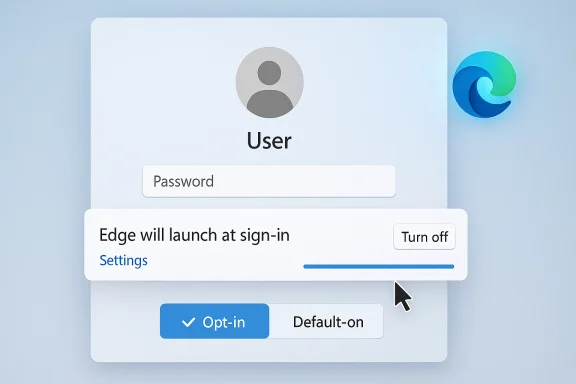
Windows-style user sign-in screen showing password field and Edge launch-on-sign-in settings.Background​

Microsoft’s browser strategy has always been about more than rendering web pages. Since the Chromium-based Edge reboot, the company has tried to rebuild browser market share by embedding Edge more deeply into Windows, Microsoft accounts, and the wider Microsoft 365 ecosystem. That strategy has included startup features, sign-in nudges, search integration, and repeated prompts to make Edge the default browser. Microsoft’s own Edge documentation shows startup boost is designed to let Edge processes begin at OS sign-in so the browser can open faster when launched, which demonstrates how tightly the browser is now bound to the Windows session itself.
The friction over browser defaults did not begin yesterday. In 2021, when Windows 11 was introduced, Microsoft was already in the middle of a very visible campaign to keep users inside Edge, and many rivals saw those tactics as aggressive. The broader complaint was never just about one browser or one banner. It was about how far a platform vendor should go in shaping user behavior, especially when the platform vendor also ships a competing browser and controls the default-app plumbing underneath the operating system.
That argument got sharper as Microsoft tightened app-default handling in Windows 11. Microsoft later published a “principled approach” to app pinning and defaults, saying users should control their default applications through consistent Windows dialogs and settings. That statement matters because it set the expectation that Microsoft would move toward clearer consent, not more subtle pressure. Yet the company’s own Edge policies still allow the browser to begin at sign-in through startup-boost mechanisms, and Microsoft continues to document ways to set Edge behavior through policy and Windows settings.
The new rumor, first highlighted in reporting around Edge Beta 147.0.3912.37, fits neatly into that long-running tension. The browser banner reportedly says that Edge now launches when you sign into Windows so it is ready when you want to browse, with a Settings link to change the behavior later. That is an important distinction: Microsoft is no longer merely optimizing launch performance, but potentially creating a persistent presence at logon. If the rollout is indeed phased, that suggests a controlled experiment, not a universal policy change. But even experiments can signal where the product team wants to go next.
A second layer to this story is timing. Microsoft is already under pressure on multiple fronts: it is pushing AI features, Windows 11 adoption, and deeper Microsoft account integration while also facing users who prefer Chrome, Firefox, or enterprise-managed alternatives. In that context, anything that looks like a stealthy attempt to normalize Edge usage can become a flashpoint. The technical change itself may be minor; the optics are not.

What Microsoft Appears to Be Testing​

The reported behavior is simple enough on paper. Edge Beta 147.0.3912.37 apparently shows a banner that explains Edge will launch when you sign into Windows, and that users can change the setting in Edge’s own controls. In other words, the browser is trying to become part of the sign-in experience rather than something you intentionally launch later. That is a subtle but significant shift in user experience.

A startup feature, not just a browser setting​

Microsoft already has a documented Startup boost feature that allows Edge processes to begin at OS sign-in to improve launch speed. Microsoft says the feature keeps the browser running in the background with minimal resources so it opens faster after device startup or after the browser has been closed. The new test appears to take that idea further by making the browser start in a more explicit way, rather than simply preloading components.
That difference matters because preload and full launch are not the same thing. Preloading is about shaving off milliseconds. Full startup is about creating an active application state at logon. Once the browser is actually running, it can do more: restore tabs, sync data, surface prompts, and place itself one click closer to user attention. In a market where attention is the real currency, that is not a trivial distinction.
The startup mechanics also intersect with Windows itself. Microsoft’s support documentation says Edge can be prevented from auto-starting by turning off “Automatically save my restartable apps and restart them when I sign in” under Windows sign-in options. That instruction confirms how intertwined the browser has become with Windows session restoration. If the browser is treated like a restartable app rather than a standalone choice, Microsoft gains another path to keep it present across boots.
  • Startup behavior can be controlled by both Windows and Edge settings.
  • Edge’s startup experience is increasingly connected to Windows sign-in.
  • Microsoft has long documented background launch features for Edge.
  • A phased rollout suggests Microsoft is still testing user tolerance.
The practical effect is psychological as much as technical. If users see Edge each time they log in, they are more likely to leave it open, use it for quick lookups, or accept prompts that appear in the first moments of a work session. That is a classic habit-building playbook. It is also the sort of thing that makes critics accuse Microsoft of nudging rather than merely offering.

Why the Timing Matters​

This test is happening at a moment when Microsoft is visibly refining how aggressively it pushes its own services. That is especially notable because the company has recently demonstrated an ability to change browser-related behavior in response to regional policy and user pressure. In the European Economic Area, Microsoft has already adjusted a range of browser and app-default behaviors to align with the Digital Markets Act, including making Edge less intrusive in some cases. The contrast is hard to miss: in one market, Microsoft is stepping back; in another, it may be testing a deeper launch presence.

The DMA effect and the outside pressure​

Microsoft’s June 2025 Windows Insider announcement said that in the EEA, Edge would not prompt users to set it as default unless they open it directly, and that other Microsoft apps would open web content with the default browser. That is a meaningful limitation on browser self-promotion, and it shows the company can behave differently when regulations require it. It also raises the obvious question of why similar restraint is not extended elsewhere, especially in markets where users are just as sensitive to browser coercion.
The answer, of course, is that competition policy, local regulation, and market incentives are all part of the calculus. In regions where Microsoft faces more pressure, the company is careful. In regions where it still has room to maneuver, it may prefer experimentation. That does not mean the company is acting illegally or even unusually for a platform vendor. It does mean the company is making strategic choices about where friction is acceptable and where it is not.
There is also a reputational element. Microsoft spent years arguing that Windows should give users clearer control over defaults. Its 2023 position paper on app pinning and defaults emphasized trustworthiness and user control. A feature that starts Edge automatically at sign-in can be defended as convenience, but it can also be read as a contradiction if the user never asked for it. The difference between helpful and pushy is often just one interface decision away.
  • The EEA already enjoys more restrained browser prompting.
  • Microsoft’s behavior changes when regulation is stronger.
  • Outside Europe, Microsoft has more latitude to experiment.
  • User trust can erode quickly when defaults feel manipulated.
In that sense, the real story is not about one beta build. It is about Microsoft’s willingness to keep testing how much visibility Edge can gain before users push back hard enough to force a retreat.

The User-Control Problem​

The biggest criticism of any always-on browser startup behavior is not technical. It is philosophical. If a browser starts automatically on every Windows sign-in, some users will see convenience. Others will see an attempt to define their browsing habits before they have chosen them. That tension is amplified when the opt-out exists but the default is enabled.

Default-on versus opt-in​

A default-on setting is not inherently bad. Many users appreciate faster launch times, session restoration, and immediate access to a browser when they need one. But default-on behavior becomes contentious when the feature is framed as a convenience while functioning as a growth lever. The banner reportedly shown in Edge beta appears to be written in that familiar Microsoft tone: it sounds benign, even helpful, yet it alters behavior in a way the user may not have requested.
The criticism is strongest when viewed alongside the company’s history. Users have long reported Edge-related prompts, startup behavior, and default-handling issues in Microsoft forums and support channels. Microsoft support documents now openly tell users how to stop Edge from starting automatically, including disabling restartable apps in Windows sign-in settings. That official guidance implicitly acknowledges that unwanted launch behavior is common enough to warrant an article.
For consumers, the annoyance factor is immediate. A browser that opens by itself can feel invasive, especially if the user already has another browser pinned and preferred. For power users, it is even more irritating because it introduces one more thing to disable after a clean install or update. And for anyone trying to keep a low-friction desktop, it is simply another background process competing for resources and attention.

What users actually notice​

In practice, users tend to notice three things first:
  • Edge appears before they have chosen to open it.
  • The setting is enabled somewhere they did not expect.
  • The browser frames the change as a convenience rather than a policy.
Those details matter because they shape trust. When a product asks permission after the fact, users interpret that differently than when it asks before making a change. That is especially true when the product comes from the operating system vendor, because the line between app behavior and platform behavior becomes blurry. Microsoft’s own support instructions reinforce that blur by splitting control across Edge settings and Windows settings.
  • Users value predictability more than “helpful” surprises.
  • Default-on behavior can feel like a hidden agenda.
  • Settings spread across Windows and Edge reduce clarity.
  • Consent after launch is not the same as consent before launch.
The user-control issue is why this story lands so easily with readers. It touches an old nerve: if Windows is supposed to be a neutral platform, why does it keep finding new ways to prefer Microsoft’s browser?

Enterprise Implications​

Enterprise administrators will see this differently from consumers. In managed environments, startup behavior is not just a matter of annoyance; it is a deployment and policy question. Any browser that starts at sign-in has an impact on login performance, background resource use, profile loading, and the first app a worker sees at the desktop. For large organizations, those details scale quickly.

Policy control and managed settings​

Microsoft’s own Edge policy documentation makes clear that startup behavior can be controlled through enterprise policy. The StartupBoostEnabled policy allows organizations to enable or disable startup boost, and Microsoft says it can be managed through Group Policy or registry settings. That is good news for IT departments, because it means admins are not entirely at the mercy of user-facing defaults. It also means Microsoft knows this behavior is sensitive enough to be policy-controlled.
Still, there is a difference between what an admin can lock down and what users experience on a managed device. If Edge launches at sign-in by default, help desks will see the fallout. Users will ask why the browser started, why it is consuming memory, and why it feels more persistent than other applications. In environments where users already rely on Chrome or Firefox, the auto-launch can be perceived as policy creep, even if IT never intentionally enabled it.
There is also a security and compliance angle. Any browser that starts earlier in the session and remains in memory longer can alter the attack surface. That does not make startup inherently unsafe, but it does mean security teams will want to understand whether Edge is launching full UI, background processes, or only startup-boost components. A feature that seems trivial to a consumer can become a line item in enterprise hardening standards.
Microsoft’s policy surface offers some reassurance here. Startup boost can be disabled, and browser sign-in policies can be restricted if organizations want tighter control over account integration and sync behavior. But the existence of controls does not eliminate the operational work of auditing them. In enterprise software, every default has a deployment cost.

Why IT will care​

Administrators generally dislike surprises that affect login consistency. They also dislike features that are hard to explain to end users because the browser was promoted by the OS rather than installed by policy. If Microsoft does roll this out broadly, IT departments will likely treat it as one more setting to suppress through policy baselines, imaging, or endpoint management.
  • Startup behavior can affect login time and desktop readiness.
  • Enterprise admins will likely disable the feature if it is not needed.
  • Policy control exists, but it adds management overhead.
  • Security teams will want to verify what runs at sign-in.
This is where Microsoft’s dual identity becomes complicated. The company wants Edge to be both a consumer browser and an enterprise platform. But the moment it behaves like part of Windows itself, some organizations will see it less as a browser and more as a platform component they need to tame.

Chrome, Firefox, and the Competitive Angle​

Edge does not exist in a vacuum. Every tactic Microsoft uses to increase Edge engagement is inevitably compared with Chrome and Firefox, even if the user only notices the browser name in the taskbar. That is because browser competition on Windows is not just about technical features; it is about distribution, defaults, and the first-run experience. Whoever gets the first click often wins the session.

Habit formation as strategy​

If Edge starts at sign-in, Microsoft gets an opportunity to shape usage before Chrome or Firefox even enters the conversation. The browser can pre-load content, restore sessions, surface news or work profiles, and make itself visible during the earliest moments of the day. That can be enough to build habit over time, especially for casual users who simply open whatever is already there.
Chrome’s advantage has long been speed, ecosystem familiarity, and Google account integration. Firefox’s advantage is trust, customization, and a reputation for resisting the ecosystem lock-in that makes users uneasy. Edge’s answer has been to position itself as the Windows-native choice, with better platform integration and feature depth. Startup-at-sign-in is consistent with that strategy because it turns the browser into an ambient presence rather than a deliberate choice.
That makes the competitive read pretty clear. Microsoft is not trying to beat Chrome by out-Chroming Chrome. It is trying to use Windows proximity as a force multiplier. The company knows that most users do not install browsers from a neutral comparison chart. They use the one that gets in front of them at the right time.

Rivals will read it as pressure​

Browser competitors will almost certainly see this as another example of Microsoft using the operating system to shape browser behavior. Even if the rollout is limited and optional, the optics matter. A prompt that defaults to on, especially in a Windows 11 context, can be portrayed as coercive regardless of the underlying code path.
That does not mean Microsoft has no legitimate product rationale. Faster startup and tighter integration are real user benefits. But the benefit only resonates if users believe the browser is serving them, not harvesting their inertia. That is why the same feature can be interpreted as smart engineering in one community and anti-competitive pressure in another.
  • Chrome remains the benchmark for default-browser skepticism.
  • Firefox benefits when users want to resist platform bundling.
  • Edge’s advantage is Windows integration, not raw neutrality.
  • Persistent startup behavior may help usage, but it also deepens distrust.
The competitive implication, then, is not just about browser share. It is about whether Microsoft can keep making Edge feel like a natural part of Windows without triggering another round of backlash.

Technical Context: What the Browser Is Likely Doing​

To understand why this matters, it helps to separate user-visible startup from browser internals. Microsoft already documents startup boost as a mechanism that loads certain Edge processes at sign-in so the browser starts faster when needed. That does not necessarily mean the full browser window is open, but it does mean the executable is alive and waiting. The new test appears to be moving closer to a visible browser launch, or at least to a more obvious user-facing startup state.

What happens during sign-in​

When a browser starts with Windows, several things can happen. It may register background processes, restore the previous session, sync account data, and prepare tabs or service workers in advance. It may also re-open itself if Windows has been configured to restore restartable apps. Microsoft’s support article even tells users to disable automatic restart of apps if they do not want Edge to start with Windows.
That means the behavior can be driven by a combination of Edge settings, Windows sign-in options, and policy. This layered design is flexible, but it is also easy to confuse. Users often assume a browser setting is enough, only to discover that Windows is re-opening the app after sign-in. That confusion is part of why these complaints persist in support forums year after year.
The broader pattern is that Microsoft keeps moving the browser closer to the shell. Once the browser becomes part of the session rather than merely an app inside it, the user’s ability to reason about what caused it to open becomes weaker. That is not automatically malicious, but it is definitely more opaque.

Why phased rollout matters​

If the behavior is not appearing for everyone, the rollout is probably staged. Phased deployment lets Microsoft test telemetry, usability, and complaint rates before a wider release. That is normal for modern software. The question is what the company learns from it.
If uptake is strong and opt-outs are low, Microsoft may conclude the behavior is acceptable. If complaints spike, it may scale back or confine the feature to a narrower audience. Either way, the test indicates the company is actively exploring the outer boundary of acceptable automation in browser startup.
  • The browser may be launching a full window or only background processes.
  • Windows restartable-app settings can influence the result.
  • Phased rollout allows Microsoft to measure backlash.
  • Opaque startup behavior is where user trust often breaks down.
For technical readers, the key point is that the line between “preload,” “restore,” and “auto-launch” is increasingly blurred in Windows. Microsoft seems comfortable living in that blur. Many users are not.

What This Says About Microsoft’s Product Philosophy​

Microsoft likes to describe its software as more helpful, more integrated, and more personalized. That philosophy works well when users want seamless transitions between devices and services. It works less well when the company’s idea of seamless feels like presumptive. Edge startup behavior sits right on that fault line.

Convenience as a persuasive argument​

The best defense for this feature is convenience. If a user frequently browses immediately after sign-in, having Edge ready can shave time and reduce friction. If they sync work or personal sessions, the browser can restore context quickly. For some users, this genuinely improves the Windows experience.
But convenience becomes persuasive only when it is clearly chosen. If Microsoft makes a feature default-on and then explains that users can disable it later, the company is asking for trust after the fact. That may work for many people, but it will always leave a residue of skepticism among users who have seen similar tactics before. And many have.
Microsoft’s own browser policy pages acknowledge that users can decide how browser sign-in and startup settings behave when not managed by policy. That is good. Yet the company’s behavior often feels like a tug-of-war between user agency and product momentum. The result is a product that is technically configurable but emotionally hard to trust.
The strategic logic is understandable. If Edge is visible at sign-in, it is more likely to be used. If it is used more, it becomes more likely to be set as default. If it becomes default, Microsoft gains leverage over search, sign-in, and web-app behavior. The chain is obvious, which is why many users interpret the startup prompt as the first link in a larger retention strategy.

Why this keeps happening​

Microsoft has not hidden its desire to win browser share. It has simply modernized its tactics. Instead of crude pop-ups alone, it now uses integration points, startup behavior, and workflow proximity. That is smarter engineering, but it does not necessarily produce a happier user base.
  • Integration can be helpful or invasive depending on defaults.
  • Default-on features create suspicion when they affect core workflow.
  • Microsoft’s strategy relies on habit, not just product quality.
  • Users increasingly notice when convenience has a sales objective.
That is the tension Microsoft has never fully escaped: the better it gets at making Edge unavoidable, the more users wonder whether avoidance is the point.

Strengths and Opportunities​

Microsoft’s approach is not without merit. There are real user benefits to making Edge quicker and more visible at login, and some users will genuinely prefer a browser that is already warm, signed in, and ready to go. The opportunity for Microsoft is to frame the feature as an efficiency upgrade rather than a coercive tactic, while keeping the controls simple enough that users can understand and change them. That only works, however, if the default feels earned rather than imposed.
  • Faster launch times can improve the first-use experience.
  • Session restoration becomes more seamless for frequent Edge users.
  • Microsoft account and sync features are easier to surface early.
  • Enterprise admins already have policy tools to manage startup behavior.
  • Edge can feel more like a native Windows component than a separate app.
  • Microsoft may gain usage from casual users who simply accept the default.
  • The browser can support deeper workflow continuity across Microsoft services.

Risks and Concerns​

The downside is obvious: default-on startup behavior can look like another attempt to push Edge into user workflows whether they asked for it or not. That may generate short-term engagement, but it also risks reinforcing the exact distrust Microsoft has spent years trying to unwind. If users conclude that Edge is behaving like a stealth launcher rather than a browser, the feature could become a symbol of overreach rather than convenience.
  • Users may see the change as coercive rather than helpful.
  • Complaints about Windows and Edge defaults could intensify.
  • Startup behavior can complicate login performance and resource use.
  • Enterprise environments may need to spend time suppressing the feature.
  • The change could deepen distrust among Chrome and Firefox users.
  • Microsoft risks contradicting its own public messaging on user control.
  • A phased rollout may still generate backlash before Microsoft adjusts.

Looking Ahead​

The immediate question is not whether Microsoft can technically make Edge start at Windows sign-in; it clearly can. The question is whether enough users will tolerate that behavior for it to become part of the normal Windows experience. If Microsoft sees strong opt-in or low opt-out rates, the experiment could spread. If the reaction resembles previous browser-default controversies, the company may quietly refine the prompt or narrow the rollout.
What to watch next is whether the change stays confined to Edge Beta, moves into Dev or Stable, or gets tied to other Windows sign-in behaviors. It will also be worth watching whether Microsoft documents the feature more clearly, especially for enterprise admins who need to manage it at scale. If the company does not explain the purpose and scope carefully, users will supply their own explanation — and it probably will not be charitable.
  • Watch for expansion beyond Beta into broader channels.
  • Check whether Microsoft adds clearer first-run disclosure.
  • Monitor enterprise policy changes around startup boost and sign-in.
  • See whether the feature interacts with Windows restartable-app settings.
  • Track whether user backlash prompts another policy adjustment.
In the end, this is less about one browser banner than about Microsoft’s long-running effort to redefine what counts as a default in Windows. The company keeps searching for the line between helpful integration and unwanted persistence, and Edge remains the clearest place to see that line move. If Microsoft wants users to embrace the browser by habit, it will need to show that it respects choice at least as much as it values engagement. Without that balance, even a modest startup feature can feel like one more reminder that on Windows, the platform owner still has the loudest voice in the room.

Source: Neowin Microsoft tests new way to make Edge default Windows 11 browser over Chrome & Firefox
 

Microsoft is once again testing how far it can push Edge into the Windows 11 experience, and this time the browser may be set to open automatically at PC startup unless users actively decline the prompt. The move, reportedly appearing in Edge Beta, arrives as Microsoft continues to refine an opt-out model that many users will see as another subtle nudge rather than a neutral preference. It also lands at a sensitive moment, after years of complaints that Windows increasingly behaves like a distribution channel for Microsoft services instead of a platform that keeps a respectful distance from user choice.

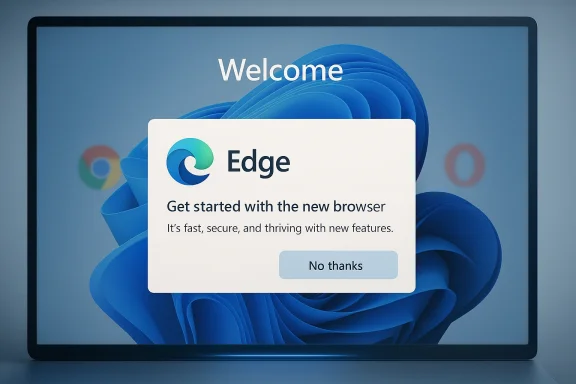
A computer screen shows a “Welcome” pop-up inviting you to start with the new Microsoft Edge browser.Overview​

Microsoft’s relationship with browser choice on Windows has always been contentious, but the tone has hardened in the Windows 11 era. The company has spent years experimenting with ways to keep Edge visible, relevant, and hard to ignore, from default-browser prompts to recommendations and browser data import nudges. In parallel, Edge itself has evolved into a feature-heavy product with startup-related behaviors like Startup Boost, which Microsoft says is meant to improve browser launch speed and can be controlled in settings or by policy.
What makes this latest test different is not merely that Edge might run at sign-in. It is the framing of the choice: users are reportedly shown a banner and must click “No thanks” to avoid automatic launch. That is a classic Windows-era tension, where convenience and control are balanced very differently depending on whether you are a casual consumer, an IT admin, or a rival browser vendor watching the field shift under your feet.
The timing is also notable because Microsoft’s browser behavior has become a recurring political and regulatory issue. Opera filed a formal complaint against Microsoft in Brazil in July 2025, accusing the company of leveraging its Windows dominance to favor Edge and of using tactics that “confuse users” and make alternatives harder to access. Opera said it wanted remedies including a clearer browser-choice screen and an end to manipulative design patterns on Windows PCs.
For Microsoft, the strategic logic is obvious: users open a browser almost every day, so making Edge the first thing they see after boot could improve retention, habit formation, and product engagement. For everyone else, the logic may feel more familiar and less charitable: Microsoft is trying to win the browser war not only through features, but through placement, persistence, and default behavior. That is why this preview matters even if it never ships exactly as tested.

Background​

Microsoft has been trying to normalize Edge for years, and the tactics have evolved from obvious promotion to more seamless system integration. Earlier efforts included banners aimed at Chrome users, default-browser messaging, and prompts that position Edge as secure, modern, and tightly woven into Windows. Those tactics matter because browser choice is no longer just a desktop preference; it is a gateway decision that influences search, passwords, sync, AI features, and cross-device identity.
Edge itself is not new to startup-related optimization. Microsoft has long offered Startup Boost, a feature intended to keep core browser components ready so launch feels faster, and the company’s support guidance makes clear that the behavior can be enabled or disabled in Edge settings. Microsoft also documents policy controls for managed environments, signaling that the company expects startup behavior to be tuned, not simply accepted.
That history matters because the reported Windows 11 startup prompt does not arrive in a vacuum. It sits on top of a long-standing pattern in which Microsoft uses opt-in-looking language to encourage more frequent, more persistent browser interaction. In practice, these nudges often convert a technical option into a behavioral default, which is exactly why critics call them dark patterns even when they are technically reversible.
The broader competitive context has only intensified the scrutiny. Opera’s Brazil complaint is part of a wider global fight over browser choice, and the company has also pursued arguments in Europe under the Digital Markets Act framework. Even when such complaints do not lead to immediate remedies, they reinforce a public record that Microsoft’s browser strategy is being watched closely by rivals, regulators, and power users alike.
This latest Edge Beta behavior also fits a larger Windows 11 pattern in 2026: Microsoft is testing more visible, more behavior-shaping features in preview channels, while preserving enough rollback room to retreat if feedback turns negative. That is a pragmatic product strategy, but it also means the company can explore aggressive defaults without fully committing to them. In other words, preview is not just a staging area; it is a policy laboratory.

Why the Startup Prompt Feels Different​

The core issue is simple: startup is a privileged moment. When a PC boots, users are not looking for an app to launch unless they asked for it, and any automatic behavior has to justify its footprint in memory, attention, and trust. If Edge opens every boot by default, it becomes part of the operating system’s emotional rhythm, not just another app icon.
That is why the opt-out framing matters so much. An opt-in setting says the user is being offered a convenience; an opt-out banner says the system has already decided the convenience is the correct default. The difference is subtle in UI terms, but enormous in product philosophy. It is the difference between asking permission and assuming consent. That distinction is exactly where user distrust begins.

Why boot-time behavior is politically sensitive​

Microsoft has always had to walk a fine line because Windows is the platform, not just one application. When the platform owner privileges its own software at startup, competitors can reasonably argue that the field is no longer level. That argument becomes sharper when the same company controls the OS, search integration, the browser engine, and a growing set of AI experiences that depend on web access.
For consumers, the immediate annoyance may be small. A browser opening at login is not catastrophic, and some users may even appreciate a ready-to-use session. But for people who deliberately keep boot loads lean, or who use alternative browsers by choice, the test feels intrusive because it tries to convert mere presence into habit. Microsoft is betting that habitual opening drives engagement; critics see that as a quiet takeover of the startup experience.
Key implications include:
  • It normalizes Edge as a startup companion rather than a user-launched tool.
  • It shifts browser promotion from app-level persuasion to OS-level timing.
  • It raises concerns about consent by inertia.
  • It may increase the perceived cost of using a rival browser.
  • It risks backlash from users who already view Windows as cluttered with upsells.

What Microsoft May Be Trying to Achieve​

There is a plausible product case for browser auto-launch, even if the optics are rough. Microsoft may believe that an always-ready browser reduces friction for web-first workflows, accelerates session restore, and keeps Edge in the mental foreground for users who otherwise drift to Chrome or another browser. In a world where web apps dominate everyday computing, keeping the browser warm is not a trivial performance gamble.
But there is a second, more strategic layer. Microsoft increasingly treats Edge as a hub for identity, search, shopping, AI, and Microsoft account continuity. The company has been folding web surfaces into Copilot experiences, making the browser feel less like a separate product and more like a connective tissue for the broader Windows ecosystem. Startup placement reinforces that model by ensuring the browser is not merely installed, but remembered.

Habit formation as a platform strategy​

Product teams understand that repeated exposure changes behavior. If Edge opens at every boot, users are more likely to search from it, receive prompts inside it, and eventually keep using it because it is already there. That is not technically coercion, but it is absolutely a form of default engineering. In Microsoft’s case, the platform advantage is so large that even small nudges can have outsized effects.
A few likely motivations stand out:
  • Retention: make Edge harder to forget.
  • Engagement: increase daily active use.
  • Cross-sell: expose users to Microsoft services more often.
  • Session continuity: create a ready-made browsing state on login.
  • Competitive defense: reduce churn to Chrome and other rivals.
The problem is that such gains can be self-defeating if the company overplays its hand. Every time Microsoft leans too heavily on defaults, it strengthens the argument that Edge cannot win purely on merit. That is a dangerous narrative for a browser that already competes in a market where trust, speed, extension support, and cross-platform compatibility matter deeply.

Consumer Impact​

For ordinary users, the practical effect will depend on how intrusive the implementation feels. If Edge opens in the background or briefly flashes on login before being minimized, some will barely notice; others will treat it as yet another sign that Windows is becoming noisier and more self-promotional. Even a small startup delay can matter on lower-end systems, where users are already sensitive to every extra background process.
There is also the trust factor. Windows users have become increasingly alert to settings that are enabled by default and only later discoverable in a menu somewhere else. When people believe the system is trying to outsmart them, even useful features begin to feel suspect. That sentiment is especially strong among enthusiasts who already disable startup boost, background apps, and other convenience features to keep a PC lean.

The psychology of “one more prompt”​

Microsoft has to be careful not to turn setup and boot into a sequence of persuasion moments. Users can tolerate one recommendation; they resent a pattern. If Edge begins appearing at startup, in default-browser banners, in search-adjacent nudges, and inside Microsoft’s own app surfaces, the accumulation may matter more than any single prompt. Cumulatively, that can feel less like guidance and more like pressure.
Consumer reaction is likely to cluster around a few themes:
  • “I already chose my browser.”
  • “Stop adding background stuff to startup.”
  • “Windows should boot, not market.”
  • “Make it easy to disable everywhere.”
  • “Tell me what changed before turning it on.”
On balance, the user impact depends less on the feature’s raw overhead than on how transparent Microsoft is about it. If the company documents the change clearly and provides a straightforward toggle, backlash may be manageable. If the behavior remains hidden in preview builds and only appears as an unexpected default, the company will invite the kind of irritation that tends to linger long after a feature is adjusted or withdrawn.

Enterprise and IT Management Implications​

Enterprise administrators will view this through a different lens. In managed environments, startup behavior is never just a matter of taste; it is a policy question tied to login time, application control, help-desk volume, and image consistency. Microsoft’s own documentation around Edge policies makes it clear that startup behavior is meant to be controllable in enterprise settings, which suggests the company knows this feature cannot be one-size-fits-all.
Still, defaults matter even in managed fleets. If Microsoft ships Edge startup behavior enabled by default, organizations that image Windows devices broadly may have to spend additional time auditing the setting, documenting exceptions, or locking it down through policy. That is not a huge technical burden, but it is exactly the kind of needless friction IT departments resent because it adds no business value.

Why admins care even if users can opt out​

Administrators care about startup behavior for three reasons. First, it affects boot performance and perceived device readiness. Second, it can complicate endpoint standardization when different rings or builds behave differently. Third, it increases support questions from employees who think something has gone wrong because Edge appears without being launched.
Enterprise implications include:
  • More policy verification during rollout.
  • Possible confusion in VDI and shared-device environments.
  • Extra steps for kiosk or locked-down images.
  • Potential conflicts with browser standardization efforts.
  • Additional audit work for compliance-minded teams.
The enterprise story is especially important because Windows has always sold itself as manageable at scale. When a consumer-facing default sneaks into corporate environments, the cost is rarely dramatic, but the administrative overhead can be. Microsoft knows this, which is why preview behavior often arrives before the documentation is fully mature. That gap is where frustration usually starts.

Competition and Regulatory Pressure​

The browser wars are not over; they have simply changed shape. In the past, competition centered on speed, standards support, and extension ecosystems. Now it also includes default pathways, startup surfaces, browser-integrated AI, and the extent to which the OS itself steers the user toward one product over another. In that environment, Microsoft’s Edge behavior is not just a product choice; it is a competition policy signal.
Opera’s Brazil complaint gives the issue a sharper edge because it frames Microsoft’s conduct as more than aggressive marketing. Opera alleges that Microsoft uses its dominance to limit choice and create barriers that are “artificially difficult” for users to overcome. Whether regulators ultimately agree is still an open question, but the complaint adds weight to a wider claim that Microsoft’s browser strategy depends on structural advantage as much as product quality.

Why rivals see a pattern​

Competitors are likely to interpret the startup test as part of a broader pattern rather than as an isolated experiment. Microsoft has a history of pairing browser promotion with Windows integration, and every new layer of integration makes it harder for rivals to argue that competition is occurring on equal terms. That is particularly true now that the browser is also the front door to AI features, account sync, and service bundling.
The competitive picture can be summarized this way:
  • Microsoft controls the OS context.
  • Edge benefits from the closest integration.
  • Rivals have to win on feature quality and user intent.
  • Regulators increasingly examine defaults and dark patterns.
  • Users face the cumulative effect of platform-level steering.
That dynamic helps explain why even small changes create outsized controversy. If Edge simply launched on its own merits after a user explicitly asked for it, almost nobody would care. But when the browser launches because Windows has decided it should, the issue stops being about browser preference and starts being about platform power. That is the real fight.

The Preview Model and Why It Matters​

Microsoft is likely testing this in a preview channel for a reason: preview is where the company can measure sentiment before committing. That approach has become central to Windows 11’s modern release process, where features can be staged, toggled, and withdrawn with far more flexibility than older big-bang launches allowed. This is a safer engineering model, but it also makes controversial behavior easier to probe without immediate public accountability.
Preview channels are not just for stability testing anymore. They are also a way to measure how much resistance a default will generate once real users encounter it in the wild. Microsoft can then decide whether a behavior is worth keeping, whether to change the wording, or whether to roll it back quietly. That means early criticism matters, because it can shape what “experimental” becomes in production.

Why silence in the changelog is notable​

One of the more interesting claims in the report is that the Beta build changelog does not mention the startup behavior at all. If accurate, that omission is not trivial. Hidden defaults tend to provoke stronger backlash than openly documented tests because users feel the change was inserted rather than proposed. Transparency, even when inconvenient, usually buys Microsoft more goodwill than surprise.
Preview testing can create two very different user experiences:
  • Users who notice the banner and actively reject it.
  • Users who accept it unknowingly or never see it at all.
  • IT admins who only discover it after image testing.
  • Enthusiasts who treat it as another reason to distrust defaults.
The rollout model itself is now part of the story. Microsoft’s Beta branch is increasingly about controlled uncertainty, where one build number no longer guarantees identical features for all devices. That is a sensible development strategy, but it also means users can no longer assume that “same build” means “same behavior.” In a feature like Edge startup launch, that uncertainty is especially awkward.

Strengths and Opportunities​

Despite the controversy, Microsoft is not wrong to think about browser startup performance, session continuity, or integrating Edge more tightly into a modern Windows experience. The company has a real opportunity to make the browser feel faster and more useful, especially for people who live in the web all day. The challenge is doing so without making the OS feel possessive.
  • A startup-ready browser can feel faster for some users.
  • Microsoft can use preview telemetry to test acceptance before wider rollout.
  • Better session continuity may help people who reopen the same sites every day.
  • Strong policy controls give enterprises flexibility if the feature ships.
  • The test could reveal a cleaner, less intrusive way to surface Edge.
  • Microsoft can still pivot if user feedback is negative.
  • A transparent opt-in model would preserve the productivity upside without the trust penalty.

Risks and Concerns​

The risks are less about raw technical cost and more about perception, trust, and antitrust optics. Microsoft has already spent years trying to convince users that Edge is a good browser; if the company now relies on startup defaults to do the heavy lifting, it risks undercutting its own product narrative. Worse, it may convince more users that Edge needs the OS to compete.
  • It reinforces the idea that Microsoft cannot win on merit alone.
  • It may irritate users who already dislike Windows upsells.
  • It could increase startup clutter and perceived bloat.
  • It may trigger more regulatory attention to browser defaults.
  • It risks creating policy churn for enterprise IT teams.
  • It could deepen distrust if the behavior is hidden or poorly documented.
  • It may strengthen rival browsers’ marketing message about user control.

Looking Ahead​

The most likely near-term outcome is not a dramatic public launch, but a slow evaluation cycle. Microsoft will watch telemetry, feedback, and community reaction before deciding whether the test deserves broader exposure. If the company sees enough pushback, it can reword the prompt, move the setting deeper into Edge, or remove the behavior altogether. That flexibility is the advantage of preview.
If Microsoft does keep pushing this direction, the real question will be whether the company can separate convenience from control. Users do not generally object to having Edge available; they object to feeling managed by it. The difference is not academic. It is the line between a browser people choose and a browser they endure.
What to watch next:
  • Whether Microsoft documents the behavior more clearly in later Beta notes.
  • Whether the prompt remains opt-out or shifts to a less aggressive model.
  • Whether enterprise policies appear to control the new startup behavior directly.
  • Whether rivals like Opera use the change to strengthen their regulatory arguments.
  • Whether Microsoft quietly drops the experiment if feedback turns hostile.
Microsoft has every right to make Edge better, faster, and more deeply integrated with Windows 11. But the company also has a responsibility to avoid turning the operating system into a persuasion machine. If this startup test is a sign of things to come, the bigger story is not just that Edge wants a seat at boot time; it is that Microsoft still believes the best way to win the browser war is to own the first second of the user experience.

Source: Windows Report https://windowsreport.com/microsoft...unch-by-default-during-windows-11-pc-startup/
 

Microsoft’s latest Windows 11 experiment has reignited a familiar debate: how far should the operating system go in steering users toward Edge? A new test reportedly makes Edge start automatically at boot, with a notification and opt-out path for users who do not want it. But even with an opt-out, critics argue the move is another example of Microsoft using the platform itself to privilege its own browser.
The backlash matters because this is not happening in a vacuum. Microsoft has spent years tightening the integration between Windows and Edge, while rivals have repeatedly complained that the company blurs the line between system behavior and product promotion. The current test may still be temporary, but the reaction suggests that browser choice remains one of the most sensitive issues in the Windows ecosystem.

A digital visualization related to the article topic.Overview​

The new controversy centers on a reported Windows 11 test that automatically launches Microsoft Edge when the PC boots. According to early coverage, users would see a notification explaining the change and could opt out, but the default state would be enabled. That matters because defaults shape behavior, and in software design, defaults are often more powerful than settings menus.
The immediate criticism from the Browser Choice Alliance fits a much larger pattern. Browser makers, privacy advocates, and power users have long argued that Microsoft uses Windows to nudge traffic toward Edge in ways that go beyond ordinary product marketing. In this case, the concern is not just that Edge appears, but that it appears at startup, on a user’s machine, before the user has asked for it.
This is why the debate feels bigger than one toggle. A browser is not just another app; it is a gateway to competing services, search engines, extensions, and account ecosystems. If Windows treats Edge as the browser that should be ready first, critics see a built-in advantage that rivals cannot fully neutralize.
Microsoft’s defenders will say the company is free to test startup behavior, especially if it is transparent and reversible. That is technically true. But the history of Edge promotion means every new experiment is read through the same lens: is this a genuine convenience feature, or another attempt to steer user behavior?
The tension is especially sharp on Windows 11 because the operating system already includes a growing number of system-level experiences that blend operating system functions with Microsoft services. When those experiences cross into browser selection, the line between product integration and platform lock-in becomes politically and commercially charged.

Why this test is landing so poorly​

The biggest issue is not simply that Edge starts. It is that the startup action arrives in a context where users already feel they have had to defend their browser preferences. The browser choice debate on Windows has been active for years, and even small changes tend to trigger outsized reactions.
Critics also object to the psychology of the opt-out model. A feature that is enabled by default is, in practice, a feature Microsoft is betting many users will never disable. That makes the change feel less like a neutral test and more like a silent preference shift.
  • Default-enabled behavior creates inertia.
  • Startup behavior is more visible than background telemetry.
  • Opt-out prompts often favor the platform owner.
  • Browser selection is a symbolic issue as much as a technical one.
The result is predictable: even users who do not mind Edge itself may still resent the method. In software politics, how a feature is introduced often matters as much as what the feature does.

Background​

Microsoft’s relationship with browser choice has been contentious since the Internet Explorer era, and that history still shapes the discussion today. In the early days of Windows, the company was accused of bundling its browser too tightly with the operating system, and those battles helped define modern antitrust thinking around platforms.
Edge was originally introduced as Microsoft’s answer to Chrome’s dominance, but it quickly became more than just a browser replacement. Over time, Microsoft turned Edge into a centerpiece for Windows web experiences, sign-in flows, search integrations, and productivity tie-ins. That strategy made Edge more capable, but also more visible.
The company’s critics argue that Edge has increasingly been positioned as the “preferred” browser for Windows, even when users install alternatives. This has led to complaints about default browser friction, link handling, and prompts that encourage people to open web content in Edge. Those grievances have never fully gone away, which is why new tests are treated suspiciously.
One reason this particular issue resonates is that the Windows desktop remains an unusually important platform. A browser prompt on Windows is not just a small UX decision; it can influence traffic at massive scale. For competitors such as Chrome, Firefox, Brave, Opera, and Vivaldi, even subtle friction in Windows can have measurable effects.

A history of platform leverage​

The browser debate on Windows is really a debate about leverage. Microsoft controls the operating system, system UI surfaces, and many default interaction points. Rivals control the browser product itself, but not the OS layer that can route users toward one browser or another.
That distinction is why complaints keep coming back. Even when Microsoft technically allows choice, it can still design the environment so that its own browser is the most visible, easiest, or most tightly integrated option.
  • Windows controls the top-level experience.
  • Browsers compete inside that experience.
  • Small defaults can create large behavioral effects.
  • Users often notice the bias only when it becomes disruptive.
This dynamic is not unique to Microsoft, but Windows is one of the clearest examples of it. As a result, every browser-related experiment is judged not just on UX merits, but on competitive fairness.

Why Edge is a special case​

Edge is not merely another installed app. It is a Microsoft-owned browser that now participates in the company’s broader ecosystem across Windows, Bing, Copilot, and enterprise management. That creates a more complicated relationship than if Microsoft were promoting a completely independent third-party product.
From Microsoft’s point of view, deep Edge integration can improve reliability, security, and support consistency. From rivals’ point of view, the same integration can become a structural advantage that no standalone browser can match. The arguments are both plausible, which is what makes the issue so persistent.
In practice, the fight is over user agency. Does Windows present browsers as equal choices, or as one obvious path with the rest placed slightly out of reach?

What Microsoft Is Testing​

The reported experiment is straightforward on the surface. At startup, Windows 11 would launch Edge automatically, presumably to keep it available as part of the user’s initial session. Users would then receive notice and an option to opt out, rather than being forced to keep the behavior.
That may sound modest, but boot-time behavior is powerful. Anything that happens at sign-in becomes part of a user’s baseline experience. It is not a browser window someone opened intentionally; it is a browser window that appears because the system decided it should.

The mechanics matter​

If Microsoft enables Edge by default, even for testing, it signals that the company sees startup launch as an acceptable way to increase browser presence. That does not automatically make the feature abusive, but it does explain the backlash.
The most important question is not whether the test is technically removable. It is whether Microsoft is normalizing a pattern in which its own browser gets a privileged startup slot. For many users, that feels like a step too far.
  • Boot behavior is more intrusive than in-app promotion.
  • Startup prompts are often ignored or accepted quickly.
  • A visible browser launch changes the perceived default.
  • The “test” label does not erase the policy signal.

How this differs from ordinary startup software​

Many applications run at startup for valid reasons: sync clients, drivers, security tools, backup software, and enterprise agents all need early access. A consumer web browser, however, does not naturally belong in that category unless the user explicitly asked for it.
That is why critics are reacting so strongly. They see a browser startup test as qualitatively different from background optimization or update services. In their view, Microsoft is not simply loading software; it is asserting a preferred pathway into the web.
The difference may sound subtle, but in platform politics subtle distinctions matter. A utility starts because it supports the machine. A browser starts because Microsoft wants it to be seen.

What the notification changes​

Microsoft’s reported notification and opt-out offer some protection for users, and that should not be ignored. Transparency is better than a hidden behavior, and an opt-out is better than a hard lock. Still, those safeguards do not fully solve the concern.
The problem is that many users will encounter the notification only after the behavior has already been introduced into the experience. That sequence creates a sense of consent after the fact, which is exactly what browser rivals have complained about for years.

Why Rivals Are Angry​

The Browser Choice Alliance’s criticism is unsurprising because the group exists to defend the principle that browser competition should not be distorted by operating system behavior. If Microsoft can create friction-free visibility for Edge at boot, rivals argue that the playing field tilts before the user even reaches the desktop.
For browser vendors, this is not just about one startup test. It is about a cumulative pattern that includes default-app friction, Microsoft-managed web surfaces, and repeated prompts designed to redirect web traffic toward Edge. When these pieces stack together, competitors argue, the operating system stops being neutral.

The competition argument​

From a market perspective, browsers compete for habit formation. The more often a browser appears first, the more likely it is to become the browser a user reaches for later. That is why visibility matters so much, and why automatic startup is such a sensitive tool.
The concern is amplified by the fact that browser adoption is sticky. Once users settle into one browser, they rarely switch unless something becomes meaningfully better or meaningfully annoying. Microsoft knows that, and so do its rivals.
  • Browser choice is shaped by routine.
  • Routine is shaped by startup and default behavior.
  • Startup visibility can influence long-term usage.
  • Competitive advantage can emerge before any direct comparison occurs.

The user-choice argument​

Critics also say the move undermines the spirit of default browser settings. If a user has already selected Chrome, Firefox, Brave, or another browser, then Edge appearing at sign-in looks like a partial override of that choice.
That does not mean the system is technically changing the default browser. But to users, behavioral defaults can feel just as important as registry settings. If the platform keeps surfacing Edge, the practical effect is a persistent reminder that Microsoft has another browser in mind.

The trust problem​

Trust is the least visible but most important issue here. Users tolerate many forms of preinstallation and bundling when they believe the vendor is acting in good faith. They become hostile when they suspect the vendor is using OS control to compensate for product weakness.
Microsoft’s challenge is that it enters this conversation with baggage. Even if the startup test is benign from a product-team perspective, the broader trust deficit means outsiders interpret it through a more cynical lens.
That is why small moves become large stories. Perception is doing as much work as code.

Microsoft’s Broader Edge Strategy​

This test fits into a much larger Edge strategy that has unfolded across multiple Windows versions. Microsoft has steadily tried to make Edge more useful, more integrated, and more central to the Windows experience. In many ways, that is a rational response to Chrome’s dominance.
But rational strategy is not the same as neutral design. The more Microsoft inserts Edge into system flows, the more critics see an attempt to use Windows as a distribution engine for a Microsoft browser.

Beyond simple promotion​

Microsoft has done a lot to improve Edge on its own merits. Chromium compatibility, performance work, enterprise controls, and security features have made it a legitimate browser contender. Those product improvements matter, because not all of Edge’s success can be attributed to integration.
Still, the company often blends product improvement with ecosystem nudging. That creates a mixed message: Edge is supposedly good enough to win on quality, yet still receives privileged placement. For competitors, that is exactly the contradiction they object to.
  • Edge has become a more capable browser.
  • Microsoft still relies on Windows surfaces to promote it.
  • The dual approach creates skepticism.
  • Better product quality does not eliminate platform concerns.

The Outlook and Teams angle​

Recent criticism has also focused on Microsoft steering web links in Outlook and displaying prompts in Teams that encourage users to open links in Edge. Those controversies have intensified the sense that Microsoft is using its software stack to favor its own browser wherever possible.
Even when the individual prompts are technically optional or limited in scope, the cumulative effect is a steady stream of browser guidance. Users do not experience this as a single isolated prompt; they experience it as an ecosystem-wide pattern.

The business logic​

Microsoft’s logic is understandable. Browsers are strategically important, and the company earns more control over search, services, sign-in flows, and AI features if Edge remains central. In a world where browsers are gateways to cloud ecosystems, default position has tangible business value.
The question is whether that business value justifies the friction. Microsoft may think it is simply competing hard. Rivals and critics think the company is exploiting a unique structural advantage that no other browser vendor enjoys.

Consumer Impact​

For ordinary users, the practical impact will depend on how visible and disruptive the startup behavior is. If Edge opens briefly, then closes or minimizes quietly, some users may barely notice. If it launches full-screen or steals focus, irritation will rise quickly.
The consumer audience is also more likely to interpret the behavior emotionally than technically. Many people do not care whether a startup feature is a test, a rollout, or a limited experiment. They care whether the PC does something they did not ask it to do.

Convenience versus intrusion​

Microsoft may argue that launching Edge at sign-in provides quicker access to web content or continuity features. In some scenarios, that could be useful. If a user relies on web apps, news feeds, or integrated services, startup launch might feel like convenience rather than imposition.
But convenience only works when it is clearly requested. A browser that appears uninvited has to overcome the default assumption that it is unwanted. That is a difficult bar, especially for users already wary of Windows prompts.
  • Some users will ignore the behavior.
  • Some will disable it immediately.
  • Some may not understand where the behavior came from.
  • A smaller group may appreciate the shortcut.

Default choice and user expectations​

The most important consumer expectation is simple: if I chose a different browser, Windows should respect that choice. Even users who still keep Edge installed expect the OS not to behave as if another browser were secondary by definition.
This is where user perception becomes a product issue. A feature can be technically reversible and still feel disrespectful. In consumer software, respect is often measured by how rarely the system interrupts the user’s preferred flow.

What users may actually do​

In practice, many users who care enough will disable the feature, if and when it becomes available. The deeper issue is that most people will not go looking for startup settings unless they are annoyed. That means Microsoft may create a backlash among vocal users while collecting silent acceptance from everyone else.
That is not a stable long-term trust strategy. It can work temporarily, but it usually produces resentment that surfaces later in reviews, forums, and competitor marketing.

Enterprise Impact​

Enterprise IT teams will view the startup test differently from consumers. They care less about symbolism and more about control, repeatability, and supportability. If Edge launches by default on managed devices, administrators will want to know whether it can be disabled through policy, imaging, or configuration management.
The enterprise reaction will likely depend on how Microsoft documents the behavior. If the company gives admins clean controls, the issue may stay manageable. If the feature is difficult to suppress, it could become another unwanted variable in desktop standardization.

Why IT cares​

In enterprise environments, startup behavior affects login time, desktop consistency, and help desk noise. Even a small app launching automatically can generate complaints if it consumes resources or surprises users. A browser is especially sensitive because it can pull in sign-in state, extensions, cached profiles, and cloud sync interactions.
Administrators also dislike features that appear without a clear deployment rationale. If Microsoft turns on Edge at boot by default, IT departments may need to explain to executives why a Microsoft-owned browser is surfacing at sign-in on machines that already have a corporate standard browser.
  • Startup behavior can complicate login sequences.
  • Default launches can conflict with endpoint standards.
  • Help desk teams need predictable behavior.
  • Policy control is more important than the feature itself.

The supportability question​

The real enterprise concern is supportability. If Edge startup is attached to some broader Windows experience, admins will want to know whether it can be blocked centrally, not just manually. Manual opt-outs do not scale in large fleets.
That means Microsoft’s documentation and policy hooks will matter as much as the code. A feature that is annoying for consumers can become operationally expensive for IT if it creates inconsistency across managed devices.

The strategic enterprise angle​

There is also a softer strategic point. Microsoft knows enterprise customers are often more tolerant of its ecosystem features because they value integration and compatibility. But that tolerance has limits. If the company pushes too far, enterprise admins may respond by tightening controls and turning to cross-browser standardization policies.
In other words, even if Microsoft wins the consumer visibility battle, it risks making IT teams more defensive.

Competitive Implications​

This controversy matters because browsers are not isolated products. They are distribution platforms for search, AI assistants, identity systems, and cloud workflows. If Edge gains even a small advantage in startup visibility, that can influence downstream traffic and engagement.
Competitors are therefore watching the test not as a cosmetic UI change, but as a potential market-share lever. A seemingly small boot-time behavior can ripple outward across search queries, default selections, and feature discovery.

The market-shaping effect​

Browser market share is shaped by habits, preloads, default settings, and compatibility. Microsoft already has one of the most powerful distribution channels on the planet through Windows. Critics say it should not be surprising that the company tries to exploit that advantage.
But exploiting an advantage and overreaching are not the same thing. The more visibly Microsoft pushes Edge, the more likely regulators, rivals, and users are to ask whether the Windows platform is being used fairly.
  • Distribution matters as much as features.
  • Browser exposure influences retention.
  • OS-level placement can distort competition.
  • Even temporary tests can signal future direction.

Rival positioning​

For Chrome, the issue reinforces a longstanding narrative that Microsoft cannot resist steering users back toward Edge. For Firefox and privacy-focused browsers, it is another example of why they argue that browser choice on Windows is still imperfect. For Brave and others, it is an opportunity to frame themselves as the browser of user autonomy.
This makes the controversy strategically useful for rivals. They can position themselves as defending choice, not merely defending market share.

Why regulators may care​

Even if the test never ships broadly, the pattern matters to policymakers. Regulators increasingly pay attention to whether platform owners use operating system privileges to privilege adjacent products. Windows is one of the clearest cases of a platform owner also competing in a key adjacent market.
That does not automatically mean legal trouble. But it does mean Microsoft has to think carefully about how each experiment looks when stacked against years of earlier complaints.

Strengths and Opportunities​

Microsoft still has room to turn this into a better outcome if it treats the feedback seriously and communicates clearly. There is a genuine opportunity to improve browser continuity on Windows without making users feel coerced. The challenge is to preserve the convenience angle while removing any sense of favoritism.
  • Microsoft can use the test to gather real-world usability data.
  • A clear opt-out could reduce the most obvious user frustration.
  • Better messaging might explain the intended benefit more convincingly.
  • Enterprise policy controls could prevent fleet-level disruption.
  • Edge could gain goodwill if Microsoft prioritizes transparency.
  • The company can refine how startup experiences are presented across Windows.
  • Feedback from rivals and users could help Microsoft avoid a larger backlash.
The strongest opportunity is to prove that Edge integration does not have to mean Edge coercion. If Microsoft can separate those ideas more convincingly, it may reduce the reputational damage that has built up around its browser strategy.

Risks and Concerns​

The downside risk is that Microsoft keeps normalizing behaviors that feel optional in engineering but mandatory in practice. Once users believe Windows is trying to steer them, every future browser-related change becomes a trust test. That can poison even genuinely useful features.
  • The feature may reinforce the idea that Microsoft does not respect browser neutrality.
  • Users who already distrust Edge promotion may become more resistant to future Windows experiments.
  • A visible startup launch could slow down sign-in or annoy users on lower-end hardware.
  • The opt-out may be too hidden to matter for many people.
  • Competitors may use the controversy in marketing and public advocacy.
  • IT administrators may need to spend time disabling or documenting the behavior.
  • Microsoft risks creating another long-lived “why is this happening?” support issue.
There is also a reputational risk. Even if the test never ships widely, it may still become shorthand for the idea that Microsoft will try anything to boost Edge. Once that story gets embedded, it becomes difficult to unwind.

Looking Ahead​

The most likely near-term outcome is that Microsoft continues testing, measures user reaction, and decides whether the feature is worth the backlash. If feedback is loud enough, the company may soften the behavior, hide it deeper in configuration, or drop it entirely. If Microsoft believes the convenience case is strong, it may keep iterating until it finds a less controversial version.
The key question is whether the company sees this as a tactical experiment or a strategic signal. If it is tactical, Microsoft can still change course without much damage. If it is strategic, then the company is effectively telling the market that Edge’s visibility inside Windows will keep expanding.
A few things will be worth watching closely:
  • Whether Microsoft documents the test in a way that clearly separates it from default browser settings.
  • Whether enterprise admins get policy-based control over the behavior.
  • Whether the opt-out is easy to find and persists reliably.
  • Whether the startup behavior appears only in Insider builds or wider previews.
  • Whether rivals and advocacy groups keep escalating their criticism.
  • Whether Microsoft quietly adjusts the feature in response to negative feedback.
Ultimately, this is a familiar Windows story dressed in a new form. Microsoft wants tighter integration, more engagement, and more Edge visibility; critics want a platform that respects browser choice without inserting Microsoft’s browser into places users never asked for it. That tension is unlikely to disappear soon, and the outcome of this test will say a lot about how far Microsoft believes it can go before users push back.

Source: Windows Report Browser Choice Alliance Slams Microsoft’s Edge Auto-Start Test on Windows 11
 

Microsoft is once again testing how far it can push Edge into the Windows 11 experience, and this time the browser may be set to open automatically at PC startup unless users actively decline the prompt. The reported change has already triggered a fresh round of criticism from browser rivals and longtime Windows observers, who see it as another example of Microsoft using the operating system itself to steer behavior toward its own browser. That backlash matters because it lands amid broader regulatory scrutiny over default browser practices and a long-running argument about where product convenience ends and platform self-preferencing begins. The result is not just another Edge feature test, but a sharper reminder that the browser war is now fought as much through Windows UX as through raw web performance.

A digital visualization related to the article topic.Background​

Microsoft’s browser strategy has always been tied to Windows, and that historical linkage is precisely why every small change around Edge carries outsized meaning. From Internet Explorer to Edge, the company has repeatedly tried to make the browser feel like a native layer of the operating system rather than a separate app. In the current era, that approach has become more refined, more polished, and arguably more controversial, because Microsoft now has a more competitive browser engine while also owning the platform users depend on every day.
The latest reporting follows a familiar pattern: a subtle change appears in an Edge beta or Windows preview build, it looks harmless in isolation, and then it becomes symbolic once users connect the dots. The new auto-launch test reportedly shows a banner that prompts users to let Edge open when they sign into Windows, with an opt-out path buried in settings rather than presented as the default choice up front. That distinction is critical, because an opt-out design shifts the burden of control from Microsoft to the user and turns a convenience feature into a behavioral nudge.
This is also not the first time Microsoft has been accused of nudging users toward Edge through Windows itself. The forum material points to a broader pattern involving browser defaults, browser promotion tactics, and repeated frustration from people who feel Windows increasingly acts like a distribution channel for Microsoft services. In one of the cited threads, the underlying complaint is blunt: the move is seen as part of a larger effort to make Edge the default behavior of the desktop rather than simply a browser users can choose.
That history matters because browser choice is no longer just a consumer preference issue. It is now part of a wider competition policy conversation involving OEM agreements, default settings, onboarding flows, and the power of pre-installation. The Brazilian antitrust inquiry into Microsoft’s Edge defaults on Windows, triggered by Opera’s complaint and amplified by the Browser Choice Alliance, shows how this issue has moved beyond enthusiast complaints and into formal regulatory attention.

Why this feature test is different​

What makes the startup test especially sensitive is that it targets the moment when a PC feels most “owned” by the operating system. A browser that launches on sign-in is not merely available; it is already present before the user has made a browsing choice that day. That creates a subtle but powerful priming effect, and in product strategy terms it is far more aggressive than simply offering a browser shortcut or prompting for a default-browser switch.
Microsoft would likely frame the feature as a productivity convenience, and that framing is not implausible. If Edge restores sessions quickly, syncs profile data, or resumes work-related tabs, then some users may genuinely appreciate it. But the convenience argument only goes so far when the company is also the gatekeeper of the desktop environment. In practice, a default auto-launch setting changes user expectations about what Windows startup is for and who gets to decide that behavior.
The controversy is amplified by timing. Microsoft has recently been pushing a broader Windows 11 refinement narrative, including some changes that feel user-positive, such as more shell flexibility and renewed attention to native app quality. Against that backdrop, an Edge startup experiment reads less like a neutral usability test and more like an old habit resurfacing in a new wrapper.

What Microsoft Appears to Be Testing​

At the center of the report is a simple but loaded idea: Edge would start automatically when Windows signs in, not merely when a user launches it. The forum snippets describe a banner and a related opt-out prompt, suggesting Microsoft is experimenting with an opt-out-by-default model rather than asking users to enable the behavior explicitly. In browser UX terms, that is a meaningful escalation because startup is the earliest and most personal phase of a desktop session.
The practical effect would be to give Edge a head start over Chrome, Firefox, Brave, Opera, or any other browser the user actually prefers. That is not merely a question of launch speed, because a browser that is already open can become the path of least resistance for search, shopping, links, and quick checks. Microsoft does not need to win every browsing session if it can influence enough of the first click after boot.
The distinction between a startup feature and a startup preference is subtle but important. A user may tolerate a browser reopening after a crash or restoring a previous session, but that is a recovery behavior. Auto-launch at login is a different proposition because it happens before the user has signaled intent, which is why critics see it as a platform-level preference injection rather than a routine productivity setting.

The opt-out problem​

The most controversial aspect is not that the behavior can be turned off. It is that Microsoft appears to be normalizing a pattern where the preferred answer is assumed unless the user actively resists it. In consumer software, that can be defended as simplification. In an OS ecosystem with a dominant vendor browser, it looks much more like leverage.
That matters because many users do not inspect every banner, especially during login or after updates. A prompt that is technically reversible may still be functionally influential if it relies on speed, fatigue, or habit to gain acceptance. This is why the debate keeps returning to choice architecture rather than just features. The architecture itself becomes the message.
For Microsoft, the business logic is obvious: Edge is where the company can concentrate security messaging, AI integration, shopping tools, and Windows-adjacent services. The browser is also a convenient control point for emerging features that blend local and cloud experiences. But every step that makes Edge feel more central to Windows also increases the risk that users and regulators will see the company as using the OS to advantage its own browser.

The Browser Choice Alliance Factor​

The Browser Choice Alliance is important because it reframes this as a market structure problem, not just a UX dispute. Rival browsers do not need to prove that Edge is technically inferior; they only need to argue that Microsoft has an unfair distribution advantage that is difficult for competitors to neutralize. In that sense, every default-setting or startup experiment becomes evidence in a broader narrative about structural preference.
The forum material shows how quickly these issues escalate from product criticism into antitrust language. The same patterns that users describe as “annoying” or “shady” are the very patterns regulators tend to scrutinize when they recur across product generations. Once an industry coalition starts labeling a tactic as coercive or exclusionary, Microsoft’s challenge is no longer just technical—it is reputational and legal.

Why rival browsers care so much​

Competing browsers rely on voluntary acquisition. They cannot pre-load themselves into the Windows sign-in flow, and they cannot place themselves in front of users before the session starts. That makes default and startup influence especially valuable to Microsoft, because it can do at the OS layer what competitors can only do through web search, downloads, and marketing.
This is also a branding issue. Chrome and Firefox may compete on rendering speed, extension ecosystems, privacy stance, or enterprise tools, but those advantages can be undermined if Windows keeps inserting Edge at moments of maximum visibility. In effect, Microsoft gets repeated free advertising inside the one environment it controls most completely.
The Browser Choice Alliance’s criticism therefore resonates beyond browser enthusiasts. It speaks to a broader concern that major platform owners can tilt the market by making their own services feel like the natural extension of the device. That concern is especially pronounced in an era when browsers are no longer standalone utilities but gateways to identity, cloud services, passwords, shopping, and AI assistants.

Microsoft’s Broader Edge Strategy​

The startup test does not exist in isolation. It fits a larger pattern of Microsoft using Edge as a delivery vehicle for convenience features that also reinforce ecosystem lock-in. Recent threads mention Edge’s shopping tools, New Tab Copilot prompts, Bing-linked browser nudges, and Copilot surfaces that make the browser feel less like a utility and more like a Microsoft services hub.
That broader strategy has obvious advantages. Edge is Chromium-based, so Microsoft no longer has to fight compatibility battles that once weakened its browser credibility. It can instead differentiate with integrated productivity, security, AI, and shopping features. The company’s challenge is that every extra layer of integration also increases the perception that the browser is being engineered to steer behavior, not simply serve it.

From browser to platform extension​

Microsoft appears to want Edge to function like a connective tissue between Windows, Copilot, Bing, and cloud services. That is smart platform design from one angle, because it reduces friction and creates a coherent user journey. But it is also a strategic bet that users will accept a more opinionated desktop in exchange for convenience.
The company has already been criticized for making Copilot open web content in Edge-powered surfaces instead of respecting the user’s default browser. That dispute is relevant here because it shows Microsoft is willing to make product decisions that prioritize its own browser stack even when the user experience becomes more opinionated. The startup test feels like the same philosophy applied one layer lower in the system.
To be fair, a browser startup feature can be useful in the right context. People with fixed workflows, single-browser environments, or heavily managed business desktops may appreciate quick session restoration and less time waiting for the first tab. The problem is not the existence of convenience features; it is the directionality of the defaults and whether the user or the vendor gets first say.

Enterprise vs Consumer Impact​

For consumers, the main issue is annoyance and perceived manipulation. Most people want their PC to start cleanly, not to be greeted by another app they did not explicitly open. When the app in question is Edge, the emotional response is amplified by years of browser rivalry and by the feeling that Microsoft keeps trying to “help” in ways that privilege its own products.
For enterprises, the calculus is more complicated. IT administrators care about boot performance, session predictability, policy enforcement, and user support overhead. A browser that starts automatically can create extra load on login resources, complicate image baselines, or violate internal standards if startup behavior is not tightly controlled. Even if the feature is benign for a home user, it can become an unwanted variable in a managed fleet.

What IT teams will worry about​

Administrators will ask whether the feature is governed by policy, whether it can be blocked centrally, and whether it is tied to consumer or enterprise channels. They will also care about whether startup behavior interacts with performance tools, browser profile sync, or help-desk expectations around default apps. Those concerns are not theoretical; Windows history is full of “small” consumer-facing changes that become operational noise at scale.
There is also the privacy angle. A browser that auto-launches at sign-in may start synchronizing data, refreshing feed content, or checking for account status sooner than some organizations want. Even if nothing sensitive is exposed, the mere fact that the browser begins activity before a deliberate user action may clash with zero-trust or least-privilege desktop principles.
In consumer environments, Microsoft will likely argue that the change improves immediacy and reduces friction for people who live in the browser. In business settings, however, the same feature can look like an unnecessary background initiative that competes with device governance. That split is one of the reasons the issue can be simultaneously small in code and large in consequence.

Regulatory and Competitive Context​

The startup experiment arrives in a regulatory climate that is already less forgiving of platform self-preference. The Brazil probe into Edge defaults shows that authorities are willing to look beyond the browser surface and examine the contracts, settings, and distribution mechanics underneath. That is a major development because it means Microsoft is no longer debating browser tactics only with users and journalists; it is now also being evaluated by competition regulators.
Regulators tend to care less about whether a tactic is elegant and more about whether the platform owner is exploiting bottlenecks competitors cannot reasonably bypass. If Windows controls sign-in and Edge controls startup behavior, the case for scrutiny becomes easier to make. Even if Microsoft never explicitly blocks other browsers, repeated preference nudges can still produce an anti-competitive effect.

The antitrust theory in plain language​

The theory is simple: when one company owns the platform and the competing service, it can shape defaults in ways that reduce real user choice. That does not always violate the law, but it does raise the question of whether the platform is being used to extend the reach of the service. In browser markets, defaults matter because the browser is not a niche app; it is a front door to the internet.
The public-relations risk is almost as serious as the legal risk. Microsoft has spent years trying to position Edge as a modern, secure, efficient browser worthy of use on its own merits. Every “shady tactic” headline makes that task harder by shifting attention away from features and toward motive. That is a brutal place for any product team to be, especially one trying to win trust from skeptical power users.
At the same time, Microsoft has a counterargument that should not be ignored. It can reasonably say that Edge is deeply integrated into Windows because that integration enables supportable, secure, and performant experiences. The problem is that this defense only works when integration looks reciprocal and user-benefiting. When it appears one-sided, the optics turn against the company fast.

User Experience and Trust​

Trust is the hidden currency in this story. A browser startup prompt can be changed, undone, or ignored, but the broader impression it creates may last much longer. Users who feel they are being steered will often overcorrect by resisting every new Microsoft browser feature, even the genuinely useful ones.
That is particularly risky because Edge has accumulated a lot of genuinely competitive features. Microsoft can point to AI tools, shopping helpers, security integrations, and Chromium compatibility as evidence that Edge is a serious browser rather than a legacy carryover from the old Internet Explorer era. Yet user trust is not built by feature breadth alone; it is built by restraint, and restraint is exactly what many critics think Microsoft keeps failing to show.

The psychology of forced convenience​

“Convenience” can become a loaded word when users feel it is being imposed. If the browser opens by itself, the company is effectively deciding that immediacy matters more than neutrality. That may be fine for a subset of users, but when the default is based on assumption, it changes the emotional contract between the platform and the person using it.
There is also a fatigue factor. Windows users have seen enough banners, onboarding flows, and cross-promotional prompts that they increasingly interpret new suggestions as hidden agenda rather than helpful hints. Once that skepticism sets in, even legitimate improvements can be dismissed as another attempt to harvest attention or reinforce ecosystem dependency.
That trust deficit has consequences beyond browser choice. It affects how users respond to Copilot prompts, Bing links, Edge shopping features, and future Windows experiments that blur app and platform. If Microsoft wants Windows 11 to feel modern without feeling manipulative, it needs to be especially careful with features that appear to pre-decide user intent.

Strengths and Opportunities​

Microsoft still has a real opportunity here if it treats the controversy as a feedback signal rather than just a public-relations headache. The company can preserve the utility of Edge integration while showing more respect for explicit user choice, and that would do more for long-term adoption than any startup nudge ever could.
  • Better session continuity for users who want the browser ready at sign-in.
  • Faster access to work tabs, cloud documents, and browsing tasks.
  • Stronger Edge differentiation through sync, AI, and security features.
  • Potential productivity gains for users who live inside the browser all day.
  • Clearer Windows-to-web integration for Microsoft’s broader platform strategy.
  • Room to improve opt-out design so the setting feels less coercive.
  • Opportunity to build trust by making startup behavior more transparent.
The biggest opportunity is not to force more Edge usage, but to make Edge good enough that users choose it voluntarily. If Microsoft can pair integration with restraint, the company may even turn skeptics into reluctant admirers.

Risks and Concerns​

The risks, however, are substantial because this is exactly the kind of change that can turn a product discussion into a policy and trust debate. Microsoft may gain a bit more Edge visibility, but it also risks more browser backlash, more regulator attention, and more user resentment.
  • Perception of coercion even if the feature is technically reversible.
  • Regulatory scrutiny over platform self-preference and defaults.
  • Enterprise objections about startup clutter and policy control.
  • Performance concerns if more background activity happens at login.
  • User fatigue from yet another Microsoft prompt in the Windows experience.
  • Competitive retaliation from browser rivals and advocacy groups.
  • Brand damage that spills over into Copilot, Bing, and other services.
The most serious concern is that Microsoft may be training users to assume bad faith. Once that happens, every future Edge improvement is filtered through suspicion. That is a difficult habit to reverse, and it can become a long-term tax on the company’s entire Windows ecosystem.

Looking Ahead​

The key question now is whether Microsoft treats this as an experimental idea or a directional signal. If the company keeps testing browser auto-launch and other Edge-centric behaviors, the debate will likely intensify across enthusiast communities, enterprise IT circles, and competition regulators. If it quietly backs away, the episode may become another example of Microsoft probing the limits of user tolerance and then retreating when the response gets too loud.
The other thing to watch is whether Microsoft separates legitimate convenience features from behavior-shaping defaults. There is a big difference between giving users a fast restore option and assuming they want the browser waiting at login. The first is a service; the second is a nudge, and in 2026 those distinctions matter more than ever.
What happens next will also signal how much Microsoft still believes it can win browser share through Windows leverage rather than product merit. If the company keeps leaning on startup placement, Copilot surfaces, and OS integration, critics will say it has not learned the lesson from years of backlash. If it pivots toward quieter, opt-in, user-first design, it could finally begin rebuilding some of the trust it keeps spending.
  • Watch whether the feature remains in beta or reaches broader Insider channels.
  • Watch for enterprise policy controls that may block the behavior centrally.
  • Watch for formal reactions from the Browser Choice Alliance and rival browsers.
  • Watch for signs that Microsoft softens the prompt or changes it to opt-in.
  • Watch whether regulators cite the test in ongoing browser-default reviews.
The larger lesson is that Microsoft does not need to stop building Edge into Windows, but it does need to stop acting surprised when users notice. In a market this mature, the companies that win are usually the ones that make their case with excellence, not those that keep trying to win by default.

Source: Neowin Browser Choice Alliance slams Microsoft for latest shady Edge tactic
Source: Windows Report https://www.windowsreport.com/micro...unch-by-default-during-windows-11-pc-startup/
 

Microsoft’s latest Windows 11 Edge experiment has reignited one of the oldest fights in desktop computing: how much influence should the operating system exert over the browser a user actually wants to run? A new test reportedly makes Edge launch automatically at sign-in, with a notification and an opt-out path rather than an opt-in prompt, and that has already triggered sharp criticism from browser rivals and choice advocates. The controversy matters because it lands after years of Microsoft being accused of nudging users toward Edge, Bing, and other Microsoft-owned services through increasingly layered system prompts and app integrations.

A digital visualization related to the article topic.Overview​

Microsoft has spent the better part of a decade trying to reposition Edge from a legacy successor to Internet Explorer into a core part of the Windows experience. That strategy has changed shape over time, but the theme has stayed the same: reduce friction for Microsoft services, increase browser stickiness, and keep the browser closer to the operating system’s center of gravity. The new startup test is simply the latest expression of that playbook, and by making it opt-out instead of opt-in, Microsoft has once again invited the argument that it is using platform design to influence browser behavior.
The timing is important. Windows 11 is already in a period of heavy product experimentation, with Microsoft layering in new AI elements, new startup behaviors, and new ways of surfacing browser-connected features. At the same time, the company is under persistent scrutiny from competitors and regulators over default settings, browser choice, and the degree to which Microsoft can legitimately steer users toward Edge without crossing a line into coercion. The result is a familiar tension: Microsoft can say the test is meant to help users who want fast browser access, but critics see another instance of the company preferring its own software by default.
What makes this issue especially sensitive is that browser defaults are not a purely technical concern. For consumers, the browser is one of the most personal software decisions on a PC, because it affects search, password management, extensions, privacy tools, and the user’s broader web workflow. For enterprises, browser choice can affect policy, identity integration, web app compatibility, and support costs. A startup prompt that changes the browser’s relationship to sign-in is therefore not just cosmetic; it changes the feel of the Windows login experience.
Microsoft has also created its own credibility problem by repeatedly introducing browser-linked behaviors elsewhere in the stack. Outlook and Teams now open web links in Edge by default in supported scenarios, and Microsoft documents a policy that explicitly describes Edge as the default destination unless administrators or users change it. That means this Edge-at-startup test is not arriving in isolation; it is arriving as one more data point in a broader pattern that critics already view as aggressive ecosystem steering.
The backlash therefore isn’t only about one banner in one beta build. It is about whether Microsoft still believes the burden is on users to opt out of behaviors that primarily benefit Microsoft’s browser strategy. That distinction matters, because once an operating system becomes a distribution channel for default browser promotion, every new prompt starts to resemble a policy decision rather than a convenience feature.

What Microsoft Is Testing​

The reported behavior is straightforward on the surface. In Edge beta builds, users are seeing a banner saying the browser now launches when they sign into Windows so it is ready when they want to browse, with a settings link to change that behavior later. Windows Central reported that the browser auto-opens unless the user selects “No thanks,” and that the prompt appears to be enabled by default in the test build rather than chosen voluntarily by the user. (windowscentral.com)
That detail matters more than it might seem. An auto-launch feature is not the same as a startup shortcut you deliberately create yourself, because the test introduces a default action at the system login moment. In practice, that means Edge joins the list of things Windows may do on your behalf before you have even reached the desktop. Microsoft already preloads Edge processes in the background for speed, so the company can frame this as an extension of existing startup optimization, but the visible launch goes a step further in shaping what users see first. (windowscentral.com)

Why the banner matters​

The presence of a banner gives Microsoft a procedural defense: the company can say users were notified and given a chance to change the behavior. But the choice architecture still matters, because default-enabled features tend to produce far more activation than explicit opt-ins. A banner is not the same thing as consent when the user must actively decline a setting they never asked for.
There is also a psychological effect here that Microsoft has not fully escaped. When Edge opens automatically at sign-in, the browser stops feeling like a standalone application and starts feeling like part of Windows itself. That is exactly the kind of visual and behavioral association critics have long complained about, because it makes the Microsoft browser seem less like a choice and more like a platform fixture.
The test may be limited, temporary, or eventually withdrawn. But even a temporary experiment can be politically significant if it reveals how Microsoft is thinking about the edge between convenience and coercion. In the browser wars, the smallest UX choice can carry the weight of a regulatory argument.
  • The change is reportedly in Edge beta rather than the stable channel. (windowscentral.com)
  • It appears to be opt-out, not opt-in. (windowscentral.com)
  • Microsoft already uses startup boost and other background preload tactics.
  • The startup prompt turns browser choice into a login-time decision.

Why Browser Choice Advocates Are Angry​

The Browser Choice Alliance has objected to Microsoft’s browser tactics before, and the startup test gives it another opportunity to argue that Microsoft is tilting the playing field. In its broader critique of Microsoft’s browser behavior, the group says Microsoft has not respected user choice consistently and has instead used Windows and adjacent Microsoft apps to push Edge into more places in the workflow. (browserchoicealliance.org)
That argument lands because the new test fits a pattern. Microsoft has already made Outlook and Teams links open in Edge in supported configurations, with documentation that says web links will open in Microsoft Edge by default unless specific policies or app settings change that behavior. Microsoft’s own support materials describe a banner notification that offers users a path to keep using Edge or revert to their system default browser experience. (learn.microsoft.com)

The alliance’s central complaint​

The Browser Choice Alliance is not merely objecting to Edge as a product. It is objecting to the way Microsoft has tried to make Edge the invisible layer beneath other user actions. That distinction is crucial, because a browser can compete on its own merits, but a browser that is repeatedly inserted by default into OS and app experiences invites a different standard of scrutiny.
The alliance’s broader June statement accused Microsoft of slow, partial, and reluctant compliance with browser-choice expectations in Europe, including the claim that Outlook and Teams ignore the user’s preferred browser in certain cases. It also argued that Microsoft has a history of shifting tactics rather than genuinely yielding control. (browserchoicealliance.org)
That history colors how the new startup test is being received. Even if the prompt is technically reversible, critics do not evaluate it in a vacuum. They evaluate it in the context of a company that has already been accused of making browser selection harder, more fragmented, and more dependent on settings buried in different parts of the product stack.

Why the opt-out model is controversial​

An opt-out model is often presented as a compromise, but in UX politics it is frequently the flashpoint. If a feature is genuinely helpful, critics ask, why not make it opt-in and let users discover it organically? The answer, of course, is that opt-out designs generally boost adoption, especially among less technical users who do not click through settings pages.
That is why browser choice groups see the test as more than a harmless convenience feature. They view it as a strategy to normalize Edge by repeated exposure, not just by product quality. In their view, Microsoft is not simply competing; it is pre-loading the contest in its own favor.
  • The Browser Choice Alliance says Microsoft has been reluctant in how it handles browser choice. (browserchoicealliance.org)
  • The group argues Microsoft’s app-level behavior can defeat the purpose of a default browser. (browserchoicealliance.org)
  • Critics see the startup test as another dark-pattern-adjacent prompt.
  • The objection is as much about choice architecture as about the feature itself.

Microsoft’s Broader Edge Strategy​

Seen in isolation, an auto-start test might look like a simple usability experiment. Seen in context, it looks like one more node in a broader Edge strategy that touches Windows, Outlook, Teams, Copilot, and the browser itself. Microsoft has increasingly designed these surfaces to reinforce one another, turning Edge into a hub for Microsoft-managed web experiences rather than just a separate browser.
That strategy is not irrational. Browsers are central to modern computing, and browsers are often where cloud services, sign-in, sync, and AI features converge. If Microsoft can make Edge the default landing zone for those experiences, it gains retention, telemetry, and service familiarity. The problem is that the same playbook that looks efficient to Microsoft can look suffocating to users who want their own browser to remain the center of their workflow.

From browser to platform surface​

Microsoft’s Edge and Copilot integration illustrates how far the company has gone in blending browser and assistant. Microsoft support materials now describe Edge features that intentionally keep links and content close to Microsoft’s ecosystem, including sidebar views and web-linked productivity flows. That is a useful experience for some people, but it also collapses the boundary between browser choice and product ecosystem choice.
The company’s startup tests and default settings also reflect a more general principle: Microsoft is trying to reduce “decision friction” around its own products. In practice, that often means making Edge feel already present before the user has consciously chosen it. The logic is obvious from a product-growth standpoint, but it is exactly why critics keep accusing Microsoft of leveraging Windows rather than merely competing within it.
This is where the browser debate becomes strategic rather than ideological. Microsoft does not have to force people to use Edge if it can make Edge the easiest thing to notice, the easiest thing to open, and the easiest thing to keep open. That is a softer form of influence, but it can be just as effective.

The productivity argument​

Microsoft’s best defense is that many users actually benefit from tighter integration. If someone already uses Outlook, Teams, Microsoft 365, and Edge, the side-by-side and startup behaviors can feel convenient rather than manipulative. Microsoft can plausibly argue that an integrated stack reduces switching costs and keeps users in flow. (learn.microsoft.com)
The weakness in that argument is that not all users share the same workflow. Some want Chrome for work, Firefox for privacy, Brave for ad blocking, or another browser for extension compatibility. For those users, “integration” can feel like a euphemism for reasserting Microsoft control after the user has already made a different choice.
  • Microsoft’s ecosystem strategy relies on cross-surface consistency.
  • Edge is being positioned as a browser-plus-platform layer.
  • Integration can be useful for some users, but not universal.
  • The more Microsoft links apps together, the more it risks backlash from power users.

Enterprise Versus Consumer Impact​

For consumers, the main issue is annoyance. A browser that opens at every sign-in is a browser that announces itself before the user has asked for it. That is especially frustrating for people who already have a preferred browser pinned, synced, and ready to go, because it introduces an extra action into what should be a clean login sequence.
For enterprises, the concern is broader and more operational. A company may want a standard browser policy across the fleet, especially when applications, bookmarks, sign-ins, and managed extensions are built around a non-Edge browser. If Microsoft introduces more default behaviors that favor Edge, IT administrators may need to spend additional effort documenting, suppressing, or countering those defaults.

Consumer frustration is about control​

Consumers generally do not want to manage a dozen related settings just to keep Windows from pushing a browser they did not choose. That is why browser choice debates become emotionally charged so quickly: users feel they are not merely being offered a feature, but being asked to defend their own preferences repeatedly.
There is also a trust component. If Windows begins the session by making one of Microsoft’s products visible, users naturally wonder what else the system might be steering toward over time. That can feed a broader sense that Windows is becoming less neutral and more promotional.
The most frustrating part for many consumers is that the feature may be technically harmless while still feeling intrusive. That distinction is important. A behavior does not have to be dangerous to be unwelcome.

Enterprise administration is about policy​

Microsoft’s own documentation shows that enterprise administrators already need to think carefully about browser handling in Outlook and Teams. The company provides policy controls for browser selection in those apps, and its docs make clear that, by default, web links open in Edge unless the policy is configured differently. (learn.microsoft.com)
That is a clue to how enterprise customers will interpret the new startup test if it ships more widely. IT teams dislike defaults that vary by channel, app, or sign-in state, because they complicate support. The more Microsoft uses product defaults to steer behavior, the more administrators have to spend time restoring organizational intent.
The enterprise angle is not only about browser market share. It is about whether Windows remains predictable enough to manage at scale. Predictability is a core enterprise feature, and every new opt-out behavior chips away at it.
  • Consumers care about day-to-day annoyance.
  • Enterprises care about policy consistency.
  • A sign-in browser launch can disrupt managed desktop workflows.
  • Microsoft’s own docs already show that browser choice is often policy-driven, not accidental.

The Regulatory Backdrop​

This controversy does not exist outside competition law history. Microsoft remains under scrutiny in Europe over browser choice, default settings, and platform obligations, and the Browser Choice Alliance has explicitly framed its criticism in terms of compliance and accountability. Its statements say Microsoft’s changes have been late, partial, and inconsistent, and that some browser-choice issues remain unresolved. (browserchoicealliance.org)
That broader regulatory pressure is one reason a startup test attracts attention so quickly. When a company has an established history of browser-related complaints, even a small UX experiment is no longer just a product tweak. It becomes evidence in the ongoing argument about whether the company has truly changed its approach.

Why regulators care​

Regulators care about whether a dominant platform preserves real user choice. If the system owner can repeatedly route users toward its own browser through defaults, integrations, or prompts, then the market may be tilted in ways that do not show up in a simple app comparison.
That is especially sensitive on Windows because Windows is not just another app environment. It is the desktop gatekeeper for a vast installed base, and it shapes the conditions under which browsers compete. If Microsoft’s browser is given privileged visibility at sign-in, critics will see an advantage that competitors cannot easily replicate.
The regulatory question is therefore not whether Edge is a good browser. It is whether Microsoft should be allowed to use Windows to make Edge more visible, more likely to be used, and more difficult to ignore.

The likely legal argument​

The Browser Choice Alliance’s framing suggests a familiar legal theory: Microsoft should not be able to shift the user from choosing a browser to being nudged into one. That theory becomes stronger when defaults are applied across multiple Microsoft surfaces, such as Windows, Outlook, Teams, and Copilot-linked experiences. (learn.microsoft.com)
Microsoft may respond that the feature is reversible and therefore benign. But competition regulators often look at whether a choice is technically available and how it is presented. An opt-out prompt that many users will accept by inertia can still be viewed as a meaningful steering mechanism.
  • The issue is now part of a larger compliance narrative.
  • Microsoft’s browser defaults are already under EU scrutiny.
  • Opt-out design can matter as much as the feature itself.
  • Regulators may ask whether the prompt creates unfair platform leverage.

Why This Is Happening Now​

The timing of this test is not random. Microsoft is currently investing heavily in making Windows feel more integrated with cloud services, AI features, and browser-powered workflows. In that environment, Edge is not just a browser; it is a vehicle for continuity across Windows, Copilot, and Microsoft 365. That makes it strategically useful to Microsoft even when it irritates users.
The company is also operating in a product era where it seems to be testing more behavior in preview channels before deciding what to harden into the mainstream. That gives Microsoft flexibility, but it also means more chances for backlash to surface before a feature is fully normalized. In other words, Microsoft is learning in public, and the public is becoming more suspicious of the lesson.

Preview testing as strategy​

Preview channels give Microsoft a useful shield. If a feature is unpopular, the company can say it was only an experiment. If it is popular, it can proceed with a “validated by users” narrative. That is an efficient method of product decision-making, but it can also be read as a way to test the limits of user tolerance.
With Edge startup behavior, the company may be trying to find out how much login-time friction people will accept in exchange for browser readiness. If the opt-out rate is low, Microsoft may take that as evidence that the behavior is acceptable. Critics, however, would argue that silence is not the same as approval.
The risk for Microsoft is that every new test is now interpreted through the lens of intent. A feature that might once have been seen as an innocuous convenience is now more likely to be read as a calculated attempt to extend browser reach.

The role of Copilot and AI​

Microsoft’s AI push makes this even more complicated. The company increasingly wants users to move fluidly between Windows, Edge, Copilot, and web-connected productivity features. That creates pressure to keep Edge at the center of the user journey because Edge is the most convenient vessel for those transitions.
The problem is that AI integration can become a justification for deeper browser integration even when the browser itself is not the user’s preferred one. If Microsoft keeps tying AI convenience to Edge convenience, then a browser startup prompt can be sold as part of a broader smart-assistant experience rather than as a browser promotion. Critics will not be impressed by that distinction.
  • Preview testing lets Microsoft probe user tolerance.
  • AI strategy increases the value of keeping Edge central.
  • Public tests are easy to reverse, but hard to un-interpret.
  • The more Microsoft links browser and AI, the more the choice debate intensifies.

User Experience or Dark Pattern?​

This is the heart of the controversy. Microsoft can argue that a banner with an opt-out button is a transparent design. Critics can reply that transparency is not the same as neutrality. When the default is already set to the Microsoft browser, the experience may be visible without being fair.
The line between helpful and manipulative is not always clean, especially in a platform ecosystem as integrated as Windows. But the public reaction suggests that many users already feel that Microsoft has crossed from software guidance into active steering. That perception matters because product trust is not built only on technical correctness; it is built on whether users feel respected.

The case for convenience​

There is a reasonable pro-user argument here. Many people do, in fact, open a browser immediately after signing in, and some may appreciate not having to launch it manually. Microsoft can also say that a browser opened at startup is not fundamentally different from other startup-resident apps that users intentionally permit.
The issue is that browsers are not ordinary background apps. They are gateways to search, identity, tracking preferences, and work tools. A browser launch therefore has symbolic weight beyond simple convenience. It signals which digital environment the OS expects you to enter first.
That is why a startup browser prompt can feel like more than a feature. It can feel like a nudge about where your session should begin.

The case against coercive design​

Critics are likely to say the feature is another example of soft coercion—not forcing a browser on the user, but making the Microsoft browser the path of least resistance. The more often this happens, the more the company can normalize its own ecosystem as the default answer to ordinary computing tasks.
That matters because choice is cumulative. One prompt might be easy to ignore. A sequence of prompts across Windows, Outlook, Teams, Copilot, and Edge itself becomes a pattern that shapes behavior. Once that pattern is visible, critics stop evaluating each feature individually and start evaluating the architecture of influence.
  • A transparent prompt is not always a neutral prompt.
  • Browsers carry more user value than ordinary startup apps.
  • Repeated nudges can create behavioral lock-in.
  • The debate is about the architecture of choice, not just a single toggle.

Strengths and Opportunities​

Microsoft still has a few strong arguments it can make, and they should not be ignored. Edge is a capable browser, startup support can genuinely improve convenience for some users, and Windows benefits when core experiences are fast and cohesive. The company also has an opportunity to respond to criticism in a way that makes its product strategy look more user-centered and less defensive.
  • Microsoft can argue the feature is reversible and therefore not mandatory.
  • Some users may actually want their browser open immediately at login.
  • Startup integration may reduce friction for people who use the web first thing.
  • Edge’s existing startup boost and preload model make the feature technically plausible.
  • Microsoft could use feedback to refine the prompt into something clearer and less pushy.
  • A better UX here could make Edge feel more like a useful option and less like a forced one.
  • If handled well, Microsoft could reduce criticism by making the control more obvious and the default less aggressive.
The strongest opportunity is not to argue louder, but to design better. If Microsoft wants the feature to survive scrutiny, it will need to make the choice unmistakable, the opt-out painless, and the default easier to justify.

Risks and Concerns​

The risks are equally clear. Microsoft is dealing with a trust deficit around browser choice, and the more it leans on defaults, the more it feeds the perception that Windows is working as a distribution channel for its own services. That perception can be more damaging than a single controversial test because it affects how users interpret every future prompt.
  • The feature may deepen the belief that Microsoft is privileging Edge over competitors.
  • An opt-out default can be read as a dark pattern, even if it is reversible.
  • Enterprise admins may need to spend time undoing behavior users never asked for.
  • The move could intensify regulatory scrutiny in markets already watching browser choice. (browserchoicealliance.org)
  • Repeated Edge promotion may increase user resentment toward the broader Windows shell.
  • Microsoft risks making Windows feel less like a neutral OS and more like a service funnel.
  • The company may also strengthen the case for rival browsers that market themselves as the anti-Edge choice.
The most serious concern is cumulative damage. Microsoft does not need one catastrophic decision to trigger backlash; it needs only a steady pattern of small decisions that all point in the same direction.

What to Watch Next​

The key question is whether Microsoft treats the current reaction as a signal or as noise. If the company wants to avoid another browser-choice firestorm, it will need to show that feedback changes the product rather than merely informing the next experiment. Watch closely for whether the startup test remains limited, becomes less aggressive, or disappears entirely from later builds.
A second thing to watch is how Microsoft describes the feature if it expands beyond beta. If the company frames it as a productivity enhancement, it will likely face the same criticism in a louder form. If it instead pivots toward a more user-controlled model, it may preserve the convenience idea while reducing the sense of coercion.
A third factor is whether this startup behavior gets folded into a broader Edge and Windows integration story. If it appears alongside more AI, Copilot, or Microsoft 365 crossovers, critics will say the company is constructing a larger default ecosystem rather than simply refining a browser launch behavior.
  • Whether Microsoft keeps the feature beta-only or expands it.
  • Whether the prompt becomes more explicit about user consent.
  • Whether enterprises get a separate policy control for the behavior.
  • Whether browser rivals escalate their criticism into formal complaints.
  • Whether Microsoft pairs the test with more Edge/Copilot integration or quietly backs off.
For now, the story is less about a browser opening at startup than about what that opening represents. In 2026, every Microsoft design choice that touches Edge still carries the weight of a larger argument about platform power, default settings, and whether Windows is a neutral operating system or a strategic funnel for Microsoft’s own web stack. That is why even a test can feel like a verdict, and why the backlash arrived so quickly.
Microsoft may yet decide that the cost of another browser-choice fight is not worth the small convenience the feature provides. If it does not, it risks proving once again that in Windows 11, the battle over defaults is never really about defaults at all; it is about who gets to define the first move on a user’s desktop.

Source: Windows Report https://www.windowsreport.com/brows...icrosofts-edge-auto-start-test-on-windows-11/
 

Microsoft is once again testing how far it can push Edge into the Windows startup experience, and this time the experiment is especially blunt: a beta banner that tells users the browser now launches automatically when they sign in to Windows. The change appears to be live only in Edge Beta for now, and Microsoft has not said whether it will reach Stable, but the message is clear enough already — the company still wants Edge to be present before you even ask for it. Windows Central says the prompt is opt-out and can be dismissed with No thanks, while changing the default browser does not appear to suppress the banner.

A digital visualization related to the article topic.Overview​

Microsoft’s browser strategy has always been tied to Windows, but the company’s tactics have shifted over time. In the Internet Explorer era, the browser was effectively part of the operating system’s identity. In the Edge era, Microsoft has leaned on a mix of performance arguments, integration benefits, and at times aggressive product nudging to keep users inside its ecosystem. This latest beta test sits squarely in that tradition, even if the wording is framed as convenience rather than control.
The key detail is that Microsoft already has an established feature called Startup boost. Officially, it keeps core Edge processes running in the background so the browser launches faster after reboot or after it has been closed, and Microsoft says the impact on resources is limited. That feature is documented in Microsoft’s own support material and policy references, which makes the new banner feel less like a brand-new technical capability and more like a new user-facing policy layer wrapped around an existing background-start mechanism.
That distinction matters because the user experience is changing even if the underlying technology is not entirely novel. Instead of quietly improving launch time in the background, Microsoft is now surfacing a banner that effectively asks users to accept an automatic launch behavior at sign-in. In other words, the company is turning a performance feature into a visible onboarding decision, which is a very different kind of product statement.
There is also a broader Windows pattern here. Microsoft has increasingly explored ways to make its own apps feel preinstalled in the user journey, not just in the installed-app list. That can include setup-time prompts, taskbar recommendations, and system-level defaults that are hard to ignore. The Edge startup test is notable because it affects the first moments after sign-in, which is exactly when users are most sensitive to perceived bloat or unwanted background behavior.

What Microsoft Is Testing​

The reported behavior is simple on the surface but loaded in practice. In the latest Edge Beta build, some users see a banner at the top of the browser saying that Edge now launches when they sign into Windows, and the prompt offers an obvious opt-out. Windows Central says the browser will auto-open at startup unless the user selects No thanks, and the prompt can later be changed in settings.

A banner is not just a notification​

A banner like this does more than announce a feature. It creates a default expectation that the browser should be ready at logon, and it does so before most users have a chance to assess whether that behavior makes sense for them. That makes the prompt feel less like a neutral information panel and more like a guided consent surface.
The distinction between opt-in and opt-out is central to the reaction. Microsoft can argue that the feature is reversible, and that is true. But if a user has to actively decline a default that changes startup behavior, the product is no longer merely offering speed; it is attempting to secure commitment by inertia. That is the kind of design choice that reliably irritates power users, even when the button to turn it off is easy to find.
  • The banner appears in Edge Beta, not the public Stable release.
  • The behavior is described as launching on Windows sign-in.
  • Users can dismiss it with No thanks.
  • Changing the default browser does not seem to hide the prompt.
  • Microsoft has not confirmed whether the test will ship broadly.

Why Beta matters​

The Beta channel is where Microsoft often tests interface changes and behavior changes before a wider rollout. That means this banner should be read as a signal, not a final verdict. It tells us where Microsoft is considering going, and it also tells us the company is comfortable using Edge Beta as a lab for startup behavior that many Windows users would consider sensitive.
It is also important that beta experiments can evolve quickly. Microsoft may alter the wording, scope, or triggering logic before any broader launch. But the fact that the prompt is already visible in Beta means the idea is far enough along to be more than a passing internal concept.

How It Fits With Startup Boost​

Microsoft is not inventing the concept of early browser readiness here. Edge already offers Startup boost, which the company describes as a way to keep the browser running in the background with minimal processes so it starts faster after reboot or after being closed. Microsoft’s support article says this has a limited impact on device resources, and the policy documentation says startup boost allows Edge processes to start at OS sign-in and restart in the background after the last browser window closes.

Existing performance logic, new user pressure​

That means the beta banner is really a packaging change layered over a known feature. Microsoft is trying to convert a technical optimization into an obvious sign-in experience, which suggests it sees startup readiness as a competitive advantage worth foregrounding. In practical terms, the company wants Edge not merely to be fast when launched, but to feel immediately available the moment Windows loads.
This also explains why changing the default browser may not affect the banner. Startup boost is tied to Edge’s own performance and lifecycle behavior, not directly to the browser-default setting. So if Microsoft is testing a sign-in auto-launch prompt, it can exist independently of the user’s default browser choice, which is exactly why it feels broader and more intrusive than a simple “open faster” setting.
There is a subtle product strategy embedded in this move. By making the browser available instantly after sign-in, Microsoft reduces the friction of first-use browsing, especially for users who click links from notifications, desktop widgets, or pinned items right after boot. That is a genuine convenience for some users, but the cost is an increase in background presence and a stronger sense that Edge is always ready because it is always there.
  • Startup boost is an official Edge feature, not a rumor.
  • Microsoft says the feature keeps only minimal background processes active.
  • Policy docs explicitly mention OS sign-in behavior.
  • The beta banner appears to reframe that background readiness as a startup launch choice.

Why users react differently to the same engine​

Consumers tend to care most about visible behavior: does something open when I turn my PC on, and did I ask for that? Enterprises, by contrast, often care about predictability, resource footprint, and policy control. Microsoft’s documentation gives IT admins the ability to manage startup boost through policy, which indicates the company knows this is as much a governance issue as a product feature.
That governance angle is critical. A feature that is tolerable when it is transparent can become a support burden when it feels mysterious or overreaching. If Edge begins auto-launching in more contexts, admins will need to explain whether this is an approved configuration, a user-experience experiment, or something that should be disabled organization-wide.

Why This Feels Familiar​

For long-time Windows users, this story lands with a certain weary familiarity. Microsoft has spent years trying to keep users within Edge through prompts, browser-choice messaging, and integrated services that point back to its own software. The startup banner is simply the latest chapter in that broader effort, except now the battleground is the first second after login rather than the browser-download page.

The browser war never really ended​

Even though the browser market is more mature than it was a decade ago, Microsoft still behaves as if defaults are worth fighting over. That makes sense strategically because browser choice influences search, sign-in, extension ecosystems, and the daily habits that shape platform loyalty. If a user starts each session in Edge by default, Microsoft gains a small but persistent advantage.
The startup prompt also touches a nerve because users have become more sensitive to software that launches itself without explicit purpose. Windows 11 already draws criticism when apps add background processes, tray icons, or first-run overlays that feel unnecessary. In that environment, a browser asking to start every time you sign in can feel like one more thing fighting for ownership of the desktop.
There is a difference, however, between criticism of a feature and criticism of the motive behind it. Microsoft can plausibly say that startup boost improves responsiveness and that some users appreciate a ready-to-go browser. But the company’s track record means the reaction is filtered through skepticism, so even a technically defensible feature can be interpreted as another attempt to keep people from leaving.
  • Microsoft benefits when Edge is the first browser loaded after Windows sign-in.
  • Browser defaults influence search and service usage.
  • Users are increasingly wary of background software.
  • The optics matter almost as much as the engineering. That is the real story here.

Edge versus Chrome, in practice​

The practical rivalry is still Edge versus Chrome, even if the companies frame it differently. Chrome’s advantage has always been mindshare and cross-platform familiarity, while Edge tries to win on Windows integration and efficiency claims. Making Edge available the moment Windows loads is one more attempt to exploit the one place where Microsoft has structural leverage.
That approach has limits. Users who already prefer another browser are unlikely to switch because Edge opens faster at sign-in, especially if they never wanted the browser to open at all. Which means Microsoft’s gain may be marginal for enthusiasts, while the annoyance factor could be disproportionately high for the most vocal segment of the Windows audience.

Consumer Impact​

For everyday users, the biggest question is whether this feels useful or intrusive. If you routinely boot your PC and immediately check mail, news, or work tabs, an already-warmed browser might seem convenient. But if you treat your desktop as a general-purpose workspace and do not want software deciding your morning routine, the feature will feel like an unwanted default.

Convenience for some, friction for many​

This is where user context matters more than Microsoft’s marketing language. A feature that sounds small in a lab can be annoying in a household or dorm room where multiple people have different preferences. It is especially irritating if a browser that was not asked to launch appears immediately after each sign-in, because that creates a sense that the computer is not fully under the user’s control.
There is also a visual annoyance problem. A banner that must be dismissed the first time it appears may be acceptable, but if Microsoft uses the banner as a persistent enrollment mechanism or repeats it in a broader rollout, users will perceive it as clutter. Product teams often underestimate how quickly one helpful nudge becomes a recurring irritant.
On the other hand, a subset of users will appreciate having a browser immediately available after login, especially on systems where launch speed matters. That group likely overlaps with users who already keep many apps alive in the background and are less sensitive to a single browser process. For them, the feature may simply reinforce what Edge already tries to do: feel instant.
  • Good fit for users who browse immediately after logon.
  • Poor fit for users who prefer a quiet startup sequence.
  • Better tolerated on fast systems than on low-end PCs.
  • Likely to generate more frustration than loyalty among Edge skeptics.

The default-browser question​

One of the most telling details is that changing the default browser does not seem to make the banner go away. If that observation holds, it means Microsoft is not treating the feature as a generic “default browser” behavior but as a separate Edge-specific startup policy. That will frustrate users who assume setting Chrome or Firefox as default should end Edge’s involvement in their startup sequence.
That also opens a messaging problem. If Microsoft presents this as a productivity improvement but the user sees it as an app refusing to stay out of the way, the company risks reinforcing a familiar narrative: that Edge is less a browser you choose and more a browser Windows keeps steering you toward. For a product that still needs goodwill, that is not a trivial tradeoff.

Enterprise and IT Considerations​

Enterprise administrators will view this change through a different lens. Their primary concern is not whether the banner is annoying; it is whether the behavior is controllable, auditable, and compatible with policy. Microsoft’s Edge policy documentation is reassuring on that front because it explicitly exposes StartupBoostEnabled and notes that the setting can be managed through Group Policy and registry values.

Policy control matters more than optics in business environments​

The existence of a policy control is important because it suggests Microsoft understands startup behavior cannot be left entirely to consumer-facing toggles. In managed environments, a browser that quietly starts at sign-in could affect login performance, compliance baselines, and user support scripts. Admins will want to know whether the feature is on by default, whether it can be enforced off, and whether it varies by channel or build.
Microsoft’s documentation also makes clear that startup boost can be recommended or mandatory, and that it supports dynamic policy refresh. That gives IT teams meaningful leverage, but it also means organizations must pay attention to which channel and policy state they are managing. The feature may be technically small, yet in large fleets even small background changes can have big operational consequences.
There is a broader security and user-experience layer here too. Enterprises often try to reduce startup clutter, not increase it, because every new autostart item is one more variable to measure during sign-in and one more thing to troubleshoot if systems feel slow. So even if Microsoft frames this as a performance enhancement, IT may decide the safer route is to disable it and keep startup clean.
  • StartupBoostEnabled is policy-controlled.
  • It can be managed through Group Policy or registry.
  • Microsoft notes dynamic policy refresh support.
  • Background processes are a common enterprise tuning concern.

Support desk implications​

Support teams may also face confusion if users suddenly see Edge behaving differently after a beta-to-stable transition. A change like this often generates tickets that are not really about the feature itself but about perceived system slowness, unexpected windows appearing after login, or concern that a machine has been “taken over” by browser software. That makes clear internal communication far more important than the feature’s raw technical merit.
A good enterprise response will likely involve proactive guidance: what the feature is, whether it is allowed, and how users can disable it. In environments where Edge is required, administrators may embrace the startup boost policy as a speed optimization; in more restrictive setups, they may use it as another item to harden away. Either way, the control surface matters more than the banner.

What Microsoft Is Trying to Optimize​

At a strategic level, Microsoft appears to be optimizing for first interaction speed and ecosystem habit formation at the same time. If Edge is already alive at sign-in, then the first web link a user clicks after boot opens quickly, and the browser is already in position to handle searches, notifications, and app integrations. That reduces friction in a way that is easy to measure and easy to market.

Performance as a retention tool​

This is where performance and retention intersect. A browser that feels instant may not convert a die-hard Chrome user, but it can make Edge feel less like a fallback and more like a competent default. Microsoft knows that small reductions in friction can shape behavior over time, especially for casual users who follow the path of least resistance.
The problem is that friction is not always the right thing to remove. Some friction is there because users want explicit control, and startup behavior is one of those areas. The moment Microsoft makes Edge show up before the user asks, it risks crossing from helpful performance tuning into perceived autonomy theft.
There is also a reputational cost. Microsoft has improved Edge substantially over the years, but browser trust is still fragile when users believe the company keeps nudging them toward its own software. This experiment may therefore be rational from a retention standpoint and still counterproductive from a trust standpoint. Those two truths can coexist.
  • Faster first launch can help adoption.
  • Visible startup nudges can hurt trust.
  • Convenience and control often pull in opposite directions.
  • Small habits can influence browser preference over time.

The Microsoft playbook, revisited​

What makes this familiar is not just the feature itself but the pattern behind it. Microsoft often tries to make its services feel like part of the operating system’s natural flow rather than separate apps the user has to actively choose. That approach can work when the service is genuinely useful, but it becomes contentious when users suspect the main goal is ecosystem lock-in.
This beta test sits on that fault line. If the prompt remains limited, well-documented, and easy to disable, many users will shrug and move on. If it expands broadly or becomes harder to dismiss, it will likely be remembered as another example of Microsoft overestimating how much startup convenience people are willing to trade for.

Strengths and Opportunities​

Microsoft’s move is not without merit. There is a real performance argument behind Edge’s early-launch model, and there are legitimate use cases where a browser that is already warm at sign-in makes sense. The challenge is to preserve those benefits without turning a useful optimization into a perception problem.
  • Faster perceived launch time for users who open the browser immediately after boot.
  • Reduced first-use latency for links opened from other apps after sign-in.
  • Policy-based management for enterprise administrators.
  • A clear opt-out path in the current beta test.
  • Potential consistency with Microsoft’s broader performance messaging.
  • Better alignment with Windows integration if users actually want browser readiness at login.
  • Room for Microsoft to refine the UX before any broader release.

Risks and Concerns​

The risks are mostly about trust, clarity, and unintended annoyance. A feature that is technically optional can still feel coercive if it appears at the wrong time or is framed too strongly as a default. That is especially true for a browser, where users are already highly sensitive to vendor influence.
  • Opt-out framing will be read as pushy by many users.
  • Default-browser changes may not suppress the prompt, which could confuse users.
  • Background-process concerns may resurface among privacy- and performance-conscious users.
  • Enterprise support burden could rise if users report unexpected autostart behavior.
  • Reputational backlash may outweigh the practical gains for skeptical users.
  • Windows startup clutter remains a sensitive topic, especially on lower-end PCs.

Looking Ahead​

The most likely short-term outcome is a continued beta experiment, not an immediate universal rollout. Microsoft will probably observe how many users accept the behavior, how many opt out, and whether the banner creates support friction or media backlash. The company may then decide whether to soften the language, limit the rollout, or fold the behavior into a broader Edge startup strategy.

What to watch next​

If this becomes more than a limited test, the details will matter as much as the headline. Microsoft could alter the banner copy, tie the behavior more tightly to startup boost, or introduce additional controls that make the feature feel less like a nudge and more like a choice. Any of those changes would signal that Microsoft heard the criticism and is trying to reduce the friction.
  • Whether the feature reaches Stable release.
  • Whether Microsoft changes the banner wording or placement.
  • Whether default browser selection begins to influence eligibility.
  • Whether admins get clearer policy knobs for autostart behavior.
  • Whether Microsoft positions the feature as part of startup boost or as a separate setting.
There is also a broader question about how much Windows users will tolerate in the name of convenience. Microsoft can continue to argue that instant readiness is a feature, not a bug, but in 2026 users are more aware than ever of background activity, startup load, and vendor-driven defaults. That means the success of this experiment will depend less on whether it works and more on whether it feels respectful.
In the end, Edge auto-launching at sign-in is not a dramatic technical breakthrough; it is a strategic bet on habit. Microsoft believes that if Edge is there first, some users will stay there longer, and maybe even stop noticing the browser choice battle altogether. The risk is that a feature meant to make Edge feel ready could instead make it feel too eager, and in the browser market, eagerness is often just another word for friction.

Source: XDA Microsoft pushes Edge to auto-launch on Windows 11 startup in latest beta
 

The latest Edge test on Windows 11 looks small in the UI and large in the signal it sends: Microsoft is trialing a startup behavior that can make the browser open automatically when users sign into Windows unless they explicitly opt out. That shifts the moment of control from the system owner to the system vendor, and it turns a convenience feature into a test of trust. It also arrives alongside a broader redesign effort that is making Edge feel more like Copilot, not less. (windowscentral.com)

A digital visualization related to the article topic.Background​

Microsoft has spent years trying to make Edge more than just a browser. Since the Chromium transition, the company has repeatedly layered browser features into Windows sign-in, sync, search, shopping, and assistant workflows, aiming to make the browser feel like part of the operating system rather than a separate application. The current test on Windows 11 is only the newest expression of that strategy. (windowscentral.com)
The immediate trigger is a banner in the latest Edge Beta build that says the app now launches when you sign into Windows and can be changed later in Settings. In practical terms, that means the browser can appear at every PC startup unless the user actively clicks “No thanks”. Windows Central confirmed the prompt and described it as an opt-out setup rather than the more familiar opt-in model. (windowscentral.com)
That distinction matters because default behavior shapes user experience far more than settings menus do. Most people never revisit startup options after setup, so a change like this can quietly become the norm long before anyone consciously evaluates it. When a platform chooses the default for you, it does more than save a click; it sets the expectation that permission is now optional. (windowscentral.com)
This also lands in a broader moment where Microsoft is pushing Edge and Copilot closer together. Windows Central notes that Microsoft is testing a new Edge UI that resembles Copilot more closely, while the latest Copilot update reportedly moved away from a native Windows app in favor of an Edge-powered web-wrapped experience. That makes Edge not just a browser, but a delivery vehicle for Microsoft’s AI-first interface strategy. (windowscentral.com)
The startup behavior therefore should not be read in isolation. It fits a pattern in which Microsoft uses browser surfaces to unify consumer services, AI entry points, and Windows workflows. In that sense, the beta test is less about whether a browser can launch faster and more about how far Microsoft wants the browser to participate in the Windows session itself. (windowscentral.com)

What Microsoft Is Testing​

At the surface level, the change is straightforward. The browser can be configured to open automatically when the user signs into Windows 11, and a new prompt in Edge Beta makes that behavior visible to testers. The banner tells users that Edge will launch on sign-in and that the choice can be adjusted later in Settings. (windowscentral.com)
Underneath that simplicity is a much more consequential design decision. The default is no longer “Edge stays closed unless I choose otherwise.” The default is now “Edge opens unless I stop it.” That subtle inversion is why the reaction has been more about consent than convenience. (windowscentral.com)

The opt-out model​

An opt-out model is always more aggressive than an opt-in model, even when both technically preserve user control. Opt-in says the user must affirmatively request the behavior. Opt-out says the vendor may assume assent unless the user intervenes. That difference is central to how people judge legitimacy in operating-system behavior. (windowscentral.com)
Microsoft’s own language emphasizes readiness and convenience, describing the browser as being ready “when you want to browse.” That framing is revealing because it treats a startup browser as a productivity boost rather than an intervention. Yet if the browser appears before the user has asked for it, readiness can feel a lot like presumption. (windowscentral.com)
  • The behavior is being tested in Edge Beta.
  • The browser appears at Windows sign-in unless the user declines.
  • The prompt can be changed later in Settings.
  • The behavior appears to be limited to a preview rollout for now. (windowscentral.com)

Why the banner matters​

The banner itself is not just a message; it is the instrument of the behavior change. Microsoft is using the browser UI to introduce a startup-level policy, which means the browser becomes both the product and the gatekeeper for its own privilege. That design is efficient, but it is also loaded, because the product is effectively asking to be allowed into the first moment of the Windows session. (windowscentral.com)
The company has long had mechanisms for starting Edge automatically, but those were user-configured or embedded in Windows behavior rather than presented as a new default. The new banner makes the shift explicit and visible, which is better for transparency but also harder to defend if users do not want the change. (windowscentral.com)

Why Consent Becomes the Story​

The controversy is not really about a browser window opening. It is about whether Microsoft is redefining what counts as a default on a user’s PC. In software design, default choices often operate as soft power: they influence behavior without requiring hard enforcement. That is why defaults matter so much in trust discussions. (windowscentral.com)
Users can reasonably disagree about convenience, but they rarely disagree about control. If a feature is useful, people can enable it; if it is unwanted, they can leave it off. A system that flips the order and requires users to object first asks them to perform work just to preserve the status quo. That feels different, because it does not merely offer a feature; it imposes a decision. (windowscentral.com)

The psychology of defaults​

This is especially sensitive in Windows because sign-in is the ceremonial beginning of the session. Users expect the system to return to a neutral state, not to advance a vendor agenda before they have opened anything. A startup browser can be useful, but only if people asked for it. (windowscentral.com)
There is also a cumulative effect to these kinds of changes. One unusual default can be shrugged off; several can start to feel like a pattern. If users begin to believe that Microsoft is testing how much it can place in front of them by default, every future change will be interpreted through a more skeptical lens. That is the real cost of consent erosion. (windowscentral.com)
  • Defaults influence behavior more than documentation does.
  • A sign-in moment carries special symbolic weight.
  • Opt-out features tend to be adopted more broadly than opt-in features.
  • Trust declines when users must actively preserve a neutral baseline. (windowscentral.com)

Convenience versus legitimacy​

Microsoft can make a credible convenience argument here. The company notes, through the behavior itself, that many users spend most of their time in a browser, and Windows already preloads Edge in the background to improve startup performance. From that perspective, showing the browser immediately is a logical extension of work already being done behind the scenes. (windowscentral.com)
But legitimacy is not the same as convenience. A browser preloading invisibly is one thing; opening a full browser window at login is another. The former is an optimization. The latter is a visible claim on the user’s attention, and attention is the most contested resource on modern PCs. (windowscentral.com)

Edge, Copilot, and the Microsoft Strategy​

This test would look smaller if it were not arriving alongside a broader Edge redesign. Windows Central says Microsoft is experimenting with a new Edge interface that resembles Copilot more closely, and that the latest Copilot update dropped its native Windows app in favor of an Edge-powered web-wrapped experience. Together, those moves suggest Microsoft is collapsing the boundary between browser and assistant. (windowscentral.com)
That is strategically coherent, even if it is not universally popular. If Edge becomes the shell through which Microsoft delivers AI, account identity, recommendations, and cross-device continuity, then getting Edge in front of users earlier becomes more valuable. A browser that launches at sign-in is not just a browser; it is a portal with priority placement. (windowscentral.com)

The browser as platform surface​

For Microsoft, the browser is no longer merely an application competing with Chrome and Firefox. It is a platform surface that can carry Copilot, search, shopping, and account-aware services in one place. That makes every startup interaction more important, because first paint can become first engagement. (windowscentral.com)
The implication is that Microsoft may be trying to normalize a world in which the Windows session begins with an assistant-ready browser rather than a clean desktop. That is a very different philosophy from the old Windows model, where the shell was distinct and third-party apps remained separate. Here, the browser is increasingly becoming part of the shell experience itself. (windowscentral.com)
  • Edge is being positioned as a front door for AI features.
  • Copilot and Edge are becoming more tightly linked.
  • The browser may be taking on roles once reserved for native apps.
  • Windows sign-in is becoming a more strategic user moment. (windowscentral.com)

The native-versus-web tension​

The Copilot web-wrapper shift adds another layer of complexity. Microsoft has publicly and repeatedly shown willingness to use web technology to accelerate feature delivery, even when the result is less like a classic Windows app and more like a browser-hosted experience. That is efficient, but it also creates a tension between platform rhetoric and platform reality. (windowscentral.com)
If users perceive that Microsoft is increasingly wrapping web experiences in Windows chrome while asking for deeper startup access, they may conclude the company values integration over restraint. That is not necessarily a technical failure, but it is a product-philosophy risk. The more a company blurs lines, the more it has to earn the benefit of the doubt. (windowscentral.com)

What Preview Rollouts Tell Us​

This is still a preview behavior, and that matters. Microsoft has room to adjust, explain, or even discard the change before it reaches broader release channels. Windows Central reports that the feature may only be appearing for a small group and that the change is not mentioned in the latest preview changelogs, which suggests experimentation rather than final policy. (windowscentral.com)
But preview does not mean inconsequential. Microsoft often uses insiders and beta users as a live feedback loop, and those tests can shape expectations long before a feature becomes official. Once users see a behavior repeatedly in a beta channel, they may assume it is an eventual standard, whether or not it survives. (windowscentral.com)

Why limited exposure still matters​

A limited rollout is not the same as a harmless one. Even if only a fraction of users see the change, it signals where product thinking is headed. Beta channels are where Microsoft learns how much resistance a default will trigger and where it gauges whether a feature feels useful enough to justify broader adoption. (windowscentral.com)
There is also a practical reason to pay attention now: once a behavior is normalized in the preview ecosystem, reversing course can be politically harder. Users who never saw the beta will only notice the finished default, while those who did may become the loudest critics or defenders. Either way, the preview becomes the argument before the launch. (windowscentral.com)

Can users still shut it off?​

Yes, at least according to the current report, users can select “No thanks” or change the setting later in Edge. That is important, because it means Microsoft is not removing choice entirely. The issue is that choice arrives after the feature is presented as the default, not before it. (windowscentral.com)
It is also unclear whether the behavior depends on Edge being the default browser, and Windows Central observed that the option did not disappear when Chrome was set as default. That uncertainty suggests Microsoft may still be testing conditions and thresholds. In other words, the company may not yet know exactly how broadly it wants the behavior to apply. (windowscentral.com)
  • The rollout appears limited for now.
  • The feature may be conditional on account or browser state.
  • Microsoft could still reverse the behavior based on feedback.
  • The final scope is not yet settled. (windowscentral.com)

Enterprise Impact Versus Consumer Impact​

For consumers, the most obvious effect is annoyance. Many people will simply not want a browser window appearing the moment they sign in, especially on laptops with constrained resources or on shared family PCs. What feels like a helpful shortcut to one user may feel like clutter to another. (windowscentral.com)
For enterprises, the situation is more nuanced. IT teams care deeply about startup consistency, profile behavior, and unwanted application launches because those things affect both perception and support load. If Edge starts appearing on managed endpoints by default, administrators may have to spend time explaining or suppressing a behavior users never asked for. (windowscentral.com)

Consumer expectations​

Consumer users tend to evaluate startup behavior emotionally first and technically second. If a browser opens when they did not ask for it, the immediate response is often frustration, not curiosity. That means even a well-intentioned Microsoft test can create negative sentiment quickly if it spreads beyond a narrow preview audience. (windowscentral.com)
There is also a device-tier issue. On a modern desktop with a fast SSD and ample RAM, the impact may be minor. On a lower-end machine, however, a visible browser launch can feel like another weight on the boot process, even if the performance cost is small in absolute terms. Perception matters as much as benchmark data here. (windowscentral.com)

Enterprise concerns​

Enterprises will likely focus on policy, predictability, and user support. If Microsoft is experimenting with more assertive browser startup behavior, admins will want clarity on whether the feature can be governed centrally, whether it respects startup controls, and how it behaves across identities and browser defaults. Those questions matter because a default can become a helpdesk ticket in a matter of hours. (windowscentral.com)
The enterprise angle also intersects with Microsoft’s broader Edge for Business push. Microsoft’s own Edge Insider and business pages emphasize managed preview channels and professional support, which means the company is clearly aware that the browser is not just a consumer product. Any startup experiment that crosses into work devices will be judged on control as much as utility. (microsoft.com)
  • Consumers feel the change as a startup annoyance.
  • Enterprises feel it as a policy and support issue.
  • Managed devices need predictable behavior.
  • Central control becomes more important as defaults grow bolder. (windowscentral.com)

The Competitive Angle​

This is also a competitive move, even if Microsoft does not frame it that way. A browser that appears at sign-in has a better chance of becoming the first app a user sees, the first place they search, and the first place they encounter Microsoft services. That matters in a market where Chrome still dominates mindshare and default behavior is a battleground. (windowscentral.com)
Microsoft does not need to win every user outright to benefit. It only needs more moments of exposure, more opportunities for engagement, and more reasons for users to remain inside its ecosystem. A startup browser is a small nudge, but at scale, small nudges are the engine of platform retention. (windowscentral.com)

Why rivals should care​

Chrome and Firefox do not need to panic over one beta feature. But they should care because the strategy behind it is familiar: make the default path to the web pass through Microsoft’s own surface area. If Edge becomes the delivery path for Copilot, account continuity, and startup presence, then competing browsers must compete not only on features but on entry points. (windowscentral.com)
That is a subtle but important shift. Browsers have traditionally competed on speed, compatibility, and privacy. Microsoft is increasingly competing on orchestration, trying to own the moment before the browser competition even begins. That is a very Windows-centric way to think about the web. (windowscentral.com)
  • More startup visibility can improve engagement.
  • Copilot integration strengthens Microsoft’s ecosystem lock-in.
  • Competing browsers lose if the first moment of use is preempted.
  • Platform control can matter as much as raw browser quality. (windowscentral.com)

The trust tradeoff​

The downside is that aggressive defaults can backfire. Users who feel coerced may not become more engaged; they may become more determined to switch defaults, disable extras, or distrust future prompts. The very strategy meant to strengthen Edge could reinforce the idea that Microsoft cannot resist pushing it too hard. (windowscentral.com)
That is the paradox of platform power. The more control a vendor has, the more carefully it must use that control, because every obvious shove can create a proportional amount of resentment. A product can win visibility and lose goodwill in the same motion. (windowscentral.com)

Historical Context: Microsoft and Startup Behavior​

Edge startup behavior is not new in the abstract. Microsoft has long explored ways to tie browser sessions, account sign-ins, and Windows behavior together, and the startup ecosystem on Windows has always been a strategic area. What is new here is the combination of a browser window appearing by default and a sign-in-time prompt that reframes the action as something the user must decline. (windowscentral.com)
Windows has also had a long-running tension around restartable apps and automatic session restoration. Microsoft support discussions repeatedly point users toward Sign-in options, startup apps, and restart settings when they want to prevent Edge from launching at login. That history shows the company has long viewed startup as a legitimate place for continuity features, even if users do not always agree.

Earlier patterns​

The pattern behind this test is familiar even if the exact implementation is new. Microsoft has repeatedly added features that blur the line between browser state, account state, and Windows state. Whether that is framed as convenience, restoration, or integration, the practical effect is the same: the browser becomes more deeply embedded in the system session.
That long arc helps explain why the current reaction is so quick. Users have seen enough startup-related behavior across Windows and Edge to understand that defaults are rarely accidental. Once you notice the pattern, every new prompt looks less like a one-off and more like a move in a larger campaign. (windowscentral.com)

The modern Windows lesson​

Modern Windows is increasingly a negotiation between user agency and ecosystem continuity. Microsoft wants app state, sign-in state, and service state to feel seamless. Users, meanwhile, often want a clean boundary between booting the machine and opening their chosen apps. Those goals can coexist, but only if consent remains clear. (windowscentral.com)
That is why this test resonates beyond Edge itself. It is about the logic of what a computer should do before the user has decided to do anything. Once that logic shifts, every subsequent default becomes part of a larger argument about who owns the first minute after sign-in. (windowscentral.com)

Strengths and Opportunities​

Microsoft’s test is not without logic. If the company wants Edge to be the primary portal for browsing, AI, and account continuity, there are business reasons to surface it earlier. The opportunity is to reduce friction for users who already treat the browser as their first destination, while also making Copilot and other Microsoft services easier to reach. (windowscentral.com)
The challenge is to do that without making users feel overruled. Done well, the feature could become a helpful productivity shortcut for people who want their browser ready the moment they log in. Done poorly, it could become one more example of Microsoft mistaking placement for preference. (windowscentral.com)
  • Startup convenience for users who always launch a browser first.
  • Stronger Copilot integration across Windows and Edge.
  • Better ecosystem continuity for Microsoft account users.
  • A potential boost to browser engagement and retention.
  • A cleaner way to surface AI-first workflows.
  • Useful feedback from preview-channel testing before wider release. (windowscentral.com)

Risks and Concerns​

The biggest risk is straightforward: Microsoft may be turning a convenience feature into a trust problem. If users believe the company is normalizing opt-out defaults for essential Windows behaviors, they may become more resistant to future changes, even sensible ones. That kind of skepticism is hard to reverse once it spreads. (windowscentral.com)
There is also a practical risk that the change will annoy users on slower devices or shared systems, where any unexpected startup app feels invasive. In the enterprise, the concern is less emotional but no less serious: unexpected behavior creates support noise, policy review, and the possibility of conflicting startup controls. (windowscentral.com)
  • Consent fatigue if too many defaults become opt-out.
  • User annoyance from unwanted browser launches.
  • Enterprise support burden if managed devices see inconsistent behavior.
  • Perception of coercion around Microsoft services.
  • Erosion of trust in Windows startup defaults.
  • Competitive backlash from users who switch browsers in response.
  • Confusion if the feature rolls out unevenly across devices. (windowscentral.com)

Looking Ahead​

The key question now is whether Microsoft treats this as a narrow test or a direction change. If the company keeps the feature limited to beta, studies the reaction, and explains its goals more clearly, the controversy may remain contained. If it widens the behavior quietly, the trust debate will grow sharper and more durable. (windowscentral.com)
What happens next will also reveal how Microsoft is thinking about the relationship between Edge and Copilot. If the browser becomes the launch surface for more AI features, then startup presence is likely to remain strategically attractive. If users push back hard enough, Microsoft may have to choose between ecosystem ambition and user comfort. (windowscentral.com)
  • Whether the behavior stays confined to Edge Beta.
  • Whether Microsoft documents the rollout more clearly in changelogs.
  • Whether the prompt becomes conditional on the default browser.
  • Whether enterprise controls are added or clarified.
  • Whether Microsoft links the behavior more explicitly to Copilot strategy. (windowscentral.com)
The bigger story here is not a single browser prompt. It is the direction of Windows itself, which increasingly seems to be moving from a neutral launchpad toward a curated service surface. If Microsoft keeps walking that line, it will need to prove that convenience can still coexist with consent. Otherwise, every helpful default will arrive with a shadow attached.

Source: شبكة تواصل الإخبارية Windows Update: Microsoft’s New Edge Behavior Exposes a Bigger Consent Problem - شبكة تواصل الإخبارية
 

Microsoft’s latest Windows 11 Edge experiment is less about a browser feature and more about distribution power. In beta builds, some users are seeing an opt-out prompt that would make Microsoft Edge open automatically when they sign in, even if another browser is set as default. That sounds small on paper, but it touches one of the most sensitive fault lines in Windows: who controls the first screen a user sees after logon, and which app gets first crack at their attention.
The timing matters. Microsoft has spent years trying to make Edge feel like an essential part of Windows rather than just another downloadable browser, and this test appears to extend that strategy into startup behavior itself. At the same time, the company has been under growing scrutiny for how aggressively it nudges users toward Edge, while rivals and advocacy groups argue that those nudges can become dark-pattern pressure. The result is a familiar Microsoft story in a 2026 wrapper: the company says it is improving convenience, while critics see another attempt to tilt the field.

A digital visualization related to the article topic.Background​

The browser war never really ended; it just changed shape. In the Internet Explorer era, Microsoft fought for distribution by bundling its browser deeply into Windows, and that legacy still colors every move the company makes around web access today. Edge was launched as the spiritual successor, first as a reset on old browser technology and later as a Chromium-based challenger meant to compete directly with Google Chrome on performance, compatibility, and enterprise manageability.
That shift did not remove the business logic behind the browser. Browsers are not just software; they are gateways to search, identity, cloud services, ads, and user loyalty. For Microsoft, every daily launch of Edge is an opportunity to reinforce Bing, Copilot, password management, shopping tools, and sync services. For rivals, each additional Microsoft prompt or OS-level insertion looks like a barrier dressed up as convenience.
Microsoft has long used several tactics to keep Edge visible. Over the years, users have seen prompts to change the default browser, banners suggesting that Edge is safer or faster, and integrations that place the browser close to Windows search, widgets, and sign-in experiences. Those tactics have often been defended as product education, but they have also triggered backlash because they can feel less like guidance and more like steering.
The newer regulatory environment has made this tension more visible. In Europe and elsewhere, Microsoft has faced pressure to reduce default-browser friction, relax some promotional behaviors, and give users more freedom to choose competing apps. That does not mean the company has stopped pushing Edge. It means the push has become more strategic, more selective, and—at least in previews—more focused on areas where user behavior can be influenced before the browser even opens.
A startup-launch test is especially interesting because it shifts the battleground from browser settings to session control. If a browser starts automatically when Windows signs in, it becomes part of the desktop’s rhythm rather than an app the user intentionally opens. That is a more intimate kind of placement, and it helps explain why the change has already attracted so much attention.

What Microsoft Appears to Be Testing​

The reported change is straightforward in presentation but loaded in implication. In the Edge Beta channel, Microsoft is testing a banner that says the browser will launch when the user signs into Windows, and the feature appears to be enabled unless the user actively declines. Windows Central reported that the banner appears in the latest Edge Beta build and that the behavior is opt-out rather than opt-in.
That distinction matters. A convenience feature that a user turns on deliberately is one thing; a feature that is presented as a default and requires a refusal to stop it is another. Microsoft already documents that Edge can be configured to start automatically, and it also offers startup boost to preload processes for performance reasons. The company’s own support pages and policy docs show that automatic startup is an established part of Edge’s design space.

Why opt-out matters​

Opt-out designs are effective because most people accept defaults. That is not inherently sinister, but it becomes contentious when the default serves the vendor’s strategic interests more than the user’s expressed preference. Here, critics argue that if someone set Chrome, Brave, Opera, or another browser as default, then Windows should not quietly promote Edge into a permanent startup role. The Browser Choice Alliance has made that argument repeatedly in its public statements about Microsoft’s browser practices.
There is also a practical concern. Users who already have a preferred browser often do not want two browsers competing at login. Even if Edge is technically easy to disable, the friction is the point: Microsoft gets a moment of attention before the user can move on. That is a small gain in engagement, but in the browser market, small gains are the currency of competition.

What the banner likely means​

The wording reported by Windows Central suggests Microsoft wants to frame the behavior as useful rather than coercive. The language reportedly implies that Edge will be ready when the user wants to browse, which is an efficiency argument rather than a loyalty argument. Yet the practical effect is still the same: Edge is being placed in the foreground before the user asks for it.
That is why the test is notable even if it never ships broadly. It reveals where Microsoft still sees room to influence defaults, and it shows that the startup experience remains a live experimental surface for browser promotion. In a mature platform, these are not random UI adjustments; they are strategic probes.

How This Fits Microsoft’s Long Edge Strategy​

Microsoft has spent years trying to make Edge indispensable in ways Chrome cannot easily copy on Windows. That includes startup boost, better Windows integration, Copilot hooks, profile and password features, and enterprise policy controls that make the browser easier to manage at scale. Microsoft’s own documentation explicitly describes startup boost as letting Edge processes start at OS sign-in.
That strategy is not merely about popularity. It is about habit formation. If the browser is warm, visible, and already present at sign-in, then the user is less likely to choose a competitor—even if that competitor remains the default for links. Microsoft knows that the default browser setting and the startup behavior are related but not identical controls, which is exactly why this test is so important.

The historical pattern​

There is a pattern here that Windows users will recognize. Microsoft tends to fight browser drift with a combination of prompts, integrations, and defaults. The company may reduce one kind of friction under regulatory pressure while opening another kind of exposure elsewhere. That is not necessarily contradictory; it is adaptive. But it does mean each concession in one place can be offset by a new lever in another.
This is also why Edge’s startup behavior feels different from a simple product feature. A browser opening at startup is a distribution play. It gives Microsoft a stable, daily touchpoint, and it reinforces the broader Edge ecosystem whether the user wants that reinforcement or not.

Why Windows is still the prize​

Windows remains the dominant desktop platform, and that scale gives Microsoft leverage even in a competitive browser market. Chrome may be more popular globally, but Windows still determines what millions of users see first at login. If Microsoft can turn that first moment into a browser launch, it can subtly shift browser share, search usage, and service engagement. The company does not need to convert everyone—only enough users to preserve relevance.
  • Windows startup is a prime attention window.
  • Browser choice often defaults to inertia.
  • First-launch exposure increases the chance of repeated use.
  • Repetition can influence long-term browser loyalty.
  • Even a small uplift can matter at Microsoft’s scale.

The Competitive and Regulatory Angle​

The Browser Choice Alliance has already criticized Microsoft’s browser behavior as undermining user preferences, and this new test gives that critique fresh fuel. According to the group’s public material, Microsoft’s distribution practices and browser bundling continue to constrain competition and make it harder for alternatives to reach users on equal footing.
The timing is awkward for Microsoft because browser competition is no longer only a product story. It is increasingly a policy story. Regulators and competition authorities in multiple markets have been examining whether OS vendors can lawfully favor their own browsers, especially when the browser is preinstalled, hard to remove, or promoted through system-level prompts. Microsoft has already made changes in response to regulatory pressure in some regions, but the underlying scrutiny has not gone away.

Why rivals care​

For Chrome, Opera, Brave, Vivaldi, and others, startup launches are not just an annoyance; they are a signal that Microsoft is still willing to use platform adjacency as a competitive lever. If a competing browser needs to be consciously launched while Edge is automatically present, that asymmetry matters. It does not prove wrongdoing by itself, but it does create a market environment where Microsoft’s browser starts from a position of privileged visibility.
This is especially sensitive because browser choice is deeply habitual. Once a browser becomes the default place where users check email, banking, documents, and work tools, switching costs rise. Microsoft understands that, and critics argue the company is using that insight to keep Edge in the user’s line of sight.

What regulators may ask​

If the feature expands beyond testing, expect questions about consent, default settings, and whether users can genuinely separate “default browser” from “browser that launches on login.” Regulators typically care less about whether a company can technically offer a disable button and more about whether the design nudges users toward one option in a way that distorts choice. An opt-out startup launch is exactly the kind of design that gets that attention.
  • Does the feature respect the user’s chosen default browser?
  • Is consent informed, or buried in a banner?
  • Can the setting be changed easily after the fact?
  • Is the behavior tied to Edge being the default browser?
  • Does the design unfairly privilege Microsoft services?

The User Experience Problem​

On the surface, Edge auto-launching at startup can be framed as convenience. Some users do want their browser ready as soon as they log in, especially if they use webmail, dashboards, messaging, or cloud apps every day. Microsoft’s own guidance around startup behavior makes clear that opening pages on launch is a normal browser function.
But convenience is not the whole story. When a browser becomes part of system login behavior, it stops being just an app and starts behaving like an extension of the operating system. That blurs the line between a user’s browser preference and Windows’ own preference. For people who deliberately chose a different default browser, the effect can feel like the platform is second-guessing them.

Consumer impact​

For consumers, the most immediate issue is annoyance. A browser opening automatically can slow startup perception, clutter the desktop, and create the sense that Windows is making decisions on the user’s behalf. Even if performance impact is small, the psychological cost is real: users notice when software behaves as though their preferences are provisional.
There is also confusion risk. Many users do not distinguish between “default browser,” “startup app,” and “background process.” If Edge launches on sign-in, some will assume Windows has ignored their browser choice, even if the underlying setting is technically separate. That ambiguity is exactly what makes the test so politically sensitive.

Enterprise impact​

For enterprise admins, the calculus is more complicated. Some organizations may welcome a browser that opens at sign-in if it supports managed sign-on flows, productivity portals, or remote work workflows. But many enterprises will see this as yet another behavior that needs to be governed with policy. Microsoft’s own Edge policy framework already includes controls for startup boost, startup behavior, and browser defaults, which suggests the company expects organizations to manage these features centrally.
That is good news for IT departments and bad news for everyone else. Enterprises can suppress, standardize, or script around behaviors that consumers must handle manually. So if the feature ships broadly, the user burden will likely be heaviest on home users and smaller organizations without mature endpoint management.

The consent question​

The deeper issue is trust. If a browser starts at login without an explicit choice, then Microsoft is effectively claiming a right to occupy the first interaction after sign-in. That may be legal and technically reversible, but it is still a meaningful shift in the relationship between user and platform. Trust erodes when defaults feel like policy in disguise.

What Microsoft Can Defend​

To be fair, Microsoft does have some plausible arguments in its favor. It can say that many people want their browser ready immediately, that startup launching is a convenience feature, and that the user can turn it off. The company can also point to existing Edge settings and policies that already let administrators and users control startup behavior.
There is also a performance narrative Microsoft may lean on. Startup boost and related preloading features are designed to make Edge feel faster and more responsive, which is a legitimate product goal. If Edge is going to be used frequently, then reducing launch latency is not unreasonable. The problem is that performance arguments do not automatically justify default behavioral advantages.

The convenience defense​

Microsoft can argue that a browser is one of the most frequently used applications on a PC, so giving it a head start is comparable to preloading mail clients or chat apps. That is a fair point in isolation. But browsers are not neutral utilities in the current market; they are strategic gateways. The same behavior that feels helpful in a productivity context can look manipulative in a competition context.

The “you can turn it off” defense​

The existence of a disable option will likely be central to Microsoft’s defense if the test becomes public controversy. Yet opt-out controls do not fully resolve a design critique. A choice can still be unfairly shaped even if it is technically reversible. As with many interface controversies, the question is not only whether a user can escape the behavior, but how much effort Microsoft expects them to spend escaping it.

The practical reality​

In real-world terms, many users will never change the setting. That means the default behavior does most of the work. Microsoft knows this, and so do its critics. The company may be able to justify the feature as a test, but if the test scales, the burden of justification becomes much higher.
  • Ease of turning it off does not erase the default.
  • Convenience claims do not settle fairness concerns.
  • Performance benefits do not answer competition questions.
  • Enterprise manageability does not solve consumer consent.
  • Preview builds can still set expectations for the stable channel.

What This Means for Chrome and Other Rivals​

Chrome remains the dominant browser in much of the market, and that dominance makes it less vulnerable to any single Windows-side maneuver. Still, Windows is an important battlefield because desktop habits are sticky, especially in business and education environments. If Edge wins the first moment of attention, Chrome has to work harder to regain it.
For smaller browsers, the effect can be even more pronounced. Opera, Vivaldi, and Brave rely heavily on users actively choosing them. Anything that reinforces Edge as the ambient default can make those choices slightly harder to win, even when the competing browser has strong features or privacy advantages. In a market where every click matters, slight asymmetries can produce real share pressure.

The platform advantage problem​

Microsoft does not need to beat Chrome feature-for-feature to influence browser behavior. It only needs to exploit Windows’ position as the system of record for sign-in and startup. That is the classic platform advantage issue: when the operating system owns the entry point, the OS maker can shape downstream app usage in ways competitors cannot match.
This does not mean competition is impossible. It means rivals have to compete not just on quality, but against the gravitational pull of the platform. That is a much tougher game.

The narrative battle​

There is also a public-relations dimension. Each new Edge prompt gives competitors another opportunity to frame Microsoft as using Windows to prop up its own browser. That narrative has survived multiple generations of Edge branding, and it is not going away soon. Microsoft’s challenge is to make its browser strategy look like product design rather than platform favoritism.

The Road Ahead for Windows 11​

Because the feature is still in testing, the most important variable is not whether it exists in beta but whether Microsoft keeps it there. Preview features are often abandoned after backlash, especially when they touch sensitive user-choice areas. Microsoft has already shown in other Windows and Edge areas that it can scale back or retune behaviors when the optics become too poor.
That said, tests like this are often telemetry-driven. If Microsoft sees that users leave Edge open longer, use it more, or convert to services like Bing or Copilot more often after startup, the company will have a reason to keep experimenting. If feedback is negative or the reaction becomes a regulatory headache, the feature could disappear quietly. With Microsoft, silence after a preview is often as meaningful as a formal announcement.

Why the preview channel matters​

Beta builds are not just developer toys. They are the place where Microsoft measures how far it can push a product idea before public backlash arrives. A feature like this lets the company learn whether users tolerate startup launches, whether they notice the opt-out prompt, and whether it meaningfully increases engagement. The preview channel is where business ambition meets real-world friction.

What to watch​

  • Whether Microsoft ties the behavior to Edge being the default browser.
  • Whether the banner appears broadly or only to selected test cohorts.
  • Whether the opt-out wording changes before any wider rollout.
  • Whether regulators or advocacy groups escalate criticism.
  • Whether Microsoft rolls the idea into Stable, delays it, or drops it.

Strengths and Opportunities​

Microsoft is not inventing a new category here; it is experimenting with a familiar startup pattern and applying it to a browser that already sits at the center of Windows integration. That gives the company a real strategic opening, even if the public reaction is mixed. If handled carefully, the feature could make Edge feel more immediate, more useful, and more tightly woven into the modern Windows experience.
  • Improved convenience for users who want the browser ready immediately after sign-in.
  • Lower launch latency if startup boost and preloading are part of the same experience.
  • Stronger continuity between Windows login and web-based work flows.
  • More frequent Edge engagement, which could support sync, passwords, and Copilot usage.
  • Better enterprise predictability if admins can govern the behavior centrally.
  • A clearer product story that emphasizes readiness, not just promotion.
  • Potential retention gains for users who already rely on Microsoft’s ecosystem.

Why Microsoft may think this works​

Microsoft likely believes that the browser most people use first is the browser they will keep using. That is a reasonable theory in a market driven by habits, not just feature checklists. If the company can make Edge feel like the natural continuation of Windows sign-in, it may boost adoption without needing overtly aggressive marketing.

Risks and Concerns​

The danger is that Microsoft could win a small engagement gain while losing something much more valuable: trust. A startup browser prompt can easily be read as another instance of the company using Windows to privilege its own products. In a climate where regulators and competitors already suspect platform self-dealing, that is a costly perception to reinforce.
  • User annoyance from an app appearing without request.
  • Perceived coercion if the default is opt-out rather than opt-in.
  • More antitrust scrutiny in markets already watching Microsoft closely.
  • Confusion about defaults when startup behavior is separate from browser choice.
  • Negative press cycle that makes Edge look defensive rather than innovative.
  • Enterprise policy burden if organizations need to suppress the behavior at scale.
  • Erosion of goodwill among users who already feel Windows is too promotional.

Why the optics are dangerous​

Even if the feature is technically reversible, the message it sends is that Microsoft still sees Edge as something to be placed in front of users rather than selected by them. That is a hard narrative to shake because it echoes older browser wars. Once the company is cast as pushing too hard, every new integration is interpreted through that lens.

Looking Ahead​

The next few weeks will likely determine whether this becomes a niche beta quirk or the start of a larger rollout conversation. If the feature remains confined to test builds, it may fade into the long list of Microsoft experiments that never left preview. If it spreads, the debate will move from “does this exist?” to “how much choice is enough?” and “who decides what Windows is allowed to do at login?”
Microsoft’s broader challenge is that Edge no longer competes in a vacuum. Every integration, every prompt, and every startup behavior now lands in a market shaped by regulatory expectations and user fatigue. The company may believe it is simply making its browser more useful, but to rivals and critics, it can easily look like a fresh attempt to bend the platform around Microsoft’s own services.
  • Watch for Edge Beta and Dev release notes for hints of rollout scope.
  • Watch for Browser Choice Alliance reactions if the test expands.
  • Watch for support documentation changes that reveal how Microsoft intends users to manage the setting.
  • Watch for enterprise policy updates that may arrive before consumer-facing rollout.
  • Watch for regional differences, especially in markets with stronger browser-choice rules.
Microsoft has a legitimate product case for making Edge faster, more integrated, and easier to launch. But it also has a long history that makes every browser-related default feel loaded. If the company wants this experiment to succeed, it will need to prove that convenience—not coercion—is the real reason Edge is asking to be first in line.

Source: Technobaboy Microsoft tests Windows 11 update that auto‑launches Edge - Technobaboy
 

Back
Top