

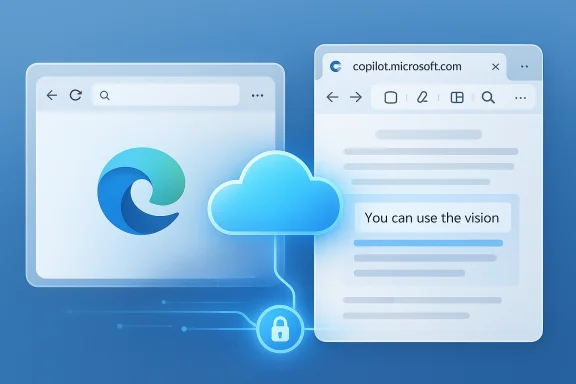
Microsoft is quietly experimenting with a new way to surface Copilot Vision in Edge Canary: instead of launching the feature from the browser’s internal visual companion page, Edge can now open Vision from the cloud at copilot.microsoft.com — an experiment that, if finalized, would shift image analysis and visual prompts away from an internal browser surface and toward Microsoft’s web-hosted Copilot experience.
Microsoft’s experiment of launching Copilot Vision from the web rather than an internal Edge page is a technically plausible and strategically aligned next step in Copilot’s evolution. It promises faster updates and streamlined engineering but carries tradeoffs that matter to privacy‑conscious users and enterprises. The reported Canary flag provides an early glimpse of the direction; confirmation and detailed technical guidance from Microsoft will be the decisive factor for widespread adoption.
Source: Windows Report Microsoft Edge tests moving Copilot Vision to Copilot on the web
 Background
What is Copilot Vision and how Edge has used it so far
Copilot Vision is Microsoft’s multimodal extension to Copilot that can see a region of your screen, extract text via OCR, analyze images, and answer follow-up questions in a conversational flow. It powers tasks such as reading text from images, summarizing content within a selected region, and serving visual prompts that guide the user through workflows or product comparisons. Microsoft documents Copilot Vision as a session‑bound, opt‑in feature that runs through Edge’s Copilot interface and provides visible cues while it is active. Historically, Edge routed Vision functionality through an internal page — commonly referenced as edge://visual-companion — so the browser itself handled the UI and local integration points. That internal page acted as the mechanism for capturing screenshots, performing OCR, and populating the Copilot UI inside Edge. Independent coverage and Microsoft documentation describe this model as part of Edge’s broader Copilot integration, which includes voice, text, and agentic features like Copilot Actions and Journeys.The new experiment: web-hosted Vision
Recent Canary-channel telemetry shows Microsoft testing a configuration where Edge no longer loads the internal Vision page. Instead, when the feature is invoked, the browser opens the Copilot Vision experience hosted at copilot.microsoft.com. Early reporting indicates this behavior is gated behind an experimental flag called “Use Edge Vision from copilot.microsoft.com (CMC)” in Edge Canary builds; enabling the flag causes the Vision UI to match the Copilot web site layout and behavior. Because the web UI is updated more frequently, this change allows new visual features to appear sooner without duplicating maintenance across an internal browser page and an external site. This approach mirrors a broader Microsoft pattern: hosting feature surfaces in the cloud (copilot.microsoft.com) while keeping the browser as a lightweight launcher and permission controller. It also fits with Microsoft’s push to unify Copilot surfaces across browser, Windows, and the standalone Copilot app.Why Microsoft might move Vision to the web
Faster feature cadence and single‑source UX
Moving the Vision UI to copilot.microsoft.com reduces duplication of UI code and lets Microsoft deploy updates centrally. Web‑hosted surfaces are updated server‑side, so new features, A/B tests, or UI prototypes can reach users faster than shipping a browser update. Early Canary screenshots reportedly show a Copilot site layout when Vision is invoked, which is consistent with a single-source web UI model.Reduced maintenance overhead
Maintaining both an internal Edge page (edge://visual-companion) and a separate Copilot web UI requires parallel engineering and testing. Consolidating to a web surface can lower long‑term maintenance costs and minimize parity bugs between the two surfaces, freeing engineering cycles for new features like improved OCR, visual grounding, or richer multimodal interactions. This operational advantage is exactly what the internal coverage and industry analysts expect from moving product surfaces to a central web-hosted control plane.Greater experimentation and telemetry control
The cloud surface allows Microsoft to iterate experiments and collect telemetry with finer granularity. For product teams, the ability to roll out and roll back changes without a new Edge build is a powerful tool for rapid iteration. This is particularly valuable for multimodal features where real‑world usage quickly surfaces edge cases and performance regressions.What this means for users
Visual differences and feature parity
If Edge opens Vision from copilot.microsoft.com, users will notice a UI that matches the Copilot website rather than the older internal Vision page. The web UI can receive features faster, so new capabilities (for example, more robust image tagging, new visual prompts, or updated voice integration) may appear on copilot.microsoft.com before the in‑browser page gets them — or the browser surface may be retired entirely. Reports from Canary builds already show a Copilot-style look when the flag is enabled.Device and region availability
Microsoft has staged Copilot Vision and many related Copilot features in a geographically limited, preview-first fashion. Past rollouts and third‑party coverage show that major Copilot features often arrive first in the United States and expand later, and user reports have repeatedly pointed to region‑based constraints during early previews. That pattern suggests the web‑hosted Vision flow could also be phased by market. Users outside preview regions may not see the change immediately.Subscription tiers and feature gating
Some Copilot Vision capabilities — notably integrations that go beyond basic image analysis — have been associated with Copilot Pro or premium tiers in past announcements and hands‑on reviews. Moving the UI to the web does not inherently change licensing, but feature gating can be simpler to enforce server‑side. Users should expect the same entitlement checks to appear even if the UI is web‑hosted.Security, privacy, and enterprise considerations
Data path: local capture vs cloud processing
A web-hosted Vision surface changes where the UI is rendered, but it does not by itself clarify where image data is processed. Microsoft’s support pages and product literature emphasize that Copilot Vision is an opt‑in, session‑based feature and that users are shown clear indicators while Vision is active. Microsoft’s documentation states that Vision sessions are user-initiated and can be ended by closing the floating toolbar or terminating the browser session. However, the hosting model may change how and where telemetry and image buffers transit; moving UI logic to copilot.microsoft.com can mean more server‑side processing unless Microsoft explicitly retains local capture and performs only ephemeral uploads. Administrators and privacy‑minded users should treat cloud‑hosted UI as a potential change to the data flow.Enterprise controls and compliance
Enterprises that manage Edge with group policies or Intune will want clarity on how this change affects data residency, inspection, and logging. Historically, Microsoft has provided administrative policies to control Copilot features and the distribution of the Copilot app, but server‑hosted UIs introduce additional network paths that may need allow‑lists, proxy configurations, or contractual assurances for regulated industries. IT teams should monitor Microsoft’s official guidance and apply allow/block policies where necessary. Internal analyst coverage has repeatedly highlighted that Copilot’s rollout strategy includes enterprise controls but that administrators must proactively prepare for new network and consent surfaces.Privacy promises and lingering questions
Microsoft has published commitments around session data deletion and opt‑in visibility for Copilot Vision. Those commitments are an important baseline, but moving the UI to a web domain raises questions about telemetry retention, server logs, and cross‑service correlation. Where possible, Microsoft will likely centralize telemetry policies, but until explicit documentation confirms the end‑to‑end handling for the copilot.microsoft.com‑hosted Vision flow, users and admins should treat the Windows, Edge, and Copilot web surfaces as separate decision points that require explicit consent. If you rely on strict data residency or have contractual controls, wait for Microsoft's documentation before enabling experimental flags in Canary.Practical testing: how the experiment appears in Edge Canary
Reported steps (Canary users)
Early reports indicate the experiment is behind a flag in Edge Canary. The usual steps to try similar experiments are:- Install Microsoft Edge Canary and sign in to the profile where you test features.
- Open edge://flags.
- Search for the reported flag text (in this case, the experiment was described as “Use Edge Vision from copilot.microsoft.com (CMC)”).
- Enable the flag, restart the browser, then trigger Copilot Vision through the sidebar to see whether the UI opens the Copilot website instead of the internal Vision page.
Caveats and the unverifiable claim
The precise flag string and its internal code name are currently reported in community and early reporting, but Microsoft has not published an official changelog that lists that flag as a supported configuration. In other words, the existence of the “Use Edge Vision from copilot.microsoft.com (CMC)” flag is reported by a reputable outlet’s Canary teardown, but it is not yet confirmed in Microsoft’s public documentation or official Edge release notes. Treat the flag report as provisionally accurate but unverified until Microsoft documents it directly. Proceed cautiously with Canary flags, especially on production machines.Risks, tradeoffs, and what to watch for
Performance and latency differences
Handing off the Vision UI to a web service may increase round‑trip latency for certain operations, particularly on slower networks or when server‑side processing is required. Conversely, if Microsoft optimizes the web surface for cloud inference, complex visual analysis might improve compared with a local or embedded browser implementation. Expect variability during the experiment stage.Feature regressions and local integrations
Embedded browser pages can directly access internal APIs and fine-grained UI hooks (e.g., window capture, direct DOM overlays). A web-hosted UI may have less direct access to some browser internals, which could temporarily reduce the depth of integration (for example, certain live visual overlays inside a page). Microsoft will need to bridge capability gaps through secure API contracts; until that bridge is mature, some workflows could feel less polished.Policy, compliance, and corporate firewalls
Organizations that tightly control outbound traffic should audit any connections to copilot.microsoft.com, copilot telemetry endpoints, and related AI service domains. The web-hosted flow may require explicit network exceptions or modern proxy support for TLS inspection — configurations that should be tested in controlled environments before broad deployment.User experience fragmentation
If Microsoft ships the web-hosted Vision UI to some users while maintaining the internal page for others, the product experience could fragment across devices and builds. That fragmentation increases support overhead and may confuse users who expect consistent behavior across Edge channels. The hope is that a single path is chosen eventually; in the short term Canary will be the testbed for that transition.Recommendations
- For enthusiasts: Try the Canary flag only in a separate test profile or virtual machine. Canary experiments are by definition unstable and can change without notice.
- For privacy‑minded users: Wait for official Microsoft documentation about the hosting model and data retention for the copilot.microsoft.com-hosted Vision flow before enabling the experiment.
- For IT administrators: Map the network endpoints required by Copilot services, update allow‑lists if appropriate, and pilot the change in a controlled group to evaluate privacy and compliance effects.
- For developers and extension authors: Watch for API surfaces Microsoft exposes to bridge the browser/web UI split, and test extensions against both the internal page and the web surface to detect regressions.
Final analysis — benefit vs risk
Consolidating Copilot Vision to copilot.microsoft.com makes strategic sense: centralizing the UI reduces maintenance, accelerates feature delivery, and gives Microsoft a single playground for rapid experimentation. The move aligns with Microsoft’s larger Copilot strategy to unify the experience across Windows, Edge, and the web. That convergence is a clear strength: users get faster updates and Microsoft reduces long-term engineering costs. At the same time, the change raises legitimate concerns around data flow, enterprise policy enforcement, and temporary regressions in integration fidelity. The most significant unanswered questions are operational: where exactly image data is processed and logged, how telemetry is retained or purged, and whether regulatory or corporate constraints will complicate adoption. Until Microsoft publishes explicit technical documentation for the web‑hosted Vision path, those remain open risks. Treat early reports — including the reported Edge Canary flag — as useful signals but not as final facts.Microsoft’s experiment of launching Copilot Vision from the web rather than an internal Edge page is a technically plausible and strategically aligned next step in Copilot’s evolution. It promises faster updates and streamlined engineering but carries tradeoffs that matter to privacy‑conscious users and enterprises. The reported Canary flag provides an early glimpse of the direction; confirmation and detailed technical guidance from Microsoft will be the decisive factor for widespread adoption.
Source: Windows Report Microsoft Edge tests moving Copilot Vision to Copilot on the web
