

On April 24, 2026, Egypt is scheduled to switch to daylight saving time, but Microsoft says a small slice of the Windows ecosystem may miss the transition by a week. The problem affects Windows Server 2016 and only that in-support version, with calendar and meeting times in Egypt potentially appearing one hour off between April 24 and April 30, 2026. Microsoft’s interim guidance points to a temporary registry-based workaround for affected systems, while noting that clocks will self-correct on May 1, 2026 without further intervention, assuming the device remains on a supported update path.
This issue sits at the intersection of government time policy, Windows servicing, and the awkward reality that time-zone rules do not always line up neatly with software update cycles. Microsoft’s official guidance says the company monitors DST and time-zone changes worldwide and publishes Windows updates when governments announce them, but if there is not enough lead time, Microsoft uses interim guidance until a proper update arrives. (learn.microsoft.com)
Egypt is a good example of why these cases matter. The country has changed its DST policy more than once over the years, including periods where the rules were canceled and later restored. Microsoft’s historical support notes show that Egypt has long required special handling in Windows, because time-zone behavior affects not just the system clock but also Outlook, calendar apps, meeting invites, and any workflow that depends on local time alignment. (support.microsoft.com)
The 2026 case is especially unusual because it is driven by a calendar edge case: April 2026 has five full weeks, and certain Windows builds appear to interpret Egypt’s DST transition as occurring on the last Thursday of the month rather than the officially mandated date of April 24, 2026. That means the system may postpone the shift until April 30, 2026, which is late enough to create a visible one-hour error in meeting times for a full week. Microsoft’s guidance says the issue is self-healing on May 1, 2026, when the time zone should finally snap back to the correct DST rule.
For administrators, this is not just a clock problem. Windows time-zone metadata is embedded deeply enough that calendar correctness, meeting scheduling, and even audit-related workflows can inherit the wrong offset when the DST rule is stale. Microsoft’s own support material has long warned that many applications and cloud services rely on Windows for DST and time-zone data, which is why even a short-lived discrepancy can become a business interruption. (learn.microsoft.com)
The broader lesson is familiar to anyone who has lived through past DST changes: time zones are policy, but Windows treats them like code. When a government updates the rule, Microsoft has to ship the correction, test it, and then ensure the right versions pick it up before the deadline. When the timing is tight, interim guidance is often the only practical bridge. (learn.microsoft.com)
The guidance also spells out the user-visible symptom: clocks will not advance by one hour at 12:00 a.m. on April 24, 2026 for the Egypt time zone on affected devices. Instead, the time jump will occur one week later, at 12:00 a.m. on May 1, 2026. In practice, that means local time will lag behind the official rule for seven days, and anything scheduled in that window may appear shifted.
Microsoft has seen this pattern before. Its general DST policy pages explain that when a region changes its DST rules, Windows updates are normally the mechanism used to keep the platform aligned. If the update cannot be ready in time, interim guidance becomes the stopgap until servicing catches up. This Egypt advisory is basically that model in action. (learn.microsoft.com)
For IT teams, this is good news and bad news at once. The good news is that the blast radius is limited. The bad news is that the affected systems may be exactly the ones buried in legacy workloads, file servers, line-of-business applications, or virtualized environments where change windows are already tight. Legacy infrastructure is where these time issues tend to linger longest.
The deeper lesson is that Windows has to reconcile static time-zone tables with a dynamic political and legal environment. Government announcements can come late, implementation windows can be short, and the platform has to support both consumers and managed enterprises at scale. Microsoft’s policy documents explicitly say it aims for one year or more of notice, but that is a wish list, not a guarantee. (learn.microsoft.com)
Microsoft’s guidance suggests this is not a corruption problem in the ordinary sense, but a ruleset mismatch that can be corrected with a temporary registry change. That distinction matters because it explains why the clocks are not “broken” and why the issue resolves automatically on May 1, 2026 once the calendar moves beyond the edge case.
The second question is whether the organization even knows it has a Windows Server 2016 asset in Egypt or serving Egypt-based users. In many large environments, that answer is buried under virtual machine inventories, cloud subscriptions, or outsourced infrastructure. A narrow problem becomes expensive when the asset map is incomplete. (techcommunity.microsoft.com)
That is the hidden risk with DST issues: users often experience them through shared infrastructure, not directly on their own device. A single misaligned server can distort everything from reminders to meeting invites if downstream software trusts the wrong offset. The bug’s footprint is smaller than the business impact might suggest. (learn.microsoft.com)
The registry update itself is a manual overwrite of the Egypt Standard Time Dynamic DST entry. Microsoft’s own guidance frames this as a temporary bridge, not a permanent customization strategy. That distinction matters because the company expects the correct time-zone data to arrive automatically in the May 2026 update cycle.
This is also why Microsoft advises organizations doing bulk management to contact support rather than improvising at scale. A one-off fix on a single server is manageable; deploying a binary registry change across a fleet demands change control, testing, and rollback planning. This is not the kind of tweak you want to “eyeball” in production.
For IT teams, the message is clear. If the device is affected and the workaround is needed immediately, apply it carefully. But if the device can wait for the May update cycle, Microsoft would clearly prefer that path. That reduces risk, avoids manual drift, and keeps the system aligned with the supported servicing model.
The pattern is familiar across time-zone support: governments change the law, software vendors race to encode the new rule, and a subset of devices lands on the wrong side of the update window. Microsoft’s policy pages say the company tries to handle these shifts through Windows Update, but when the notice period is tight, interim guidance is the fallback. (learn.microsoft.com)
This also reflects the reality of enterprise servicing in 2026. Older server platforms often survive because they run critical workloads, not because they are ideal. The cost of touching them is high, which is why Microsoft’s “temporary workaround now, permanent correction later” model remains so important.
That is why Microsoft’s advice to contact Customer Support Services for bulk management is sensible. A controlled rollout, a verified baseline, and a documented rollback path are all more valuable than trying to hand-edit dozens or hundreds of servers under time pressure. This is a classic enterprise management scenario disguised as a simple DST tweak.
The more subtle consumer issue is trust. When users see meetings shift by an hour for no obvious reason, they often blame the app rather than the underlying time-zone rule. That makes DST bugs especially irritating: they are small in duration, large in confusion, and easy to misdiagnose.
Source: Microsoft - Message Center Interim guidance for Egypt DST changes 2026 | Microsoft Community Hub
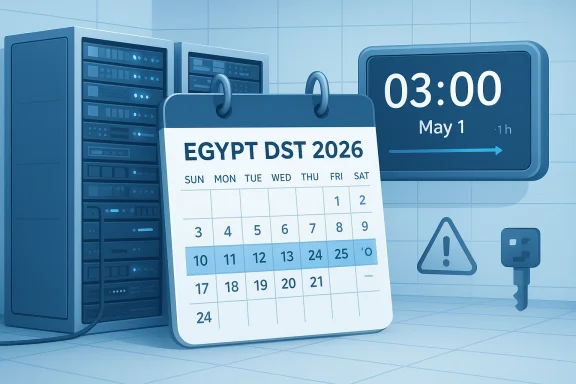 Background
This issue sits at the intersection of government time policy, Windows servicing, and the awkward reality that time-zone rules do not always line up neatly with software update cycles. Microsoft’s official guidance says the company monitors DST and time-zone changes worldwide and publishes Windows updates when governments announce them, but if there is not enough lead time, Microsoft uses interim guidance until a proper update arrives. (learn.microsoft.com)Egypt is a good example of why these cases matter. The country has changed its DST policy more than once over the years, including periods where the rules were canceled and later restored. Microsoft’s historical support notes show that Egypt has long required special handling in Windows, because time-zone behavior affects not just the system clock but also Outlook, calendar apps, meeting invites, and any workflow that depends on local time alignment. (support.microsoft.com)
The 2026 case is especially unusual because it is driven by a calendar edge case: April 2026 has five full weeks, and certain Windows builds appear to interpret Egypt’s DST transition as occurring on the last Thursday of the month rather than the officially mandated date of April 24, 2026. That means the system may postpone the shift until April 30, 2026, which is late enough to create a visible one-hour error in meeting times for a full week. Microsoft’s guidance says the issue is self-healing on May 1, 2026, when the time zone should finally snap back to the correct DST rule.
For administrators, this is not just a clock problem. Windows time-zone metadata is embedded deeply enough that calendar correctness, meeting scheduling, and even audit-related workflows can inherit the wrong offset when the DST rule is stale. Microsoft’s own support material has long warned that many applications and cloud services rely on Windows for DST and time-zone data, which is why even a short-lived discrepancy can become a business interruption. (learn.microsoft.com)
The broader lesson is familiar to anyone who has lived through past DST changes: time zones are policy, but Windows treats them like code. When a government updates the rule, Microsoft has to ship the correction, test it, and then ensure the right versions pick it up before the deadline. When the timing is tight, interim guidance is often the only practical bridge. (learn.microsoft.com)
What Microsoft Says
Microsoft’s interim guidance for Egypt is unusually specific. The company says the issue only affects Windows Server 2016 and “doesn’t impact any other in-support versions of Windows.” That narrowing matters, because it turns what could sound like a broad regional time-zone incident into a very contained servicing issue.The guidance also spells out the user-visible symptom: clocks will not advance by one hour at 12:00 a.m. on April 24, 2026 for the Egypt time zone on affected devices. Instead, the time jump will occur one week later, at 12:00 a.m. on May 1, 2026. In practice, that means local time will lag behind the official rule for seven days, and anything scheduled in that window may appear shifted.
Why the one-week delay matters
A seven-day offset sounds small, but it is exactly the kind of error that creates disproportionate pain in enterprise environments. Calendar items, recurring meetings, and shared bookings often cross boundaries between local time and stored UTC time, so a wrong DST rule can make events seem correct in one interface and wrong in another. That can trigger missed meetings, confused help desk tickets, and a flood of “why is this one hour off?” complaints. (learn.microsoft.com)Microsoft has seen this pattern before. Its general DST policy pages explain that when a region changes its DST rules, Windows updates are normally the mechanism used to keep the platform aligned. If the update cannot be ready in time, interim guidance becomes the stopgap until servicing catches up. This Egypt advisory is basically that model in action. (learn.microsoft.com)
Why only Windows Server 2016?
The most notable operational clue here is not the fix itself but the scope. Microsoft’s language implies that the affected time-zone data path exists in a specific Windows Server 2016 baseline, while newer in-support versions already carry the correct rule or handle the transition differently. That is a reminder that time-zone bugs are rarely “regional” in the abstract; they are usually the result of a particular OS build carrying a particular rule table at the wrong moment.For IT teams, this is good news and bad news at once. The good news is that the blast radius is limited. The bad news is that the affected systems may be exactly the ones buried in legacy workloads, file servers, line-of-business applications, or virtualized environments where change windows are already tight. Legacy infrastructure is where these time issues tend to linger longest.
The Calendar Edge Case
At the heart of the problem is a simple but nasty edge case: April 2026 has five Thursdays, and certain Windows time-zone logic appears to be keying Egypt’s DST behavior to the last Thursday of the month. That would place the transition on April 30, 2026, not April 24, 2026. Microsoft’s advisory acknowledges the mismatch and frames it as a temporary delay in enforcement rather than a permanent rule change.How a date rule becomes a systems issue
DST logic is usually described as a human policy question, but in Windows it is stored as structured time-zone data that the operating system consults automatically. If the rule table is wrong, the system can still look healthy while quietly drifting from the official local time. That is why a date mismatch becomes a calendaring bug almost instantly. (learn.microsoft.com)The deeper lesson is that Windows has to reconcile static time-zone tables with a dynamic political and legal environment. Government announcements can come late, implementation windows can be short, and the platform has to support both consumers and managed enterprises at scale. Microsoft’s policy documents explicitly say it aims for one year or more of notice, but that is a wish list, not a guarantee. (learn.microsoft.com)
Why this is not just “calendar math”
It is tempting to think of the bug as an arithmetic error, but the actual problem is more bureaucratic than mathematical. The operating system is trying to decide which annual pattern to apply to a local time zone based on historical rules, registry data, and update state. When any one of those inputs lags behind the real-world policy, the wrong transition date can survive long enough to matter. (learn.microsoft.com)Microsoft’s guidance suggests this is not a corruption problem in the ordinary sense, but a ruleset mismatch that can be corrected with a temporary registry change. That distinction matters because it explains why the clocks are not “broken” and why the issue resolves automatically on May 1, 2026 once the calendar moves beyond the edge case.
- The trigger is a date-rule mismatch, not a hardware failure.
- The affected period is limited to April 24 through April 30, 2026.
- The bug is tied to one Windows Server generation, not the whole platform family.
- The system is expected to self-correct after the transition window closes.
Affected Systems and Scope
Microsoft says the issue affects Windows Server 2016 and no other in-support Windows versions. That scope is narrower than many DST incidents have been in the past, which is important because it reduces the number of systems IT teams must triage immediately. It also hints that Microsoft is dealing with an older time-zone implementation path rather than a current generation servicing layer.Enterprise implications
For enterprise admins, the first question is not “is the clock wrong?” but “where does this server sit in the business process?” If the machine hosts scheduling data, calendar integrations, or line-of-business apps that render local meeting times, a one-hour error can ripple outward into help desk volume and user distrust. The fact that only one server platform is affected does not make the bug trivial; it just makes it easier to contain.The second question is whether the organization even knows it has a Windows Server 2016 asset in Egypt or serving Egypt-based users. In many large environments, that answer is buried under virtual machine inventories, cloud subscriptions, or outsourced infrastructure. A narrow problem becomes expensive when the asset map is incomplete. (techcommunity.microsoft.com)
Consumer impact
For consumers, this is much less dramatic. Microsoft’s notice is aimed at affected organizations, which implies that the most meaningful impact is in managed systems rather than home PCs. Still, a consumer using a calendar service backed by a Windows Server 2016 host could see appointments rendered incorrectly if the service depends on the affected machine’s local time handling.That is the hidden risk with DST issues: users often experience them through shared infrastructure, not directly on their own device. A single misaligned server can distort everything from reminders to meeting invites if downstream software trusts the wrong offset. The bug’s footprint is smaller than the business impact might suggest. (learn.microsoft.com)
- Windows Server 2016 is the only in-support Windows version Microsoft says is impacted.
- The likely exposure is greatest in enterprise or hosted environments.
- Calendar and meeting workflows are the most visible casualty.
- Shared services can propagate the error beyond the server itself.
The Temporary Workaround
Microsoft recommends a temporary workaround for affected devices, but only after verifying that the machine actually shows the wrong DST date in the Date and Time settings dialog. If the dialog says April 24, 2026, the device is unaffected and no action is needed. If it shows May 1, 2026 as the start of DST, the device is affected and the workaround may be appropriate.Step 1: Verify the symptom
The first practical step is to check the Date and Time settings manually. Microsoft’s guidance is explicit that the visible calendar notice should reflect the correct DST start date, and if it does not, the machine is likely using the wrong rule table. This is a useful reminder that not every timing problem needs a registry intervention; some systems are already correct.Step 2: Confirm the registry baseline
Microsoft instructs administrators to query the registry key for Egypt Standard Time’s Dynamic DST entry and verify thatLastEntry is 0x7e7 (2023). If LastEntry is missing or different, Microsoft says not to proceed and to wait for the May 2026 Windows security update or contact Customer Support Services. That caution is important because it limits the workaround to the exact expected baseline.Step 3: Back up before changing anything
Microsoft also recommends exporting the existing registry settings before applying the fix. That is not just good hygiene; it is standard operating discipline whenever an admin is about to overwrite time-zone data on a production machine. In other words, the workaround is temporary, but the risk of an imperfect edit is very real.The registry update itself is a manual overwrite of the Egypt Standard Time Dynamic DST entry. Microsoft’s own guidance frames this as a temporary bridge, not a permanent customization strategy. That distinction matters because the company expects the correct time-zone data to arrive automatically in the May 2026 update cycle.
- Verify the displayed DST start date first.
- Check
LastEntrybefore changing the registry. - Back up the existing time-zone key before editing.
- Treat the workaround as temporary, not a new baseline.
Registry Guidance in Practice
The workaround is straightforward in concept but not necessarily trivial in a live environment. Microsoft’s commands suggest an administrator-level command prompt, a registry query, an export backup, and then a binaryreg add operation that overwrites the dynamic DST data for Egypt Standard Time. That is classic “do exactly this, or do not do it at all” territory.Why the registry path matters
Microsoft is targetingHKLM\SOFTWARE\Microsoft\Windows NT\CurrentVersion\Time Zones\Egypt Standard Time\Dynamic DST, which is where Windows stores time-zone transition rules. That location is one reason this fix is so sensitive: change the wrong subkey or apply the wrong binary payload, and you can create a different time problem instead of solving the existing one.This is also why Microsoft advises organizations doing bulk management to contact support rather than improvising at scale. A one-off fix on a single server is manageable; deploying a binary registry change across a fleet demands change control, testing, and rollback planning. This is not the kind of tweak you want to “eyeball” in production.
Why Microsoft prefers official updates over hand edits
Microsoft’s broader DST policy strongly prefers shipping a Windows Update or monthly rollup instead of encouraging ad hoc registry edits. The company’s support documentation says DST and time-zone changes are normally incorporated into Windows Update releases, and interim guidance is only meant to bridge the gap when lead time is short. That is consistent with the Egypt notice: the registry fix is temporary, while the update is the real answer. (learn.microsoft.com)For IT teams, the message is clear. If the device is affected and the workaround is needed immediately, apply it carefully. But if the device can wait for the May update cycle, Microsoft would clearly prefer that path. That reduces risk, avoids manual drift, and keeps the system aligned with the supported servicing model.
- The registry key stores the rule table Windows uses for Egypt DST.
- The fix is binary and therefore unforgiving of transcription mistakes.
- Microsoft prefers update-based fixes over manual edits when possible.
- Bulk deployment should go through support, not copy-and-paste heroics.
Why This Happened Now
The timing feels weird because the bug is tied to an April calendar structure that only shows up in certain years. Microsoft’s guidance says the issue is related to a five-week April in 2026, which makes it the kind of problem that can remain invisible until the target month arrives. These are exactly the bugs that calendar testing is supposed to catch, and sometimes does not.Historical echoes
Microsoft has dealt with Egypt DST changes before, including past updates that removed or adjusted DST handling when the country changed policy. Those older support notes make it clear that Egypt has repeatedly required special-case treatment in Windows, so the 2026 advisory is not an isolated event so much as the latest chapter in a long-running time-zone maintenance story. (support.microsoft.com)The pattern is familiar across time-zone support: governments change the law, software vendors race to encode the new rule, and a subset of devices lands on the wrong side of the update window. Microsoft’s policy pages say the company tries to handle these shifts through Windows Update, but when the notice period is tight, interim guidance is the fallback. (learn.microsoft.com)
Why Windows Server 2016 is the pressure point
Windows Server 2016 remains within support, but it is old enough to be a plausible repository for time-zone logic that diverges from newer releases. Microsoft’s advisory makes no mention of other versions being affected, which suggests that the bug is tied to the server’s specific DST data path rather than to Egypt’s time zone as a whole. That is consistent with how Windows time-zone issues usually surface: one version, one rule, one awkward deadline.This also reflects the reality of enterprise servicing in 2026. Older server platforms often survive because they run critical workloads, not because they are ideal. The cost of touching them is high, which is why Microsoft’s “temporary workaround now, permanent correction later” model remains so important.
- The issue appears only when the calendar structure exposes the rule mismatch.
- Egypt has a history of DST policy shifts that force software updates.
- Windows Server 2016 is old enough to be vulnerable to stale rule logic.
- The wider Windows family is apparently unaffected in this case.
Enterprise vs Consumer Impact
The practical divide here is important. Enterprises are the most likely to notice the problem because they manage shared calendars, server-hosted apps, and location-sensitive business processes. Consumers may never see the bug directly unless they depend on a service hosted by affected infrastructure.Enterprise impact
In business environments, the main risk is not a wrong clock in isolation but a chain reaction across scheduling, reporting, and user trust. If meetings in Egypt appear one hour off for a week, that can produce missed calls, duplicate calendar entries, and a wave of support tickets that look like user error. The damage is operational before it is technical.That is why Microsoft’s advice to contact Customer Support Services for bulk management is sensible. A controlled rollout, a verified baseline, and a documented rollback path are all more valuable than trying to hand-edit dozens or hundreds of servers under time pressure. This is a classic enterprise management scenario disguised as a simple DST tweak.
Consumer impact
Consumers should care, but only indirectly in most cases. The likely impact is seeing calendar invites or meeting reminders rendered incorrectly in apps that depend on server-side or Windows-derived time-zone data. If a home user’s own device is not running Windows Server 2016, the direct risk is minimal.The more subtle consumer issue is trust. When users see meetings shift by an hour for no obvious reason, they often blame the app rather than the underlying time-zone rule. That makes DST bugs especially irritating: they are small in duration, large in confusion, and easy to misdiagnose.
- Enterprises carry the real operational burden.
- Consumers are more likely to see the fallout than the root cause.
- Shared calendar systems can spread the error widely.
- Support teams should expect confusion, not just complaints.
Strengths and Opportunities
Microsoft’s handling of the Egypt DST issue shows the value of having a formal time-zone response process. The company identified the affected platform, narrowed the problem window, published a temporary workaround, and told admins exactly when the system will self-correct. That is not glamorous, but it is competent servicing.- The scope is tightly defined, which reduces unnecessary remediation.
- The workaround is documented and reversible.
- Microsoft gives a clear verification step before changes are made.
- The issue self-resolves on a known date, May 1, 2026.
- Enterprise teams can plan around a fixed time window.
- The guidance aligns with Microsoft’s broader DST policy framework.
- Support escalation is available for bulk management scenarios.
Risks and Concerns
The main risk is operational confusion. A one-hour offset over a one-week period may sound minor, but it can be enough to create missed meetings, bad reports, and support friction that outlasts the actual bug. The bigger the organization, the faster that confusion can spread.- Users may assume the app is broken, not the time zone.
- Admins may miss the issue if they only sample one region.
- Manual registry changes carry a real chance of error.
- Legacy servers may be hard to inventory and patch quickly.
- Mixed environments can create inconsistent calendaring behavior.
- Poor communication can make a one-week bug feel like a month-long outage.
- Waiting for the May update is not always possible for live business operations.
Looking Ahead
The good news is that this is not a long-lived defect. Microsoft says affected systems will automatically advance to the correct Egypt DST setting on May 1, 2026, and no further intervention is needed after that date. The short lifecycle of the bug is a relief, but only if administrators actually identify the affected servers before the mismatch causes business pain.What administrators should watch
The key task for IT is to separate affected and unaffected systems quickly, then decide whether the temporary registry workaround is justified. For some organizations, waiting for the next Windows security update will be the safer course. For others, especially those running Egypt-facing calendaring services, immediate remediation may be the better choice.What Microsoft will likely do next
The larger question is whether Microsoft will fold this correction into the next normal servicing cycle in a way that makes future Egypt DST changes less fragile. The company’s own policy pages suggest that this is the ideal model: governments announce, Microsoft updates, and only interim guidance fills the gap when timing is tight. The more often that cycle works smoothly, the less disruptive these regional DST oddities become. (learn.microsoft.com)- Verify whether any Windows Server 2016 systems in Egypt are present in your estate.
- Check calendar-heavy workloads first, not just the server clock.
- Apply the registry workaround only if the documented baseline matches.
- Plan to confirm the May 2026 correction after the self-healing date.
- Communicate the expected one-hour anomaly to users in advance.
Source: Microsoft - Message Center Interim guidance for Egypt DST changes 2026 | Microsoft Community Hub
Last edited:
