EWS Retirement in Exchange Online: Admin Action Plan by Oct 2026

  • Thread Author
Exchange Web Services in Exchange Online is being retired, and the clock is now unmistakably ticking: Microsoft will begin tenant-by-tenant disablement starting October 1, 2026, with a final, irreversible shutdown of EWS in Exchange Online in 2027. This move completes a deprecation that began with a 2018 announcement and accelerates a long-term platform consolidation toward Microsoft Graph and newer admin APIs. The change is strategic — narrowing legacy attack surface and steering customers to a single, modern API surface — but the operational fallout for organizations that still rely on EWS can be material. This article explains what Microsoft announced, verifies the technical specifics, assesses migration options and risks, and provides a practical, prioritized runbook for administrators who must act now.

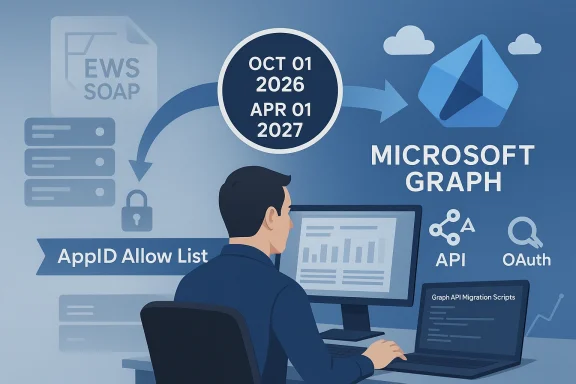
A developer maps migration from EWS SOAP to Microsoft Graph using API scripts.Background and context​

Exchange Web Services (EWS) is a SOAP-based API set that has powered a huge ecosystem of client apps, connectors, scripts, printers, and vertical solutions for nearly two decades. Microsoft stopped adding new features to EWS in 2018 and has been encouraging migrations to Microsoft Graph ever since. The timeline toward disablement was firmed in 2023 and accelerated by security concerns after the January 2024 “Midnight Blizzard” incident, which highlighted the real-world risk posed by widely available, broad mailbox access surfaces. Microsoft now says EWS will be phased out for Exchange Online beginning October 1, 2026, and fully turned off in 2027.
Why this matters today
  • Security and scale: EWS’s design predates modern OAuth and telemetry-first design patterns. Microsoft cites both security incidents and the need to simplify platform behavior as drivers for the retirement.
  • Platform parity: Microsoft Graph has reached near-complete parity for most customer scenarios and is the strategic, actively developed API surface for Microsoft 365.
  • Ecosystem momentum: Microsoft has accelerated internal migrations away from EWS and is publishing tooling and reporting to help customers find and remediate EWS dependencies.

What Microsoft announced — timelines and control mechanics​

Microsoft’s public announcements lay out a three-phase, admin‑controllable plan:
  • Preparation (now): administrators should inventory EWS usage, run the published usage reports and analyzer tools, and begin migrations to Microsoft Graph or other supported paths. Tools and tutorials (including AI-assisted migration guidance) are available from Microsoft to accelerate this work.
  • Initial blocking — starting October 1, 2026: Microsoft will begin tenant-by-tenant disablement using a tenant-level EWSEnabled property. Unless administrators proactively opt in to keep EWS for permitted apps, EWSEnabled will be set to False (blocking all EWS) during the deployment. Tenants with EWSEnabled explicitly set to True and a managed AppID Allow List will be permitted to continue running EWS calls. Tenants with EWSEnabled left as Null will have the flag changed to False as the deployment rolls out.
  • Final shutdown — April 1, 2027: Microsoft will remove the EWSEnabled control from tenant admins and permanently disable EWS for Exchange Online. There will be no exceptions past that date.
Key technical points Microsoft published
  • The EWSEnabled property supports three values: True, False, and Null. The difference matters because Null behaves as a permissive default before Microsoft flips the value during rollout. Setting EWSEnabled to True requires admins to maintain an AppID Allow List (AppID-based allow list) that controls which service principals can access EWS. Microsoft will provide a feature in early 2026 to manage that Allow List.
  • Microsoft will pre-populate an Allow List in September 2026 for tenants that did not create their own list, based on observed usage—but if admins want precise control they should create the list themselves ahead of that auto-population. If a tenant proactively sets EWSEnabled=True and populates an Allow List by the end of August 2026, they will avoid automatic switching to EWSEnabled=False in October. Admins can also temporarily set EWSEnabled back to Null using Exchange Online PowerShell to re-enable EWS without restrictions until the final cutoff, but doing so risks service interruption when Microsoft permanently disables the platform.
  • EWS retirement applies only to Exchange Online (Microsoft 365). On-premises Exchange Server installations continue to support EWS; hybrid scenarios require close attention because cloud mailboxes will be affected while on-prem mailboxes are not. Autodiscover helps clients determine mailbox location, but hybrid customers should review architecture choices carefully.
These are not hypothetical dates — the community and enterprise tooling landscape already reflect Microsoft’s schedule (for example, tenant-usage reports, code analyzer tools, and Admin API previews have been published to help with migration planning).

How the EWSEnabled/AppID Allow List model works — and what admins must know​

Understanding the new control model is essential because it defines how your tenant can remain operational if you still need EWS functionality.
  • EWSEnabled = Null: Historically the default; EWS allowed broadly. Microsoft will flip Null tenants to False during the October 2026 rollout unless the tenant has already opted into True with an allow list.
  • EWSEnabled = False: EWS blocked for all apps and users in the tenant.
  • EWSEnabled = True: EWS allowed, but only for applications explicitly listed in the new AppID Allow List. Admins must maintain that allow list; Microsoft will provide UI and PowerShell management tools.
Important interactions and gotchas
  • The new AppID Allow List takes precedence over older EWSApplicationAccessPolicy settings. To gain EWS access, an app must pass both checks where both apply. That means relying on legacy policies only is not sufficient — admins must adopt the new AppID Allow List semantics.
  • If you don’t create an Allow List before September 2026, Microsoft will auto-populate one for you based on observed usage. That may include apps you didn’t intend to allow; creating your own list is the safest option to control exactly what remains authorized. (learn.microsoft.com)
  • Microsoft will allow re-enablement in October 2026 if admins discover missed dependencies, but that will incur service interruptions and is not a guaranteed long-term workaround. Final shutdown in April 2027 is non-negotiable.
For organizations that need to continue EWS for a short window, the recommended pattern is to:
  • Create and maintain a precise AppID Allow List well before September 2026.
  • Set EWSEnabled to True to avoid the automatic flip to False in October.
  • Migrate remaining apps as a priority, treating the Allow List as a temporary, audited bridge only.

Tools, parity gaps, and migration helpers​

Microsoft ships several tools and guidance assets intended to reduce migration friction:
  • EWS Usage Reports and EWS Analyzer: Admin center reports and the EWS Analyzer help you identify what apps and operations are using EWS and which mailboxes or service principals are active callers. Use these reports to create an inventory and to build a migration priority list.
  • EWS Code Analyzer and AI-assisted migration tutorials: Microsoft published tools and step-by-step tutorials including examples that use GitHub Copilot to help refactor legacy EWS code to Microsoft Graph equivalents. These are practical for in-house scripts and small custom apps.
  • Exchange Online Admin API (Public Preview): To fill some admin-oriented parity gaps (folder permissions, mailbox properties, delegation, MailTips, distribution membership), Microsoft released a cmdlet-style Admin API preview that maps familiar cmdlets to REST endpoints. This API is a pragmatic bridge for automation that previously relied on EWS. It is not a universal replacement for every EWS scenario, but it covers many admin workflows.
Parity gaps to watch
  • Microsoft documents remaining gaps where Graph does not yet cover specific EWS features (for example: mailbox import/export workflows, some public folder operatieatures, and advanced delta semantics for recurring events). Microsoft is actively tracking and addressing many of these gaps, but some workloads will require re-architecture or interim compensating controls. Treat parity gaps as a planning input rather than a blocker: many migrations are possible today with modest engineering work.

Real-world impact — vendors, devices, and common failure modes​

Who is most likely to break when EWS is blocked?
  • Third‑party SaaS vendors and ISVs that still rely on EWS (calendar sync tools, CRM connectors, room‑booking systems, and enterprise sync platforms).
  • In‑house scripts and legacy automation that use EWS for mailbox access, folder operations, delegated access, or service account impersonation.
  • Legacy devices and appliances (multifunction printers, embedded scanners) that use EWS for scan-to-mail workflows.
  • Any workflows that use frontline or kiosk mailboxes in unconventional ways — note that Microsoft has tightened licensing enforcement for kiosk/F1/F3 SKUs and similar controls have been rolled out earlier in 2026 in some cases, producing 403s when the mailbox license does not permit EWS access.
Vendor migration status and responsibility
  • Many ISVs have been migrating or have announced Graph-based connectors; high-volume vendors (email sync/sales tools) often publish migration paths. But timelines vary — you must confirm with each vendor whether and when they will support Graph and what migration steps they require from your tenant. If a vendor has not committed, plan workarounds such as re-architecting the integration, moving the workload to an intermediary service that speaks Graph, or replacing the vendor.
Licensing and cost considerations
  • If your organization used frontline/Kiosk (F1/F3) mailboxes for automation to save ensing semantics earlier in 2026 show the practical cost of continuing that approach. Restoring EWS behavior for such mailboxes often requires adding an Exchange Plan or upgrading the user SKU — that increases license spend and should be weighed against migration or consolidation options. Microsoft’s enforcement moves mean license-driven breakages may appear long before the October 2026 disablement window.

Prioritized runbook for administrators — what to do this week, this month, and this quarter​

Immediate (this week)
  • Run tenant EWS usage reports and export a full inventory of calling apps, appIDs, service principals, and mailbox targets. Use the EWS Analyzer where available. This is non-negotiable — you cannot plan migration without data.
  • Identify high‑risk service accounts and undocumented automation (scripts, tenants’ service principals). Flag any appIDs that must remain functional for business continuity.
Near term (next 30–90 days)
  • Prioritize critical workloads by business impact (mailflow-affecting tocheduled jobs).
  • Pilot migration of one small but representative app to Microsoft Graph or the Admin API; validate authentication, scopes, and RBAC behavior.
  • If you absolutely must continue EWS after October 1, 2026, build an AppID Allow List and set EWSEnabled=True — but treat this as temporary and audit the list continuously. If you do nothing, Microsoft will set EWSEnabled=False for Null tenants during the October rollout.
Medium term (by end of August 2026)
  • Finalize Allow Lists for any tenants that need to delay migration; proactively set EWSEnabled=True and confirm your Allow List contents. If you skip this step, expect the tenant to be flipped to False during October’s rollout. If you rely on Microsoft’s automatic pre-population, be prepared for apps to be included you might not want.
Final phase (through October 2026 and up to April 1, 2027)
  • Execute phased migrations: move delegations, permission workflows and admin automations first (these often have Admin API or PowerShell replacements), then migrate content sync, calendars, and other mailbox operations to Graph.
  • Remove temporary Allow List entries and validate that business workflows continue to function on Graph or su- Prepare to enforce and document any governance or security changes introduced by the OAuth/RBAC model (SIEM ingestion of Graph/Admin API logs, certificate rotation for app-only auth, least-privilege RBACtional safety nets
  • Keep a tested, auditable rollback plan (timed re-enablement via PowerShell if a critical workflow fails during the October rollout), but remember this is a short-term mitigation only — final shutdown in April 2027 is final.

Technical deep dive: authentication, impersonation, and admin automation​

Authentication model changes
  • Microsoft Graph and Admin API both use OAuth 2.0 and support app-only auth via certificates or client secrets. This is a security improvement over many legacy EWS patterns where long-lived credentials or delegated service accounts were common. Plan to move to certificate-based app-only auth where possible and to implement strict audit and rotation practices.
Impersonation and app-only scenarios
  • ApplicationImpersonation and other RBAC scopes were historically used with EWS for automation. Microsoft has been deprecating some impersonation flows and recommending app-only patterns secured by RBAC roles and least-privilege assignments. If your automation uses impersonation, map current permissions to Graph scopes or Admin API scopes and test the new flow early.
Admin automation migration
  • The Exchange Online Admin API offers a cmdlet-style REST model for common administrative tasks (Get-Mailbox, MailboxFolderPermission, distribution memberships). This API is a useful migration path for many scripts that historically used EWS as a management surface, but you should treat the Admin API as a stepping stone: it helps rework automation quickly, but long-term tooling should consolidate on Graph + Exchange Online PowerShell for completeness.

Risk analysis — what can go wrong and how to mitigate it​

Major risks
  • Untracked dependencies: The most common operational failure is undiscovered applications and scripts calling EWS. These create last-minsoft flips EWSEnabled to False. Avoid this by exhaustive inventory and by using granular telemetry from Microsoft’s usage reports.
  • Vendor gaps: Some vendors may not ship Graph support in time. For such vendors, you will need interim compensations: deploy an intermediary translation service, relicense mailbox accounts to retain EWS access temporarily, or replace the vendor. Confirm timelines with key vendors now and escalate commercial commitments where necessary.
  • Licensing shock: Reassigning frontline or kiosk users to licenses that include EWS can be costly. Consider consolidation of automation onto a smaller set of licensed service accounts, or accelerate migrations to Graph to avoid license spend.
  • Audit and compliance gaps: Moving to OAuth/RBAC changes your audit model. Ensure SIEM ingestion of Graph/Admin API logs and retention policy updates before decommissioning legacy logging patterns.
Mitigations
  • Start with admin and automation migration first (Admin API/PowerShell), then tackle client integrations.
  • Use staged pilots and canary groups to validate behavior under load and to surface parity gaps early.
  • Leverage Microsoft’s code analysis tools and AI-assisted tutorials to accelerate refactoring of in-house codebases.

Quick FAQ clarifications (short, precise answers)​

  • Is on-premises Exchange affected? No. EWS in Exchange Server remains supported; the retirement applies to Exchange Online only. Hybrid scenarios require careful review.
  • Can I get an extension past April 1, 2027? Microsoft’s policy is unequivocal: there will be no exceptions past the final shutdown date. Plan accordingly.
  • What if I set EWSEnabled=True without creating an Allow List? Microsoft will populate an Allow List for you in September 2026, but it may include apps you didn’t intend to allow. Creating your own list is recommended.
  • How will this interact with existing EWSApplicationAccessPolicy rules? The AppID Allow List takes precedence and an app will need to pass both checks where both mechanisms are in effect.

Conclusion — the practical bottom line for Windows admins​

Microsoft’s retirement of EWS in Exchange Online is a decisive step toward modernizing the platform and reducing legacy attack surface. The dates are firm and the mechanics are explicit: prepare now, inventory comprehensively, migrate high-impact and admin-oriented automations first, and use the AppID Allow List only as a temporary bridge. Use the EWS usage reports, EWS Analyzer, the Admin API preview, and Microsoft’s AI-assisted migration guides to accelerate work — but don’t mistake available tooling for a substitute for careful planning and testing. The window to act is finite; October 1, 2026 starts the tenant-by-tenant blocking, and April 1, 2027 ends the debate: EWS in Exchange Online will be gone. Act early, audit everything, and migrate with security and observability as first-class objectives.

Source: Microsoft Exchange Team Blog Exchange Online EWS, Your Time is Almost Up | Microsoft Community Hub
 

Microsoft has given administrators a hard, non-negotiable runway: beginning October 1, 2026, Exchange Web Services (EWS) will be disabled by default in Exchange Online tenants, and the platform will be completely and permanently shut down on April 1, 2027. That phased shutdown—combined with new tenant-level controls, license enforcement for frontline/kiosk SKUs, and Microsoft’s plan to run short “scream tests” to surface hidden dependencies—makes EWS retirement one of the most operationally consequential cloud platform changes for Exchange administrators in years.

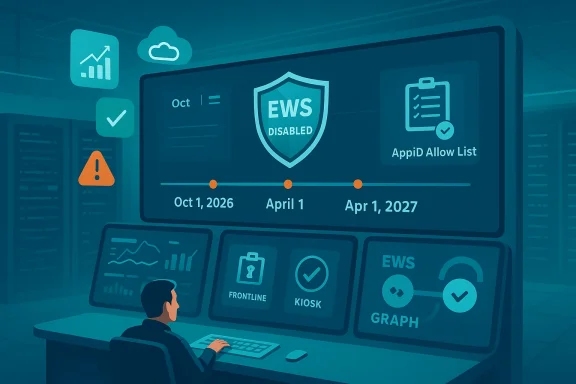
Security operations center with a large display showing EWS disabled and a timeline.Background​

Exchange Web Services (EWS) is a SOAP-based API family that has powered mailbox access, automation, and integrations since Exchange Server 2007. For many organizations it remains the backbone for third‑party connectors, in‑house scripts, multifunction-device scan-to-mail workflows, and legacy Outlook behaviors. Microsoft stopped adding features to EWS years ago and has steadily encouraged migration to modern REST APIs—most notably Microsoft Graph—as the strategic, actively developed surface for Microsoft 365. The retirement effort has been underway for several years and was accelerated by security concerns highlighted by post‑compromise incidents that exposed how broad mailbox programmatic access can be abused.
EWS in Exchange Server (on‑premises) is not part of this retirement; on‑prem installs continue to support EWS. The retirement applies only to Exchange Online (Microsoft 365)—but hybrid deployments must pay special attention because cloud mailboxes will be affected while on‑prem mailboxes willlps clients find mailbox location, but hybrid architectures introduce subtle failure modes and token/trust risks that demand test plans.

What Microsoft announced — the facts IT teams must act on now​

Microsoft published a phased, admin‑controllable plan that includes specific dates and operational controls:
  • Starting October 1, 2026: EWS will be disabled by default tenant‑by‑tenant using a tenant-levy. Tenants that have not opted in with a managed allow list will see EWS blocked as the rollout reaches them. Admins who want to keep EWS temporarily must set EWSEnabled=True and maintain an AppID Allow List for permitted service principals.
  • April 1, 2027: Microsoft will remove tenant control for EWSEnabled and permanently shut down EWS in Exchange Online. Microsoft says there will be no exceptions past this date. That shutdown is final: the EWSEnabled switch and allow lists will no longer be meaningful after April 1, 2027.
  • Earlier hardening steps already in effect: Microsoft has tightened EWSEnabled semantics (org and user flags must both be True for EWS to be allowed), and it began license-based enforcement that blocks EWS for mailboxes with only Kiosk/F1/F3 frontline SKUs. Those enforcement changes were staged through 2025–2026 and may already be producing HTTP 403 responses in some tenants.
These operational details are not optional planning guidance: they are active controls that Microsoft will use during tenant rollouts, and the deadlines are concrete. Treat them as fixed milestones when assembling migration schedules and vendor engagement plans.

The new control model: EWSEnabled and the AppID Allow List​

Understanding the new control model is essential because it defines how (and whether) legacy EWS-dependent workloads will continue to function as the rollout progresses.

EWSEnabled: three values with major operational consequences​

  • True — EWS is allowed, but only for apps explicitly listed in the tenant’s AppID Allow List.
  • False — EWS is blocked for all apps and users in theHistorically the permissive default; Microsoft will flip Null tenants to False during the October 2026 deployment unless admins proactively set True with an allow list.
If you leave EWSEnabled as Null into October 2026, Microsoft will change the value to False for you as the phased rollout reaches your tenant. If you need a temporary bridge, set EWSEnabled=True and maintain a strict AppID Allow List—preferably built from your own EWS usage inventory rather than relying on Microsoft’s auto‑population of the allow list. Microsoft plans to pre-populate an Allow List for tenants that fail to prepare by September 2026, but that auto-list may contain apps you did not intend to keep allowed.

AppID Allow List mechanics and gotchas​

  • The AppID Allow List is AppID/service‑principal based; it supersedes older EWSApplicationAccessPolicy constructs. In practice that means you must evaluate both legacy policies and the new AppID list to fully understand who has EWS access.
  • Admin tooling for managing the allow list (UI and PowerShell) is due in early 2026 — start testing those tools as they arrive and validate your allow list logic in a staging tenant.
  • Microsoft will allow temporary re‑enabpendencies) but warns of service interruptions if you flip EWSEnabled after Microsoft has disabled it in your tenant. Treat re‑enabling as a last‑resort rollback with risk.

Timeline (clear, absolute dates)​

Microsoft’s public statements include explicit dates—do not rely on relative language in internal calendars. Use these concrete dates in board-level or procurement briefings:
  • March 1, 2026 (already in motion or enacted in many tenants): License enforcement began to block EWS for mailboxes that only have frontline/Kiosk SKUs (Exchange Online Kiosk, Microsoft 365/Office 365 F1, F3). Expect HTTP 403s when these mailboxes are used by EWS clients.
  • October 1, 2026: Microsoft will start tenant-by-tenant disabling of EWS by changing EWSEnabled to False by default for tenants that did not opt in with EWSEnabled=True and a maintained Allow List. If you want to remain operational on EWS through the October rollout window, set EWSEnabled=True and populate the Allow List by the end of August 2026.
  • April 1, 2027: Final, irreversible shutdown—EWSEnabled controls are removed and EWS is permanently disabled for Exchange Online. Microsoft says there will be no exceptions. Any remaining EWS-dependent workflows must be migrated off by this date.
Use absolute dates (e.g., “April 1, 2027”) in all communications—Microsoft was explicit and unequivocal about the final cutoff.

Why Microsoft is doing this: security, scale, parity​

There are three interlocking reasons Microsoft is retiring EWS in Exchange Online:
  • Security: EWS predates modern telemetry- and OAuth-first design patterns and offers broad mailbox access patterns that have been weaponized in real incidents. Tightening and removing this legacy surface reduces potential attack vectors. The “Midnight Blizzard” class incidents highlighted that legacy access surfaces are attractive to attackers and accelerate the deprecation effort.
  • Platform consolidation: Microsoft’s roadmap centers on Microsoft Graph as the canonical API for Microsoft 365. Graph has reached near‑complete parity for the majority of EWS scenarios, and Microsoft is funneling engineering investment into Graph rather than maintaining the older SOAP surface. Consolidation simplifies engineering, telemetry, and policy enforcement.
  • Operational scale: Running multiple API surfaces with differing security and logging models is expensive and risky at the cloud scale. Removing EWS reduces platform complexity and enables more robust, centralized enforcement of conditional access, telemetry, and threat detection.
These are Microsoft’s publicly stated drivers; they have practical implications for how administrators justify migrations, license decisions, and vendor negotiations.

Who will break — the real-world impact​

If you haven’t inventoried EWS usage, assume the worst and act quickly. The most likely to fail when EWS is blocked:
  • Third‑party SaaS connectors and ISVs that still call EWS (calendar sync tools, CRM connectors, room booking systems).
  • In‑house automation and scripts that use EWS to read mailboxes, process attachments, set rules, or perform impersonation.
  • Legacy devices and embedded appliances (multifunction printers/scanners) that use EWS for scan‑to‑email flows. Many vendors have firmware updates but not all have migrated to OAuth/Graph.
  • Workarounds that used frontline or kiosk mailboxes as service accounts—those SKUs are being enforced and will start returning 403s unless re‑licensed.
Vendor readiness varies dramatically. Some enterprise ISVs and cloud services have already shipped Graph-based connectors; others are still dependent on EWS. Confirm vendor timelines and contractually protect critical integrations now.

Migration options and parity gaps​

Microsoft recommends migrating to **provides several migration aides, but expect some parity gaps that require compensating architecture.
  • Microsoft Graph: the long-term recommended API. It supports modern OAuth flows, app-only auth with certificates, webhooks (change notifications), and richer Microsoft 365 data model integration. Graph is the future-proof path—migrate heavy client and integration workloads here.
  • Exchange Online Admin API (Public Preview): Microsoft released an Admin API that maps cmdlet-style admin operations to REST endpoints. This is a practical migration path for admin automation that previously used EWS fproperty changes, folder permissions, and distribution group management. Treat it as a bridge for automation use-cases.
  • Compensations for parity gaps: Microsoft acknowledges gaps in certain advanced EWS features—examples include mailbox import/export flows, some public-folder operations, and advanced delta semantics for recurring events. For those scenarios you may need temporary hybrids: admin API bridges, PowerShell-backed microservices, or short‑term licensed service accounts until full parity arrives. Flag these workloads early and prioritize engineering effort.
When assessing parity, test end‑to‑end behavior, not just the presence of an equivalent API call. Differences in delta tokens, throttling, permissions models, and scope boundaries create practical migration work that must be scheduled and resourced.

A prioritized runbook — what to do this week, this month, and this quarter​

This runbook is pragmatic and ordered for maximum impact.
Immediate (within 7 days)
  • Run EWS usage reports in the Microsoft 365 Admin Center and export the raw inventory of calling AppIDs, service principals, and mailbox targets. Do this now; you cannot migrate what you cannot observe.
  • Pull Azure AD sign-in logs and Exchange Online audit logs for EWS call patterns; map those logs to business owners.
  • Identify any frontline/Kiosk mailboxes used as service accounts and document re‑licensing or consolidation options.
Near term (2–8 weeks)
  • Prioritize workloads by business impact and complexity. Move admin automation (Exchange Online Admin API / PowerShell) first—these deliveries are often lower risk and can immediately reduce EWS surface area.
  • Start pilot migrations of a representative integration to Microsoft Graph. Validate authentication flows, webhook behavior, and throttling patterns.
  • Engage vendors: require a committed Graph migration plan (or documen) for any vendor that is critical. Escalate procurement approvals where vendor timelines are missing.
Medium term (by end of August 2026)
  • Finaists if you must delay the migration. If a tenant wants an operational bridge through the October rollout, set EWSEnabled=True and maintain a precise allow list by the end of August 202osoft’s auto‑populated list if you need strict control. (techcommunity.microsoft.com)
Last phase (October 2026 → April 1, 2027)

Testing, monitoring and the “scream tests”​

Microsoft warned it may run short “scream tests”—brief, deliberate toggles of EWS to expose hidden dependencies. These tests e undocumented apps and workflows that will fail when EWS is disabled. Treat any transient EWS outage as a signal to investigate immediately; Microsoft says it will provide more information about these tests, but admins must assume a zero-tolerance posture for untracked dependencies. Maintain a clear rollback and incident plan, and instrument your monitoring to detect EWS-related 403s, throttles, and authentication failures.

Licensing and cost considerations​

The license enforcement that began in 2026 is a reminder: using frontline/Kiosk SKUs as cheap service accounts is no longer viable. For mailboxes that legitimately need EWS (through the migration period), you have three pragmatic options:
  • Reassign a license with EWS rights (1/2 or Microsoft 365 E3/E5). This increases licensing cost but restores EWS access to the mailbox.
  • Consolidate programmatic duties onto a small set of fully licensed service accounts, secured and monitored tightly. This reduces pervasive licensing but introduces single‑point risks that must be mitigated.
  • Accelerate migration to Graph or Admin API—often the cheaper long-term option if you can resource the engineering work.
Procurement and compliance should be looped into license changes immediately; auditors will expect documented business justification for any license assigned purely to preserv

Vendor and device checklist​

  • Inventory every vendor that integrates with Exchange mailboxes. Get written timelines for Graph support.
  • For embedded devices (MFPs), confirm firmware that supports OAuth/SMTP or vendor-supplied Graph bridges. If none exists, plan replacement or reconfiguration to alternate mail paths.
  • For SaaS vendors, demand contractual commitments with migration dates; evaluate backup or replacement options for any vendor that will not support Graph by Q1 2027.

Risk analysis — what can go wrong, and how to mitigate it​

Major risks:
  • Undiscovered dependencies that cause business‑critical failures during tenant rollouts or scream tests. Mitigation: exhaustive telemetry, canary groups, and rapid rollback playbooks.
  • Vendor readiness gaps causing prolonged outages for calendar sync or room scheduling. Mitigation: vendor escalation, replacement, or intermediary translation services.
  • Licensing shock from re‑licensing mass mailboxes to retain EWS. Mitigation: consolidate service accounts, target only business‑critical mailboxes for temporary re‑licensing.
Treat the Allow List and EWSEnabled=True as temporary compensating controls only; architect a path off EWS as the primary mitigation.

Bottom line and recommended executive briefing​

Microsoft’s timeline is concrete: October 1, 2026 (tenant disablement starts) and April 1, 2027 (final shutdown). This is not a vague “sunsetting” exercise—these are active platform controls that will be enforced tenant-by-tenant. The practical consequence is simple and urgent: if you rely on EWS in Exchange Online, you must inventory, prioritize, and begin migration work now. Use Microsoft’s EWS usage reports, the EWS Analyzer and Admin API preview as tactical aids, and require vendor commitments for Graph support. Relying on license workarounds or Microsoft’s temporary allow-listing is a short-term measure; the final shutdown is absolute.
Plan resources accordingly: allocate engineering time for Graph migrations, budget potential re‑licensing for critical bridging accounts, and prepare a rapid incident response plan for scream tests or tenant rollouts. The clock is real; the consequences for ignoring it are operational outages, compliance headaches, and emergency procurement.

Microsoft provided the dates and technical controls directly and has backed them with admin tooling and messaging (Message Center posts and Exchange Team guidance). That combination—clear dates, new tenant-level enforcement, license hardening, and the threat of temporary tests—changes EWS from a tolerated legacy surface into a critical migration priority for 2026–2027. Act now, document everything, and use the allow‑list only as a short, audited bridge while you migrate to Microsoft Graph and modern admin APIs.
Conclusion
EWS has served enterprise automation for nearly two decades, but cloud-scale security and engineering realities mean its time in Exchange Online is ending. The path Microsoft published gives administrators a clear, if tight, runway. The practical work—inventory, vendor management, pilot migrations, and governance—will determine who crosses the finish line without disruption. Prioritize discovery and remediation first; rely on AppID allow lists only as a temporary fallback; and set a hard internal deadline well in advance of April 1, 2027. The platform will be off after that date—plan accordingly.

Source: theregister.com Microsoft sets Exchange Web Services shutdown dates
 

Microsoft has set hard dates: Exchange Web Services (EWS) in Exchange Online will be disabled by default starting October 1, 2026, and will be permanently and irrevocably shut down on April 1, 2027 — leaving organizations no choice but to migrate active EWS integrations to Microsoft Graph (or acceptable alternatives) well before the final cutoff. (techcommunity.microsoft.com)

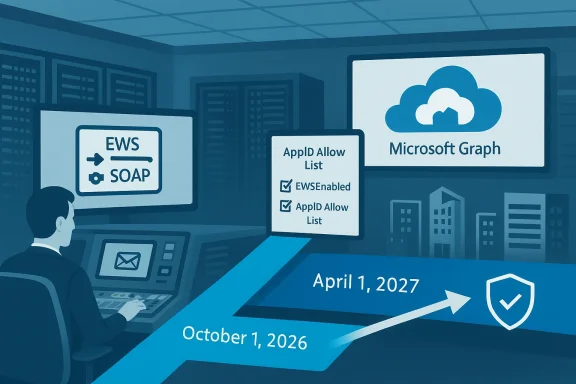
Blue-toned data-center desk shows EWS/SOAP, AppID Allow List, and Microsoft Graph.Background​

EWS is a SOAP-based API surface that has powered mailbox access, calendar and contact sync, backups, device integrations, and countless line-of-business tools for nearly two decades. Microsoft declared in 2018 that EWS would no longer receive new features and has been encouraging migration to the modern Microsoft Graph API ever since. In 2023 Microsoft began to firm up a retirement timeline for Exchange Online, and in early 2026 the Exchange team published an explicit, admin-controllable disablement plan that culminates in the April 1, 2027 permanent shutdown. (devblogs.microsoft.com)
The push to remove EWS accelerated after high-profile security incidents (notably the Midnight Blizzard compromises that exposed how legacy access surfaces can be abused), and Microsoft says retiring EWS reduces legacy attack surface while aligning engineering investment on Microsoft Graph. The company also points to near‑complete parity between Graph and EWS for the majority of common scenarios — while acknowledging *remainiust be tracked and mitigated during migration planning. (techcommunity.microsoft.com)

What Microsoft announced — the timeline and the controls​

Microsoft’s retirement plan is explicit and procedural. The key dates and behavioral rules admins must treat as fixed are:
  • Preparation: Admins should begin inventory and migration planning immediately; Microsoft provides usage reports, analyzer tools and migration tutorials to help. (techcommunity.microsoft.com)
  • October 1, 2026: Microsoft will start tenant‑by‑tenant disablement. The tenant-level EWSEnabled property will be changed to False for tenants that have not proactively set EWSEnabled=True and created an AppID Allow List. If a tenant’s EWSEnabled is Null on rollout, Microsoft will flip it to False (blocking EWS). (techcommunity.microsoft.com)
  • ration window): Microsoft will pre-populate AppID Allow Lists for tenants that have not built their own, based on observed tenant usage; however, pre-population may include apps you didn’t intend to keep, so Microsoft strongly recommends creating your own allow lists. (techcommunity.microsoft.com)
  • End of August 2026: If you want to avoid having EWSEnabled auto-set to False during the October rollout, create your AppID Allow List and set EWSEnabled=True by the end of August 2026. (techcommunity.microsoft.com)
  • April 1, 2027: Final, irreversible shutdown. Microsoft will remove tenant control over EWSEnabled and EWS access will be permanently disabled for Exchange Online — no exceptions. (techcommunity.microsoft.com)
These mechanics are not optional administrative guidance — they’re active platform controls that will be enforced tenant-by-tenant during the rollout. Treat these dates as immutable deadlines for operational planning.

How the EWSEnabled/AppID Allow List model works (short technical primer)​

Microsoft uses a tenant-level property named EWSEnabled thes:
  • True — EWS is allowed in that tenant, but after October 1, 2026 only applications explicitly in the AppID Allow List will be permitted to use EWS. Admins must maintain the allow list. (techcommunity.microsoft.com)
  • False — EWS is blocked for all apps and users. (techcommunity.microsoft.com)
  • Null — Historically the permissive default. On the October 2026 rollout Microsoft will flip Null tenants to False (blocking EWS) unless the tenant has proactively set EWSEnabled=True and populated an allow list. (techcommunity.microsoft.com)
The new AppID Allow List is service principal / AppID-based; it supersedes older policies such as EWSApplicationAccessPolicy, and an app must satisfy both checks where both apply. Microsoft plans to provide UI and PowerShell tools (and baseline security mode integration) to manage AppID allow lists. (techcommunity.microsoft.com)

Why Microsoft is pulling EWS: security, scale, and consolidation​

Three interlocking drivers explain the retirement decision:
  • Security — EWS predates modern OAuth-first patterns and telemetry-driven controls. Broad programmatic mailbox access has been repeatedly identified as an exploitable vector in post‑compromise exfiltration chains. Microsoft cites recent compromises as accelerating the urgency to remove this legacy surface.
  • Operational scale & reliability — Maintaining multiple API surfaces increases engineering and telemetry complexity at cloud scale. Consolidating on Microsoft Graph simplifies logging, conditional access enforcement, and global security operations. (devblogs.microsoft.com)
  • Platform parity and engineering focus — Microsoft Graph is the actively developed, modern API surface for Microsoft 365. For a large majority of customer scenarios Graph now provides near‑complete parity and richer capabilities, making continued investment in EWS impractical. Microsoft has published parity-roadmap guidance and migration tooling to close the remaining gaps.

Who will break — common real-world impact scenarios​

If you manage an Exchange Online tenant, assume EWS-dependent workloads exist and classify them urgently. Typical breakage candidates include:
  • Third‑party SaaS connectors and integrations (CRM sync, calendar/email sync tools, backup and archiving vendors) that still call EWS.
  • In‑house or legacy scripts and automation that read or manipulate mailboxes via EWS.
  • Multifunction printers, imaging devices, scanners and embedded appliances that use EWS for scan‑to‑email workflows.
  • Line-of-business or vertical applications (ticketing, room scheduling, facilities/booking systems) that rely on EWS for delegated mailbox access.
  • Automation that uses frontline/Kiosk (F1/F3) mailboxes as inexpensive service accounts — Microsoft tightened license enforcement in 2026 and such mailboxes may already receive HTTP 403 responses. (techcommunity.microsoft.com)
Hybrid environments also need careful testing: on‑premises Exchange Server continues to support EWS, but cloud mailboxes in hybrid tenants must use Graph; Autodiscover will route apps to the correct mailbox location but hybrid lifecycles introduce subtle failures that require validation. (techcommunity.microsoft.com)

Migration options — recommended long-term paths​

Microsoft and the ecosystem offer multiple migration paths. Choose the path that best fits the workload profile.
  • Microsoft Graph (recommended long-term)
  • Modern OAuth 2.0 flows, app‑only auth via certificates or client secrets.
  • Webhooks (change notifications), richer M365 data model, unified cross‑service capabilities.
  • Ideal for cntegrations, calendar and contact operations, and new feature adoption.
  • Exchange Online Admin API (public preview / bridge)
  • Cmdlet‑style REST endpoints that mirror common administrative cmdlets (Get‑Mailbox, MailboxFolderPermission, etc.).
  • Helpful for migrating management automation and scripts that historically relied on EWS. Treat it as a consolidating long-term automation on Graph + PowerShell.
  • Power Platform / Low-code options
  • For some LOB scenarios, Power Platform solutions or connectors can replace custom EWS automation with lower engineering cost. Validate parity and scale before committing.
  • Copilot Declarative Agents
  • Emerging option for certain automation swhere appropriate and supported.
In short: Graph is the future; Admin API and Power Platform can be interim or permanent alternatives depending on workload. For truly unsupported EWS features, plan compensatinservices that mediate content import/export, short‑term licensed bridging accounts, or vendor replacement).

Parity gaps and practical caveats to plan for now​

Microsoft openly documents remaining EWS-to-Graph parity gaps. Common areas requiring special attention include:
  • Archive mailbox access and some mailbox import/export workflows. (devblogs.microsoft.com)
  • Public folders — Microsoft is reviewinn certain public-folder scenarios; vendors and customers must engage Microsoft if dependent on public folders. (m)
  • Advanced delta semantics (recurring event deltas and pull subscriptions) — some synchronization semantics differ between EWS and Graph and may require rewoft.com](Retirement of Exchange Web Services in Exchange Online - Microsoft 365 Developer Blog))
  • Creating mail from raw MIME with MAPI extended properties — Graph’s recommended imports differ and some patterns are not yet supported in the same way as EWS. Expect to re-architect certain inbound mail workflows. (techcommunity.microsoft.com)
Treat parity gaps as a planning input, not an immovable blocker. Most enterprise workloads can be migrated today with an engineering investment; Microsofted migration tutorials and code analyzer tooling to accelerate refactoring for in-house code.

Practical runbook — what to do this week, this month, and this quarter​

This is a prioritized, tactical runbook you can execute immediately.
  • Immediate (this week)
  • Run the EWS Usage Report in the Microsoft 365 admin center and export a raw inventory of calling AppIDs, service principals and mailbox targets. You cannot migrate what you cannot observe. (techcommunity.microsoft.com)
  • Pull Azure AD sign-in logs and Exchange audit logs for EWS call patterns and map each AppID to an owner or vendor.
  • Near term (30–90 days)
  • Prioritize by business impact: min and management scripts first (Admin API / PowerShell replacements).
  • Start pilot migrations of a representative integration to Graph; validate authentication flows, scopes, throttling and webhooks.
  • Engage vendors: require a documented Graph migration path and timeline. Escalate procurement for any vendor who won't commit.
  • Medium term (by end of August 2026)
  • If you absolutely must kugh the October rollout, create a precise AppID Allow List and set EWSEnabled=True before the end of August 2026. Do not rely on Microsoft’s auto-populated list alone. (techcommunity.microsoft.com)
  • Final phase (October 2026 → April 1, 2027)
  • Use October’s rollout as a hard canary; be prepared for “scream tests” and transient outages as Microsoft tightens enforcement. Have a tested rollback and incident plan (timed PowerShell re-enablement is possible but risky). Move remaining workloads to Graph or approved alternatives and remove temporary allow list entries as migrations complete. (techcommunity.microsoft.com)
Operational checklist:
  • Inventory every vendor that touches mailboxes; demand written timelines for Graph support.
  • Identify multifunction devices using EWS for scan-to-mail; test vendor firmware for OAuth/Graph support or plan replacemy frontline/Kiosk mailboxes used for automation and budget license remediation where necessary.

Technical migration notes and gotchas​

  • Authentication: Move to OAuth 2.0 app-only patterns with certificate-based authentication where possible, and implement strict key/certificate rotation and monitoring. This is both more secure and compatible with Graph.
  • Impersonation vs app-only: Many EWS scenarios used impersonation; map impersonation use-cases to Graph scopes or Admin API equivalents and test end-to-end. Microsoft has deprecated some legacy impersonation flowsom])
  • Throttling and delta tokens: Graph throttling behavior and delta semantics differ from EWS. Test at scale: synchronization code that assumes EWS delta semantics may need redesign.
    -date SIEM ingestion to capture Graph and Admin API telemetry; decommission legacy EWS logging patterns only after retention and compliance workflows are validated.

Vendor and procurement playbook — demand commitments now​

Practical vendor moves you should take:
  • Push vendors for a documented Graph migration plan with dates and test milestones.
  • Require contractual commitments or transitional SLAs for mission-critical integrations that still use EWS.
  • For ISVs that won't migrate in time, evaluate replacement vendors or plan an intermediary translationGraph on one side and proxies EWS-like interactions on the other (a temporary but auditable bridge).
  • For hardware vendors (MFPs, scanners), confirm firmware supporting OAuth/Graph or prepare to replace devices ahead of October 2026.

Risk analysis — what can go wrong and how to mitigate it​

Major risks:
  • Undiscovered dependencies causing business-critical failures during tenant rollouts or "scream tests". Mitigation: exhaustive telemetry, canary groups, and rapid rollback playbooks.
  • Vendor readiness gaps that prolong outages for calendars, backups or room scheduling. Mitigation: vendor escalation, replacement, or intermediary translation platforms.
  • Licensing shock from re‑licensing frontline mailboxes to retain EWS access temporarily. Mitigation: consolidate automation onto a few fully-licensed service accounts and prioritize mission-critical mailboxes for bridging licenses.
Treat any temporary allow‑list or EWSEnabled=True setting as a strictly time‑boxed compensating control, not a permanent solution. The April 1, 2027 final cutoff is absolute. (techcommunity.microsoft.com)

What to tell your executive and compliance stakeholders​

  • Dates: Communicate the two immovable dates — October 1, 2026 (tenant disablement begins) and April 1, 2027 (final shutdown) — and the August 2026 configuration window for proactive allow list creation. Use these exact, absolute dates in board and procurement materials. (techcommunity.microsoft.com)
  • Impact: Present an asset‑level risk map (vendor integrations, devices, in-house scripts, service accounts) and the prioritized migration runway described above.
  • Cost: Highlight potential license remediation costs, engineering effort for replatforming, and vendor procurement risk as line items in the migration budget.
  • Recovery posture: Document incident response plans for scream tests and tenant rollouts, including a small, auditable set of fully‑licensed service accounts you can re-enable quickly if a critical path fails.

The bottom line — a concise, actionable summary​

Microsoft’s EWS retirement for Exchange Online is real, scheduled, and uncompromising: start inventories today, migrate critical automation to Microsoft Graph (or Admin API / Power Platform where suitable), and treat the AppID Allow List and EWSEnabled=True as temporary bridges only. Use the admin tooling and migration helpers Microsoft has published, demand Graph timelines from vendors, and plan for license and device remediation now — the October 1, 2026 and April 1, 2027 dates are not negotiable. (techcommunity.microsoft.com)
If you haven’t run the EWS usage reports or pulled the EWS Analyzer output for your tenant, make that your first task today. Time is the single scarcest resource here — and the engineering, licensing, and procurement work required to survive this change most often takes longer than teams expect.

Conclusion
The migration off EWS is a platform-level inflection point: security-driven, operationally consequential, and legislated with fixed deadlines. For administrators and architects, success is straightforward to describe though hard to execute — inventory comprehensively, migrate in prioritized waves, hold vendors accountable, and treat temporary allow lists as short-term safety nets. Do that now and you will avoid the emergency scramble that has already surprised organizations that delayed planning in prior Microsoft retirements. (techcommunity.microsoft.com)

Source: Computerworld After years of warnings, Microsoft is finally pulling the plug on EWS
 

Microsoft has put a firm deadline on the end of Exchange Web Services (EWS) in Exchange Online: tenant-by-tenant disablement begins October 1, 2026, and EWS will be permanently removed from Exchange Online on April 1, 2027 — a hard stop Microsoft says will admit no exceptions. o

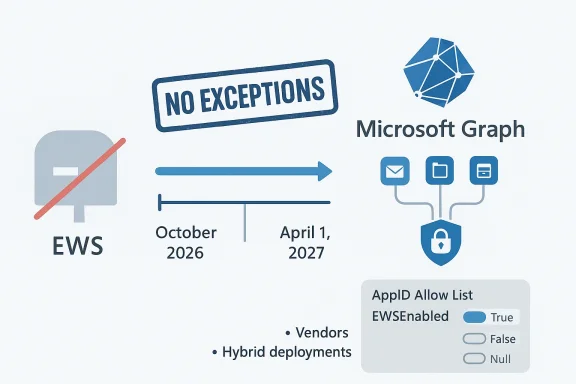
EWS deprecation with no exceptions; migrate to Microsoft Graph by April 1, 2027.Background​

Exchange Web Services (EWS) has been a workhorse of the Exchange ecosystem since Exchange Server 2007, powering everything from third‑party backup and archiving tools to multifunction‑device scan‑to‑email workflows, homegrown automation scripts, and legacy Outlook integrations. Over the last several years Microsoft has been steering developers and customers toward the modern Microsoft Graph API, arguing that Grure, scalable, and actively developed platform for mailbox and Microsoft 365 data access.
Microsoft’s recent announcements make the timeline explicit and operationally urgent: starting October 1, 2026, Exchange Online tenants that have not proactively configured EWS settings wily default, and all EWS access to Exchange Online will be permanently removed on April 1, 2027. These dates are absolute milestones for cloud tenants and require immediate planning.

What’s changing — the timeline and control mechanics​

Microsoft published a phased, admin‑controllable deprecation plan with specific controls and key dates. The most important operational facts to internalize are:
  • October 1, 2026 — Microsoft will begin tenant‑by‑tenant disablement of EWS in Exchange Online. Any tenant that still has EWS settings left at the permissive default risks automatic blocking.
  • End of August 2026 — administrators who expect to need EWS during the transition should have setcreated an AppID allow list by this deadline to avoid being included in the initial automatic block.
  • October 2026 – March 2027 — a transition window where tenants can use the AppID allow list and other temporary controls to keep selected apps working while migrations proceed. Microsoft may run short “scream tests” to expose hidden dependencies.
  • April 1, 2027 — final, irreversible shutdown: EWS access for Exchange Online is removed and tenant controls will be retired. Microsoft has stated there will be no exceptions beyond this date.
These dates and mechanics are not guidance; they are platform behavior that will be enforced at scale. Multiple Microsoft communications (TechCommunity blog posts and Message Center notices) confirm the same schedule and the same administrative controls.

The EWSEnabled property and AppID allow list — how the controls work​

Microsoft’s disablement model revolves around a tenant‑level property named EWSEnabled, which supports three possible values:
  • True — EWS is aller 1, 2026 only applications explicitly listed in the tenant’s AppID Allow List may use EWS.
  • False — EWS is blocked for the tenant.
  • Null — Historically the permissive default that allowed EWS broadly; Microsoft will flip Null tenants to False during the October 2026 rollout unless the tenant has proactively set EWSEnabled=True and prepared an allow list.
The AppID Allow List is application/service principal based — it identifies which registered apps can continue calling EWS. Microsoft will provide management tooling for the allow list (UI and PowerShell) and has said it will pre‑populate an allow list for tenants that do not create their own before September 2026, derived from observed usage. Administrators should not rely on Microsoft’s auto‑population when precise control is required.o

Why Microsoft is retiring EWS​

Microsoft’s rationale is straightforward and threefold:
  • Security: EWS predates modern authentication (OAuth) and telemetry-first designs. Broad programmatic mailbox access expands the attack surface that adversaries can exploit. Microsoft points to recent cloud security incidents when urging the removal of legacy surfaces.
  • Scale and operational simplicity: Maintaining multiple API surfaces with inconsistent logging, policy enforcement, and telemetry is expensive and error prone at cloud scale. Consolidating on Microsoft Graph simplifies enfoditional access, monitoring, and incident response.
  • Product focus and parity: Microsoft Graph now covers the majority of common EWS scenarios and is the actively developed API for Microsoft 365. Investment priorities lie with Graph; keeping EWS increases technical debt and splits engineering effort.
These reasons reflect platform engineering priorities and risk management at cloud scale. For administrators, the upshot is that the loss of EWS is strategic and final for Exchange Online — not merely a compatibility advisory.

Who will break and where hidden dependencies live​

The surface area of systems that still rely on EWS is large and often invisible to modern asset inventories. Typical breakpoints include:
  • Third‑party vendors: backup, compliance, and archiving tools that pull mailbox data via EWS.
  • Multifunction devices and print‑scan workflows that use SMTP and EWS for delivery or logging.
  • Line‑of‑business (LOB) applications and integrations built on EWS authentication and impersonation models.
  • Long‑running automation scripts and on‑prem scheduled jobs that call EWS directly.
  • Legacy Outlook behaviors, add‑ins, and some mail‑migration utilities.
If you assume “we probably don’t use EWS anymore,” you are taking the riskiest path. Microsoft’s own EWS usage report in the Microsoft 365 admin center — shipped to help administrators identify active call sources — is the essential starting point for discovery. Use it.
Caveat on hybrid systems: EWS retirement affects Exchange Online only. On‑premises Exchange Server continues to support EWS. But hybrid topologies are not immune: cloud mailboxes will stop working with EWS integrations while on‑prem mailboxes will not, producing asymmetric behavior and subtle failures in routing, token handling. Hybrid customers must explicitly test and plan.

Migration paths and technical options​

There are three practical migration paths most organizations will consider:
  • Migrate applications to Microsoft Graph, the recommended long‑term solution. Graph supports modern OAuth2 authentication, more granular scopes, and better alignment with Microsoft 365 governance controls.
  • For specific scenarios, evaluate vendor updates: many ISVs have already published Graph‑based versions or migration guides.
  • Short‑term lifeboat: use the EWSEnabled=True + AppID Allow List pattern to permit a limited set of apps to continue using EWS while you complete migrations. This is explicitly temporary and should be chcommunity.micro

Microsoft Grs​

Microsoft claims near‑complete parity for the majority of EWS scenarios, but parity is not absolute. Messaging, calendar, and basic mailbox operations are covered well; more niche behaviors (certain calendar intricacies, delegated impersonation patterns, and SOAP‑specific interactions) may require refactoring. When assessing parity:
  • Verify the exact Graph endpoints and permissions required.
  • Benchmark latency and throttling behavior under your real workloads.
  • Test authentication flows (delegated vs. app‑only) and consent models for service principals.
Where Graph lacks direct parity, you must either (a) refactor the workflow to fit Graph’s model, (b) negotiate with your vendor for a Graph‑capable release, or (c) replace the third‑party solution.
ioritized runbook for admins (what to do now)
Time is limited. Below is a prioritized operational plan you can adopt immediately.
  • Inventory: Run the EWS usage repor admin center. Document every application/service principal, IPs, and call patterns. Use Microsoft’s published scripts if you need programmatic output.
  • Vendor engagement: For each third‑party product identified, contact vendors to confirm Graph support and the vendor’s migration timeline. Don’t assume vendors will automatically migrate older customers.
  • Categorize apps by risk: classify workloads as Critical, Important, or Low‑impact. Prioritize Critical workloads for migration or approved allow‑list treatment.
  • Build a migration schedule: work backwards from April 1, 2027. Plan buffer time for testing and rollback. Remember October 1, 2026 is a significant milestone that may cause immediate service interruption if you haven’t prepared.
  • Prepare the AppID allow list only if absolutely necessary: if you cannot complete migration before the October 2026 roll, set EWSEnabled=True and populate an AppID allow list 2026** to avoid automatic blocking. Treat this as a bridge, not a permanent fix.
  • Test hybrid behaviors: if you run a hybrid deployment, build end‑to‑end tests that exercise cloud mailboxes and on‑prem mailboxes under your integration patterns. Look for token, discovery, and routing failures.
  • Communicate: raise the retirement as an executive‑level risk with dates and potential bde procurement and vendor management in the discussion.

Configuring the short‑term bridge: EWSEnabled and AppID allow lists​

If you must keep EWS working past October 1, 2026 while you migrate, do the following early and methodically:
  • Create an inventory of all service principals and AppIDs that currently call EWS. Prefer your own data over Microsoft’s pre‑population.
  • Use the new admin tooling (UI or PowerShell) to create an AppID allow list and add only the minimal set of AppIDs necessary.
  • Set EWSEnabled=True at the tenant level. Validate access from each allowed app and monitor call volumes.
  • Keep the allow list tightly controlled and document why each app is allowed, who owns it, and the migration plan for that workload.
Warnings and operational gotchas:
  • Microsoft plans tlists in September 2026 for tenants that fail to prepare; pre‑populated lists may contain apps you did not explicitly approve. If precise control matters, create your own list.
  • Re‑enabling EWS after Microsoft has disabled it can cause service interruption; rely on pre‑emptive configuration rather than on‑the‑fly remediation during rollout.

Risk mitigation: testing, monitoring, and communication​

  • Run scream tests in your own staging environment: simulate EWS unavailability for short windows, exercise dependent workflows, and evaluate alerting and rollback strategies. Microsoft may also run such tests at scale to surface hidden dependencies.
  • Instrument telemetry: capture errors, failed authentication attempts, and ied to EWS endpoints. Feed these signals into your incident response and change management processes.
  • Use phased deployments: migrate a small set of non‑critical mailboxes or apps first; validate Graph permissions and throttling behavior before wider rollouts.
  • Document business impacts: for any allowed EWS client, require a documented migration plan with dates and owners as a condition of continued allowance.

Vendor and procurement considerations​

  • Expect vendors to push Graph‑based updates — demand concrete timelines and test builds. If a vendor cannot commit, insist on a migration map or prepare to replace the product.
  • For SaaS providers that rely on EWS, request a support statement and transition timeline. If the vendor intends to rely on customers’ allow lists as a workaround, treat that as a temporary compatibility risk rather than a solution.
  • Reframe vendor conversations around security, compliance, and continuity. EWS removal is an operational leverage point: if a product cannot modernize, you must evaluate replacement risk.

Technical appendix — concise reference (for engineering teams)​

  • EWSEnabled values:
  • True = EWS allowed for tenant, but after Oct 1, 2026 only for AppID allow‑listed apps.
  • False = EWS blocked.
  • Null = Historically permissive; Microsoft will flip Null tenants to False during the October 2026 rollout.
  • Important admin artifacts:
  • AppID Allow List (service principal / AppID‑based).
  • EWS usage report in Microsoft 365 admin center (rolled out in 2025 to aid discovery).
  • Message Center notices and tenant‑specific Message Center posts — Microsoft will deliver targeted notices to tenants.
  • Licensing enforcement note: Microsoft has tightened license‑level restrictions that can block EWS for mailboxes assigned to frontline/Kiosk SKUs; review your license assignments for impacted accounts. (If you see HTTP 403 responses for EWS calls, license enforcement may be the cause.)

Strategic considerations and long‑term impact​

  • Security posture improvement: Removing EWS from Exchange Online reduces legacy attack surface and enables consistent, OAuth‑based conditional access and telemetry via Microsoft Graph.
  • Engineering convergence: Consolidating on Graph should simplify automation and incident response across Microsoft 365 services.
  • Ecosystem churn: Expect vendor consolidation and an accelerated cycle of product modernization; some smaller or deeply legacy vendors may exit or be replaced.
  • Operational cost: Migration carries project and testing costs. However, staying on EWS via allow lists merely delays the inevitable and increases cumulative technical debt.

What we could not independently verify (and why it matters)​

Some community narratives reference specific post‑comprominal Microsoft codenames that accelerated the retirement timeline. While Microsoft explicitly cites security incidents and engineering priorities as drivers, linking the retirement to a single named incident (variously reported in community threads) is not essential to the operational response — but it is politically and technically sensitive. Treat such named incident claims as contextual color rather than determinative fact unless confirmed by multiple primary sources. Where we relied on official Microsoft communications and tenant Message Center postings, those claims are verifiable and cited.

Quick checklist for the next 30, 90, and 180 days​

  • Next 30 days:
  • Run the EWS usage report and export inventories.
  • Reach out to high‑risk vendors and request Graph migration timelines.
  • Add EWS deprecation to executive risk registers and procurement reviews.
  • Next 90 days:
  • Prioritize migrations for Critical workloads and start refactoring or vendor upgrades.
  • If you must rely on EWS temporarily, build and validate an AppID allow list and set EWSEnabled=True before the suggested August 2026 cutoff.
  • Run staged scream tests in test tenants.
  • Next 180 days:
  • Complete critical migrations or implement replacement products.
  • Rehearse final shutdown scenarios and finalize incident response playbooks for April 1, 2027.
  • Remove lingering EWS‑dependent processes as part of regular configuration hygiene.

Conclusion​

Microsoft’s announcement makes clear that EWS in Exchange Online is on a one‑way trajectory: the platform begins tenant‑level disablement on October 1, 2026, and is permanently shut down on April 1, 2027. These are fixed dates that administrators must treat as deadlines, not suggestions. The only pragmatic paths forward are aggressive discovery, prioritized migration to Microsoft Graph (or vendor replacement), and, where necessary, tightly controlled short‑term use of the AppID allow list as a bridge to migration. Ignoring the timeline or relying on temporary workarounds as a long‑term strategy is a recipe for sudden outages and operational pain; the time to act is now.

Source: Petri IT Knowledgebase Microsoft Counts Down to the End of Exchange Web Services
 

Microsoft has set firm, non‑negotiable deadlines for the end of Exchange Web Services (EWS) in Exchange Online — tenant‑by‑tenant disablement begins on October 1, 2026, and EWS will be permanently and irrevocably removed on April 1, 2027 — and organizations that still rely on EWS have a narrow, concrete runway to inventory, protect, and migrate critical integrations.

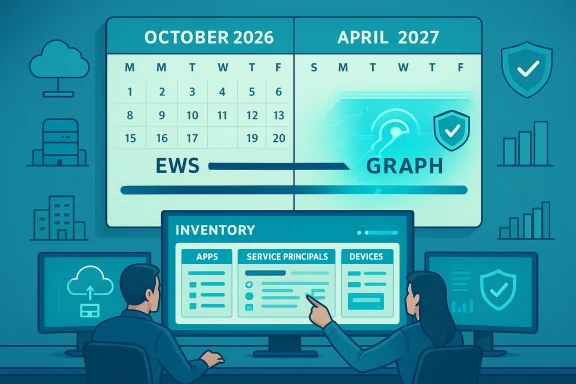
Two analysts monitor inventory, calendars, and graphs on a large dashboard.Background​

Exchange Web Services (EWS) arrived more than a decade and a half ago as a SOAP‑based API surface for Exchange, enabling mailbox access for mail clients, calendaring, contacts, backups, multifunction devices, and countless line‑of‑business integrations. Microsoft stopped feature development on EWS in 2018 and has been nudging developers toward the modern Microsoft Graph API since then. The retirement now has explicit operational mechanics and final dates that make this more than a round of friendly advice: this is a platform removal with fixed deadlines.
EWS’s longevity is why it is deeply embedded in many technology stacks — everything from third‑party archival and backup systems to embedded devices that scan to email, to in‑house automation scripts built around SOAP calls. That depth of usage is precisely what raises the stakes: the surface area of affected systems is broad, frequently decentralized, and often poorly inventoried. Independent coverage from multiple trade outlets underscores the immediate urgency for administrators to act.

What Microsoft announced — timeline and mechanics​

Key dates and the disablement model​

Microsoft published a three‑step, admin‑controllable disablement plan for EWS in Exchange Online that administrators must treat as hard deadlines:
  • October 1, 2026 — tenant‑by‑tenant disablement begins. Microsoft will start changing tenant controls and blocking EWS depending on the tenant’s configuration.
  • April 1, 2027 — final, permanent shutdown. EWS access in Exchange Online will be removed and the tenant control (EWSEnabled) will be retired; Microsoft states there will be no exceptions.
These dates apply to Microsoft 365/Exchange Online only; on‑premises Exchange Server continues to support EWS and is not part of this retirement. Hybrid deployments must plan carefully because cloud mailboxes will be affected while on‑premises mailboxes will not.

The EWSEnabled property and AppID Allow List​

Microsoft’s operational control hinges on a tenant‑level property called EWSEnabled, which has three valid values:
  • True — EWS remains allowed, but only service principals (AppIDs) explicitly listed in the tenant’s AppID Allow List may use it.
  • False — EWS calls are blocked for the tenant.
  • Null — The historically permissive default that allows EWS; Microsoft will flip tenants left as Null to False during the October 1, 2026 rollout unless administrators proactively opt into the True+AllowList path.
A management feature for the AppID Allow List is being released ahead of the October 2026 rollout; Microsoft has signaled an early‑2026 availability for admin tooling and will pre‑populate allow lists for tenants that do not create one themselves (based on observed usage) in September 2026. Because that pre‑population may include apps you would not intentionally keep, Microsoft explicitly recommends that tenant admins create and maintain their own lists.

Operational caveats: automatic flips and “scream tests”​

If a tenant leaves EWSEnabled set to Null on October 1, 2026, Microsoft will automatically change it to False — effectively blocking EWS for that tenant. Tenants that want short‑term continuance can avoid this automatic flip only by setting EWSEnabled to True and creating a validated AppID Allow List before the end of August 2026. After October’s staged rollout, tenants can temporarily re‑enable EWS, but that will cause service interruption and is not a long‑term solution. Microsoft has also warned it may run short, targeted “scream tests” — temporary switches off for EWS — to reveal missed dependencies before the final shutdown.

Who is affected — the real operational surface​

The set of affected parties is large and diverse. Expect impacts in these areas:
  • Third‑party backup/archiving solutions that use EWS to read mailbox contents for retention and recovery.
  • Line‑of‑business applications and middleware that perform automated mailbox actions (auto‑forwarding, mailbox rules, scheduled dumps).
  • Multifunction devices and MFPs that use EWS to send scanned documents as email.
  • Homegrown scripts and automation (PowerShell and other clients) that make EWS SOAP calls for mailbox management.
  • Vendor SaaS connectors and legacy integrations that have not migrated to Microsoft Graph or other modern APIs.
Because many organizations rely on vendor‑provided integrations, the migration requirement often includes procurement and licensing work — not just code changes. Coverage in the community and trade press stresses that the migration window frequently uncovers hidden contracts, unsupported product versions, and vendor roadmaps that don’t match Microsoft’s timetable.

Why Microsoft is doing this — security, scalability, and consolidation​

Microsoft frames the retirement as a security and platform modernization decision. EWS was designed before today’s OAuth‑centric identity models and telemetry‑driven security postures. By consolidating development and investment on Microsoft Graph — an actively developed, OAuth‑first API surface — Microsoft can reduce legacy attack surface and simplify platform behavior for tenants and partners.
Microsoft asserts that Microsoft Graph now offers near‑complete parity with EWS for the majority of common scenarios, and it has published migration guidance and tooling t the move. Independent outlets echo this narrative while noting exceptions where parity is incomplete or migration is non‑trivial. Treat the “parity” claim as a practical guideline with caveats: for many workloads Graph is a direct replacement, but specific advanced EWS features or obscure SOAP calls may still require re‑engineering.

Practical migration strategy — a prioritized runbook​

Administrators facing this timeline need a pragmatic, prioritized plan. Below is a battle‑tested runbook that folds in Microsoft’s guidance and community lessons.

1. Immediate inventory (Days 0–14)​

  • Run EWS usage reports in the Microsoft 365 admin center and collect tenant usage data. Use the published scripts and analyzer tools Microsoft provides to identify active EWS callers.
  • Produce an asset‑level inventory: list vendors, service accounts, service principals (AppIDs), multifunction devices, and internal automation that access Exchange maude contact/contract owners for each item.
This is the highest‑leverage activity. In many organizations, inventory and discovery take longer than the code migrations themselves.

2. Risk triage and prioritization (Weeks 1–4)​

  • Rank integrations by business criticality (customer‑facing, compliance, backup/recovery).
  • Identify “single points of failure” — systems with no easy alternative (for example, a vendor that only supports EWS).
  • Confirm whether on‑premises Exchange Server is in use and which mailboxes live in the cloud vs on‑prem. Hybrid topologies require special attention because only cloud mailboxes will lose EWS.

3. Short‑term containment (Weeks 2–8)​

  • If a small number of critical apps cannot be migrated by August 2026, set EWSEnabled=True and build a minimal AppID Allow List before the end of August 2026. This avoids the automatic flip to False on October 1. However, treat the Allow List as a temporary bridge only — Microsoft’s April 1, 2027 cutoff is immutable.
  • Prepare a tested process to re‑enable EWS temporarily only in emergency, and ensure your incident response plan covers the service interruption expected when toggling protection settings.

4. Migrate and re‑engineer (Months 1–9)​

  • For each integration, plan a migration to Microsoft Graph (recommended), Graph PowerShell SDK, or another supported admin API. Focus first on backups, archiving, and recovery tools since they are critical for business continuity.
  • Convert authentication to modern OAuth flows. EWS often relied on legacy authentication patterns; Graph requires Microsoft Entra‑based app registrations and token lifecycles. Test both delegated (on behalf of user) and application (app‑only) permission flows.
  • Rebuild streaming notifications or delta sync flows where required: Graph offers equivalents, but implementations differ and may require architectural changes.

5. Vendor and contract management (Ongoing)​

  • Contact each vendor that uses EWS and demand a clear migration timeline. If a vendor cannot commit to a migration that finishes before April 1, 2027, treat that as a contract and procurement risk. Some customers will need to phase out vendors or negotiate short‑term fallbacks. Industry experience shows this step often stalls projects unless the procurement teams are engaged early.

6. Testing and staged rollouts (Months 3–12)​

  • Use a staged rollout strategy: pilot the Graph integration with test mailboxes, then move to low‑risk production users, and finally to critical systems. Keep canary mailboxes and recovery plans.
  • Add monitoring and alerting to detect failed EWS calls early during Microsoft’s tenant rollouts and possible scream tests. Enrich logs for service principals and identify unexpected failures quickly.

Technical migration considerations and common pitfalls​

Identity and permission model differences​

EWS patterns often used broad impersonation or legacy service accounts. Microsoft Graph uses the Microsoft Entra identity model — app registrations, scopes (permissions), and consent flows. Translating impersonation patterns to Graph needs attention to application permissions, least privilege, and consent governance. Misconfigurations can either break workflows or open overbroad privileges.

Feature parity gaps and rework​

While Microsoft states that Graph has near‑complete parity, some specialized EWS capabilities may require redesign:
  • Certain calendar features, folder behaviors, or legacy SOAP constructs may not map one‑to‑one.
  • Notification models (streaming vs webhooks) behave differently and will likely require new subscription patterns.
  • Large mailboxes and high‑throughput backup tools must be performance tested against Graph rate limits and batching behaviors.
Assume you will need at least some code rework rather than a drop‑in replacement.

Hybrid and on‑prem implications​

On‑prem Exchange Server remains unaffected, but hybrid clients that rely on Autodiscover to find mailboxes may experience mixed behavior. Carefully map mailbox locations and update client logic and documentation to reflect that cloud mailboxes will be subject to EWS retirement while on‑prem mailboxes will continue to accept EWS calls.

Allow List risks​

Relying on the AppID Allow List is a practical short‑term mitigation, but it carries operational risks: pre‑populated allow lists that Microsoft might generate for you could include apps you would not choose to allow; maintaining the list is an ongoing operational cost; and re‑enabling EWS habitually increases your long‑term attack surface. Treat allow listsrmanent, and document every exception with sunset dates.

Governance, procurement, and compliance considerations​

  • Procurement calendars: Many vendor migrations involve license upgrades, vendor roadmaps, and procurement cycles. Start procurement conversations now; license delivery and testing cycles can add weeks to projects.
  • Change control and testing windows: Migrations frequently surface compatibility problems that require scheduled maintenance windows. Coordinate with business owners early.
  • Audit and compliance: Update compliance documentation to record the migration plan, retained logs, and exception management for AppID Allow Lists. Some auditors will want to see proof that legacy access surfaces were removed or limited prior to the final cutoff.

A realistic timeline and resource estimates​

Below is a sample, conservative timeline for a mid‑sized tenant with moderate EWS dependence. Adjust to your estate size and complexity.
  • Weeks 0–2: Inventory and EWS usage report extraction.
  • Weeks 2–6: Vendor outreach, priority identification, and creation of the AppID Allow List for critical exceptions (if needed).
  • Months 2–6: Migration of backups and archiving systems (high priority).
  • Months 4–9: Migrate MFPs and other device integrations using Graph‑capable connectors or vendor updates.
  • Months 6–12: Rework custom automation and remaining vendor connectors; decommission EWS reliance.
Resource estimates: Expect 25–100 engineering hours for straightforward migrations per critical integration; complex vendor replatforms or large backup systems can require multiple full‑time engineers for months. Procurement and vendor coordination frequently add non‑technical lead time that must be scheduled explicitly.

What success looks like — concrete checkpoints​

  • Inventory completed and validated against vendor attestations.
  • All critical backups and archival systems migrated and recovery tested.
  • AppID Allow List created only for temporary exceptions, with documented owners and sunset dates.
  • Monitoring and alerting in place to detect EWS call failures and service interruptions.
  • Contractual confirmations (SOWs or vendor timelines) that all vendor dependencies will be migrated well before April 1, 2027.
If you hit these checkpoints, you reduce the chance of an emergency scramble during Microsoft’s tenant rollout and the final shutdown.

Critical analysis — strengths of Microsoft’s approach and real risks​

Strengths​

  • Clear deadlines give organizations the ability to plan and prioritize; Microsoft is no longer soft‑announcing the retirement but enforcing a timeline that vendors and customers can act against.
  • Admin controls (EWSEnabled and AppID Allow Lterm safety valve for critical exceptions while enforcing progress.
  • Modernization benefits: moving to Microsoft Graph aligns apps with current security practices (OAuth, telemetry, improved permission scoping) and a single, actively developed API surface.

Risks and gaps​

  • Time pressure and hidden dependencies — many organizations underestimate the time required for inventory and vendor coordination. The August 2026 threshold to avoid automatic EWSEnabled=False is already tight for some estates.
  • Vendor readiness — not all third‑party vendors have complete Graph parity or practical migration timelines; procurement friction can create multi‑month delays.
  • Operational risk from allow lists — reliance on pre‑populated allow lists or broad AppID exemptions increases attack surface and creates governance headaches. Pre‑population by Microsoft may accidentally retain unwanted apps.
  • Potential parity edge cases — special EWS features may require significant rework. The “near‑complete parity” claim is directionally correct but not universal; expect exceptions.

Final recommendations — an executive checklist​

  • Treat October 1, 2026 and April 1, 2027 as immutable milestones and plan accordingly.
  • Start the inventory and vendor outreach today. Use Microsoft’s EWS usage reports and analyzer tooling as the canonical starting point.
  • If you truly cannot migrate a critical integration by August 2026, set EWSEnabled=True and create a minimal AppID Allow List before the end of August — but document and timebox every exception.
  • Prioritize backups, archival, and recovery tools first; these are the highest business‑impact systems.
  • Engage procurement and vendor management now; migration often stalls on SOWs and licensing rather than purely technical issues.

Microsoft’s EWS retirement is the kind of infrastructure inflection that looks simple on slide decks but is operationally demanding in the field: it forces a broad, cross‑functional project that touches engineering, procurement, security, and business owners. The good news is that the path forward is known — Microsoft has published tooling and precise tenant controls — but the timeline is tight and the cost of delay is service interruption. Inventory comprehensively, migrate methodically, hold vendors to account, and treat the AppID Allow List as a tactical safety net, not a long‑term strategy. If you do that, you will meet the deadlines with far less pain than teams that wait until the final months.

Source: Windows Central Time is running out to migrate away from Microsoft's Exchange Web Services
 

Back
Top