

Microsoft Excel’s 40th birthday put a spotlight on something almost everyone in finance already suspected: the spreadsheet isn’t just surviving — it’s continuing to shape how organizations model, report, and decide. A fresh industry survey and a wave of product updates have turned that observation into a news cycle: younger finance professionals report strong emotional attachment to Excel, enterprises still prefer it for large models and heavy data work, and vendors are racing to fold AI directly into cells and workflows. The result is a paradox: a four‑decade‑old desktop tool that looks both stubbornly traditional and suddenly modern — and that contradiction matters for IT, finance leaders, and anyone responsible for governance, productivity, or risk.
Excel arrived in 1985 and quickly became the lingua franca for business modeling — a role cemented by its blend of a universal tabular model, composable formulas, and wide interoperability. Those core primitives haven’t disappeared; instead, they’ve been extended. Over the past 18 months Microsoft has layered increasingly agentic AI capabilities into Excel (branded under Copilot and Agent Mode), while new third‑party entrants are embedding alternative assistants into spreadsheets. That combination of enduring primitives and fresh AI tooling explains why the conversation about Excel’s role in finance has shifted from “legacy burden” to “strategic platform.”
The pragmatic approach for IT and finance leaders is to treat Excel as a strategic platform: inventory critical workbooks, pilot agentic features cautiously, require human verification for reporting outputs, and deploy governance controls that make AI suggestions auditable and reversible. Done carefully, organizations can keep the best of Excel — speed, flexibility, and ubiquity — while reducing the liabilities that come with ad‑hoc spreadsheets and unverified AI edits.
Source: TechRadar 40 years on, Excel remains indispensable across generations
 Background
Excel arrived in 1985 and quickly became the lingua franca for business modeling — a role cemented by its blend of a universal tabular model, composable formulas, and wide interoperability. Those core primitives haven’t disappeared; instead, they’ve been extended. Over the past 18 months Microsoft has layered increasingly agentic AI capabilities into Excel (branded under Copilot and Agent Mode), while new third‑party entrants are embedding alternative assistants into spreadsheets. That combination of enduring primitives and fresh AI tooling explains why the conversation about Excel’s role in finance has shifted from “legacy burden” to “strategic platform.”What the recent reporting actually says
A vendor study from Datarails — an FP&A vendor that markets an Excel‑native approach — polled 212 finance professionals across the US and UK and reported several headline figures: 54% of respondents aged 22–32 said they “love” Excel; 89% of respondents believe Excel will be as important or more important in the next decade; and large majorities say they would hesitate to take a job that bans Excel. The Datarails write‑up spells out how intensely finance teams remain embedded in the workbook, with many younger users spending five to seven+ hours a day in Excel. Mainstream coverage amplified those results. TechRadar summarized the survey’s core headlines — younger professionals’ strong preference for Excel, Excel’s advantages for large datasets and modeling, and even corporate anecdotes (TechRadar quotes Airbus citing file‑size issues as a rationale for continued Excel reliance). Those amplifications have driven the recent headlines about Excel’s cross‑generational appeal. A parallel strand of coverage and vendor material highlights Microsoft’s Copilot/Agent Mode rollout — a deliberate attempt to embed AI that can plan multi‑step spreadsheet tasks, generate and explain formulas, and manipulate workbooks in place. Microsoft positions Agent Mode as a way to democratize advanced modeling while keeping edits auditable and editable. The technology is rolling out via preview and licensed Copilot programs, and Microsoft explicitly allows enterprises to select reasoning models (including Anthropic models) inside the agent surfaces.Why Excel still winches itself into core finance workflows
Excel’s staying power isn’t merely nostalgia. Several concrete technical and social factors make it extremely hard to replace in practice:- Universal tabular model. Rows and columns are human‑readable, easy to manipulate, and map directly to business ideas (accounts, periods, products). That makes workbooks a near‑universal handoff format.
- Composability and auditability. Formulas, named ranges, pivot summaries and, increasingly, dynamic arrays make complex calculations directly visible in the grid. Experienced users can inspect and alter logic without code.
- Local performance and large‑file handling. Desktop Excel still often outperforms web‑first spreadsheets when models are large, contain many calculations, or use legacy VBA macros and add‑ins. That performance differential matters for high‑stakes financial modeling.
- Entrenched human capital. Teams invest months or years in templates, reconciliation flows, and “Excel muscle memory.” Replacing that expertise requires not just technology but time, training, and cultural shifts.
- Integration with existing reporting and document ecosystems. Finance teams frequently use Excel as the final consolidation and last‑mile delivery vehicle — the format auditors, regulators and internal stakeholders expect.
Younger workers “loving” Excel: what that actually means
The Datarails results pointing to higher love scores among 22–32‑year‑olds are counterintuitive on the surface, but the data and context suggest plausible explanations:- Younger finance professionals often spend more working hours in spreadsheets and are trained on Excel as the default analytics tool in university programs and early career roles. The Datarails dataset shows many younger users logging five to seven+ hours per day in Excel. That familiarity breeds both competence and preference.
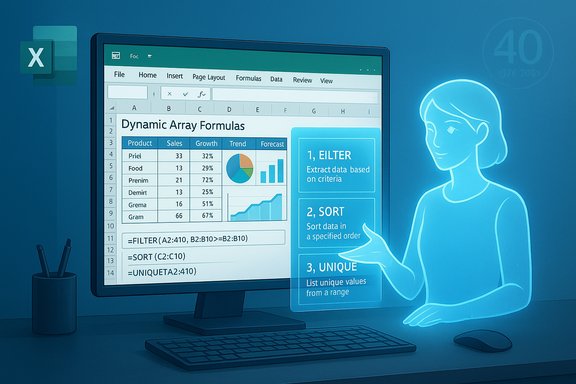
- Excel’s modern toolkit (dynamic arrays, XLOOKUP, Power Query, Python embedding and Copilot assistance) has lowered many long‑standing pain points. For a new user, these features make Excel feel more capable than clunky.
- Community culture — online tutorials, competitions like the Excel World Championship, and social content — creates identity and pride around spreadsheet skill. Public spectacles amplify affinity among younger cohorts who consume and contribute to this content.
The AI inflection: Copilot, Agent Mode, and third‑party assistants
AI is changing the conversation faster than anything since macros. Two parallel developments are worth noting:- Microsoft’s Copilot / Agent Mode in Excel. Microsoft has introduced in‑grid AI features (including a COPILOT function and agentic multi‑step workflows) that can generate and preview formulas, build PivotTables and charts, and execute multi‑step model construction while exposing the plan and changes. These features are rolling out via Copilot licensing and the Frontier preview program; they require tenant enablement in enterprise environments. Microsoft emphasizes explainability — Copilot shows the plan and the exact edits it will make so users can inspect changes.
- Third‑party assistants and vendor ecosystems. Anthropic and other vendors have introduced Excel‑integrated assistants (for example, Claude for Excel in limited previews) that aim to provide cell‑level explanations, domain‑specific connectors (market data, transcripts), and finance‑tailored “Agent Skills.” These players position their tools as complementary or competitive to Microsoft’s Copilot, and enterprises may find themselves navigating a multi‑vendor landscape where policies and admin controls matter.
- Faster model building: generate accurate formulas and dashboards from plain‑English prompts.
- Democratization: junior analysts can complete tasks that previously required deep formula fluency.
- Traceability: a properly designed agent shows the edits and reasoning steps, which helps with audits and peer review when implemented correctly.
Risks and real operational downsides
The rush to agentic assistants inside Excel magnifies three interlocking risk categories:- Quality and hallucination risk. LLM‑based assistants can produce plausible but incorrect formulas or inappropriate aggregations. If teams accept AI suggestions without verification, errors can propagate into financial reports. The only reliable mitigation is human‑in‑the‑loop verification and reproducible regression tests.
- Skill erosion and over‑reliance. If Copilot routinely constructs formulas, teams may lose core spreadsheet literacy over time. That erosion becomes dangerous when AI is unavailable or when an edge‑case requires manual intervention. Training and deliberate learning policies are required to prevent atrophy.
- Governance, data residency and auditability. Agentic features often require cloud connectivity, and organizations must decide whether to allow workbooks to be processed by external models. Large enterprises will need explicit contractual guarantees (non‑training clauses, data residency commitments), tenant enablement settings, and robust logging to meet compliance obligations. Microsoft provides admin controls and model toggles, but third‑party add‑ins vary. Procurement and security teams must validate vendor claims independently.
- Spreadsheet risk persists. Complex workbooks with hidden formulas, circular references, and untested macros remain error‑prone and brittle when modified by agents. Agents that change formulas at scale can create downstream contradictions if acceptance tests aren’t in place.
- Licensing and cost creep. Copilot licensing and premium model access are tied to Microsoft 365 plans; enterprises must budget for seats and anticipate vendor‑driven price changes. Consumers will also see Copilot bundled into some Microsoft 365 subscriptions for a fee.
- Deployment complexity in regulated sectors. Finance, insurance and public sectors will demand traceability and may initially restrict agentic features until governance playbooks and verification tooling prove reliable.
The Airbus example — caution on anecdotes
Some coverage cites corporate anecdotes — TechRadar notes Airbus reportedly cites file‑size limitations as a reason to continue heavy Excel usage. That kind of anecdote is illustrative but not definitive. Large organizations using bespoke consolidation processes, offline extracts, or specialized macros will often cite compatibility and file limits as migration blockers. However, public confirmation from Airbus or detailed technical documentation is not included in the vendor study or press coverage, so the claim should be read as an illustrative corporate example rather than a verified universal principle. Procurement teams should treat such corporate anecdotes as signals to investigate, not proof.How to treat Excel in an age of Copilot: recommendations for IT and finance leaders
The pragmatic path forward is neither “rip out Excel” nor “accept everything AI suggests.” Successful organizations run disciplined pilots, harden governance, and select appropriate workloads for agentic automation. Recommended steps:- Map critical spreadsheets.
- Inventory workbooks used for statutory reporting, regulatory filings, and decisioning.
- Rank spreadsheets by business impact and error sensitivity.
- Pilot agentic features on low‑risk workloads.
- Start with non‑regulated, repeatable tasks: quick dashboards, exploratory analysis, data cleanup.
- Measure time savings, error rates, and user confidence.
- Require human‑in‑the‑loop verification for reporting outputs.
- Mandate acceptance tests, reconciliation checks, and independent peer review before AI‑generated models are used in any published reports.
- Lock down tenant and data controls.
- Use Microsoft 365 admin toggles to control which models and external vendors are available.
- Contractually require non‑training clauses, specify data residency and encryption, and request audit logs.
- Institutionalize acceptance tests and regression suites.
- Create golden datasets and automated reconciliation scripts that validate agent changes against known outputs.
- Invest in training and cross‑skilling.
- Encourage “learn by review”: require Copilot deliverables to include formula previews and stepwise explanations that junior staff must inspect and document.
- Consider hybrid architectures.
- Use Excel as a last‑mile interface while building source‑of‑truth data pipelines in data warehouses or FP&A systems—reducing spreadsheet fragility while preserving usability.
- Plan for change management and audit trails.
- Log agent actions, maintain versioned snapshots of workbooks, and standardize naming and version control conventions.
Practical tool choices: when to keep Excel, when to migrate
- Keep Excel when:
- Models require complex, ad‑hoc calculations, heavy local performance, or macros that would be expensive to port.
- Auditability requires cell‑level traceability and manual review is part of the control environment.
- Teams are highly dependent on specialized Excel add‑ins or vendor connectors.
- Migrate or augment when:
- Data volume or concurrency surpasses Excel’s practical limits (very large datasets, multi‑user real‑time collaboration at scale).
- You need robust, governed ETL, single source of truth, and repeatable reporting pipelines.
- The cost of errors or manual reconciliation exceeds the migration expense.
The near future: what to watch
- Adoption curves for Agent Mode and COPILOT functions across enterprise tenants — watch admin‑level enablement and the speed at which organizations put governance around these features.
- The emergence of vendor ecosystems offering finance‑centric connectors and “Agent Skills” (e.g., market data suppliers, document connectors) that will change the value proposition for third‑party assistants versus Microsoft’s integrated Copilot experience.
- Evidence that agentic features reduce error rates in production (not just speed in pilots). Until independent, repeatable studies show lower error incidence, finance teams should prioritize verification.
- Pricing and deployment models: whether consumer and SMB Copilot tiers become ubiquitous cost centers or remain enterprise‑controlled premium features. Market pricing changes will directly affect adoption choices.
Conclusion
Excel’s persistence is not a relic of corporate inertia — it’s a function of a durable, composable model, deep user expertise, and decades of institutional habit. Recent survey data and press coverage show surprising enthusiasm for Excel among younger finance professionals, and vendor moves to embed AI directly into the spreadsheet grid have created a new inflection point. Those developments promise real productivity gains, but they also amplify classic spreadsheet risks and introduce fresh governance challenges.The pragmatic approach for IT and finance leaders is to treat Excel as a strategic platform: inventory critical workbooks, pilot agentic features cautiously, require human verification for reporting outputs, and deploy governance controls that make AI suggestions auditable and reversible. Done carefully, organizations can keep the best of Excel — speed, flexibility, and ubiquity — while reducing the liabilities that come with ad‑hoc spreadsheets and unverified AI edits.
Source: TechRadar 40 years on, Excel remains indispensable across generations
