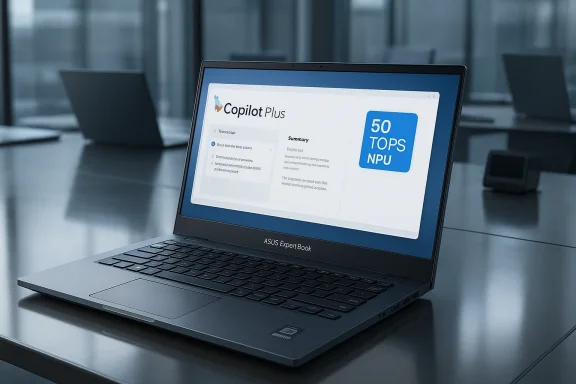
ASUS’s new ExpertBook B5 G2 arrives as a focused Copilot+ laptop for enterprise users, pairing Intel’s Core Ultra Series 3 “Panther Lake” silicon with a 50 TOPS neural engine, a lightweight aluminum chassis, MIL‑STD durability, and a slate of management and firmware protections aimed at IT teams.
The ExpertBook family has long been ASUS’s answer to corporate notebooks that prioritize manageability, battery life, and ruggedized fit-and-finish. With the B5 G2, ASUS is explicitly pushing that remit into the AI era: the machine ships as a Copilot+ PC, bundles ASUS’s new MyExpert productivity suite, and leans on Intel’s latest Core Ultra Series 3 (Panther Lake) platform—bringing an on‑chip NPU rated at up to 50 TOPS for local AI acceleration. Those platform-level upgrades reflect a broader industry shift: laptop OEMs are now aligning hardware, firmware, and software to make on‑device AI practical for everyday enterprise workflows.
ASUS positions the B5 G2 as a mobile workhorse for knowledge workers and IT organizations that need a balance of portability, manageability, and future-facing AI features. The product is offered in 14‑inch and 16‑inch 16:10 NanoEdge display variants, with quoted starting weights around 1.38 kg for the 14‑inch configuration and up to 19 hours of battery life in vendor testing. On the security side, ASUS highlights its ExpertGuardian stack, which includes NIST SP 800‑193‑aligned firmware protections, dual BIOS, TPM 2.0, and optional smart‑card authentication—features targeted squarely at regulated and security‑conscious environments.
What that 50 TOPS means in practice depends heavily on the workload. TOPS is a raw throughput metric (tera‑operations per second) commonly used to compare NPUs; it is useful for gauging relative capability for accelerating small/medium neural nets. However, real‑world speed and responsiveness will vary by model architecture, quantization, memory bandwidth, and software optimization (ONNX, DirectML, vendor runtimes). In short: the NPU is a meaningful capability for on‑device Copilot workflows, but application‑level performance still depends on software integration and thermal headroom.
The ExpertBook B5 G2 is a focused, well‑rounded entry in the new generation of AI‑aware business laptops: it blends Panther Lake’s increased on‑device AI capability with hardware security and manageability features enterprises expect. Its success in corporate fleets will hinge less on the headline 50 TOPS figure and more on the maturity of software integrations, update policies, and how well IT teams validate the device under real operational conditions. For organizations planning a measured move into Copilot+ workflows, the B5 G2 is worth adding to a pilot list—just bring a rigorous test plan.
Source: xiaomitoday.com ASUS ExpertBook B5 G2 Announced with Intel Core Ultra 7 Series 3, 50 TOPS AI, and Enterprise Security
 Background / Overview
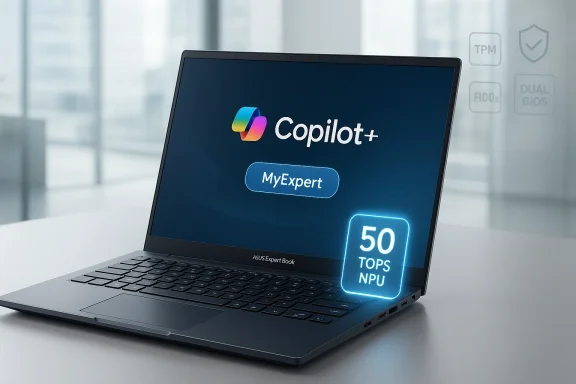
The ExpertBook family has long been ASUS’s answer to corporate notebooks that prioritize manageability, battery life, and ruggedized fit-and-finish. With the B5 G2, ASUS is explicitly pushing that remit into the AI era: the machine ships as a Copilot+ PC, bundles ASUS’s new MyExpert productivity suite, and leans on Intel’s latest Core Ultra Series 3 (Panther Lake) platform—bringing an on‑chip NPU rated at up to 50 TOPS for local AI acceleration. Those platform-level upgrades reflect a broader industry shift: laptop OEMs are now aligning hardware, firmware, and software to make on‑device AI practical for everyday enterprise workflows.ASUS positions the B5 G2 as a mobile workhorse for knowledge workers and IT organizations that need a balance of portability, manageability, and future-facing AI features. The product is offered in 14‑inch and 16‑inch 16:10 NanoEdge display variants, with quoted starting weights around 1.38 kg for the 14‑inch configuration and up to 19 hours of battery life in vendor testing. On the security side, ASUS highlights its ExpertGuardian stack, which includes NIST SP 800‑193‑aligned firmware protections, dual BIOS, TPM 2.0, and optional smart‑card authentication—features targeted squarely at regulated and security‑conscious environments.
What’s new in the hardware stack
Intel Core Ultra Series 3 (Panther Lake) and the 50 TOPS NPU
At the heart of the B5 G2’s pitch is its CPU/NPU combination. ASUS lists configurations up to the Intel Core Ultra 7 Series 3 (Panther Lake family) and cites an Intel AI Boost NPU delivering up to 50 TOPS for on‑device inference and real‑time features. Intel’s Series 3 lineup — introduced at CES — explicitly targets on‑device AI use cases with higher NPU throughput, larger integrated GPUs, and higher multi‑thread performance than the prior generation. OEMs including ASUS are adopting those chips to enable Copilot+ features and local model acceleration.What that 50 TOPS means in practice depends heavily on the workload. TOPS is a raw throughput metric (tera‑operations per second) commonly used to compare NPUs; it is useful for gauging relative capability for accelerating small/medium neural nets. However, real‑world speed and responsiveness will vary by model architecture, quantization, memory bandwidth, and software optimization (ONNX, DirectML, vendor runtimes). In short: the NPU is a meaningful capability for on‑device Copilot workflows, but application‑level performance still depends on software integration and thermal headroom.
Memory, storage, and expansion
ASUS supports up to 96 GB DDR5 (SO‑DIMM) configurations in the B5 G2, with dual M.2 slots that allow PCIe 5.0 options for the primary drive and a second M.2 2230 slot for expansion—giving IT teams flexibility for higher‑capacity or redundant storage layouts. These expansion options are notable for a thin-and-light business laptop and reflect ASUS’s intent to make the B5 G2 serviceable and futureproof inside enterprise lifecycles.Battery, weight and chassis
ASUS quotes up to 19 hours of battery life on selected configurations, while offering 50 Wh and 63 Wh battery options depending on the model. The 14‑inch SKU starts at roughly 1.38 kg, and the chassis is aluminum with a 180° lay‑flat hinge—useful for collaborative meetings and deployment kiosks. Vendors’ battery claims are always best treated as lab figures; independent testing often narrows those numbers under mixed workloads, especially when local AI inference runs on the NPU. ASUS’s quoted 19 hours should be considered an upper bound under specific test parameters.Software and AI features: Copilot+, MyExpert, and meeting intelligence
Copilot+ PC integration
The ExpertBook B5 G2 is marketed as a Copilot+ PC, meaning it ships with hardware and Windows-level integrations intended to accelerate Microsoft Copilot experiences—things like Recall, Live Captions, Windows Studio Effects, enhanced Windows Search, and Click to Do. Copilot+ certification typically indicates optimizations for local model acceleration, low-latency on-device features, and a certain baseline of hardware (NPU + drivers) required for Copilot features to run smoothly. OEM claims around Copilot+ should be cross‑checked against the final Windows build and Microsoft’s certification details when teams specify devices.ASUS MyExpert: on‑device productivity tooling
ASUS bundles MyExpert, a device‑level AI suite that includes writing assistance, intelligent email search, and meeting tools that can produce transcripts, summaries, and action items automatically. The aspiration is clear: reduce repetitive meeting tasks and accelerate information retrieval for knowledge workers. MyExpert is presented as an enterprise feature set and—per ASUS—will be available across Expert‑branded hardware from 2026 onward. As with all OEM AI services, the usefulness will be determined by enterprise privacy controls, local processing vs. cloud fallbacks, and how well the suite integrates with existing collaboration stacks like Microsoft 365.Why software matters more than raw TOPS
A recurring theme in on‑device AI is that software maturity — driver stacks, runtime libraries, framework support, and enterprise update policies — often dictates the actual user experience more than headline NPU numbers. The B5 G2 gives IT a capable NPU, but the promise of features such as accurate, private meeting transcripts, or near‑instant inbox search depends on model selection (size vs. accuracy), quantization strategies, and continuous updates. Enterprises should validate the MyExpert data‑handling policy, local‑vs‑cloud fallback behavior, and the availability of administrative controls before mass deployment.Security and manageability: ExpertGuardian and enterprise assurances
Firmware resilience and NIST SP 800‑193 claims
ASUS emphasizes ExpertGuardian, a layered firmware and platform security framework that the company says complies with NIST SP 800‑193 guidelines for platform firmware resilience. The package includes BIOS protections against unauthorized firmware changes and dual BIOS for recovery in the event of corruption or a failed update. For organizations that must meet regulatory or compliance frameworks, those features are meaningful—but they are claims made by ASUS and should be validated in procurement with test plans and security questionnaires. Independent validation, penetration testing, and proof of certificate/attestation are prudent steps for risk‑averse environments.TPM, FIDO2, smart‑card options and five‑year updates
Hardware security features include discrete TPM 2.0 (dTPM / fTPM support), FIDO2 authentication capability, fingerprint sensors in standard configs, optional smart‑card readers, and a Webcam Shield for physical privacy. Importantly for lifecycle planning, ASUS commits to five years of firmware and software updates, aligning with many enterprise refresh cycles. IT procurement teams should verify the update cadence and regional availability, and confirm how ASUS exposes firmware‑update telemetry and the ability to defer or test updates in enterprise imaging workflows.Manageability: BIOS customization and deployment services
ASUS specifically calls out BIOS customization, image deployment assistance, and lid‑logo branding as IT‑friendly features. These make the B5 G2 easier to adopt at scale, but teams should still validate integration with their existing Mobile Device Management (MDM) stacks, Windows Update for Business policies, and corporate provisioning tools. The presence of these features lowers the friction of rollout, but it does not eliminate the need for field testing across representative user groups.Design, durability and thermal engineering
Display, audio and conferencing features
Both 14‑inch and 16‑inch models use 16:10 NanoEdge displays with anti‑glare coatings and TÜV Rheinland eye‑care certification. Panel choices include WUXGA (1920×1200) and WQXGA (2560×1600) options, with touch available on some SKUs. Audio is tuned with Dirac technology; the machine sports dual speakers, dual‑array microphones, and AI voice enhancement features intended to improve conferencing clarity. For desk‑to‑meeting transitions, these elements are sensible upgrades.MIL‑STD and wear testing
ASUS markets the B5 G2 as meeting US MIL‑STD‑810H durability tests and describes a 60,000‑cycle wool‑felt wear test for surfaces and hinges. Those tests reflect ASUS’s internal durability regimen and the broader expectation that enterprise laptops should survive elevated physical wear. MIL‑STD compliance is a useful baseline, but IT buyers should interpret it as part of a general durability claim rather than a guarantee for every specific harsh environment.Cooling: fluid‑dynamic fans, thin fins and dust filters
To cope with higher sustained loads from the CPU, GPU, and NPU, ASUS employs fluid‑dynamic bearing fans, thinner heatsink fins, and a dust‑mesh filter to maintain thermal throughput over time. These choices indicate a focus on long‑term thermal stability rather than short bursts of peak power. That said, thin chassis designs always trade off some thermal headroom; enterprises whose workflows require long continuous AI model inference (e.g., local model training or heavy real‑time media processing) should verify sustained performance with real workloads in a pilot.Connectivity and ports: practical choices for IT
ASUS equips the B5 G2 with versatile, enterprise‑oriented I/O:- Two Thunderbolt 4 (USB‑C) ports
- Two USB 3.2 Gen1 Type‑A ports (one supporting BC1.2)
- HDMI 2.1
- RJ45 Ethernet
- microSD slot
- Optional smart‑card reader
- Kensington Nano Lock support
- Wireless options up to Wi‑Fi 7 and Bluetooth 6 for the latest wireless stacks
Deployment considerations and total cost of ownership
Image management and lifecycle planning
ASUS’s promise of BIOS customization, lid‑logo branding, and deployment services reduces the friction for broad rollouts. Still, the real cost advantage will be realized when the device integrates smoothly with an organization’s existing imaging pipelines (WDS/MDT, Intune, SCCM) and when firmware update behavior can be controlled during a staged deployment. Verify how ASUS exposes update packages and how they integrate with Windows Update for Business or your chosen PXE‑/SCCM orchestration.Support, warranty and long‑term updates
ASUS’s five‑year firmware and software update commitment is attractive for enterprise refresh cycles, but details matter: what is the update cadence? Are BIOS and security‑patch updates provided outside the standard Windows Update channel? Are there managed‑update offerings or extended warranties for accidental damage? These are necessary procurement questions that will affect TCO and end‑user downtime. Enterprises should insist on a written update SLA and confirm the process for rollback and emergency patches.Strengths — why the ExpertBook B5 G2 will appeal
- Balanced AI readiness: A capable Panther Lake CPU coupled with a 50 TOPS NPU positions the B5 G2 to run many Copilot and on‑device AI features with lower latency and improved privacy compared to cloud‑only approaches.
- Enterprise‑grade security posture: NIST SP 800‑193 claims, dual BIOS, TPM 2.0, and FIDO2 support create a strong baseline for regulated deployments—if validated during procurement.
- Manageability and expandability: Dual M.2 slots, up to 96 GB DDR5, BIOS customization, and up to Wi‑Fi 7 provide a degree of futureproofing enterprises will value.
- Practical, professional design: The aluminum chassis, 180° hinge, TÜV‑certified displays, and improved conferencing hardware fit real hybrid‑work needs.
Risks and caveats — what IT teams must validate
- Vendor performance claims vs. real workloads. ASUS quotes 50 TOPS and up to 19 hours battery life; those are useful headline metrics but should be validated with enterprise workloads and pilot deployments. Heavy local inference or mixed AI + CPU workloads will expose thermal throttling and power tradeoffs that vendor lab figures don’t always show.
- Software and model support. The NPU is only as useful as the software stack that drives it. Enterprise buyers should confirm that the models and runtimes they rely on (speech‑to‑text, summarization, search indexing) are supported by ASUS’s MyExpert or Microsoft Copilot integration on the B5 G2. Expect vendor updates to improve this over time, but plan for integration effort.
- Firmware claims require independent validation. NIST SP 800‑193 compliance and dual BIOS are useful features, but IT security teams should request documentation, test reports, or third‑party audit evidence before assuming regulatory equivalence.
- Regional update and support variation. ASUS’s five‑year update commitment is positive, yet update content, cadence, and availability can differ by region and channel. Confirm enterprise support options and SLAs in procurement contracts.
Practical recommendations for IT buyers
- Run a focused pilot (4–8 weeks) with representative user profiles: heavy conference users, data‑analyst seats, and road warriors. Capture battery, thermal, and AI feature quality metrics under real conditions.
- Verify MyExpert data‑handling: confirm whether meeting transcripts and summaries are processed locally, in the cloud, or a hybrid; request a data‑processing agreement if transcripts leave the device.
- Include firmware and BIOS update testing in your image pipeline: ensure updates are staged, can be deferred, and that rollback procedures are documented and tested.
- Test interoperability with your existing identity stack: FIDO2, smart card flows, SSO, and MDM enrollment should be validated before mass rollout.
- Confirm regional warranty and on‑site options: enterprise downtime from hardware failures is expensive—ensure service levels meet business continuity needs.
The competitive context
ASUS isn’t alone in bringing AI‑ready devices to market. Other vendors are shipping machines based on Intel’s Panther Lake and AMD’s Ryzen AI platforms, and ASUS itself has complementary ExpertBook SKUs (including AMD‑based B3 G2 and higher‑end ExpertBook Ultra models) covering different performance and weight tradeoffs. ASUS’s differentiator with the B5 G2 is its explicit enterprise feature set—firmware protections, long update commitments, and deployability features—combined with a modest price/weight footprint. For buyers, the decision will come down to software ecosystem fit (Microsoft Copilot + MyExpert), manageability, and whether the claimed on‑device AI features deliver measurable productivity gains.Final analysis — who should consider the ExpertBook B5 G2?
The ExpertBook B5 G2 is a practical step into the AI‑enabled enterprise laptop category. It’s best suited for organizations that:- Prioritize security and firmware resilience in regulated environments.
- Want to pilot on‑device Copilot experiences while keeping a tight handle on management and updates.
- Need a balance of portability and expansion (M.2 slots, upgradable DDR5 SO‑DIMMs).
- Value the convenience of modern I/O (Thunderbolt 4, HDMI 2.1, RJ45) without sacrificing a thin chassis.
The ExpertBook B5 G2 is a focused, well‑rounded entry in the new generation of AI‑aware business laptops: it blends Panther Lake’s increased on‑device AI capability with hardware security and manageability features enterprises expect. Its success in corporate fleets will hinge less on the headline 50 TOPS figure and more on the maturity of software integrations, update policies, and how well IT teams validate the device under real operational conditions. For organizations planning a measured move into Copilot+ workflows, the B5 G2 is worth adding to a pilot list—just bring a rigorous test plan.
Source: xiaomitoday.com ASUS ExpertBook B5 G2 Announced with Intel Core Ultra 7 Series 3, 50 TOPS AI, and Enterprise Security