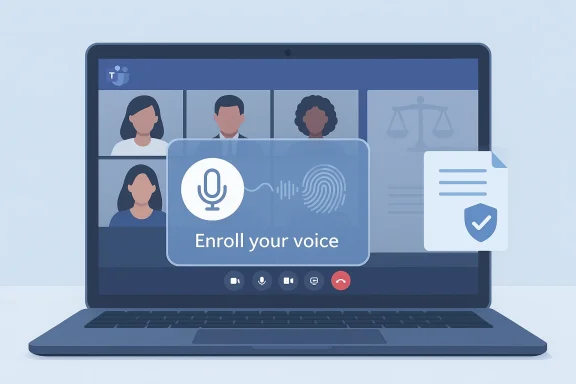
Microsoft Teams will begin prompting users to create voice profiles directly inside meetings, removing the manual steps that previously kept many employees from enrolling and enabling several voice-driven AI features across Teams.
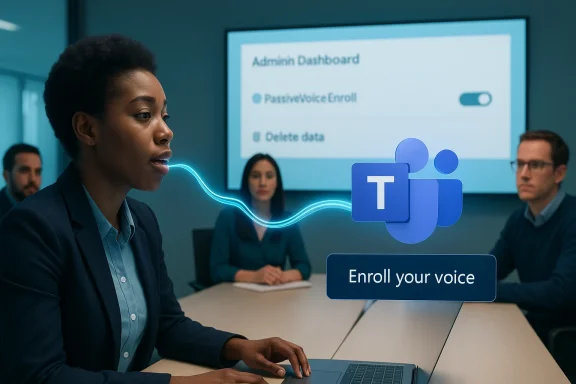
Microsoft announced the new express voice enrollment experience in its Microsoft 365 Message Center under message ID MC1197146 and associated it with Roadmap ID 537269. The change is framed as a major update for Microsoft Teams: users who have not yet created a voice profile will receive an in‑product prompt during an active meeting and can enroll simply by speaking. Microsoft describes the feature as being enabled by default for enterprise tenants, with Education (EDU) tenants excluded from the rollout. Admins will be able to manage the capability via new PowerShell controls in the Teams AI policy surface—specifically the PassiveVoiceEnroll configuration under csTeamsAIPolicy.
The broader rollout schedule has moved more than once in Microsoft’s public notices. The official Message Center entry was updated in January 2026 to reflect a revised timeline, and third‑party Microsoft 365 trackers and independent IT outlets have recorded additional adjustments. At the time of publication, most official notices point to an early‑to‑mid spring rollout window for enterprise tenants, with Microsoft also publishing a companion admin message about an enrollment dashboard and data deletion controls arriving in the Teams Admin Center to give administrators visibility into voice and face enrollment data.
This article summarizes what’s confirmed, explains what express voice enrollment actually does, analyzes the security and privacy implications, and provides a practical checklist and mitigation guidance for IT teams preparing for the rollout.
From an admin perspective, the rollout is controlled by tenant policy. If an organization has previously disabled voice enrollment policies, the express enrollment prompt will not override that setting. Administrators can manage the behavior with PowerShell policy settings under the Teams AI policy area—Microsoft refers to the PassiveVoiceEnroll configuration exposed through the csTeamsAIPolicy configuration.
Separately, Microsoft is rolling out an administrative enrollment dashboard and deletion controls in the Teams Admin Center so tenant administrators can view counts, enrollment status and—importantly—delete voice and face enrollment data when required by policy or user request.
Concrete benefits:
Important caveats and recommended actions:
Potential risks
But the convenience comes with trade‑offs: voice templates are sensitive material that can intersect with biometric and privacy laws, create new support and governance responsibilities, and expand the organization’s data security surface. Fortunately, Microsoft is shipping admin controls—policy toggles and an enrollment dashboard with deletion capabilities—so tenant administrators retain the ability to limit, monitor, and remove this data.
For IT teams, the practical path forward is straightforward: don’t rush to blanket enablement. Pilot the experience, validate technical and legal assumptions, prepare user communications, and confirm that retention and deletion workflows meet your organization’s regulatory obligations. With proper controls, express voice enrollment can deliver tangible meeting‑productivity gains while keeping privacy and compliance risks under control.
Source: Windows Report https://windowsreport.com/microsoft-teams-to-introduce-express-voice-enrollment-in-april/
 Background
Microsoft announced the new express voice enrollment experience in its Microsoft 365 Message Center under message ID MC1197146 and associated it with Roadmap ID 537269. The change is framed as a major update for Microsoft Teams: users who have not yet created a voice profile will receive an in‑product prompt during an active meeting and can enroll simply by speaking. Microsoft describes the feature as being enabled by default for enterprise tenants, with Education (EDU) tenants excluded from the rollout. Admins will be able to manage the capability via new PowerShell controls in the Teams AI policy surface—specifically the PassiveVoiceEnroll configuration under csTeamsAIPolicy.The broader rollout schedule has moved more than once in Microsoft’s public notices. The official Message Center entry was updated in January 2026 to reflect a revised timeline, and third‑party Microsoft 365 trackers and independent IT outlets have recorded additional adjustments. At the time of publication, most official notices point to an early‑to‑mid spring rollout window for enterprise tenants, with Microsoft also publishing a companion admin message about an enrollment dashboard and data deletion controls arriving in the Teams Admin Center to give administrators visibility into voice and face enrollment data.
This article summarizes what’s confirmed, explains what express voice enrollment actually does, analyzes the security and privacy implications, and provides a practical checklist and mitigation guidance for IT teams preparing for the rollout.
What is Express Voice Enrollment?
Express voice enrollment is an in‑meeting prompt and flow that lets Teams users create a voice profile quickly and without leaving the meeting. Instead of navigating settings, running a configuration wizard, or reading a script, a prompted user simply speaks and Teams captures the audio patterns needed to create a profile that will later be used by Teams’ AI capabilities.What voice profiles enable
According to Microsoft’s product communications, a voice profile enables or improves multiple Teams features:- Voice isolation — better background suppression and clearer speech for the enrolled user.
- Speaker recognition / attribution — improved ability to identify who spoke when in multi‑participant scenarios and shared‑room environments.
- More accurate transcripts — speaker‑attributed captions and transcriptions that reduce ambiguity in meeting records.
- Enhanced Copilot meeting insights and recaps — AI-generated summaries, action items, and insights that rely on reliable speaker labels to attribute ideas and decisions correctly.
- Room and device identification — helping Teams distinguish between multiple participants who are using the same audio device in a conference room.
How it works (high level)
Express voice enrollment is an opt‑in experience triggered by an in‑meeting prompt. The user accepts the prompt and speaks a short sample or otherwise allows passive capture per the enrollment UX; Teams creates a voice template/profile tied to the user account. Once enrolled, the profile is used locally and/or in cloud processing pipelines that power the above AI features.From an admin perspective, the rollout is controlled by tenant policy. If an organization has previously disabled voice enrollment policies, the express enrollment prompt will not override that setting. Administrators can manage the behavior with PowerShell policy settings under the Teams AI policy area—Microsoft refers to the PassiveVoiceEnroll configuration exposed through the csTeamsAIPolicy configuration.
Separately, Microsoft is rolling out an administrative enrollment dashboard and deletion controls in the Teams Admin Center so tenant administrators can view counts, enrollment status and—importantly—delete voice and face enrollment data when required by policy or user request.
Timeline and rollout: what administrators need to know
Microsoft’s Message Center entry for this feature was updated multiple times, and third‑party trackers and Microsoft‑centric news outlets have captured differing schedules. Key points to note:- The rollout window has been revised at least once in Microsoft’s public notices. Early internal notices listed a late winter to early spring timeline; subsequent updates show rollouts in mid‑to‑late spring for some tenants.
- Microsoft’s message ID for the change is MC1197146 and the Microsoft 365 Roadmap entry is 537269—these identifiers are useful for admins tracking tenant‑specific messages.
- The feature is scheduled for enterprise tenants, excluding EDU tenants, and will be ON by default for affected tenants unless policy blocks it.
- Admins will receive controls (PowerShell configuration and Teams Admin Center dashboards) to manage enrollment and to delete enrollment data.
- Watch the tenant Message Center and the global Microsoft 365 admin notices for the authoritative schedule that applies to your tenant.
- Use a Targeted Release or test tenant to validate the experience in your environment before it hits broad user populations.
- Confirm the arrival of the Teams Admin Center enrollment dashboard in your tenant and test the deletion workflow as soon as it appears.
Benefits: why Microsoft is pushing voice enrollment
Express voice enrollment addresses a practical adoption problem: useful voice‑driven features were technically available but were underused because enrolling was too cumbersome. By prompting users inside meetings, Microsoft expects to increase enrollment and therefore the effectiveness of Teams’ AI features.Concrete benefits:
- Higher accuracy for transcripts and speaker attribution, especially in rooms where multiple participants share a device.
- Improved meeting recaps and insights from Copilot and other AI features because speaker labels are more accurate.
- Cleaner audio experiences for enrolled users via better voice isolation processing.
- Lower friction for end users; fewer support calls and less documentation overhead for IT teams when enrollment is a one‑click or one‑speech action.
- Operational advantages for compliance and eDiscovery workflows that depend on accurate speaker attribution.
Privacy, compliance, and legal considerations
Voice profiles are sensitive. Depending on jurisdiction and context, voice templates or biometric voice identifiers may be treated as biometric data subject to special protections. Microsoft’s Message Center entry notes no new compliance considerations identified in the rollout announcement, but that internal review is still recommended. That language does not remove legal obligations from tenants.Important caveats and recommended actions:
- Treat voice enrollment as sensitive by default. Assume voice templates could be considered biometric identifiers in some legal frameworks; consult legal and privacy teams.
- Jurisdictional variance matters. Laws and regulations differ—what is permissible in one country or U.S. state may be restricted in another. For example, certain state biometric statutes and regional privacy laws impose explicit consent, notice, and retention requirements for biometric data.
- Document consent and retention policies. Even if Microsoft provides deletion controls, your organization needs clear policies about how long voice templates are kept, who can request deletion, and how enrollment consent is recorded.
- Use the admin controls. Because Microsoft enables admins to disable passive enrollment and to delete data, organizations should prepare policy decisions about whether express enrollment should be enabled by default or disabled pending review.
- Audit and logging. Ensure that enrollment actions and deletion operations are logged for compliance and internal accountability.
- Employee communication. Provide clear, accessible guidance to end users explaining what they are consenting to, how voice profiles will be used, and how to request deletion.
Security risks and technical limitations
Beyond legal and privacy issues, express voice enrollment introduces technical and security risks that administrators should evaluate.Potential risks
- Voice spoofing and replay attacks. Voice templates could be susceptible to replayed audio or synthetic voice attacks if the downstream recognition pipeline does not have robust anti‑spoofing measures.
- Misattribution errors. Speaker recognition is probabilistic; incorrect attributions could misrepresent who said what in a meeting summary, with operational or legal consequences.
- Centralized attack surface. Any centralized storage of voice templates is an attractive target for attackers. Encryption at rest and in transit, strict access controls, and minimal retention windows reduce risk.
- Data proliferation. If many users enroll across devices and rooms, tenant datasets grow quickly; that can increase audit and deletion workload and complicate eDiscovery.
- False sense of security. Voice profiles can improve convenience but should not be treated as authentication or identity proofing. They are for attribution and feature personalization, not for primary user authentication.
- Enforce strong access controls and role separation around enrollment data.
- Limit storage retention and adopt automated deletion policies where possible.
- Require explicit user consent and maintain logs of consent records.
- When practical, require multi‑factor authentication for administrative actions that can delete or change enrollment data.
- Test the anti‑spoofing characteristics of the speaker recognition pipeline in a non‑production tenant.
- Consider restricting enrollment to managed devices or specified geographies until legal reviews are complete.
Admin controls: what you can do now
Administrators will not be helpless in the face of express enrollment. Microsoft exposes policy settings and an admin dashboard that give control over behavior and data. Here’s a practical playbook for IT teams preparing for the rollout.Immediate preparation checklist
- Monitor your tenant Message Center for the official tenant‑specific schedule (watch for MC1197146 and related messages).
- Identify compliance owners (privacy, legal, security) and brief them on the planned change.
- Decide your tenant policy: will you allow express enrollment by default, disable it, or restrict it to pilot groups?
- Prepare communications for end users and helpdesk staff explaining what enrollment is, how to opt in or opt out, and how to request deletion.
- Test the experience in a Targeted Release or test tenant as soon as the feature becomes available there.
- Verify the Teams Admin Center enrollment dashboard when it arrives and validate deletion workflows using the admin controls.
- Audit and log all administrative changes related to the PassiveVoiceEnroll policy and any deletion actions taken in the admin dashboard.
- Update policies for retention and eDiscovery to reflect voice profile data as a data category.
PowerShell and policy controls (what to check)
- Look up your existing Teams AI policy configuration for csTeamsAIPolicy and the PassiveVoiceEnroll setting.
- If your organization has already disabled voice enrollment via earlier policies, confirm whether express voice enrollment will remain blocked under those settings (Microsoft’s communications indicate it will not override a previously set disablement).
- Plan for role‑based delegation for any administrator who can delete enrollment data.
User experience and adoption: practical messaging
Clear communication matters. Admins should craft short, plain‑language messages explaining:- What express voice enrollment is and what it will enable (better captions, clearer meeting summaries).
- That enrollment is opt‑in and users will see a prompt during a meeting.
- How to opt out and how to request deletion of a voice profile.
- Who to contact if users have privacy or security concerns.
- “You may see a prompt in Teams to enroll your voice profile during a meeting. You can accept to join, or dismiss and enroll later in Settings.”
- “Voice profiles are used to improve captions and meeting summaries; enrollment data can be deleted by IT on request.”
- “If you have privacy concerns, contact [privacy contact] before enrolling.”
Operational impact: cost, support, and governance
Operational teams should expect a mix of immediate and ongoing impacts:- Support load. Initial surge of questions as users encounter enrollment prompts and request explanations or deletions.
- Governance overhead. Need for policies, consent records, and records retention schedules.
- Storage and eDiscovery adjustments. Voice profile data may need to be treated as discoverable data in litigation or regulatory inquiries.
- Security investments. Potential need to review encryption, access controls, logging, and monitoring for new data types.
Technical verification and unanswered questions
Microsoft’s public notices are explicit about the core functionality: in‑meeting prompts, voice profiles enabling speaker recognition, and admin controls. However, several operational details remain tenant‑specific or are not publicly documented in detail:- Exact storage model. Microsoft describes voice profiles and admin deletion controls but does not publicly enumerate the full storage lifecycle, retention defaults, or the exact locations where derived models or templates are stored for every tenant. Administrators should confirm storage behavior in the Teams Admin Center and through support channels.
- Anti‑spoofing protections. Microsoft does not publish detailed anti‑spoofing algorithms or thresholds; organizations with elevated security concerns should perform controlled tests in a test tenant and engage Microsoft support if they need technical assurances.
- eDiscovery integration specifics. How voice templates are surfaced in discovery workflows and whether they are included in meeting recordings or transcript artifacts varies; tenants should validate with their eDiscovery and legal compliance tools.
- Behavior on unmanaged devices. If users join meetings from BYOD devices, how enrollment behaves and whether tenants can limit enrollment to managed endpoints should be validated.
Practical recommendations — a short roadmap for IT teams
- Assign owners: privacy, legal, security, and support.
- Block or allow: decide whether to enable express enrollment tenant‑wide, restrict to pilot groups (recommended), or keep disabled until controls are validated.
- Test early: validate the enrollment UX, anti‑spoofing behaviors, and deletion flows in a Targeted Release tenant.
- Prepare user communications: FAQs, helpdesk scripts, and consent language.
- Validate admin controls: confirm PassiveVoiceEnroll behavior, test deletion via the enrollment dashboard, and document the audit trail.
- Update retention and eDiscovery policies: treat voice profiles as sensitive data in governance policies.
- Reassess after rollout: review logs, support tickets, and any unexpected behaviors, then iterate policy.
Conclusion
Express voice enrollment in Microsoft Teams is a pragmatic attempt to remove friction and accelerate adoption of voice‑enabled AI features such as improved transcripts, speaker attribution, and Copilot meeting insights. The functional benefits are clear for organizations that rely on accurate meeting records and more natural meeting experiences.But the convenience comes with trade‑offs: voice templates are sensitive material that can intersect with biometric and privacy laws, create new support and governance responsibilities, and expand the organization’s data security surface. Fortunately, Microsoft is shipping admin controls—policy toggles and an enrollment dashboard with deletion capabilities—so tenant administrators retain the ability to limit, monitor, and remove this data.
For IT teams, the practical path forward is straightforward: don’t rush to blanket enablement. Pilot the experience, validate technical and legal assumptions, prepare user communications, and confirm that retention and deletion workflows meet your organization’s regulatory obligations. With proper controls, express voice enrollment can deliver tangible meeting‑productivity gains while keeping privacy and compliance risks under control.
Source: Windows Report https://windowsreport.com/microsoft-teams-to-introduce-express-voice-enrollment-in-april/