

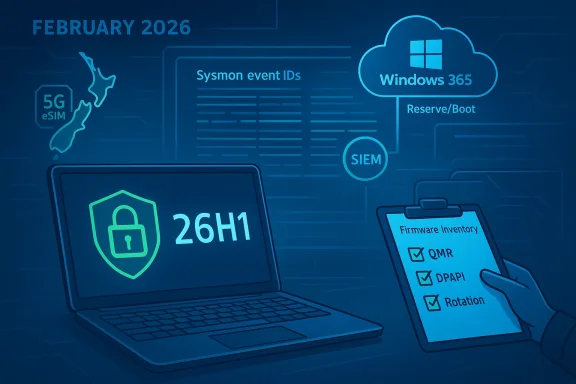
Microsoft’s February update cycle delivered more than the usual bug fixes: it set the stage for several operational shifts IT teams must plan for now if they want to avoid disruption later this year. From a looming Secure Boot certificate lifecycle cliff to built‑in security telemetry (native Sysmon), targeted silicon releases (Windows 11, version 26H1), and movement in device connectivity and cloud‑PC locality, February 2026 is a practical month for inventory, pilots, and policy reviews rather than optimism that “it’ll just update itself.”
Microsoft used its February Windows IT Pro bulletin to bundle a wide range of operational news aimed squarely at device managers and security teams. The update cycle includes:
Why this matters:
Benefits:
What enterprise teams should do:
Operational benefits:
Operational implication:
The practical takeaway for IT teams is simple: inventory, pilot, and document. Prioritize firmware and Secure Boot readiness first, because firmware gaps are the least fungible and the most likely to cause user impact. Follow with telemetry modernization (native Sysmon) to improve detection posture, and treat the new management features — Quick Machine Recovery, enterprise 5G, Windows 365 Reserve/Boot — as opportunities to reduce support friction, but only after you’ve validated their implications in your environment.
If you do nothing else this quarter, create the short list: firmware inventory, native Sysmon pilot, and a Secure Boot test matrix. Those three tasks will pay the largest operational dividends and make the rest of February’s feature set a set of tactical improvements rather than a set of surprises.
Source: Microsoft - Message Center Windows news you can use: February 2026 - Windows IT Pro Blog
 Background / Overview
Microsoft used its February Windows IT Pro bulletin to bundle a wide range of operational news aimed squarely at device managers and security teams. The update cycle includes:- New device provisioning and restore capabilities in Windows Backup for Organizations;
- A targeted release, Windows 11, version 26H1, focused on next‑gen silicon while recommending that enterprises continue to standardize on 24H2/25H2 for mass deployments;
- An optional preview (KB5077241) that gradually rolls out features such as Quick Machine Recovery defaulting on Pro devices, a built‑in network speed test, native Sysmon, camera pan/tilt controls, and RSAT support for Arm64;
- Security and lifecycle milestones, most notably the approaching Secure Boot certificate expirations beginning in late June 2026; and
- New device connectivity and Cloud PC management capabilities, including Windows enterprise managed cellular (5G) in private preview and Windows 365 region expansion (New Zealand North) plus Windows 365 Boot + Reserve pairing for zero‑touch Cloud PC provisioning.
Secure Boot certificate expirations: what’s at stake
The core issue
Microsoft’s original Secure Boot signing certificates (issued in 2011) are reaching the end of their planned lifecycle, with expirations starting in mid‑to‑late June 2026. That means devices that still rely exclusively on the 2011 certificates may refuse to boot newly signed binaries (or will fail firmware checks) once the chain becomes invalid on the platform in question.Why this matters to enterprise fleets
- Secure Boot is a foundational platform control for preventing unauthorized boot‑time code. Loss of valid certificates can cause boot failures, driver loading problems, or unexpected update/install failures on affected devices.
- The certificate lifecycle is separate from standard Windows servicing, and firmware (UEFI/BIOS) on each OEM model controls which certificates are present and trusted. In short, firmware matters more than Windows patches in many cases.
- Many cloud and virtualization platforms that rely on UEFI images (or nested virtualization) may also be affected if guests or the host environment rely on older Secure Boot certificate sets.
Practical risk profile
- Low risk for modern hardware: many newer platforms already include the updated 2023/2024 certificates.
- Medium to high risk for older or vendor‑stalled models: systems that did not receive recent firmware updates will require manual intervention.
- High risk for unmanaged, distributed endpoints (contractor machines, lab devices, specialized appliances) where firmware update processes are weak.
Recommended immediate actions (priority checklist)
- Inventory: produce a prioritized list of firmware models and versions across the estate. Identify models with no recent firmware updates or ones where the manufacturer has not validated updated certificates.
- Test matrix: create a small pilot with representative hardware, including VMs and physical endpoints, to validate behavior when the old certs are absent or revoked.
- Firmware coordination: contact OEMs for affected models now to confirm whether they’ve shipped the updated Secure Boot certificates and whether any vendor‑supplied update is required.
- Intune / SCCM planning: prepare policies to distribute firmware updates where supported, and create recovery playbooks for devices that fail to boot or require manual certificate injection.
- Emergency recovery path: ensure recovery images, WinRE/PE media, and local keys are accessible; document manual UEFI certificate injection steps and test them.
- Communicate and train support staff: create runbooks that Level 1/2 teams can execute to diagnose a Secure Boot issue and recover a device.
Caveats and caution
- Firmware updates and certificate insertion methods vary by OEM; there’s no one‑size‑fits‑all automatable path for all systems.
- Some vendor solutions and virtualization stacks require host‑side updates (e.g., hypervisor image/OVMF packages); these require separate update plans and may not be covered by standard device firmware deployment tools.
- If your environment includes OS images built from components signed only with the 2011 chain (custom drivers, signed applications), validate those packages against updated chains — re‑sign or obtain vendor updates where necessary.
Native Sysmon: big win for defenders, but not a set‑and‑forget
What changed
Microsoft has integrated System Monitor (Sysmon) functionality as an optional, built‑in Windows capability. Instead of relying on the Sysinternals Sysmon binary, organizations can enable a platform packaged feature that writes the same kinds of system activity events directly to Windows Event Log for collection by SIEM/XDR tools.Strengths
- Native integration reduces deployment friction: Sysmon’s telemetry is available as an optional Windows feature and integrates with existing Event Log collection pipelines, simplifying onboarding for many teams.
- Consistent event schema: defenders can use familiar event IDs (process creation, network connection, file creation, PowerShell activity, etc.) and integrate them into detection rules faster.
- Policy and OS management parity: Windows update channels can manage the feature lifecycle, and the built‑in capability means fewer externally maintained binaries to patch.
Operational considerations and risks
- Coexistence: If you already run Sysinternals Sysmon across endpoints, the built‑in feature is not designed to co‑exist. You must remove the standalone Sysmon before enabling the platform feature, and confirm existing configuration compatibility.
- Configuration management: Sysmon’s utility depends on well‑crafted configuration files. Poor or overly permissive configs can flood collections with noise; overly restrictive filters can miss key signals.
- Visibility gaps: built‑in Sysmon still requires careful log routing, sizing, and retention policies in your SIEM. Log ingestion costs and upstream capacity planning are real operational items.
- Governance: enabling high‑volume telemetry organization‑wide has implications for privacy and data residency. Coordinate with legal/compliance teams.
Recommended steps to adopt native Sysmon
- Inventory endpoints using standalone Sysmon; plan a staged uninstall and replacement approach.
- Build canonical Sysmon config files keyed to the capabilities you need (process creation, network, signed module load, etc.), and validate them in a lab before broad rollout.
- Update SIEM ingestion pipelines and retention quotas to accommodate increased event volumes.
- Onboard detection engineering teams to tune detection rules and manage false positives.
- Document rollback and coexistence steps (i.e., how to reinstall the standalone Sysmon if needed).
KB5077241 preview: recovery, network speed test, camera controls, RSAT Arm64
Quick Machine Recovery (QMR)
February’s optional preview flips behavior for non‑domain Windows 11 Pro devices: Quick Machine Recovery will enable automatically for Pro devices that are not domain‑joined and not enrolled in enterprise endpoint management. For enterprise‑managed and domain‑joined devices, QMR remains off unless explicitly enabled by IT.Why this matters:
- QMR improves end‑user resilience by surfacing a secure, connected WinRE experience that sources remediation from Windows Update.
- For managed devices, the conservative behavior preserves enterprise control and forensic posture — IT teams must explicitly opt in to enable the same convenience features.
- Identify unmanaged Pro devices and confirm support expectations with stakeholders.
- Decide policy for domain‑joined devices: enable centrally or leave off to preserve traditional enterprise recovery workflows.
- Update helpdesk scripts to include how to use QMR for remote remediation.
Built‑in network speed test and camera pan/tilt
- A taskbar‑launched network speed test provides quick connectivity diagnostics using the default browser. It's a convenience feature that aids frontline support and users during troubleshooting.
- Camera pan and tilt controls added to Settings offer device‑level camera management for supported hardware — useful for hybrid meetings and improved manageability.
- Add the new speed test and camera settings to standard helpdesk knowledge base entries so agents can point users to built‑in tools before escalating.
RSAT on Arm64
Support for Remote Server Administration Tools (RSAT) on Arm64 Windows 11 devices is now available as an optional feature. For organizations adopting Arm‑based PCs (e.g., Snapdragon‑based Copilot+ hardware), this removes a blocker for administrators who needed Arm‑capable admin toolsets.Benefits:
- Enables native management from Arm64 laptops without requiring jump hosts or emulation.
- Lowers friction for administrators who prefer to work natively from their chosen endpoint hardware.
- Some RSAT components are historically x64‑centric; test each management role and tool before decommissioning x64 management workstations.
Windows 11 version 26H1: a targeted release, not an enterprise push
Microsoft positioned Windows 11, version 26H1 as a targeted release designed specifically to support next‑generation silicon, and early coverage confirms a narrow hardware focus (e.g., Snapdragon X2 / specific Arm platforms). Microsoft continues to recommend Windows 25H2 and 24H2 as the enterprise‑deployment‑recommended releases for now.What enterprise teams should do:
- Treat 26H1 as a platform to test on specific new hardware families rather than a standard deployment target.
- If you manage a BYOD or vendor‑supplied fleet with pre‑release Arm/Next‑Gen devices, prioritize compatibility testing for apps and drivers before adopting 26H1.
- Maintain a stable baseline on 24H2/25H2 for broad‑scale enterprise operations while keeping a small lab for 26H1 testing tied to any vendor or hardware pilot programs.
Windows 365: Boot + Reserve and New Zealand North
Windows 365 Boot + Reserve pairing
Pairing Windows 365 Reserve with Windows 365 Boot enables devices to be preconfigured for immediate Cloud PC access: assign a Reserve license via Intune and hand the device to the user, who can sign in with minimal additional setup.Operational benefits:
- Near zero‑touch Cloud PC handoff for hot‑desk or frontline scenarios.
- Reduces first‑time sign‑in friction and cuts deployment time during device handovers.
- Validate Intune configuration packs for Reserve and Boot with a pilot group.
- Ensure images and apps in the Reserve Cloud PC gallery match the assigned user persona.
- Train frontline staff on licensing assignment flows and network prerequisites.
Windows 365 region expansion: New Zealand North
Windows 365 availability in New Zealand North helps organizations with data sovereignty, local performance, and compliance needs. For regulators, public sector customers, and local enterprises, a nearer Cloud PC region reduces latency and simplifies data‑residency controls.Operational implication:
- Reassess data residency and compliance mappings if your organization operates out of or serves customers in New Zealand. Cloud PC locality may change architecture and backup planning.
DPAPI domain backup key rotation: progress with caution
What changed
Microsoft’s recent updates introduced a capability to set how often DPAPI domain backup keys rotate automatically. Historically, DPAPI domain backup keys were a static, high‑value recovery secret for Active Directory environments and were not easily rotatable without complex, high‑risk processes. Introducing a configurable rotation cadence is an important security improvement.Strengths and security benefits
- Reduces the lifespan of a single recovery key, limiting exposure if a backup key is compromised.
- Helps align DPAPI life cycle management with modern key rotation best practices.
Risks and unknowns
- Historically, DPAPI backup keys have been difficult to rotate and rotate safely without affecting the ability to recover user or machine secrets. Past guidance from third‑party security teams called this a hard operation with few supported paths.
- This new capability should be assumed to interact with domain‑wide recovery behavior. Improper rollout could affect encrypted backups, SSO artifacts, or other DPAPI‑protected secrets.
- Documentation and operational patterns are evolving; there may be limitations in cross‑forest or hybrid AD/Entra configurations.
Recommended rollout approach
- Read Microsoft’s updated DPAPI guidance and test key rotation in a non‑production forest.
- Confirm recovery workflows (for users, BitLocker, certificates) after rotation and ensure backups are valid.
- Coordinate with identity, backup, and compliance teams before scheduling domain‑wide rotations.
- Establish a failback strategy and communicate change windows to stakeholders.
Enterprise managed cellular (5G) — private preview and operational reality
What’s being delivered
Microsoft and ecosystem partners (notably Ericsson) are piloting a Windows enterprise managed cellular connectivity capability. The feature brings native OS support to manage 5G/eSIM profiles, policy enforcement via Intune, and local decision agents for network selection and optimization across private/public 5G networks.Beneficial outcomes
- Centralized policy for eSIM provisioning and lifecycle management reduces reliance on manual SIM swaps or user involvement.
- Potential for better quality‑of‑service routing to prioritize corporate traffic over casual traffic.
- Fits into a broader trend treating network access as an IT‑managed asset subject to policy and telemetry.
Real‑world caveats and risk points
- eSIM provisioning and carrier support remain uneven by region; operator integrations and profile handshake behaviors can behave differently across CSPs.
- Battery and telemetry cost: continuous network instrumentation and local decisioning agents can increase power usage and telemetry volumes. Validate battery impact on your target endpoints.
- Integration complexity: blending Intune policy, Windows modem stacks, OEM firmware, and carrier OSS/BSS systems means pilots must include carriers, device vendors, and IT in a cross‑functional team.
Pilot checklist
- Start with a limited pilot on validated Surface 5G‑enabled devices or other validated Copilot+ hardware.
- Contract with specific carrier partners for consistent eSIM provisioning and profile testing.
- Measure battery, roaming, and handover behavior in real user scenarios before broader rollouts.
Lifecycle milestones: timeline and migration planning
Key dates to keep in mind
- Windows 10 Enterprise 2016 LTSB / Windows 10 IoT Enterprise 2016 LTSB: end of support on October 13, 2026.
- Windows Server 2016: end of support on January 12, 2027.
Practical migration sequence (1–6 months)
- Inventory and prioritize workloads by business impact and upgrade complexity.
- For servers: review compatibility with Windows Server 2025 or plan migration to Azure or modern host OSes. Consider containerization where appropriate.
- For devices on 2016 LTSB: assess app compatibility and driver availability on supported Windows 11/10 supported releases.
- Evaluate Extended Security Updates (ESU) as a temporary bridge only where absolutely necessary and cost‑effective.
- Execute phased migrations with pilot, validation, and rollback steps.
- Update configuration and monitoring tools to avoid missing critical telemetry on legacy OSes.
Governance, training, and operational playbooks — the invisible but decisive work
February’s announcements make one lesson clear: features are only as valuable as the playbooks that support them. Whether it’s Secure Boot certificate readiness, enabling native Sysmon, or turning on DPAPI rotation, you need playbooks, communications, training, and automation.- Create short runbooks for common failure modes (Secure Boot failure, QMR rollbacks, Sysmon misconfiguration).
- Update incident response procedures to incorporate Sysmon events and the new event paths into triage workflows.
- Catalog firmware versions and OEM update paths; treat firmware like OS patching in your maintenance calendar.
- Train helpdesk and field teams on the new end‑user recovery and diagnostic features (taskbar speed test, QMR, camera controls).
- Include legal and compliance teams early when you change telemetry surface area or key rotation cadences.
Final recommendations: a prioritized 90‑day plan
- Secure Boot readiness (Immediate — 0 to 30 days)
- Inventory firmware, identify at‑risk models, and schedule vendor outreach and pilot updates.
- Pilot native Sysmon and SIEM ingestion (15 to 45 days)
- Uninstall any standalone Sysmon in the pilot, enable the built‑in optional feature, and validate event flows. Tune detection rules.
- Validate KB5077241 preview features (15 to 60 days)
- Test Quick Machine Recovery behavior on representative Pro and domain devices. Update recovery KBs and support scripts.
- DPAPI rotation testing (30 to 90 days)
- Run controlled rotation tests in non‑production forests, validate recovery, and document results.
- Windows 365 and device provisioning (30 to 90 days)
- If using Windows 365 Boot/Reserve, pilot handoffs and Intune assignment flows. For NZ residency or localized performance, validate region-specific behavior.
- Enterprise 5G pilot (45 to 120 days)
- Start with validated devices and defined carrier partners; measure battery and network behavior.
- End‑of‑life migration acceleration (Immediate to 120 days)
- Finalize timelines and resource allocations to migrate workloads off Windows 10 2016 LTSB and Windows Server 2016.
Conclusion
February 2026 wasn’t a quiet month of minor patches — it was a collection of capability and lifecycle signals that reward preparation. Some announcements are straightforward productivity wins (taskbar speed test, camera pan/tilt, RSAT on Arm64). Others represent operational inflection points where poor planning will be costly: Secure Boot certificate expirations, DPAPI backup key rotation, and the arrival of native Sysmon into the Windows platform.The practical takeaway for IT teams is simple: inventory, pilot, and document. Prioritize firmware and Secure Boot readiness first, because firmware gaps are the least fungible and the most likely to cause user impact. Follow with telemetry modernization (native Sysmon) to improve detection posture, and treat the new management features — Quick Machine Recovery, enterprise 5G, Windows 365 Reserve/Boot — as opportunities to reduce support friction, but only after you’ve validated their implications in your environment.
If you do nothing else this quarter, create the short list: firmware inventory, native Sysmon pilot, and a Secure Boot test matrix. Those three tasks will pay the largest operational dividends and make the rest of February’s feature set a set of tactical improvements rather than a set of surprises.
Source: Microsoft - Message Center Windows news you can use: February 2026 - Windows IT Pro Blog
