

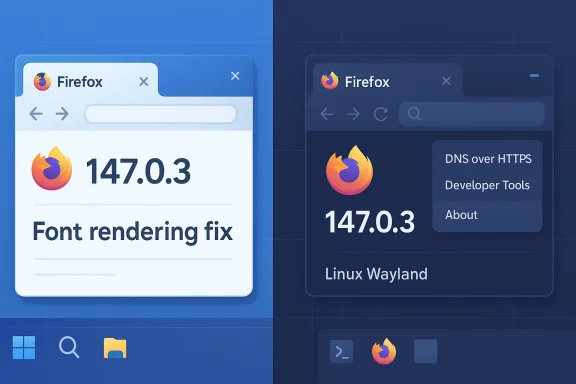
Mozilla pushed a targeted maintenance update this week — Firefox 147.0.3 — to repair a cluster of user-facing UI regressions and minor interoperability issues introduced during the January 2026 147 train. The build, published to Firefox’s release channel on February 4, 2026, bundles focused fixes (not new consumer features) including a Windows-specific fix for garbled UI text when many fonts are installed, several rendering and developer-tools fixes, and a partial mitigation for Wayland context‑menu/pop‑up placement problems that continue to affect a subset of Linux users. (firefox.com)
Firefox 147 arrived as a full-feature desktop release in mid‑January and quickly spawned a series of micro‑releases. That cadence — major feature release followed by rapid follow-ups to address compatibility regressions and security fixes — is typical for modern browsers but can create short windows of instability for particular platform or environment combinations.
Technically, the class of problems seen in 147’s aftermath aligns with a few recurring failure modes code:
hooting quick reference
For the majority of users affected by the reported issues, the recommendupdate to Firefox 147.0.3, verify the fix on your configuration (particularly for Windows font rendering or Wayland popups), and — if anomalies persist — collect reproducible steps and file a focused Bugzilla report. Enterprises should stage the update, validate workflows (context menus, drag‑and‑drop, developer tools), and coordinate with any endpoint‑security vendors if third‑party integrations remain a factor.
Mozilla’s transparency and rapid micro‑rrking as intended in this case: the project shipped fixes quickly and documented remaining work publicly. That responsiveness is valuable, but it also underscores an enduring truth of cross‑platform software: tight release cycles require vigilant testing across diverse platform stacks and close coordination with ecosystem partners to ensure the smallest changes don’t yield outsized user impact.
For readers who experienced the broken UI after the 147 rollout, 147.0.3 should restore most core interactions — please update, test your critical scenarios, and report any remaining breakage with precise reproduction steps so engineers can close the remaining gaps.
Source: Neowin https://www.neowin.net/news/firefox-14703-is-out-with-fixes-for-broken-ui-on-windows-and-more/
 Background / Overview
Firefox 147 arrived as a full-feature desktop release in mid‑January and quickly spawned a series of micro‑releases. That cadence — major feature release followed by rapid follow-ups to address compatibility regressions and security fixes — is typical for modern browsers but can create short windows of instability for particular platform or environment combinations.- The 147 major release delivered new platform work and web‑platform improvements that shipped on a tight schedule. Community telemetry and user reports subsequently flagged a set of regressions affecting popups, nested menus, drag‑and‑drop and, in a few Windows setups, tab s were maximized.
- Mozilla issued quick micro‑releases (147.0.1 and 147.0.2) to revert or harden certain changes and to close two security CVEs, then followed with 147.0.3 to consolidate user‑visible UI fixes and small interoperabilie headline for most desktop users is straightforward: this is a corrective release. For admins and power users the key details are what was fixed, what remains unresolved, and how to verify the fix in real environments.
What’s in Firefox 147.0.3
Release snapshot (practical highlights)
- Version and rollout: Firefox 147.0.3, first offered to Release‑channel users on February 4, 2026. (firefox.com)
- New / improved: interoperability tweaks for the CSS anchor‑positioning and Navigation web APIs. (firefox.com)
- Notable fixes:
- Repair for a regression where some
position: stickyelements could become stuck during mousewheel scroll after specific:hoverinteractions. (Bug 2010481). (firefox.com) - Developer‑tools fix: the Inspector’s node picker could prevent Developer Tools from reopening in pages with cross‑origin iframes (Bug 2003810). (firefox.com)
- DNS‑over‑HTTPS settings display bug: the DoH provider section could appear blank, preventing changes (Bug 2010501). (firefox.com)
- Windows text rendering: resolved a regression on Windows systems with very large font registries where tabs, menus and Settings sometimes displayed garbled glyphs or symbols. (Bug 2012950). (firefox.com)
What remains unresolved
- On Linux (Wayland) systems some popups and context menus may still open in the wrong place (for example, appearing at the top‑left of the window). The release notes explicitly mark this as partially mitigated in 147.0.3; remaining instances are slated for a future release. In short: Linux Wayland users may still see visual anomalies even after updating. (firefox.com)
Why these regressions matter (and how they likely happened)
The reported symptoms — misplaced or invisible context menus, nested menus failing to render, and occasional Windows UI oddities when maximized — are more than minor annoyances. Context menus and popups are core interaction primitives; when they misbehave users cannot right‑click to open links, copy text, or access developer tools reliably. For professionals and admins, breakage there disrupts workflows and support effort scales rapidly.Technically, the class of problems seen in 147’s aftermath aligns with a few recurring failure modes code:
- Coordinate translation mismatch: Browsers compute popup geometry in window coordinate space and then hand that to the platform compositor. If Firefox’s internal mapping doesn’t correctly translate to the compositor’s coordinate system (especi scaling or multi‑monitor virtual offsets), popups can be drawn in the wrong location (top‑left or off‑screen).
- Compositor / IPC timing race: If the browser attempts to position a transient surface before the compositor has finalized the parent surface size, the computed coordinates can be stale. Race conditionest as misplaced elements.
- Platform‑specific metrics: Wayland compositors, GNOME Mutter fractional scaling behavior, and Windows maximized‑window metrics each expose slightly different semantics for window bounds and scaling. Code that assumed cross‑ecomes brittle when a new optimization or configuration is present.
- Third‑party interactions: Endpoint protection suites or shell integrations that inject DLLs / hooks into the process can change event timing or alter window lifecycles, making otherwise deterministic code flaky in particular enterprise environments.
Community signal: how bad was the user impact?
Community channels lit up quickly after the 147 rollout. Users reported context menus popping up at the top‑left, menus becoming invisible while their (screen‑captured) outlines remained, and intermittent right‑click failures across several distributions and desktop environments. Those reports helped prioritize fixes that landed in the 147 micro‑releases and dot releases.- Multiple Reddit threads and forum posts documented high‑frequency reproduction on Ubuntu 24.04, Fedora, and GNOME/Wayland environments; screenshots and reproducible steps accelerated triage. Community posts also highlighted that Safe Mode (extensions disabled) did not always eliminate the problem, suggesting a deeper compositor/coordinate cause in many cases.
- Enterprise incident reports focused on Windows environments where very large font sets triggered garbled UI rendering; this was specifically addressed in 147.0.3. (firefox.com)
What IT teams and power users should do no path is straightforward: update. For organizations and admins there's a short checklist to reduce risk and validate the correction in representative environments.
- Confirm and apply the update
- Open Firefox → Help → About Firefox. The dialog will show the installed version and automatically trigger the update if 147.0.3 is available. Verify the version string reads 147.0.3 before concluding remediation. (firefox.com)
- Test critical workflows in staging
- Verify context menus, nested menus, drag‑and‑drop, and developer‑tools workflows on the specific display configurations your users run (multi‑monitor, fractional scaling, virtual desktops).
- If your endpoints run Windows with large ines, check tabs and Settings for readable glyphs to confirm Bug 2012950 is resolved.
- If problems persist, perform isolation steps
- Restart Firefox in Safe Mode (Help → Restart with Add‑ons Disabled) to rule out extension or userChrome customizations.
- Test with a fresh profile to determine profile‑specific residue.
- Temporarily disable or isolate endpoint agents that inject DLLs or hook input events (coordinaessary).
- Collect robust bug reports when necessary
- If you see residual issues after updating, gather: exact build string, OS version (Windows 10/11 or specific Linux distro and compositor), DPI/fractional scaling settings, multi‑monitor topology, GPU driver version, and reproducible steps with screenshots/video. Attach logs and the about:suing in Bugzilla. Clear, reproducible reports accelerate fixes.
- Enterprise rollout guidance
- Treat 147.0.3 as a recommended update for endpoints affected by the reported regressions. Use staging and phased deployment; monitor support queues for examples of persistent problems tied to third‑party integrations. Coordinate with endpoint security vendors if their products inject code into browser processes.
A technical deep dive: why popup placement is a recurring, hard problem
Popup placement is deceptively simple: compute coordinates, create a transient surface, and render. In practice it’s a choreography between the application, graphics stack, window manager/compositor, and display driver. The most important failu and coordinate system mismatches:- Coordinate systems: applications and compositors may use different reference frames (window origin, screen origin, scaled logical pixels vs physical pixels). Fractional scaling requires careful transforms between logical and device pixels; a ristake by even a single pixel calculation can make a popup appear misaligned or off-screen.
- Race conditions: if the compositor has not finalized the parent surface geometry when the browser asks where to place a popup, the computed coordinates are wrong. Fixes typically force e the placement to a later stage when the compositor signals readiness.
- Platform idiosyncrasies: Wayland (and different Wayland compositors) expose different semantics than X11 or Windows. Code written to a least-cel will encounter edge cases on compositors that implement nonstandard behavior for popups or transient surfaces.
- Interaction with injected hooks: enterprise security or overlay software that hooks drawing or input functions can shift timing and event order, turning deterministic code into flaky behavior in real world stacks.
Strengths and limitations of Mozilla’s response
Strengths
- Fast, narrow fixes: the project shipped small, focused releases (147.0.1, 147.0.2, 147.0.3) rather than a heavy-handed global rollback, minimizing feature churn while addressing critical regressions and security CVEs.
- Transparent triage: Bugzilla threads and pnumerate fixed bugs and unresolved items, enabling admins to weigh risk and track progress. (firefox.com)
- Community feedback loop: user reports and telemetry allowed engineers to prioritize the exact, high‑impact rt everyday workflows.
Limitations and risks
- Rapid cadence tradeoffs: shipping quickly increases the chance that platform‑specific interactions surface only in the field. Organizations that maintain more conservative update policieort‑term but risk missing security fixes.
- Third‑party dependency surface: endpoint integrations from security vendors or other system utilities can prolong or mask issues; fixes at the browser level sometimes need to be supplemented by vendor patches or configuration changes.
- Partial mitigation for Linux: the release notes explicitly call out that Wayland popups remain only partially fixed — so Linux users running Wayland should expect furtherrefox.com](Firefox 147.0.3, See All New Features, Updates and Fixes))
- Reproducibility gaps: not all community reports reproduce reliably in clean profiles or controlled labs, which complicates triage and sometimes prolongs the time to a definitive fix. Clear reproducible cases remain the fastest path to repair.
hooting quick reference
- Update to 147.0.3 and restart Firefox. Confirm version via Help → About Firefox. (firefox.com)
- If popups or context menus still misbehave:
- Restart in Safe Mode (extensions disabled). If that resolves the issue, methodically re‑enable extensions to find a culprit.
- Test on a fresh browser profile. If the issue persists in a clean profile, it’s likely a platform/compositor problem rather than a profile artifact.
- On Windows, verify that you are using the distro‑packaged or official builds and that font regi; 147.0.3 contains a direct fix for glyph garbling triggered by very large font sets. (firefox.com)
- If you run endpoint protection, consult vendor guidance: some vendors document compatibility steps or advise toggles to mitigate crashes or UI oddities until both the endpoint and browser side receive patches.
What to watch next
- Mozilla has labeled the Wayland popup issue as unresolved for now and notes that remaining instances will be addressed in a future release; watch subsequent dot releases for final resolution. (firefox.com)
- Keep an eye on Bugzilla entries referenced in the release notes (the release page r developer discussion, patches, and verification testcases. These entries are the authoritative record of the code changes and verification steps. (firefox.com)
- If you are an enterprise admin, expect a short window of continued micro‑releases and plan a phased roll‑out with staged testing focused on fractional scaling, multi‑monitor setups, and any endpoint protection stacks that hook UI or input events.
Final assessment
Firefox 147.0.3 is a pragmatic, narrowly scoped repair release: it fixes multiple user‑visible regressions — including a Windows font‑related UI corruption and several developer‑tool and layout glitches — while partially mitigating, but not yet fully eliminating, Wayland popup placement problems. Mozilla’s incremental approach (ship features, monitor telemetry, deliver surgical dot releases) preserved forward momentum for the browser’s feature set while responding rapidly to real‑world pain points reported by users and the community.For the majority of users affected by the reported issues, the recommendupdate to Firefox 147.0.3, verify the fix on your configuration (particularly for Windows font rendering or Wayland popups), and — if anomalies persist — collect reproducible steps and file a focused Bugzilla report. Enterprises should stage the update, validate workflows (context menus, drag‑and‑drop, developer tools), and coordinate with any endpoint‑security vendors if third‑party integrations remain a factor.
Mozilla’s transparency and rapid micro‑rrking as intended in this case: the project shipped fixes quickly and documented remaining work publicly. That responsiveness is valuable, but it also underscores an enduring truth of cross‑platform software: tight release cycles require vigilant testing across diverse platform stacks and close coordination with ecosystem partners to ensure the smallest changes don’t yield outsized user impact.
For readers who experienced the broken UI after the 147 rollout, 147.0.3 should restore most core interactions — please update, test your critical scenarios, and report any remaining breakage with precise reproduction steps so engineers can close the remaining gaps.
Source: Neowin https://www.neowin.net/news/firefox-14703-is-out-with-fixes-for-broken-ui-on-windows-and-more/
