

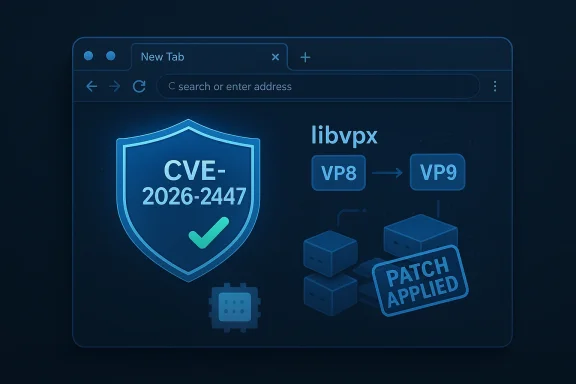
Mozilla pushed a small but important maintenance release for the stable channel this week: Firefox 147.0.4 ships a targeted user-experience fix that stops some users from seeing a blank New Tab (about:home/about:newtab) and closes a heap-buffer-overflow in the libvpx video codec (tracked as CVE‑2026‑2447) that Mozilla has backported to multiple ESR branches.
Firefox’s 147 train has delivered a steady stream of feature and stability work since its January rollout, but as with any large codebase the occasional regression and third‑party library issue can surface after a wider rollout. This minor 147.0.4 point release is explicitly surgical: it corrects a UI regression affecting the New Tab / Firefox Home experience for a subset of users, and it ships a security patch addressing a memory corruption bug inside libvpx — the widely used open‑source library for VP8/VP9 video encoding/decoding.
Both fixes are distributed on the same day across the mainstream and Extended Support Release channels: the libvpx fix is present in Firefox 147.0.4 (desktop), and corresponding ESR builds 140.7.1 and 115.32.1 were also released so organizations and users on long‑term branches get the same protection.
Why this matters: the New Tab page is the primary starting surface for many Firefox users; when it fails to render the browser feels broken. The bug was reproducible across platforms in some configurations and caused broad annoyance — especially for non‑technical users who rely on the default home UI rather than configuring a custom start page or an extension. The Mozilla team prioritized a reliable, low‑risk fix that recreates expected profile structures rather than a larger UI rewrite. (bugzilla.mozilla.org)
Technical severity and exploitability: early vendor and third‑party vulnerability summaries assign a high severity range (CVSS v3 base scores reported in vendor trackers are high, with vectors indicating network attack surface and limited required user interaction). The Tenable/Nessus references and NVD entry indicate the likely attack vector is crafted media (a maliciously formed VP8/VP9 stream); in practical terms the attacker needs to get a victim’s browser to process a crafted video payload — for example by visiting a page that triggers playback or by an ad/network injection scenario.
In 2025, for example, a critical libvpx double‑free was fixed in an earlier Firefox release; that episode underlined how encoder/decoder code paths invoked by WebRTC or video playback can be high‑impact attack surfaces. The new CVE‑2026‑2447 follows that pattern: the root cause is memory mismanagement in the codec implementation, and the exploit avenue is manipulation of media data rather than an exotic chain of browser bugs. For defenders, that means media isolation and rapid application of codec patches are essential controls.
A special note on legacy Windows users: Firefox 115 ESR remains the supported channel for users on Windows 7, Windows 8 and Windows 8.1; Mozilla has extended critical ESR support for these OS versions into 2026 specifically to provide security coverage where Microsoft no longer does. If you are on these older OSes, remain on the ESR branch, apply the ESR patches promptly, and plan an OS upgrade as the long‑term fix.
From a product‑quality perspective, these kinds of regressions usually fall into two buckets: (a) display/layout regressions caused by CSS/JS changes, and (b) behavior regressions caused by missing or renamed profile data. The Mozilla fix targeted the latter, a pragmatic choice that reduces customer friction quickly. (bugzilla.mozilla.org)
If you’ve already updated and want to double‑check, open Help > About Firefox and confirm the new version number; if you manage fleets, run a version inventory today and schedule any deferred ESR rollouts as a matter of urgency.
Source: Neowin Firefox 147.0.4 fixes blank new tab page and one security issue
 Background
Firefox’s 147 train has delivered a steady stream of feature and stability work since its January rollout, but as with any large codebase the occasional regression and third‑party library issue can surface after a wider rollout. This minor 147.0.4 point release is explicitly surgical: it corrects a UI regression affecting the New Tab / Firefox Home experience for a subset of users, and it ships a security patch addressing a memory corruption bug inside libvpx — the widely used open‑source library for VP8/VP9 video encoding/decoding.Both fixes are distributed on the same day across the mainstream and Extended Support Release channels: the libvpx fix is present in Firefox 147.0.4 (desktop), and corresponding ESR builds 140.7.1 and 115.32.1 were also released so organizations and users on long‑term branches get the same protection.
What changed in Firefox 147.0.4
Blank New Tab / Firefox Home: the user‑facing fix
A nontrivial number of users reported that, after recent 147.x updates, the Firefox Home or New Tab page appeared completely blank — no search box, no Top Sites tiles, no recent activity — just an empty page. That behavior was filed and triaged in Mozilla’s Bugzilla as Bug 2014616, and the patch that landed ensures the browser always creates the Profile Groups folder if it’s missing, preventing the empty-home UI from rendering. The change is narrowly scoped to restore the expected page contents for affected users. (bugzilla.mozilla.org)Why this matters: the New Tab page is the primary starting surface for many Firefox users; when it fails to render the browser feels broken. The bug was reproducible across platforms in some configurations and caused broad annoyance — especially for non‑technical users who rely on the default home UI rather than configuring a custom start page or an extension. The Mozilla team prioritized a reliable, low‑risk fix that recreates expected profile structures rather than a larger UI rewrite. (bugzilla.mozilla.org)
Security: libvpx heap buffer overflow (CVE‑2026‑2447)
On the security side, Mozilla patched a heap buffer overflow in libvpx, cataloged as CVE‑2026‑2447. Memory‑corruption issues in video codecs are a recurring theme in browser security because they handle complex, adversarial media inputs and run inside processes that parse untrusted streams. The public vulnerability records (NVD, vulnerability trackers) confirm the impact: Firefox versions prior to 147.0.4 and several ESR releases are affected, and Mozilla’s advisories list the exact fixed builds.Technical severity and exploitability: early vendor and third‑party vulnerability summaries assign a high severity range (CVSS v3 base scores reported in vendor trackers are high, with vectors indicating network attack surface and limited required user interaction). The Tenable/Nessus references and NVD entry indicate the likely attack vector is crafted media (a maliciously formed VP8/VP9 stream); in practical terms the attacker needs to get a victim’s browser to process a crafted video payload — for example by visiting a page that triggers playback or by an ad/network injection scenario.
Why the libvpx fix matters: codec history and modern risk
libvpx is foundational for VP8/VP9 media handling in browsers and real‑time video stacks (WebRTC). Historically, libvpx and related video libraries have been the site of buffer‑overflows, double‑frees, and other memory issues that can trivially escalate to process compromise when parser code trusts crafted inputs. Mozilla and other vendors have repeatedly had to patch libvpx bugs — both in decoding and encoding paths — because video streams are complex and can be weaponized.In 2025, for example, a critical libvpx double‑free was fixed in an earlier Firefox release; that episode underlined how encoder/decoder code paths invoked by WebRTC or video playback can be high‑impact attack surfaces. The new CVE‑2026‑2447 follows that pattern: the root cause is memory mismanagement in the codec implementation, and the exploit avenue is manipulation of media data rather than an exotic chain of browser bugs. For defenders, that means media isolation and rapid application of codec patches are essential controls.
Cross‑platform coverage and ESR implications
Mozilla shipped the libvpx correction not only to the mainstream 147.0.4 release but also to ESR tracks used by organizations and legacy OS users — specifically Firefox ESR 140.7.1 and Firefox ESR 115.32.1. That multi‑branch coverage is important because enterprises frequently run ESR versions for stability and for managed compatibility; getting the same security backports into those channels reduces the window for attackers to target slower update cycles. Vulnerability trackers and organizational patching tools picked up the ESR patches within hours of the release.A special note on legacy Windows users: Firefox 115 ESR remains the supported channel for users on Windows 7, Windows 8 and Windows 8.1; Mozilla has extended critical ESR support for these OS versions into 2026 specifically to provide security coverage where Microsoft no longer does. If you are on these older OSes, remain on the ESR branch, apply the ESR patches promptly, and plan an OS upgrade as the long‑term fix.
How to check and install 147.0.4 (desktop and ESR)
Updating Firefox is straightforward for consumer and managed installations:- Open Firefox and choose Menu > Help > About Firefox. The About dialog will trigger an update check and, if an update is available, download it and present a restart option to apply the update. This works for standard Mozilla installers; if you installed Firefox through a Linux package manager, use your distro’s update mechanism.
- For Microsoft Store installs on Windows, updates are delivered via the Store — check the Store’s app updates.
- Enterprise and managed environments should use their existing software distribution tooling (SCCM, Intune, WSUS‑aware packages, or third‑party patching suites) to deploy the patched MSI/EXE or ESR packages; vendors and package catalogs already show the 147.0.4 and ESR 140.7.1 / 115.32.1 items as available.
Technical analysis: probable exploitability and mitigations
- Attack surface: the vulnerability resides in a codec library that handles remotely supplied media. As with previous libvpx bugs, risk arises from processing crafted streams — video files or live packets — that the browser decodes. The attack path commonly looks like: malicious web page delivers crafted media → browser decodes via libvpx → heap corruption → potential exploit.
- Exploit complexity and required interaction: public trackers (NVD/Tenable summaries) assign a high severity rating overall but note that some chains include a requirement for user interaction (UI:R). That typically means the victim must visit or interact with a page that triggers media playback (which can be automatic in many pages), or the malicious payload must be delivered through additional vectors such as malvertising or compromised content delivery. The presence of UI:R does reduce the immediacy compared to a zero‑click remote RCE, but it does not make the issue trivial — web pages often auto‑play short video snippets or negotiate WebRTC connections, so the real‑world exposure can be significant.
- Mitigations beyond patching:
- Disable automatic video playback where feasible or use content blockers to stop untrusted third‑party embeds.
- If you run a hardened environment, consider blocking or sanitizing WebM/VP8/VP9 content from untrusted networks until the patch is applied.
- Use process‑isolation controls and modern OS mitigations (ASLR, stack canaries, CFI, sandboxing) — Firefox’s multi‑process architecture and sandboxing help reduce but do not eliminate the impact of codec memory corruption.
- Enterprise scanning: SCA and vulnerability scanners (Nessus/Tenable, vendor patch tools) have already added checks for the affected versions; run an inventory and prioritize devices running Firefox < 147.0.4 or ESR < 140.7.1 / 115.32.1.
User reports and the timing of the New Tab regression
User reports (forums and Bugzilla) show the blank New Tab issue appeared after one of the early 147.x point updates and affected a subset of profiles — often where profile metadata or folders (Profile Groups) were missing or renamed. Mozilla’s Bugzilla entry for Bug 2014616 includes diagnostic dialogue and the developer patch that re‑creates the missing folder to restore the Home UI. The fix is focused and noninvasive, which is appropriate for a user‑facing regression; it avoids major architectural changes that would risk regressions elsewhere. (bugzilla.mozilla.org)From a product‑quality perspective, these kinds of regressions usually fall into two buckets: (a) display/layout regressions caused by CSS/JS changes, and (b) behavior regressions caused by missing or renamed profile data. The Mozilla fix targeted the latter, a pragmatic choice that reduces customer friction quickly. (bugzilla.mozilla.org)
Risk assessment and editorial take
- Strengths of Mozilla’s response:
- Rapid, multi‑branch remediation: shipping the libvpx fix to stable and ESR channels on the same day minimizes the window for exploitation across user and enterprise segments.
- Targeted UI fix: the New Tab resolution is intentionally low‑risk (recreate missing folder) rather than a sweeping UI change, which reduces the chance of follow‑on regressions. (bugzilla.mozilla.org)
- Transparent tracking: the Bugzilla and MFSA entries provide traceable identifiers for IT teams and researchers to reference. (bugzilla.mozilla.org)
- Remaining concerns and potential risks:
- Codec pedigree: video codec libraries are complex and historically repeat offenders; this CVE continues that trend, which means defenders must remain vigilant and treat media processing as high priority in patch cycles.
- Legacy OS exposure: users on older Windows versions who remain on ESR builds are covered for now, but reliance on ESR plus an aging OS is an inherently brittle security posture — the OS itself will not be getting vendor patches, so browser patches mitigate only part of the risk. Organizations should plan OS migrations.
- Exploit economics: while public trackers show no immediate in‑the‑wild reports for CVE‑2026‑2447 at time of writing, the high severity and typical attacker interest in codec bugs mean that rapid weaponization remains plausible; defenders should assume that exploit code could appear and prioritize updates accordingly.
Practical recommendations (for consumers and admins)
- Consumers (home users):
- Update immediately via Menu > Help > About Firefox and confirm you’re on 147.0.4 or one of the patched ESR builds if you use ESR. This is the simplest, most important step.
- Consider enabling tracking/content blockers that prevent third‑party media from auto‑playing on untrusted sites until you’ve patched. Many add‑ons can stop auto‑play or block cross‑site embeds.
- If you see a blank New Tab after earlier 147 updates, update to 147.0.4 — the Home UI should be restored without manual profile surgery. If you prefer working around the issue, set your home page to about:home or a static URL temporarily. (bugzilla.mozilla.org)
- IT administrators and security teams:
- Inventory Firefox across endpoints and prioritize all machines running Firefox < 147.0.4 or ESR < 140.7.1 / 115.32.1 for patching. Use your existing enterprise patching pipeline to deploy the updated binaries.
- If update rollout will take time, apply interim mitigations: block or filter untrusted media types at the network edge, disable auto‑play for cross‑site media, and ensure WebRTC controls are in place for higher‑risk users.
- For legacy OS fleets still on Windows 7/8/8.1, confirm that your Firefox builds are on ESR 115 and that the ESR patches have been applied; use the ESR extension window (Mozilla’s published timeline) as a planning milestone for OS migration.
Conclusion
Firefox 147.0.4 is a compact but essential maintenance release: it restores a reliable New Tab experience for affected users and closes a high‑impact codec memory bug that was patched across both stable and ESR channels. The pattern is familiar — complex third‑party media code remains an attractive target for attackers — and Mozilla’s rapid multi‑branch rollout is the right operational response. Users and administrators should apply the update without delay, verify affected endpoints, and treat codec‑related advisories as high priority in their patching cadence. (bugzilla.mozilla.org)If you’ve already updated and want to double‑check, open Help > About Firefox and confirm the new version number; if you manage fleets, run a version inventory today and schedule any deferred ESR rollouts as a matter of urgency.
Source: Neowin Firefox 147.0.4 fixes blank new tab page and one security issue
