

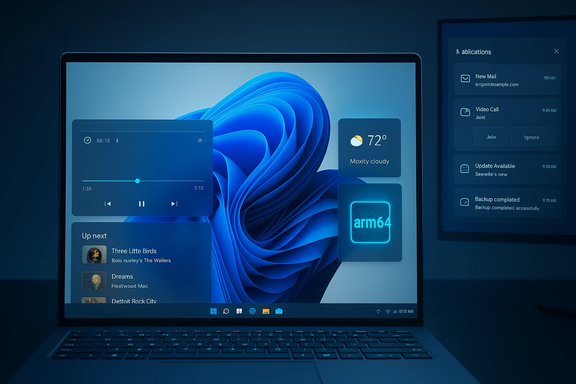
FluentFlyout’s latest release finally brings native ARM64 support, meaning the polished flyouts that many Windows 11 users now rely on will run natively on Qualcomm Snapdragon X family devices and other ARM64 Windows PCs without emulation.
FluentFlyout is an open-source utility that replaces and extends Windows 11’s built-in media and lock-key flyouts with a modern, highly customizable set of popups and a taskbar widget that feels native to Windows 11. The project is published on GitHub and distributed through both the Microsoft Store and GitHub releases; the Store version offers automatic updates and an optional small one-time payment to support continued development, while the GitHub builds are free and fully featured. The app filled a visible UI gap for Windows 11 users, receiving positive coverage from mainstream outlets for offering features Microsoft has not prioritized—such as a seek bar, persistent media overlays, and a taskbar-integrated media widget—while adhering to Windows’ Fluent design language. That attention helped push FluentFlyout into broader awareness among Windows enthusiasts and reviewers.
Source: Windows Central Massive update lands for a top Windows app, including full Qualcomm support
 Background
FluentFlyout is an open-source utility that replaces and extends Windows 11’s built-in media and lock-key flyouts with a modern, highly customizable set of popups and a taskbar widget that feels native to Windows 11. The project is published on GitHub and distributed through both the Microsoft Store and GitHub releases; the Store version offers automatic updates and an optional small one-time payment to support continued development, while the GitHub builds are free and fully featured. The app filled a visible UI gap for Windows 11 users, receiving positive coverage from mainstream outlets for offering features Microsoft has not prioritized—such as a seek bar, persistent media overlays, and a taskbar-integrated media widget—while adhering to Windows’ Fluent design language. That attention helped push FluentFlyout into broader awareness among Windows enthusiasts and reviewers. What arrived in the update: native ARM64 support and more
ARM64 configuration support — the headline change
The newest release explicitly adds ARM64 configuration support, allowing FluentFlyout to run on devices that use ARM64 CPU architectures—this includes Qualcomm Snapdragon X-series powered Copilot+ PCs and other Snapdragon-based Windows laptops. The project changelog lists ARM64 support as a direct item in the release notes, showing the developer’s intent to produce builds targeting native ARM64 binaries rather than relying on x86/x64 emulation.- Why this matters: native ARM64 builds remove the performance and compatibility overhead of emulation and generally produce faster startup, lower battery drain, and better integration with platform-specific APIs on ARM-based Windows devices.
Other notable improvements in the same release
The release that added ARM64 support did not stop there; the changelog highlights several productivity and polish updates that matter to daily users:- Switch Monitors: choose which display flyouts and the taskbar widget appear on.
- Taskbar widget improvements: custom padding, alignment options, and cover-art tooltips.
- Media flyout performance fixes (less lag when pressing media keys repeatedly).
- Visual fixes: Lock Flyout glitches, background acrylic opacity adjustments, and small UI bug fixes.
- Translation and localization updates.
Why native ARM64 builds matter for Snapdragon X PCs
Snapdragon X family and the Copilot+ platform
Qualcomm’s Snapdragon X Elite and Snapdragon X Plus (marketed broadly under the Snapdragon X family) have been positioned as ARM-based windows SoCs for premium Windows laptops, often bundled under the Copilot+ PC initiative. These chips offer strong power-efficiency and NPU acceleration for AI workloads, but historically the Windows-on-Arm ecosystem has been held back by app compatibility and the need for native ARM64 binaries. Microsoft and Qualcomm have worked to improve emulation and platform compatibility, but native apps still offer the best experience on these machines.Practical benefits for users
- Performance: ARM64 binaries avoid Prism (or WOW) emulation layers for x86/x64 code, which can cut startup time and reduce CPU overhead when the app runs in the background.
- Battery life: Eliminating emulation reduces extra cycles and can yield measurable battery life improvements on laptops where every milliwatt counts.
- Stability and compatibility: Native builds reduce edge-case bugs introduced by emulation when the OS or other low-level components interact with apps.
- Future-proofing: As OEMs push more Copilot+ and Snapdragon X devices into the market, native ARM64 support ensures apps like FluentFlyout are immediately usable on new hardware.
Installation and version options: Store vs. GitHub
Microsoft Store (recommended for most users)
- The Microsoft Store version offers automatic updates and a streamlined install process. It also includes a small one-time purchase option to support development while keeping core features available. For Copilot+ or Snapdragon X machines, the Store may now deliver the ARM64-capable package through the Store’s distribution channels.
GitHub releases (for power users)
- GitHub houses the open-source releases and MSIX bundles. Power users and those who prefer to avoid the Store can download the latest MSIX/MSIXBUNDLE from GitHub. The developer provides instructions for certificate installation and manual update procedures for those who choose this route. The GitHub release notes are where the ARM64 configuration support is explicitly documented.
Which build to pick on a Snapdragon X device
- Install via Microsoft Store first — it’s easiest and should deliver the appropriate architecture package.
- If using the GitHub build, pick the release labeled for ARM64 where provided; follow the repository’s instructions for installing the MSIX bundle and any certificate steps if needed.
- If you’re uncertain whether an app is running natively or under emulation, Windows Task Manager and Resource Monitor can show whether a process is running as an ARM64 binary or if it’s an emulated x64 process.
Compatibility considerations and potential gotchas
SMTC and media control limitations
FluentFlyout operates by hooking into Windows’ System Media Transport Controls (SMTC). Most popular media apps that expose SMTC—Spotify, Windows Media Player, modern web browsers—will work well, but edge cases remain for players that don’t fully implement SMTC or provide incomplete metadata (for example, some browser-hosted players may not expose shuffle/repeat states). Users should expect broad compatibility but not universal parity with every obscure media app.Drivers and platform-level caveats on ARM
ARM-based Windows PCs sometimes ship with vendor-specific drivers and firmware peculiarities. Although FluentFlyout itself is a user-mode application, platform idiosyncrasies—graphics drivers, input driver bugs, or display scaling edge cases—can affect visual placement, hardware-media-key handling, or taskbar widget positioning. The GitHub changelog explicitly lists fixes for some positioning issues and provides options for custom padding to mitigate non-standard taskbar layouts. Users with OEM-unique configurations should test behavior after install.App signing and manual install friction
Manual GitHub installs via an MSIX bundle sometimes require installing a certificate and granting elevated permission for the package to be trusted. This is normal for unsigned or self-signed packages distributed outside the Store, but it can be confusing for less technical users. The repository README supplies step-by-step guidance for the MSIX installer path.Emulation vs native: how to confirm
If a user wants to confirm they are running FluentFlyout native on ARM64 hardware, look for the process architecture in Task Manager (right-click the column header → Select columns → check "Platform" or "Architecture" depending on Windows version), or check the file properties of the running binary to confirm ARM64. If the app shows x86/x64 under architecture, it’s running under emulation.Security, privacy, and reliability analysis
Security posture
FluentFlyout is open-source under GPL-3.0 and hosted on GitHub, which means its source is public and community-auditable. That transparency helps identify and remediate potential vulnerabilities, and it enables third parties to review code for suspicious behavior. However, open source does not automatically equal security: timely review and active maintenance are required. The project’s active release cadence and bug fixes indicate active maintenance, but users should still follow common best practices: install only from trusted release channels, watch permissions at install, and keep the app up to date.Privacy considerations
FluentFlyout integrates with the OS’s media controls and reads metadata exposed by apps through SMTC. That means it will see song titles, artists, and possibly cover art for media you play, which is necessary for its features. There are no indications the app exfiltrates telemetry beyond what is required for functionality; nevertheless, privacy-minded users should review the repository and any opt-in telemetry or update request behavior before installation. The project’s open-source license and repository make such an audit possible.Reliability and resource use
The developer describes FluentFlyout as lightweight, typically keeping memory usage modest and CPU usage near-zero when idle. The release changelog specifically addresses performance issues in media key responsiveness, suggesting the dev team actively monitors and resolves resource-related regressions. That said, third-party UI hooks into system-level events can occasionally trigger explorer.exe or UI race conditions—users should monitor for issues after major updates and report bugs on GitHub if they see crashes or odd behavior.Developer and community perspectives
Open-source development and sustainability
FluentFlyout’s dual-distribution model—a free, full-featured GitHub release and a Store version with a nominal paid unlock—has become a pragmatic way for independent maintainers to fund development while keeping the project accessible. The GitHub repository shows active contributions from multiple authors and frequent changelog entries, which bodes well for continued maintenance. The ARM64 work demonstrates responsiveness to expanding hardware support and the maintainers’ attention to platform diversity.Why third-party apps are filling Microsoft’s gaps
Windows Central and other outlets have highlighted FluentFlyout as an example of third-party developers shipping quality UX improvements that Microsoft has not prioritized. Independent developers can iterate rapidly and experiment with UI approaches that major vendors may not ship quickly. FluentFlyout’s traction illustrates demand for more polished, native-feeling media controls that integrate tightly with the taskbar and system UI.Practical step-by-step: installing FluentFlyout natively on a Snapdragon X laptop
- Open Microsoft Store on your Snapdragon X device and search for FluentFlyout.
- If the Store lists FluentFlyout, install it and accept the optional one-time purchase if you want to support the developer. The Store build will attempt to deliver the correct architecture package for your device.
- If you prefer the GitHub release: go to the repository’s Releases page, download the latest MSIXBUNDLE that includes ARM64 configuration (look for the release notes mentioning ARM64), and follow the README’s instructions to install the certificate and package.
- After installation, verify the process architecture in Task Manager to confirm it’s running as ARM64.
- Open FluentFlyout settings via the system tray icon and tailor flyout position, acrylic/mica preference, and taskbar widget padding to your display and taskbar setup.
Troubleshooting tips
- If flyouts don’t appear: ensure FluentFlyout is allowed to show overlays and that media keys are not intercepted by another application.
- If the taskbar widget misaligns on non-standard toolbars: use the Taskbar Widget manual custom padding option introduced in recent releases.
- If you experience crashes after an update: try rolling back to the previous release or reinstalling. Report the issue on the project’s GitHub Issues page with diagnostic logs.
- If the Microsoft Store version doesn’t present the ARM64 package: check for a separate ARM64 update in the Store entry or use the GitHub build as a fallback.
Broader impact and takeaways for Windows on Arm
FluentFlyout’s ARM64 release is more than a single-app victory: it signals a maturing ecosystem where independent developers treat Windows on Arm as a first-class platform. Native ARM64 builds reduce friction for early adopters of Snapdragon X hardware and help bridge the software parity gap between ARM and x86/x64 Windows devices. As more mainstream utilities and developer tools publish native ARM64 binaries, the argument for choosing Snapdragon X and similar SoCs for daily productivity strengthens. However, the release also highlights ongoing dependencies: the broader platform still relies on OEM driver support, Microsoft’s emulator improvements, and developer willingness to publish ARM64 artifacts. While emulation continues to improve, native binaries remain the gold standard for performance and battery efficiency.Critical analysis: strengths, risks, and unanswered questions
Strengths
- Immediate user benefit: ARM64 support delivers tangible performance and battery improvements for Snapdragon X users who rely on media controls and quick media-key responses.
- Polish and usability: The combined feature set (seek bar, Up Next, taskbar widget, custom placement) provides a superior experience to the stock Windows flyouts for many users.
- Open-source transparency: Public code and active release notes enable community review and contributions, improving trust and long-term sustainability.
Risks and caveats
- Platform edge cases: Variable OEM drivers and display setups can still produce visual glitches or taskbar alignment issues; these require ongoing fixes and may not be fully solvable by the app alone.
- Manual installation friction: Users choosing GitHub releases must manage certificates and manual installs, which can be confusing and potentially unsafe if they obtain packages from the wrong place.
- Unverifiable claims: Some anecdotal reports suggest differing behavior on specific ARM devices; until telemetry and wider testing data are available, real-world stability across all Snapdragon X models remains conditionally validated. This should be considered when deploying across fleets of Copilot+ devices.
Unanswered questions
- Will FluentFlyout’s ARM64 packages be automatically mirrored to the Microsoft Store across all regions and OEM partner stores, or will distribution be uneven for some users? The Store distribution system varies by region and OEM, and that can affect how quickly ARM64 builds reach end users.
Conclusion
The FluentFlyout update that introduced ARM64 configuration support is a concrete, practical step forward for Windows on Arm users—especially those using Qualcomm Snapdragon X-powered Copilot+ devices. It reduces reliance on emulation, improves responsiveness for media controls, and demonstrates that independent developers are committed to treating ARM Windows as a first-class platform. The release also reiterates the importance of community-driven polish: where Microsoft’s long-term product planning moves more slowly, nimble projects like FluentFlyout deliver meaningful user-facing improvements today. For owners of Snapdragon X laptops, installing FluentFlyout from the Microsoft Store is the simplest route to get the native experience; advanced users can opt for the GitHub release if they need manual control. As the Windows on Arm ecosystem expands, more native builds like this will help close the gap between architectures—and FluentFlyout’s ARM64 support is an early, practical example of that progress.Source: Windows Central Massive update lands for a top Windows app, including full Qualcomm support
