

FlyOOBE’s latest incremental release lands as a compact but consequential update for anyone provisioning or rescuing PCs that Microsoft’s Windows 11 installer would normally block: the toolkit refines the original Flyby11 upgrade engine, tightens Out‑Of‑Box Experience (OOBE) controls, and reasserts the project’s long-standing advice about supply‑chain hygiene.
FlyOOBE began life as Flyby11: a small, community‑driven patcher whose principal aim was pragmatic — let Windows 11 install proceed on hardware Microsoft categorizes as “unsupported.” Over several releases the single‑purpose bypasser expanded into a full OOBE and provisioning toolkit, folding in debloat presets, ViVeTool integration, scripted PowerShell extensions, and guided first‑boot automation. That evolution explains the modern name: FlyOOBE (Fly‑OOBE), reflecting a shift from “just make Setup run” to “control the first run and day‑one experience.”
The broader market pressure driving adoption of these tools is also clear: Windows 10 reached its documented end of support on October 14, 2025, which left many users and refurbishers looking for practical ways to keep aging hardware secure and usable. Microsoft recommends upgrading compatible machines to Windows 11 or adopting Extended Security Updates for a time‑bound safety net — but not every device qualifies, and the choices aren’t free of tradeoffs.
That context matters because FlyOOBE doesn’t exist in a vacuum: policy shifts (for example, ESU enrollment rules that require Microsoft account linking) and corporate decisions by Microsoft materially change the calculus of whether a community bypass is an appropriate long‑term strategy. When vendor policy changes, the burden falls on the community and IT shops to track those shifts.
FlyOOBE’s story is a reminder of a straightforward truth: software is policy as much as it is code. Tools that restore user agency will continue to appear so long as platforms ship opinionated defaults. The responsible path forward is not prohibition but measured governance: insist on official distribution channels, adopt conservative deployment practices, and document every deviation from vendor‑supported configurations. FlyOOBE gives operators the means; prudent operators must supply the discipline.
Source: Neowin FlyOOBE 2.2.812
 Background / Overview
FlyOOBE began life as Flyby11: a small, community‑driven patcher whose principal aim was pragmatic — let Windows 11 install proceed on hardware Microsoft categorizes as “unsupported.” Over several releases the single‑purpose bypasser expanded into a full OOBE and provisioning toolkit, folding in debloat presets, ViVeTool integration, scripted PowerShell extensions, and guided first‑boot automation. That evolution explains the modern name: FlyOOBE (Fly‑OOBE), reflecting a shift from “just make Setup run” to “control the first run and day‑one experience.”The broader market pressure driving adoption of these tools is also clear: Windows 10 reached its documented end of support on October 14, 2025, which left many users and refurbishers looking for practical ways to keep aging hardware secure and usable. Microsoft recommends upgrading compatible machines to Windows 11 or adopting Extended Security Updates for a time‑bound safety net — but not every device qualifies, and the choices aren’t free of tradeoffs.
What FlyOOBE 2.2.812 actually is
- A compact, portable Windows application that automates installer routing, OOBE controls, and scripted provisioning without requiring a formal installation on the host machine.
- A consolidation of two capabilities: the original upgrade engine (historically Flyby11) that helps Setup avoid hardware gating, plus the new OOBE assistant and extensions engine that let operators apply debloat and personalization choices during initial setup.
- Distributed via GitHub Releases as a small ZIP package; the developer explicitly warns users to download from the official repository to avoid mirrored, tampered builds.
Technical primer — how the bypass works (short, precise)
Understanding what FlyOOBE automates is essential before you consider using it.Server‑variant setup routing
Windows Setup includes different entry points and code paths. Historically, the Server installation path checks fewer consumer‑side compatibility gates. By invoking or emulating that route, an installer can proceed where the retail client installer would stop on TPM, Secure Boot, or CPU generation checks. FlyOOBE automates that routing rather than distributing altered OS images.LabConfig / registry flags and light media steering
For in‑place upgrades, Setup accepts well‑known flags (often grouped under LabConfig keys) that tell the installer to bypass specific checks: BypassTPMCheck, BypassSecureBootCheck, BypassCPUCheck, and similar. The changes FlyOOBE applies are file‑level and registry edits performed during setup orchestration. They’re auditable and reversible in theory, but operationally they change how Setup behaves on that device.Hard hardware limits
No installer helper can add CPU instructions or change silicon. If a machine lacks required instruction sets — for example, POPCNT (population count) or SSE4.x where the OS build requires them — the install may fail or the resulting system may be unstable. FlyOOBE’s checks and user guidance reflect those immutable limits.Key features in brief (what FlyOOBE offers)
- Bypass TPM requirement during the Windows 11 setup flow.
- Bypass Secure Boot requirement to allow installs on firmware configurations that don’t enforce UEFI Secure Boot.
- Bypass unsupported CPU checks in many cases, subject to instruction‑set constraints like POPCNT and SSE4.2.
- Bypass minimum RAM checks for some installer paths.
- OOBE automation: skip forced Microsoft account sign‑in, create local accounts, bypass region/network gating, and apply first‑boot privacy or debloat presets.
- Extensions engine: run curated PowerShell scripts during setup (driver installs, app provisioning, custom policies).
- ViVeTool wrapper: GUI access to feature‑flag toggles for advanced users.
- Portable distribution: tiny ZIP/EXE footprint, no formal installer required, designed for technicians and refurbishers.
What’s new in 2.2.812 — UX and refinement
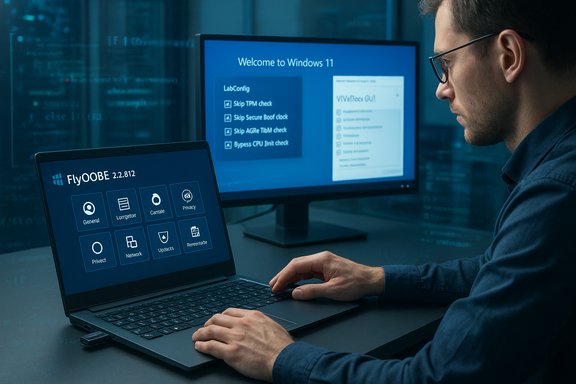
The 2.2 milestone emphasizes polish and responsiveness rather than adding more low‑level bypass tricks:- A compact, icon‑first UI for action buttons that mirrors modern Windows 11 app behavior and reduces visual clutter.
- Faster startup and lower memory usage; small but real wins for technicians who open the tool repeatedly during mass provisioning.
- Classic Flyby11 mode restored inside FlyOOBE for users who prefer the legacy upgrade flow, alongside an upgraded Autopilot assistant to make a one‑click guided upgrade + OOBE possible.
Strengths — why this tool matters
- Repeatable provisioning: Profiles and extensions let refurbishers produce the same day‑one state across dozens or hundreds of devices, saving time and reducing human error.
- User‑facing OOBE control: Being able to choose local account creation, skip telemetry defaults, and suppress AI surfaces at setup is a big UX and privacy win for many operators.
- Open‑source, auditable changes: The project’s GitHub releases and changelogs make it easier to track exactly what the tool does versus a black‑box modified ISO.
- Small footprint and portability: No installation, quick carry on USB, immediate use in imaging labs.
Risks, limitations, and the real tradeoffs
Any convenience that runs elevated during setup brings tradeoffs. The three risk domains to weigh carefully are:1) Supply‑chain and trojanization risk
Installer helpers run with high privilege at a point where a machine is most exposed. The FlyOOBE developer has publicly warned users about unofficial mirrors replicating the project’s branding and distributing tampered builds. Independent outlets corroborated that advisory. Downloading from anything other than the official GitHub Releases page invites the possibility of ransomware, credential harvesters, or other backdoors that can persist even before a local account is created. The warning is real and should be treated as urgent.2) Update fragility and entitlement risk
Microsoft’s explicit guidance is that devices installed with unsupported configurations are not guaranteed future updates. That means a machine upgraded via bypass techniques may receive updates for now, but there is no entitlement; future cumulative or feature updates could break or be withheld. This imposes a maintenance burden: expect to test each major update in a lab or to accept a longer‑term patching manual overhead.3) Security feature erosion
Bypassing TPM and Secure Boot removes firmware‑anchored protections that underpin BitLocker key protection, measured boot, and several enterprise security primitives. Those protections materially reduce certain attack classes; removing them is a deliberate security tradeoff and should be accepted only with that understanding.Cross‑checks and verifications (important factual anchors)
To keep reporting precise and verifiable:- The GitHub Releases page for FlyOOBE is the canonical distribution channel and lists the changelogs and release assets. Verify releases there before downloading.
- Security reporting from independent outlets confirmed that an unofficial mirror (domain impersonation) circulated a potentially malicious copy, and the developer’s GitHub prominently displays a security alert advising against mirrors. Treat third‑party sites as suspect.
- Microsoft’s lifecycle documentation confirms Windows 10 reached end‑of‑support on October 14, 2025, which is a core contextual driver for the surge in interest for upgrade workflows and ESU enrollment. This is a Microsoft‑published fact; plan accordingly.
Practical guidance — safe, conservative workflow
If you decide FlyOOBE is the right tactical tool for your situation, follow these explicit, numbered steps to reduce harm:- Back up the entire disk as a block image (not just files). This enables full recovery.
- Test the full procedure in a virtual machine or sacrificial device before applying to production hardware.
- Download FlyOOBE only from the official GitHub Releases and verify SHA‑256 checksums where provided. Do not use third‑party mirrors.
- Confirm the ISO you’ll use is an official Microsoft image (downloaded from Microsoft or via trusted tooling such as the official Media Creation options).
- Use FlyOOBE’s built‑in compatibility checks: review the POPCNT/SSE4.2 warnings and accept that missing instruction sets are a hard limit that no tool can bypass.
- Start with the Minimal or Balanced debloat profile the first time you test; avoid aggressive “Full” debloat until you’ve validated driver and feature behavior.
- Maintain a recovery USB with official Windows images and a tested restore path should updates or a future feature update break the unsupported configuration.
- Keep a changelog of extensions/profiles you applied so you can reproduce or undo them after updates.
Audience guidance — who should and shouldn’t use FlyOOBE
- Recommended for:
- Refurbishers and small IT shops that need repeatable provisioning across mixed hardware and are prepared to test updates in a lab.
- Enthusiasts and hobbyists who accept the maintenance burden and want day‑one control over privacy and UI surfaces.
- Technicians needing to standardize OOBE behavior and remove OEM or promotional bloat on many devices.
- Not recommended for:
- Enterprise assets bound by compliance contracts, warranty terms, or formal security policy decisions; unsupported installs may void vendor SLAs and raise compliance flags.
- Primary workstations used for regulatory or high‑assurance tasks where hardware‑rooted protections must remain in place.
The political and ecosystem angle — beyond the technical
FlyOOBE’s rise is a symptom of a broader tension: vendors shipping increasingly opinionated defaults (cloud account nudges, AI surfaces, telemetry) versus users demanding control, privacy, and longer hardware lifecycles. Community projects like FlyOOBE demonstrate both the demand for modular, lean installs and the limits of community maintenance when vendors refuse to offer official, supported opt‑outs. The result is a pragmatic compromise for some users — control at the cost of formal support.That context matters because FlyOOBE doesn’t exist in a vacuum: policy shifts (for example, ESU enrollment rules that require Microsoft account linking) and corporate decisions by Microsoft materially change the calculus of whether a community bypass is an appropriate long‑term strategy. When vendor policy changes, the burden falls on the community and IT shops to track those shifts.
Final assessment and recommendation
FlyOOBE 2.2.812 is a mature, pragmatic toolkit aimed at a defined set of users: refurbishers, technicians, and technically capable consumers who accept the tradeoffs. It packages well‑documented, auditable techniques (server‑variant routing and LabConfig flags) into a single portable app and significantly reduces the friction of first‑boot customization. The 2.2 release is focused on polish — UI compactness, faster startup, and a friendlier Autopilot flow — and it restores the classic Flyby11 upgrade UI within the new product. At the same time, this is a tactical tool, not a strategic replacement for vendor‑backed upgrade paths. Key risks — supply‑chain tampering, update fragility, and erosion of hardware‑anchored security — are real and nontrivial. Anyone using FlyOOBE should adopt conservative procedures: verify downloads, image devices beforehand, start with minimal debloat, and treat unsupported installations as requiring ongoing monitoring after each cumulative or feature update. If an organization cannot tolerate the maintenance and security implications (for example, in regulated or enterprise contexts), the right approach remains vendor‑sanctioned migration or hardware refresh. For refurbishers and technicians managing mixed fleets and constrained budgets, FlyOOBE is a powerful tactical instrument — provided you accept and mitigate the attendant risks.FlyOOBE’s story is a reminder of a straightforward truth: software is policy as much as it is code. Tools that restore user agency will continue to appear so long as platforms ship opinionated defaults. The responsible path forward is not prohibition but measured governance: insist on official distribution channels, adopt conservative deployment practices, and document every deviation from vendor‑supported configurations. FlyOOBE gives operators the means; prudent operators must supply the discipline.
Source: Neowin FlyOOBE 2.2.812
