

A high‑risk impersonation of a popular Windows 11 upgrade-and‑debloat tool has surfaced on an official‑looking domain, and the project maintainer has issued a blunt SECURITY ALERT telling users to stop using the mirror and download only from the official GitHub Releases page.
FlyOOBE (originally released as Flyby11) evolved from a compact “upgrade bypass” helper into a full Out‑Of‑Box Experience (OOBE) customization and debloat toolkit that many Windows enthusiasts, refurbishers, and small technical shops use to install or upgrade to Windows 11 on machines that Microsoft’s official installer would block. The tool automates known techniques — LabConfig registry edits, alternate setup routing, and selective media handling — and bundles debloat, AI‑feature suppression, and scripted extensions for post‑install automation.
In late October 2025 the FlyOOBE repository’s release notes were updated with an explicit warning: “DO NOT DOWNLOAD FROM FlyOOBE - FlyOOBE — This is an unofficial mirror and may host tampered or malicious builds. It has NO affiliation with me or this project’s official pages.” That notice is visible on the project’s official GitHub Releases page. At the same time, independent technology outlets and community forums began flagging the same risk to readers: a website that looks and reads like an official project site is offering downloads and claiming they are “safe,” while the maintainer is telling users that the mirror is unauthorized and potentially dangerous. This exact class of threat — malicious or tampered downloads on counterfeit or impersonating domains — has a well‑documented history of delivering malware to unsuspecting users.
Source: Tom's Hardware Developer warns users that fake download site is hosting Windows 11 upgrade bypass tool — Win 10 upgraders warned of potential malicious downloads
 Background / Overview
FlyOOBE (originally released as Flyby11) evolved from a compact “upgrade bypass” helper into a full Out‑Of‑Box Experience (OOBE) customization and debloat toolkit that many Windows enthusiasts, refurbishers, and small technical shops use to install or upgrade to Windows 11 on machines that Microsoft’s official installer would block. The tool automates known techniques — LabConfig registry edits, alternate setup routing, and selective media handling — and bundles debloat, AI‑feature suppression, and scripted extensions for post‑install automation.In late October 2025 the FlyOOBE repository’s release notes were updated with an explicit warning: “DO NOT DOWNLOAD FROM FlyOOBE - FlyOOBE — This is an unofficial mirror and may host tampered or malicious builds. It has NO affiliation with me or this project’s official pages.” That notice is visible on the project’s official GitHub Releases page. At the same time, independent technology outlets and community forums began flagging the same risk to readers: a website that looks and reads like an official project site is offering downloads and claiming they are “safe,” while the maintainer is telling users that the mirror is unauthorized and potentially dangerous. This exact class of threat — malicious or tampered downloads on counterfeit or impersonating domains — has a well‑documented history of delivering malware to unsuspecting users.
Why this matters now: Windows 10 EOL and user pressure
Windows 10 reached end of support on October 14, 2025, removing the default stream of security and feature updates for consumer systems; Microsoft recommends upgrading eligible machines to Windows 11 or enrolling in Extended Security Updates where available. That lifecycle deadline has increased demand for ways to move older but functional PCs to Windows 11 — creating an opportunity for both helpful community tooling and malicious actors who exploit urgency to lure downloads. FlyOOBE sits squarely in that demand vector: for users who cannot meet Microsoft’s hardware baseline (TPM 2.0, Secure Boot, certain CPU features such as POPCNT/SSE4.2), FlyOOBE offers a guided path to install and a way to remove unwanted AI and bundled apps. That usefulness, however, comes with a heightened supply‑chain risk when copies of the tool appear outside the project’s official distribution channel.What the official warning actually says
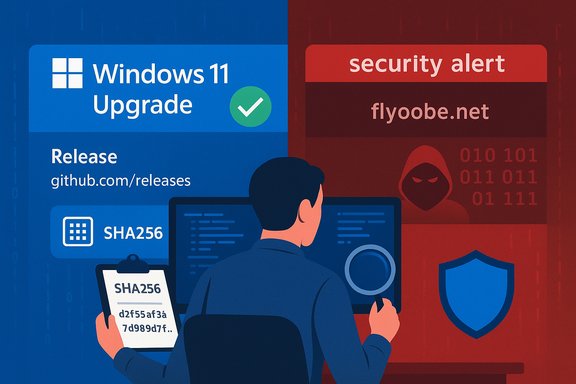
The GitHub release page includes a short, explicit SECURITY ALERT telling users to avoid the flyoobe.net mirror and to use GitHub Releases as the only trustworthy source for official builds. The developer’s message does not categorically state that flyoobe.net is actively distributing malware — it does state that the mirror “may host tampered or malicious builds” and that it is unaffiliated with the project. That language is deliberate and matches best practice for supply‑chain risk notifications: warn users, point them to the canonical distribution channel, and avoid making definitive accusations that might require forensic proof. The mirror’s own landing page (the impersonator site) currently claims the downloads are “safe,” a marketing posture commonly used by mirror operators and malicious intermediaries to reassure visitors. That claim is not independently verifiable without binary hashes, code signing, or multi‑engine scanning performed by a trusted third party; the project maintainer’s warning remains the authoritative caution until forensic analysis proves otherwise.Technical mechanics: what FlyOOBE does, and why an attacker could gain from a tampered build
Understanding the tool helps explain why a tampered copy is such a high-value target for attackers:- FlyOOBE automates setup‑time changes and can run PowerShell extensions during OOBE with elevated privileges. That elevated execution context is exactly what an attacker wants when trying to gain persistence, install backdoors, or harvest credentials during a system install.
- The tool often orchestrates official Windows ISOs rather than shipping pre‑modified images (a design intended to reduce supply‑chain risk). A malicious mirror that distributes a modified installer ZIP or a wrapped EXE can reintroduce the very risks that the project’s design tries to avoid.
- FlyOOBE’s bypass functionality already circumvents or relaxes platform security checks (TPM/Secure Boot/CPU checks). A tampered binary could combine bypass logic with persistent implants that survive reboots and cloak themselves by piggybacking on legitimate‑looking install actions. That doubles the impact: you get Windows 11 on unsupported hardware and a compromised system.
Supply‑chain and impersonation: a growing trend
Fake or malicious download pages are a recurring tactic. High‑profile examples include fake download pages for legitimate utilities (Putty, WinSCP, and others) where attackers use paid search ads, typosquatting, or lookalike sites to deliver malware-laced binaries instead of the tool the user expected. These campaigns leverage user urgency and search‑engine trust signals to capture victims. The FlyOOBE mirror situation follows the same playbook: an official‑looking domain and an assertive “yes, we’re safe” FAQ — but no demonstrable ties to the original project.Verification checklist: how to safely obtain FlyOOBE (or any community tool)
If you consider using FlyOOBE, or any tool that modifies system setup, follow this conservative, step‑by‑step verification sequence:- Download ONLY from the project’s official GitHub Releases page (the maintainer explicitly names GitHub Releases as the canonical source). Confirm the presence of the SECURITY ALERT there before trusting any third‑party site.
- Verify cryptographic integrity where possible:
- Look for checksums (SHA‑256) listed in the release notes or attached files.
- Prefer signed releases or PGP/GPG signatures if the maintainer publishes them.
- On Windows, compute the file hash with PowerShell: Get-FileHash -Algorithm SHA256 .\filename.exe and compare it with the published hash.
- Use multi‑engine scanning services or an AV vendor’s upload portal to scan unfamiliar builds, but treat scans as indicators, not guarantees.
- If the maintainer publishes release notes and source code, prefer building the binary from source yourself — or at least review the source and compare it to the binary if you can.
- Test in a sandbox or virtual machine first. Never execute a new installer on a production machine without a test pass.
- Maintain an up‑to‑date full disk image or system backup, and create a recovery USB before upgrading.
- Watch for reputation and AV alerts: community tools that alter setup behavior can trigger heuristic detections (PUA/HackTool), so understand how to temporarily and safely permit a known‑good binary in your environment only after you have verified its integrity.
How to verify a downloaded FlyOOBE build (detailed)
- Compute a SHA‑256 or SHA‑512 hash:
- Open PowerShell as Administrator.
- Run: Get-FileHash -Path .\Flyo.exe -Algorithm SHA256
- Compare the output to the SHA256 string published in the GitHub release assets or release notes.
- Check signatures:
- If the project publishes a detached GPG signature (.sig/.asc), retrieve the developer’s public key from a known source (project README, verified social handle) and verify with gpg --verify.
- Inspect installer behavior in a VM:
- Snapshot the VM.
- Run the installer and observe network connections, file writes, and persistent services.
- Revert the snapshot if anything suspicious appears.
- Use offline scanning tools (YARA rules or local EDR telemetry) to hunt for unusual post‑install persistence mechanisms.
If you visited flyoobe.net or downloaded a copy from a non‑official mirror: an immediate response plan
- Disconnect the machine from the network (physically unplug Ethernet or disable Wi‑Fi).
- Preserve evidence but prioritize safety: do not re‑use the machine to access sensitive accounts until you verify integrity.
- Record the exact filename, download URL, and any hashes shown by your browser or AV logs.
- Boot a clean rescue environment (trusted Windows PE or Linux live USB) and run full offline scans with multiple engines if available.
- If the binary executed, assume compromise and reimage from known‑good media rather than attempting to clean an installer‑time compromise. For many supply‑chain infections, rebuilding the system is the safer course.
- Change passwords for any accounts accessed from the machine while it might have been compromised, using a different, clean device.
- Notify any organizations or third parties if the machine handled corporate credentials or network access; consider a forensic investigation if sensitive data may have been exposed.
- Report the impersonating domain to the hosting provider, domain registrar abuse contact, and the project maintainer so they can escalate takedown attempts. The developer and community moderators often coordinate to get fraudulent mirrors removed more quickly.
Risks specific to bypassing Windows 11 requirements (beyond malware)
Using a bypass tool like FlyOOBE introduces additional operational and security risks even when the binary is legitimate:- You may lose platform security guarantees: TPM 2.0 and Secure Boot underpin hardware‑backed features such as BitLocker key protection and kernel integrity checks. Bypassing those checks reduces the system’s default defenses.
- Update entitlement is uncertain: Microsoft’s guidance states unsupported installs are not guaranteed updates. While many community‑bypassed systems received patches in the short term, that behavior is conditional and subject to change. Treat update continuity as provisional.
- Hardware limitations remain: missing CPU instructions (e.g., POPCNT, SSE4.2) cannot be restored by software. Some devices will fail to boot or will experience subtle instability after an unsupported install.
- Warranty and support implications: OEMs and Microsoft may decline support or warranty claims tied to unsupported configurations — an important consideration for enterprise or critical devices.
Alternatives and mitigations
- If hardware is compatible: use the official Windows 11 upgrade path and the Windows Update/Installation Assistant. This is the safest, fully supported option.
- If hardware lacks TPM/Secure Boot but you can enable disabled firmware features: check BIOS/UEFI for toggles that may enable Secure Boot/TPM (some devices have TPM firmware disabled by default). Enabling these features restores compatibility without bypassing checks.
- For people unwilling to rely on a bypass: consider Extended Security Updates (ESU) for Windows 10 (a limited‑term mitigation) or moving to a supported Linux distribution or ChromeOS Flex for older hardware.
- If the primary goal is debloat rather than bypass: consider trusted post‑install debloat workflows or building a debloated ISO from official media (projects such as Tiny11-style builders do this at the ISO level rather than altering setup behavior). Each alternative has its own trust and security tradeoffs; vet accordingly.
Why community projects remain valuable — and why they attract abuse
Open‑source community tools like FlyOOBE serve a legitimate purpose: they give owners of functional but officially unsupported hardware a way to keep devices useful and reduce e‑waste. They also provide automation that benefits refurbishers and technicians. That utility explains the project’s popularity, the high download volume, and why a malicious actor would find an impersonating domain worth operating: high trust × high urgency = ideal social‑engineering conditions. The developer’s public warning is the appropriate countermeasure: block the mirror as a distribution vector and centralize downloads on a verifiable channel.Final assessment and practical advice for readers
- The GitHub release page is authoritative: the project maintainer is explicitly warning users not to use flyoobe.net and to obtain binaries from GitHub Releases only. Respect that directive; it is the simplest and most effective immediate step to avoid risk.
- If you need to move a Windows 10 machine off an EOL platform and cannot use an official upgrade path, approach community tools with operational discipline: verify binaries, test in VMs, and keep robust backups. This reduces the chance that a convenient fix turns into a security incident.
- Treat any claim by an impersonating site that “downloads are safe” as unverified marketing until you can independently validate the binary via hash/signature or build from source. The absence of verifiable integrity data is the single most important red flag.
- If you believe you have executed a tampered installer from an unofficial mirror, assume compromise and prefer reimaging to ad‑hoc cleanup. Preserve logs and report the incident to the project maintainer and to abuse contacts for the host/registrar to accelerate takedown.
Source: Tom's Hardware Developer warns users that fake download site is hosting Windows 11 upgrade bypass tool — Win 10 upgraders warned of potential malicious downloads
