

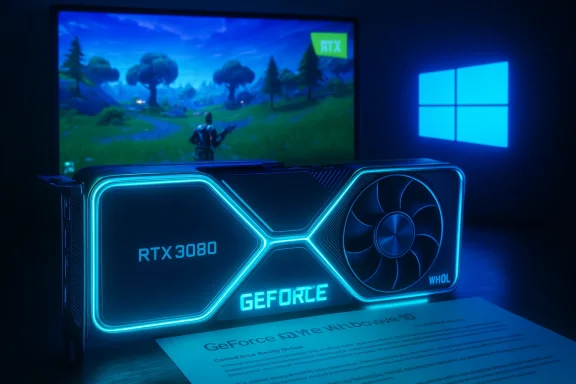
NVIDIA’s GeForce driver build 456.38 is a Windows-era milestone that still matters if you run older GeForce hardware or need a stable, feature-complete driver package for Windows 10 (64‑bit); published on September 17, 2020, this WHQL‑signed release brought day‑one Game Ready support for Fortnite’s RTX update, extended official support for the then‑new GeForce RTX 3080 and 3090, and shipped in both Game Ready and Studio driver variants—facts confirmed in NVIDIA’s own release notes and mirrored by independent driver archives.
Driver 456.38 arrived during a pivotal moment in GPU history: the RTX 30‑series launch window and the rapid proliferation of ray‑tracing and AI‑assisted features such as DLSS and NVIDIA Reflex. NVIDIA positioned 456.38 as a Game Ready driver aimed at delivering optimal gameplay for titles adopting RTX and DLSS at launch, while a corresponding Studio driver package targeted creators with additional validation for creative apps. The official release is WHQL‑certified and was distributed in multiple packaging variants for desktops and notebooks.
Why this matters today: even though 456.38 is several years old, it remains relevant for three groups of Windows 10 users:
That said, the term “best driver” is situational: if you want the most up‑to‑date feature set, security fixes, and DLSS/Frame Generation improvements available today, newer driver branches are necessary. For notebook owners, OEM‑provided drivers generally give the safest, most reliable experience for daily use. Always verify downloads, create a rollback plan, and test drivers in a controlled environment before wide deployment. Community guidance and vendor documentation converge on these practical, risk‑aware steps—follow them to keep your Windows 10 gaming and creative rigs stable and secure.
In short: 456.38 was a strong, WHQL‑certified release with important RTX and Fortnite integrations—use it where it fits your compatibility or testing needs, but treat “best” as a function of your hardware, software, and risk tolerance rather than a single universal version.
Source: Born2Invest https://born2invest.com/?b=style-230359412/
 Background / Overview
Driver 456.38 arrived during a pivotal moment in GPU history: the RTX 30‑series launch window and the rapid proliferation of ray‑tracing and AI‑assisted features such as DLSS and NVIDIA Reflex. NVIDIA positioned 456.38 as a Game Ready driver aimed at delivering optimal gameplay for titles adopting RTX and DLSS at launch, while a corresponding Studio driver package targeted creators with additional validation for creative apps. The official release is WHQL‑certified and was distributed in multiple packaging variants for desktops and notebooks. Why this matters today: even though 456.38 is several years old, it remains relevant for three groups of Windows 10 users:
- Owners of legacy GeForce GPUs whose OEM or support constraints make rolling forward impractical.
- Machines that require a known, stable driver baseline for testing or rollback.
- Users seeking a specific day‑one fix or feature that was introduced in that driver family (for example, early RTX 30‑series support and Fortnite RTX integration).
What 456.38 actually contains
Release identity and packaging
- Version: 456.38 (WHQL).
- Release date: September 17, 2020.
- Target OS: Windows 10 (64‑bit) (desktop and notebook builds available).
- Packaging: Distributed as standard desktop installers and DCH variants; both Game Ready and Studio driver channels were offered. These facts are published on NVIDIA’s driver pages and are corroborated by third‑party driver archives.
File size and variants
- Typical file sizes differ by variant:
- Desktop DCH/WHQL packages for Windows 10 commonly appear around 578–609 MB, depending on build and bundle.
- Notebook and Studio builds vary (notebook installer and Studio driver bundles reported around 578–609 MB as well). Independent archives and driver catalog services list exact file sizes for specific builds.
Headline features and fixes
- Game Ready for Fortnite RTX: driver‑side plumbing to enable ray‑traced effects, DLSS, and NVIDIA Reflex in Fortnite’s RTX update; this was a primary marketing highlight for the build.
- Support for GeForce RTX 3080 / 3090: detection, profiles and performance tuning for NVIDIA’s Ampere desktop launch cards were included.
- Studio variant improvements: the Studio driver 456.38 included multi‑app testing and compatibility validation for creative applications and introduced support for the new NVIDIA Broadcast app and other creative workflows.
Who should consider 456.38?
Choosing a driver isn’t purely about version number—“best” depends on your goals. Consider 456.38 if anyly:- You run Windows 10 (64‑bit) on older hardware where later drivers introduced regressions or broke compatibility, and 456.38 represents a known, stable baseline for your GPU.
- Your workstation or QA lab needs to test software against the driver behavior of that 2020 time window (game dev, capture debugging, compatibility testing).
- You use or maintain an OEM system whose certified support matrix references 456.x‑era driversmmends that family.
Installation: a safe, technician‑grade workflow
Installing kernel drivers requires care. Below is a conservative, repeatable installation procedure for WindowsForum readers who need to install NVIDIA GeForce driver 456.38 safely on Windows 10 (64‑bit).- Create a full backup or at least a Windows System Restore point and archive your current working driver installer for rollback. This keeps a tested rollback path. PU and OS details: open Device Manager → Display adapters, note the adapter string and copy the Hardware IDs (Properties → Details → Hardware Ids) if needed for compatibility verification.
- Download only from trusted sources: NVIDIA’s official driver portal or your OEtebook packages. Do not trust random mirrors or repackaged bundles without verifying digital signatures and checksums. NVIDIA’s official download page for 456.38 confirms the WHQL signature and variant metadata.
- (Optional, recommended for stubborn problems) Use Display Driver Uninstaller (DDU) in Safe Mode to perform a clean driver removal before installing the new package. DDU is community standard for a surgical uninstall; follow official DDU guidance.
- Run the NVIDIA installer as Administrator. Choose Custom (Advanced) and check Perform a clean installation to ensure the package rewrites INFs and userland components cleanly. Uncheck GeForce Experience or other optional components if you prefer a driver‑only install.
- Reboot and verify installation via NVIDIA Control Panel → System Information and by running representative workloads (gameplay, benchmarks, or creative exports) to ensure your critical paths are stable. Archive logs and DxDiag output if you intend to file a support ticket.
Verifying provenance: check signatures and hashes
Because drivers run at kernel level, provenance matters. After downloading, do the following checks before running the installer:- Right‑click the downloaded EXE → Properties → Digital Signatures tab and confirm the signer is NVIDIA Corporation.
- Where possible verify fi5 hash against a trusted vendor listing or your OEM page. Driver catalog services and independent archives preserve MD5/SHA values for historical packages; cross‑check those values to detect tampering. DriversCloud and other archives list MD5 fingerprints
Known issues and risks (what to watch for)
No driver release is perfect for every configuration. Below are documented and community‑reported risks to consider before deploying 456.38:- OEM caveat for laptops: installing NVIDIAckage can overwrite vendor‑signed INFs and affect power and fan behaviors. For battery‑sensitive or thermally tuned laptops, OEM drivers remain preferred.
- Edge‑case regressions: driver bundles touch many stacks (kernel, userland utilities, CUDA, OptiX). Even WHQL drivers can cause regressions with specific anti‑cheat systems, overlays, or uncommon games; pilot test on a non‑production machine first.
- Telemetry and userland components: the NVIDIA installer often bundles GeForce Experience and telemetry services. If privacy is a concern, select a custom install and uncheck optional components, or follow community guidance to disable telemetry post‑install.
- Third‑party mirrors risk: repackaged installers can remove or alter digital signatures, inject unwanted software, or tweak INFs. Always validate against NVIDIA/OEM listings. Community archives have repeatedly warned against “cheap driver” bundles and repackagers.
Critical analysis: strengths and limitations of 456.38
Strengths
- Vendor‑validated WHQL release: 456.38 was WHQL‑certified, which gave corporate and enterprise users a validation path at the time of release. WHQL status reduces uncertainty for managed deployments.
- Day‑one game and hardware support: the driver introduced official RTX 3080/3090 recognition and Fortnite RTX integration, which made it essential for gamers who needed those features at launc game optimizations and new‑hardware support is the core value proposition of Game Ready drivers.
- **Studio variant for crea6.38 build provided additional stability testing with creative apps and included support for NVIDIA Broadcast and other creative tools, making it a useful dual‑purpose release for mixed workloads.
Limitations and practical caveats
- Aging codebase: 456.38 predates many architecture‑level changes and later feature additions (DLSS refinements, Frame Generation improvements, broader PhysX/compatibility restorations). For modern RTX features introduced after 2020, newer driver branches deliver substantial improvements.
- Patch/regression risk over time: later Windows servicing updates and game patches interact differently with old drivers. In some cases, earlier drivers like 456.38 may not work well with updated OS components or modern game builds. That’s why the general advice is to match drivers with OS and game versions under test.
- OEM vs generic install tradeoffs: for notebooks, the generic NVIDIA package may lack vendor‑specific tuning and signed INF entries. Installing the NVIDIA package over an OEM driver can change fan curves, battery runtime, or thermal lirs first for laptops.
Cross‑checks and independent verification
To guard against misinformation and to verify technical specifications I cross‑checked the following independent sources:- NVIDIA’s official driver release page for GeForce Game Ready Driver 456.38 (release date, highlights, WHQL labeling, file size metadata).
- DriversCloud and multiple driver‑catalog mirrors that preserve file size and MD5 fingerprints for desktop and notebook variants. These independent catalogs provide corroborating download metadata.
- Softpedia’s historical driver index and Studio driver listings which mirror NVIDIA’s published metadata for 456.38 Studio and notebook variants. This corroborates the multiple packaging variants and release footprint. (drivers.softpedia.com)
Practical recommendations for WindowsForum readers
- If your system is a desktop gamer and you need the 456.38 features (legacy RTX 3ortnite RTX fixes) on Windows 10 (64‑bit), use the NVIDIA official Game Ready or Studio installer and follow the clean‑install steps above, but only after archiving a restore point and your existing driver.
- If you run a laptop, check the OEM support page first. If your OEM publishes a newer, certified driver for your exact model, prefer the OEM driver—especially for battery life and thermal stability. If the OEM does not offer a Windows 10 driver, the NVIDIA notebook package for 456.38 is the second‑best option.
- For creators who rely on multi‑app reliability, use the Studio variant (456.38 Studio) if you must use that era’s driver family; otherwise consider a current Studio driver for modern app compatibility and bug fixes.
- Never install driver installers from unknown mirrors without verifying digital signatures and checksums. If a blog or article links to a driver installer, validate the download size and checksum against NVIDIA or your OEM page before running it.
Troubleshooting quick reference
- NVIDIA installer says “no compatible hardware found”: ensure you selected the correct desktop vs notebook installer and double‑check Device Manager hardware IDs. If the OEM enforces signed INF policies, you may need the vendor package.
- Display corruption or stuttering after install: try a DDU clean uninstall in Safe Mode followed by a fresh reinstall (Custom → Perform a clean installation). Archive logs (DxDiag, GPU‑Z) before contacting support.
- Want to avoid GeForce Experience/telemetry: choose Custom install and uncheck GeForce Experience, then disable remaining NVIDIA telemetry services if you require stricter privacy posture. Community threads provide guidance for this workflow.
Final assessment and conclusion
GeForce driver 456.38 is a historically important, WHQL‑certified driver that delivered crucial functionality during the RTX 30‑series and Fortnite RTX launch window. It offered reliable day‑one support for new hardware and game features at the time, and NVIDIA’s official release notes and independent driver archives confirm its packaging, file sizes, and highlights. For Windows 10 (64‑bit) systems running hardware and software from that era—or for labs that need to replicate a 2020‑era software stack—456.38 remains a valid and defensible choice when installed following the conservative checklist above.That said, the term “best driver” is situational: if you want the most up‑to‑date feature set, security fixes, and DLSS/Frame Generation improvements available today, newer driver branches are necessary. For notebook owners, OEM‑provided drivers generally give the safest, most reliable experience for daily use. Always verify downloads, create a rollback plan, and test drivers in a controlled environment before wide deployment. Community guidance and vendor documentation converge on these practical, risk‑aware steps—follow them to keep your Windows 10 gaming and creative rigs stable and secure.
In short: 456.38 was a strong, WHQL‑certified release with important RTX and Fortnite integrations—use it where it fits your compatibility or testing needs, but treat “best” as a function of your hardware, software, and risk tolerance rather than a single universal version.
Source: Born2Invest https://born2invest.com/?b=style-230359412/
