

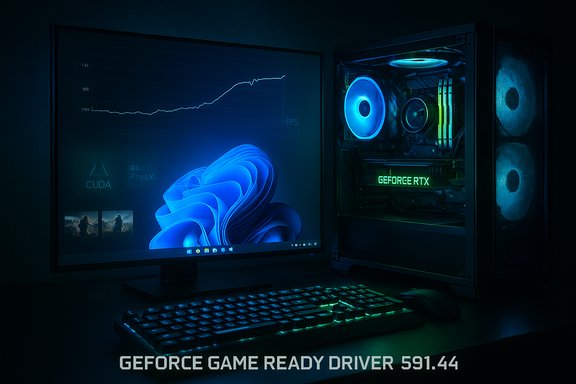
Nvidia has quietly rolled out a full WHQL Game Ready driver—GeForce 591.44—that folds the company’s emergency hotfix into a mainstream release and restores the gaming performance many Windows 11 users lost after Microsoft’s October 2025 cumulative update (KB5066835).
Windows 11’s October 2025 cumulative update (published as KB5066835) introduced a range of fixes to the OS but also produced a set of high‑visibility regressions across subsystems. Among those were developer-facing networking regressions and Recovery Environment (WinRE) input problems; importantly for gamers, a portion of systems reported significantly lower frame rates and worse frame pacing in modern titles following the update. Nvidia responded first with an emergency hotfix driver (GeForce Hotfix 581.94) in mid‑November 2025 to give affected users a rapid mitigation path. That hotfix was intentionally narrow in scope and issued with an abbreviated QA cycle to restore performance quickly for impacted systems. Nvidia has now incorporated those changes into the fully tested, WHQL‑certified GeForce 591.44 release, making the fix widely available via the Nvidia app and GeForce.com.
The episode is a practical reminder that modern PC stacks are fragile by design: deep OS servicing changes can cascade into drivers, middleware, and user workloads. Rapid hotfixes buy time and reduce immediate pain, but long‑term confidence depends on coordinated vendor transparency, broad QA and disciplined rollout practices. For gamers and admins alike, the immediate checklist is clear: capture metrics, install 591.44 (or the hotfix if necessary), re‑benchmark, and stage changes across your fleet rather than deploying blindly.
The steps to resolve or mitigate the issue are straightforward, and Nvidia’s WHQL release represents the sane, long‑term path out of the disruption caused by the October cumulative update—install 591.44 if you were affected, validate with objective tools, and keep rollback options ready in case your unique configuration behaves differently.
Source: OC3D Windows 11 users should update their GeForce drivers immediately - OC3D
 Background
Windows 11’s October 2025 cumulative update (published as KB5066835) introduced a range of fixes to the OS but also produced a set of high‑visibility regressions across subsystems. Among those were developer-facing networking regressions and Recovery Environment (WinRE) input problems; importantly for gamers, a portion of systems reported significantly lower frame rates and worse frame pacing in modern titles following the update. Nvidia responded first with an emergency hotfix driver (GeForce Hotfix 581.94) in mid‑November 2025 to give affected users a rapid mitigation path. That hotfix was intentionally narrow in scope and issued with an abbreviated QA cycle to restore performance quickly for impacted systems. Nvidia has now incorporated those changes into the fully tested, WHQL‑certified GeForce 591.44 release, making the fix widely available via the Nvidia app and GeForce.com. What the 591.44 WHQL driver delivers
Key fixes and additions
- Restores performance lost after the Windows 11 October 2025 update (KB5066835) for systems running R580‑branch drivers (58x.xx) or newer, addressing lower FPS and degraded frame pacing reported in some titles.
- Addresses stability and performance issues in several titles, including Battlefield 6, Black Myth: Wukong, and others that had exhibited driver-related problems.
- Re-enables 32‑bit GPU‑accelerated PhysX on GeForce RTX 50 Series for a curated list of classic PhysX titles (Batman: Arkham City, Borderlands 2, Metro 2033, Mirror’s Edge, and others), restoring effects that were previously CPU‑bound after RTX 50 abandoned 32‑bit CUDA.
Why this matters now
The move from a hotfix (581.94) to a WHQL Game Ready driver (591.44) is meaningful for two reasons. First, WHQL certification and mainstream distribution mean a far larger portion of Nvidia’s user base will pick up the update automatically via the Nvidia app, Windows Update (where applicable), or the public driver download page. Second, WHQL/GRD releases go through a broader QA matrix than hotfixes, reducing the risk of unintended side effects compared with a rushed emergency patch.Timeline — what happened and when
- October 14, 2025 — Microsoft ships the October 2025 cumulative update, KB5066835, which rolled into consumer servicing branches for Windows 11 and produced a cluster of regressions surfaced by users and independent testers.
- Mid‑October through November 2025 — users and testers report noticeable FPS drops and frame pacing issues in a subset of games; prominent examples included Assassin’s Creed: Shadows and Counter‑Strike 2 in independent tests.
- November 19, 2025 — Nvidia releases GeForce Hotfix 581.94 as a rapid mitigation to restore gaming performance for affected configurations.
- December 4, 2025 — Nvidia follows up with GeForce Game Ready Driver 591.44 WHQL, folding hotfix changes into the mainstream driver and adding broader fixes and features (Battlefield 6 optimizations, select 32‑bit PhysX re‑enablement).
The games affected — testing and community reports
Assassin’s Creed: Shadows and the headline drops
Independent testing groups and publications documented steep FPS declines in Assassin’s Creed: Shadows after the October cumulative, showing drops in the range of roughly 33–50% in some scenarios. After installing Nvidia’s hotfix driver, those same tests showed significant recovery in frame rates, sometimes returning to or exceeding pre‑update performance. These findings were corroborated by community reports and forum threads where rollback of the Windows update restored expected performance.Other titles called out in release notes and reporting
- Battlefield 6 — stability improvements and Game Ready optimizations tied to the Winter Offensive content drop were included in 591.44.
- Black Myth: Wukong — driver fixes for lower performance were listed in the release notes and addressed in the WHQL driver.
- Counter‑Strike 2 — some community reports highlighted frame‑time irregularities; Nvidia’s broader fixes target frame pacing issues that can manifest in competitive shooters.
Technical analysis — what likely went wrong
Modern Windows, drivers, and game stacks are tightly coupled. A servicing update that touches kernel‑mode components or user‑mode graphics interfaces can shift timings, scheduling, or driver/OS handshakes in ways that expose previously latent inefficiencies.- One plausible class of failure is a regression in thread scheduling or deferred context handling that changed how the OS scheduled GPU work, leading to lower GPU power draw and poorer frame delivery in specific workloads. The symptom set—lower sustained FPS, reduced GPU power in some telemetry, and worse 1%/0.1% lows—fits that pattern. However, no vendor has published a line‑by‑line root‑cause analysis, so any precise attribution remains provisional.
- Another contributing factor was 32‑bit CUDA removal for RTX 50 Series GPUs. The new hardware architecture abandoned legacy 32‑bit CUDA support, which meant many classic PhysX titles fell back to CPU physics—hence degraded effects or performance. Nvidia’s 591.44 driver explicitly re‑adds targeted 32‑bit PhysX support for a curated list of titles on RTX 50 Series cards, implemented as custom compatibility measures rather than a blanket restoration of 32‑bit CUDA. That approach limits surface area while addressing the most popular legacy games.
Validation: why two sources matter here
A single outlet’s benchmarks can be persuasive but aren’t definitive; the problem’s heterogenous nature required cross‑verification. Digital Foundry / PCGamesN documented AC Shadows performance regressions and recovery with Nvidia’s hotfix, while other outlets (TechRadar, WindowsLatest, Tom’s Hardware) and community telemetry echoed the same pattern across multiple titles and hardware setups. This convergence across independent testing and vendor advisories strengthens confidence that the hotfix and WHQL driver genuinely address a measurable regression rather than merely anecdotal variance.How to proceed — practical, prioritized steps for WindowsForum readers
For gamers with visible slowdowns (recommended)
- Check your Windows build: Settings → System → About. If you’re on builds tied to the October 2025 cumulative (e.g., the KB5066835 rollup), you may be in scope.
- Capture baseline metrics: run PresentMon, CapFrameX, or FrameView and record average FPS, 1% lows, 0.1% lows, and frame‑time graphs to quantify impact before changes.
- Install GeForce Game Ready Driver 591.44 WHQL via the Nvidia app or GeForce.com and choose Custom → Clean Install to replace prior driver state. Reboot and re‑benchmark the affected titles.
- If you prefer a lighter, quicker test or if the WHQL release isn’t available through your channels yet, Nvidia’s emergency Hotfix 581.94 remains a valid mitigation (hotfixes carry abbreviated QA). If you install a hotfix, retest and, if satisfied, move to the WHQL release when convenient.
For competitive players or production rigs (staged rollout)
- Stage the Windows + driver pairing on one machine, validate performance across your typical workloads, and only then rollout to other systems. Keep restore images and an emergency rollback procedure at hand. Document baseline configurations.
If things go wrong (rollback and recovery)
- Use Windows rollback options for the driver or perform a clean DDU (Display Driver Uninstaller) uninstall in Safe Mode and reinstall a known good driver branch.
- If specific Windows KBs are implicated and you must temporarily regain performance, uninstalling the offending KB via Update History has been reported as a last resort by users—note Windows will restrict uninstall windows for older security updates, and this is not a practical long‑term solution for most users. A clean reinstall from an older ISO is a more reliable if disruptive recovery path.
Security, compatibility, and risk considerations
- Hotfix vs. WHQL tradeoffs: Hotfix drivers like 581.94 are fast and focused but undergo a shallower QA cycle. They are a pragmatic emergency measure but can introduce unexpected side effects on some setups. WHQL Game Ready drivers (591.44) provide broader validation; for users with no symptoms, waiting usually reduces exposure to rare regressions.
- Third‑party stacks matter: Anti‑cheat systems, overlays (Discord/Steam/GeForce Experience), and firmware/BIOS settings (Resizable BAR, power limits) can mediate or exacerbate behavior. If you see unexplained changes, test with overlays disabled and verify BIOS defaults.
- Vendor coordination and transparency: Neither Nvidia nor Microsoft published a full forensic post‑mortem of the interaction that caused the regression. That opacity means some proposed root‑cause theories in community threads are plausible but unverified; treat them accordingly. Where a precise vendor post‑mortem is absent, rely on measured re‑tests, telemetry, and controlled experiments.
The PhysX reversal — what Nvidia changed and why it matters
When RTX 50 Series GPUs shipped, Nvidia moved away from 32‑bit CUDA, which unintentionally removed GPU‑accelerated PhysX effects from many legacy titles. That change produced a visible loss of effects or CPU‑bound physics in some older games, prompting community concern. The 591.44 driver provides custom support to restore GPU‑accelerated PhysX for a curated list of classic games on RTX 50 Series cards, returning visual fidelity and performance in titles like Batman: Arkham City and Mirror’s Edge. Nvidia implemented these as compatibility measures rather than reintroducing general 32‑bit CUDA support, a pragmatic compromise to preserve new‑generation architecture decisions while addressing community needs. Practical takeaway: if you own RTX 50 hardware and care about legacy PhysX effects, 591.44 is an important update that can materially change in‑game visuals and performance for select titles.For IT and PC builders: policy and process changes to consider
- Add driver + OS combination checks into your standard validation matrix. Track driver channels (hotfix vs. WHQL) and stage updates in a pilot ring before enterprise‑wide rollout.
- Maintain images and a clear rollback plan that covers both driver and windows cumulative updates. Document the test harnesses used when validating gaming or GPU‑bound workloads.
- Use objective telemetry (frame‑time capture tools) to quantify regressions; user reports alone are too noisy when hardware and middleware variations are significant.
Open questions and things to watch
- Microsoft has not yet provided a public, line‑by‑line post‑mortem explaining which component of KB5066835 triggered the GPU regressions or why the effect varied by hardware/driver combos. Until vendors provide a detailed forensic breakdown, root‑cause claims should be treated as provisional.
- Watch for subsequent Nvidia WHQL updates that may expand or refine the fixes, and for Microsoft cumulative updates that could change the interaction surface again. Re‑testing after each Windows cumulative rollup is advisable because later fixes can alter behavior.
- Keep an eye on AMD and Intel responses; early reporting suggested some cross‑vendor effects, but vendor responses and mitigations may differ by architecture and driver model.
Final assessment
GeForce 591.44 WHQL is the logical, measured follow‑through to Nvidia’s emergency hotfix work earlier in November. For users who saw concrete performance regressions after the Windows 11 October 2025 cumulative update, installing 591.44 is the most straightforward way to recover performance while benefiting from the broader QA of a WHQL release. For those who have not seen issues, the conservative path—validate, stage, and then update—remains sensible.The episode is a practical reminder that modern PC stacks are fragile by design: deep OS servicing changes can cascade into drivers, middleware, and user workloads. Rapid hotfixes buy time and reduce immediate pain, but long‑term confidence depends on coordinated vendor transparency, broad QA and disciplined rollout practices. For gamers and admins alike, the immediate checklist is clear: capture metrics, install 591.44 (or the hotfix if necessary), re‑benchmark, and stage changes across your fleet rather than deploying blindly.
The steps to resolve or mitigate the issue are straightforward, and Nvidia’s WHQL release represents the sane, long‑term path out of the disruption caused by the October cumulative update—install 591.44 if you were affected, validate with objective tools, and keep rollback options ready in case your unique configuration behaves differently.
Source: OC3D Windows 11 users should update their GeForce drivers immediately - OC3D
