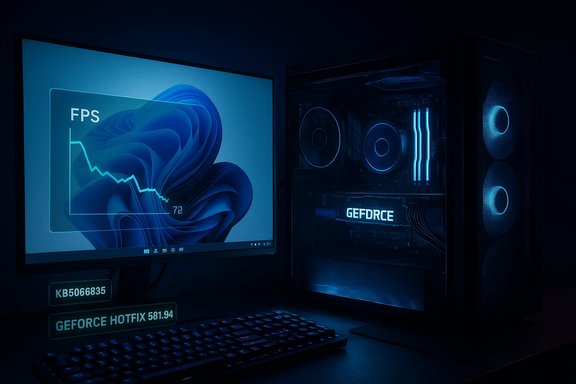
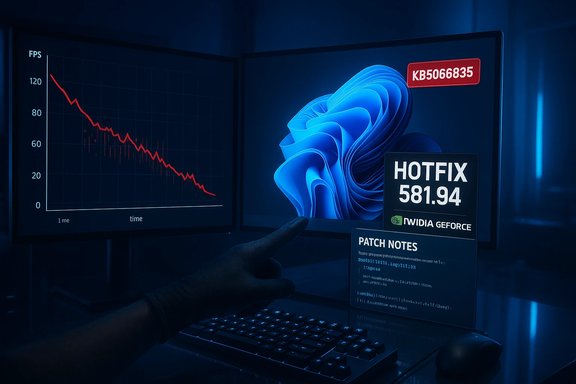
GeForce users around the globe reported sudden, severe frame‑rate drops after installing Microsoft’s October 2025 cumulative update for Windows 11 (catalogued as KB5066835), prompting NVIDIA to publish an out‑of‑cycle mitigation — GeForce Hotfix Display Driver 581.94 — to restore performance for affected systems. Independent testing and community telemetry showed reproducible slowdowns in certain modern titles (in some test points as large as a one‑third to one‑half reduction in FPS), and vendor responses have focused on rapid mitigation while deeper forensic work continues.
For gamers and IT professionals the practical takeaway is straightforward: capture baselines, pilot hotfixes in controlled tests, and maintain rollback plans. For vendors, the event reinforces the need for improved cross‑vendor telemetry and staged update approaches when tightly coupled subsystems like graphics and kernel timing are involved. Until vendors publish a complete line‑by‑line root cause, the most defensible position is pragmatic: use the available mitigations where they help, test conservatively, and demand better post‑mortem transparency so future servicing waves avoid similar disruption.
Source: VideoCardz.com https://videocardz.com/newz/geforce...fter-installing-the-latest-windows-11-update]
 Background
What was deployed and when
Microsoft released a cumulative servicing package in mid‑October 2025 that rolled up patches and quality updates for Windows 11; that package is publicly identified as KB5066835 and is associated with OS builds reported as 26100.6899 (24H2) and 26200.6899 (25H2). In the weeks following the rollout, multiple, independent signals from community forums, editorial test labs, and vendor telemetry indicated unusual regressions in several system subsystems — most notably, a surge in gaming performance complaints.Symptoms reported by users
Affected users described a consistent set of gaming symptoms after the Windows update:- Lower average FPS compared with pre‑update baselines.
- Worse 1% and 0.1% lows and irregular frame pacing (micro‑stutter).
- Instances where monitoring tools showed high GPU utilization but observable frame rates remained depressed.
- Heterogeneous side effects across titles and hardware: some games were heavily affected, others not at all.
Timeline and vendor response
Key dates and actions
- Mid‑October 2025 — Microsoft publishes the cumulative update KB5066835, which begins to propagate through consumer servicing channels.
- Mid‑October → November 2025 — Community reports and editorial tests reproduce gaming regressions on some systems after the update.
- November 19, 2025 — NVIDIA publishes GeForce Hotfix Display Driver 581.94, explicitly stating the package “addresses: Lower performance may be observed in some games after updating to Windows 11 October 2025 KB5066835.” The hotfix is built on top of Game Ready Driver 581.80 and is distributed via NVIDIA’s hotfix/support channels as an optional, expedited release.
Why NVIDIA shipped a hotfix
NVIDIA’s decision to release a hotfix rather than waiting for a full Game Ready/WHQL driver reflects a pragmatic trade‑off: speed of mitigation versus breadth of QA. Hotfix builds are designed to deliver minimal, targeted changes quickly so affected users can test whether the specific regression is resolved, but they typically undergo an abbreviated validation matrix compared with full driver releases. The company explicitly positioned 581.94 as a narrow mitigation rather than a sweeping revision.Independent testing: what the numbers show
Representative lab results
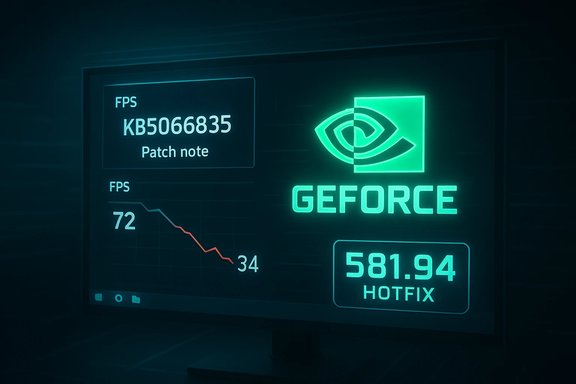
Multiple editorial outlets and independent benchmarking logs converged on a consistent observation: some modern, GPU‑intensive titles showed severe performance drops after KB5066835. The most widely reported example used a high‑end testbed (an AMD Ryzen 7 9800X3D CPU paired with an NVIDIA GeForce RTX 5090) and a demanding modern title, Assassin’s Creed: Shadows. In that controlled test, an identical scene that ran at roughly 72 FPS pre‑update dropped to ~34 FPS post‑update — a decline on the order of ~52% for that scene. Multiple other scenes and titles produced slower but still substantial reductions in the 33–50% range in worst‑case test points.Heterogeneity across games and hardware
The regression was not universal. Some titles and configurations showed little or no impact, while others displayed dramatic slowdowns. Tests and community logs pointed to variability tied to:- Game engine behavior and rendering patterns (present frequency, draw call profile, upscaling).
- Anti‑cheat middleware and kernel‑mode hooks.
- User‑space overlays and compositors.
- System firmware (BIOS/UEFI) and platform power settings.
- The exact mix of Windows servicing packages installed (some threads flagged optional rollups as additional variables).
Technical analysis — why a Windows patch can change FPS
Modern PC gaming is a tightly coupled stack where millisecond timing matters. Small changes at the OS level can cascade into large perceptual effects inside games.The critical timing chain
- The game engine issues GPU work (draw calls, dispatches).
- The graphics runtime (DirectX 12 / Vulkan) translates workload descriptors and synchronizes CPU ↔ GPU work submission.
- The GPU driver batches and schedules submissions, managing command buffers and memory transfers.
- The kernel scheduler, interrupt routing, and display compositor determine when frames are presented to the display pipeline.
Common failure modes consistent with reports
- Submission/Present timing regressions: Frames submitted later or batched inefficiently; observed as lower FPS despite high utilization.
- Driver/OS handshake regressions: Slight changes in low‑level driver APIs or kernel behavior expose latent race conditions or timing assumptions in graphics stacks.
- Amplification by middleware: Anti‑cheat or overlay components running in kernel or user space can be sensitive to timing shifts, producing larger observable impacts in some titles.
What NVIDIA’s hotfix does (and doesn’t)
The hotfix at a glance
- Name: GeForce Hotfix Display Driver 581.94.
- Base: Built on Game Ready Driver 581.80 to minimize the change surface.
- Release model: Hotfix/support channel; optional to affected users.
- Vendor note: Single‑line scope: “addresses: Lower performance may be observed in some games after updating to Windows 11 October 2025 KB5066835.”
Practical effect observed
Hands‑on reports and re‑tests from editorial labs and community users showed that installing 581.94 restored performance to near‑pre‑patch levels in many, though not all, affected configurations. The degree of recovery varied by title, system firmware, and the presence of other third‑party components.Caveats and limitations
- Abbreviated QA: Hotfix drivers undergo a narrower validation cycle, so they can introduce edge‑case regressions on uncommon stacks. NVIDIA explicitly warns about this trade‑off.
- Not a long‑term root‑cause fix: 581.94 is a pragmatic mitigation that restores performance for many users while vendors continue deeper triage. A fully certified Game Ready release that folds in the mitigation is expected to follow after broader validation.
Practical checklist for gamers and IT teams
If you experienced degraded gaming performance after applying the October Windows cumulative, use the following structured approach.Immediate steps (consumer/home users)
- Confirm Windows build: Settings → System → About. If your build is 26100.6899 or 26200.6899 (or newer), you likely have KB5066835 applied.
- Create a System Restore point or full backup before making driver changes.
- Capture objective baseline metrics: average FPS, 1%/0.1% lows, and frame‑time graphs using a consistent in‑game benchmark run.
- If you can reproduce the regression, download and test GeForce Hotfix 581.94 (choose Custom → Clean Install for driver swap). Reboot and re‑test.
- If issues persist, perform a DDU (Display Driver Uninstaller) clean uninstall and then reinstall the hotfix. Test again.
- If unresolved, roll back to the prior stable driver and gather logs (MSI Afterburner, GPUView, GPU-Z, and Windows Performance Recorder) for submission to NVIDIA Customer Care.
For IT teams and managed environments
- Stage updates: pilot KB deployments on a representative sample of systems before rolling out widely.
- Keep a rollback plan and recovery runbook for users who rely on competitive or mission‑critical systems.
- Use telemetry: collect automated performance baselines and comparison metrics so a single user report can be triaged against fleet norms.
- For organizations using GPU fleets (labs, esports centers, QA rigs), apply driver hotfixes selectively and pilot before fleetwide deployment because hotfixes have abbreviated QA.
Risks and trade‑offs
Installing a hotfix driver
- Benefit: Rapid restoration of user experience in many affected cases.
- Risk: Potential for secondary regressions on less common hardware or software stacks due to limited QA. NVIDIA’s support guidance therefore recommends pilot testing for mission‑critical users.
Delaying the hotfix
- Benefit: Avoids early‑release edge‑case bugs; waits for a fully validated Game Ready driver.
- Risk: Continued poor performance and user disruption on affected systems while waiting for the certified release.
Attribution and open questions
While multiple independent signals — community reports, editorial reproductions, and NVIDIA’s targeted mitigation — make a compelling case that KB5066835 triggered a cross‑stack regression, a definitive, line‑by‑line causal map from a specific Windows change to the observed frame‑time effect has not been published by Microsoft or NVIDIA in exhaustive technical detail. Treat any precise, single‑component attribution as highly likely but not yet exhaustively proven unless vendors release a formal root‑cause analysis.Broader implications for the PC ecosystem
The fragility of a layered stack
This episode is a clear reminder that PC gaming depends on precise interactions across multiple layers: the OS kernel, scheduler, graphics drivers, runtime APIs, middleware, and the game engine. Small changes in one layer can produce outsized user‑visible effects elsewhere. The result is a systems problem that often requires coordinated vendor responses rather than a single‑party fix.Vendor coordination and patch cadence
- Short term: Hotfixes and emergency driver releases are effective for immediate user relief. NVIDIA’s 581.94 is an example of this pattern.
- Medium term: Vendors typically fold hotfix changes into the next full release after broader QA. Expect a future Game Ready driver that includes 581.94’s mitigation once it clears NVIDIA’s validation gates.
- Long term: Improved telemetry, staged rollouts, and conservative default update policies for systems where latency and frame pacing are critical will reduce user risk.
Recommended monitoring and reporting practices
- Keep a reproducible test case: same map/scene, identical graphics settings, repeatable run‑through. This makes vendor triage much faster.
- Collect both high‑level (average FPS, 1%/0.1% lows) and low‑level telemetry (frame‑time histograms, GPU/CPU utilization, pipeline stalls).
- When reporting to vendors, include Windows build number, driver version, exact game build, overlays/middleware present, and a short video of the symptom. That accelerates triage.
Conclusion
The October 2025 Windows 11 cumulative update (KB5066835) created a real, observable problem for a subset of gamers: measurable FPS drops and worse frame pacing in certain modern titles. The problem’s heterogeneous nature made immediate forensic attribution difficult, but independent tests and community telemetry produced consistent reproductions in some configurations. NVIDIA’s rapid mitigation — GeForce Hotfix Display Driver 581.94 (built on 581.80 and published November 19, 2025) — restored performance in many but not all cases, while carrying the usual caveats of a hotfix release.For gamers and IT professionals the practical takeaway is straightforward: capture baselines, pilot hotfixes in controlled tests, and maintain rollback plans. For vendors, the event reinforces the need for improved cross‑vendor telemetry and staged update approaches when tightly coupled subsystems like graphics and kernel timing are involved. Until vendors publish a complete line‑by‑line root cause, the most defensible position is pragmatic: use the available mitigations where they help, test conservatively, and demand better post‑mortem transparency so future servicing waves avoid similar disruption.
Source: VideoCardz.com https://videocardz.com/newz/geforce...fter-installing-the-latest-windows-11-update]