• Thread Author
GeForce users around the globe reported sudden, severe frame‑rate drops after installing Microsoft’s October 2025 cumulative update for Windows 11 (catalogued as KB5066835), prompting NVIDIA to publish an out‑of‑cycle mitigation — GeForce Hotfix Display Driver 581.94 — to restore performance for affected systems. Independent testing and community telemetry showed reproducible slowdowns in certain modern titles (in some test points as large as a one‑third to one‑half reduction in FPS), and vendor responses have focused on rapid mitigation while deeper forensic work continues.

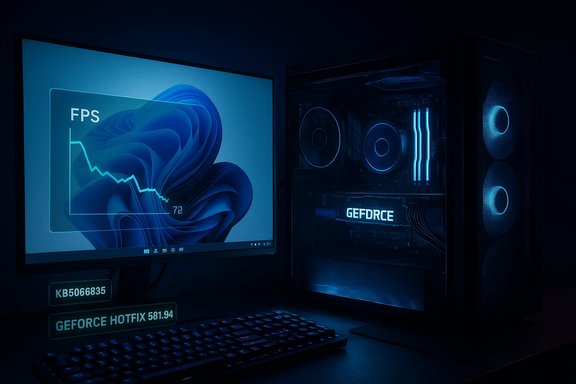
Neon GeForce monitor display shows patch note KB5066835, FPS chart, and hotfix 581.94.Background​

What was deployed and when​

Microsoft released a cumulative servicing package in mid‑October 2025 that rolled up patches and quality updates for Windows 11; that package is publicly identified as KB5066835 and is associated with OS builds reported as 26100.6899 (24H2) and 26200.6899 (25H2). In the weeks following the rollout, multiple, independent signals from community forums, editorial test labs, and vendor telemetry indicated unusual regressions in several system subsystems — most notably, a surge in gaming performance complaints.

Symptoms reported by users​

Affected users described a consistent set of gaming symptoms after the Windows update:
  • Lower average FPS compared with pre‑update baselines.
  • Worse 1% and 0.1% lows and irregular frame pacing (micro‑stutter).
  • Instances where monitoring tools showed high GPU utilization but observable frame rates remained depressed.
  • Heterogeneous side effects across titles and hardware: some games were heavily affected, others not at all.
Those symptoms were enough to trigger vendor triage and a narrowly scoped remediation from NVIDIA within weeks of the first reports.

Timeline and vendor response​

Key dates and actions​

  • Mid‑October 2025 — Microsoft publishes the cumulative update KB5066835, which begins to propagate through consumer servicing channels.
  • Mid‑October → November 2025 — Community reports and editorial tests reproduce gaming regressions on some systems after the update.
  • November 19, 2025 — NVIDIA publishes GeForce Hotfix Display Driver 581.94, explicitly stating the package “addresses: Lower performance may be observed in some games after updating to Windows 11 October 2025 KB5066835.” The hotfix is built on top of Game Ready Driver 581.80 and is distributed via NVIDIA’s hotfix/support channels as an optional, expedited release.

Why NVIDIA shipped a hotfix​

NVIDIA’s decision to release a hotfix rather than waiting for a full Game Ready/WHQL driver reflects a pragmatic trade‑off: speed of mitigation versus breadth of QA. Hotfix builds are designed to deliver minimal, targeted changes quickly so affected users can test whether the specific regression is resolved, but they typically undergo an abbreviated validation matrix compared with full driver releases. The company explicitly positioned 581.94 as a narrow mitigation rather than a sweeping revision.

Independent testing: what the numbers show​

Representative lab results​

Multiple editorial outlets and independent benchmarking logs converged on a consistent observation: some modern, GPU‑intensive titles showed severe performance drops after KB5066835. The most widely reported example used a high‑end testbed (an AMD Ryzen 7 9800X3D CPU paired with an NVIDIA GeForce RTX 5090) and a demanding modern title, Assassin’s Creed: Shadows. In that controlled test, an identical scene that ran at roughly 72 FPS pre‑update dropped to ~34 FPS post‑update — a decline on the order of ~52% for that scene. Multiple other scenes and titles produced slower but still substantial reductions in the 33–50% range in worst‑case test points.

Heterogeneity across games and hardware​

The regression was not universal. Some titles and configurations showed little or no impact, while others displayed dramatic slowdowns. Tests and community logs pointed to variability tied to:
  • Game engine behavior and rendering patterns (present frequency, draw call profile, upscaling).
  • Anti‑cheat middleware and kernel‑mode hooks.
  • User‑space overlays and compositors.
  • System firmware (BIOS/UEFI) and platform power settings.
  • The exact mix of Windows servicing packages installed (some threads flagged optional rollups as additional variables).
This heterogeneity complicated reproduction and forensic attribution, and it’s why vendors focused first on a practical mitigation pathway rather than a full public root‑cause write‑up.

Technical analysis — why a Windows patch can change FPS​

Modern PC gaming is a tightly coupled stack where millisecond timing matters. Small changes at the OS level can cascade into large perceptual effects inside games.

The critical timing chain​

  • The game engine issues GPU work (draw calls, dispatches).
  • The graphics runtime (DirectX 12 / Vulkan) translates workload descriptors and synchronizes CPU ↔ GPU work submission.
  • The GPU driver batches and schedules submissions, managing command buffers and memory transfers.
  • The kernel scheduler, interrupt routing, and display compositor determine when frames are presented to the display pipeline.
A servicing update that touches kernel timers, scheduler heuristics, or display‑composition paths can alter submission timing, queueing behavior, or blocking semantics. That can change how frames are batched or paced, resulting in either underutilization (GPU idle at critical times) or chaotic frame pacing where high utilization no longer translates into smooth throughput.

Common failure modes consistent with reports​

  • Submission/Present timing regressions: Frames submitted later or batched inefficiently; observed as lower FPS despite high utilization.
  • Driver/OS handshake regressions: Slight changes in low‑level driver APIs or kernel behavior expose latent race conditions or timing assumptions in graphics stacks.
  • Amplification by middleware: Anti‑cheat or overlay components running in kernel or user space can be sensitive to timing shifts, producing larger observable impacts in some titles.
Until vendors publish a full trace from the patched Windows component to a measurable change in frame submission semantics, attribution remains a best‑effort forensic exercise rather than a proven causal chain.

What NVIDIA’s hotfix does (and doesn’t)​

The hotfix at a glance​

  • Name: GeForce Hotfix Display Driver 581.94.
  • Base: Built on Game Ready Driver 581.80 to minimize the change surface.
  • Release model: Hotfix/support channel; optional to affected users.
  • Vendor note: Single‑line scope: “addresses: Lower performance may be observed in some games after updating to Windows 11 October 2025 KB5066835.”

Practical effect observed​

Hands‑on reports and re‑tests from editorial labs and community users showed that installing 581.94 restored performance to near‑pre‑patch levels in many, though not all, affected configurations. The degree of recovery varied by title, system firmware, and the presence of other third‑party components.

Caveats and limitations​

  • Abbreviated QA: Hotfix drivers undergo a narrower validation cycle, so they can introduce edge‑case regressions on uncommon stacks. NVIDIA explicitly warns about this trade‑off.
  • Not a long‑term root‑cause fix: 581.94 is a pragmatic mitigation that restores performance for many users while vendors continue deeper triage. A fully certified Game Ready release that folds in the mitigation is expected to follow after broader validation.

Practical checklist for gamers and IT teams​

If you experienced degraded gaming performance after applying the October Windows cumulative, use the following structured approach.

Immediate steps (consumer/home users)​

  • Confirm Windows build: Settings → System → About. If your build is 26100.6899 or 26200.6899 (or newer), you likely have KB5066835 applied.
  • Create a System Restore point or full backup before making driver changes.
  • Capture objective baseline metrics: average FPS, 1%/0.1% lows, and frame‑time graphs using a consistent in‑game benchmark run.
  • If you can reproduce the regression, download and test GeForce Hotfix 581.94 (choose Custom → Clean Install for driver swap). Reboot and re‑test.
  • If issues persist, perform a DDU (Display Driver Uninstaller) clean uninstall and then reinstall the hotfix. Test again.
  • If unresolved, roll back to the prior stable driver and gather logs (MSI Afterburner, GPUView, GPU-Z, and Windows Performance Recorder) for submission to NVIDIA Customer Care.

For IT teams and managed environments​

  • Stage updates: pilot KB deployments on a representative sample of systems before rolling out widely.
  • Keep a rollback plan and recovery runbook for users who rely on competitive or mission‑critical systems.
  • Use telemetry: collect automated performance baselines and comparison metrics so a single user report can be triaged against fleet norms.
  • For organizations using GPU fleets (labs, esports centers, QA rigs), apply driver hotfixes selectively and pilot before fleetwide deployment because hotfixes have abbreviated QA.

Risks and trade‑offs​

Installing a hotfix driver​

  • Benefit: Rapid restoration of user experience in many affected cases.
  • Risk: Potential for secondary regressions on less common hardware or software stacks due to limited QA. NVIDIA’s support guidance therefore recommends pilot testing for mission‑critical users.

Delaying the hotfix​

  • Benefit: Avoids early‑release edge‑case bugs; waits for a fully validated Game Ready driver.
  • Risk: Continued poor performance and user disruption on affected systems while waiting for the certified release.

Attribution and open questions​

While multiple independent signals — community reports, editorial reproductions, and NVIDIA’s targeted mitigation — make a compelling case that KB5066835 triggered a cross‑stack regression, a definitive, line‑by‑line causal map from a specific Windows change to the observed frame‑time effect has not been published by Microsoft or NVIDIA in exhaustive technical detail. Treat any precise, single‑component attribution as highly likely but not yet exhaustively proven unless vendors release a formal root‑cause analysis.

Broader implications for the PC ecosystem​

The fragility of a layered stack​

This episode is a clear reminder that PC gaming depends on precise interactions across multiple layers: the OS kernel, scheduler, graphics drivers, runtime APIs, middleware, and the game engine. Small changes in one layer can produce outsized user‑visible effects elsewhere. The result is a systems problem that often requires coordinated vendor responses rather than a single‑party fix.

Vendor coordination and patch cadence​

  • Short term: Hotfixes and emergency driver releases are effective for immediate user relief. NVIDIA’s 581.94 is an example of this pattern.
  • Medium term: Vendors typically fold hotfix changes into the next full release after broader QA. Expect a future Game Ready driver that includes 581.94’s mitigation once it clears NVIDIA’s validation gates.
  • Long term: Improved telemetry, staged rollouts, and conservative default update policies for systems where latency and frame pacing are critical will reduce user risk.

Recommended monitoring and reporting practices​

  • Keep a reproducible test case: same map/scene, identical graphics settings, repeatable run‑through. This makes vendor triage much faster.
  • Collect both high‑level (average FPS, 1%/0.1% lows) and low‑level telemetry (frame‑time histograms, GPU/CPU utilization, pipeline stalls).
  • When reporting to vendors, include Windows build number, driver version, exact game build, overlays/middleware present, and a short video of the symptom. That accelerates triage.

Conclusion​

The October 2025 Windows 11 cumulative update (KB5066835) created a real, observable problem for a subset of gamers: measurable FPS drops and worse frame pacing in certain modern titles. The problem’s heterogeneous nature made immediate forensic attribution difficult, but independent tests and community telemetry produced consistent reproductions in some configurations. NVIDIA’s rapid mitigation — GeForce Hotfix Display Driver 581.94 (built on 581.80 and published November 19, 2025) — restored performance in many but not all cases, while carrying the usual caveats of a hotfix release.
For gamers and IT professionals the practical takeaway is straightforward: capture baselines, pilot hotfixes in controlled tests, and maintain rollback plans. For vendors, the event reinforces the need for improved cross‑vendor telemetry and staged update approaches when tightly coupled subsystems like graphics and kernel timing are involved. Until vendors publish a complete line‑by‑line root cause, the most defensible position is pragmatic: use the available mitigations where they help, test conservatively, and demand better post‑mortem transparency so future servicing waves avoid similar disruption.

Source: VideoCardz.com https://videocardz.com/newz/geforce...fter-installing-the-latest-windows-11-update]
 

GeForce owners around the globe began reporting sudden, severe drops in frame rates and worsened frame pacing after installing Microsoft’s October 2025 cumulative update for Windows 11, and NVIDIA responded by issuing an out‑of‑cycle hotfix driver — GeForce Hotfix Display Driver 581.94 — aimed at restoring performance for affected systems.

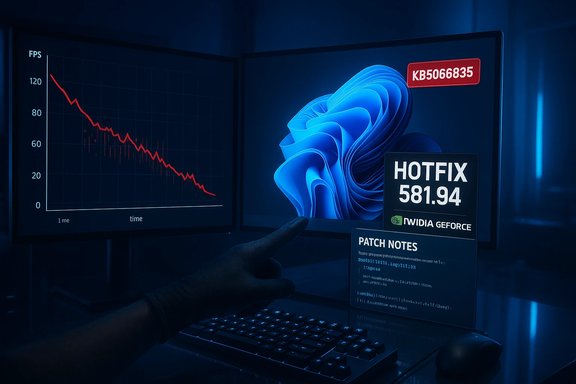
Blue-lit gaming PC setup with a monitor displaying an FPS graph and glowing RGB components.Background​

Shortly after Microsoft distributed the October 14, 2025 cumulative update catalogued as KB5066835 (rolling affected branches to OS builds commonly reported as 26100.6899 for 24H2 and 26200.6899 for 25H2), a wave of user reports and independent benchmark tests flagged large, unexplained regressions in gaming performance on some Windows 11 machines. The pattern included large drops in average frames per second (FPS), degraded 1%/0.1% lows and increased micro‑stutter in a subset of modern titles.
NVIDIA investigated community telemetry and editorial reproductions and published GeForce Hotfix Display Driver 581.94 on November 19, 2025 as a targeted mitigation. The vendor noted the hotfix “addresses: Lower performance may be observed in some games after updating to Windows 11 October 2025 KB5066835,” and made the package available through its hotfix/support channels rather than the normal WHQL Game Ready release cycle. The hotfix is explicitly built on top of Game Ready Driver 581.80 to keep the change set small.

What users saw: symptoms and scale​

Typical symptoms​

  • Large drops in average FPS compared to pre‑update baselines in certain titles.
  • Worse 1% and 0.1% lows, producing perceptible micro‑stutter.
  • High GPU utilization with poor throughput — monitoring tools sometimes showed the GPU at near‑max activity while frame rates remained low.
  • Heterogeneous impact: some systems were unaffected while others — even high‑end rigs — showed dramatic slowdowns or, in rare cases, black screens and crashes under load.

Notable examples from independent testing​

Editorial labs and community benchers converged on a consistent pattern in several test cases. One high‑visibility example reproduced by independent testers used a testbed with an AMD Ryzen 7 9800X3D and an NVIDIA GeForce RTX 5090 running Assassin’s Creed: Shadows. In that controlled scene, the average FPS dropped from approximately 72 FPS pre‑update to roughly 34 FPS post‑update — a decline on the order of 50% — before recovering after installing NVIDIA’s hotfix. Similar scene‑specific drops in the 33–50% range were reported in other hands‑on analyses.
Those figures are not universal: the regression’s magnitude varied by game, resolution, driver baseline, anti‑cheat middleware, overlays, and system firmware. Counter‑Strike 2 and other titles also surfaced in community testing with measurable but generally smaller reductions.

Technical context: why a Windows update can change game performance​

Modern PC gaming is a tightly coupled stack of components that must cooperate at millisecond or microsecond granularity: the application/game engine, the graphics API (DirectX/Vulkan), the GPU driver, kernel and scheduler behavior, system power/thermal policies, anti‑cheat drivers, and the compositor/overlay ecosystems. Small changes in how the OS handles scheduling, interrupts, or display composition can alter how frames are batched, submitted, and presented, producing outsized effects on frame pacing and perceived smoothness.
The October cumulative included a mix of security hardenings and quality fixes that touched low‑level subsystems. Community reproductions and multi‑vendor reports pointed to the OS update as the likely trigger for the regression because affected systems tended to share the same KB/applied build. However, the interaction surface is broad: drivers, anti‑cheat modules, and game engines all use the same kernel APIs and timing primitives and can therefore behave differently after a servicing change. That is why vendors sometimes choose targeted mitigations (like a driver hotfix) while the deeper cross‑vendor root cause is investigated.
Cautionary note: public reporting and vendor advisories do not contain a line‑by‑line forensic trace proving a single Windows component is the root cause. The attribution to KB5066835 is strongly supported by correlated telemetry and the timing of vendor responses, but it stops short of a full forensic disclosure; therefore, absolute root‑cause attribution should be treated as highly likely but not exhaustively proven from outside vendor internal triage logs.

Vendor responses: what NVIDIA and Microsoft did​

NVIDIA’s action​

NVIDIA’s immediate mitigation was the release of GeForce Hotfix Display Driver 581.94 on November 19, 2025. Key facts about the hotfix:
  • Product: GeForce Hotfix Display Driver 581.94.
  • Base: built on Game Ready Driver 581.80 to limit the scope of changes.
  • Scope note: “addresses: Lower performance may be observed in some games after updating to Windows 11 October 2025 KB5066835.”
  • Distribution: hotfix/support channel (optional download), not a broad WHQL push.
  • QA posture: abbreviated testing compared with standard Game Ready releases; intended as a fast remediation for affected users.
Community and editorial testing indicated that 581.94 restored expected performance in many — though not all — affected configurations. That outcome is consistent with a narrowly targeted change that addresses the observable symptom without necessarily solving the entire systemic interaction.

Microsoft’s position​

Microsoft’s October servicing wave included several items that produced high‑visibility side effects in the same timeframe (for example, issues in the Windows Recovery Environment and networking regressions). Microsoft rolled follow‑up updates and, in some cases, emergency patches for specific problems. Public KB and vendor coordination were part of the reactive process, although Microsoft did not publish a single, detailed public post‑mortem tying KB5066835 to the graphics regressions in line‑by‑line terms. That lack of granular public detail is typical when triage involves multiple vendors and proprietary driver stacks.

Practical, step‑by‑step remediation for GeForce users​

If you experienced reduced game performance after applying a Windows 11 cumulative update, follow a structured troubleshooting and remediation workflow. The sequence below prioritizes reproducible measurements, safe rollbacks, and vendor‑recommended mitigations.
  • Confirm whether your system has the suspect Windows build:
  • Settings → System → About. If your OS build matches 26100.6899 or 26200.6899 (or later), you likely have KB5066835 applied.
  • Capture objective baselines:
  • Record average FPS, 1%/0.1% lows and frame‑time graphs using CapFrameX, OCAT, or in‑game benchmarks.
  • Save logs and screenshots for comparison.
  • Try NVIDIA’s hotfix (if using an NVIDIA GPU):
  • Download and install GeForce Hotfix Display Driver 581.94 (Custom → Clean Install recommended).
  • Reboot, re‑benchmark, and record results.
  • If performance returns to expected levels, document the outcome and continue to monitor stability.
  • If issues persist after the hotfix:
  • Use Display Driver Uninstaller (DDU) in Safe Mode to completely remove drivers and perform a fresh clean install of 581.94 or the prior stable driver.
  • Test with overlays and anti‑cheat software disabled to isolate middleware interactions.
  • If you prefer to avoid hotfix drivers:
  • Roll back the Windows update or use System Restore to a pre‑KB state (for single‑user/home systems).
  • For managed fleets, follow organizational update rollback procedures and open a formal support ticket with Microsoft and NVIDIA including logs, reproduction steps, and frame‑time captures.
  • For IT/enterprise teams:
  • Stage the NVIDIA hotfix in a pilot ring first; do not push hotfixes widely without validation.
  • Maintain rollback runbooks and capture telemetry for help‑desk escalation.
  • Consider holding non‑critical workstation updates until the full WHQL Game Ready driver (which incorporates the hotfix after extended QA) is published.

Strengths of the vendor reactions — speed and pragmatism​

  • Rapid mitigation: NVIDIA’s hotfix model allowed an expedited fix to reach affected users quickly, narrowing the user impact window. That pragmatism is valuable for competitive gamers and streamers for whom degraded performance is immediately painful.
  • Narrow scope: Building the hotfix on top of an existing Game Ready driver (581.80) reduced the risk surface by keeping changes minimal and targeted, which is prudent when root causes are still being traced.
  • Actionable guidance: The vendor guidance emphasizing objective telemetry, clean installs, and pilot staging gives administrators a practical path forward to validate fixes and avoid blind redeployments.

Risks, limitations, and unresolved issues​

  • Hotfixes carry QA trade‑offs: By design, hotfix drivers undergo abbreviated testing compared with full WHQL Game Ready releases. That accelerates remediation but raises the chance of unforeseen regressions on rare stacks. Enterprises should pilot hotfixes before wide deployment.
  • Heterogeneous outcomes: The hotfix restored performance in many but not all reported cases; some users required additional steps (DDU clean installs, firmware updates, or even Windows rollbacks) to recover. This highlights that the regression is configuration‑dependent (anti‑cheat software, overlays, BIOS settings, and driver interactions matter).
  • Incomplete public forensic detail: No vendor published a full, vendor‑agnostic root‑cause trace that links a single line of kernel change to the observed frame‑time regression. That makes absolute attribution to a single Windows component technically unprovable from outside the vendors’ internal diagnostics. Treat any precise causal claim not published by vendors as unverified.
  • Cross‑vendor footprint: Community testing suggested similar, smaller regressions on AMD and Intel GPUs in some scenarios. This argues that the primary trigger is likely OS‑level timing or scheduler changes, but it complicates remedial action because driver workarounds will ship independently per vendor.

For editors and advanced testers: how to validate recovery rigorously​

  • Use frame‑time graphs rather than subjective impressions; average FPS can mask micro‑stutter and frame‑time variance.
  • Measure 1% and 0.1% lows and visualize frame‑time distributions around representative scenes.
  • Reproduce tests across multiple driver branches (pre‑KB driver, post‑KB driver, hotfix driver) while keeping other variables constant (resolution, quality presets, overlays disabled).
  • Test with and without popular anti‑cheat overlays, and with background applications turned off, because these can interact with driver submission patterns.

Broader lessons for PC users and IT managers​

  • Stage and pilot: Large cumulative updates can touch deep platform code. For power users and IT managers, staging Windows updates and having rollback procedures are essential.
  • Capture objective telemetry: Tools like CapFrameX and OCAT are indispensable for deciding whether an update has materially affected performance.
  • Vendor coordination matters: The incident demonstrates that rapid, cross‑vendor collaboration — even if initially tactical via hotfixes — can prevent widescale disruption. Still, full post‑mortems and thorough QA are necessary to ensure long‑term robustness.
  • Expect occasional regressions: The PC platform’s strengths (customizability, multiple vendors) come with fragility: changes in one layer can reveal latent assumptions in another.

Bottom line and recommended next steps​

  • If you noticed sudden FPS drops after a recent Windows 11 cumulative update, confirm your OS build and capture objective baseline metrics before making changes.
  • NVIDIA’s GeForce Hotfix 581.94 restored performance for many affected GeForce users and is the pragmatic first‑line mitigation for NVIDIA systems; apply it with a clean install and re‑benchmark to confirm recovery.
  • For managed environments, pilot the hotfix and prefer to roll it into your standard driver baseline after satisfactory validation; for home users uncomfortable with hotfix QA trade‑offs, waiting for the next WHQL Game Ready driver (which will incorporate the hotfix) is a defensible alternative.
  • Keep records of your tests — frame‑time captures, logs and reproduction notes — and escalate with those artifacts to vendor support if issues persist. Objective telemetry is essential to resolve configuration‑dependent regressions efficiently.

Final assessment: strengths, risks, and where uncertainty remains​

The public chain of evidence — community telemetry, independent editorial reproduction and NVIDIA’s targeted hotfix release — forms a strong, pragmatic story: a Windows 11 October 2025 cumulative update correlated with observable game performance regressions on a subset of systems, and NVIDIA’s hotfix 581.94 materially helped many affected users. That sequence is corroborated across multiple independent reports and vendor notices.
At the same time, this episode underlines two enduring truths for the PC ecosystem. First, when operating at millisecond granularity, a change in platform timing or scheduler behavior can ripple into large, user‑facing differences. Second, vendor hotfixes are rapid and useful but carry reduced QA coverage and therefore require disciplined staging and telemetry‑backed validation to avoid swapping one problem for another. Until vendors publish complete forensic post‑mortems, attribution beyond “OS update triggered an interaction” remains technically plausible but not exhaustively proven — that uncertainty is the responsible context to maintain while applying and testing mitigations.
The episode should be a wake‑up call for IT teams and gamers alike: maintain conservative update policies where needed, instrument systems to capture objective metrics, and insist on staged rollouts and rollback plans. Rapid vendor responsiveness restored playability for many, but the underlying fragility of the interdependent OS + driver + game stack has not disappeared; the best defense remains disciplined testing, clear telemetry and thoughtful change management.
Conclusion: For GeForce users who lost frames after the Windows 11 October 2025 cumulative update, NVIDIA’s hotfix 581.94 offers a fast, often effective remedy; apply it with care, validate with objective benchmarks, and keep an eye out for the next full Game Ready driver that will fold the hotfix into a comprehensively tested release.

Source: VideoCardz.com https://videocardz.com/newz/geforce...fter-installing-the-latest-windows-11-update/
 

Microsoft’s October cumulative for Windows 11 has produced a wave of headaches for gamers and creative pros after widespread reports of dramatic frame‑rate drops, stuttering and occasional black screens — a regression that appears tied to KB5066835 and that prompted NVIDIA to ship a targeted GeForce Hotfix (581.94) while AMD and Intel responses remain uneven.

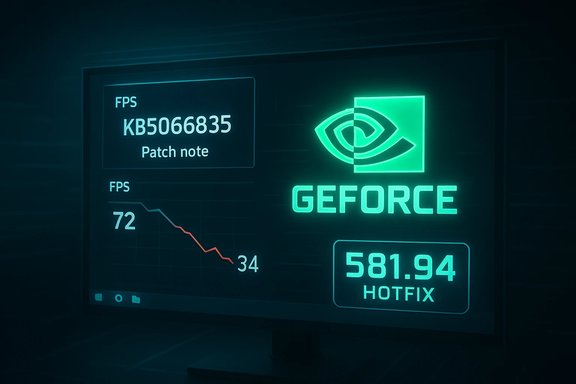
A dark tech desk with dual monitors: FPS graph on the left and hotfix patch notes on the right.Background​

The October 14, 2025 cumulative update for Windows 11 — published under the package ID KB5066835 and rolling into OS builds in the 26100–26200 family — was intended as a routine security-and-quality servicing release. Within days, community telemetry, editorial test beds and user reports began painting a different picture: certain systems, especially those running recent NVIDIA GeForce drivers and modern DirectX titles, started showing large FPS declines, worse 1%/0.1% lows, and increased micro‑stutter after installing the update. That correlation between the Windows servicing wave and degraded GPU behavior became the dominant theory because independent tests reproduced the symptom set and because vendor response followed a pattern consistent with an OS-triggered regression. Microsoft’s KB page documented several unrelated known issues from the same servicing cycle (for example, WinRE USB input problems and HTTP.sys/localhost regressions), but did not initially call out gaming performance as a listed known issue.

What happened — timeline and scope​

Key dates and artifacts​

  • October 14, 2025 — Microsoft publishes cumulative update KB5066835 for Windows 11 (24H2 / 25H2 branches).
  • Mid‑October to November 2025 — community reports and independent benches report frame‑rate drops and stuttering correlated with systems that installed KB5066835.
  • November 19, 2025 — NVIDIA issues GeForce Hotfix Display Driver 581.94, explicitly stating it “addresses: Lower performance may be observed in some games after updating to Windows 11 October 2025 KB5066835.” The hotfix is built on top of Game Ready Driver 581.80.

Which systems were affected​

Reports were heterogeneous: some high‑end rigs (including reported RTX 50‑series testbeds) showed massive drops — in extreme published reproductions cut by roughly 30–50% in certain scenes — while other systems were unaffected. The regression appeared to rely on an intersection of factors: the Windows OS build, particular GPU driver families (NVIDIA in the early wave), game engines and titles, overlays/third‑party capture software, and anti‑cheat modules. That made reproduction uneven and troubleshooting more complex than a single‑vendor bug.

Symptoms — how the problem showed up in the wild​

  • Large drops in average FPS compared to pre‑update baselines, sometimes halving frame rates in isolated scenes.
  • Degraded 1% and 0.1% lows producing perceptible micro‑stutter and hitching during gameplay.
  • Reports of black screens or complete freezes in rare, worst‑case cases.
  • Monitoring tools showing high GPU utilization even while frame output was low — an indicator the GPU was busy but not being fed efficiently.
Independent labs (editorial testbeds and enthusiast benchers) were able to reproduce meaningful drops on repeatable scenes in certain titles; those tests played a central role in convincing NVIDIA to produce a hotfix. However, because the regression’s magnitude and presence varied by title and system, the issue remained a distribution problem rather than a universal failure.

Vendor responses​

NVIDIA: rapid hotfix (581.94)​

NVIDIA’s public reply was a pragmatic one: rather than wait for a fully validated WHQL Game Ready release, the company published GeForce Hotfix Display Driver 581.94 on November 19, 2025 as a targeted mitigation for the KB5066835‑linked regression. NVIDIA described the hotfix succinctly and conservatively: it “addresses: Lower performance may be observed in some games after updating to Windows 11 October 2025 KB5066835.” The hotfix was explicitly built on top of Game Ready Driver 581.80 to keep the change set small, and users saw measurable recovery in many affected configurations after installing the driver. Important characteristics of NVIDIA’s approach:
  • The hotfix is an optional, manual download distributed through NVIDIA’s hotfix/support channels and GeForce Experience.
  • It is a rapid‑response release with an abbreviated QA cycle — useful to restore performance quickly but carrying a slightly elevated risk of edge‑case side effects.
  • NVIDIA did not publish a per‑GPU or per‑game list of affected configurations. Users were advised to test their systems post‑install to confirm improvement.

AMD and Intel: mixed and partial signals​

Early reporting focused on NVIDIA systems because the vendor produced a clear mitigation that referenced KB5066835. For AMD and Intel, the picture was murkier. Multiple community threads flagged potential AMD regressions and hangs in some titles, and later December user reports suggested that Microsoft’s December cumulative (and AMD’s Adrenalin driver updates) mitigated some AMD symptoms for certain cards. However, at the time NVIDIA’s hotfix shipped, AMD had not published an equivalent hotfix explicitly citing KB5066835, and public vendor confirmation was limited. That left AMD users in a more uncertain position and urged caution before assuming parity with NVIDIA’s case. This claim remains partially unverified; community telemetry indicates improvements for some AMD cards after later updates, but vendor attribution is not consistently documented.

Technical context — why a Windows update can change GPU behavior​

Modern PC gaming stacks are tightly coupled. A single servicing update that modifies kernel scheduling, the Desktop Window Manager, DirectX presentation timing, or power/performance telemetry can subtly alter how frames are queued, dispatched and presented. Those timing changes ripple through the GPU driver, the game engine, anti‑cheat kernel drivers, and overlays, producing outsized effects on frame pacing and throughput.
In practical terms:
  • If the OS changes thread scheduling or introduces synchronization points, the GPU may be fed less consistently, producing worse 1%/0.1% lows.
  • If presentation paths in Windows (DWM, present modes) are altered, games that rely on specific timing behavior can suffer stutter or drop frames.
  • The symptom set (high utilization with low throughput) points to a coordination problem between the driver and OS rather than a raw GPU hardware failure.
This is why vendors sometimes ship driver‑side mitigations: they can restore prior timing or scheduling behavior at the driver layer while Microsoft investigates and issues an OS fix, avoiding the need for users to roll back security updates. That trade‑off — rapid driver mitigation versus full root‑cause correction in the OS — explains NVIDIA’s hotfix decision.

How to tell if you’re affected​

Perform a quick, methodical check before assuming you’re hit by the KB5066835 regression:
  • Check Windows build: go to Settings → System → About and note the OS build. If your build is in the 26100–26200 family and you installed updates around mid‑October 2025, you may be in scope.
  • Confirm symptoms: run a known benchmark or replay a reproducible scene and record average FPS and 1% lows. Compare to previously recorded baselines if available. Tools such as CapFrameX, OCAT, or in‑game benchmarking tools work well.
  • Monitor GPU telemetry: use MSI Afterburner, GPU-Z or similar to check utilization, clock speeds and power draw while reproducing the issue. High utilization but low frame output is a key sign.
  • Cross‑check with driver: try rolling back to a pre‑hotfix driver (if you already installed 581.94) or testing with the hotfix to see if it restores performance. Note results precisely.

Practical fixes and mitigations​

Below are immediate actions users and IT teams can take, ranked from least to most invasive.
  • Update your GPU driver
  • NVIDIA users: install GeForce Hotfix 581.94 from NVIDIA’s hotfix/support pages if you observe KB‑related performance degradation. This driver has restored performance in many reported cases — install with a clean driver install if problems persist.
  • AMD users: monitor AMD’s Adrenalin driver releases and Windows update rollups; install vendor updates that reference fixes or improvements for stability. Community reports indicate December patches helped some AMD setups, but vendor confirmation varied. Test carefully before wide deployment.
  • Clean driver install
  • Use Display Driver Uninstaller (DDU) in Safe Mode to remove old driver residues, then perform the new driver install. Several users reported improved outcomes after a clean install of the hotfix.
  • Temporary in‑game or OS workarounds
  • Disable heavy overlays (Discord, GeForce Experience overlay, Xbox Game Bar) and third‑party capture tools to rule out interaction effects.
  • Disable AutoHDR or HDR conversion paths in Windows if you notice instability tied to HDR behavior — some community threads linked AutoHDR to rendering anomalies in certain titles (note: this is title‑dependent). This is a mitigation and reduces feature functionality.
  • Roll back the Windows update (only if necessary and with caution)
  • If a system is mission‑critical and the hotfix/driver steps fail, use Settings → System → Recovery → Go Back to revert to the prior Windows build. Remember that rolling back removes recent security and reliability fixes. After reverting, pause feature updates to avoid automatic reinstallation until vendors publish definitive corrections.
  • For managed fleets: pilot and staged rollout
  • IT departments should stage driver and Windows patches to a pilot group, capture telemetry, and prepare runbooks for quick rollback and recovery. Known Issue Rollbacks (KIR) and Microsoft’s servicing options can help for enterprise environments.

Risks and trade‑offs — what to watch out for​

  • Hotfix QA tradeoffs: NVIDIA’s hotfix was intentionally small and rapid. That speeds delivery but reduces testing coverage, increasing the chance of rare side effects. For production systems (especially non‑gaming workstations), waiting for the next fully validated Game Ready/WHQL driver may be prudent.
  • Security vs. stability: Rolling back KB5066835 removes the immediate performance regression but also undoes security and quality fixes. That trade‑off should be carefully considered, especially for internet‑connected systems.
  • Partial visibility for AMD/Intel users: early reporting favored NVIDIA because of the vendor’s clear hotfix. AMD and Intel users should not assume they are unaffected; community signals and later Windows patches suggested some AMD relief in December, but attribution was not uniformly documented. Treat AMD reports as plausible but not exhaustively verified.
  • Anti‑cheat and middleware interactions: because anti‑cheat drivers operate at kernel level and interact with presentation timing, they can amplify or mask the regression. When troubleshooting, include anti‑cheat as a suspect and coordinate with game developers where appropriate.

Critical analysis — what this incident reveals​

This episode exposes a predictable but unpleasant reality about modern Windows servicing: cumulative updates touch deep system layers and, because gaming workloads depend on millisecond‑level coordination across drivers, kernel and application stacks, even well‑intentioned changes can produce visible regressions.
Notable strengths in the ecosystem’s response:
  • Rapid vendor triage and remediation: NVIDIA’s hotfix demonstrates how driver vendors can respond quickly to field data and independent reproduce tests to restore usability for affected customers.
  • Community telemetry and editorial testing: enthusiast forums and laboratory reproductions were essential to surface the problem and quantify the impact, accelerating vendor action.
Persistent weaknesses and systemic risks:
  • The simultaneity problem: multiple vendors (Microsoft, GPU vendors, game developers, middleware/anti‑cheat vendors) must coordinate to fully resolve platform regressions, and that coordination is imperfect. Users get caught in the middle.
  • Communication gaps: Microsoft’s KB did not initially acknowledge frame‑rate regression and vendor notes were terse. Clearer vendor-to-user communications would reduce confusion and speed safe remediations.
  • Fleet management complexity: enterprises with mixed hardware must now build testing matrices for Windows servicing cycles and driver changes — a scale challenge for IT teams.

Recommendations — practical guidance for gamers and IT pros​

  • Gamers (single‑user)
  • If you saw sudden FPS degradation after mid‑October 2025, test with GeForce Hotfix 581.94 (NVIDIA users) and perform a clean install if necessary. Record before/after metrics.
  • Use objective frame‑time capture tools (CapFrameX, OCAT) rather than subjective impressions to verify recovery.
  • If you prefer maximum stability and do not want beta drivers, wait for the next WHQL Game Ready release and monitor vendor advisories.
  • AMD/Intel users
  • Monitor AMD/Intel driver release notes and Microsoft’s cumulative update bulletin for explicit mentions of GPU fixes. If you experience hangs or crashes, test with the latest vendor drivers and Windows cumulative rollups (install to a pilot system first). Do not assume identical behavior to NVIDIA cases; results vary by hardware and title.
  • IT teams and content creators
  • Stage Windows feature and cumulative updates in controlled pilot rings. Capture telemetry for representative workloads (including graphics‑heavy apps). Prepare rollback procedures and runbooks to recover endpoints quickly.
  • Keep a small pool of test machines with varied GPU vendors to validate update rollouts. Use Microsoft’s servicing channels and Known Issue Rollbacks (KIR) where available.
  • Content/QA teams at game studios
  • Expand automated CI testing to include the latest Windows servicing and driver combos to catch platform regressions sooner. Communicate with GPU vendors and Microsoft when anomalies appear.

Final assessment and cautionary notes​

The Windows 11 October cumulative (KB5066835) regression that surfaced in October–November 2025 was a high‑visibility example of platform fragility: a system update that changed low‑level behavior produced outsized effects for a subset of GPU‑bound workloads. NVIDIA’s GeForce Hotfix 581.94 restored performance for many users and was the right operational move to provide quick relief, but it is not a substitute for a full root‑cause fix in the OS and carries the usual trade‑offs of rapid hotfixes. Two practical caveats:
  • Claims that all AMD and Intel GPUs were equally affected are currently not exhaustively proven; community reports indicate some AMD systems experienced related symptoms and that December updates helped some AMD users, but vendor attribution is incomplete — treat those claims with caution until publicly confirmed by the vendors or Microsoft.
  • Hotfixes are temporary mitigations. For long‑term stability, prioritize fully validated driver releases and Microsoft servicing patches that explicitly document fixes for the regression.

This incident is a reminder that the modern PC ecosystem is a finely balanced stack: updates that improve security or reliability can also expose corner cases in drivers and software that previously behaved benignly. For now, affected NVIDIA users have a vendor‑supplied path to recovery in GeForce Hotfix 581.94, while AMD and Intel users should watch vendor bulletins closely and follow staged testing practices before deploying broad updates across critical systems.
Source: Instant Gaming News https://news.instant-gaming.com/en/...-causes-bugs-on-pcs-with-nvidia-and-amd-gpus/
 

Back
Top